The best log is not necessarily the longest one. A useful log captures the information people actually need while keeping data entry fast enough that employees will complete it consistently. Typical fields include date, time, person responsible, activity or event, status, issue, action taken, and notes. More specialized versions may add equipment identification, production quantities, downtime, inventory movements, customer contacts, or maintenance details.
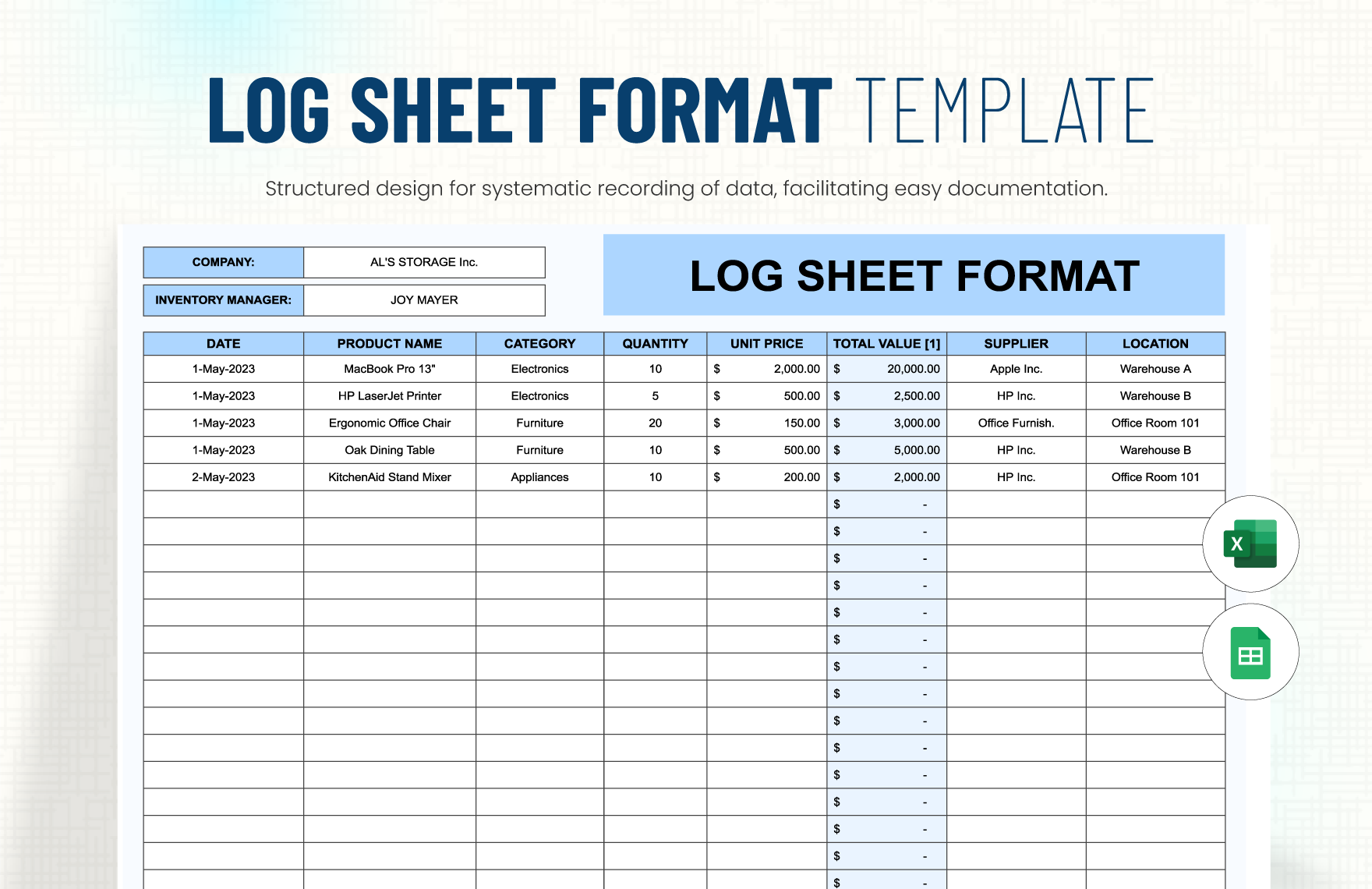
Current template examples show how the same basic idea can be adapted to spreadsheets, printable sheets, manufacturing records, maintenance logs, call records, and digital workflows. Spreadsheet-based logs can be particularly useful when a team needs filtering, sorting, formulas, or shared access, while a printable sheet can be preferable where staff work away from desks or need a clipboard-based record. :contentReference[oaicite:0]{index=0}
This guide explains how to design a practical operations log, what fields to include, how to choose between Excel, Word, PDF, and Google Sheets, and how to adapt the format for manufacturing, equipment, office administration, customer service, and other environments. It also explains how to turn a basic log into a useful management record without making it unnecessarily complicated.
The goal is simple: create a record that is quick to complete, easy to understand, easy to review, and valuable enough to support better operational decisions. A well-designed simple operations log template should help the next person understand what happened, what remains open, and what needs attention.
What Is a Simple Operations Log Template?
A simple operations log template is a reusable document or spreadsheet structure for recording routine operational events in a consistent format. The template provides the headings and fields in advance, while the user enters the actual information for each day, shift, task, incident, or operating period.
The word “operations” can mean different things depending on the organization. In a manufacturing plant, it may refer to machine status, output, downtime, scrap, quality observations, and shift handover. In an office, it may cover opening and closing tasks, supply issues, visitors, facilities problems, calls, and administrative work. In field service, it may document jobs completed, equipment used, travel, delays, and customer communication.
A good template therefore starts with the workflow rather than with a predetermined list of columns. If a field does not help someone record, understand, verify, analyze, or act on an event, it may not belong in the main log.
Modern operations-log examples commonly connect shift activities with incidents and equipment so that a record can be traced back to the people, assets, and events involved. That relationship is useful because a single operational problem may affect more than one part of a business. :contentReference[oaicite:1]{index=1}
The simplest version can be nothing more than Date, Time, Activity, Status, Action Taken, and Notes. More advanced versions can retain that core structure while adding controlled fields for priority, equipment ID, work order, operator, location, or follow-up date.
Why Use an Operations Log?
The first benefit is continuity. When one employee finishes a shift and another takes over, the incoming person should not have to reconstruct the previous shift from memory or search through multiple conversations. A chronological log provides a shared operational history.
The second benefit is accountability. A well-designed record identifies who performed an activity, when it happened, what was observed, and what action followed. This does not mean the log should become a surveillance tool. It means responsibility and ownership are clear enough for ordinary coordination and follow-up.
The third benefit is trend recognition. A single entry may seem insignificant, but repeated entries can reveal recurring equipment failures, material shortages, customer complaints, delayed tasks, or inefficient processes. Once information is recorded consistently, managers can review it for patterns instead of relying entirely on anecdotal reports.
The fourth benefit is operational memory. Employees change, shifts rotate, suppliers change, and equipment ages. A reliable log preserves useful context that would otherwise disappear when the person who remembers an event is unavailable.
The fifth benefit is faster problem resolution. When an issue is recorded with a timestamp, location, description, action taken, and current status, the next person can continue the work rather than starting the investigation again. That is particularly valuable for recurring maintenance, production interruptions, facilities problems, and customer-service follow-ups.
What Should a Simple Operations Log Contain?
The header should establish the context of the record. Depending on the workflow, that can include the organization, department, location, reporting period, date, shift, supervisor, operator, or responsible employee. A clear header prevents a completed sheet from becoming ambiguous when it is reviewed later.
The main table should capture the operational event itself. Common fields include time, activity, category, status, person responsible, action taken, and notes. A manufacturing team might replace “activity” with “production event,” while a facilities team might use “inspection or issue.”
Time is particularly useful when the sequence of events matters. Recording 08:15, 09:40, and 11:05 can make a shift easier to reconstruct than three undated notes. If exact timestamps are not important, however, a date-based record may be sufficient.
Status fields should be controlled where possible. Options such as Open, In Progress, Completed, Deferred, and Escalated are easier to analyze than free-text variations such as “done,” “finished,” “still working,” or “waiting.” Controlled values also make spreadsheet filtering more reliable.
Finally, provide enough room for meaningful notes. Notes should explain context that cannot be represented by the structured fields, such as unusual conditions, temporary workarounds, customer instructions, or information the next shift needs to know.
Core Fields to Consider
Date and Time
Date and time establish the chronological sequence of events. For recurring operations, this is often the foundation of the entire record. If the log covers one shift per sheet, the date and shift may be sufficient at the top, while individual entries can carry times.
Use a consistent date format throughout the organization. Mixing formats such as 03/04/26 and 4 March 2026 can create unnecessary ambiguity, especially when teams work across countries or regions.
Time should be recorded using a consistent convention. If the organization works across multiple shifts, include a shift field rather than expecting reviewers to infer it from the time.
For digital logs, timestamps can sometimes be generated automatically. For manual logs, employees should enter the time when the event actually occurs rather than reconstructing a whole shift at the end of the day whenever immediate recording is practical.
Good timestamp discipline makes later review much easier. It can reveal whether an issue happened before a changeover, after a maintenance activity, during a particular shift, or shortly after another event.
Activity or Event
The activity field should describe what happened in plain language. “Checked compressor,” “received shipment,” “completed batch inspection,” and “customer requested replacement” are more useful than vague entries such as “worked on issue.”
Use a level of detail that matches the purpose of the log. A high-level management log may only need a short description, while an equipment record may need a specific task, component, reading, or work order reference.
If employees repeatedly record the same categories of events, consider using a dropdown or standardized category list. This makes later reporting easier and reduces spelling variations.
Do not make the activity field unnecessarily complicated. If employees must write a paragraph for every routine action, the log can become burdensome and completion quality may decline.
A strong activity description answers the basic question: “What actually happened?” Other fields can then explain why it happened, what was done, and what comes next.
Status and Follow-Up
Status tells the reader whether an item is finished or still requires attention. It is one of the most useful fields for handovers because open items can be identified quickly without reading every note.
A basic status list might contain Open, In Progress, Completed, Deferred, and Escalated. The exact values should reflect the organization’s workflow rather than being copied from another business.
Follow-up information can include an owner, due date, next action, or reference number. For example, “Maintenance requested; technician assigned; inspect by 14:00” is more actionable than “Machine issue reported.”
If a problem is transferred between people, the log should preserve that transition. This prevents ownership from becoming unclear when a shift ends or a department becomes involved.
Keep status and notes separate when possible. A status should be easy to filter, while notes can provide the explanation behind that status.
How to Create a Simple Operations Log Template
Start by defining the decision the log is supposed to support. A shift handover log has a different purpose from an equipment maintenance log or a production output log. The intended use determines which fields are essential.
Next, list the minimum information needed to reconstruct an event. In many cases, that means date, time, activity, responsible person, status, action, and notes. Add specialized fields only when they provide a clear benefit.
Then determine how the information will be entered. If operators use a workstation, Excel or Google Sheets may be practical. If employees move around a facility, a printable sheet or mobile form may be more appropriate.
After choosing the format, create a small sample using realistic hypothetical entries. Ask whether another employee could understand what happened without asking the original author for an explanation.
Finally, test the template during an actual operating period. The first version should be treated as a working design rather than a permanent document. Remove fields that nobody uses, clarify confusing headings, and add fields only when a recurring information gap becomes apparent.
Choosing Between Excel, Word, PDF, and Google Sheets
Excel is particularly useful when the log needs sorting, filtering, calculations, data validation, summaries, or multiple worksheets. A simple operations log can remain a single worksheet, while a larger workbook can separate the daily record, reference lists, equipment register, and summary analysis.
Word is useful when the document is primarily narrative or when the organization wants a printable form with a controlled page layout. It is also convenient for logs that include instructions, signature areas, longer comments, or document-control information.
PDF is usually most useful when a fixed layout matters. A PDF can be printed or completed digitally depending on how it was created. It is especially suitable for a standardized one-page form that should look the same wherever it is used.
Google Sheets can be useful when multiple authorized users need shared access to the same operational record. It also supports collaborative editing and spreadsheet-style filtering, although organizations should establish appropriate permissions and document-management practices.
The right choice depends on workflow rather than popularity. If data needs to be analyzed, a spreadsheet is often stronger. If the priority is a fixed printable form, PDF or Word may be better. If multiple people need a shared working record, Google Sheets may be appropriate.
Designing a Simple Operations Log Template for Manufacturing
Manufacturing logs need to balance speed and traceability. Operators should be able to record information without slowing production, but the resulting data should still allow supervisors to understand output, downtime, quality events, and significant changes.
A manufacturing-oriented log may include date, shift, line or machine, operator, product or part number, target quantity, actual quantity, scrap, downtime, reason code, quality issue, material lot, and handover notes.
Production-log examples commonly separate planned output from actual output and provide dedicated areas for downtime and quality notes. This structure allows a supervisor to distinguish a production shortfall caused by downtime from one caused by another operational factor. :contentReference[oaicite:2]{index=2}
Downtime categories should be standardized when the organization wants to analyze recurring losses. Categories might include mechanical failure, electrical problem, material shortage, setup, planned maintenance, quality investigation, or other locally relevant causes.
Do not overload the manufacturing log with every possible production metric. If a value is already captured automatically by a machine or manufacturing system, duplicating it manually may introduce unnecessary work and transcription errors. Use the log for information that operators genuinely need to record or explain.
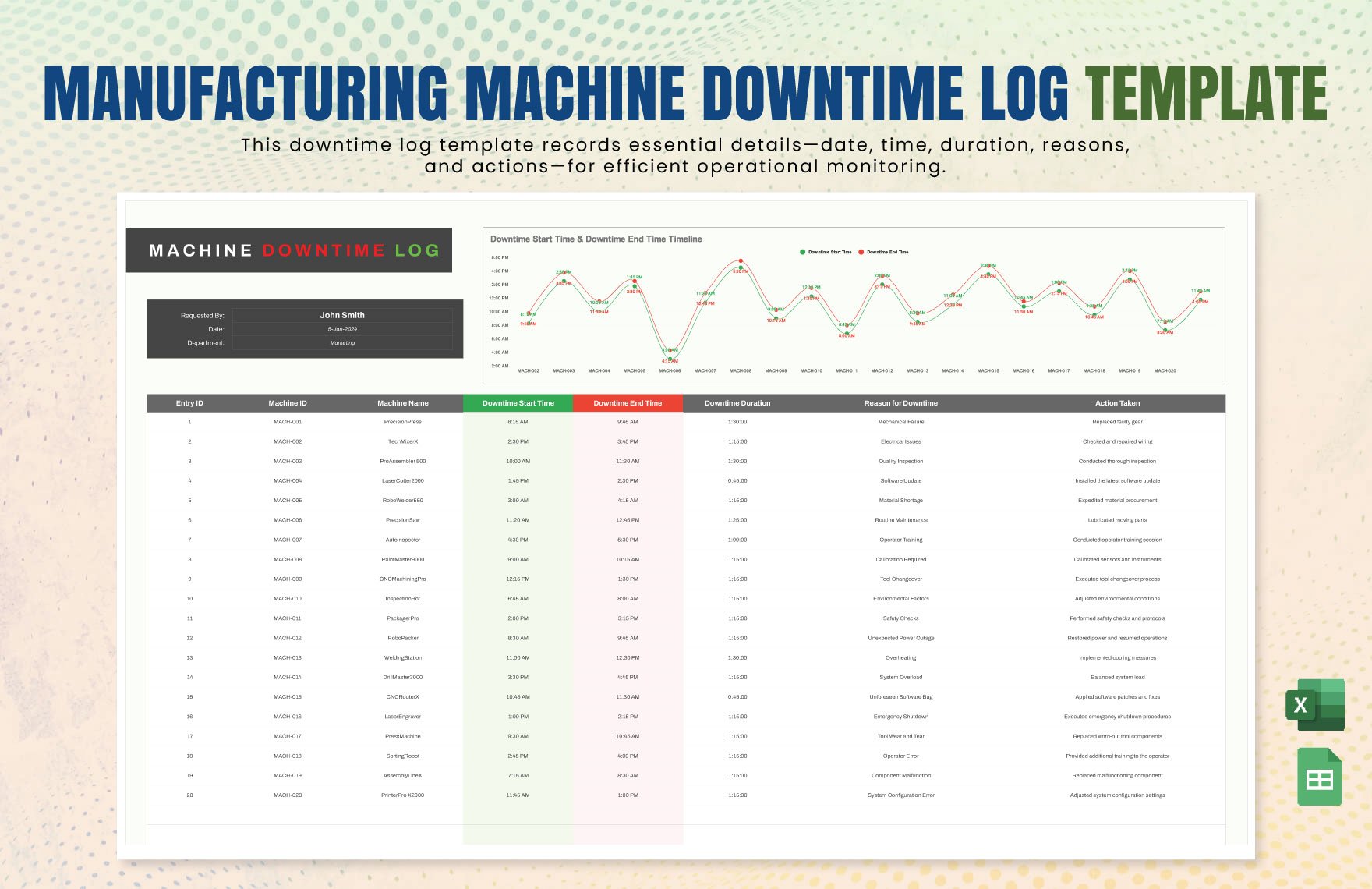
Example Manufacturing Entry
Consider a hypothetical packaging line operating on a morning shift. At 09:20, the operator notices that the conveyor is stopping intermittently. The event should not simply be recorded as “machine problem.” A useful entry would identify the line, approximate time, symptom, immediate action, and current status.
A hypothetical record could state: “Line 2 conveyor stopped intermittently during carton transfer; operator cleared visible obstruction and restarted line; maintenance notified for inspection; production resumed at 09:35.”
If the downtime is measured, the log can record the duration separately. If the organization uses reason codes, the operator can select the applicable category rather than typing it each time.
The next shift can then see that the line was restarted but that a maintenance inspection remains open. This distinction is important because “running again” does not necessarily mean “problem resolved.”
That is the value of a simple operations log template in manufacturing: it provides enough structure to preserve operational context without turning every entry into a long report.
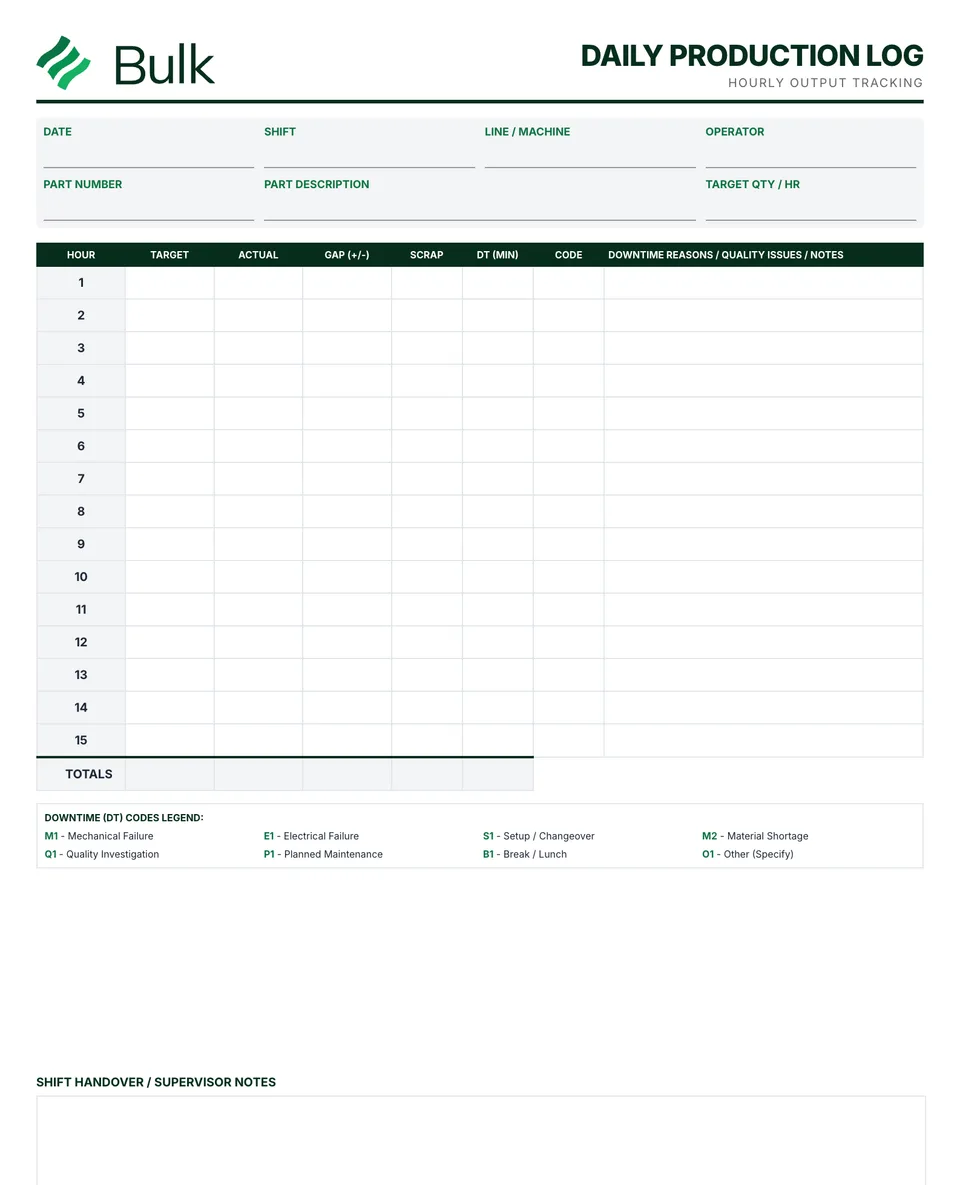
Equipment and Maintenance Logging
Equipment records are often more valuable when they distinguish routine use, inspection, maintenance, breakdown, and repair. A single generic “notes” field may be insufficient when an organization needs to understand an asset’s history over time.
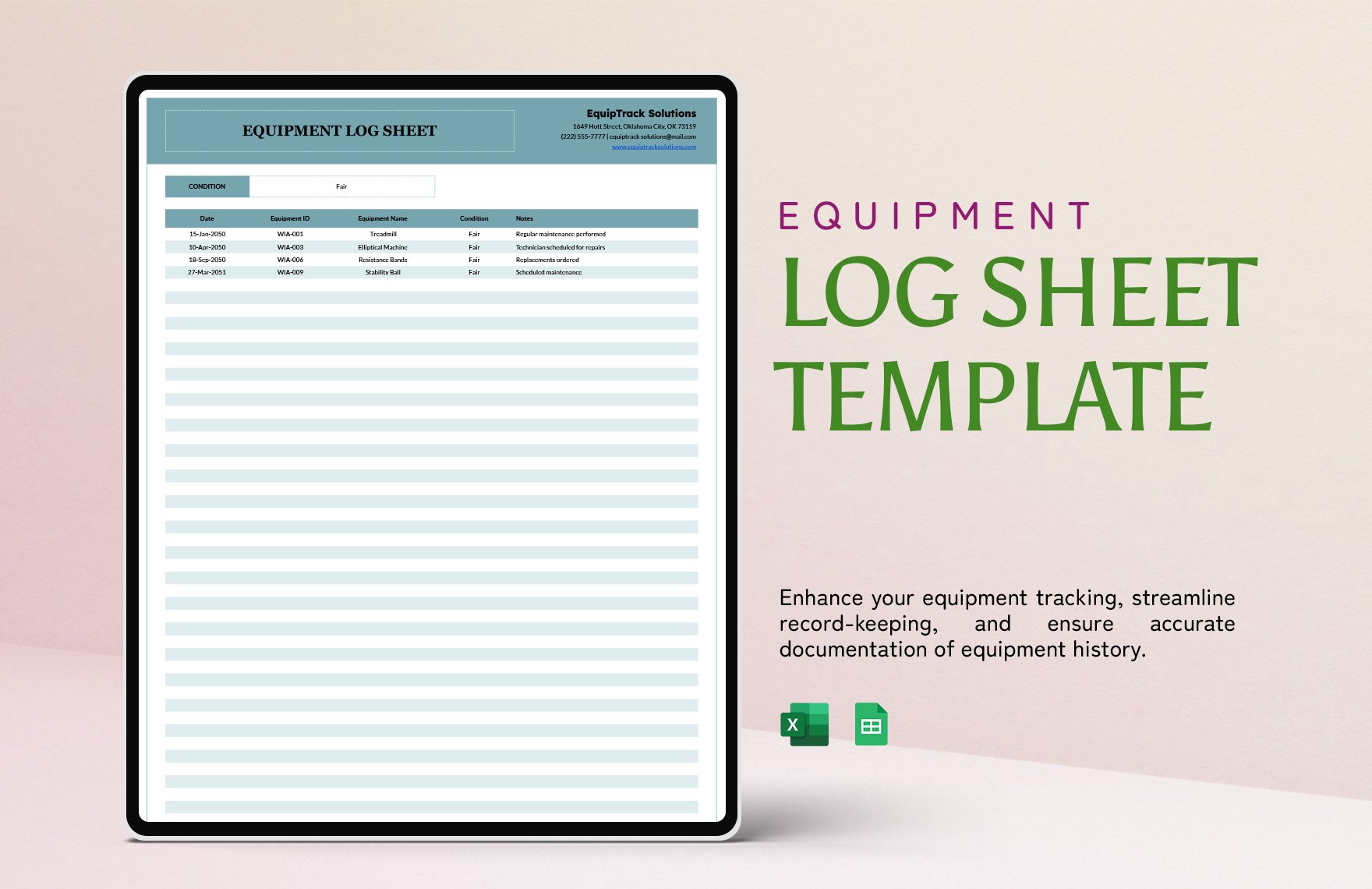
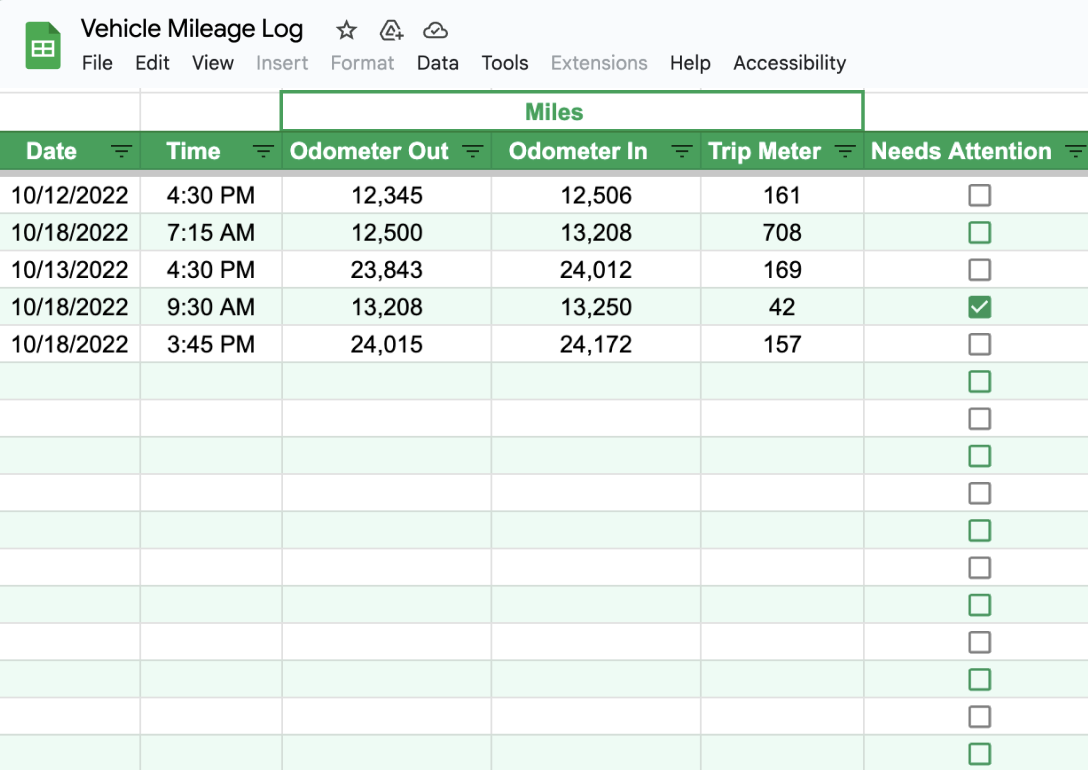
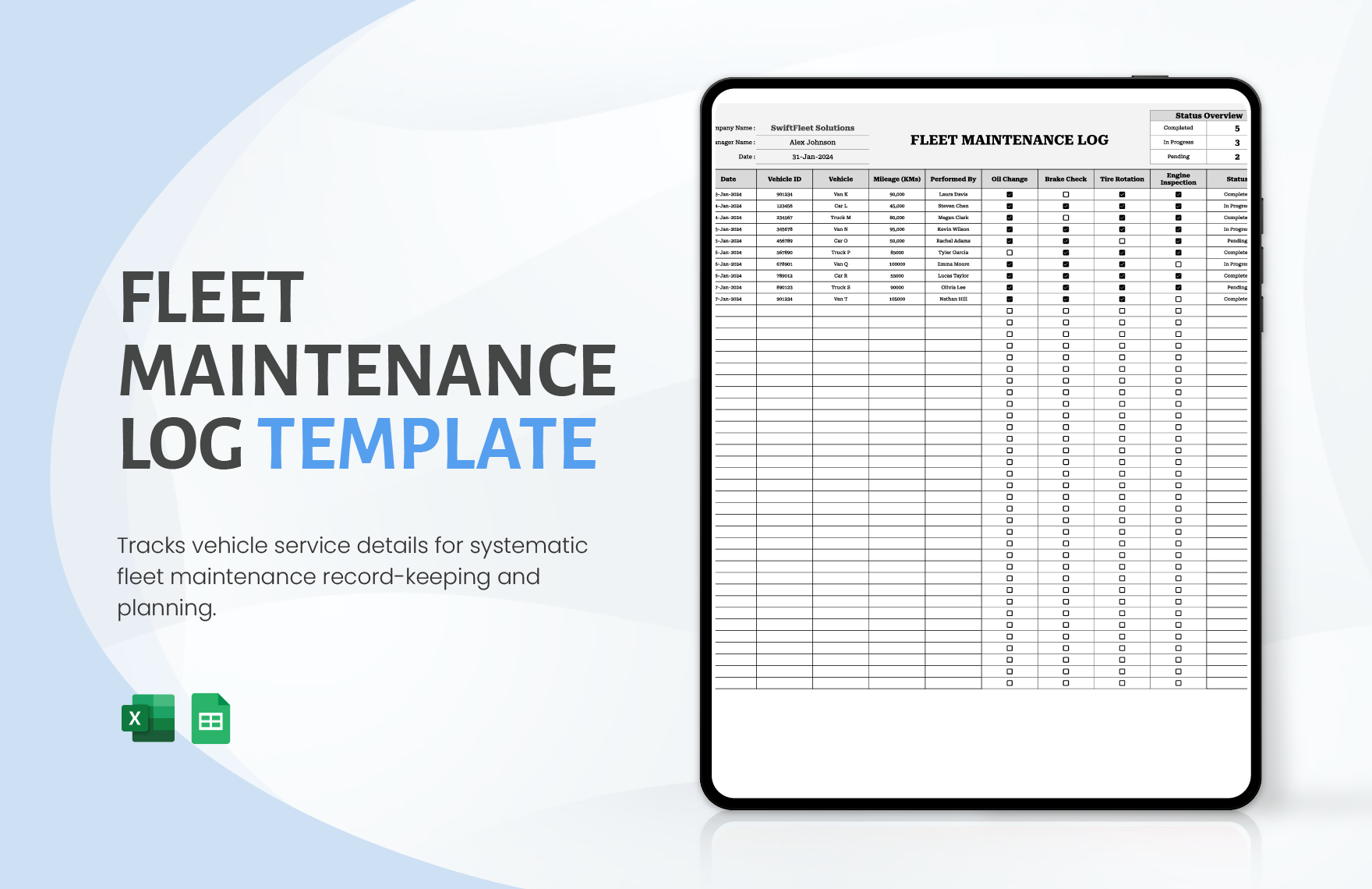
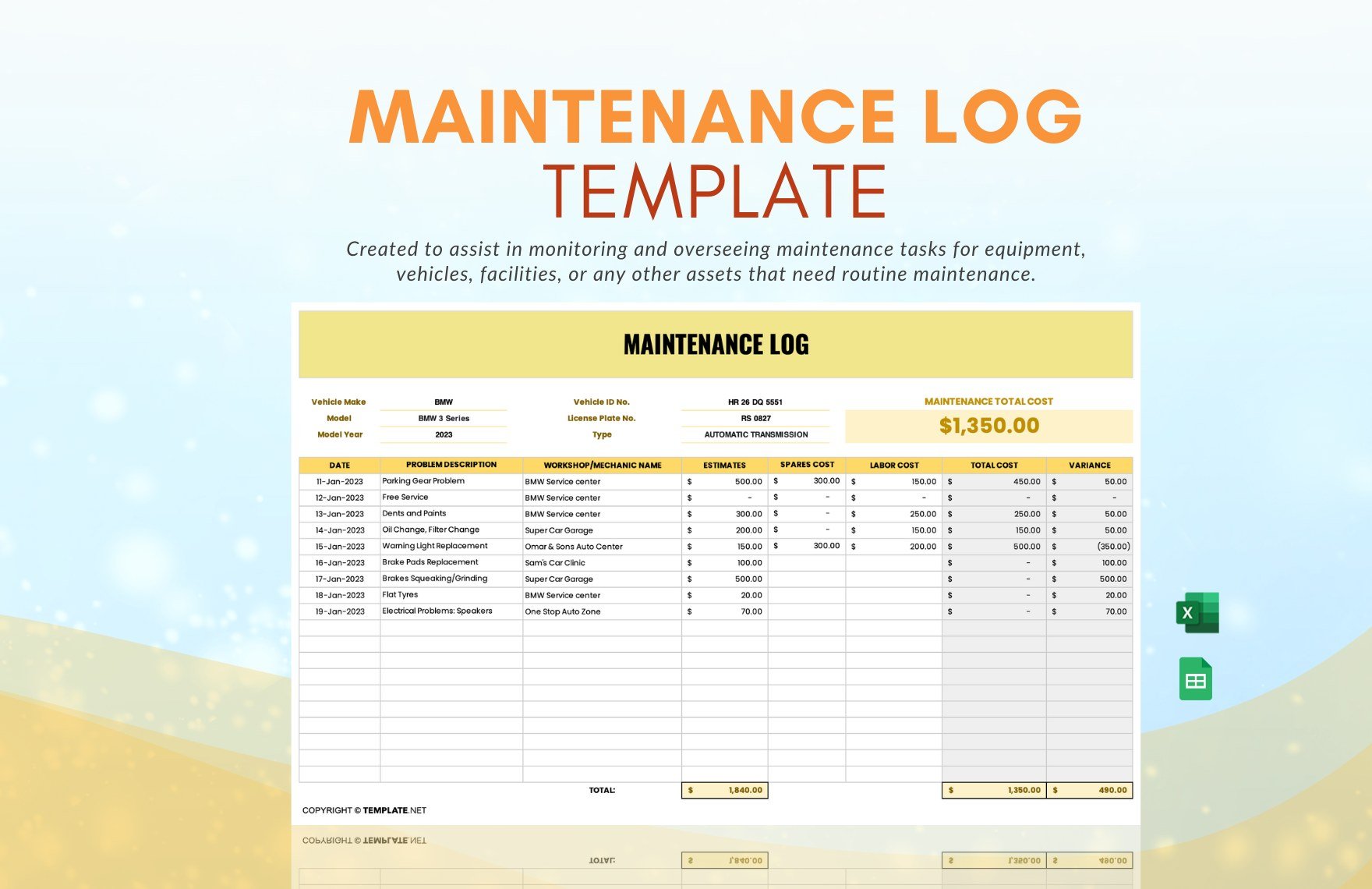
Useful equipment fields can include asset ID, equipment name, location, operator, date, start and end time, meter reading, operating hours, condition, maintenance type, work performed, parts used, issue found, corrective action, and next service date.
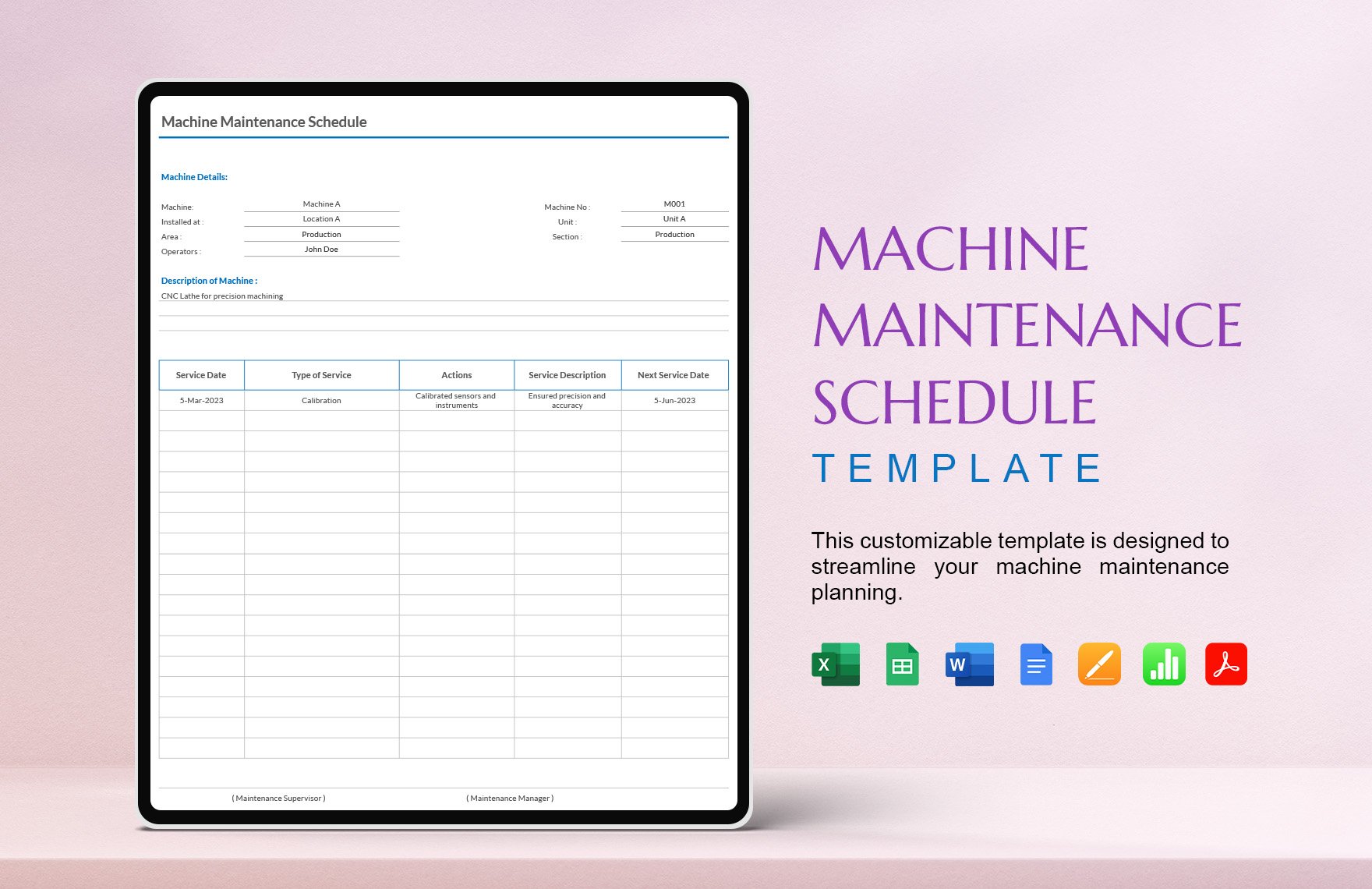
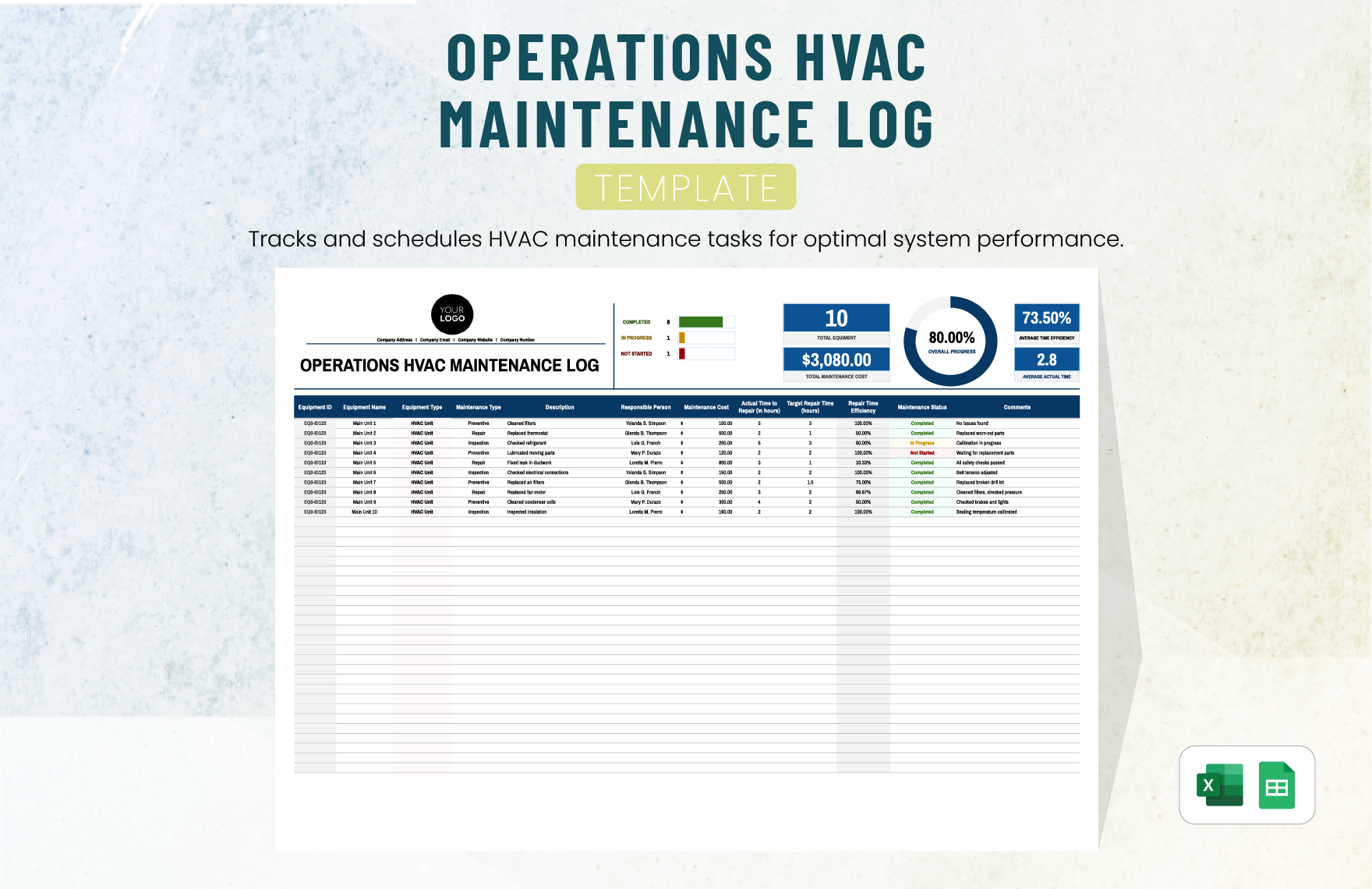
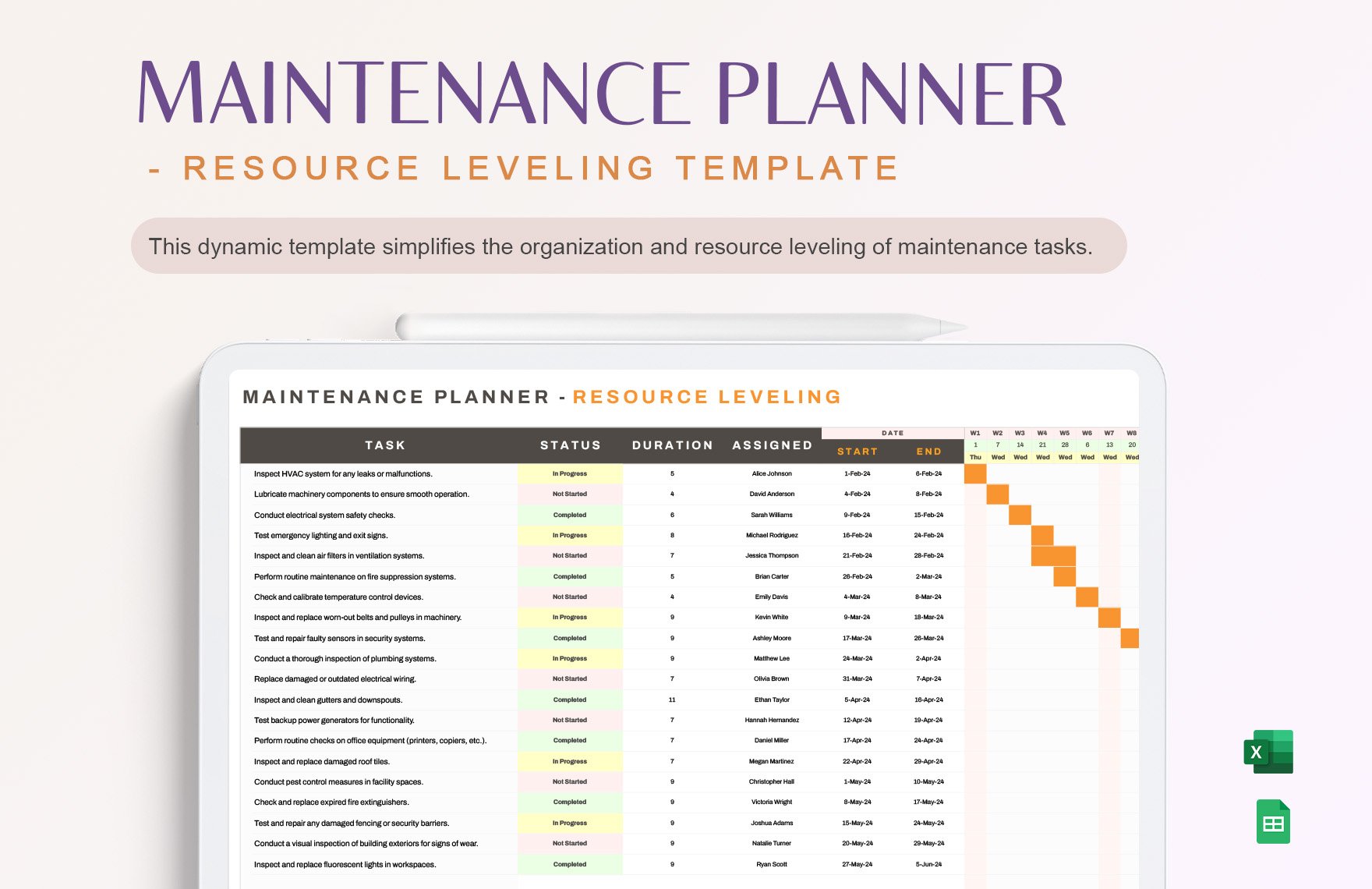
Maintenance examples commonly emphasize recording what was done, when it was done, who performed it, and what is due next. Some equipment-log formats also maintain an equipment register so individual entries can be connected to a specific asset. :contentReference[oaicite:3]{index=3}
For larger operations, separating the equipment register from the event log can make the system easier to manage. The register identifies the asset, while the log stores the chronological history.
For smaller businesses, one worksheet can be enough. The important principle is that every maintenance entry should clearly identify the asset involved and describe the work sufficiently for a later reviewer to understand the equipment history.
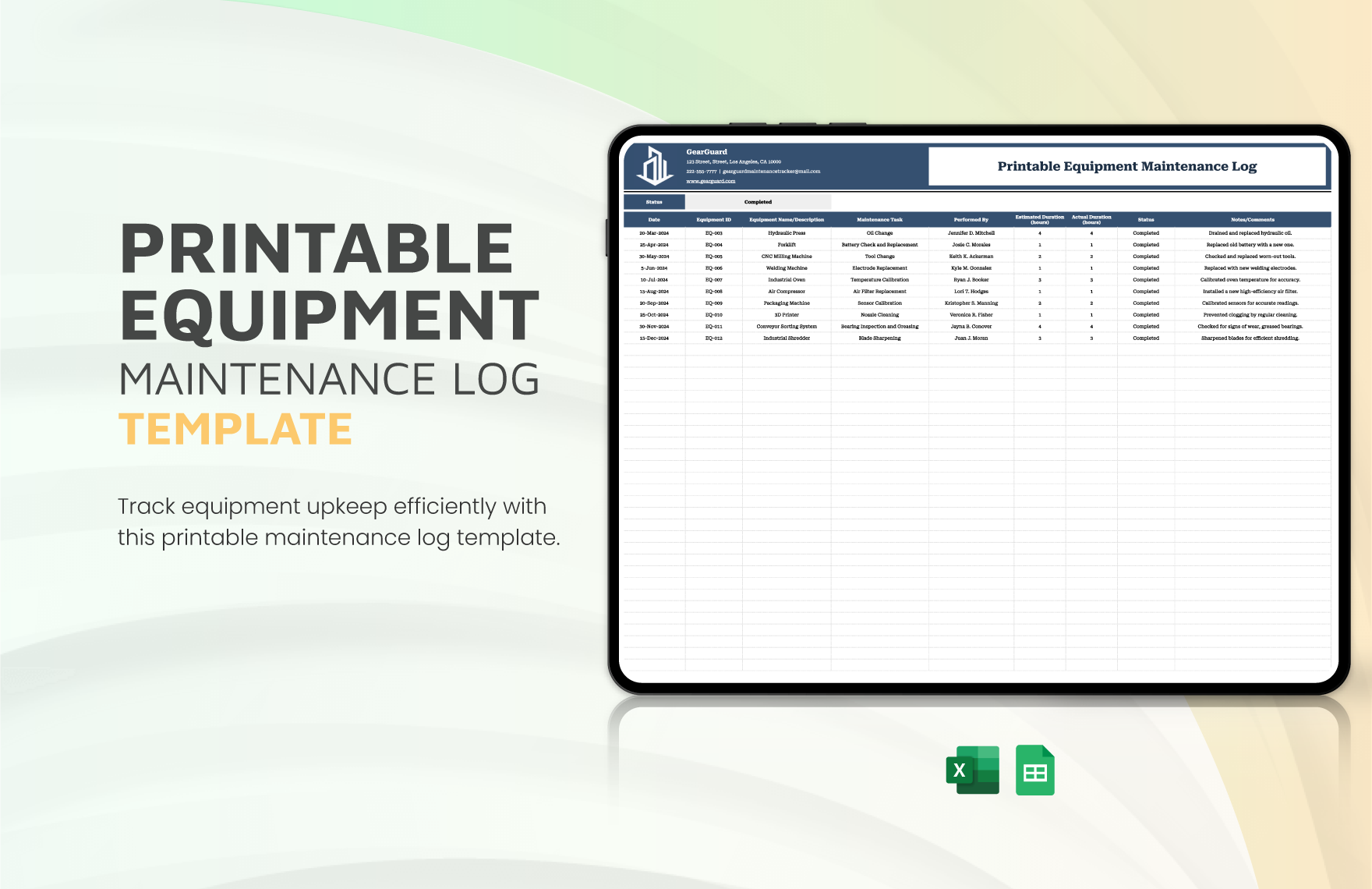
Using a Log for Office Operations
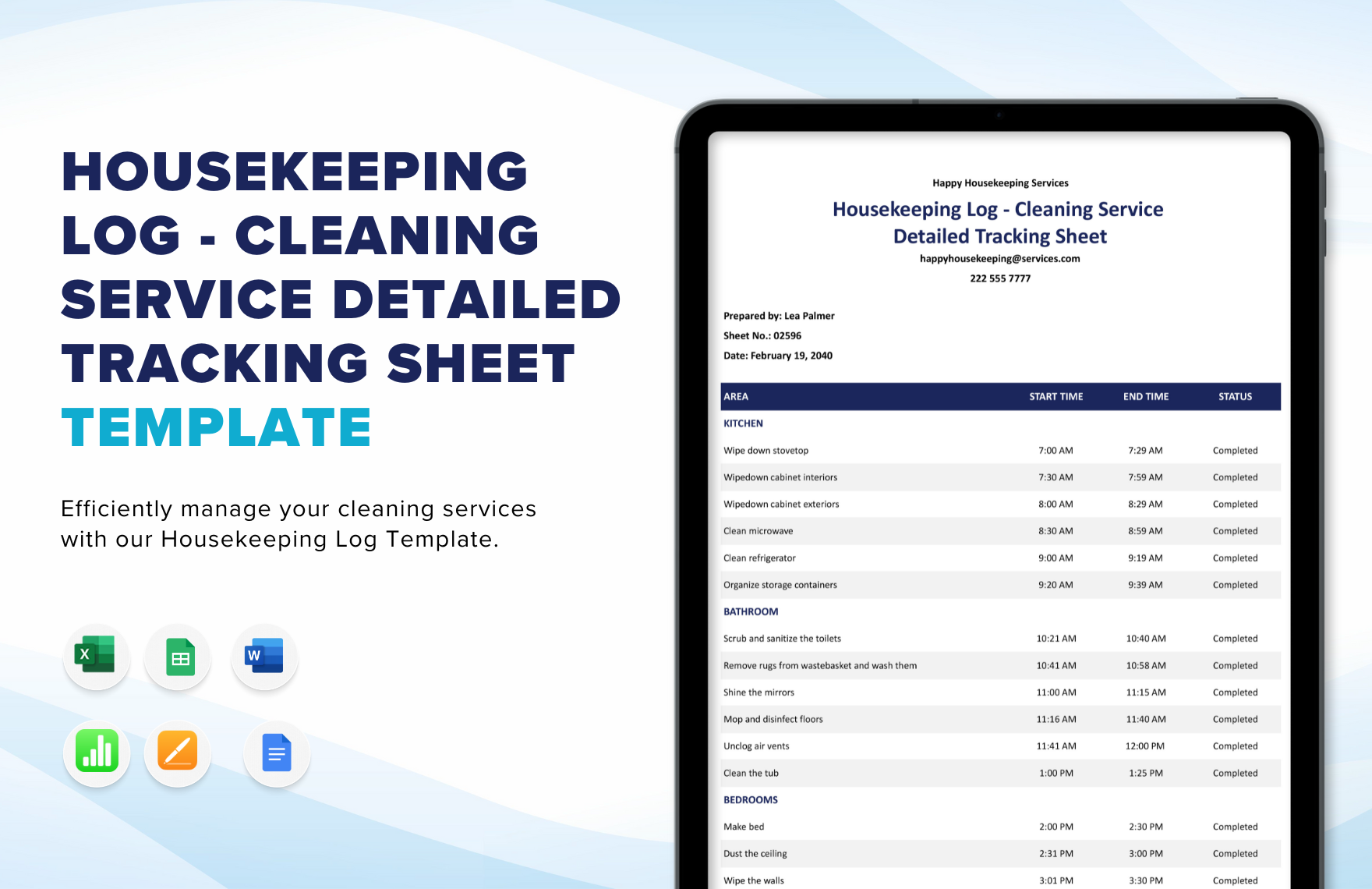
Office operations may appear less technical than manufacturing, but they still benefit from structured records. Common examples include opening and closing procedures, facilities issues, supply replenishment, visitor activity, service calls, deliveries, cleaning, and administrative tasks.
An office operations log can be organized by time or by category. A time-based layout works well for front desks and daily activity. A category-based layout may be better when the same checklist is completed every morning and afternoon.
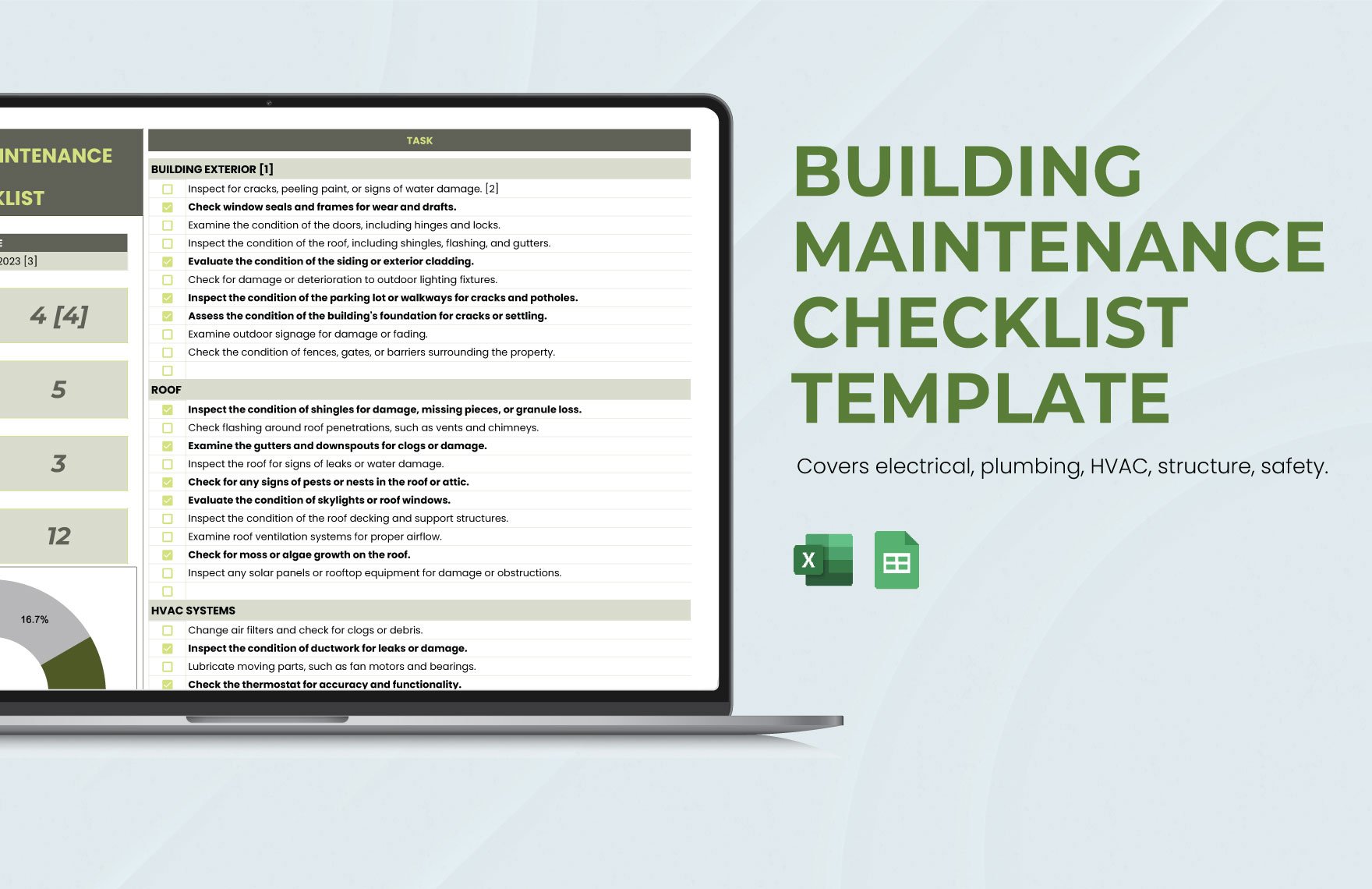
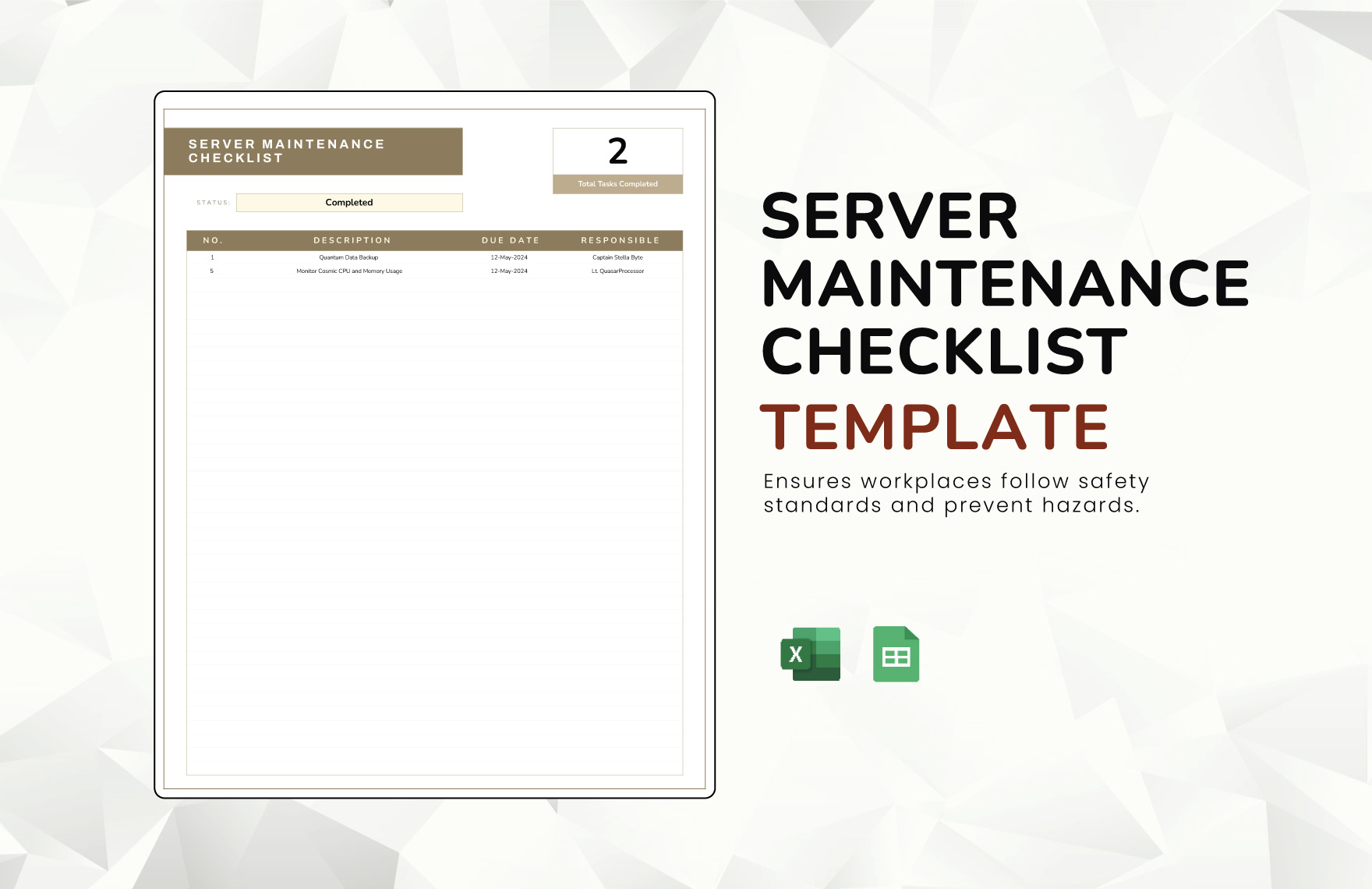
For recurring office procedures, the template should make completion obvious. Checkboxes, status values, initials, and timestamps can be useful when the goal is to confirm that routine activities occurred.
Free-text notes remain important for exceptions. If the copier is out of service, a delivery is delayed, or a room requires urgent repair, the log should provide enough space to describe the issue and identify the next action.
The same design principle applies here as everywhere else: routine information should be structured, while unusual information should have a place to be explained.
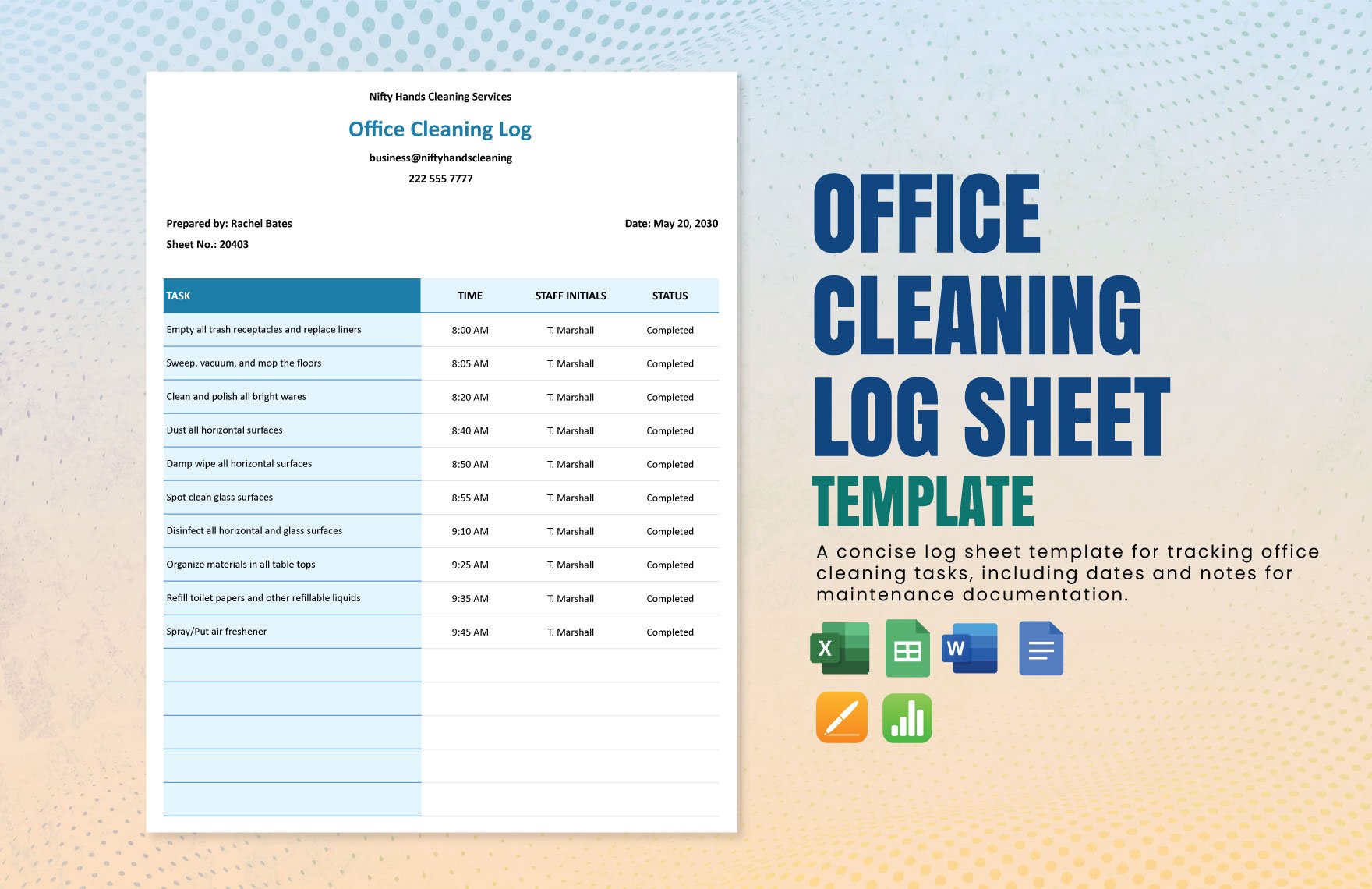
Inventory and Supply Tracking
Inventory information can be part of an operations log when supplies move frequently or when stock conditions directly affect daily operations. Typical fields include item name, location, quantity on hand, quantity used, reorder point, supplier, and date.
A dedicated inventory log may be better than embedding dozens of inventory rows into the daily operations record. The decision depends on how frequently stock changes and whether the organization needs a separate inventory history.
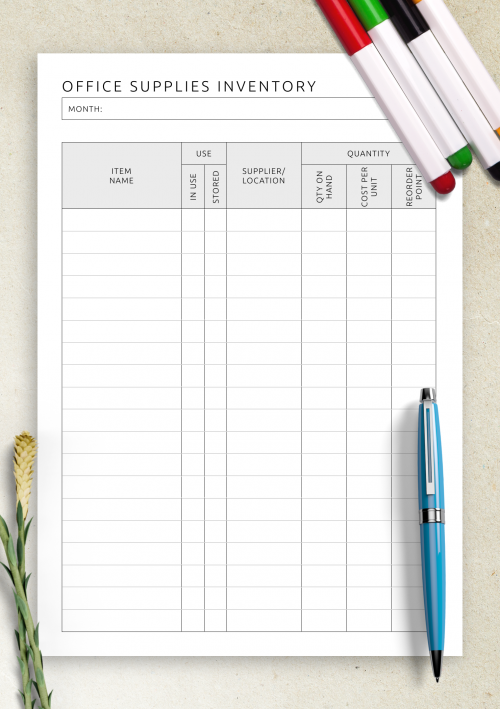
Office supplies are a good example. A simple record can track pens, printer paper, toner, folders, cleaning materials, or other frequently used items. The important fields are usually item identification, current quantity, storage location, and replenishment information.
Inventory examples show how a straightforward sheet can include use status, supplier or location, quantity on hand, cost per unit, and reorder point. :contentReference[oaicite:4]{index=4}
For an operations log, the most useful inventory entry is often an exception rather than every individual stock movement. For example, “toner below reorder point” is operationally meaningful because it creates a follow-up action.
Simple Call and Communication Logs
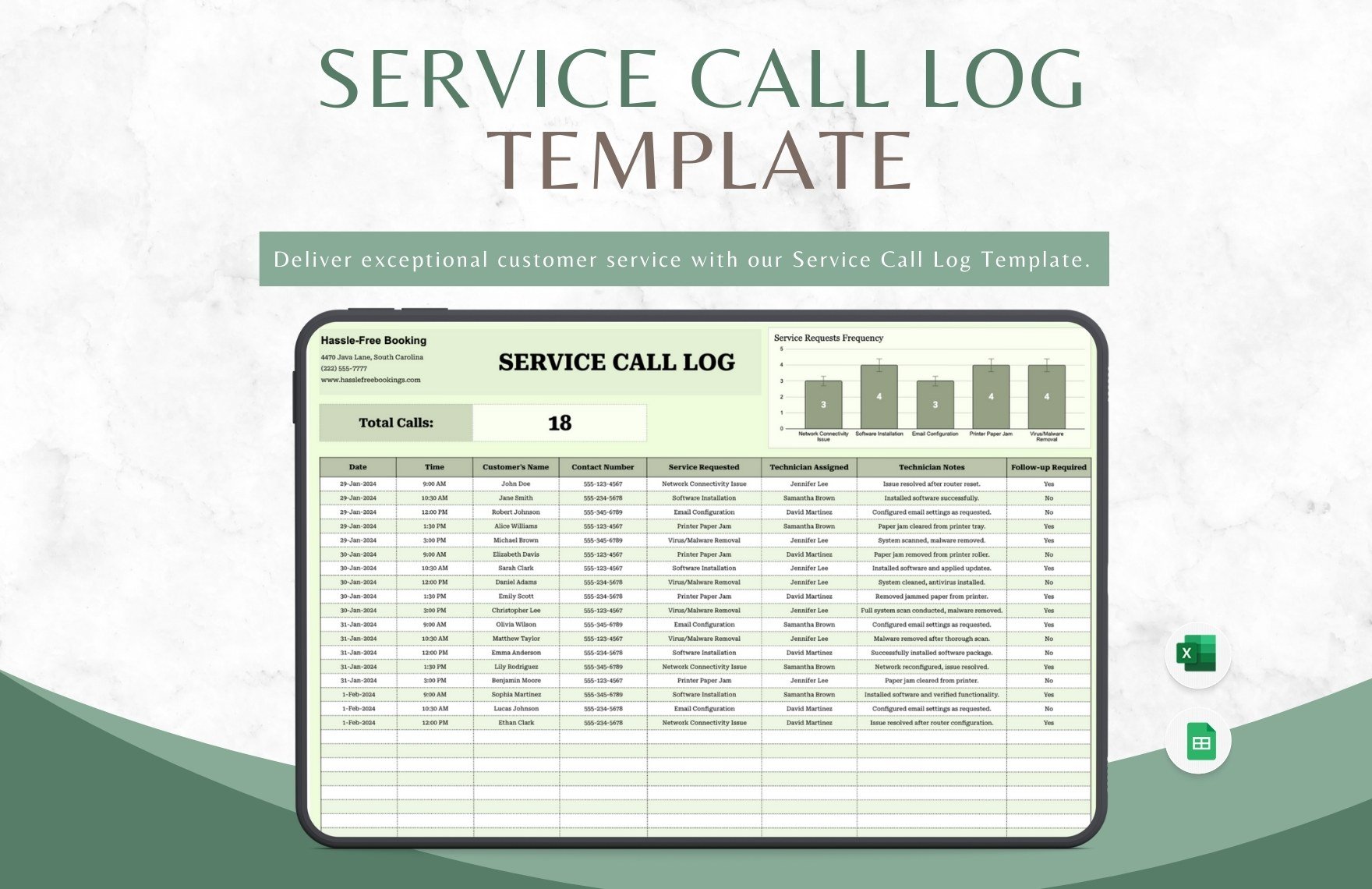
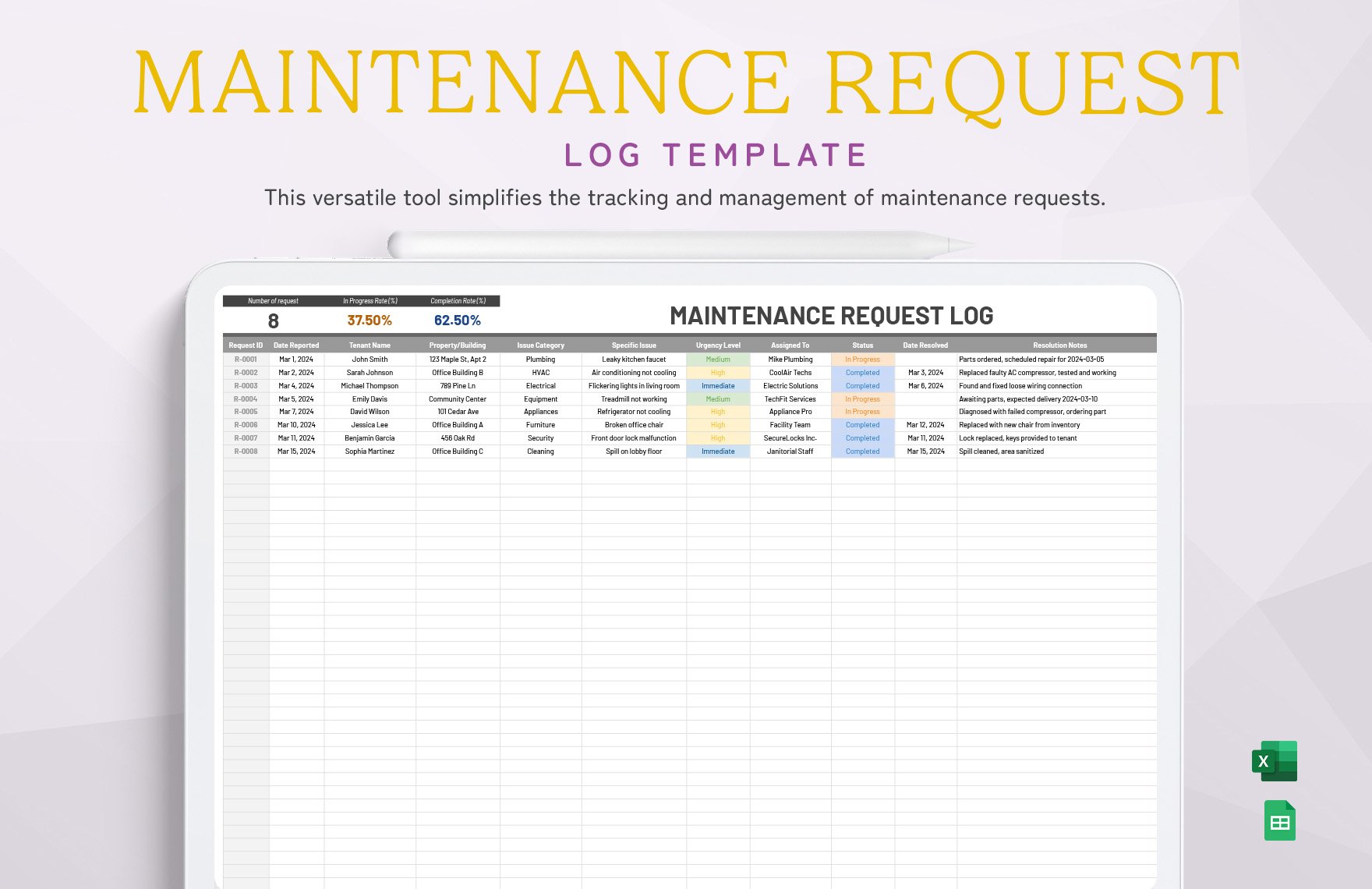
Communication events can become operationally important when they create commitments, service requests, complaints, or follow-up tasks. A call log can preserve the date, time, person contacted, reason for the call, outcome, and next action.
A useful call record should focus on the business consequence of the conversation rather than attempting to transcribe the entire call. The objective is to make the next step clear.
For example, a customer-service record might state that a customer reported a delivery issue, that the case was assigned to a service representative, and that a follow-up was required by a particular date.
Call-log templates commonly use fields such as date, time, person called, company, purpose, action to take, and notes. That structure can easily be adapted for internal operations communication.
If calls contain sensitive information, access controls and retention practices should be considered separately from the basic template design. The log should contain only information that is appropriate and necessary for the operational purpose.
How to Keep the Template Simple
Start with the minimum fields needed to answer five questions: When did it happen? What happened? Who handled it? What was done? What happens next?
Use short field names. “Action Taken” is generally easier to understand than a long instruction such as “Describe all corrective measures that were implemented following the reported operational event.”
Use dropdowns for repeated categories. If employees repeatedly type department names, equipment status, issue categories, or priority levels, small variations will eventually make analysis harder.
Keep notes flexible but not unlimited. A notes column should allow context without encouraging users to replace all structured fields with long narrative entries.
Finally, make the template visually scannable. Clear headers, sensible column widths, frozen header rows in spreadsheets, and consistent date formats can make a greater practical difference than decorative design.
Digital Data Collection and Analysis
Once a log has been used consistently, the accumulated records can become a source of operational analysis. The first step is simply counting events by category, date, location, equipment, or status.
For example, a maintenance log could be filtered by asset ID to reveal how often an individual machine has required attention. A shift log could be filtered by issue category to identify recurring handover problems.
Spreadsheet formulas can calculate totals, durations, averages, counts, and outstanding items. Conditional formatting can highlight overdue actions or unusual statuses, while charts can summarize trends for managers.
However, analysis quality depends on data quality. If one employee writes “machine down,” another writes “breakdown,” and another writes “fault,” a simple category count may fail to recognize that the entries describe the same type of event.
That is why a simple operations log template should standardize recurring values before the organization starts building sophisticated dashboards. Consistent input usually matters more than elaborate visualization.
Turning Log Data Into Useful Reports
A log and a report serve different purposes. The log records events as they occur, while the report summarizes those events for a particular audience or decision.
A daily supervisor report might summarize completed work, open issues, downtime, safety observations, and items requiring management attention. A monthly management report may aggregate the same information into trends.
Do not make employees enter the same information into a log and a report manually if the report can be generated from structured log data. This duplication increases workload and creates opportunities for discrepancies.
A good reporting workflow starts with a clean source log. Categories should remain stable, dates should be valid, and open items should have identifiable owners. The report can then summarize what has already been captured.
For example, if a hypothetical monthly review shows repeated maintenance requests on the same asset, management can investigate whether preventive maintenance, operator training, replacement, or another corrective action is appropriate.
Common Mistakes When Creating an Operations Log
The first mistake is adding too many fields. A template that takes ten minutes to complete for a routine event is likely to encourage incomplete entries. Every field should have a reason for existing.
The second mistake is using vague categories. If “status” means different things to different employees, the resulting data will be difficult to interpret.
The third mistake is failing to define ownership. An issue may be recorded correctly but still remain unresolved because nobody knows who is responsible for the next step.
The fourth mistake is allowing important events to be entered much later. Delayed recording can reduce accuracy because people forget exact times, conditions, or actions. Where practical, operational events should be recorded close to when they occur.
The fifth mistake is treating the log as an archive rather than a working tool. A good log should be reviewed. Open items should be followed up, recurring issues should be discussed, and obsolete fields should be removed when they no longer serve the workflow.
Best Practices for Reliable Logkeeping
Define who completes the log. If responsibility is unclear, entries may be duplicated or missed entirely. The responsible role should be obvious from the procedure or template.
Define when the log is completed. Some records are event-driven, while others are completed hourly, per batch, at shift end, daily, weekly, or after a maintenance activity.
Define what constitutes an exception. Routine activities can often be captured with short status fields, while exceptions may require a description, action, owner, and follow-up date.
Protect the integrity of the record. In digital systems, use appropriate permissions and preserve important historical information. In controlled paper systems, corrections should remain understandable rather than obscuring the original entry.
Review the template periodically. A log that worked well when a process was small may become inefficient as the team, equipment, locations, or reporting requirements change.
Practical Solution
The most practical way to implement a simple operations log template is to begin with one reusable master sheet. Keep the first version intentionally small: Date, Time, Activity, Responsible Person, Status, Action Taken, and Notes are enough for many general workflows.
Next, add only the fields that reflect real operational needs. A manufacturing team may add Shift, Machine ID, Product, Target, Actual, Scrap, Downtime, and Reason. A facilities team may add Location, Asset ID, Condition, Work Order, and Follow-Up Date. An office may add Department, Requester, Supplier, or Contact.
Choose the format based on how people work. Use Excel when calculation and analysis matter. Use Google Sheets when controlled collaboration is important. Use Word when the document needs narrative content or a formal printable layout. Use PDF when a fixed, printable form is the priority. These formats can also coexist rather than competing with one another.
Test the template with a small group before rolling it out across the organization. Ask users to complete several hypothetical and real-world entries. Watch where they hesitate, which fields they skip, and which information they repeatedly write into the wrong column.
After testing, simplify the design. Rename unclear headings, remove unused fields, standardize recurring categories, and make follow-up ownership explicit. A simple template becomes effective when the person completing it understands exactly what belongs in each field.
For spreadsheet implementation, keep one master template and protect the structural elements that should not be changed accidentally. Use validation lists for controlled fields, freeze the header row, apply consistent date and time formats, and create a separate summary sheet if managers need recurring analysis.
For paper implementation, keep the form readable at normal printing size. Provide enough writing space, identify the reporting period clearly, and establish where completed sheets are stored. A paper log that cannot be located later has limited operational value.
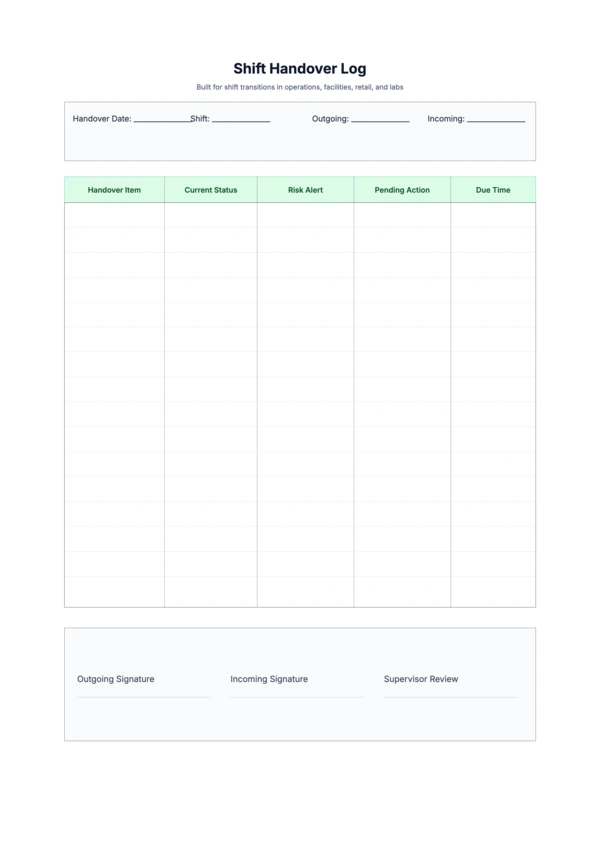
For shift handover, require the outgoing person to identify open issues explicitly. A simple “Open Items” section can prevent important information from being buried among completed activities.
For maintenance, make asset identification mandatory. “Pump issue” is less useful than “P-204 discharge pump,” because a maintenance history must be tied to a specific asset.
For manufacturing, avoid duplicating automated machine information unless the manual record serves a specific purpose. Use the log to capture explanations, exceptions, observations, and actions that automated systems may not provide.
For management review, do not read every row equally. Use the log to identify exceptions, overdue items, repeated events, and trends. The purpose of the record is not merely to accumulate paperwork; it is to make operational information easier to use.
A maintenance template, for example, can evolve from a simple list of dates and tasks into a more useful history containing equipment identification, work performed, issue found, corrective action, technician, and next due date. Current template examples use similar structures for maintenance tracking. :contentReference[oaicite:6]{index=6}
For larger organizations, consider separating records into logical tables or worksheets rather than placing every type of operational event into one enormous sheet. A master equipment register, operations log, incident register, and action tracker can be linked through consistent identifiers.
Finally, define a review rhythm. Supervisors might review open items at each handover, managers might review trends weekly, and leadership might review aggregated operational indicators monthly. The frequency should match the speed and risk of the operation.
Reference Examples
The following examples illustrate different ways a log can be structured across spreadsheet, printable, manufacturing, communication, office-supply, and equipment-management use cases. They are visual references rather than claims that every pictured template is an exact match for every organization’s workflow.
simple operations log template excel
Source: Template.net. :contentReference[oaicite:7]{index=7}
simple operations log template free download
Source: Template.net. :contentReference[oaicite:8]{index=8}
simple operations log template pdf
Source: Bulk. The associated template page identifies this Daily Production Log as a PDF-format resource. :contentReference[oaicite:9]{index=9}
simple operations log template free

Source: TypeCalendar. :contentReference[oaicite:10]{index=10}
simple operations log template for manufacturing
Source: Template.net. :contentReference[oaicite:11]{index=11}
simple operations log template word
Source: Template.net. The displayed template includes Word among its supported document formats. :contentReference[oaicite:12]{index=12}
simple operations log template google sheets
Source: Template.net. The associated template is presented for Excel and Google Sheets. :contentReference[oaicite:13]{index=13}
simple call log template
Source: Template.net. :contentReference[oaicite:14]{index=14}
template for a log
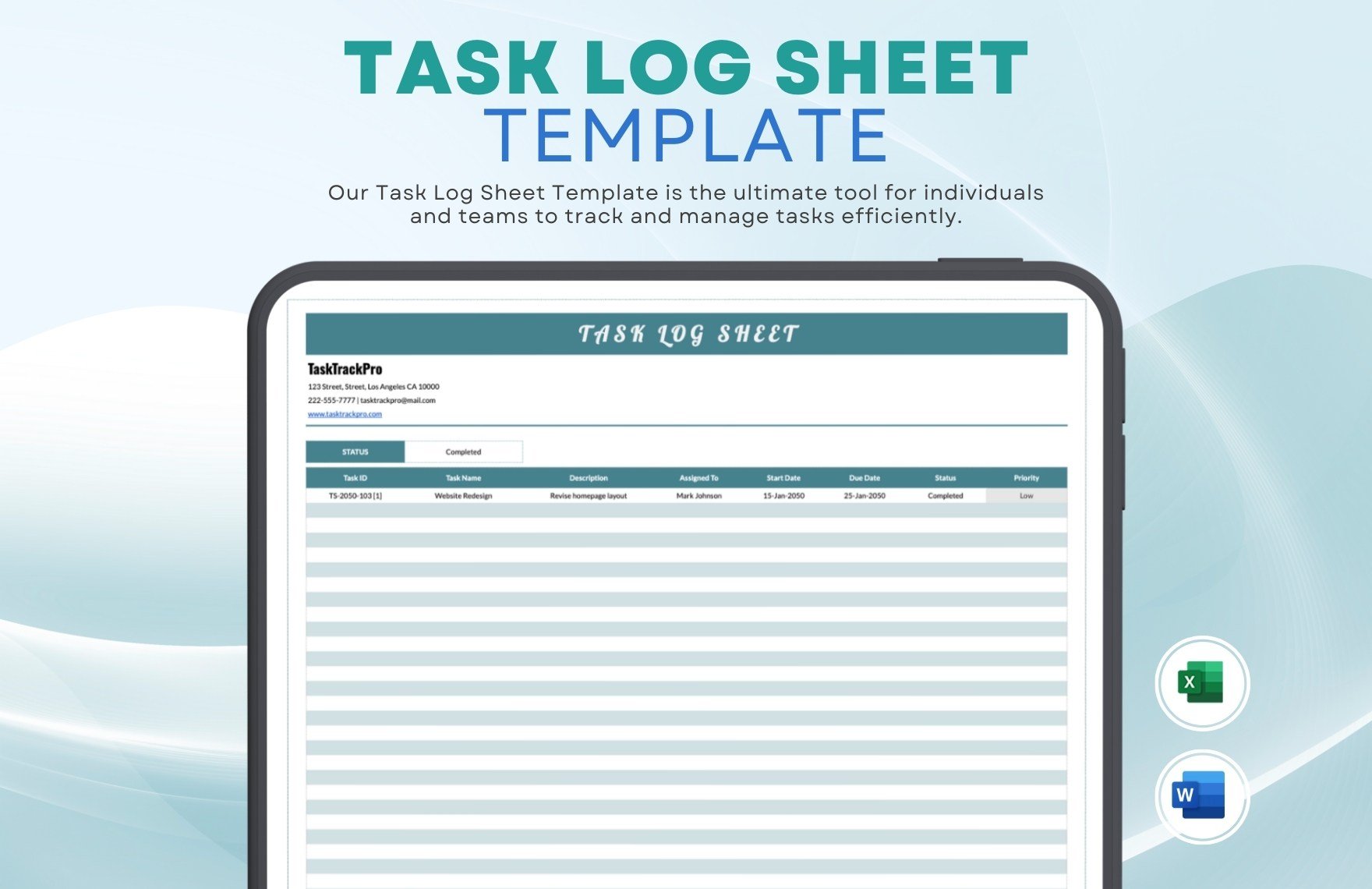
Source: Template.net. :contentReference[oaicite:15]{index=15}
office supply log template
Source: OnPlanners. The source identifies the pictured format as an Office Supplies Inventory Template. :contentReference[oaicite:16]{index=16}
equipment log template excel
Source: Template.net. :contentReference[oaicite:17]{index=17}
free equipment log template
Source: TypeCalendar. :contentReference[oaicite:18]{index=18}
Frequently Asked Questions
What is a simple operations log template?
A simple operations log template is a reusable document or spreadsheet for recording daily activities, events, issues, actions, and follow-up information in a consistent structure. It can be adapted to offices, facilities, manufacturing, service operations, warehouses, and field teams.
What should a basic operations log include?
A basic version should usually include date, time, activity or event, responsible person, status, action taken, and notes. Specialized operations may require additional fields for equipment, production, inventory, incidents, or customers.
Is Excel a good format for an operations log?
Yes. Excel is particularly useful when users need sorting, filtering, formulas, validation lists, summaries, or charts. It is often a practical starting point for teams that need more analysis than a paper form provides.
When should I use Google Sheets instead?
Google Sheets can be useful when multiple authorized users need access to the same shared record. It works well for collaborative workflows, provided the organization establishes suitable permissions and record-management practices.
Should an operations log be daily or by shift?
Use the interval that matches the work. A single daily log can be sufficient for a small office, while a manufacturing plant or continuously operating facility may benefit from separate shift records.
How detailed should an operations log be?
It should be detailed enough for another person to understand what happened, what was done, and what remains open. Avoid documenting routine events with unnecessary narrative when a structured field can capture the information more efficiently.
Can the same template be used for equipment and general operations?
It can, especially for small teams, but specialized equipment records often benefit from asset IDs, meter readings, maintenance types, repair details, and next-service information. Separating the equipment history from the general operations log can make both easier to manage as the organization grows.
How can I make an operations log easier to analyze?
Standardize recurring categories, use consistent dates and times, avoid unnecessary free-text variations, assign clear status values, and give every important issue an identifiable owner. These practices make filtering, counting, and reporting much easier.
What is the most common mistake with log templates?
One of the most common design problems is overcomplication. If users must complete too many fields for routine events, entries may become incomplete or inconsistent. Start with the minimum information needed and add fields only when they solve a real operational problem.
Conclusion
A simple operations log template works best when it turns everyday operational activity into clear, consistent, actionable information without creating unnecessary administrative work. Start with the essentials, choose a format that matches the way people actually work, standardize recurring categories, identify owners for open issues, and review the completed records regularly. Whether the log is used for shift handovers, manufacturing output, maintenance, office supplies, equipment history, customer calls, or general daily activities, a well-designed simple operations log template can provide the operational memory and structure needed to keep work organized, improve follow-up, and support better decisions.
