For an office, the value of a networking template goes beyond recording names and phone numbers. A useful system can show where a relationship began, why the contact matters, what was discussed, what action is required, when follow-up should happen, and how the relationship fits into broader business goals. That makes the template both a record-keeping tool and a lightweight relationship-management system.
The best approach depends on what you are trying to accomplish. A simple Word document may be enough for a personal networking plan, while Excel or Google Sheets can work better when the contact list becomes large or when you want sorting, filtering, dates, status fields, and simple analysis. A PDF is often more useful for printing, sharing, or preserving a finished version.
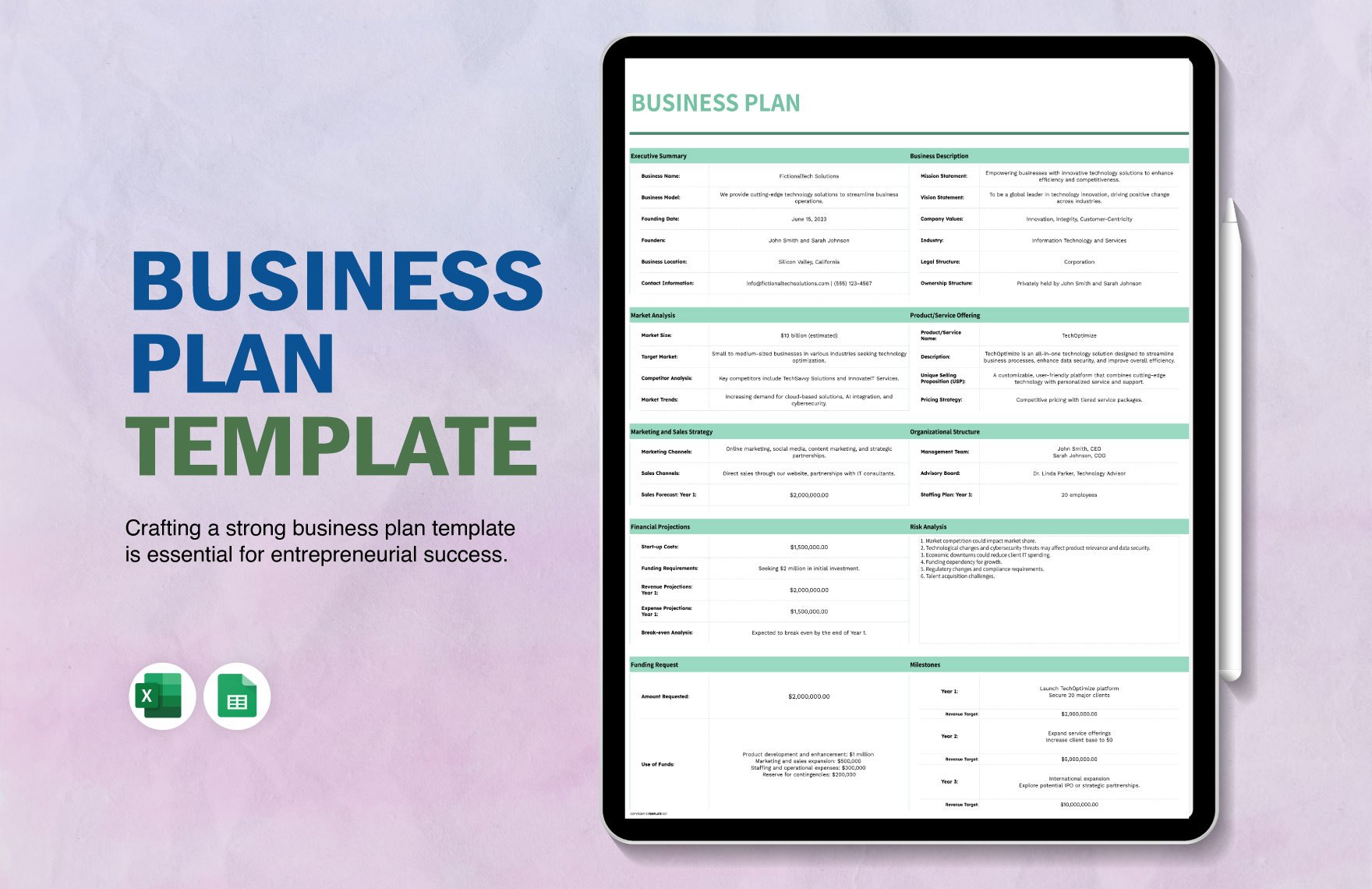
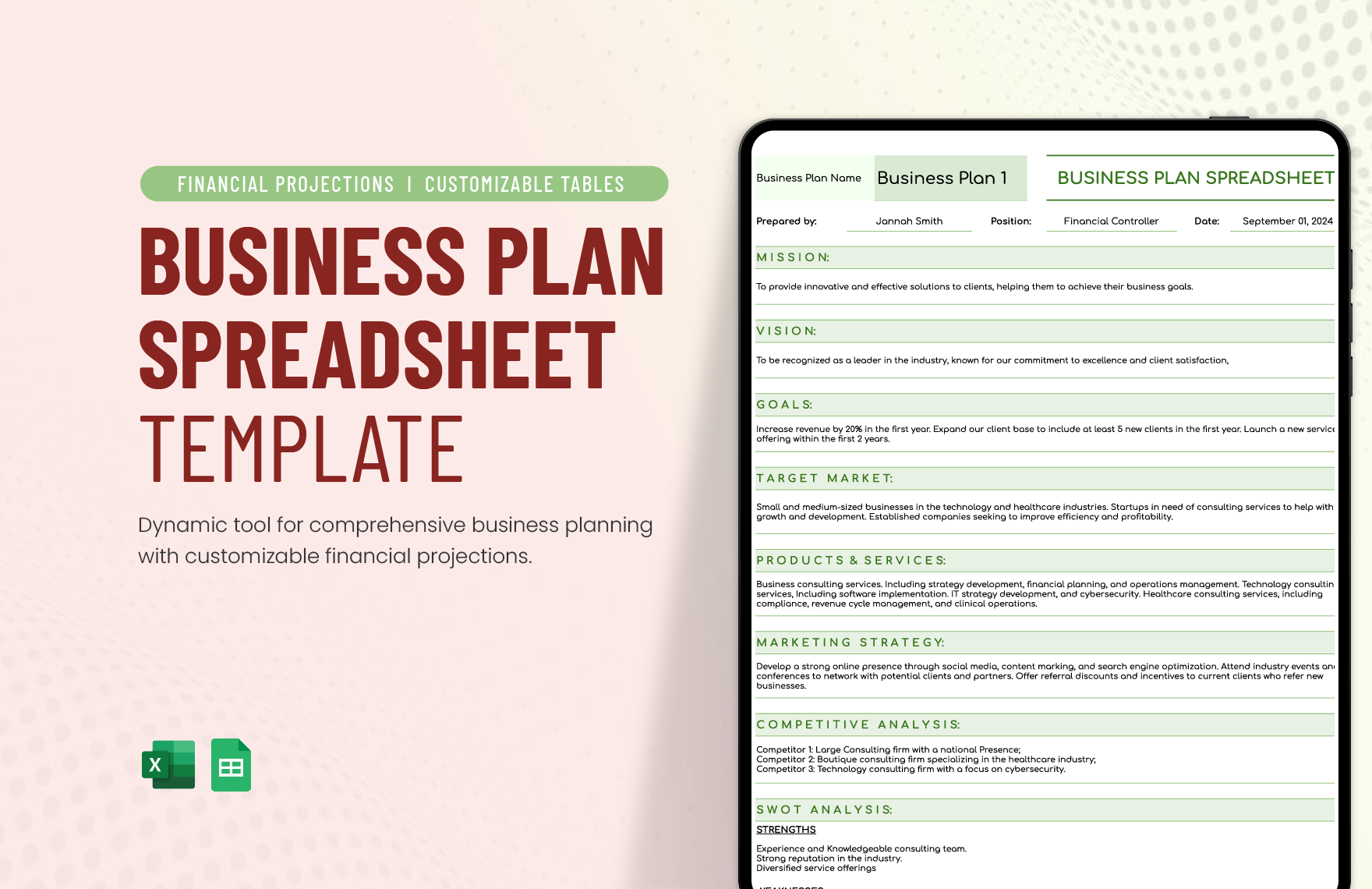
Current template libraries illustrate how closely networking documents overlap with other business resources. Business-card layouts, planners, meeting agendas, pipelines, business plans, and spreadsheets can all support different stages of the networking process. The goal is not to collect templates indiscriminately, but to combine only the formats that solve a real organizational problem.
This guide explains how to design an effective office networking template, what fields to include, how to select Word, Excel, Google Docs, or PDF formats, how to connect networking activity with business planning, and how to avoid common mistakes that make networking records difficult to maintain.
What Is an Office Business Networking Template?
An office business networking template is a reusable document or spreadsheet structure used to plan, record, track, and evaluate professional networking activity. It can be as simple as a contact worksheet or as comprehensive as a multi-tab workbook containing contacts, events, follow-ups, relationship stages, opportunities, and performance indicators.
A strong template separates information that should remain relatively stable from information that changes over time. A person’s name, company, role, and preferred contact method are relatively stable. Meeting dates, follow-up status, referrals, conversations, opportunities, and next actions are dynamic. Keeping those categories distinct makes the system easier to update.
The template should also reflect the purpose of the networking program. An employee building an internal office network needs fields for departments, expertise, projects, and collaboration interests. A salesperson may need lead source, opportunity value, stage, decision-maker role, and next contact date. A consultant may care more about referral relationships, introductions, expertise, and partnership potential.
Networking templates are therefore not one-size-fits-all documents. The strongest version is a deliberately designed framework that captures the smallest amount of information needed to support good decisions. Too little information creates ambiguity, while too much information turns the template into an administrative burden that people eventually stop using.
The practical test is simple: if a colleague can open the template after several weeks and immediately understand who a contact is, why the relationship matters, what happened previously, and what should happen next, the structure is doing its job.
Why Networking Templates Matter in an Office
Professional networking often fails because conversations are remembered informally rather than documented systematically. A person may remember meeting someone at a conference but forget the specific topic discussed, the promised introduction, or the date when a follow-up was expected. A template converts those memories into actionable information.
A structured record also improves continuity. If responsibility for a relationship moves from one employee to another, the new owner can understand the history without asking the previous employee to reconstruct months of conversations. This is particularly useful for sales teams, partnerships teams, recruiting teams, consultants, and office administrators.
Another benefit is prioritization. Not every contact deserves the same amount of attention. A networking tracker can distinguish active opportunities from long-term relationships, suppliers from prospects, peers from mentors, and high-priority follow-ups from contacts that simply need occasional updates.
Templates also encourage consistency across an organization. When everyone records the same core fields, managers can compare activity more reliably and employees can collaborate without translating one person’s note-taking style into another person’s system.
Most importantly, a template encourages networking to become a process rather than an isolated activity. The process begins with identifying useful relationships, continues through introductions and conversations, and ends with follow-up, mutual value, and relationship maintenance.
Core Components of a Useful Networking Template
A professional template should begin with contact identity. Include a full name, organization, job title, department or business area, email address, phone number when appropriate, website or professional profile, and preferred communication channel. Avoid collecting information that is unnecessary for the relationship.
The second component is relationship context. Record where the contact came from, such as a conference, referral, industry association, client introduction, supplier meeting, internal project, or online professional community. Context prevents the contact list from becoming an anonymous database of names.
The third component is relationship purpose. A short field such as “Why this relationship matters” can be more useful than a long biography. Examples include potential referral partner, technical adviser, prospective client, hiring connection, industry peer, supplier contact, or internal subject-matter expert.
The fourth component is interaction history. Record the date of the latest meaningful interaction, the subject discussed, commitments made, and any important preferences or constraints. Keep notes factual and professional rather than subjective or unnecessarily personal.
The fifth component is the next action. A contact record without a next action can become a passive archive. Useful actions include send information, schedule introduction, request proposal, make referral, reconnect next month, invite to event, or review partnership opportunity.
Recommended Fields
- Contact name
- Organization
- Role or department
- Contact method
- Source of introduction
- Relationship category
- Primary area of expertise
- Last interaction date
- Conversation summary
- Agreed action
- Next follow-up date
- Relationship status
- Priority
- Referral or opportunity notes
Designing the Contact Database
The database should use one row per contact when the information is maintained in Excel or Google Sheets. This makes sorting and filtering straightforward. Avoid placing multiple contacts inside a single cell because doing so makes searching and analysis unnecessarily difficult.
Use consistent values for categories. For example, the status field might contain New, Contacted, Active, Follow-Up Due, Nurture, Partner, or Closed. A controlled vocabulary prevents variations such as “follow up,” “Follow-up,” and “FU” from becoming separate categories.
Dates should also use a consistent format. A true spreadsheet date value is preferable to typed text because it can support filters, formulas, reminders, and sorting. If the workbook will be shared internationally, establish the date convention before collecting data.
Keep sensitive information out of the template unless it is genuinely required and appropriately protected. A professional networking tracker should not become a dumping ground for private information, passwords, payment details, or unrelated personal records.
Finally, give the database a clear ownership model. Someone should be responsible for checking outdated records, resolving duplicates, reviewing overdue follow-ups, and maintaining the template itself. Without ownership, even an excellent workbook will eventually lose accuracy.

Business Cards and the First Stage of Networking
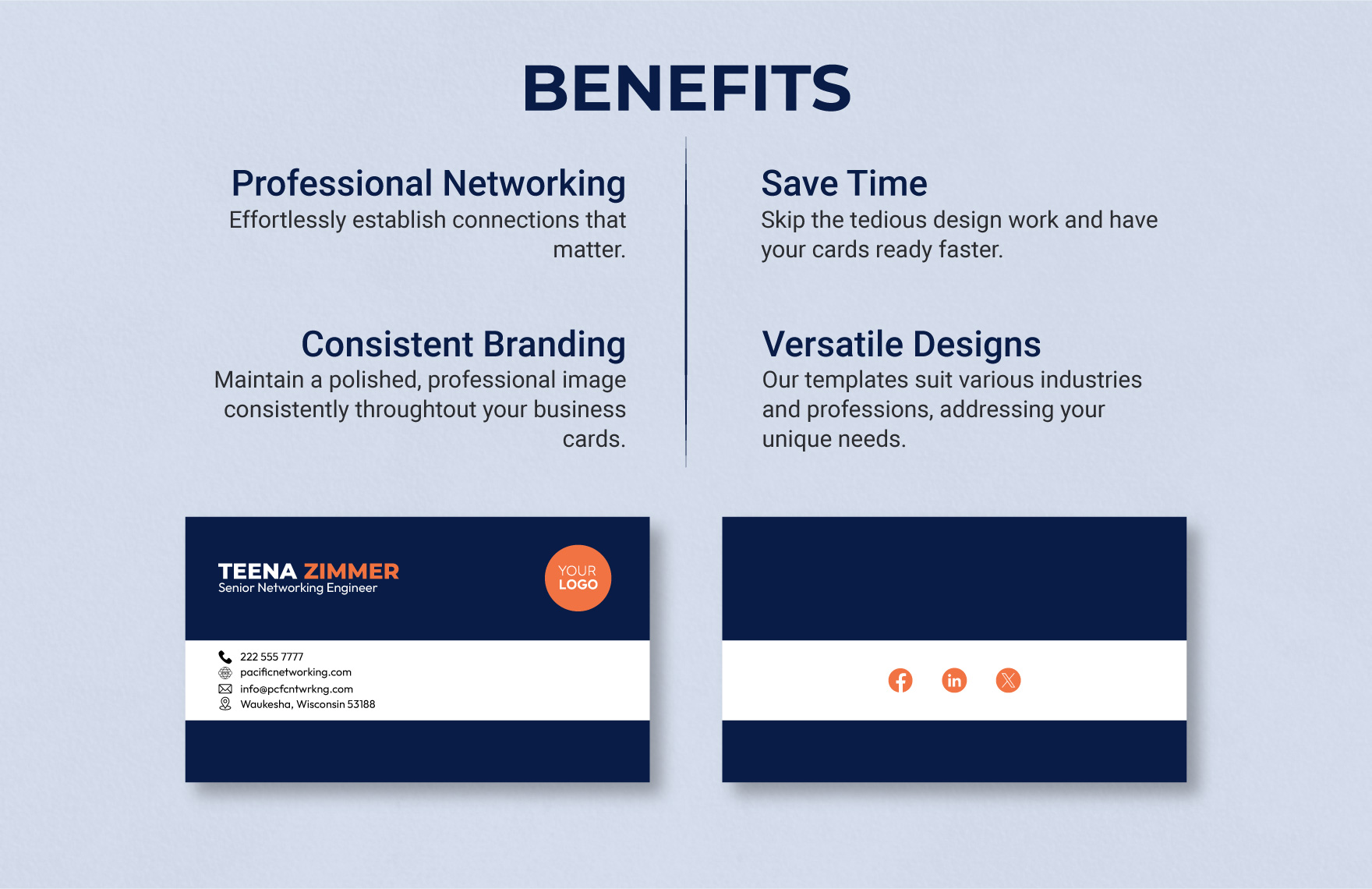
Business cards remain useful when they provide a quick bridge from a real-world interaction to a digital or documented relationship. The important principle is not the physical card itself but the information transfer that follows it.
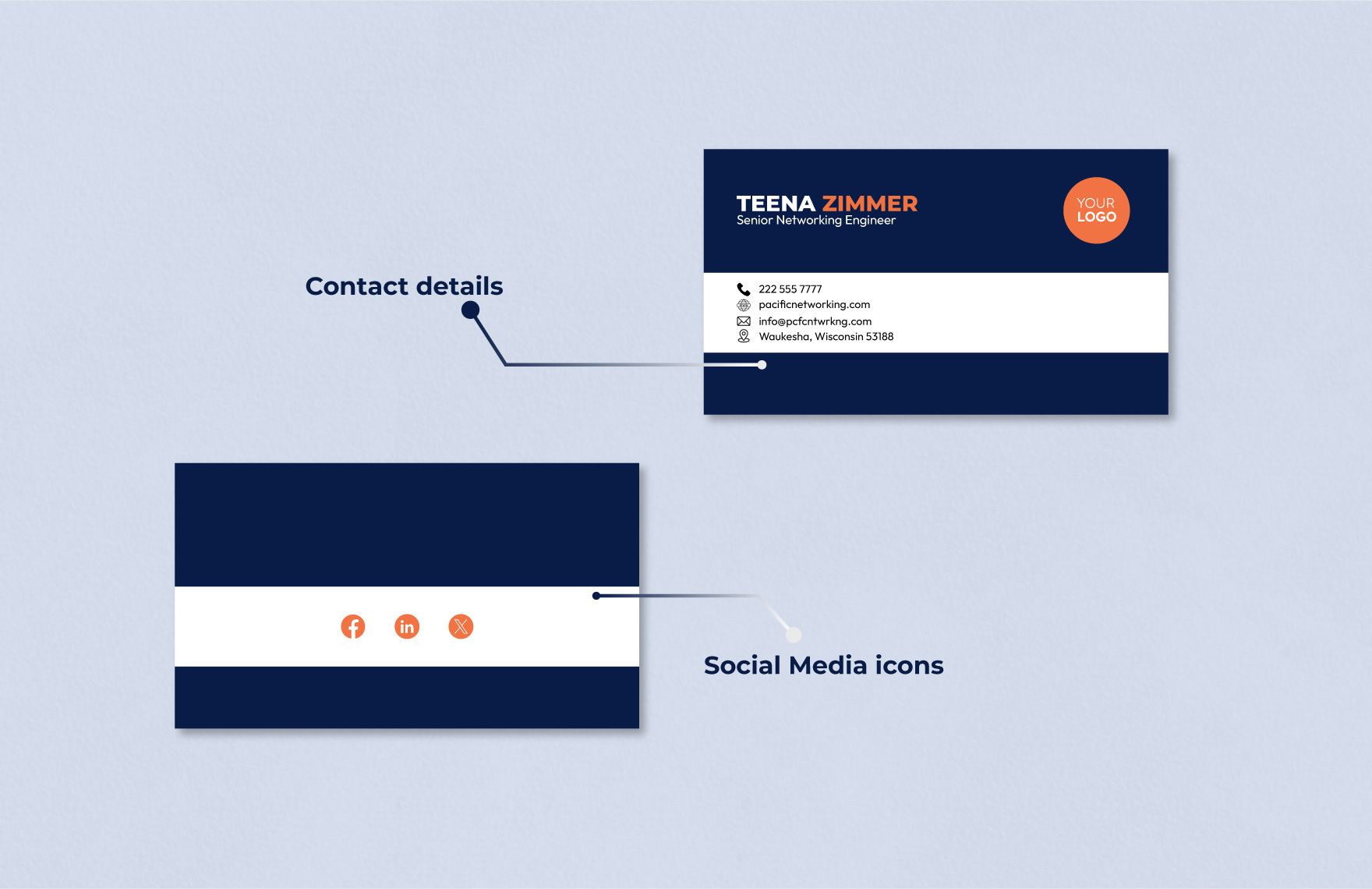
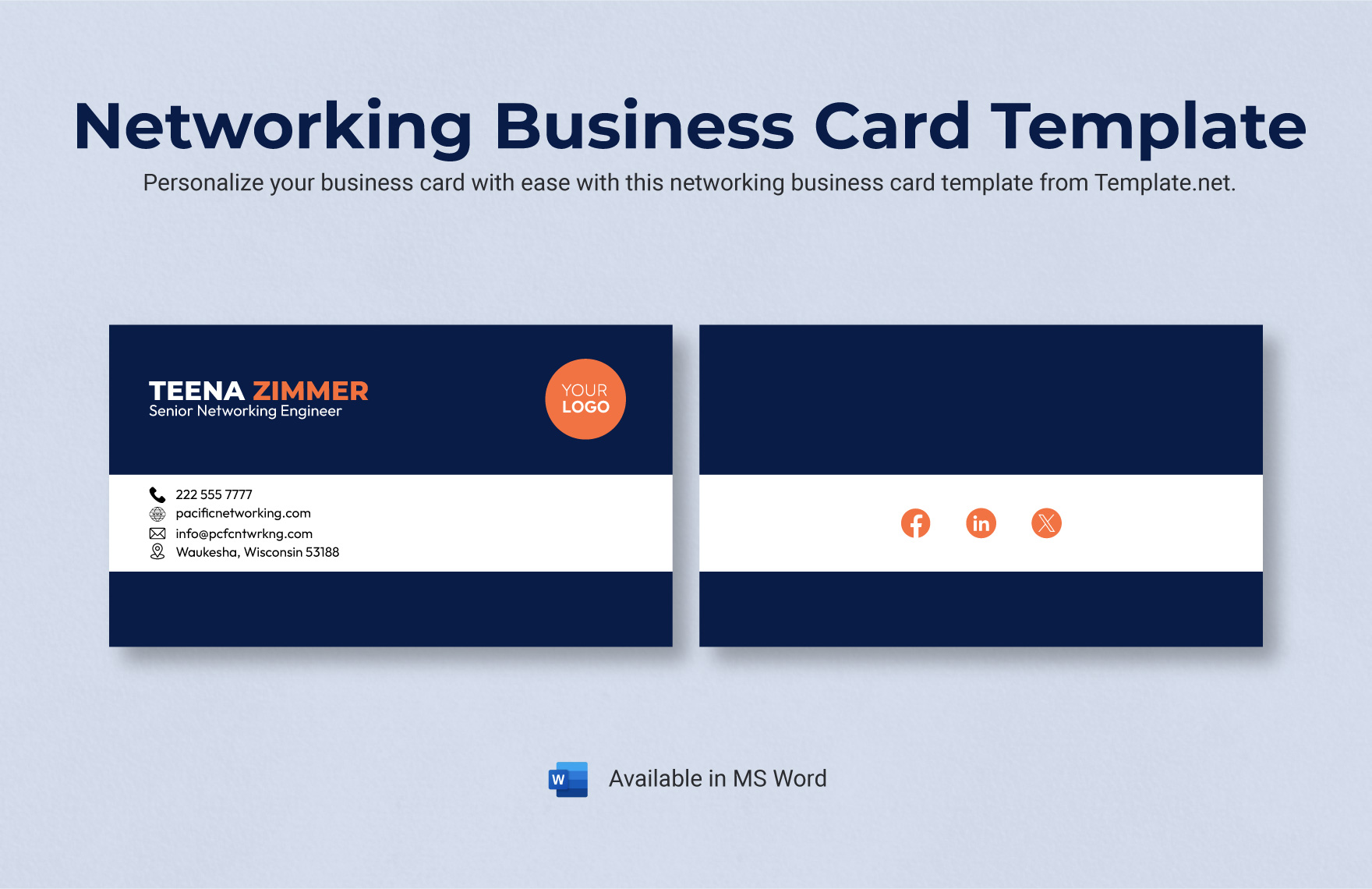
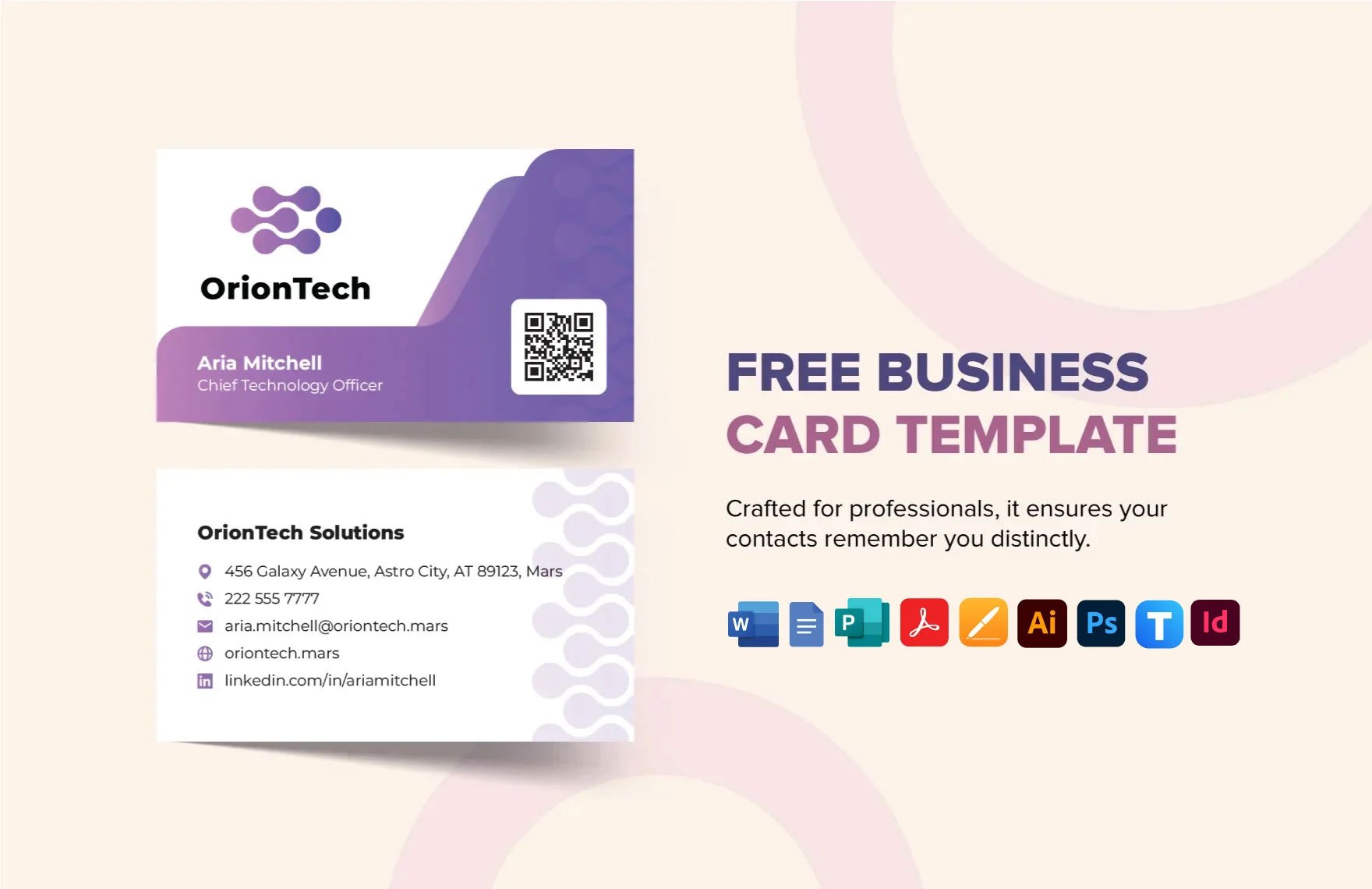
A good networking card should make the person’s professional identity obvious within seconds. Name, role, organization, contact method, and a relevant professional identifier should be easy to locate. Decorative elements should never make the contact details difficult to read.
The card should also align visually with other business materials when possible. Consistent typography, brand colors, terminology, and contact information reduce confusion when someone later receives an email, proposal, presentation, or document from the same organization.
Digital contact details can be useful when they are genuinely maintained. A QR code can connect a printed card to a website or professional profile, but it should lead to a stable destination and should not replace essential contact information.
The most important step happens after the exchange. Add the contact to the appropriate networking record while the conversation is still fresh, then write a concise note about why the interaction matters and what should happen next.
Creating an Effective Networking Worksheet
A worksheet is useful when the objective is planning rather than long-term contact management. It can ask the user to identify networking goals, target industries, useful communities, desired introductions, strengths, and areas where additional expertise is needed.
Start with a clear objective. “Network more” is too vague to guide behavior. A stronger objective might be to identify five relevant industry peers, develop two referral relationships, reconnect with former clients, or build relationships with specialists who complement the organization’s services.
Next, identify the relationship categories that support the objective. These might include potential clients, suppliers, advisers, referral partners, peers, industry associations, community organizations, former colleagues, and internal specialists.
Add an action field beside each goal. The action should be observable and achievable, such as attend one professional event, request two introductions, send three follow-up messages, or schedule one knowledge-sharing conversation.
Finish with a review section. At the end of a month or quarter, compare intended activity with completed activity and note which actions produced useful conversations. This turns the worksheet into a learning tool rather than a static checklist.
Using Excel for Networking Management
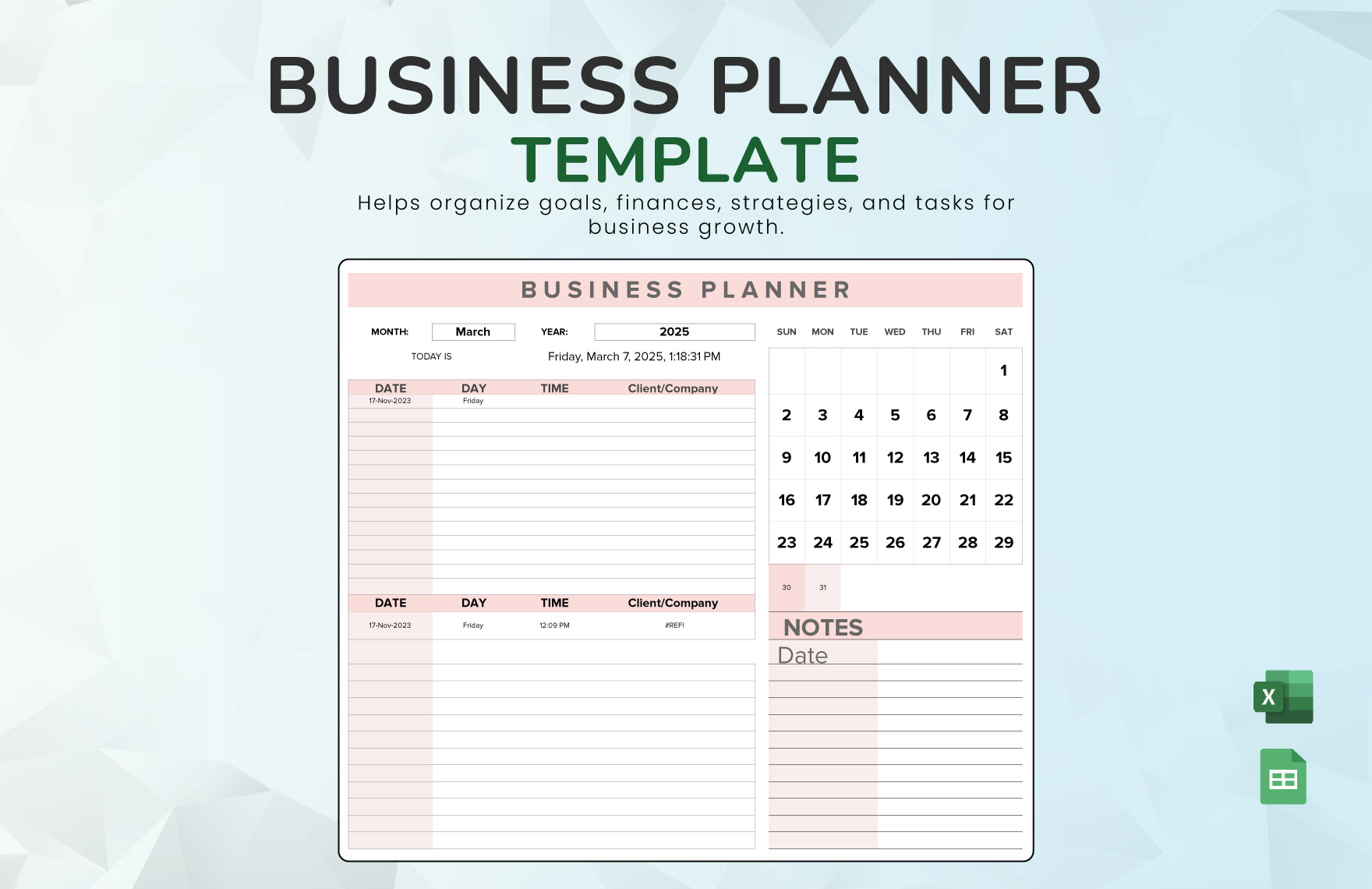
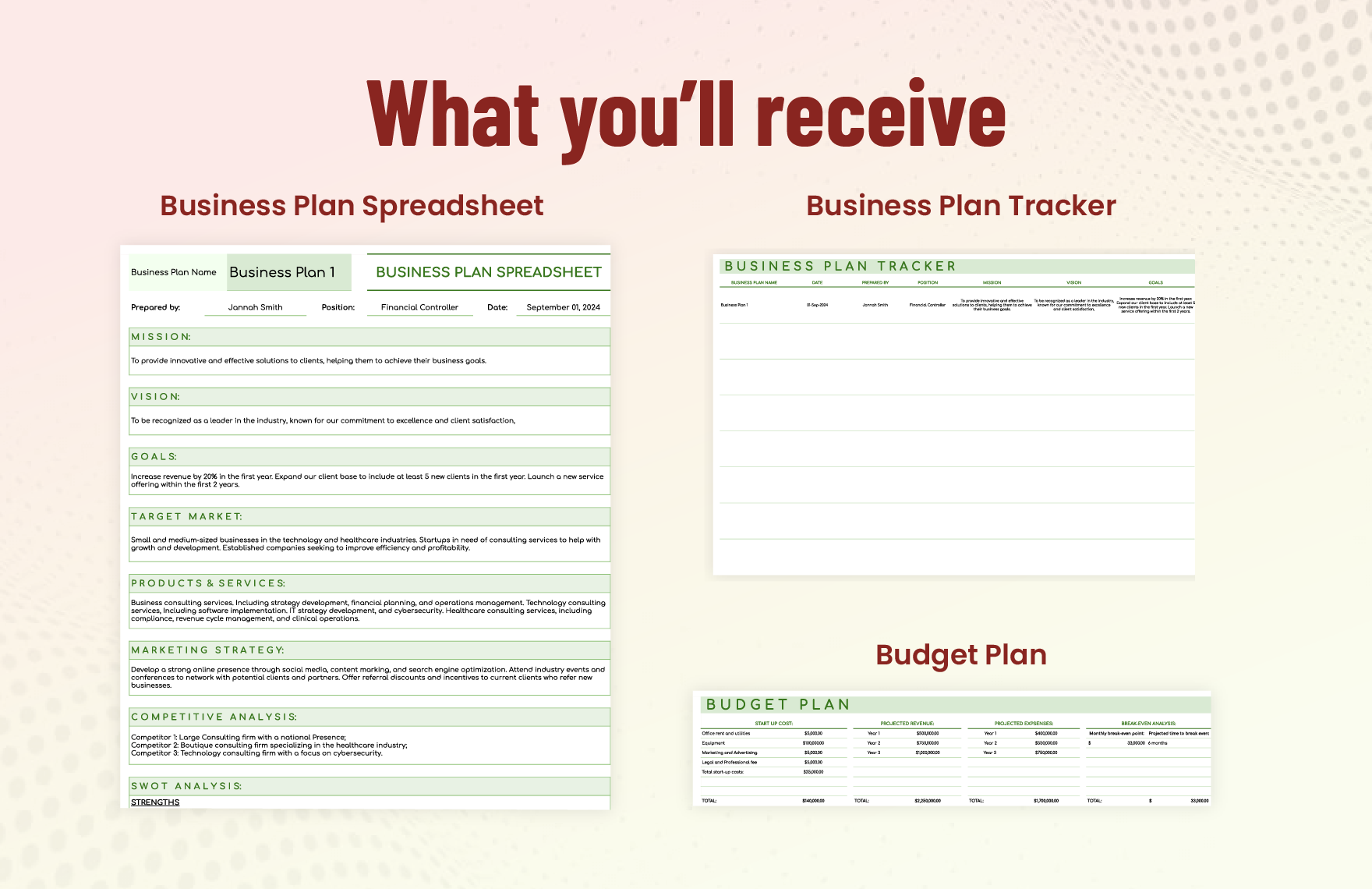
Excel is particularly useful when a networking program involves many contacts, regular follow-ups, or multiple categories. Its spreadsheet structure allows users to sort records, filter by status, calculate time intervals, and create summaries without requiring specialized customer relationship management software.
A practical workbook can contain separate tabs for Contacts, Interactions, Events, Follow-Ups, Referrals, and Dashboard. The Contacts tab stores relatively stable identity information, while the Interactions tab records individual meetings and conversations.
The separation is important because one person can have many interactions. If every interaction is forced into a single contact row, the record becomes increasingly difficult to maintain. A separate interaction table creates a cleaner historical record.
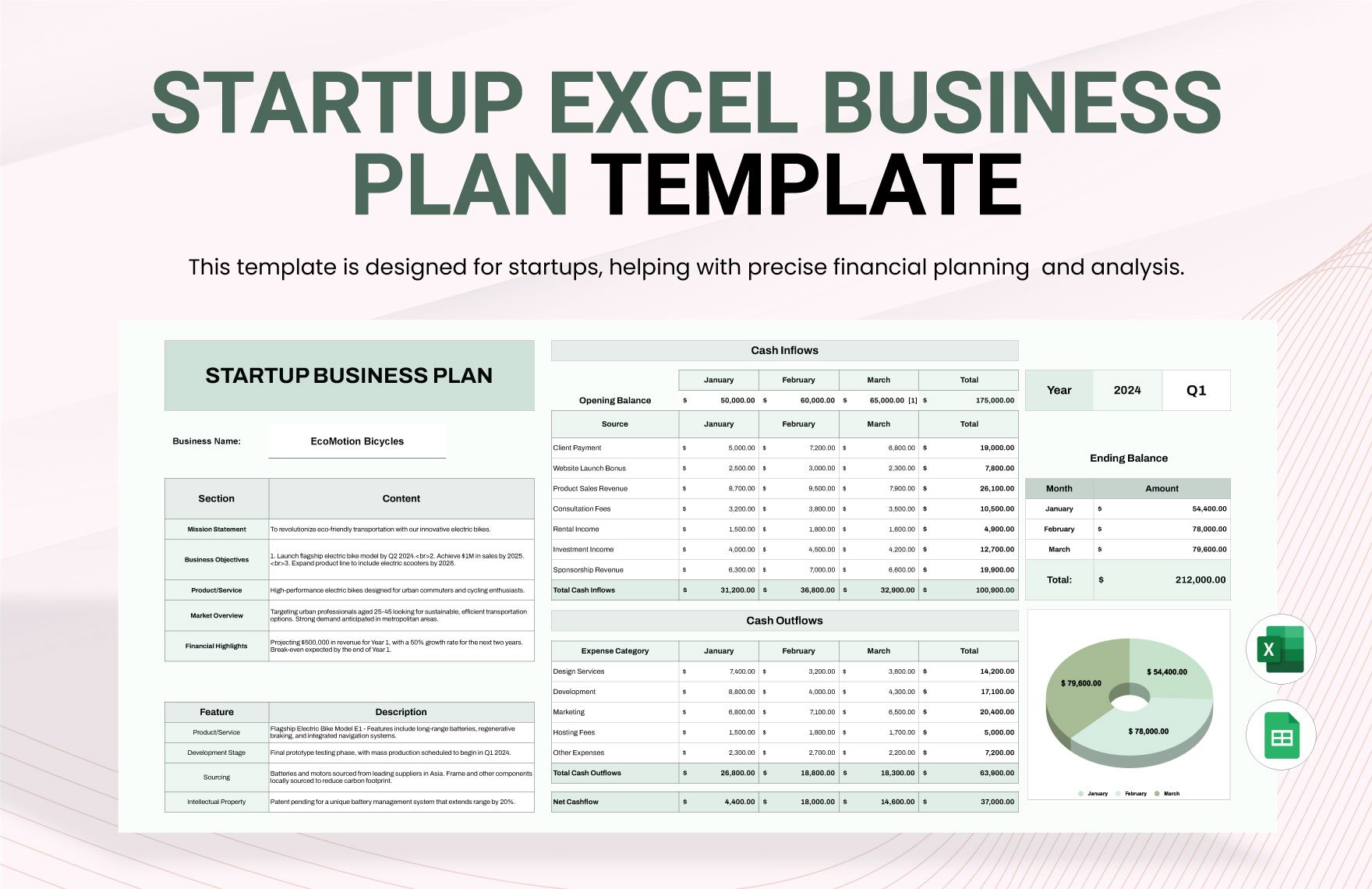
Simple formulas can highlight overdue follow-ups, count contacts by category, calculate the number of new connections during a period, and summarize activity by employee or business unit. Conditional formatting can draw attention to records that require action.
The workbook should remain understandable to a normal office user. Avoid building an elaborate system filled with hidden formulas, complex macros, and unexplained abbreviations unless there is a strong operational reason. A transparent workbook is easier to maintain and hand over.
Building a Network Design View
A contact database answers “who do we know?” but a network design view answers “how are these relationships connected?” This distinction becomes important when networking is part of business development, partnership planning, project collaboration, or organizational analysis.
A network design can show departments, organizations, roles, suppliers, clients, technology systems, or other entities as nodes connected by meaningful relationships. The visual should use labels that explain what each connection represents.
For an office, connections might represent reporting relationships, project collaboration, referral paths, supplier dependencies, information flows, or external partnerships. Different line types can distinguish formal relationships from informal or potential ones.
The diagram should not become decorative complexity. Every node should answer a practical question, and every connection should have a clear meaning. If a reader cannot explain why two entities are connected, the relationship probably does not belong in the diagram.
Network diagrams are especially useful during planning meetings because they reveal gaps that a simple contact list may hide. For example, a company might have many contacts in one market but very few relationships with distributors, technical specialists, or decision-makers.

Meeting Notes and Follow-Up Tracking
Networking becomes productive when conversations generate specific actions. A meeting-notes section should therefore capture the purpose of the conversation, key points, decisions, commitments, and next steps.
Use short factual notes instead of trying to transcribe an entire conversation. A useful record might state that the contact is interested in a supplier introduction, requested a capability document, and agreed to reconnect after an internal review.
The follow-up date should be explicit. “Follow up soon” creates ambiguity, while a defined date or time window creates accountability. If timing is uncertain, record a reasonable review date rather than leaving the field blank.
Follow-up records should also distinguish between actions owned by your organization and actions promised by the other party. This prevents employees from accidentally sending repeated requests for something that the contact has already agreed to provide.
Over time, the interaction history becomes a valuable source of relationship intelligence. It can show which relationships are active, which contacts have not been engaged recently, and which conversations repeatedly produce referrals or collaboration opportunities.
Connecting Networking With Business Planning
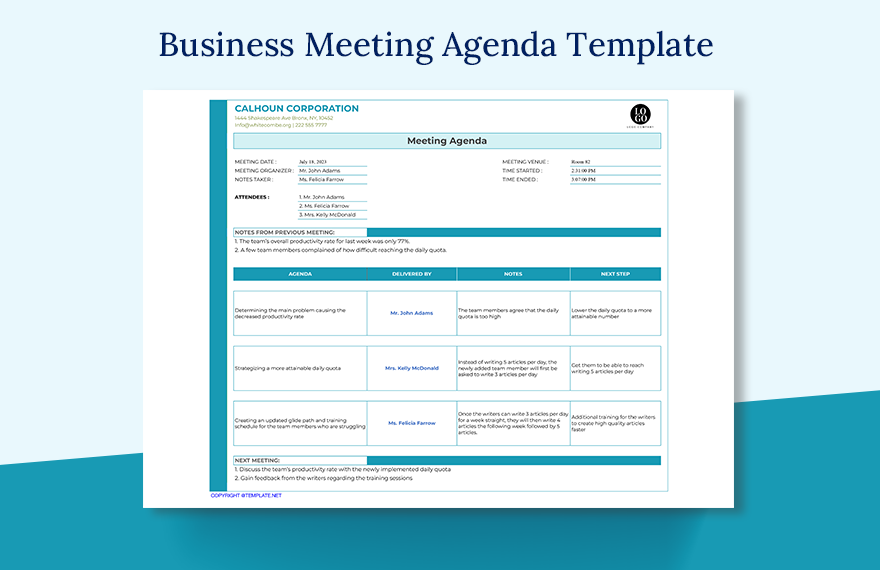
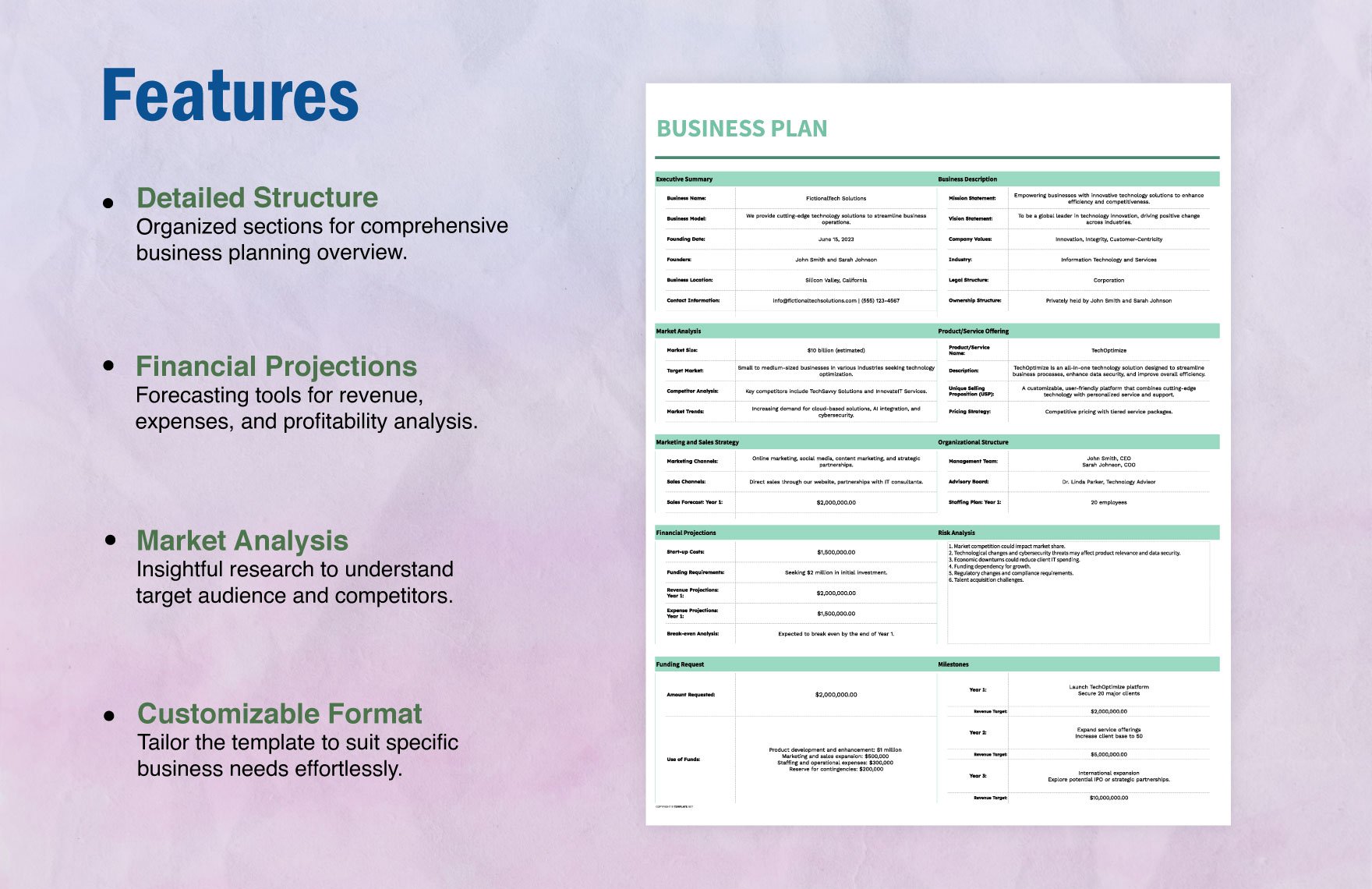
Networking should support a business objective rather than operate as an independent activity. If the organization wants to enter a new market, for example, the networking plan should identify people who can provide market knowledge, distribution access, introductions, technical expertise, or local credibility.
If the objective is client acquisition, the template should distinguish networking contacts from qualified sales opportunities. A conversation does not automatically become a lead, and a lead does not automatically become a customer. Clear stages help prevent inflated reporting.
Partnership planning requires a different view. The relevant information may include complementary capabilities, geographic coverage, shared audiences, service overlap, referral potential, and the next step required to test the relationship.
Internal networking also deserves attention. Large organizations often contain expertise that employees do not know exists. A structured internal directory can identify specialists, project experience, departmental responsibilities, and areas where collaboration may be useful.
The best networking template therefore connects people and actions to business priorities. This makes networking easier to justify, easier to manage, and easier to evaluate.
How to Choose Between Word, Excel, Google Docs, and PDF
Word is a good choice when the networking document is primarily narrative. It works well for a networking plan, introduction script, meeting preparation worksheet, personal development plan, or formatted report that needs headings and written responses.
Excel is stronger when the document behaves like a database. It is preferable when users need sorting, filtering, formulas, dates, categories, status tracking, or summary calculations. A networking workbook can also be exported to PDF when a fixed version is needed.
Google Docs is useful when several people need to edit a narrative document collaboratively. It can work well for team networking plans, shared event preparation notes, and documents where comments and simultaneous editing are important.
PDF is generally better for distribution and presentation than for primary data entry. A PDF can preserve a finished layout, make a printable worksheet, or provide a standardized report, but editing structured contact data in PDF is usually less convenient than using a spreadsheet.
The right format should therefore follow the job. If the core requirement is writing, choose a document format. If the requirement is tracking and analysis, choose a spreadsheet. If the requirement is fixed presentation or printing, choose PDF.
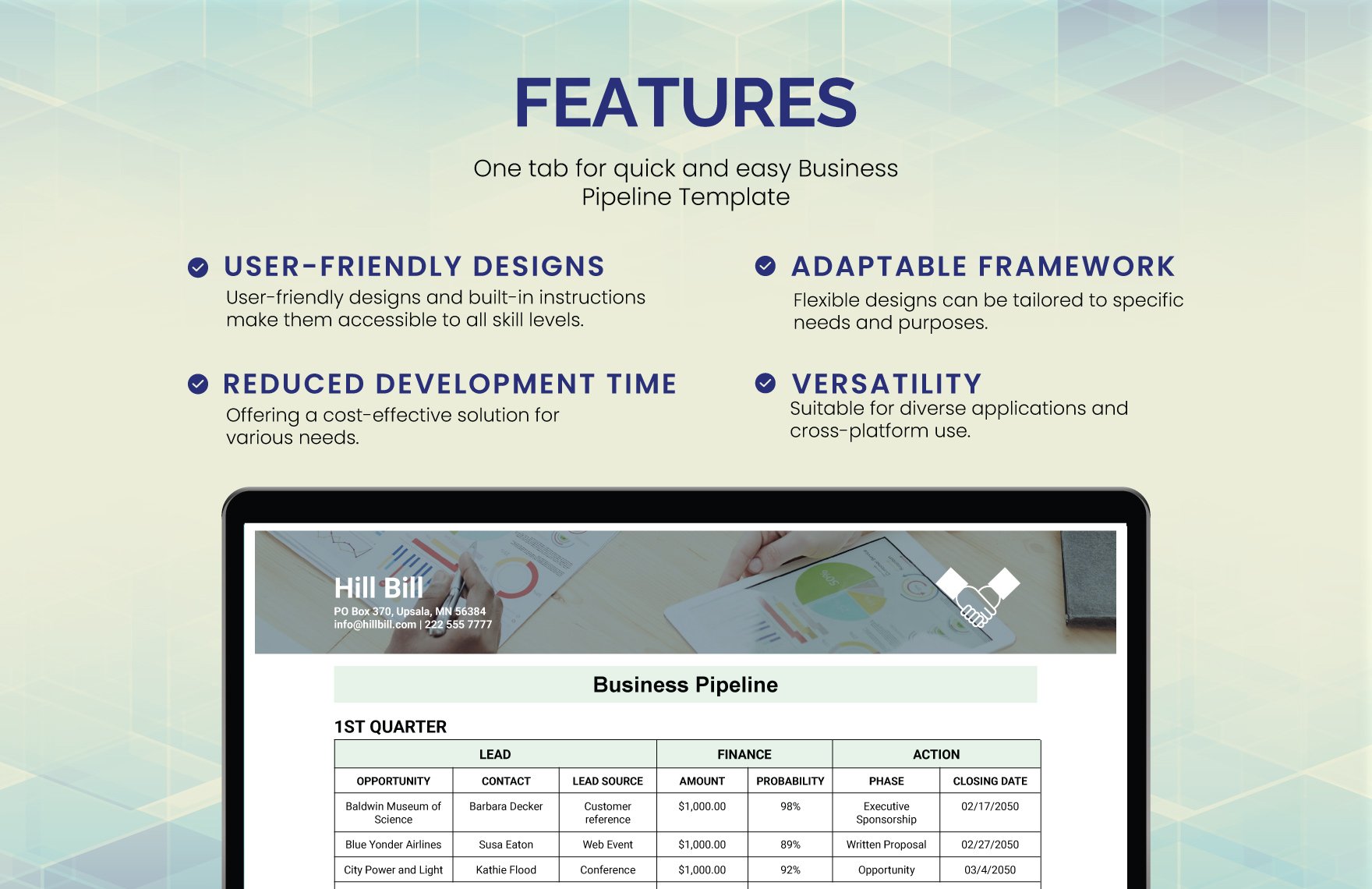
Using Business Pipeline Concepts for Networking
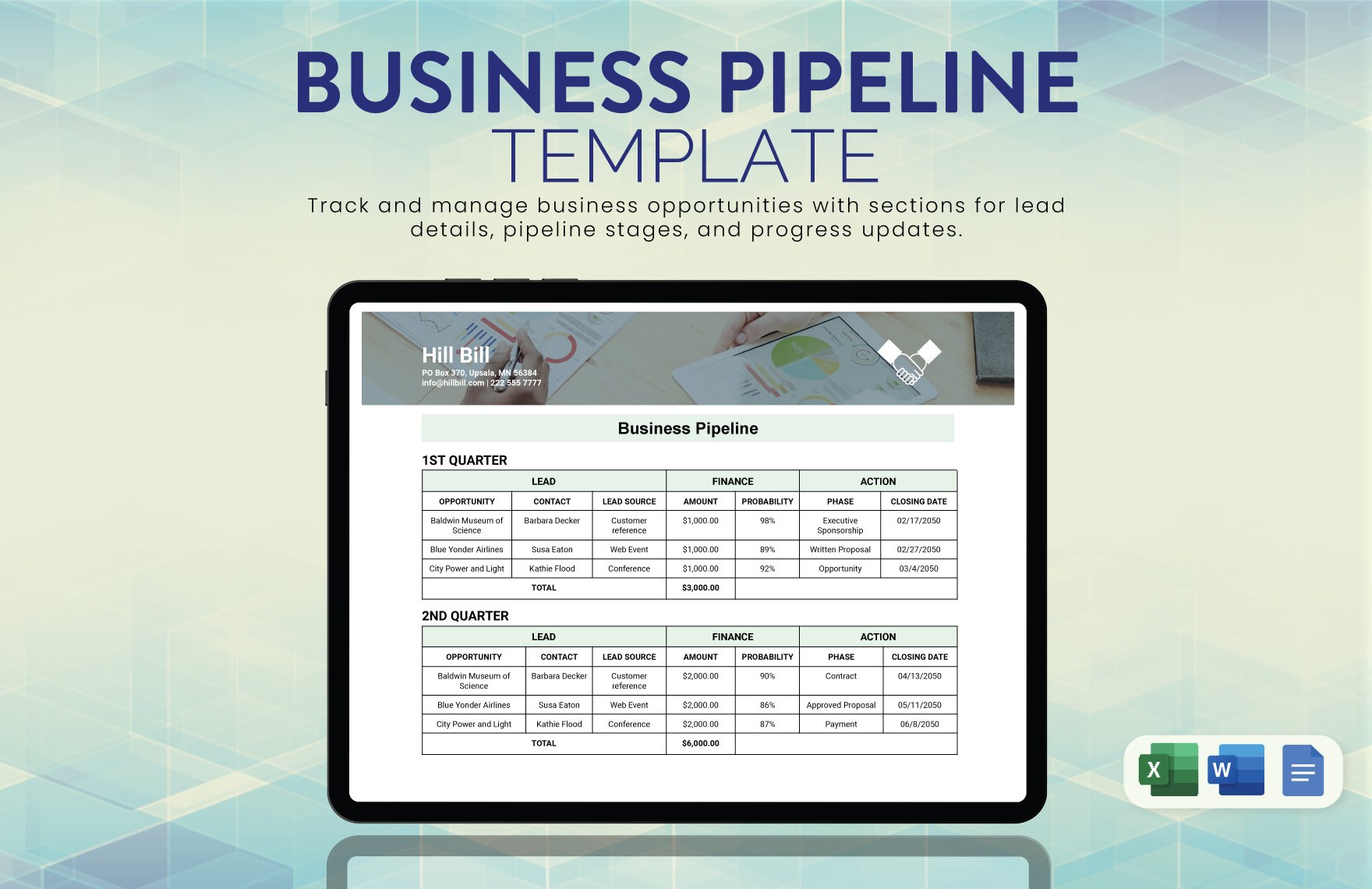
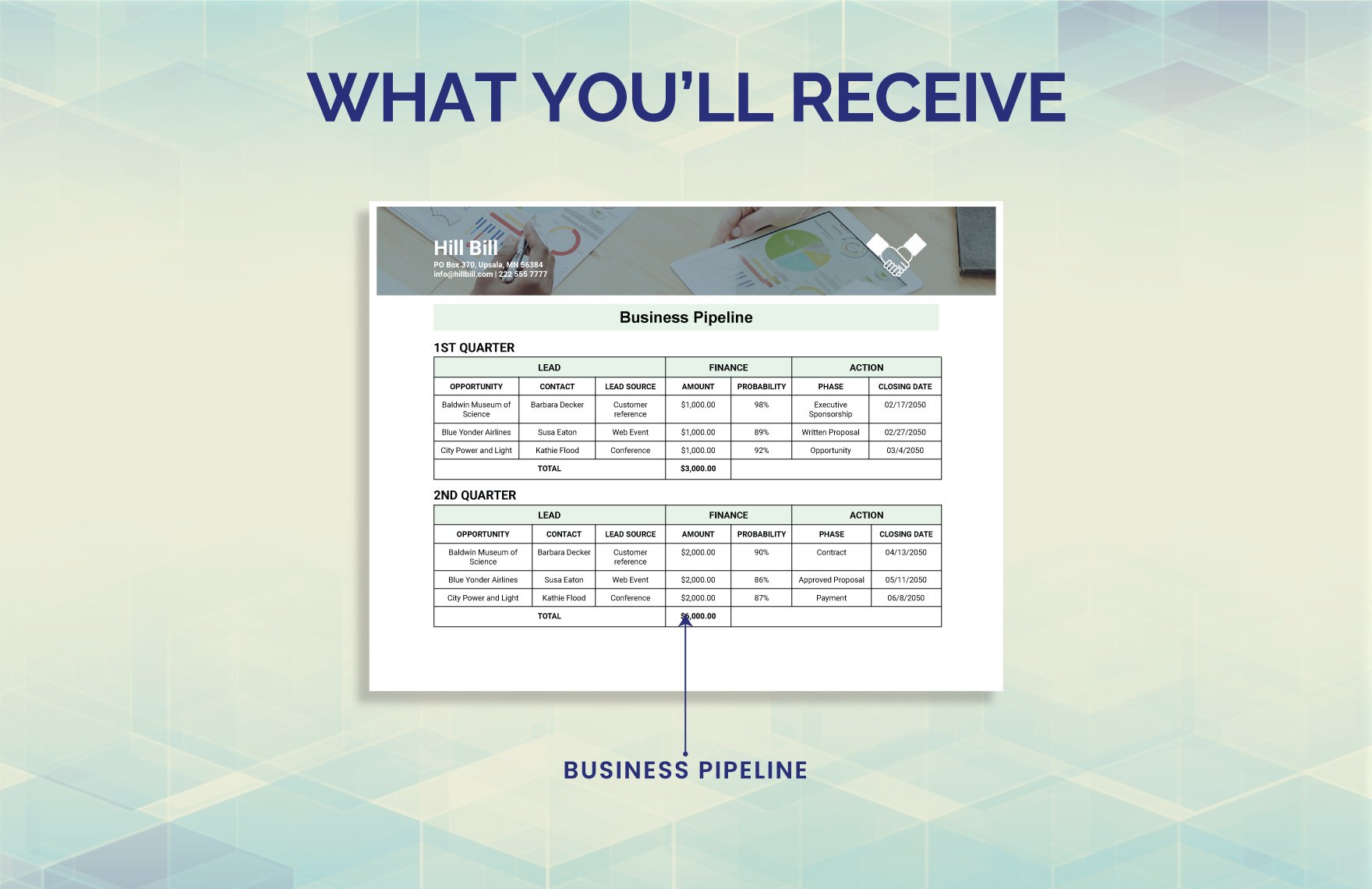
A business pipeline can be adapted to networking when relationships move through recognizable stages. The stages should represent relationship progress rather than assume that every contact is a sales lead.
For example, stages might be Identified, Introduced, Conversation, Follow-Up, Opportunity, Collaboration, Active Relationship, and Dormant. The exact labels should reflect the organization’s workflow.
Each stage should have a definition. “Conversation” could mean a meaningful exchange has occurred, while “Opportunity” could require a defined business need and agreed next step. Clear definitions reduce subjective reporting.
Pipeline-style tracking also helps managers identify bottlenecks. If many contacts remain stuck after an initial introduction, the issue may be weak follow-up. If many conversations occur but few opportunities emerge, the organization may need to refine its target audience or value proposition.
Networking should never be judged solely by immediate revenue. Some relationships create value through knowledge, referrals, reputation, hiring, partnerships, or access to communities. A balanced template can record those outcomes without forcing every relationship into a sales category.
Data Collection and Research Methods
Good networking data begins with reliable collection. Contact details should normally come from the person, their organization, a trusted referral, a business card, or a professional source rather than from unverified databases.
Record the source of each relationship. Knowing whether a contact came from a referral, event, existing customer, online community, supplier, or internal introduction makes later analysis more useful.
When conducting networking research, define the target group before collecting names. A list of hundreds of loosely related organizations is less useful than a smaller list that clearly matches the business objective.
Use a consistent research note structure. A short format such as “relevance, expertise, connection, next opportunity” can make research records easier to compare and easier for colleagues to understand.
Review collected information before importing it into the master template. Remove duplicates, correct obvious formatting problems, verify that the relationship is relevant, and avoid adding contacts simply to make the database look larger.
Analyzing Networking Activity
Analysis should focus on useful questions rather than vanity numbers. The number of business cards collected at an event may be easy to count, but it does not reveal whether the event created meaningful relationships.
Better measures include meaningful conversations, completed follow-ups, referrals exchanged, qualified opportunities created, partnerships explored, introductions made, and relationships that became active.
A spreadsheet can summarize activity by month, event, employee, relationship category, or source. These views can reveal which activities deserve more attention and which consume time without producing useful connections.
Qualitative review is equally important. A small number of high-value relationships may contribute more to strategic goals than dozens of weak connections. The template should therefore allow users to record outcomes that cannot be reduced to a single count.
Analysis should lead to a decision. If one event produces strong supplier relationships while another produces mostly irrelevant contacts, the organization can adjust future participation. The template becomes valuable when its data changes behavior.
Reporting Networking Results
A networking report should be concise enough for management to read and detailed enough to support action. Start with the objective, then summarize activity, significant relationships, opportunities, completed actions, outstanding actions, and recommendations.
Tables are useful for operational reporting because they make names, dates, stages, and responsibilities easy to scan. Charts can be useful when trends matter, such as activity over time or relationship categories.
A report should distinguish activity from outcomes. Ten meetings are an activity measure; three useful referrals are an outcome measure. Both can matter, but they answer different questions.
Do not overload reports with every contact in the database. A management report should highlight information that affects decisions. The full workbook can remain the operational record.
For recurring reports, use the same structure each period. Consistency makes changes easier to spot and reduces the time required to prepare the report.
Practical Examples
Example: Small Consulting Office
A small consulting office could use a workbook with four tabs: Contacts, Interactions, Referrals, and Follow-Ups. Each contact would have a relationship category such as client, referral partner, subject-matter expert, or industry peer.
The Interactions tab would record dates and conversation summaries. The Referrals tab would record introductions made and received. The Follow-Ups tab would identify actions that still need completion.
This structure prevents a common problem in small offices: one employee remembers a relationship while another employee has no visibility into it. Shared records create organizational memory.
The team could review overdue actions every Monday and conduct a broader relationship review at the end of each month. The review should focus on whether relationships are moving toward useful mutual outcomes.
The system would remain intentionally simple. A small organization rarely needs dozens of fields when five or six well-designed fields can produce the information required for decisions.
Example: Corporate Networking Program
A larger company might need a more structured workbook with separate records for employees, external contacts, events, organizations, interactions, opportunities, and referrals.
Each relationship can be associated with a department or business objective. This allows the organization to identify cross-functional connections and avoid multiple teams independently building relationships with the same external organization.
Governance becomes more important at this scale. The company should define who can create, edit, archive, and export records, especially when the data includes commercially sensitive information.
Managers can use dashboards to monitor activity, but the dashboard should remain subordinate to the underlying records. A visually attractive chart is not useful if the underlying contact data is inconsistent.
The organization should also establish a retention and review policy. Outdated contacts should be corrected, archived, or removed according to the organization’s information-management practices.
Common Mistakes to Avoid
The first mistake is collecting too much information. Every additional field creates a maintenance obligation. Ask whether the field will actually influence a decision, follow-up, report, or relationship action before adding it.
The second mistake is failing to distinguish contacts from opportunities. A person can be a valuable professional relationship without representing an immediate business opportunity. Treating every contact as a lead can damage the quality of the database.
The third mistake is inconsistent categorization. If different employees use different status terms, reporting becomes unreliable. Provide a short data-entry guide and use dropdown lists where practical.
The fourth mistake is forgetting follow-up dates. A contact list without action dates can become a historical archive rather than an active networking system.
The fifth mistake is designing the template around appearance rather than usability. Color, typography, and branding matter, but they should support navigation rather than compete with the information.

Best Practices for Professional Networking Templates
Use plain language for every field name. “Relationship Status” is easier to understand than an internal abbreviation. A new employee should be able to open the file and understand how to use it without a lengthy explanation.
Separate input fields from calculated fields in spreadsheets. Users should know where they are expected to type information and which values are generated automatically.
Use validation when it improves consistency. Dropdowns for status, relationship type, priority, and source can prevent common spelling differences and make filtering easier.
Protect formulas and structural areas when necessary, but do not make the workbook so restrictive that normal users cannot maintain it. Good controls should prevent accidental damage without creating administrative friction.
Include a short instructions area inside the workbook. Explain the purpose of each tab, the meaning of key statuses, and the expected update frequency. This small addition can dramatically improve long-term consistency.
How to Make the Template Easier to Maintain
Maintenance should be built into the workflow rather than treated as a special project. Add contact information immediately after meaningful interactions, review overdue actions regularly, and schedule periodic data-quality checks.
Duplicate detection is particularly important. A contact may appear under a full name in one record and a shortened name in another. Email address, organization, and role can help users determine whether records refer to the same person.
Archive rather than delete information when historical context has business value and retention rules allow it. An archived relationship can still explain why a previous opportunity was pursued or why a partnership ended.
Keep version control clear. If multiple copies of the workbook circulate by email, employees may update different versions without realizing it. A controlled shared location is usually better for collaborative use.
Review the template itself at least periodically. If users repeatedly add unofficial columns, that is a signal that the formal structure may not reflect actual needs. Template design should evolve from observed workflow requirements.
Privacy, Professionalism, and Data Quality
Networking data should be handled with professional judgment. Record information that is relevant to the business relationship and avoid unnecessary personal details. The purpose of the template is to support professional communication, not to create an informal personal dossier.
Access should be appropriate to the information stored. A simple public-facing directory and a private relationship-management workbook have very different security requirements.
Contact preferences should be respected. If someone indicates that they prefer email rather than phone calls, recording that preference can improve communication. The record should remain factual and relevant.
Data quality also has an ethical dimension. Incorrect titles, outdated affiliations, or speculative notes can create embarrassing situations when information is reused in proposals, invitations, or correspondence.
For teams handling personal information, the template should be incorporated into the organization’s existing information-security, privacy, retention, and access practices rather than treated as an isolated spreadsheet.
Practical Solution: Build a Simple Office Networking System
Start by defining one business reason for the system. Examples include improving follow-up, coordinating referral relationships, supporting market expansion, strengthening internal collaboration, or organizing contacts from professional events.
Next, create a master contact table with only the essential fields: name, organization, role, contact method, relationship category, source, last interaction, next action, follow-up date, and status.
Then create a separate interaction log if the organization expects repeated conversations with the same contacts. Give every interaction a date and short summary so that relationship history remains chronological.
Add controlled categories for relationship type, status, priority, and source. Use dropdowns where practical so that the data remains consistent across employees.
Create a simple review routine. A weekly review can focus on overdue follow-ups, while a monthly review can examine relationship quality, referrals, opportunities, and gaps.
Use a network diagram when the business needs to understand connections among organizations, departments, partners, or technology systems. Do not add a diagram merely for decoration.
Use a business-card layout when the immediate requirement is professional contact exchange. The card should support the larger system by making contact information easy to capture and use.
Use a Word-based document when the objective is a written networking plan, preparation worksheet, or narrative report. Use Excel when tracking, filtering, dates, and analysis are central.
Use PDF when the finished document must preserve a fixed layout for printing, presentation, or distribution. Keep the editable source file separately when future revisions are expected.
Finally, document the process in one short instruction page. Explain who updates the records, what each status means, how often the file is reviewed, and which information should not be entered.
This approach produces an office business networking Template that is practical rather than complicated. The objective is a repeatable system in which every meaningful relationship has context, ownership, and a next step.
Reference Examples
The following examples illustrate different document, spreadsheet, business-card, and network-design formats that can support an office networking workflow. They are examples of visual structures rather than claims that every format is appropriate for every organization.
office business networking template free
Source: Template.net
office business networking template google docs
Source: Template.net
office business networking template free download
Source: Template.net
office business networking template excel
Source: Template.net
office business networking template pdf
Source: Template.net
office business networking template word
Source: Template.net
network design excel template
Source: Wikimedia Commons
networking excel sheet template
Source: Template.net
best business card templates for networking

Source: Template.net
microsoft office business templates
Source: Template.net
network design document template

Source: Wikimedia Commons
free business planning template excel
Source: Template.net
Frequently Asked Questions
What should an office business networking Template include?
At minimum, include contact identity, organization, role, contact method, relationship category, source, last interaction, next action, follow-up date, and status. Add specialized fields only when they support a genuine business need.
Is Excel better than Word for networking?
Excel is usually better for structured contact tracking, filtering, dates, formulas, and analysis. Word is better for narrative networking plans, preparation documents, written reports, and worksheets that require longer responses.
Can a networking template be used by an entire office?
Yes. A shared template can create consistent records across departments, provided ownership, access, update rules, status definitions, and data-quality responsibilities are clearly established.
How often should a networking tracker be updated?
Update it after meaningful interactions whenever practical. Conduct a short weekly review for overdue actions and a broader monthly or quarterly review for relationship quality and strategic results.
Should every networking contact become a sales lead?
No. Contacts can provide referrals, knowledge, partnerships, recruiting connections, supplier relationships, professional expertise, or community access without being immediate sales opportunities.
What is the difference between a contact list and a networking system?
A contact list mainly stores identity information. A networking system adds context, interaction history, relationship status, ownership, follow-up actions, and analysis so that the information can guide future activity.
When should a network diagram be used?
Use one when relationships or dependencies need to be understood visually. It can be valuable for organizational relationships, technology networks, supplier structures, partnerships, referral paths, and complex collaboration environments.
How can I keep a networking spreadsheet from becoming too complicated?
Start with essential fields, use consistent categories, separate contacts from interactions when necessary, remove unused columns, and review the structure periodically. A smaller system that people actually maintain is more valuable than a complex system that they avoid.
Conclusion
A well-designed office business networking Template turns networking from a collection of names and conversations into a repeatable business process. The strongest system captures useful context, keeps relationship history organized, identifies the next action, and gives teams enough structure to review results without creating unnecessary administrative work.
The most effective implementation is usually simple: define the objective, create a clean contact structure, record meaningful interactions, schedule follow-ups, use Excel when analysis is important, use Word for narrative planning, use PDF for finished distribution, and introduce diagrams or business-card layouts only when they solve a specific communication problem. When the template is designed around real workflow rather than appearance alone, it becomes a practical foundation for stronger professional relationships and more disciplined business networking.
