Modern operations planning is more than making a task list. A useful plan creates a bridge between leadership decisions and day-to-day execution. It can cover a department, project, service line, facility, business process, annual operating cycle, or a specific improvement initiative. Templates are especially useful because they provide a repeatable structure without forcing every organization to design a planning document from an empty page.
Current operational planning resources commonly organize information around goals, actions, responsibilities, resources, timelines, risks, and measures of success. For example, Smartsheet describes operational plans as documents that capture specific actions and resources needed to reach milestones, while ProjectManager emphasizes the connection between strategic goals, tasks, resources, budgets, timelines, and measurable progress. :contentReference[oaicite:0]{index=0}
This guide explains how to design an effective planner, what sections belong in it, how to choose between document and spreadsheet formats, how to analyze operational data, and how to keep the plan useful after the initial planning meeting. It also covers practical examples for service businesses, internal teams, projects, and operational improvement programs.
The emphasis throughout is on usability. A polished template is helpful only when people can understand it quickly, update it consistently, and use its information to make decisions. The best operational planner therefore balances enough detail for accountability with enough simplicity for regular use.
A planner becomes substantially more valuable when it visually separates strategic intent from execution details. The reader should be able to see the objective, the work required to achieve it, the owner of that work, the expected result, and the current status without searching through several unrelated documents.
Another useful design principle is to make every major objective measurable. A statement such as “improve customer service” is directionally useful but operationally incomplete. A stronger planning entry might define a service-response target, identify the process changes required, assign an owner, establish a review date, and specify what evidence will demonstrate improvement.
Modern planning also benefits from separating commitments from assumptions. A committed deliverable should have an accountable owner and a date. An assumption should be identified as an assumption so that changing conditions do not silently invalidate the plan.
Good templates also make dependencies visible. If procurement must complete before installation can begin, the planner should show that relationship rather than treating both activities as independent checklist items. Dependencies are particularly important when several departments contribute to the same operational outcome.
Finally, the planner should be designed for review. A document that is created once and never updated is closer to a planning artifact than a management tool. A modern approach uses scheduled reviews, status fields, variance notes, decision records, and clearly defined escalation points.
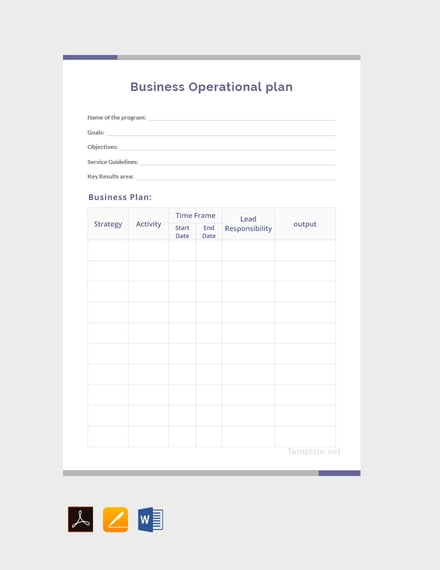
What is a modern operations planner template?
A modern operations planner template is a reusable structure for organizing operational objectives and the work needed to achieve them. It can be implemented as a document, spreadsheet, presentation, project board, or hybrid system. The underlying logic is the same: define the intended result, translate it into actionable work, assign accountability, allocate resources, establish timing, and monitor performance.
The word “modern” does not necessarily mean visually elaborate. It usually means that the planning structure reflects contemporary ways of working: cross-functional ownership, measurable outcomes, transparent status, adaptable timelines, risk awareness, digital collaboration, and frequent review. A modern template can be visually simple while still being operationally sophisticated.
Operational planning is also distinct from strategic planning. Strategic planning establishes direction and long-term priorities, while operational planning translates those priorities into executable activities. Smartsheet notes that operational plans are more specific than strategic or business plans because they identify actions, resources, responsible parties, delivery dates, risks, and evidence of success. :contentReference[oaicite:1]{index=1}
The template should therefore be thought of as a management interface rather than merely a form. Each field should answer a practical question. The objective answers what must change. The activity answers what will be done. The owner answers who is accountable. The resource field answers what is needed. The deadline answers when the commitment is due. The KPI answers how performance will be judged.
This approach prevents a common planning failure: producing a document that sounds strategic but does not explain how work will actually be delivered. An effective planner moves naturally from intention to execution and from execution to measurement.
The simplest version of a planner can contain only a few columns, such as objective, action, owner, due date, status, and result. A larger organization may need additional fields for budget, dependencies, risk level, priority, process stage, resource type, KPI, baseline, target, actual result, and management decision.
The correct level of complexity depends on the operating environment. A small team planning ten initiatives does not need the same structure as an organization coordinating hundreds of activities. Excessive fields can reduce adoption, while too few fields can hide important dependencies and accountability gaps.
A useful test is whether a manager can review the planner in a few minutes and identify what is on track, what is late, what needs a decision, and what requires additional resources. If that cannot be done, the structure probably needs refinement.
Modern operations planning also favors one source of truth. If task status lives in one spreadsheet, budgets in another file, risks in email, and KPIs in a dashboard with no common identifiers, the planning process becomes difficult to maintain. A template should encourage consistent naming and cross-referencing.
In practice, the template is most effective when it becomes part of the operating rhythm. Teams can update it weekly, review it monthly, and use quarterly reviews to adjust priorities and resource allocations.
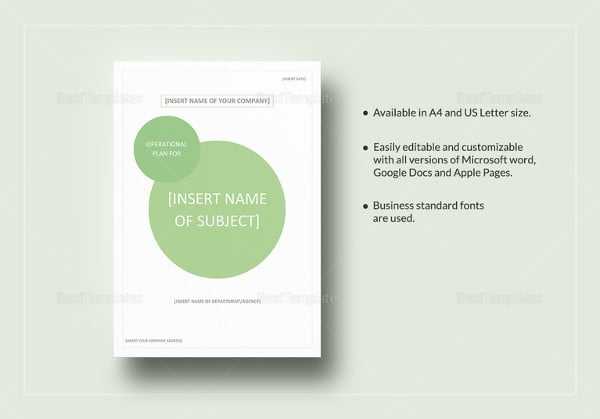
Why an operations planner matters
Operational plans provide clarity by converting broad organizational intentions into concrete commitments. Without this translation, departments can interpret the same strategic objective differently. One team may prioritize speed, another cost reduction, and another quality, even though all believe they are supporting the same goal.
A shared planner creates a common vocabulary. Objectives, actions, owners, measures, and dates become visible to everyone involved. This makes coordination easier because a team can see how its work connects to other teams rather than treating each activity as an isolated task.
Operational planning also supports accountability. Accountability is stronger when an activity has one clearly identified owner, a defined completion condition, and a realistic due date. Multiple contributors can support an activity, but assigning a primary owner reduces ambiguity about who is responsible for moving it forward.
Another benefit is resource visibility. Operational work consumes labor, money, equipment, technology, supplier capacity, facilities, and management attention. A planner makes those needs visible early enough for leadership to make trade-offs before shortages become operational problems.
Planning also creates a baseline for performance management. Once the intended timeline, budget, workload, and outcome are documented, actual performance can be compared with the plan. The purpose is not to punish variance but to understand it and decide whether corrective action is necessary.
A well-designed planner can expose bottlenecks before they become failures. For example, if several projects depend on the same specialist, the resource allocation view may show an overload weeks before a deadline is missed. Similarly, a procurement field can reveal that a critical item has no confirmed supplier.
The planner can also improve communication with senior stakeholders. Instead of reporting isolated activities, operations teams can explain how activities contribute to objectives, what has been achieved, what remains, and what decisions are required.
For recurring operations, the planner becomes a knowledge asset. Over time, completed plans reveal patterns in workload, timing, cost, risk, and performance. Those patterns can inform future planning and process improvement.
However, the value of the planner depends on discipline. A template cannot compensate for unclear objectives, unrealistic deadlines, missing ownership, or unreliable data. The document should support good management practices rather than become a substitute for them.
The strongest results occur when planning, execution, measurement, and review are treated as one continuous cycle. The plan defines the expected state, operations produce results, measurement compares results with expectations, and review determines what should change next.

Core components of a modern operations planner
The first component is the operational objective. Objectives should describe a meaningful result rather than a collection of activities. “Implement a new inventory review process” is an activity-oriented statement, while “reduce inventory discrepancies through a standardized review process” describes the intended operational outcome.
The second component is the action plan. Each objective should be broken into activities that are sufficiently specific to assign, schedule, and monitor. Avoid entries such as “work on process improvement.” Instead, define actions such as documenting the current workflow, identifying failure points, testing a revised procedure, training affected staff, and reviewing results.
The third component is ownership. A planner should distinguish accountability from participation. A responsible owner may coordinate several contributors, vendors, or departments, but the plan should still make it clear who is accountable for the outcome.
The fourth component is timing. Start dates and end dates are useful, but a modern planner can also include milestones, review points, dependencies, and expected duration. This creates a more realistic picture of operational flow than a single due-date column.
The fifth component is resources. Resources may include staffing, budget, software, facilities, equipment, materials, external suppliers, training, or specialist expertise. Resource requirements should be linked to activities so that management can see what each initiative actually consumes.
Performance indicators are another core component. A KPI should measure something that matters to the objective. Useful operational indicators may cover cycle time, service-level compliance, error rates, throughput, utilization, backlog, cost variance, schedule adherence, quality, or customer outcomes.
Risk should be documented in proportion to the operational exposure. A small internal improvement project may need only a few risk fields, while a critical service operation may require probability, impact, mitigation, contingency action, owner, and review date.
Evidence of success is particularly useful. It answers the question, “What will convince us that this activity or objective is complete?” Evidence might be an approved procedure, completed training record, reconciled dataset, signed acceptance document, performance result, audit finding, or verified process change.
A final component is status. Status should be standardized so that users interpret it consistently. Common choices include not started, in progress, blocked, at risk, completed, and cancelled. Avoid creating dozens of status categories that look precise but make reporting difficult.
These components can be represented in a compact table. A practical core structure is: objective, activity, owner, priority, start date, due date, dependency, resource requirement, KPI, target, status, risk, and evidence of completion.
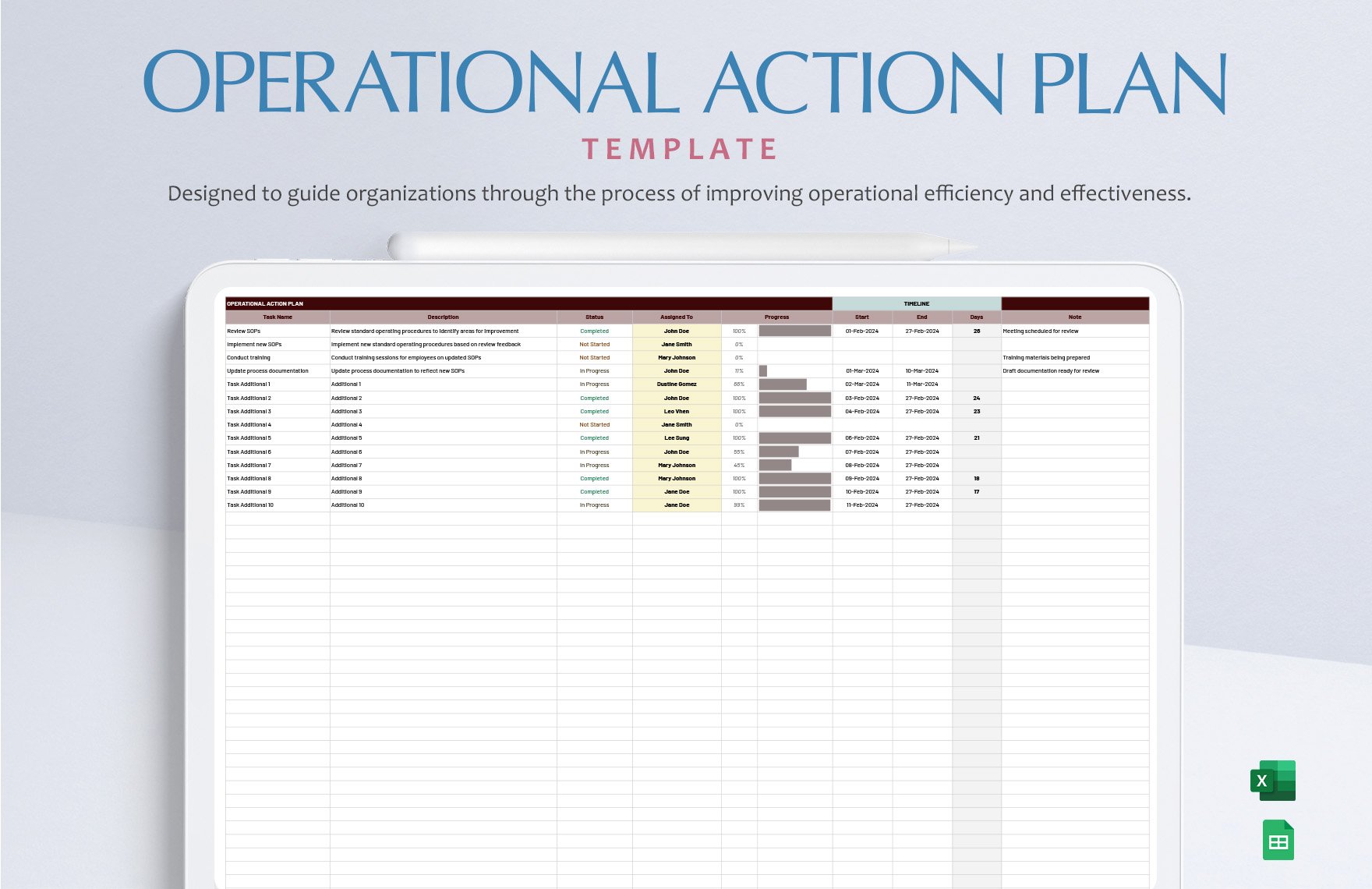
How to create the planner step by step
Start by defining the planning period. It may be a quarter, fiscal year, project duration, launch window, monthly operating cycle, or another period that matches the decision-making rhythm of the organization. The period should be long enough to capture the work but short enough to remain manageable.
Next, identify the strategic priorities that the operational plan must support. Do not copy every sentence from a strategic plan. Select the priorities that require operational execution and express them in language that the people doing the work can understand.
For each priority, define one or more operational objectives. Each objective should have a clear outcome and a reasonable boundary. If an objective is so broad that it contains unrelated projects, divide it into smaller objectives that can be owned and measured independently.
Then decompose each objective into activities. Work backward from the desired result and ask what must be completed to achieve it. Include preparatory work, execution, validation, communication, training, and follow-up where they are necessary for successful implementation.
After defining activities, assign owners and contributors. The owner should have enough authority, access, and resources to influence the result. If an owner cannot make the required decisions or obtain the required resources, that constraint should be documented rather than hidden.
The next step is sequencing. Identify activities that depend on one another and place them in a logical order. A simple dependency notation can be enough: “Activity B starts after Activity A approval.” More complex programs may benefit from a Gantt-style timeline or project management system.
Estimate resources and budget at the activity or objective level. Include internal effort when it is material, even if there is no external cash expense. Labor capacity is often the most significant operational constraint.
Define KPIs and targets before execution begins whenever possible. If a metric is introduced only after a problem appears, the team may not have a reliable baseline. Establishing measurement early provides a more useful comparison between planned and actual performance.
Add risks and mitigation actions. A risk statement should describe a condition that could affect the objective, not simply list a vague concern. A stronger entry identifies the potential event, likely consequence, mitigation, owner, and trigger for escalation.
Finally, define the review rhythm. The plan should specify when status is updated, when management reviews it, how blocked items are escalated, and when the plan itself is revised. This turns a static template into an operational management system.
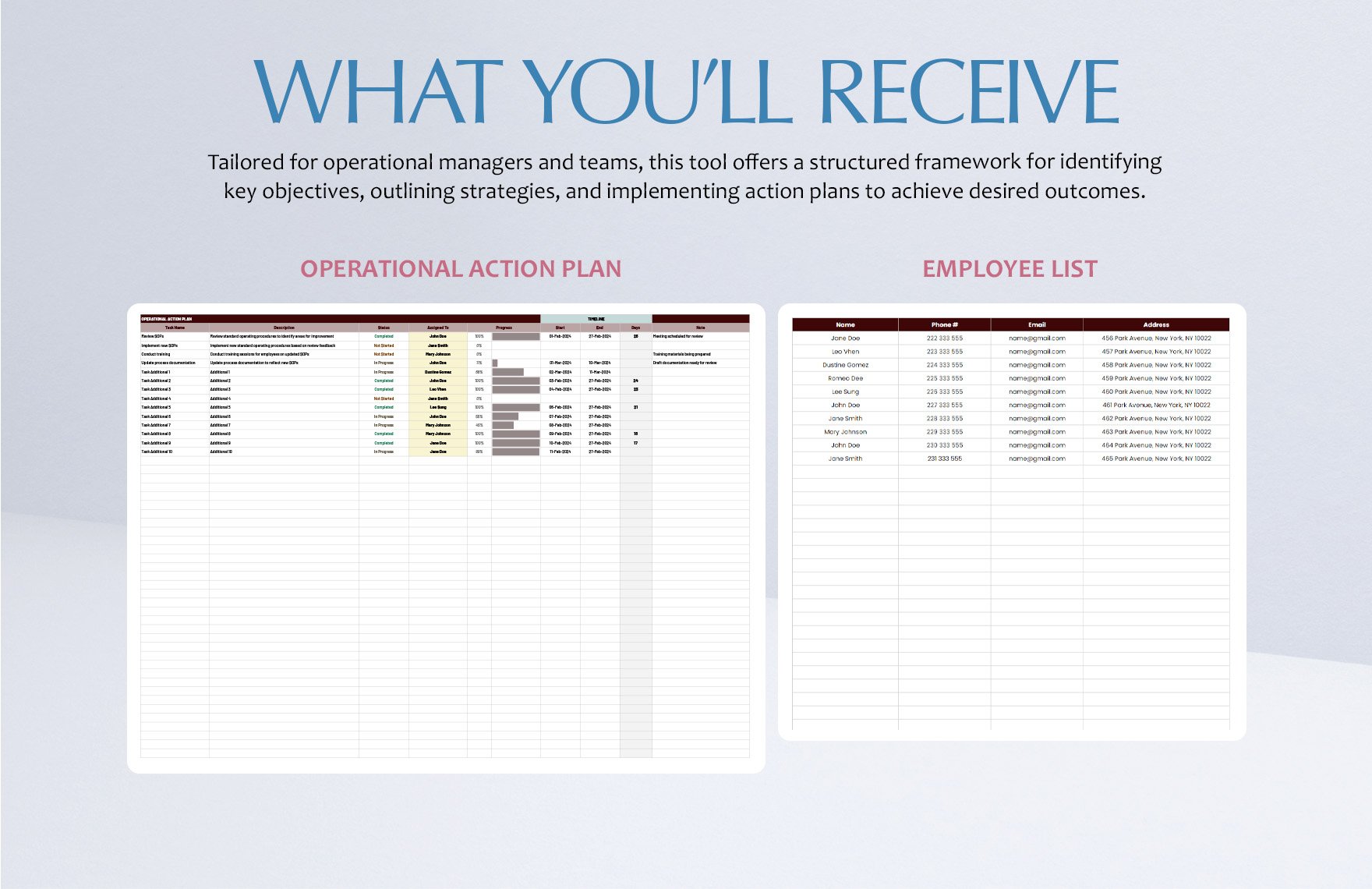
Designing the planner for real-world use
A planner should be easy to scan. Use consistent column names, restrained formatting, clear section breaks, and short labels. Avoid filling every available area with decorative graphics. Visual hierarchy should help users locate important information rather than distract from it.
Use one row per meaningful work item when the plan is spreadsheet-based. Combining several activities into one row makes status tracking ambiguous. Conversely, splitting every tiny action into its own row can create hundreds of records that no one maintains.
Keep descriptions action-oriented. A useful activity usually starts with a verb such as define, review, validate, configure, test, approve, train, publish, reconcile, audit, or implement. This makes the operational nature of the plan immediately apparent.
Separate “planned” from “actual” wherever variance matters. For dates, this can mean planned completion versus actual completion. For budgets, it can mean approved amount versus actual spend. For performance, it can mean target versus actual result.
Use controlled values for fields such as priority and status. Free-text status descriptions create inconsistent reporting. A standardized vocabulary makes filtering, dashboards, and management reviews much easier.
Make exceptions visible. A plan that shows every item as simply “in progress” can hide the most important information. Use specific categories such as blocked or at risk when those conditions require management attention.
Keep detailed evidence outside the main planning table when necessary. A planner can link conceptually to procedures, reports, approvals, or supporting files without reproducing all of their content. The main plan should remain readable.
Version control is also important. If several people can edit the planner, record the planning period, owner, last review date, and version where appropriate. This reduces confusion when older copies are circulated.
For digital spreadsheets, freeze important headers, use filters, and keep formulas separate from manually entered fields. For documents, use consistent heading styles and tables. For presentations, reduce the content to the decisions and metrics that stakeholders need to understand.
The best design is therefore not necessarily the most sophisticated one. It is the design that encourages consistent use and makes operational information easier to act on.
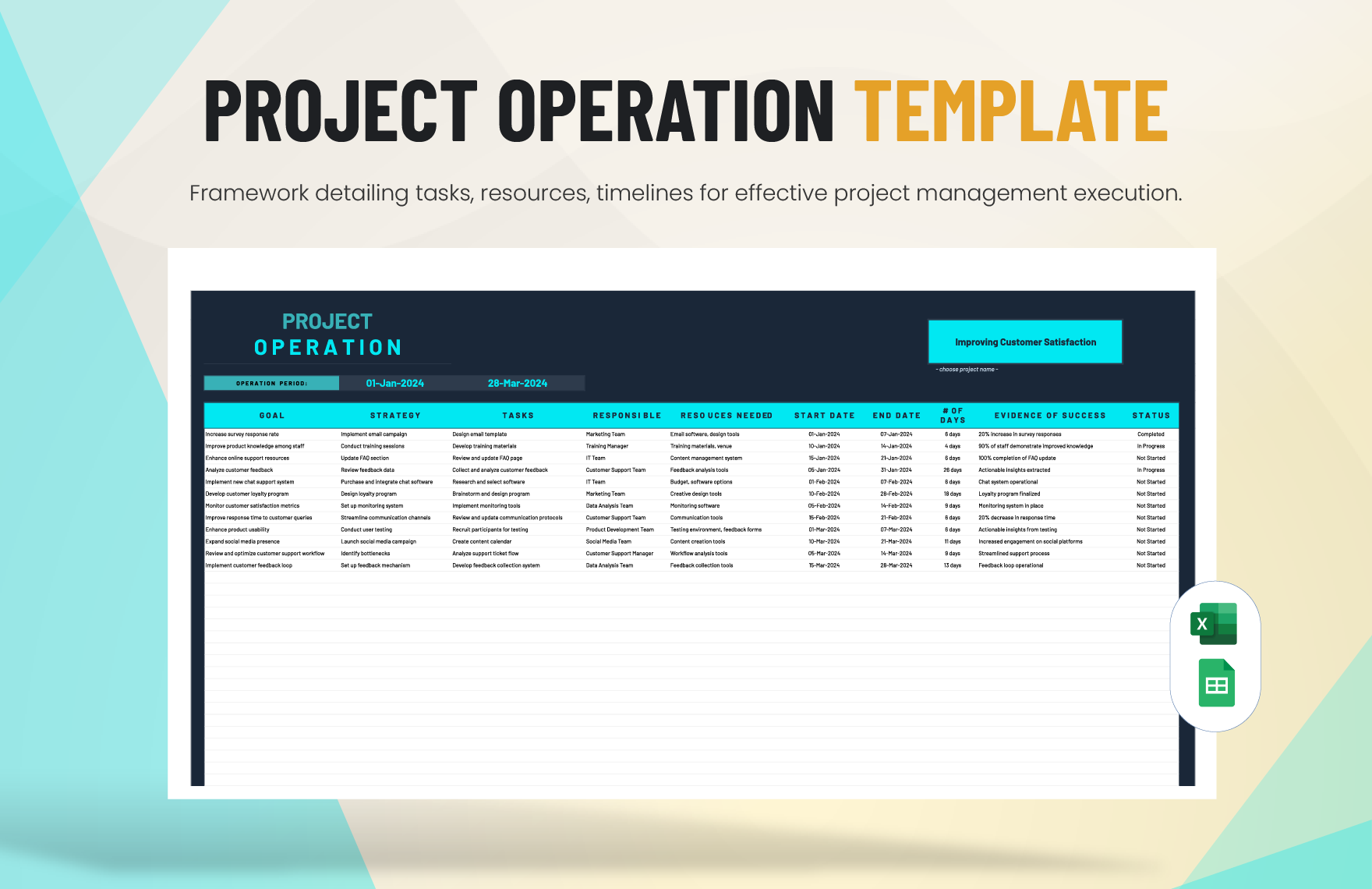
Choosing between Excel, Google Sheets, Word, Google Docs, PDF, and PowerPoint
Spreadsheet formats are usually strongest when the planner contains many activities, dates, budgets, formulas, status fields, or quantitative measures. Microsoft Excel and Google Sheets make it easier to filter records, calculate totals, compare targets with actuals, and create charts.
Word and Google Docs are often better when the operational plan is primarily a narrative document. They work well for executive summaries, operating assumptions, process descriptions, governance arrangements, policies, and formal plans that need substantial explanatory text.
PDF is best viewed as a distribution and presentation format rather than the ideal authoring environment. A finalized operational plan can be exported to PDF when a stable, print-friendly version is needed. The editable source should normally remain in the original document or spreadsheet format.
PowerPoint is useful when the purpose is communication rather than detailed task management. A leadership presentation can summarize objectives, initiatives, timelines, budgets, risks, and KPIs in a small number of slides. The detailed operating tracker can remain in a spreadsheet or work-management system.
Google-based formats provide an advantage when multiple stakeholders need to collaborate on a shared plan. Google Docs works well for narrative planning, while Google Sheets is better suited to structured task and data tracking.
Excel remains particularly useful for organizations that rely heavily on formulas, financial analysis, structured tables, and offline editing. It can support sophisticated operational models without requiring a specialized platform.
Word is practical when the plan is intended to become a formal report or policy-style document. It is also convenient when reviewers need to comment on narrative sections rather than manipulate operational data.
The important point is not to choose a format based solely on popularity. Choose the format according to how the plan will be maintained. A collaborative team tracker should not be trapped inside a static PDF, and a formal executive document may not benefit from hundreds of spreadsheet rows.
Many organizations use a hybrid approach: a spreadsheet for detailed execution, a document for the formal operating plan, and a presentation for leadership communication. The three should share the same objective names, initiative identifiers, dates, and KPI definitions.
That shared structure prevents format changes from creating conflicting versions of the plan. The file format should change the presentation of the information, not the underlying operational logic.
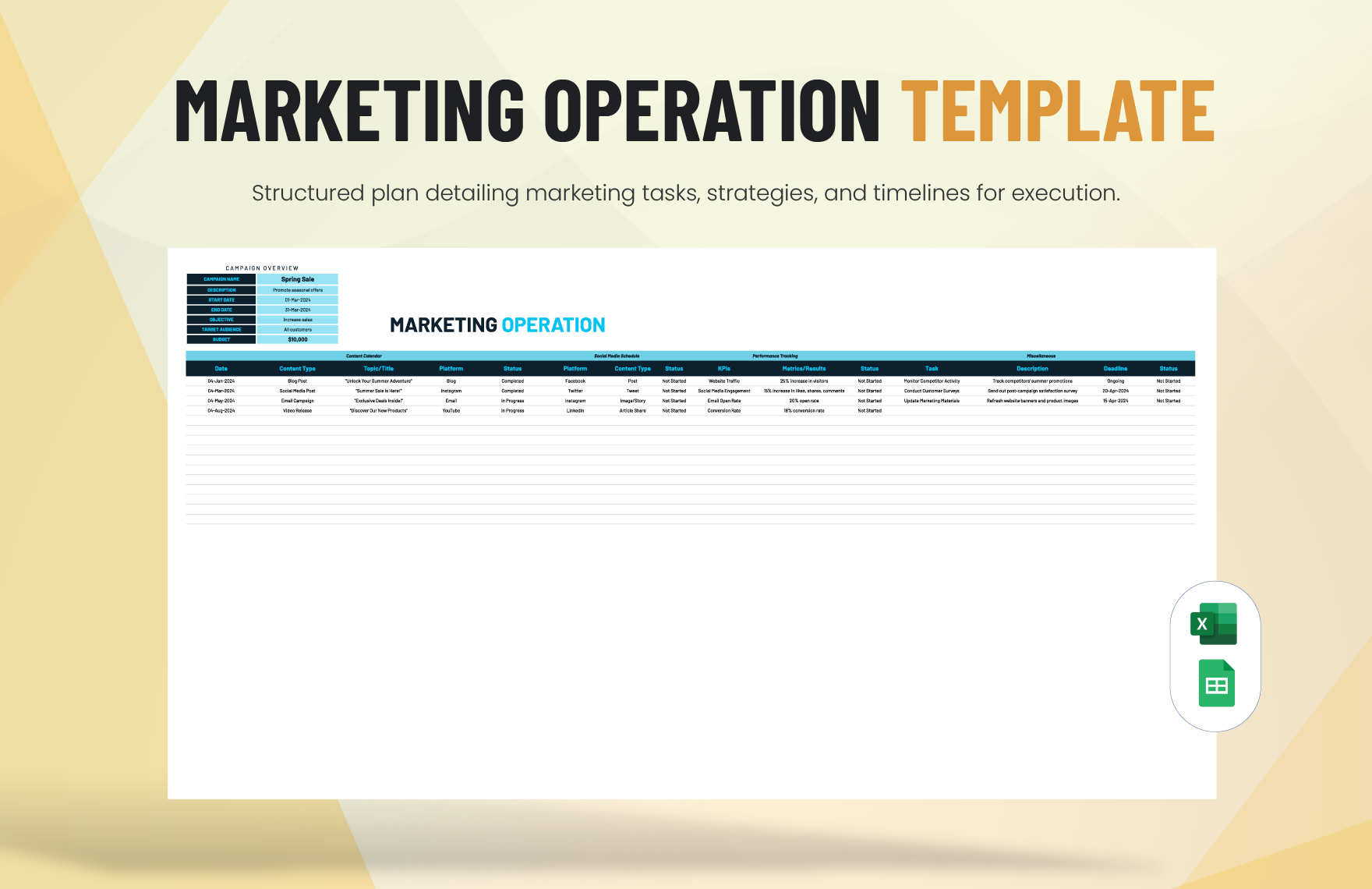
Building a useful operations planning table
A strong planning table starts with identifiers. Give each major objective or initiative a short reference code when the plan is large enough to require cross-referencing. This makes it easier to connect tasks, risks, budgets, reports, and management decisions.
The objective field should explain the intended result. The strategy or approach field can describe how the team intends to achieve that result. Activities should then translate the approach into concrete work. This three-level structure prevents objectives from becoming overloaded with implementation details.
The owner field should identify the accountable role or person. If personnel changes frequently, role-based ownership may be more durable than individual names. The plan can then maintain a separate responsibility directory if necessary.
Dates should distinguish between planned and actual completion when schedule performance matters. A simple status field can provide a high-level view, while variance notes explain why an item has changed.
Resource columns should be designed around actual management decisions. Instead of creating fields for every conceivable resource, focus on resources that constrain delivery, such as staffing capacity, budget, supplier availability, equipment, technology, or approvals.
KPI fields should contain the measure, target, and preferably the current result. This allows a manager to see whether an activity is merely progressing or actually producing the intended outcome.
Risk information should not become a second risk register unless the plan genuinely requires that level of detail. For a simple planner, a risk rating and mitigation summary may be enough. For high-risk environments, use a linked risk register.
Evidence of success should be concise. A phrase such as “approved workflow published and staff training completed” is more useful than a vague statement such as “process improved.”
Finally, include a notes or decision field for exceptions. This allows the planner to retain context without creating long narrative descriptions in every row.
The result is a table that can function as both an execution tracker and a management reporting source. It contains enough information to answer most operational questions without requiring users to inspect multiple unrelated documents.
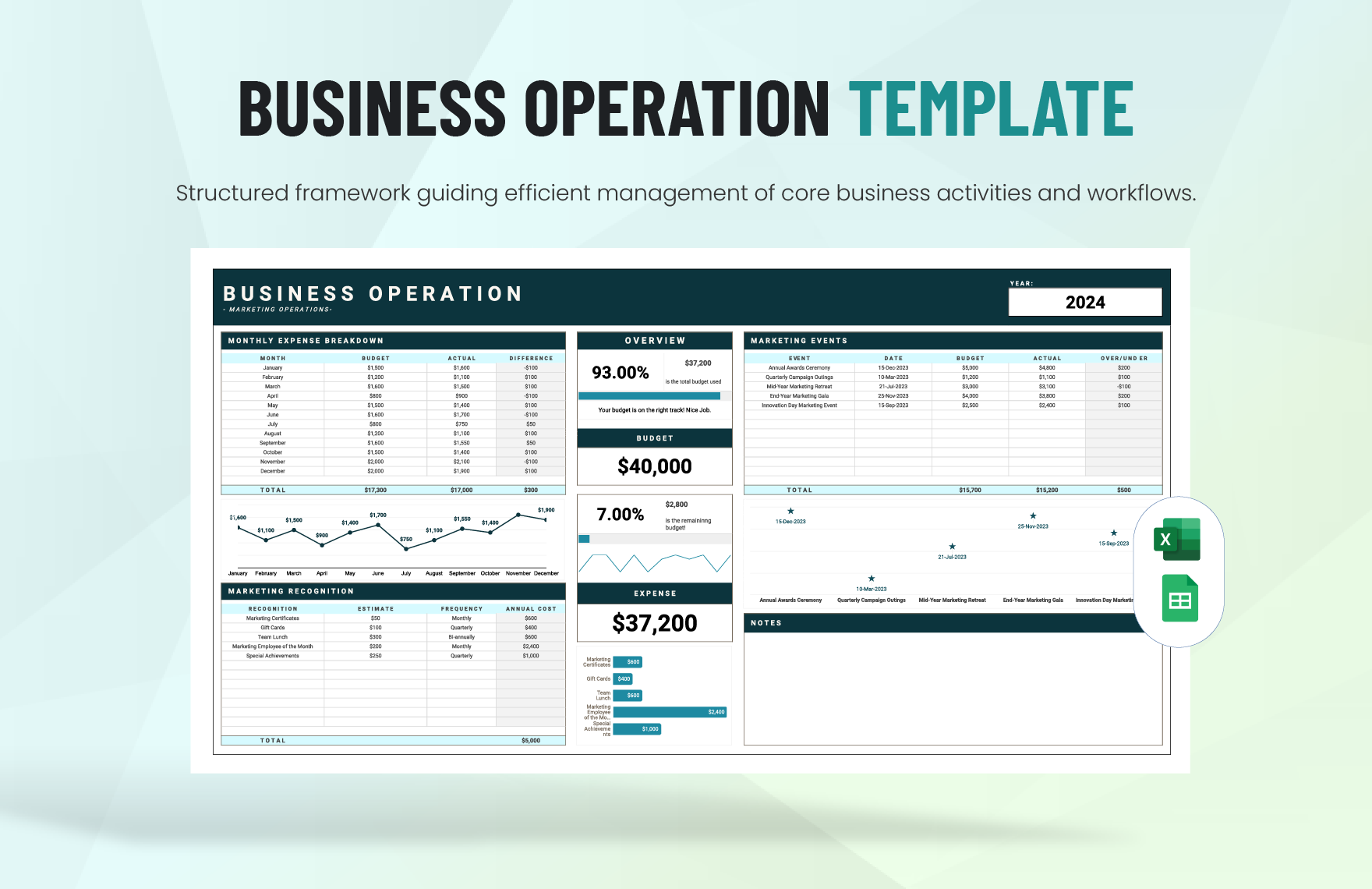
Using KPIs and data analysis effectively
KPIs should be selected because they help explain whether an operational objective is being achieved. A metric becomes useful when the team understands what it measures, why it matters, how it is calculated, who owns it, and what action should follow a meaningful change.
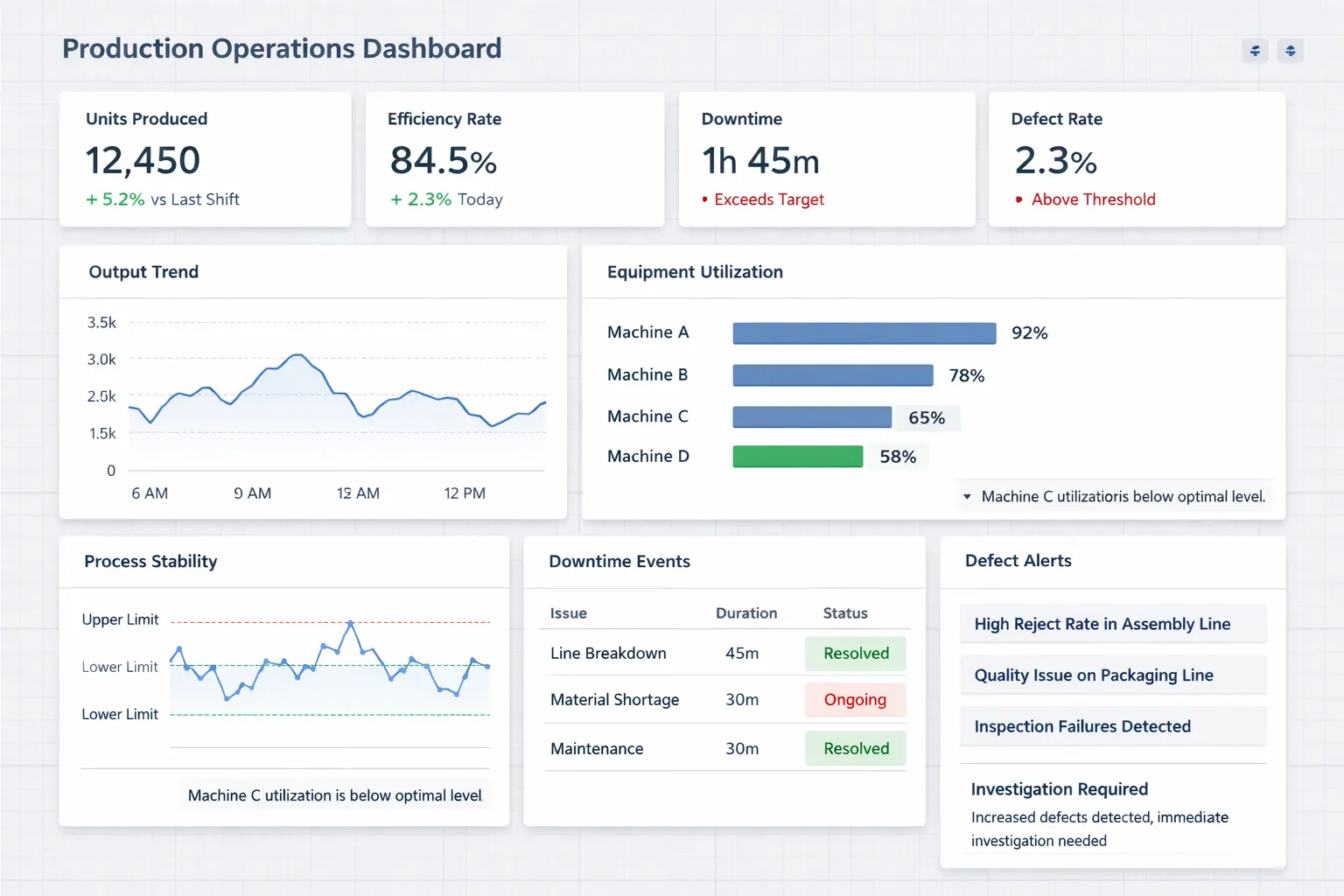
Operational KPIs can cover several dimensions. Time-based measures include cycle time, response time, lead time, and schedule adherence. Quality measures may include defect rates, rework, complaints, or first-pass yield. Capacity measures can include utilization, throughput, backlog, or workload. Financial measures can include budget variance, unit cost, and operating expense.
Do not overload the planner with every available metric. A department may have dozens of measurements, but only a smaller set should drive operational decisions. Supporting metrics can remain in dashboards or detailed reports.
Always distinguish a target from an actual result. A target establishes the expected level of performance; the actual shows what happened. The variance between them creates a management signal.
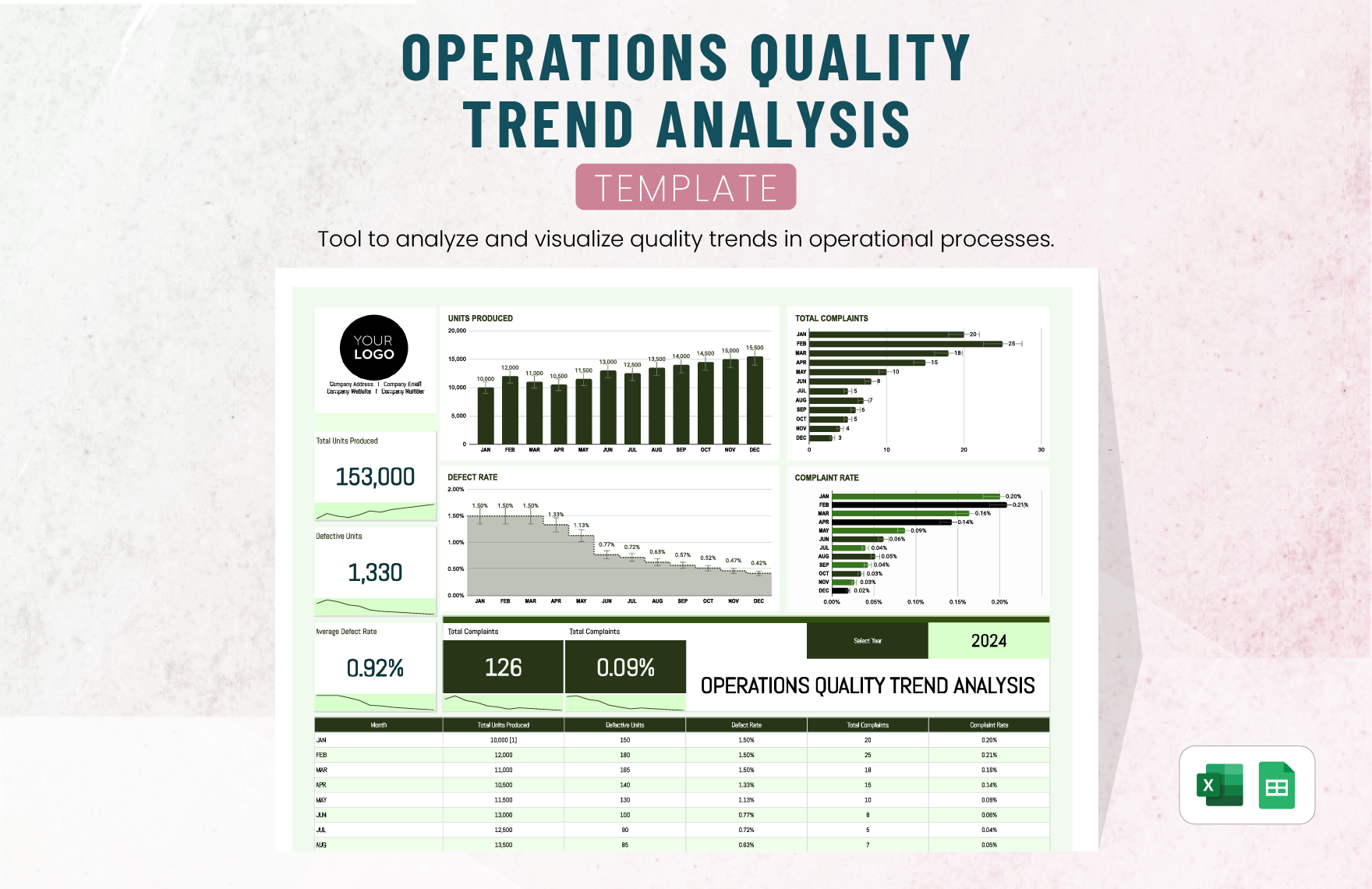
Trend analysis is often more useful than a single measurement. An isolated delay may be an exception, while a gradual deterioration over several reporting periods may indicate a process problem. The planner should therefore support periodic comparison rather than only point-in-time status.
When interpreting operational data, consider context. A KPI can move because demand changed, staffing changed, a supplier failed, a process changed, or measurement methods changed. The number alone rarely explains the cause.
Use a simple analysis cycle: observe the variance, confirm the data, investigate the likely cause, determine whether the cause is controllable, choose an intervention, assign an owner, and measure the result.
For example, suppose a service team notices that response time has increased. The first question is not automatically “work faster.” The team should examine demand volume, staffing coverage, queue size, workflow bottlenecks, system performance, and case complexity.
The planner can record the resulting action as an improvement initiative, link it to the affected KPI, establish a target, and assign a review date. This creates a direct relationship between measurement and operational improvement.
Data should therefore be treated as a decision input rather than decoration. A dashboard full of charts is not inherently useful. The value comes from connecting meaningful measures to decisions, actions, and accountability.
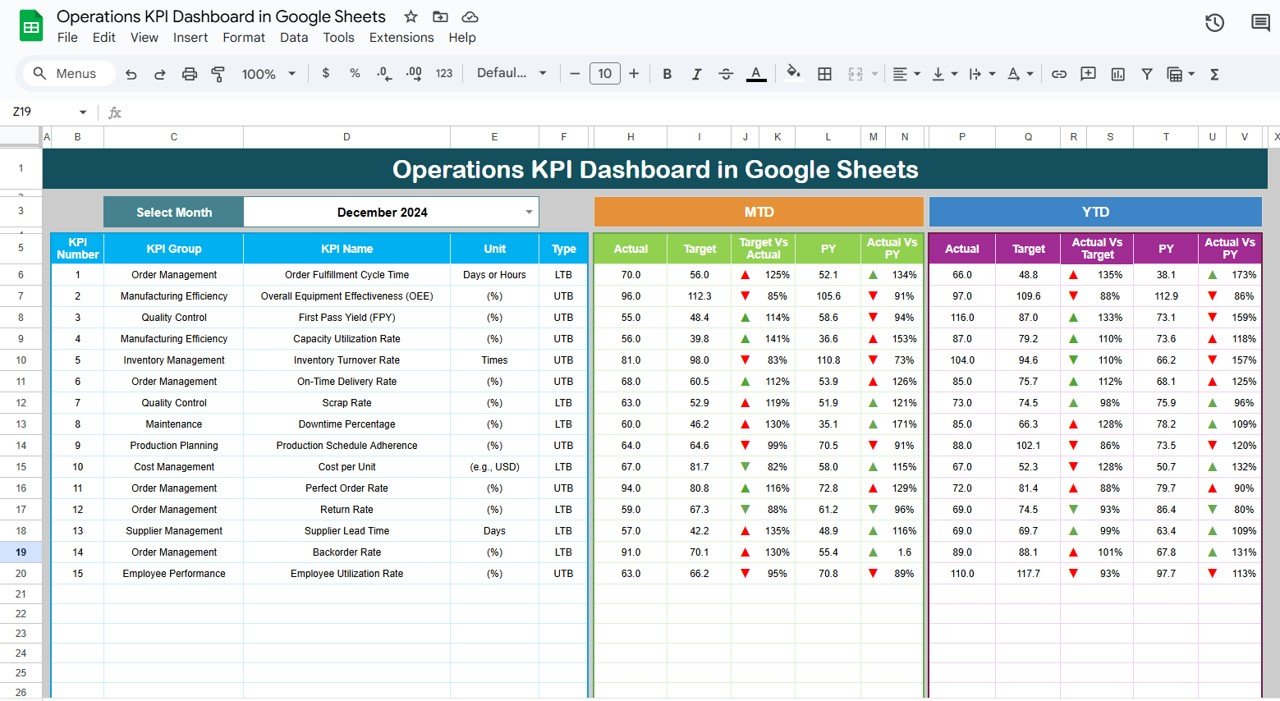
Budgeting and resource planning
Operations planning should connect activities to resources. A task that has no available capacity is not truly planned, even if its due date appears in a spreadsheet. Resource planning makes the difference between an attractive schedule and a feasible one.
Start by identifying the major resource categories. These can include personnel, contractors, technology, equipment, materials, facilities, training, travel, supplier services, and operating expenditure. The categories should reflect how the organization actually makes resource decisions.
For personnel, consider both headcount and capacity. A person may technically be assigned to several activities but have only a limited number of hours available. Capacity planning should account for recurring responsibilities, leave, meetings, operational coverage, and other commitments where they materially affect delivery.
For budgets, distinguish between planned expenditure and actual expenditure. If the planner is used throughout the year, include a forecast field when useful. A forecast can identify likely overspending before actual expenditure reaches the approved limit.
Resource constraints should be visible at the initiative level. If a project depends on a specialist, identify that dependency rather than burying it in a general staffing note. If a supplier is critical, capture lead time and contingency considerations.
Budget planning also benefits from time-phasing. An annual amount does not reveal when cash or capacity will be needed. Monthly or quarterly allocations can make resource conflicts easier to identify.
Use variance analysis to explain significant differences. A budget variance can arise from scope changes, price changes, timing shifts, incorrect assumptions, or execution problems. The planner should capture the reason when the variance requires management action.
Do not treat a lower cost as automatically better. Cutting a resource can create quality problems, delays, safety exposure, or customer impact. Resource optimization means balancing cost with the operational outcome.
A good planning template therefore makes trade-offs explicit. If the organization cannot fund every initiative, leaders should be able to compare expected outcomes, resource requirements, risk, and strategic importance.
Resource planning ultimately turns the operational plan into a feasibility test. Before committing to a timeline, ask whether the people, money, systems, suppliers, and capacity needed to deliver it are actually available.

Risk management inside the operations plan
Operational risk is the possibility that an internal or external condition will interfere with the ability to deliver planned results. Risks can involve suppliers, staffing, technology, facilities, quality, demand, compliance, security, process design, or dependencies between teams.
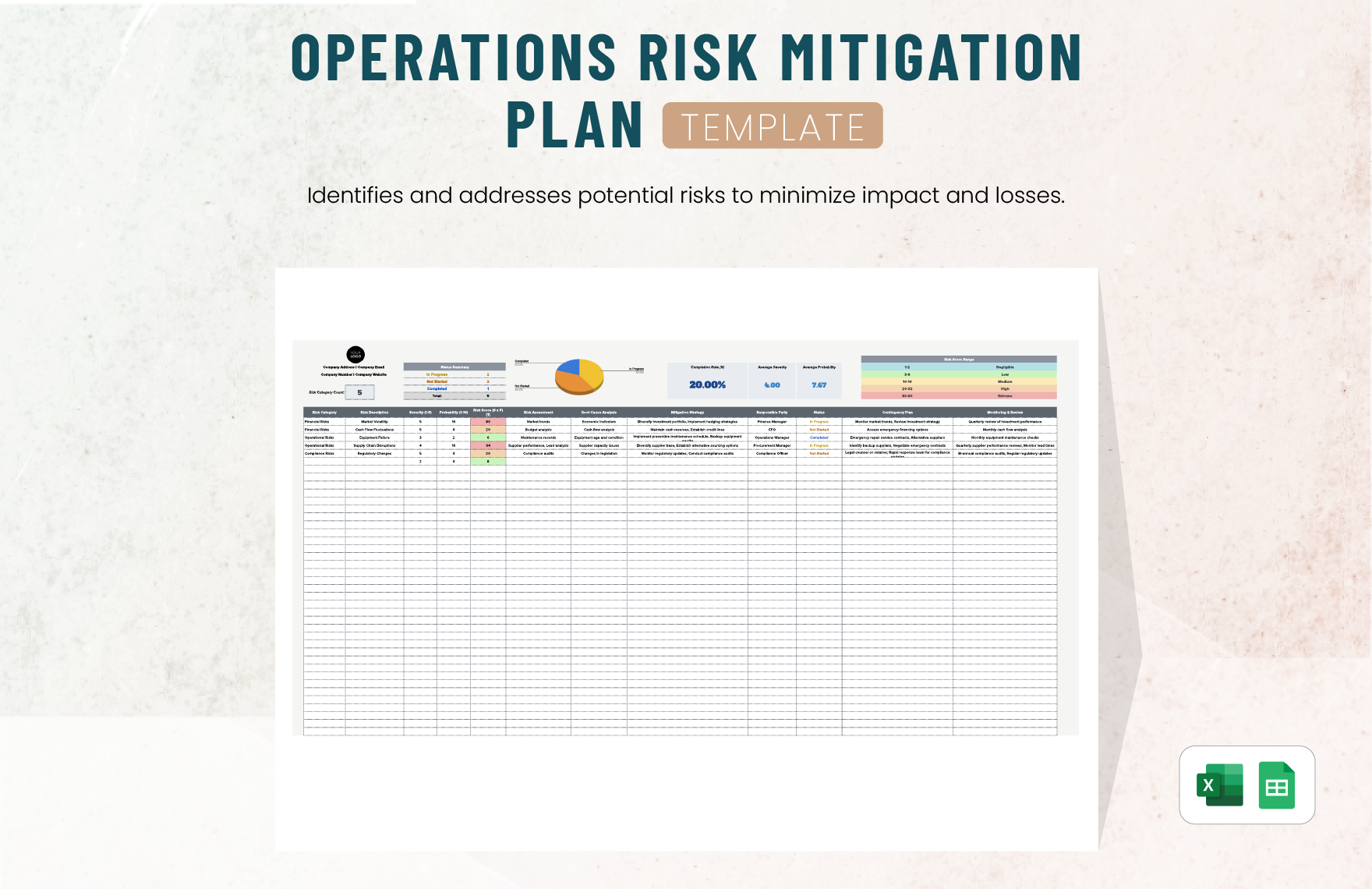
A planner does not need to become a full risk register, but it should capture risks that could materially change the operational commitment. A concise risk field might include the risk, impact, owner, mitigation, and status.
Risk statements should be specific enough to support action. “Supplier risk” is too broad to be useful. “Primary supplier may exceed the required lead time during the launch window” gives the team something concrete to assess and mitigate.
Mitigation should describe what will be done before the risk occurs. Contingency describes what will happen if the risk actually materializes. Keeping those concepts separate produces better planning.
Risk ratings should be consistent. If probability and impact are used, define the rating scale before the review process begins. Otherwise, one manager’s “high” risk may mean something completely different from another manager’s.
Operational planning should also identify risk triggers. A trigger is an observable condition that indicates the risk is becoming more likely or has occurred. Examples include a supplier missing a confirmation date, a defect rate crossing a threshold, or a critical vacancy remaining open.
When a risk becomes an active issue, the planner should show the resulting action rather than leaving it as a static risk note. This keeps the plan focused on decisions and response.
Scenario planning can be useful for significant operational uncertainty. A team might define a normal scenario, constrained-capacity scenario, and disruption scenario, then identify the actions required under each condition.
Continuity considerations are particularly important for essential operations. The plan should identify critical activities, dependencies, minimum resources, alternative procedures, and recovery priorities when interruption would have serious consequences.
Risk management works best when it is integrated with ordinary planning rather than treated as a separate exercise completed once a year. Review risks whenever scope, timing, suppliers, resources, technology, or external conditions change.
Examples of practical operational plans
Consider a customer support department preparing for a period of increased demand. Its operational objective might be to maintain service responsiveness while keeping quality stable. Activities could include workforce scheduling, knowledge-base updates, escalation-rule review, system checks, and weekly performance monitoring.
For a manufacturing operation, an objective could involve improving production reliability. Activities might include preventive maintenance scheduling, spare-parts review, process inspection, downtime analysis, operator training, and corrective-action tracking.
A professional services firm might use an operational plan to improve project delivery. Activities could include standardizing project kickoff, establishing review checkpoints, improving resource forecasting, monitoring scope changes, and reviewing project profitability.
A retail operation could use the planner to prepare a seasonal launch. Activities might include demand planning, supplier confirmation, inventory allocation, promotional setup, staffing schedules, store readiness, and post-launch review.
A nonprofit organization may use an annual operational plan to connect program objectives with activities, responsible parties, resources, and reporting. Smartsheet provides examples of basic, nonprofit, three-year, and five-year operational planning structures, illustrating how the same basic planning logic can be adapted to different time horizons. :contentReference[oaicite:2]{index=2}
For a technology team, the plan might focus on service reliability, system upgrades, security improvements, or platform migration. Each initiative can be divided into design, testing, implementation, validation, communication, and monitoring activities.
A facilities team might plan inspections, maintenance, capital improvements, vendor management, compliance reviews, and emergency preparedness. A planner makes it easier to coordinate work that occurs across multiple buildings or service areas.
An HR operations team can use the same framework for onboarding improvements, workforce planning, training programs, employee-data processes, or policy implementation. The operational objective should describe the desired organizational result, not simply the administrative activity.
These examples show why a single universal template rarely works perfectly. The core structure can remain consistent, while industry-specific fields are added where they create genuine value.
The practical rule is simple: customize the planner around the decisions the operating team needs to make. If a field never affects a decision, measurement, responsibility, or record, consider removing it.
How to use the planner during weekly and monthly reviews
A weekly review should be short and focused on movement. Review items that changed status, approaching deadlines, blocked activities, new risks, and decisions needed from management. There is little value in reading every row aloud when the information has not changed.
Start with exceptions. Which activities are late? Which are at risk? Which dependencies have changed? Which KPIs have moved outside acceptable limits? This approach directs meeting time toward issues that require attention.
Next, confirm ownership. A blocked activity should have someone responsible for resolving the blockage or escalating it. If the owner cannot resolve it independently, record the required management decision.
Review upcoming commitments as well. A plan can appear healthy because current work is on track while a major future deadline is already under-resourced. Looking ahead prevents avoidable surprises.
Monthly reviews can be more analytical. Compare planned and actual results, examine KPI trends, review budget variance, reassess risks, and determine whether priorities remain appropriate.
Do not rewrite the plan merely because reality differs from the original assumption. Preserve the original commitment where historical comparison matters, then record the approved change. This creates a useful record of how and why the plan evolved.
When priorities change, document the decision. A short note such as “deferred to Q3 due to capacity reallocation” can be valuable months later when stakeholders ask why an initiative did not proceed.
Use recurring reviews to improve the template itself. If managers repeatedly ask for a field that does not exist, consider adding it. If users consistently ignore a field, determine whether it is unnecessary or poorly designed.
The planner should evolve as the operating environment evolves. Modern operations are rarely static, so a rigid template can become obsolete if it cannot accommodate new work types, metrics, dependencies, or reporting needs.
Ultimately, the review process should turn the planner into a living management tool. Its purpose is not to demonstrate that planning happened; its purpose is to improve the quality of operational decisions.
Common mistakes to avoid
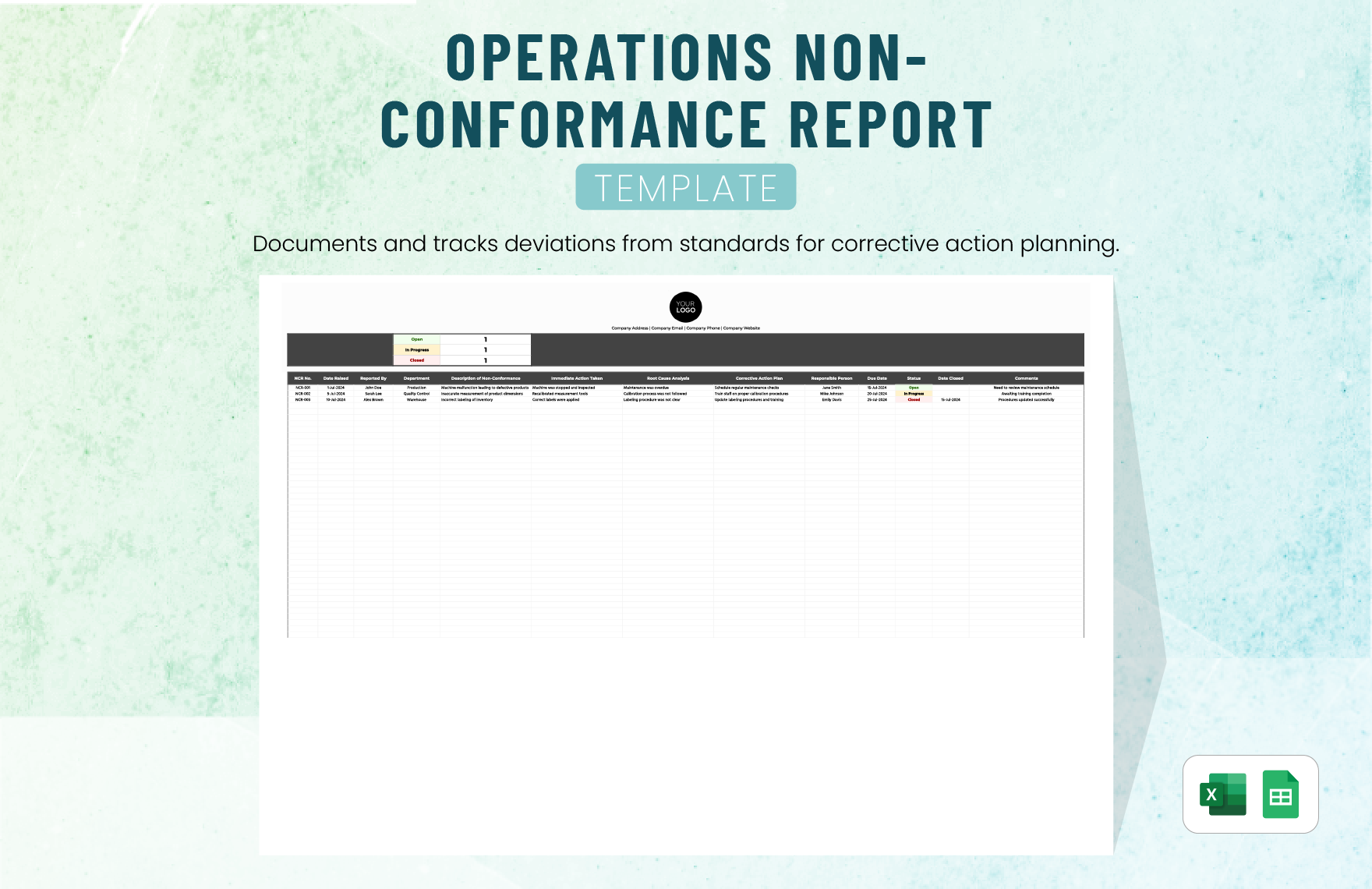
One common mistake is confusing activities with outcomes. A long list of completed tasks does not necessarily mean that an operational objective was achieved. Every major objective should have an outcome or measure that explains why the work matters.
Another mistake is assigning multiple people as equally accountable. Collaboration is valuable, but accountability becomes unclear when nobody owns the final result. Assign one primary owner and identify contributors separately.
Unrealistic timelines are another frequent problem. A deadline should reflect dependencies, capacity, approvals, procurement lead times, testing, and operational constraints. Arbitrary dates create predictable schedule variance.
Templates can also become too complicated. Adding fields for every possible scenario makes the document difficult to maintain. Start with the minimum information needed for execution and add complexity only when it solves a real management problem.
Another mistake is using vague KPIs. “Improve efficiency” is not a measurable KPI. A useful KPI identifies the specific dimension of performance being monitored and, where appropriate, establishes a target.
Ignoring baseline data can also produce misleading conclusions. If the team does not know the starting performance level, it may be impossible to determine whether an intervention produced meaningful improvement.
Some planners also fail because status is updated inconsistently. One person may call an item “complete” when work is finished, while another may require validation and approval before marking it complete. Define status rules.
Do not hide risks in narrative text. If a risk can materially affect delivery, make it visible in a structured field or linked risk register so that it can be reviewed and assigned.
Finally, avoid treating the template as the final product. The planner is a means of coordinating work, measuring progress, and supporting decisions. If the document looks excellent but nobody uses it, it has failed operationally.
Best practices for maintaining a modern operations planner
Keep ownership of the planner explicit. Someone should be responsible for maintaining the structure, resolving duplicate entries, checking data quality, and ensuring that review dates are followed.
Use a consistent naming convention for initiatives and objectives. This becomes increasingly important when information is shared across spreadsheets, documents, presentations, dashboards, and project systems.
Separate data entry from analysis where appropriate. Users responsible for updating tasks should not have to modify formulas or dashboard calculations. Protect calculated fields when the software supports it.
Define review rules before launch. For example, operational owners might update status weekly, managers might review exceptions weekly, and leadership might review objectives and resources monthly or quarterly.
Keep historical information when it supports learning. Archived versions can help explain changes in priorities, timelines, budgets, and outcomes. Do not overwrite important historical decisions without retaining a record.
Use visual indicators carefully. Conditional formatting can make exceptions easy to spot, but excessive colors reduce meaning. Reserve strong visual signals for conditions that genuinely require attention.
Build a clear escalation path. The planner should indicate what happens when a task becomes blocked or a KPI falls outside its threshold. Escalation is an operational process, not simply a red cell.
Link the planner to supporting evidence where practical. An approval record, procedure, report, or data source can provide confidence that a completion claim is supported.
Review the template periodically. Business models, systems, responsibilities, regulatory environments, suppliers, and performance priorities change. A template should evolve accordingly.
Above all, design around decisions. The best field is not the one that makes the spreadsheet look comprehensive; it is the one that helps someone make a better operational decision.
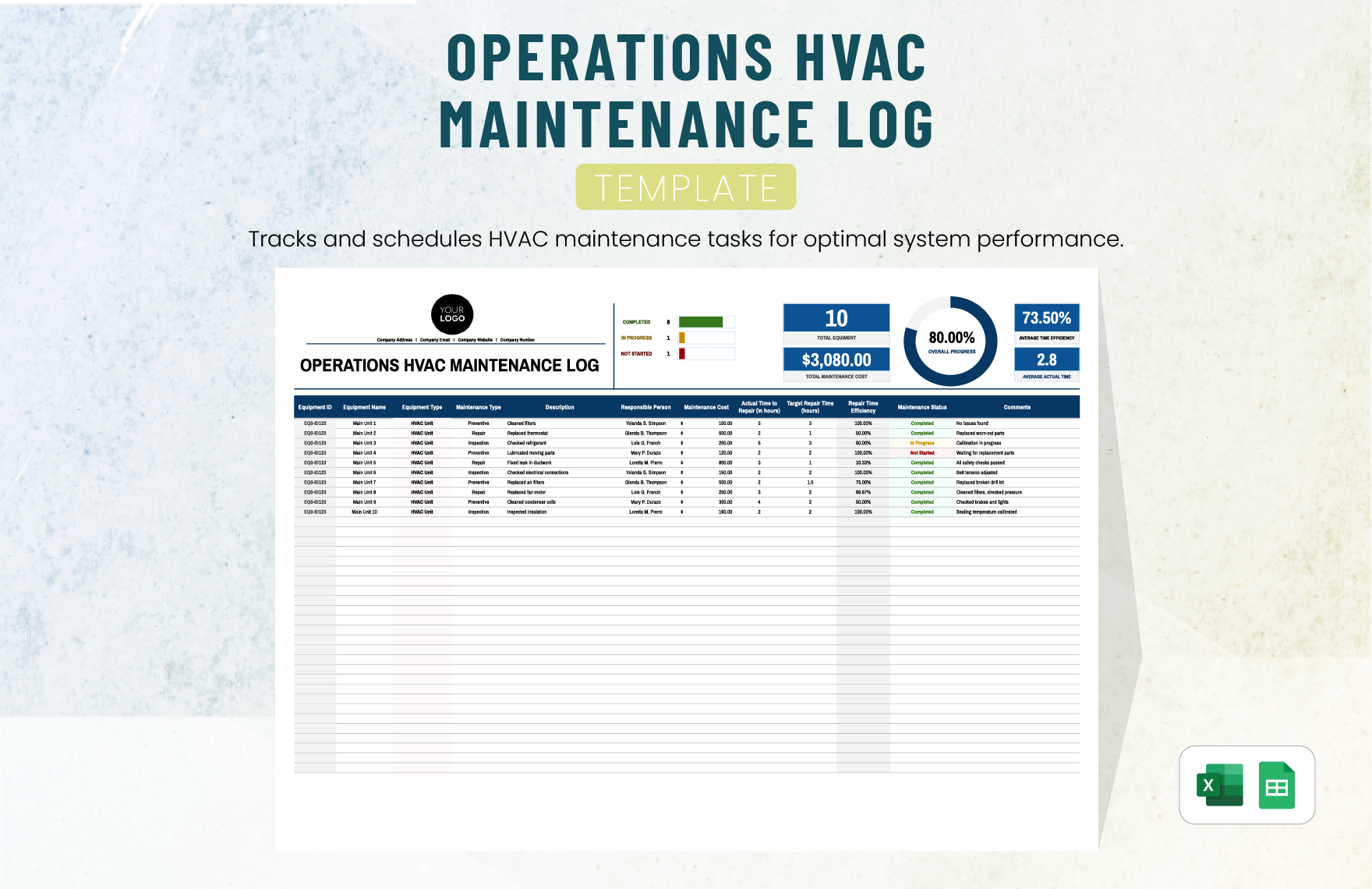
Research and fact-checking methods for an operations plan
Before building a new planner, research how the organization currently operates. Start with existing procedures, performance reports, budgets, project schedules, audit findings, customer feedback, and operational reviews. The purpose is to understand the actual workflow rather than designing a plan around assumptions.
Interview or survey process owners when appropriate. Ask where work starts, what information is required, what approvals are needed, where delays occur, what exceptions are common, and how success is currently measured. The findings can reveal gaps that a purely document-based review may miss.
Use existing data to establish baselines. A baseline may be a current cycle time, error rate, backlog, cost, service level, utilization rate, or completion rate. The baseline should come from a defined source and measurement period rather than an unsupported estimate.
Separate observed facts from hypotheses. If users report that a process is slow, that is useful qualitative evidence, but the cause should be investigated rather than assumed. Data may reveal that the delay occurs in a different stage than expected.
Compare multiple sources where practical. A management report, system record, and operational interview may describe the same process differently. Reconciling those differences can expose data-quality or process-definition problems.
Document calculation definitions. If a KPI is based on a formula, record the numerator, denominator, inclusion rules, exclusions, and reporting frequency. Otherwise, the metric can change meaning as different people maintain it.
When external standards or requirements matter, verify them against authoritative sources. A template should not be described as mandatory simply because it resembles a commonly used format. General best practice and official requirements should remain clearly distinguished.
Use research to improve the planner, not to decorate it with unnecessary references. The goal is to create a reliable operational model that reflects how work actually happens.
Fact-check assumptions whenever they influence budget, schedule, compliance, capacity, or performance claims. An inaccurate assumption at the beginning of the planning cycle can propagate through every downstream activity.
A research-informed planner is more credible because its objectives, measurements, and resource assumptions are grounded in observable information rather than generic management language.

Reporting operational performance
Operational reporting should answer three questions: what was planned, what happened, and what should happen next. A report that contains only completed activities does not provide enough context for decision-making.
Begin with a concise status summary. Identify major objectives, overall progress, significant variances, material risks, and decisions required. Detailed tables can follow for readers who need more information.
Use charts where they reveal trends or comparisons that are difficult to see in tables. A time-series chart can show performance direction, while a bar chart can compare actual and target results across categories.
Do not use charts merely because they look professional. Every visualization should answer a question. If a chart does not support interpretation or a decision, a simple table may be better.
Highlight exceptions. A report becomes more useful when it draws attention to delayed initiatives, significant cost variance, performance outside thresholds, and unresolved risks.
Provide explanatory context for significant changes. If a KPI declines because demand increased unexpectedly, state that. If a budget variance is caused by timing rather than overspending, explain the distinction.
Maintain consistent reporting periods. Monthly reports should use comparable periods unless there is a documented reason for a change. Inconsistent periods make trend interpretation harder.
Use the same definitions across the planner and reports. If “completed” means validated in the planner but merely submitted in the report, the reporting system will eventually lose credibility.
End each report with actions and owners where action is required. A report should not simply describe a problem; it should support the next management response.
The modern approach is therefore to treat reporting as the final stage of the planning loop. The plan creates the expectation, operations produce the result, reporting explains the variance, and management decisions update the next planning cycle.
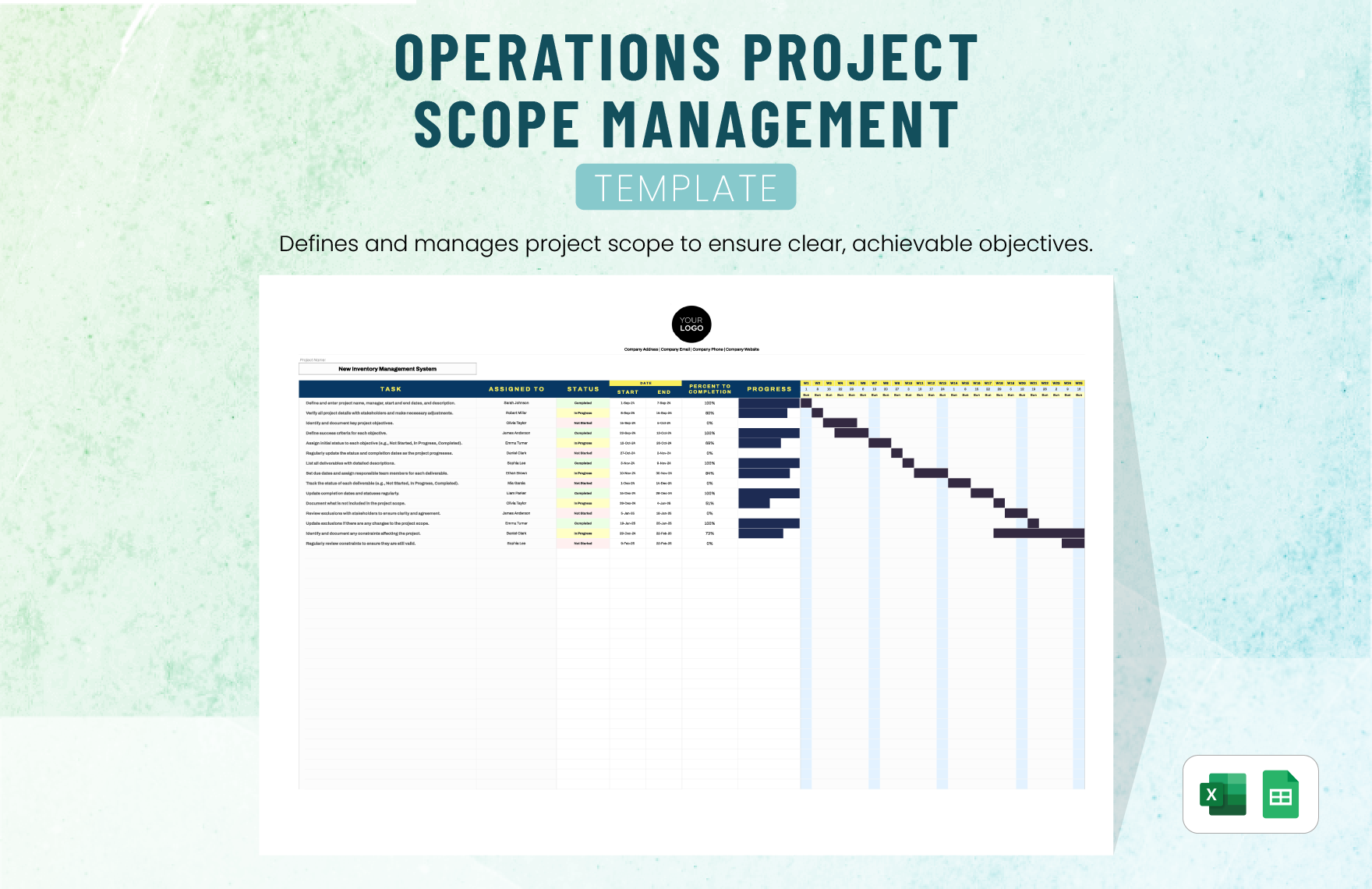
Practical Solution: Build a modern operations planner that people will actually use
The most practical solution is to begin with a lean core template and expand it only when operational needs justify additional detail. Create one planning table with objective, activity, owner, priority, start date, due date, status, KPI, target, resource need, risk, and evidence of success.
Next, establish a simple planning workflow. First, leadership or the responsible manager defines priorities. Second, operational owners translate those priorities into objectives. Third, owners break objectives into activities. Fourth, resources and dependencies are checked. Fifth, KPIs and targets are confirmed. Sixth, the plan is approved and entered into the regular review cycle.
For a small team, a spreadsheet can be enough. Create filters for owner, status, priority, and due date. Add conditional formatting for overdue or at-risk items. Use a summary area for the number of open initiatives, completed items, overdue commitments, and major risks.
For a larger organization, separate the detailed execution tracker from the executive summary. The detailed tracker can contain individual activities, while the executive view summarizes objectives, KPI performance, resource requirements, budget variance, and major decisions.
Set a weekly update deadline. Owners should update only the information they are responsible for, while the plan administrator checks consistency. This reduces the risk of stale status information.
During the weekly review, start with exceptions rather than reading the entire plan. Discuss overdue items, blocked activities, material risks, KPI exceptions, and upcoming commitments. Assign decisions and actions before ending the review.
During the monthly review, examine whether the plan is still realistic. Compare actual progress with the original schedule, review budget and resource capacity, assess KPI trends, and adjust priorities when circumstances have changed.
At the end of the planning period, conduct a short retrospective. Identify which activities were completed, which were cancelled or deferred, which assumptions proved incorrect, and which process changes should carry forward.
If you need a formal document, turn the core planning data into a narrative operational plan. Include an executive summary, strategic alignment, operating objectives, processes, resources, risks, KPIs, implementation timeline, and governance arrangements. This structure is consistent with the sections commonly found in professional operational-plan resources. :contentReference[oaicite:3]{index=3}
If you need a presentation, condense the plan into a sequence such as current state, objectives, priorities, major initiatives, timeline, resources, KPIs, risks, and decisions required. Keep detailed task-level information in the underlying tracker rather than overcrowding the slides.
The practical solution is not to find one perfect file format. It is to establish one reliable operational logic and express it in the format appropriate for each audience.
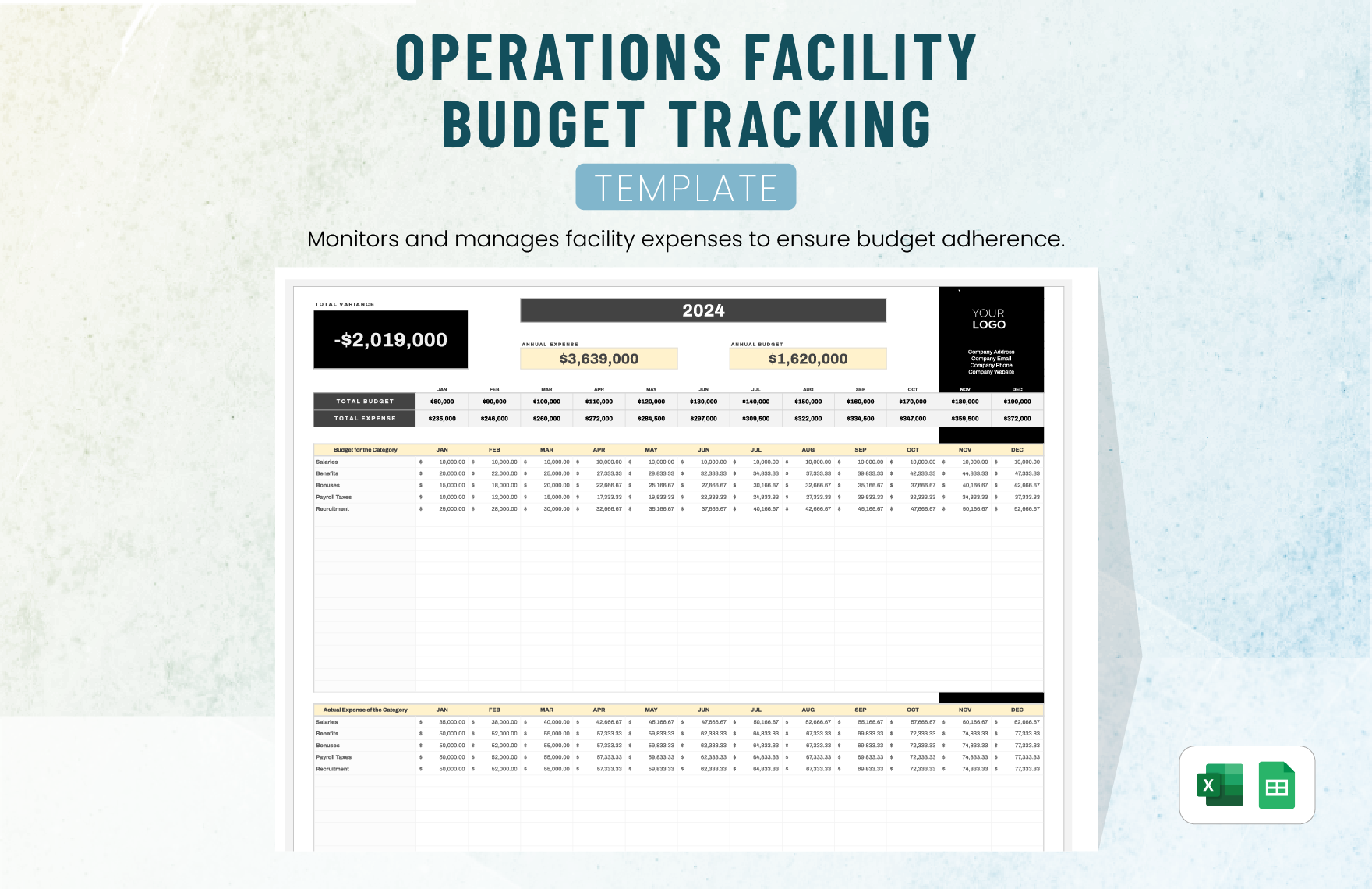
Reference Examples
The following examples illustrate the types of document, spreadsheet, presentation, and planning layouts that can be used as visual references. Availability, licensing, editing rights, and download conditions should always be checked on the original source before using any specific resource.
modern operations planner template free download
Source: Template.net
modern operations planner template excel
Source: Template.net
modern operations planner template free
Source: Template.net
modern operations planner template pdf
Source: Template.net
modern operations planner template google docs
Source: Template.net
modern operations planner template google sheets
Source: Template.net
modern operations planner template powerpoint
Source: Kridha
modern operations planner template word
Source: Template.net
plan of operations template
Source: Template.net
operational plan template pdf
Source: Template.net
operational plan template free download
Source: Template.net
operational plan template ppt
Source: Template.net
Frequently Asked Questions
What is a modern operations planner template?
It is a reusable framework for translating operational objectives into activities, owners, schedules, resources, risks, KPIs, and measurable outcomes. The “modern” approach emphasizes clarity, collaboration, measurable performance, adaptability, and regular review rather than simply producing a static plan.
What should an operations planner include?
At minimum, include objectives, activities, owners, deadlines, status, resources, measures of success, and important risks. Larger plans can add dependencies, budgets, forecasts, actual results, escalation rules, evidence fields, and links to supporting documents.
Is an operational plan the same as a strategic plan?
No. A strategic plan establishes direction and major priorities, while an operational plan translates those priorities into specific work, responsibilities, resources, schedules, and performance measures. The two should be connected, but they serve different management purposes.
Should an operations planner be in Excel or Google Sheets?
Either can work well for structured operational tracking. Excel is especially useful for advanced formulas, analysis, and offline work, while Google Sheets is convenient for browser-based collaboration and shared editing. The better choice depends on the team’s workflow and technology environment.
When should I use Word or Google Docs instead?
Use Word or Google Docs when the operational plan needs substantial narrative content, formal sections, explanations, governance information, or a report-style presentation. A spreadsheet is generally better when the plan is primarily a large task and data tracker.
Is PDF a good format for an operational plan?
PDF is useful for distributing a finalized plan because its layout is stable and print-friendly. It is usually less suitable as the primary working format because updating structured data, formulas, status fields, and timelines is easier in an editable source document or spreadsheet.
How often should an operational plan be updated?
Task-level status may be updated weekly or more frequently for active projects. Broader objectives, resources, risks, and KPIs can be reviewed monthly or quarterly depending on the operating environment. The correct frequency is the one that keeps information current without creating unnecessary administrative work.
How many KPIs should an operations plan have?
There is no universal number. Use enough measures to determine whether the objective is being achieved, but avoid tracking metrics that do not influence decisions. A small set of meaningful KPIs is generally more useful than a long list of loosely related measurements.
What is the biggest mistake when creating an operations planner?
A common mistake is designing the template around what information looks comprehensive rather than what the team actually needs to execute and manage work. A planner should make objectives, ownership, timing, resources, performance, risks, and decisions easier to understand.
Can one template be used for different departments?
Yes, if the core structure is standardized while department-specific fields remain optional. For example, finance may need budget variance, operations may need capacity, and quality may need defect trends. Standardizing the common fields preserves consistency without forcing every team into an identical workflow.
Conclusion
A modern operations planner template is most valuable when it turns strategy into visible, measurable, accountable work. The strongest templates connect objectives with activities, owners, dates, resources, KPIs, risks, and evidence of success while remaining simple enough for teams to update consistently.
The right format depends on the job. Spreadsheets are strong for structured tracking and analysis, documents are useful for formal operating plans, PDFs work well for stable distribution, and presentations are effective for leadership communication. In many organizations, the best approach is to maintain one operational source of truth and adapt its information for different audiences.
Whether the plan covers a department, project, service operation, annual cycle, or improvement initiative, the same principle applies: define the intended result, make the work concrete, assign clear ownership, test resource feasibility, measure performance, manage risks, and review progress regularly.
Before adopting any template, remove fields that do not support a real decision and add fields that solve genuine operational gaps. A planner should evolve with the organization rather than become a rigid administrative form.
When implemented this way, a modern operations planner template becomes more than a planning document. It becomes a practical management system for coordinating execution, identifying problems early, allocating resources intelligently, and keeping everyday operations connected to the results the organization is trying to achieve.
For the final stage of the planning cycle, the most useful question is not whether every cell in the template is complete. It is whether the planner gives the people responsible for operations enough trustworthy information to decide what to do next, who should do it, when it should happen, and how success will be demonstrated.
A well-maintained modern operations planner template ultimately provides a clear bridge between intention and execution: it makes priorities concrete, turns responsibilities into commitments, converts performance data into decisions, and creates a repeatable operating rhythm that can improve as the organization learns.
