A residential construction budget template Template is most useful when it turns an uncertain home-building plan into a controlled financial model. The wording of the search phrase is repeated, but the underlying intent is clear: homeowners, builders, estimators, and project managers want a practical structure for estimating costs, recording actual spending, and seeing whether the project remains financially viable.
A strong budget template is not simply a list of prices. It connects scope, quantities, unit rates, commitments, payments, allowances, changes, and contingency. That makes it useful before construction begins and during the build, when supplier quotations, trade contracts, invoices, and design decisions start changing the original plan.
The most reliable system separates known costs from assumptions. A supplier quotation, signed trade contract, or confirmed permit charge is different from a provisional allowance or early planning estimate. Keeping those distinctions visible prevents a low-confidence number from looking as certain as a contracted amount.
This article explains how to structure the budget, which cost categories belong in it, how to compare estimates with actual spending, how to manage contingency and changes, and how to turn a spreadsheet into a repeatable cost-control process.
What a Residential Construction Budget Template Should Do
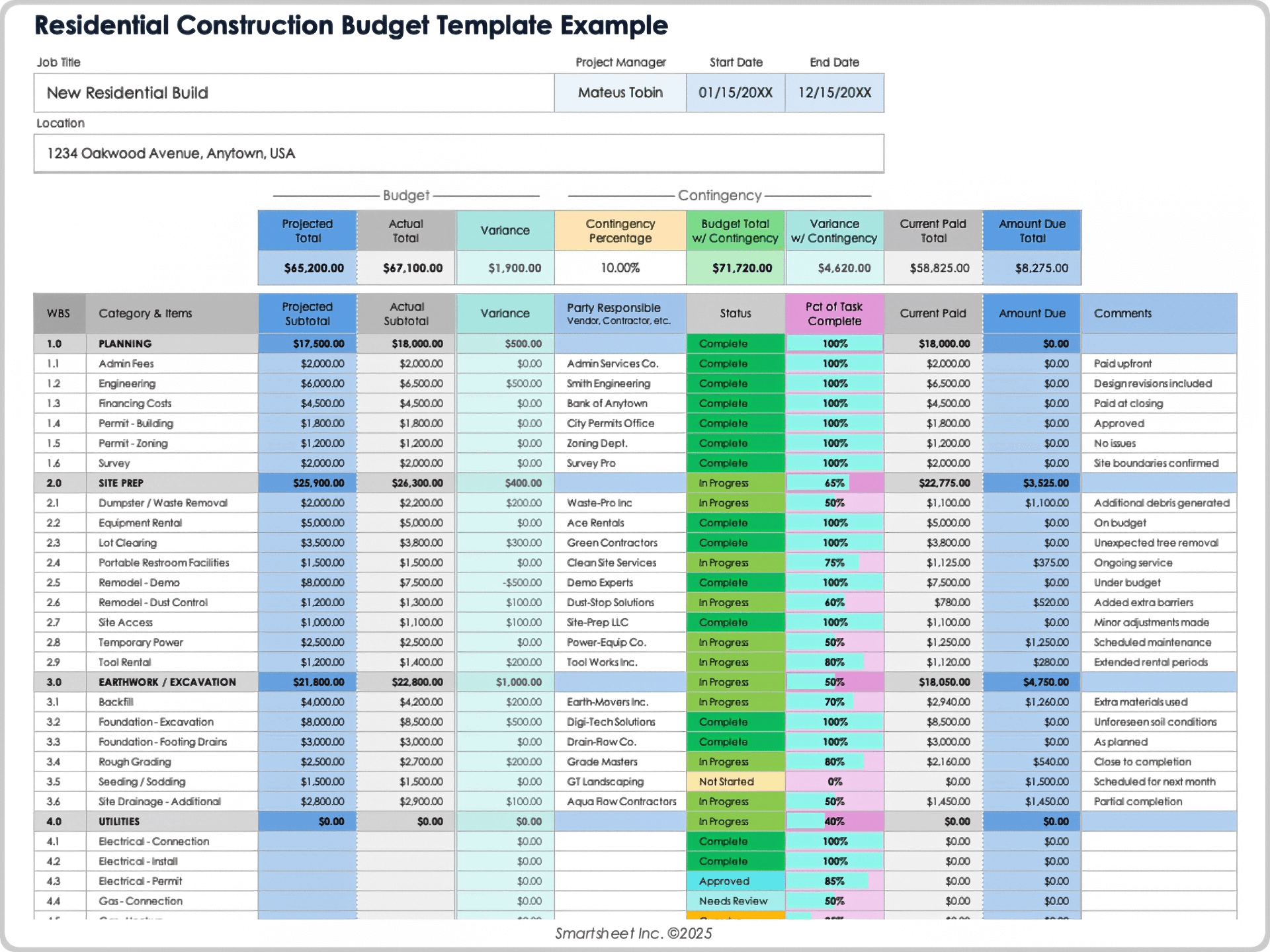
The central purpose of a residential construction budget is to establish a financial baseline for the entire project. A useful template lets the reader see not only the expected final cost, but also how that cost is distributed across planning, site preparation, structural work, utilities, finishes, external works, professional services, and other obligations. This structure creates a common language for discussions between an owner, builder, designer, estimator, lender, and trade contractors.
Budgeting also works as a decision-making system. If the projected cost rises after a design change, the increase should be visible before the decision becomes a committed expense. Likewise, if one trade comes in below its allowance, the resulting surplus should not automatically be treated as available cash. It may be needed elsewhere because another category is still uncertain.
The template should therefore distinguish at least four financial states: the original budget, committed cost, actual cost, and forecast cost to finish. The original budget represents the baseline. Committed cost represents money already tied to contracts or orders. Actual cost records amounts incurred or paid according to the project’s accounting method. Forecast cost to finish estimates what remains.
Those fields create a more useful picture than a single total. A project can appear under budget because many invoices have not yet arrived, while its committed contracts already indicate a much higher final cost. Conversely, an early estimate can look high because it contains conservative allowances that will later be replaced by firm quotations.
Start With Project Scope Before Entering Costs
A budget cannot be more reliable than the scope behind it. Before entering figures, define what is being built, where the work begins and ends, what standard of finish is expected, and which items are excluded. For a new home, scope may include the building itself, site works, utility connections, external structures, landscaping, professional services, permits, and selected fixtures. For a renovation, demolition and protection work may be especially important.
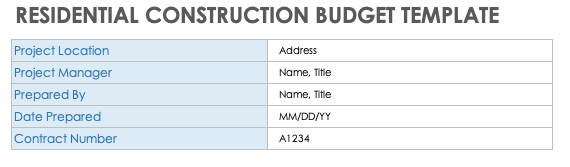
The first worksheet section should identify the project and its assumptions. Useful fields include project name, location, floor area, project type, budget date, estimating revision, construction start target, expected completion, and the person responsible for the estimate. These details help users distinguish one version of the budget from another when design changes occur.
Scope should also identify exclusions. For example, a builder’s construction price might exclude loose furniture, certain owner-supplied items, financing charges, or landscaping beyond a defined allowance. If an excluded item later enters the project, it should become a visible budget addition rather than silently increasing another category.
A well-defined scope also makes supplier quotations easier to compare. Two quotes that appear to have different prices may actually cover different quantities, specifications, preparation work, installation requirements, or finish levels. The budget should make those differences visible rather than comparing headline totals alone.
Core Cost Categories to Include
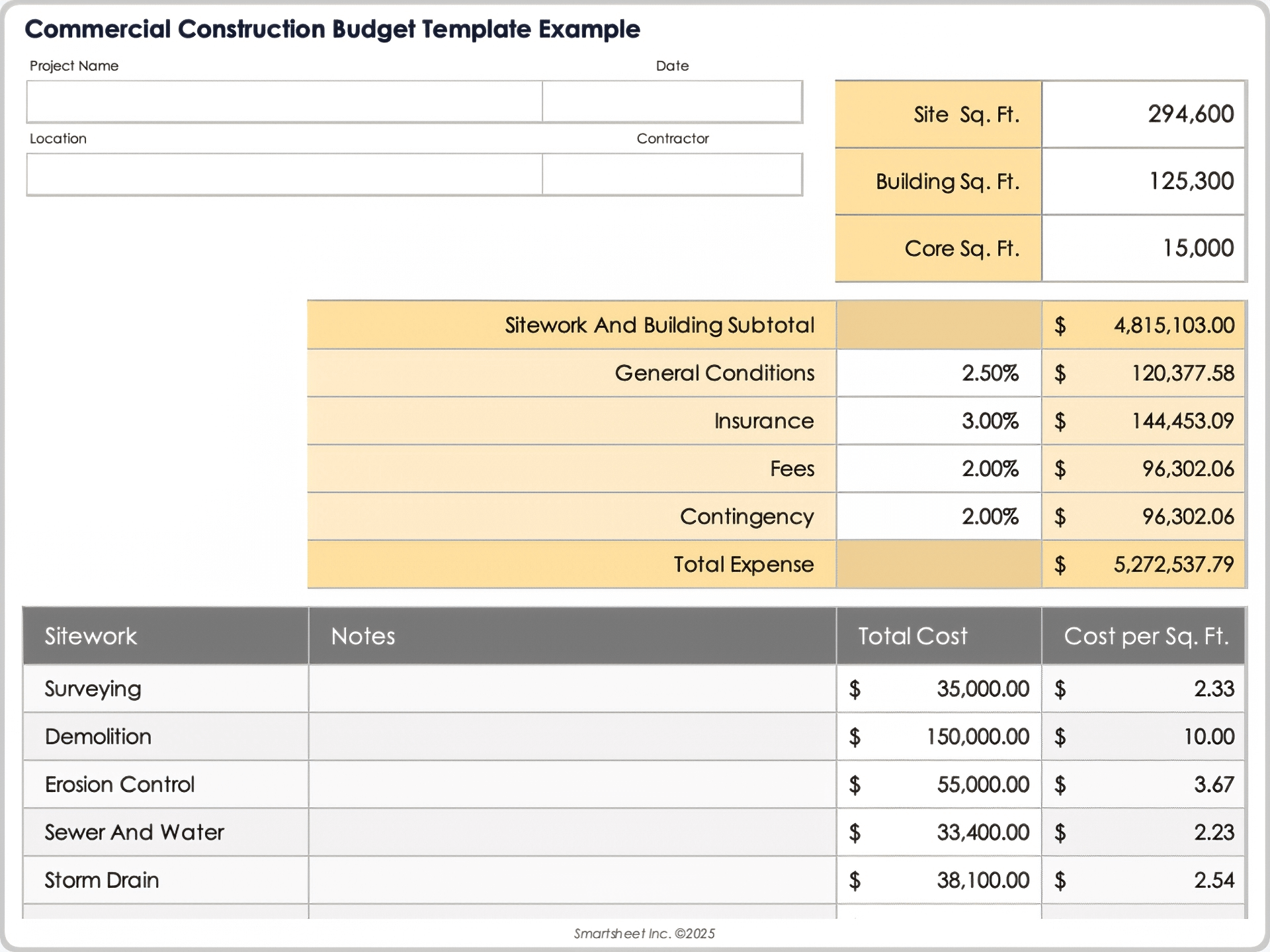
A residential budget normally needs both direct construction costs and supporting costs. Direct costs include labor, materials, equipment, subcontractor work, transportation, and other expenses directly connected with physical construction. Supporting or indirect costs can include professional services, inspections, permits, temporary facilities, insurance, financing-related costs, and project administration.
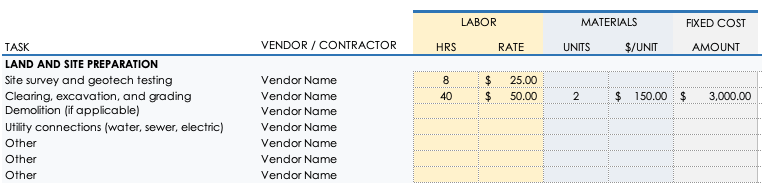
Pre-construction costs should appear near the beginning of the budget. Depending on the project, this can include architectural design, engineering, surveying, geotechnical investigation, planning work, permit charges, testing, legal services, and utility connection charges. Whether a particular charge belongs in the project budget depends on the project’s scope and local arrangements, so the template should allow categories to be customized.
Site preparation deserves its own section because site conditions can create major differences between seemingly similar homes. Clearing, excavation, grading, retaining structures, drainage, erosion control, temporary access, demolition, soil handling, and utility connections can all affect the final cost. A property with difficult ground conditions can require a very different budget from a level site with established services.
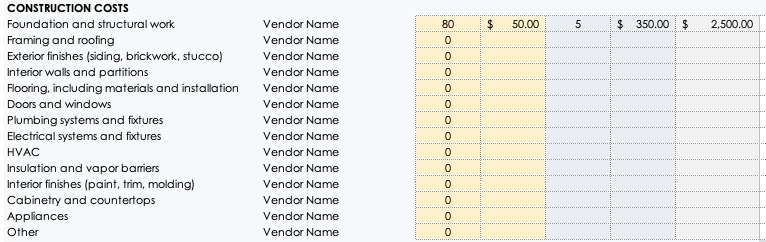
The building-cost section should follow the construction sequence or the project’s work breakdown structure. Typical categories include foundations, structural framing, roof construction, exterior walls, windows and doors, insulation, interior partitions, flooring, ceilings, painting, cabinetry, bathroom finishes, plumbing, electrical work, heating and cooling systems, and other building services.
External works should not disappear into a miscellaneous line. Driveways, paths, drainage, boundary work, terraces, landscaping, external lighting, gates, and other site improvements can materially affect the final cost. If the property requires an access road or special site connection, a line such as “site access road” can be more useful than hiding the expense inside general site work.
Finally, include a clear contingency category. Contingency is not a license to spend without control. It is a reserve for uncertainty that remains after the known scope has been estimated. A useful budget records the original contingency, amounts transferred from it, the reason for each transfer, and the remaining balance.
Separate Labor, Materials, Equipment, and Other Costs
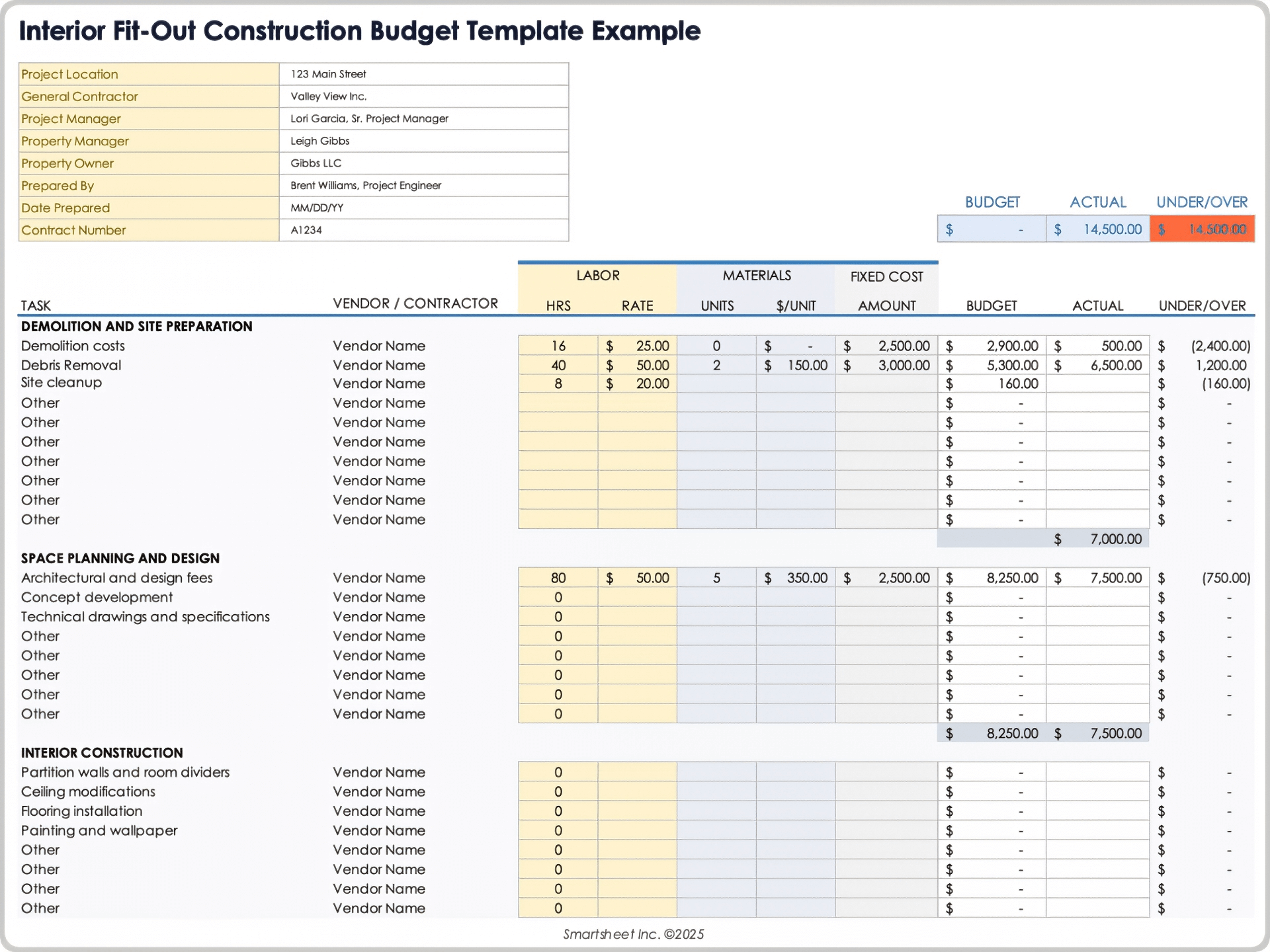
One of the most useful design choices is to avoid placing labor and materials into one undifferentiated number when reliable detail is available. Separate fields make it easier to identify what is driving a variance. A framing package that is over budget because of labor requires a different response from one that is over budget because lumber quantities or specifications changed.
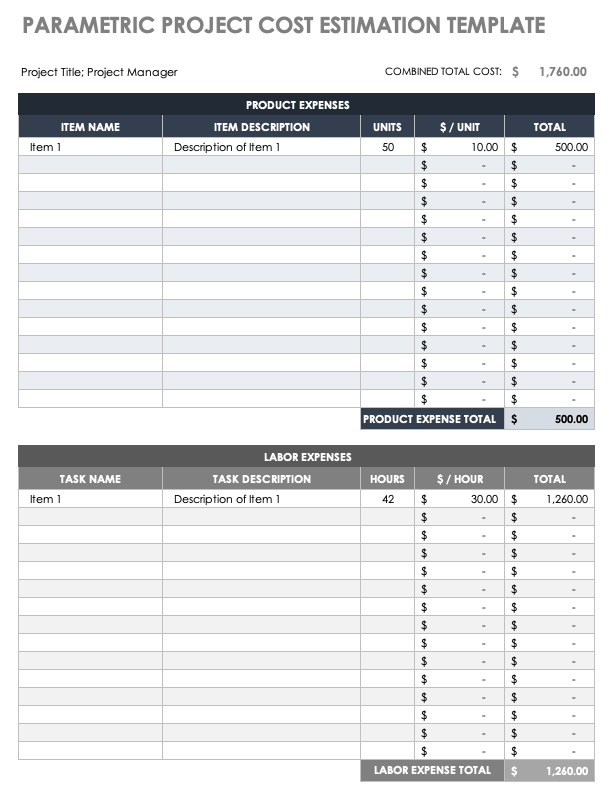
Labor fields can include hours, rate, subcontractor amount, or a fixed trade price. Material fields can include quantity, unit, unit cost, supplier, and extended cost. Equipment fields can cover rental, delivery, fuel, or other project-specific charges. The level of detail should match the quality of the information available rather than creating false precision.
For example, a preliminary estimate may reasonably use a single allowance for electrical work. Once a trade quotation is received, that allowance can be replaced with a more detailed figure covering wiring, fixtures, distribution equipment, installation, testing, and other defined scope. The budget should preserve the earlier assumption so the reason for the change remains understandable.
Vendor and subcontractor information is another valuable field. Recording who supplied the number and when it was received makes later review much easier. If a quotation becomes outdated because material pricing changes, the estimator can identify the affected line rather than questioning every number in the budget.
Design the Spreadsheet Around Estimates and Actuals
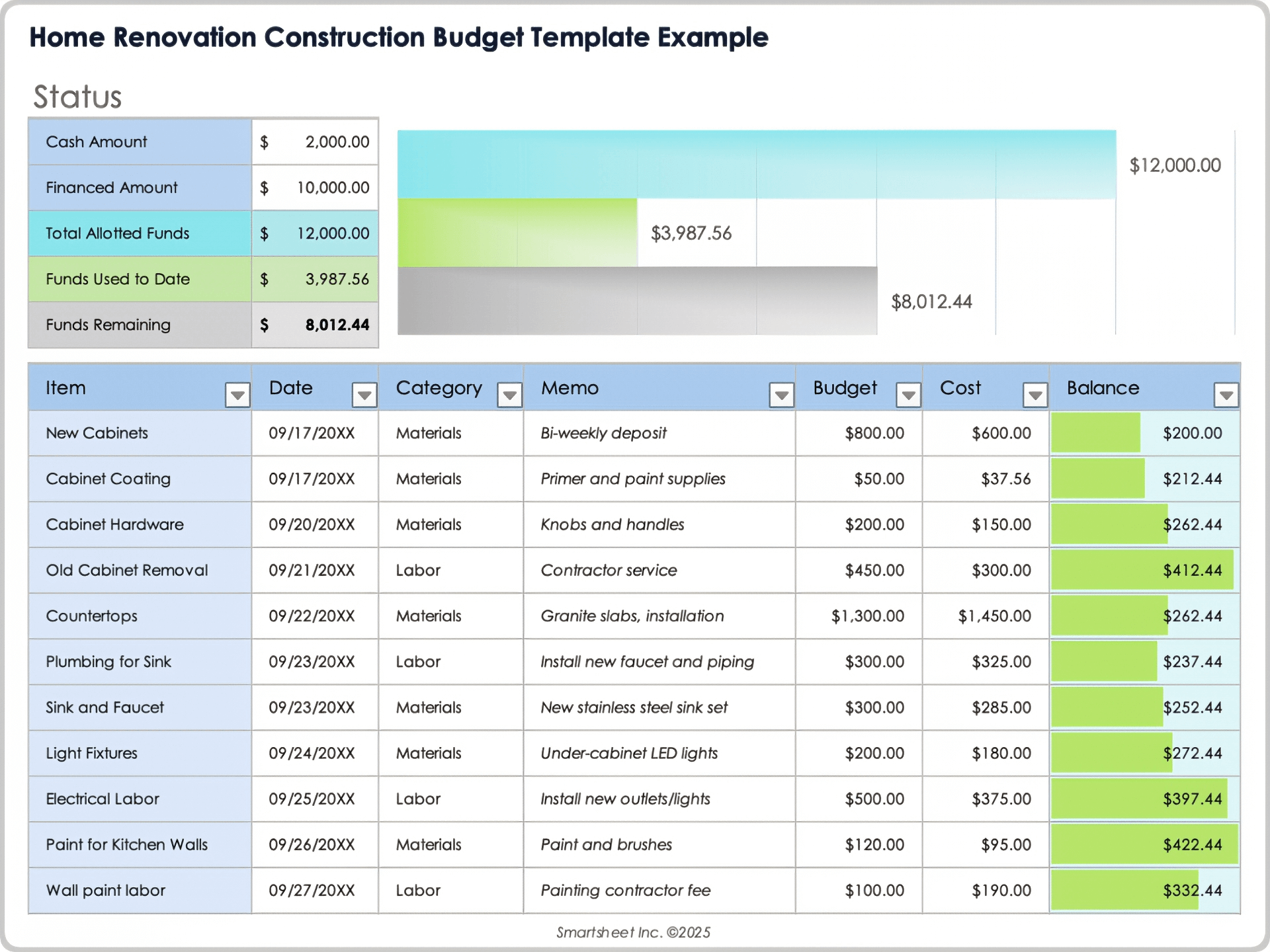
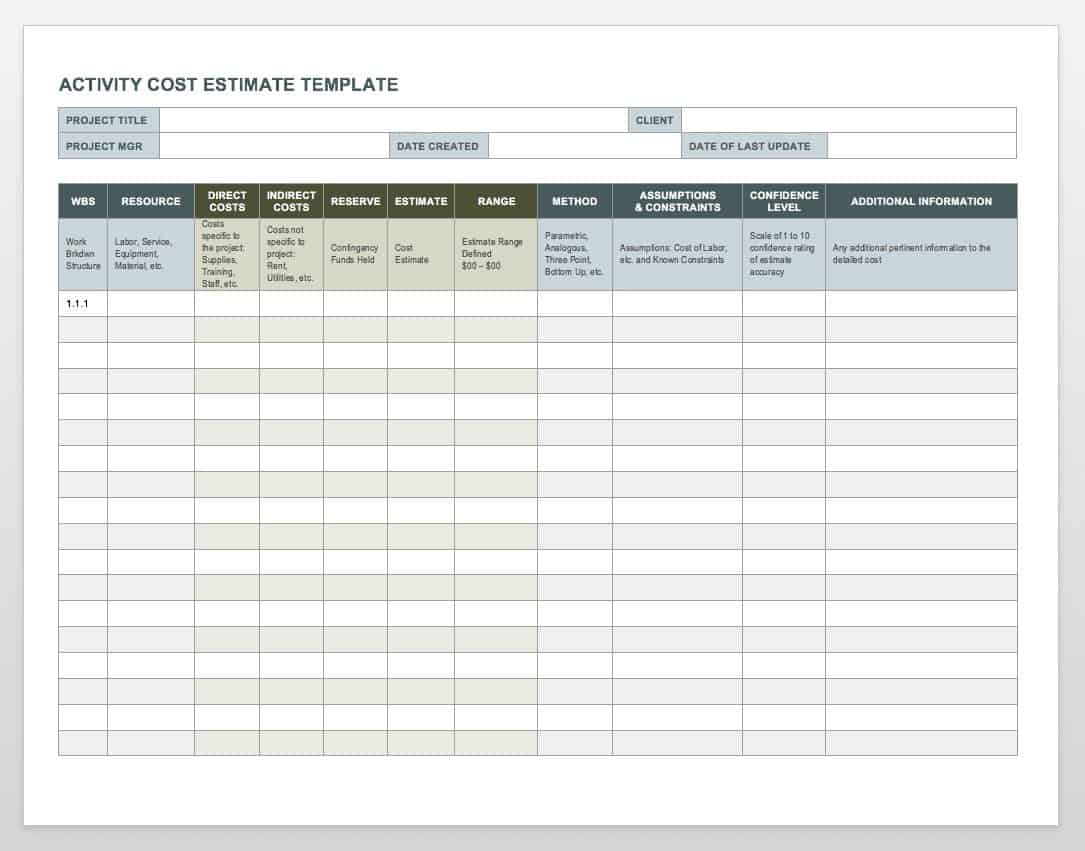
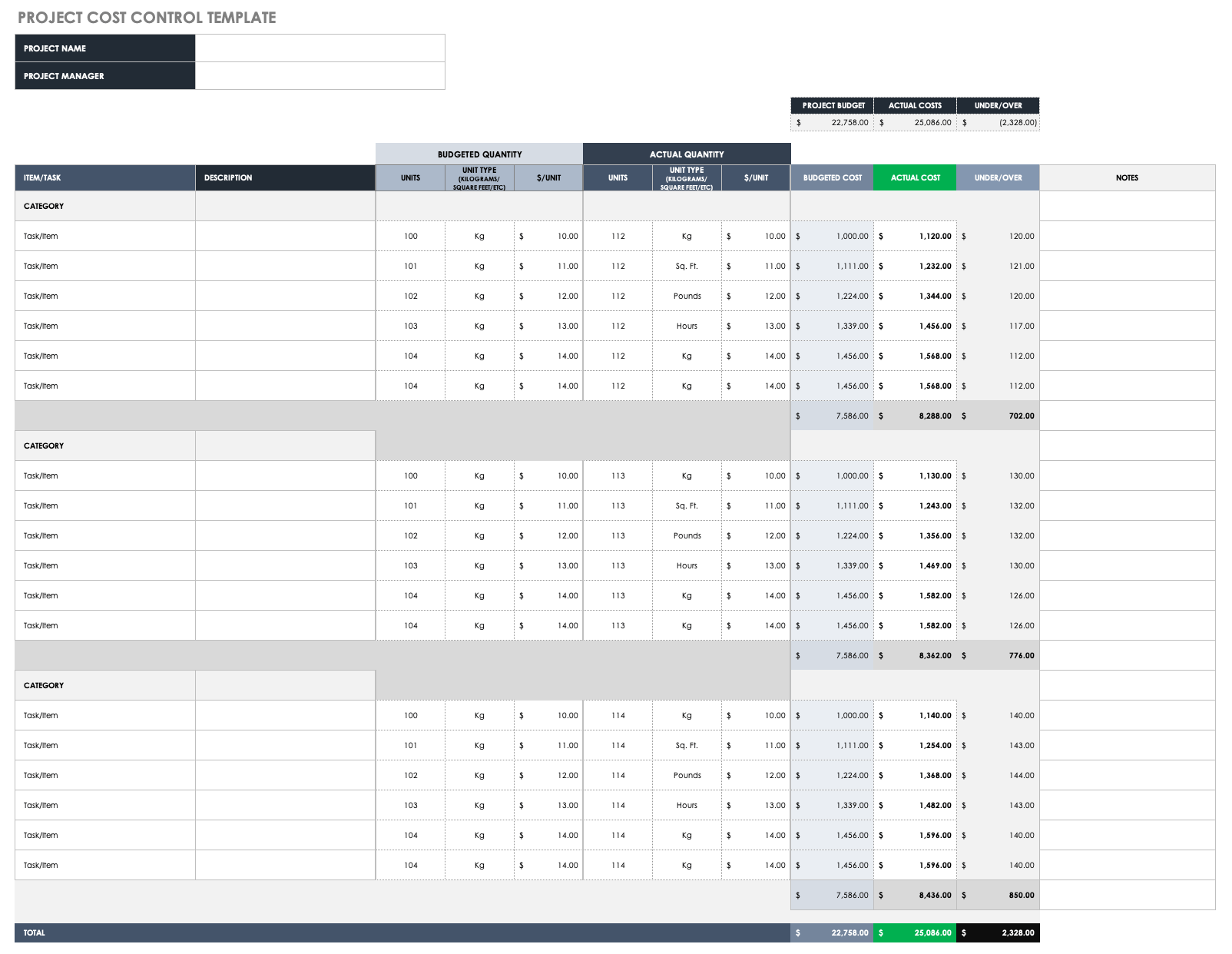
A useful residential construction budget should allow every important line item to be compared against reality. At minimum, include an estimated or baseline amount, an actual amount, and a variance. A more advanced structure can add committed cost, remaining forecast, amount paid, amount due, and estimate at completion.
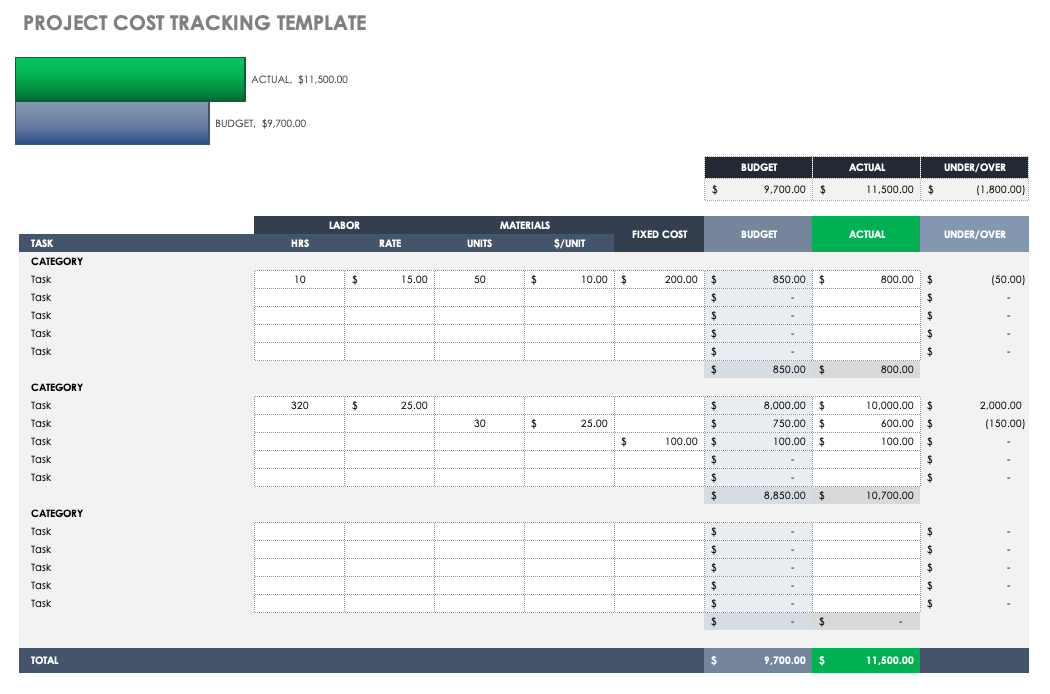
The variance calculation is simple: variance equals actual cost minus budgeted cost. A positive result can indicate an overrun when costs are represented as positive amounts, while a negative result can indicate spending below the baseline. The exact sign convention should be stated clearly so everyone interprets the numbers consistently.
Estimate at completion is particularly useful once construction is underway. One simple model is estimate at completion equals actual cost to date plus forecast remaining cost. A more detailed system can incorporate committed contracts, unpaid invoices, outstanding allowances, and expected changes. The important point is that the forecast should be updated when new information materially changes the expected final result.
Do not confuse cash paid with total project cost. A contractor may have completed work that has not yet been invoiced, while a deposit may have been paid before the associated work occurs. The budget can track both financial commitment and cash movement when the project requires that level of control.
Use Allowances Carefully
Allowances are useful when the final selection has not yet been made. A budget might reserve an amount for kitchen finishes, bathroom fixtures, lighting, flooring, landscaping, or another item while the exact specification remains undecided. The important point is to label the amount as an allowance rather than presenting it as a confirmed price.
Every allowance should have a basis. The note might identify the assumed quantity, finish level, unit price, installation scope, or quotation date. This creates a useful audit trail when the owner later selects a product that differs from the original assumption.
Allowances should also be reviewed during design decisions. If a selected item exceeds its allowance, the difference should become a visible budget change. If the selection costs less, the unused amount should remain visible until the team decides whether it is retained as contingency or reassigned to another approved scope item.
Build a Budget That Can Handle Change Orders
Residential projects rarely remain identical to the first estimate. A homeowner may change a finish, move a wall, add lighting, modify cabinetry, alter landscaping, or request another improvement. Site conditions can also require changes that were not visible during early planning. Each material change should have a traceable record rather than being absorbed into unrelated budget lines.
A change record should identify the original budget line, description of the change, reason, estimated cost, confirmed cost, date, status, and financial effect. If the change is funded from contingency, the transfer should be recorded separately. This prevents the contingency balance from becoming an unexplained residual number.
Change management also protects the usefulness of the original baseline. If every revision simply overwrites the first estimate, the team loses the ability to understand how the project evolved. Keeping the baseline intact and recording changes separately provides a clearer history of decisions and cost movement.
A practical naming convention can make this easier. For example, changes can be numbered sequentially, while budget categories retain stable codes. This means a later report can show the original amount, approved changes, current commitment, actual spending, and forecast without reconstructing the history from scattered notes.
Choose the Right Level of Estimating Detail
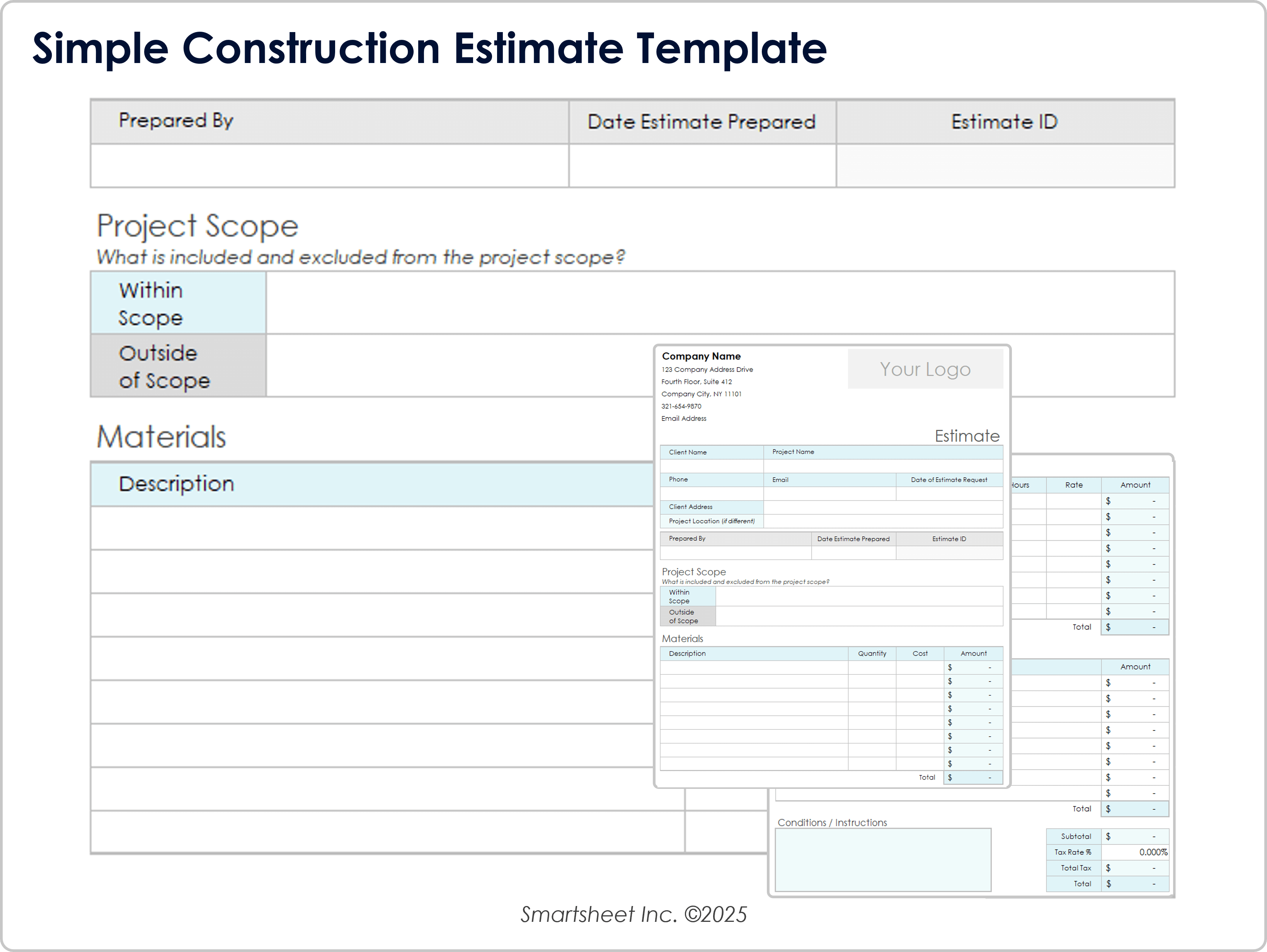
Not every project needs hundreds of line items. A preliminary homeowner budget may need broad categories, while a contractor’s control budget can require trade-level and task-level detail. Excessive detail creates maintenance work and can encourage users to enter invented precision simply because the spreadsheet has a blank field.
The best level of detail is the level that supports a decision. If the owner needs to decide between two flooring specifications, flooring should be visible as its own budget category. If several minor consumables have the same supplier, risk profile, and purchasing process, grouping them may be more practical.
Use more detail when uncertainty or financial exposure is high. Site works, structural changes, major mechanical systems, custom joinery, and significant finish selections often deserve closer tracking than minor miscellaneous purchases.
Estimate Costs From Evidence, Not Guesswork
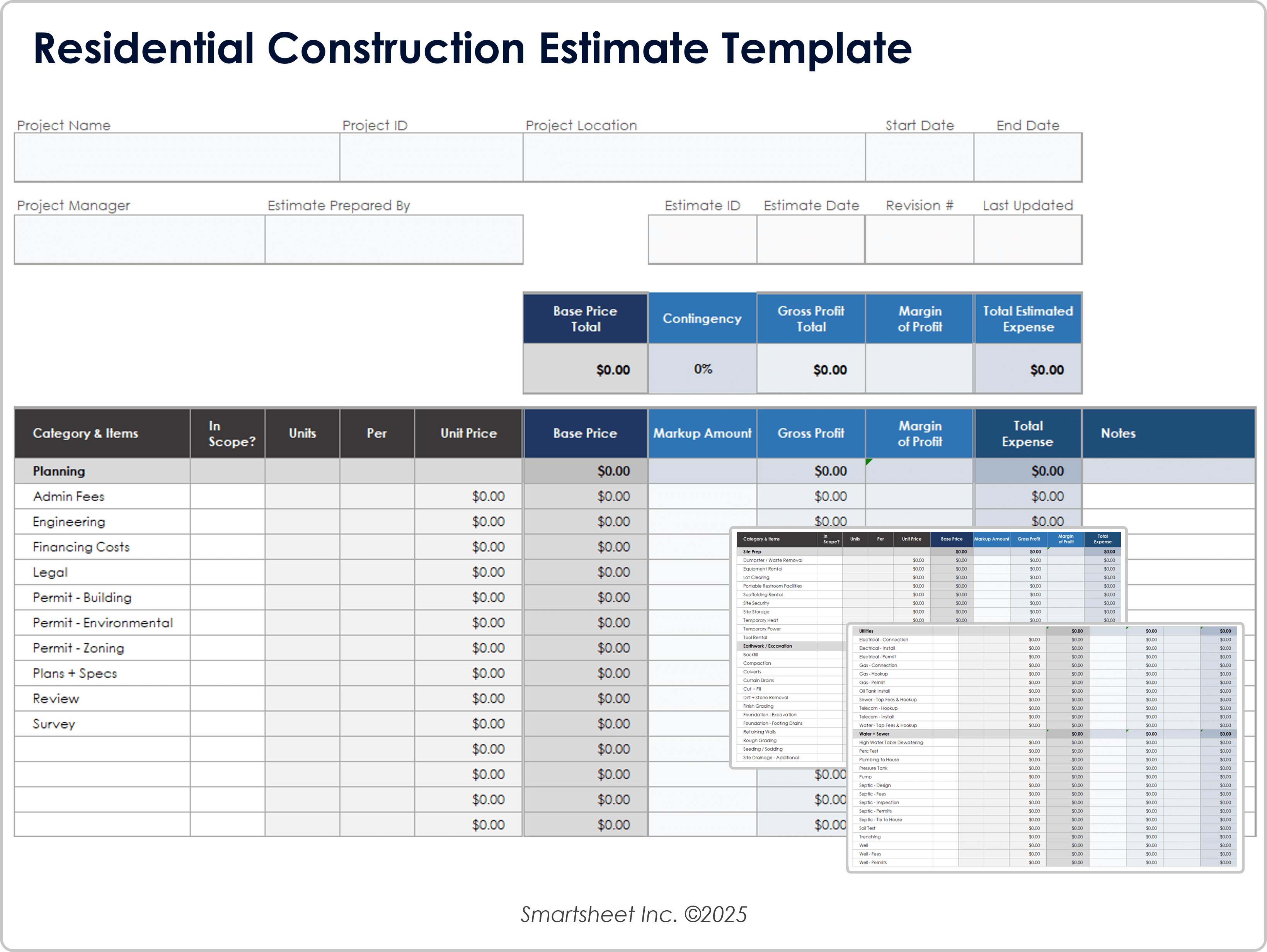
The quality of a budget improves when each significant figure has a traceable basis. Useful evidence includes recent supplier quotations, contractor bids, measured quantities, historical project records, documented rates, design quantities, and verified project assumptions. The budget should identify the source or note behind important numbers.
Quantity takeoffs are especially important for materials. Instead of entering a single lump sum for a floor finish, for example, the estimate can record the measured area, allowance for waste where justified, unit price, and installation cost. This makes the estimate easier to revise when the design changes.
Labor should be treated with similar discipline. A rate may be based on a trade quotation, agreed contract value, or a planning assumption. The template should make clear which one is being used. Mixing fixed-price contracts with hourly assumptions in the same column can make the total look precise while hiding very different levels of certainty.
Use Cost Comparisons to Evaluate Contractor Quotes
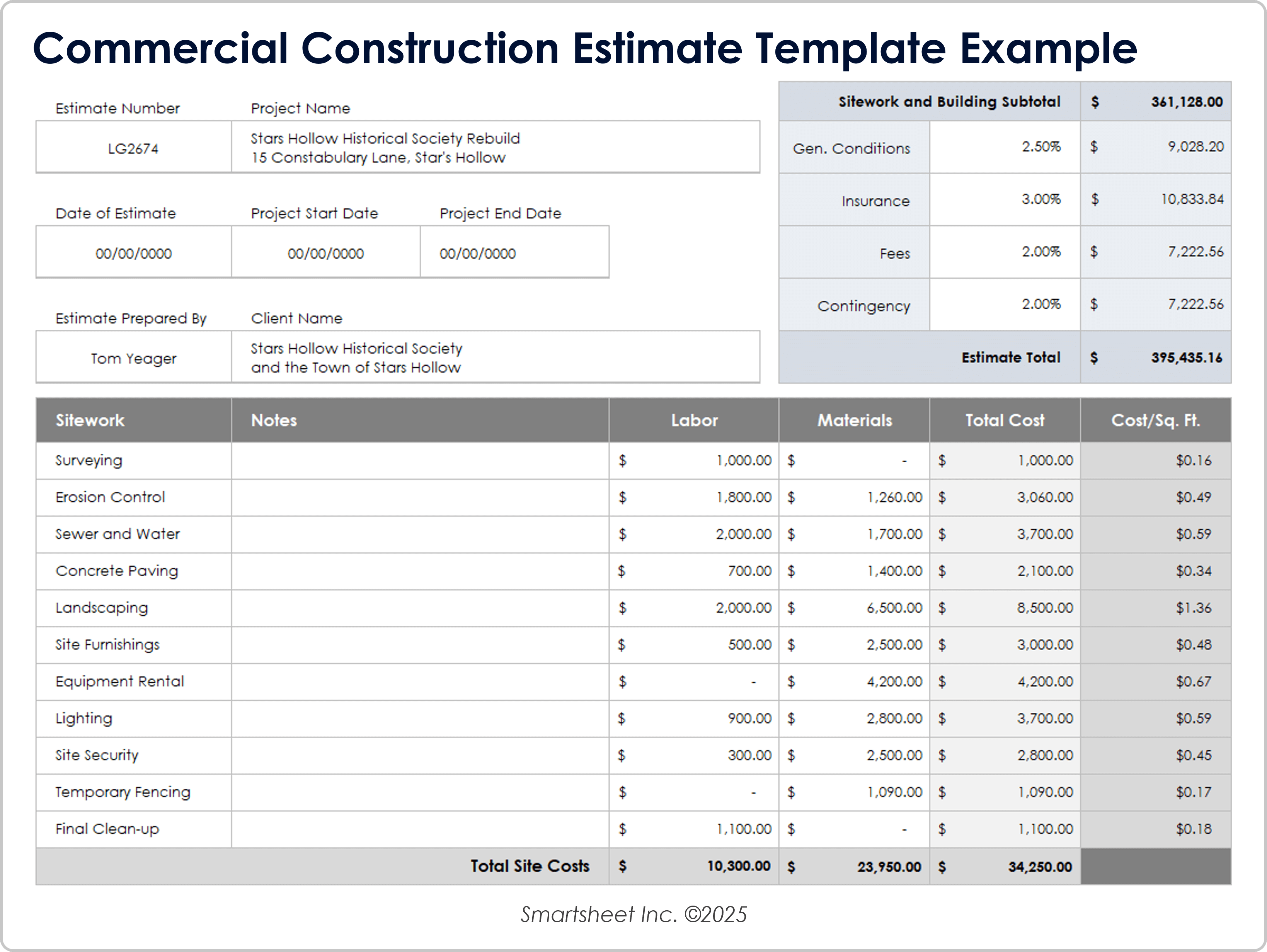
When several contractors provide prices, the budget should compare equivalent scope rather than simply selecting the lowest total. Check quantities, exclusions, taxes, site conditions, lead times, installation responsibilities, provisional items, and specified finishes before treating one quote as directly comparable to another.
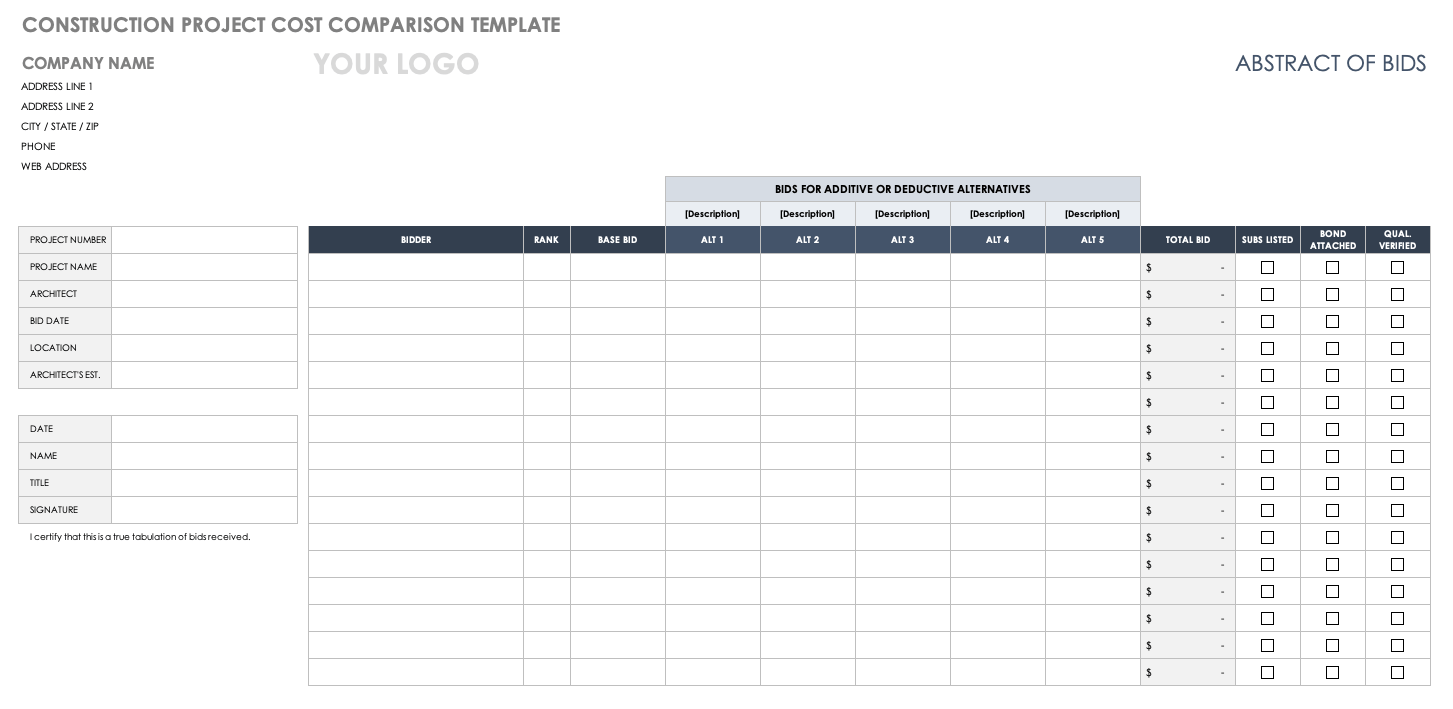
A bid comparison section can record each bidder’s base amount, alternatives, exclusions, and qualifications. The budget can then show how each bid affects the overall project forecast. This is particularly useful when a lower bid leaves more scope risk with the owner.
For residential projects, quote evaluation should also consider whether allowances are realistic. A low construction price can still produce a high final cost if several important items are left as uncertain allowances. Conversely, a higher initial quote may contain more complete scope and therefore create less financial uncertainty.
Track Specialized Work Without Losing the Main Budget
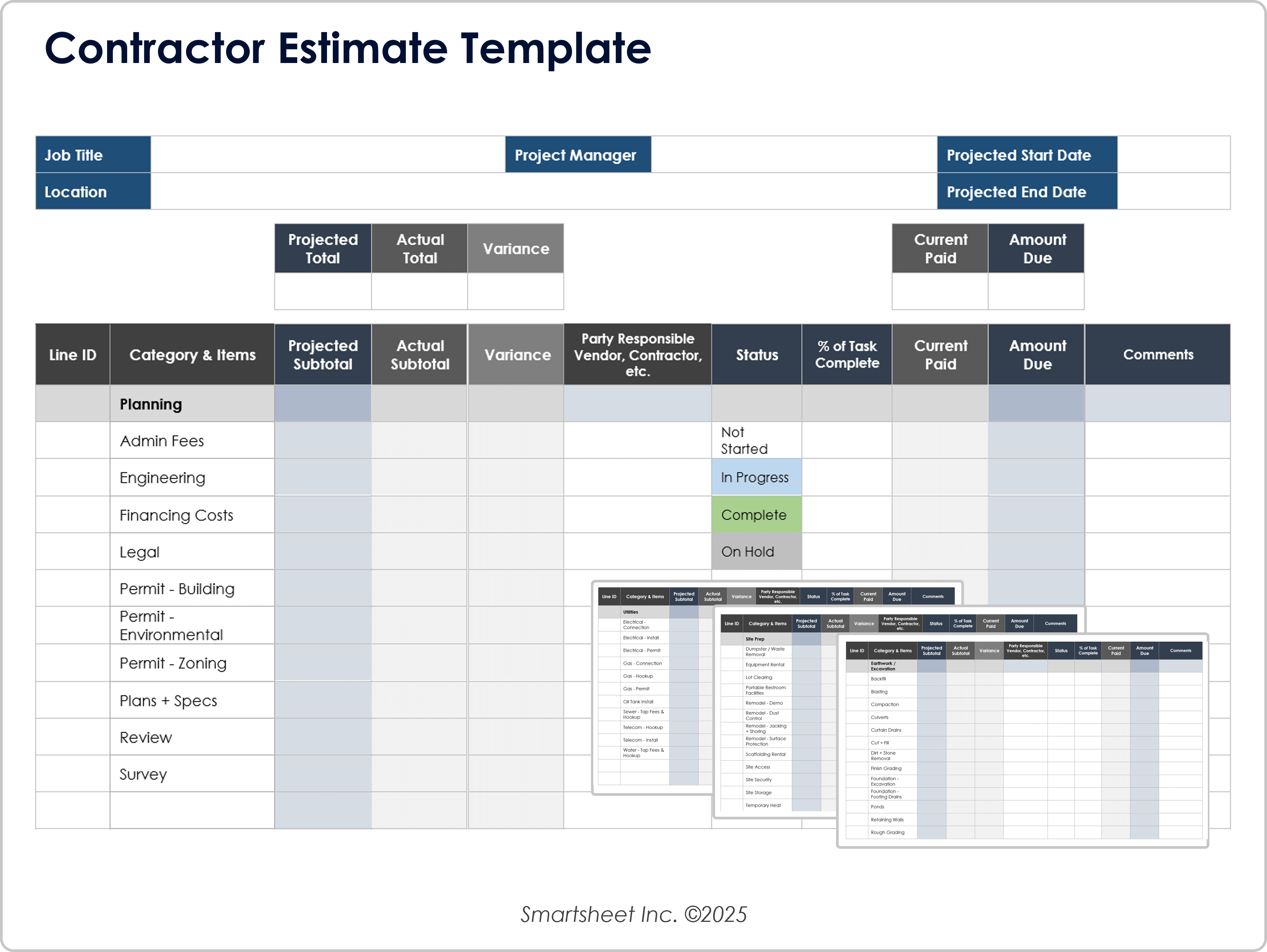
Specialty trades can use detailed supporting estimates while the main residential budget retains a summarized line. Roofing, electrical work, painting, cabinetry, plumbing, and other trades may each have their own quantities, labor hours, material costs, and exclusions. The main budget should carry the agreed value while preserving a reference to the detailed trade estimate.
This structure avoids an oversized master sheet while still protecting detail where it matters. If a roofing quote changes, the roofing budget line can be revised without manually rewriting every roofing material and labor entry in the main control sheet.
The same principle works for renovations. A kitchen remodel may need detailed lines for demolition, cabinetry, countertops, electrical work, plumbing, flooring, finishes, and fixtures. A whole-house budget can then summarize the kitchen as one major work package while the supporting estimate contains the detailed cost build-up.
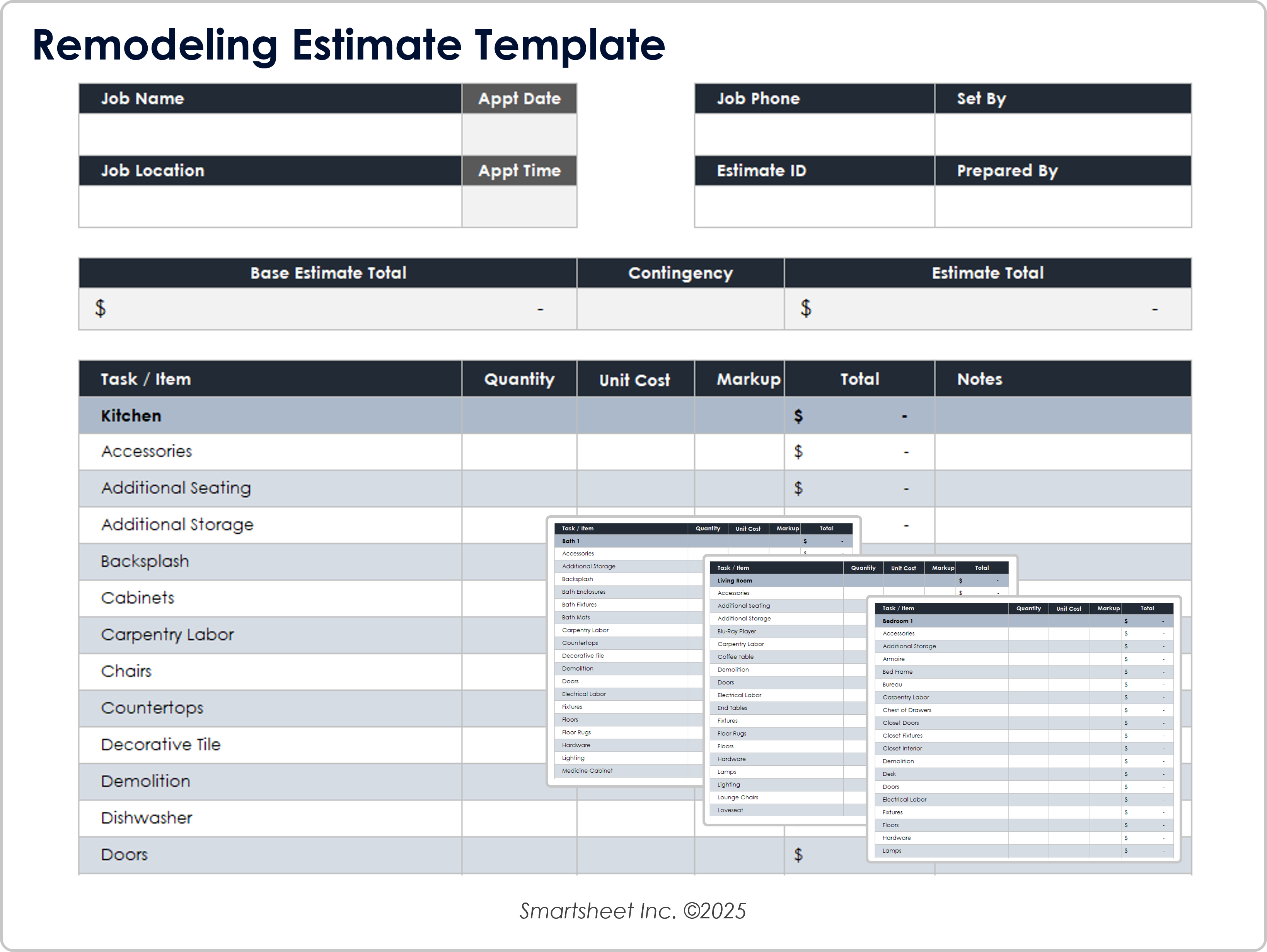

Control Roofing, Painting, and Electrical Allowances
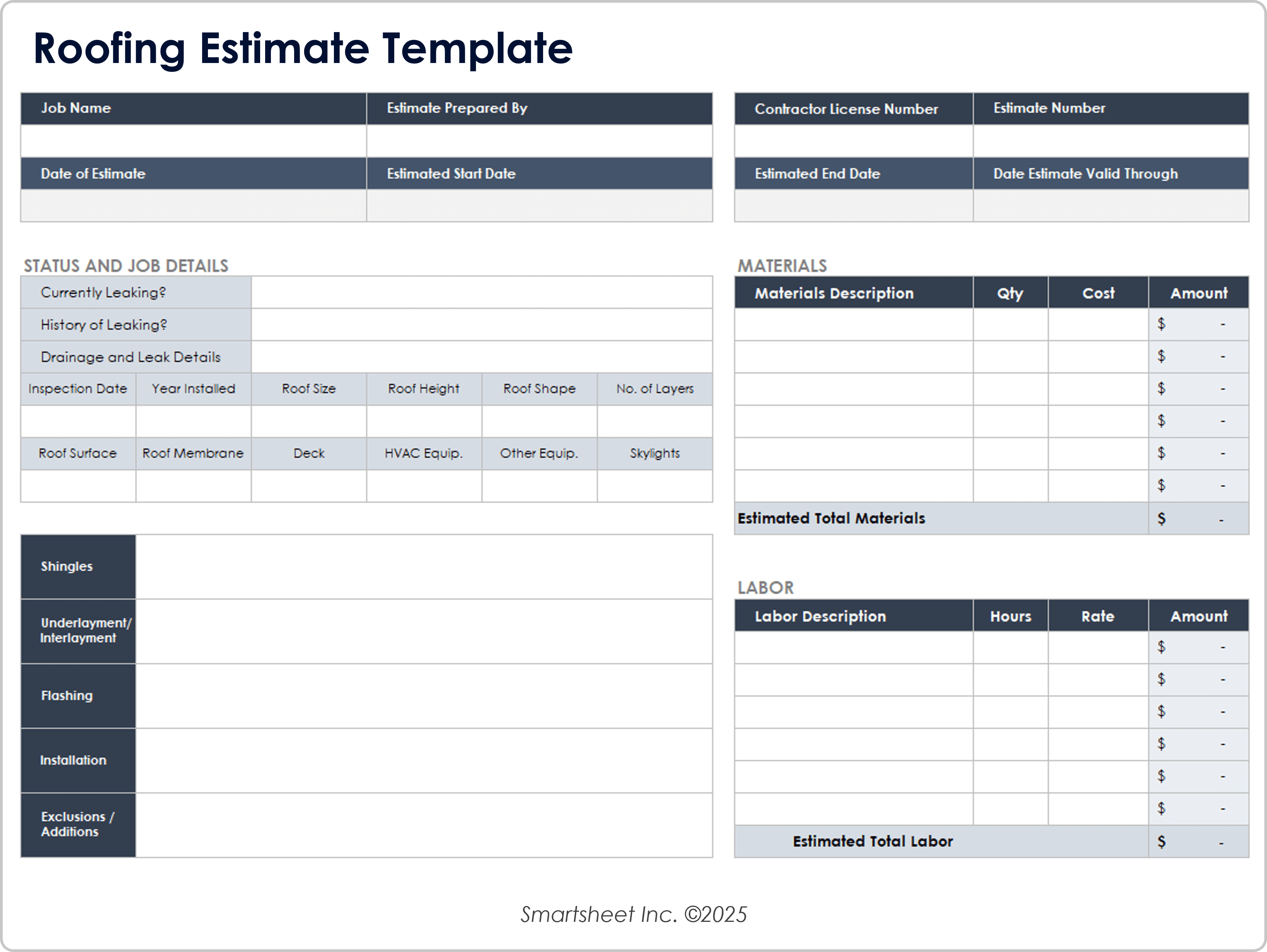
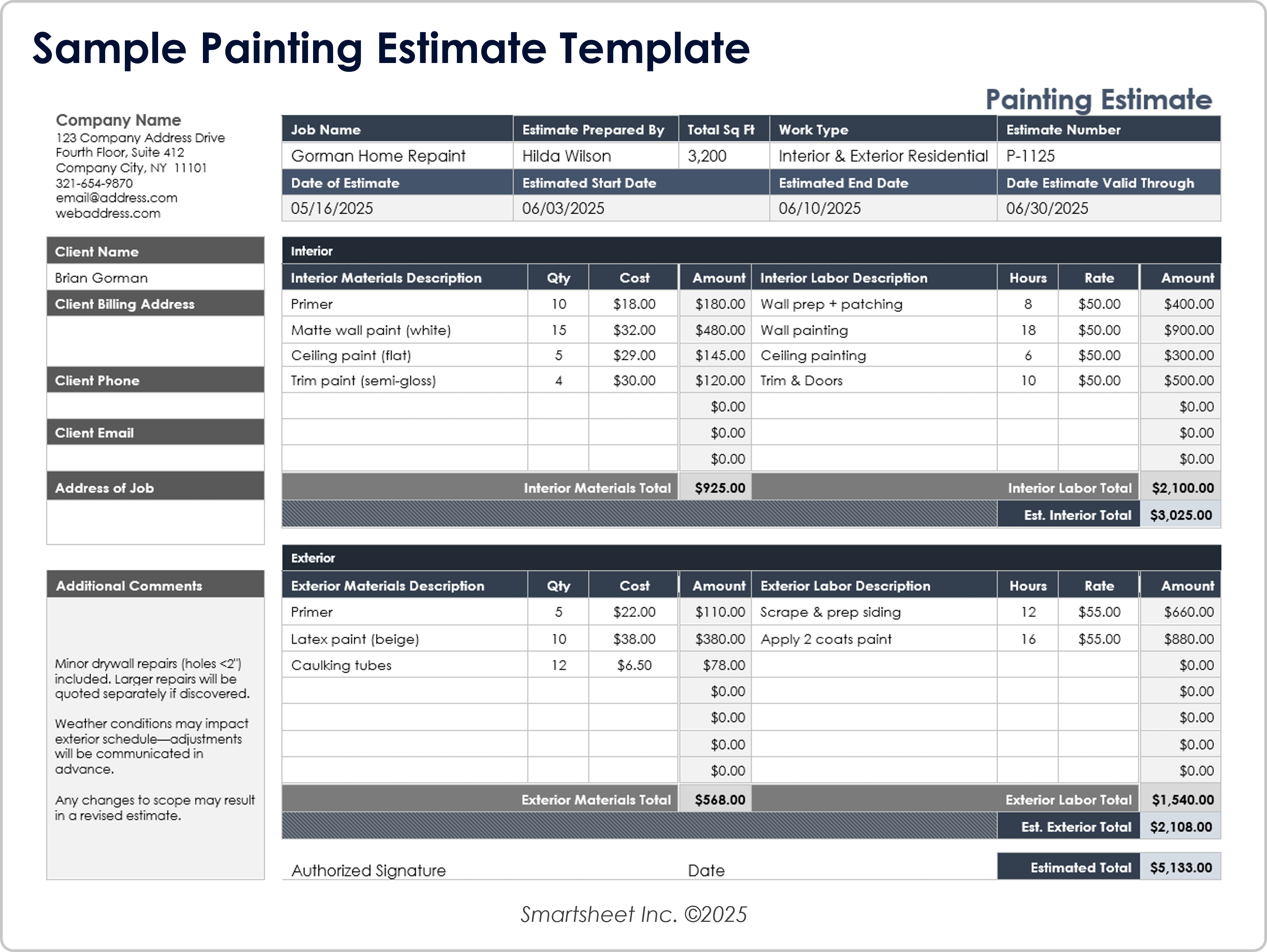
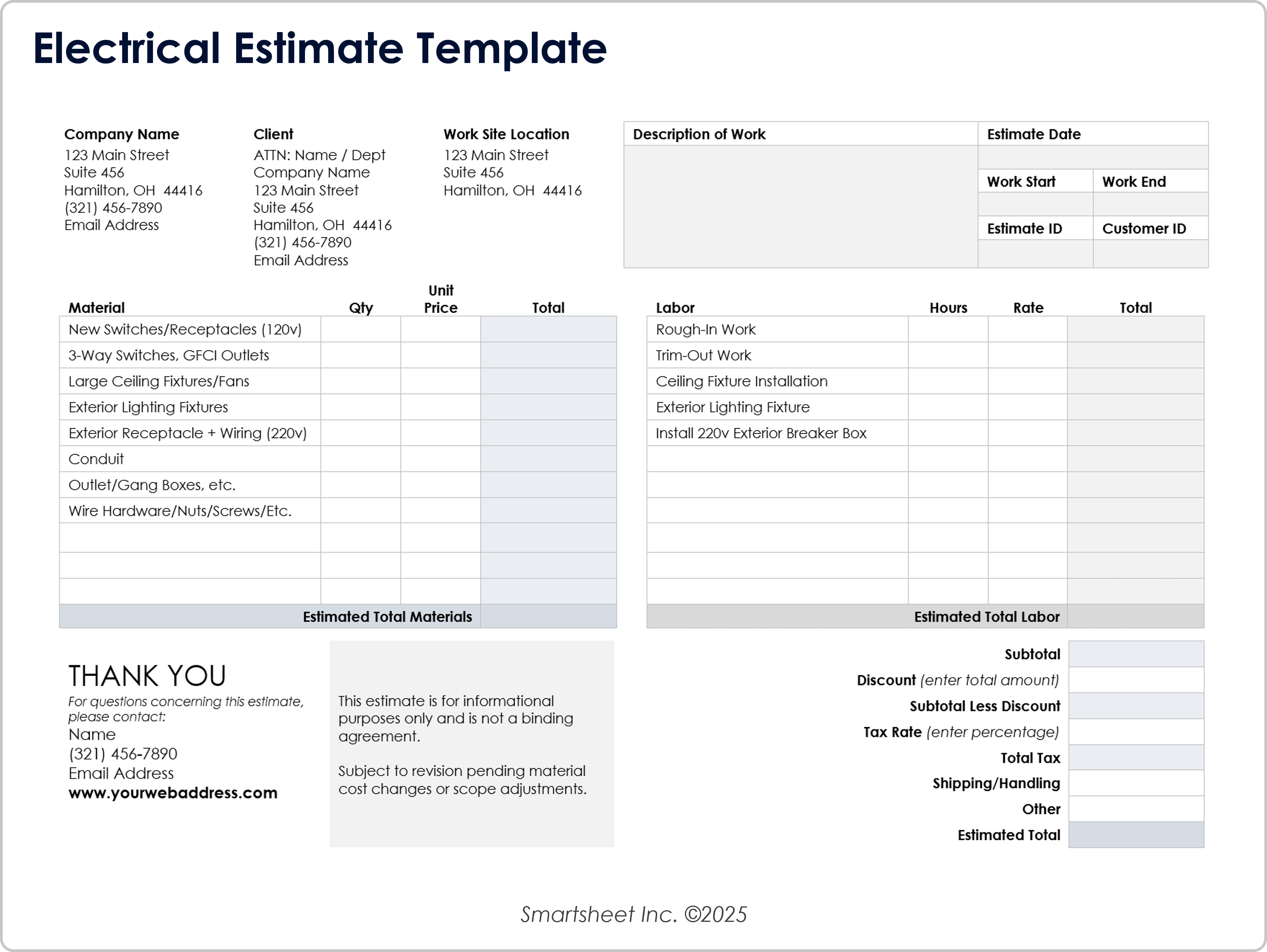
Trade-specific estimates can reveal cost drivers that disappear inside a broad construction category. A roofing estimate, for instance, can separate surface area, underlayment, flashing, installation, and exclusions. A painting estimate can distinguish interior and exterior work, quantities, material costs, labor hours, and preparation. An electrical estimate can separate materials from installation labor and identify major equipment.
These supporting views are valuable when the residential budget is reviewed with a contractor. If the project is over budget, the team can inspect the detailed trade estimate to determine whether the cause is quantity, unit price, scope, or labor. That is more useful than simply seeing a red variance number.
Specialized estimates should still use the same project codes and naming conventions as the main budget. Consistent categories allow totals to roll into the master budget without double counting. A trade estimate should also identify exclusions so that missing scope does not become an unexpected cost later.
Monitor Budget Performance During Construction
Once work begins, update the budget on a defined schedule rather than whenever someone remembers. Weekly updates can work well for active projects, while smaller projects may use milestone-based reviews. The important point is consistency. A budget that is updated irregularly cannot provide a reliable early warning.
Review both category-level and project-level performance. A small overrun in one line may not matter, while several moderate overruns in related categories can signal a larger problem. Look for patterns such as repeated material increases, expanding scope, higher labor hours, delayed procurement, or allowances that are consistently too low.
Payments should be reconciled against supporting records. Match invoices and progress claims to the relevant budget category, verify that the work or goods relate to the stated scope, and record any retained amount or outstanding balance according to the project’s accounting method.
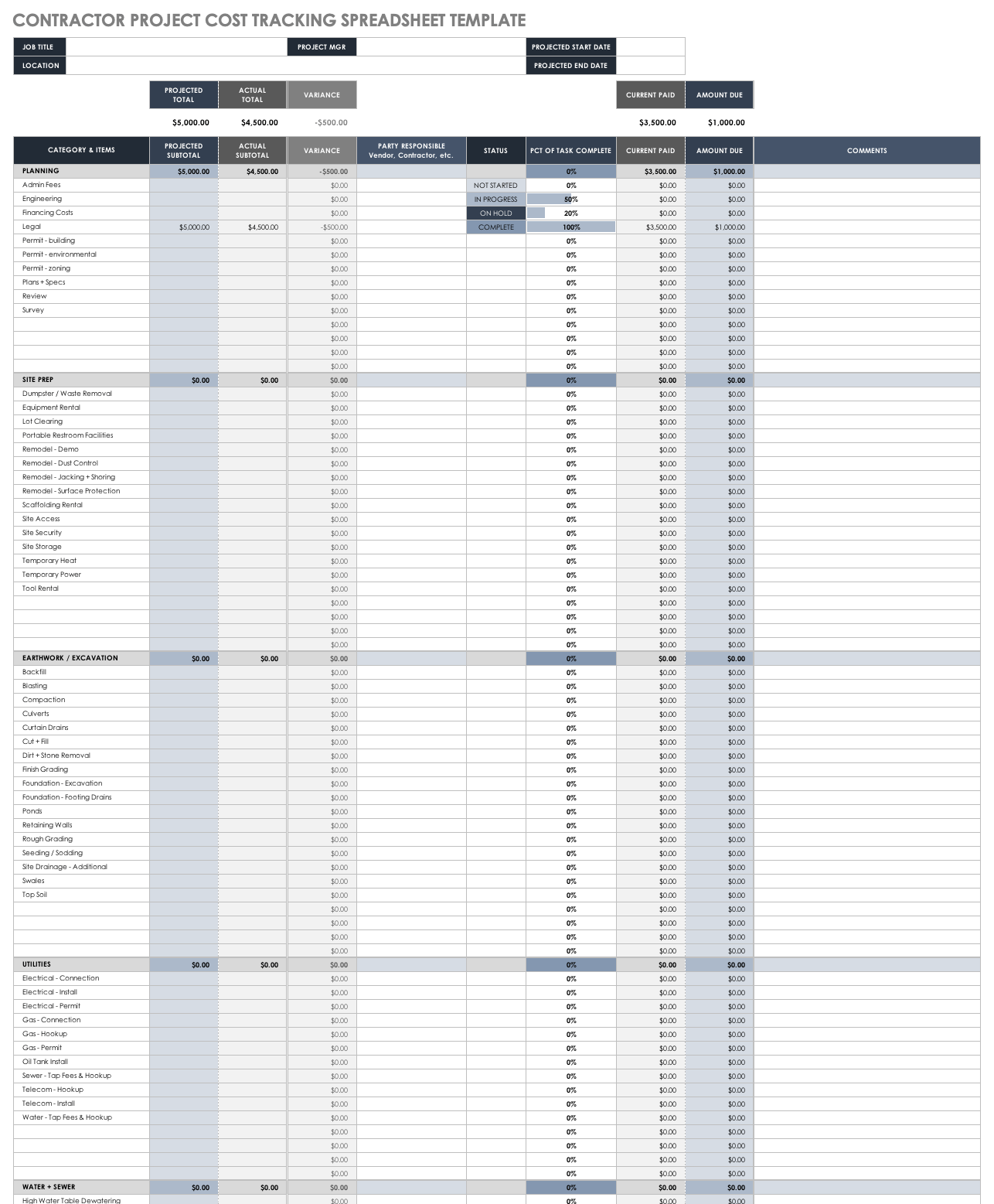
A useful dashboard does not need to be complicated. At the top of the budget, show the original budget, current forecast, actual cost to date, committed cost, remaining forecast, contingency balance, and major variance. These figures give decision-makers a quick view while the detailed lines remain available for investigation.
The project should also have a clear reporting date. A forecast without a date can be misleading because supplier pricing, contracts, and project scope change over time. Recording the budget revision and update date makes historical comparisons much easier.
Use a Construction Budget for Multiple Units or Phases
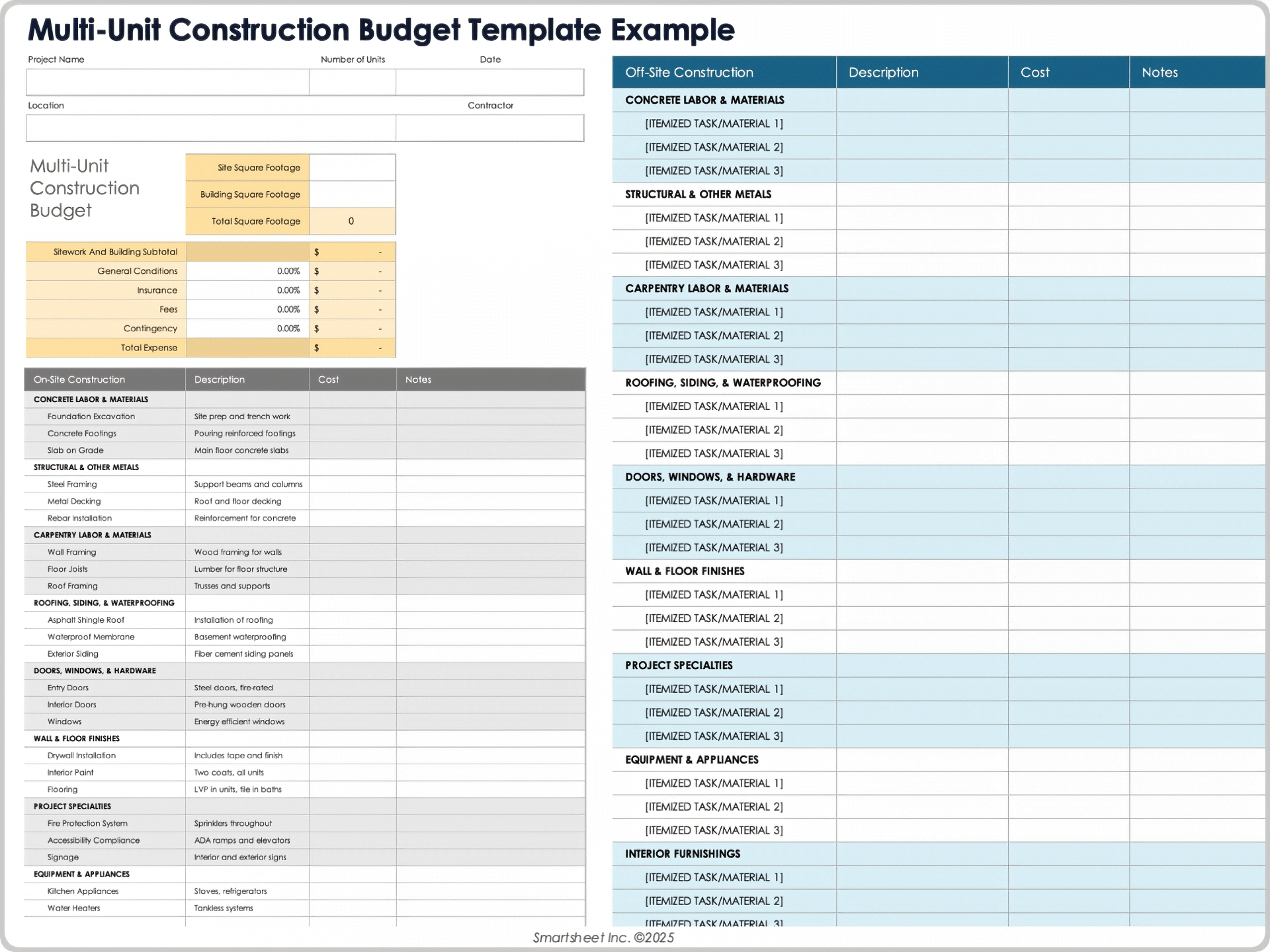
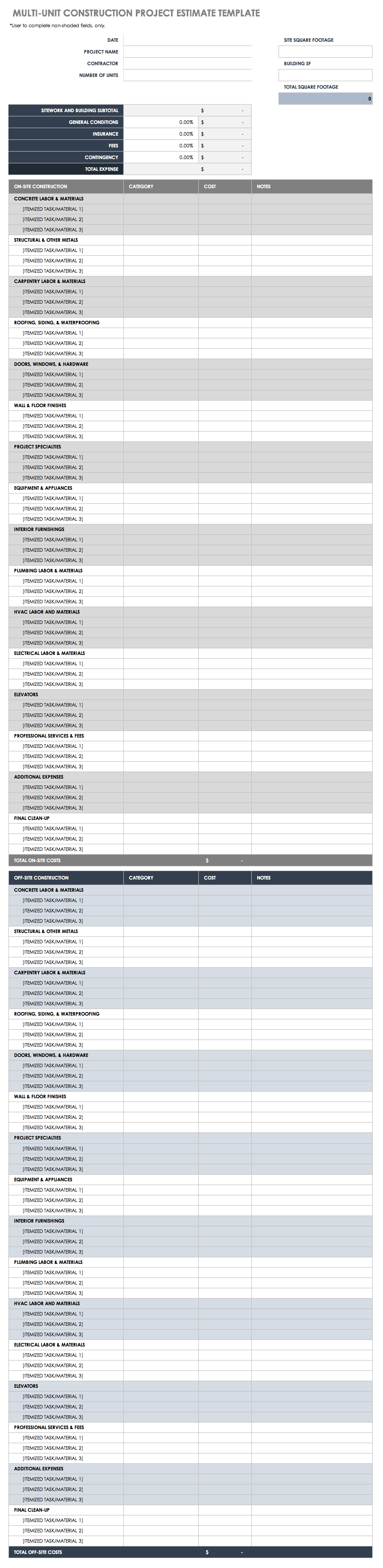
The same budgeting principles can be extended to duplexes, townhouses, multi-unit residential buildings, or phased developments. In these projects, the budget may need separate views for shared site infrastructure, individual dwellings, common areas, and project-wide professional costs.
Shared costs should have a defined allocation method. For example, a common utility connection may be recorded as a project-wide cost rather than copied into every dwelling. If the cost is allocated between units for internal analysis, the method should be documented so the total remains reconciled to the actual project cost.
Phase tracking is also valuable. Design, site preparation, structure, enclosure, services, finishes, external works, and handover can each have their own budgets. This makes it easier to identify whether a cost problem is isolated to one phase or reflects a wider change in project scope.
Handle Complex Estimating Methods With Care
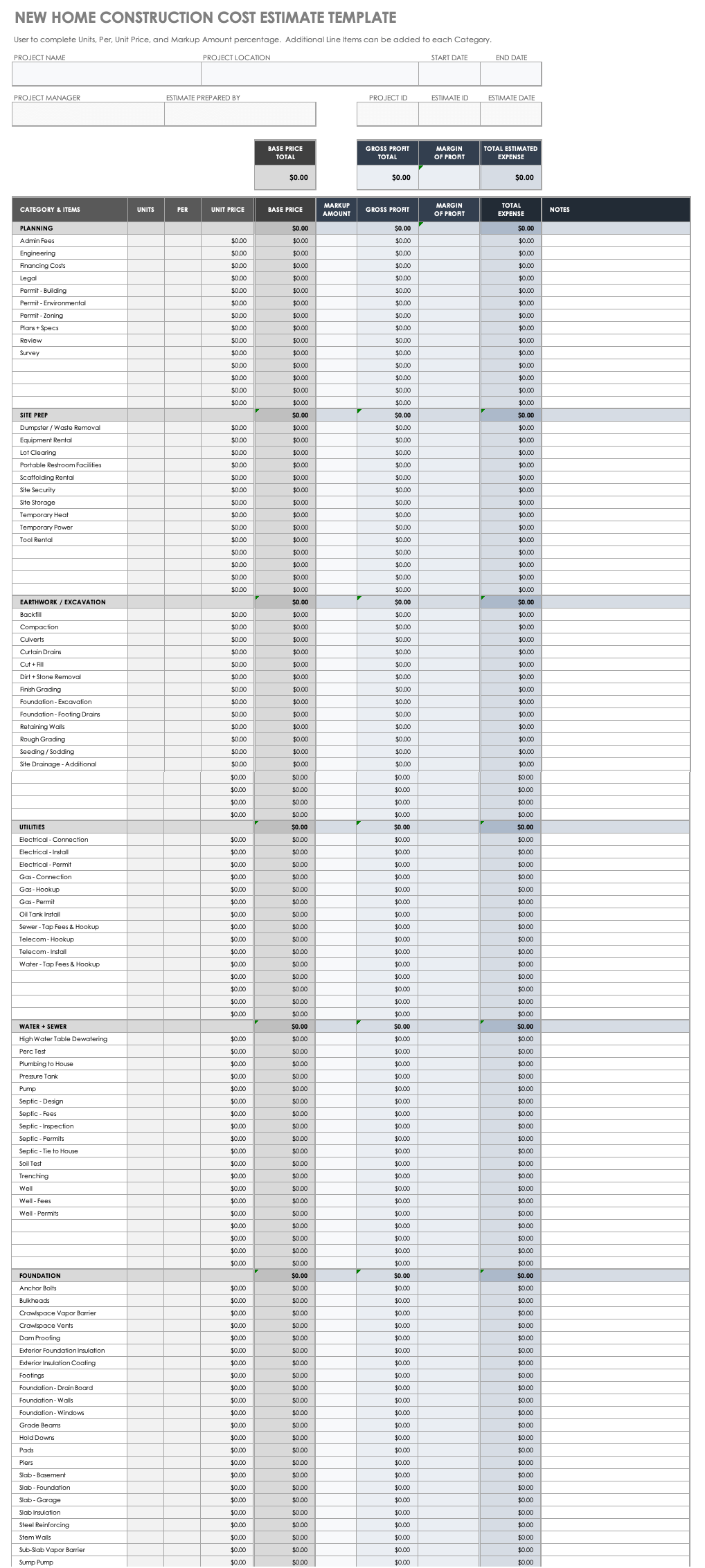
Some projects benefit from unit-based estimating. Instead of estimating every task independently, the estimator may use a quantity and rate such as cost per square metre, cost per fixture, labor hours per unit, or another measurable basis. The method should be recorded because the reliability of the resulting number depends on the quality and relevance of the underlying rate.
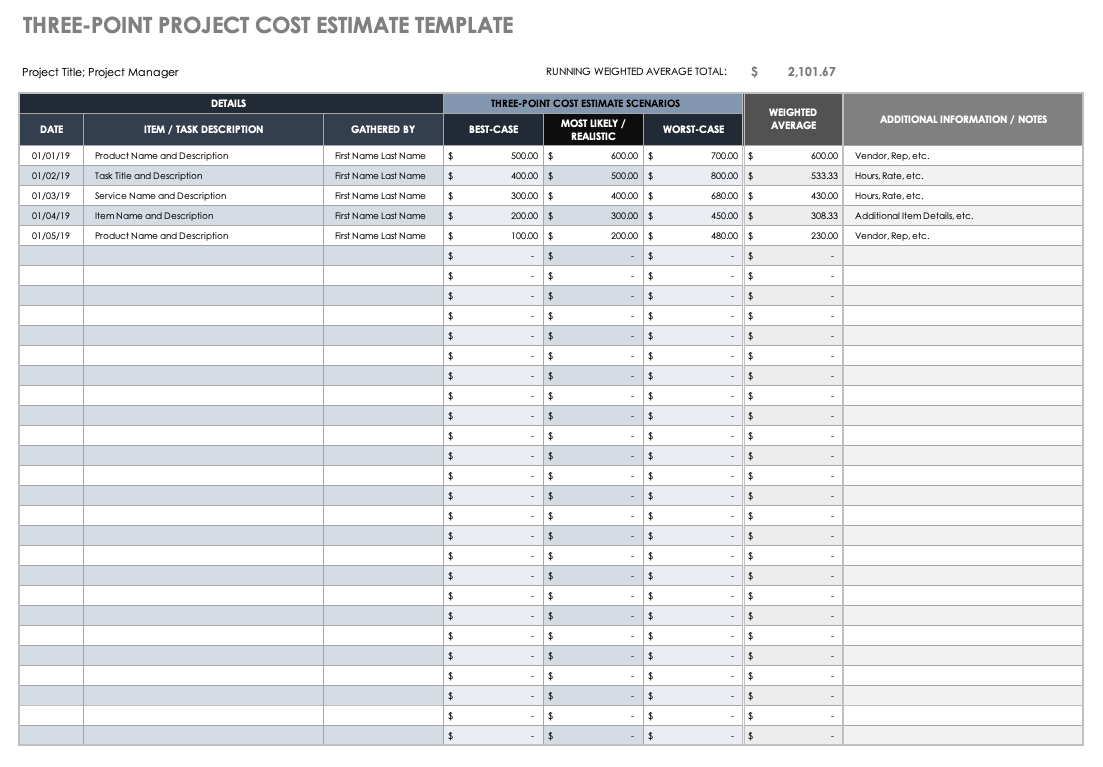
Another useful technique is scenario estimating. A project can record optimistic, most-likely, and conservative values for uncertain items. This is helpful when ground conditions, selections, or market quotations remain unresolved. The resulting range can inform contingency planning without pretending that the final cost is already known.
These techniques should supplement, not replace, detailed scope review. A unit rate cannot compensate for missing work. If the project has unusual structural requirements, difficult access, special finishes, or unusual utility connections, those conditions need explicit budget lines or documented allowances.
Make the Template Easy to Review
Formatting should make financial information easier to understand rather than simply making the sheet look polished. Use stable category names, consistent units, clear currency formatting, and a predictable order for columns. Important fields should not move from one revision to another because inconsistent layouts make historical comparisons harder.
Notes are particularly valuable. A short note such as “based on supplier quotation dated September” or “allowance pending final selection” gives context that a number alone cannot provide. Notes can also record exclusions, assumptions, scope changes, or reasons for a forecast revision.
Search terminology can sometimes introduce confusing phrases that do not describe construction concepts directly. For example, a query might contain “residential construction budget template template sandbox,” “residential construction budget template template function overload,” or “residential construction budget template template parameters.” Those strings can reflect unrelated search behavior rather than features a home-building budget needs.
The same principle applies to phrases such as “residential construction budget template template link,” “residential construction budget template template road,” “residential construction budget template template net,” “residential construction budget template template shortcut,” and “residential construction budget template template for discussion.” They should not dictate the budget structure. The project scope, cost evidence, and reporting needs should determine the structure instead.
Common Mistakes That Weaken a Residential Budget
The first common mistake is starting with a target total and forcing every category to fit inside it. A better method is to build the cost model from scope and evidence, then compare the resulting forecast with available funding. If the forecast is too high, the project team can make deliberate scope or specification decisions rather than hiding costs.
The second mistake is omitting soft costs. Design, engineering, surveying, permits, testing, insurance, financing-related expenses, and other professional services may not appear on a builder’s construction quote, but that does not mean they disappear from the overall project cost. The budget should distinguish between the construction contract and the complete project financial plan.
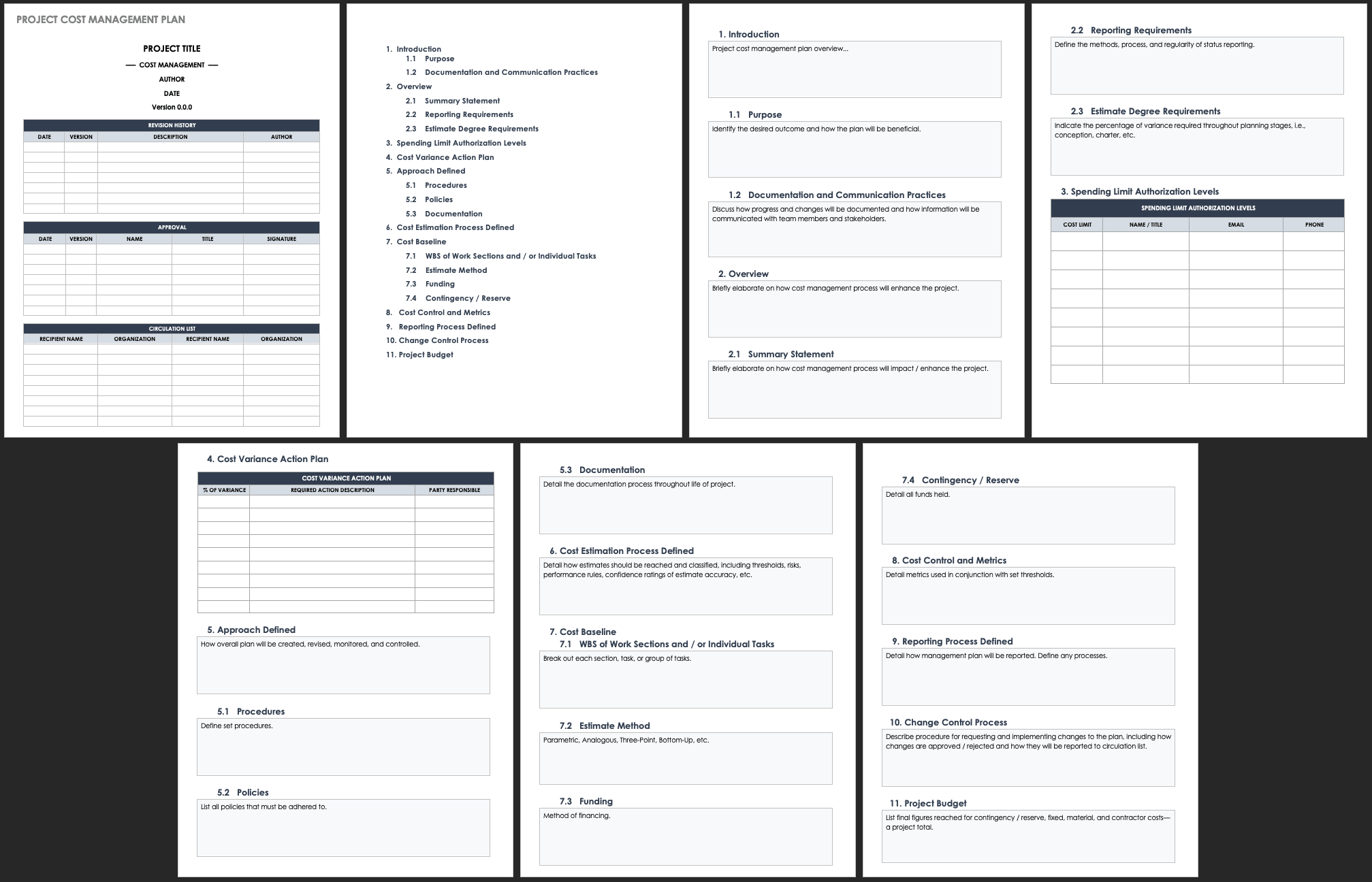
The third mistake is treating contingency as an unexplained extra amount. A contingency reserve is more useful when its purpose and balance are visible. Every transfer out should have a reason, and the remaining reserve should be reviewed as uncertainty decreases.
Another frequent problem is failing to update the forecast after a major change. If a design decision increases the expected cost but the budget still shows the old forecast, the project can appear financially healthy when it is not. Updating the forecast promptly is more valuable than maintaining a visually perfect but outdated spreadsheet.
Practical Solution
Start by creating one master residential construction budget with a stable hierarchy: project information, pre-construction, site work, structure, enclosure, building services, interior finishes, external works, professional costs, contingency, and other project-level expenses. Under each heading, create only the line items needed to make meaningful decisions. Give each line a unique code so the same cost can be recognized in estimates, quotations, contracts, invoices, and reports.
Next, add the financial fields that reflect the project’s current stage. During early planning, estimated cost and basis may be enough. During procurement, add quotation source, committed amount, and vendor. During construction, add actual cost, amount paid, amount due, change value, and forecast remaining. This allows the same budget structure to evolve without rebuilding the workbook whenever the project moves into a new phase.
Finally, establish a review routine. Update actual and committed costs at a consistent interval, reconcile invoices, review significant variances, check remaining contingency, and revise the forecast when new information changes the expected final cost. At every review, ask three questions: what changed, why did it change, and what does the change mean for the final project cost?
A practical control system should also protect the baseline. Do not overwrite the original budget merely because a scope change occurs. Record the change separately, update the current forecast, and retain the original figure for comparison. This creates a clear financial history and makes later reporting far easier.
For a homeowner, the most useful version may be relatively simple: category, description, estimated cost, committed cost, actual cost, variance, amount paid, amount due, and notes. For a builder or project manager, more detail may be justified, including quantities, labor rates, subcontractor information, change references, progress status, and forecast completion. The best template is therefore not the longest one; it is the one that contains enough detail to control the decisions that matter.
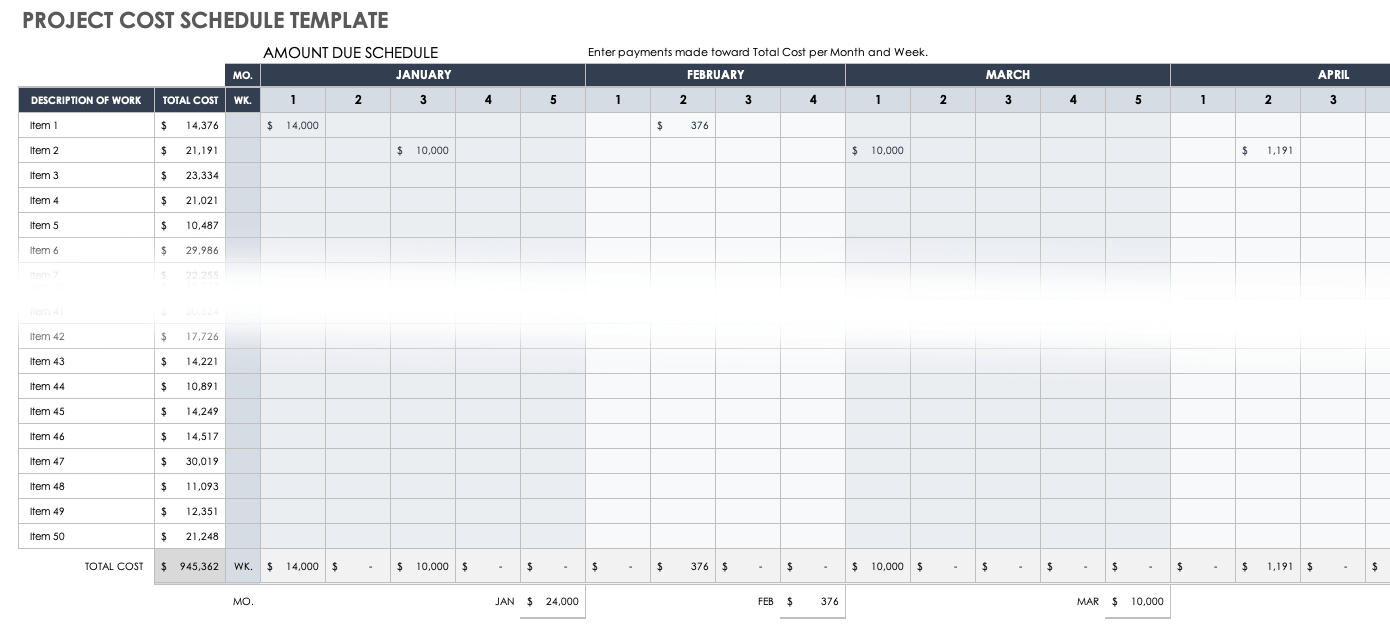
For projects with significant cash-flow pressure, add a payment schedule. Record when major deposits, progress payments, supplier invoices, and retention amounts are expected. A project can be within its final budget while still experiencing a short-term funding gap, so cost control and cash-flow control should be reviewed together.
For ongoing reporting, maintain a simple variance view that highlights the categories requiring attention. A large variance does not always mean a problem; it may reflect timing, an intentional scope transfer, or a cost that has been incurred earlier than expected. The purpose of the indicator is to trigger investigation, not to replace judgment.
Reference Examples
A residential construction budget template Template is easiest to evaluate when you can see how different layouts organize the same basic financial problem. The examples below show several ways to structure construction costs, including category-based budgets, estimated-versus-actual tracking, project financial planning, renovation tracking, and single-family home budgeting. The visual differences are useful because there is no single layout that fits every residential project. A simple new-home budget may need broad construction phases, while an owner-builder or renovation budget may require more detailed payment and variance fields.
These reference examples can help readers compare how a residential construction budget template handles categories, descriptions, estimated amounts, actual amounts, notes, contingency, and project totals. They are useful as visual benchmarks when deciding how much detail to include in a working budget. The examples should be treated as reference layouts rather than universal standards, because local costs, contract structures, project scope, accounting methods, and reporting requirements vary between residential construction projects.
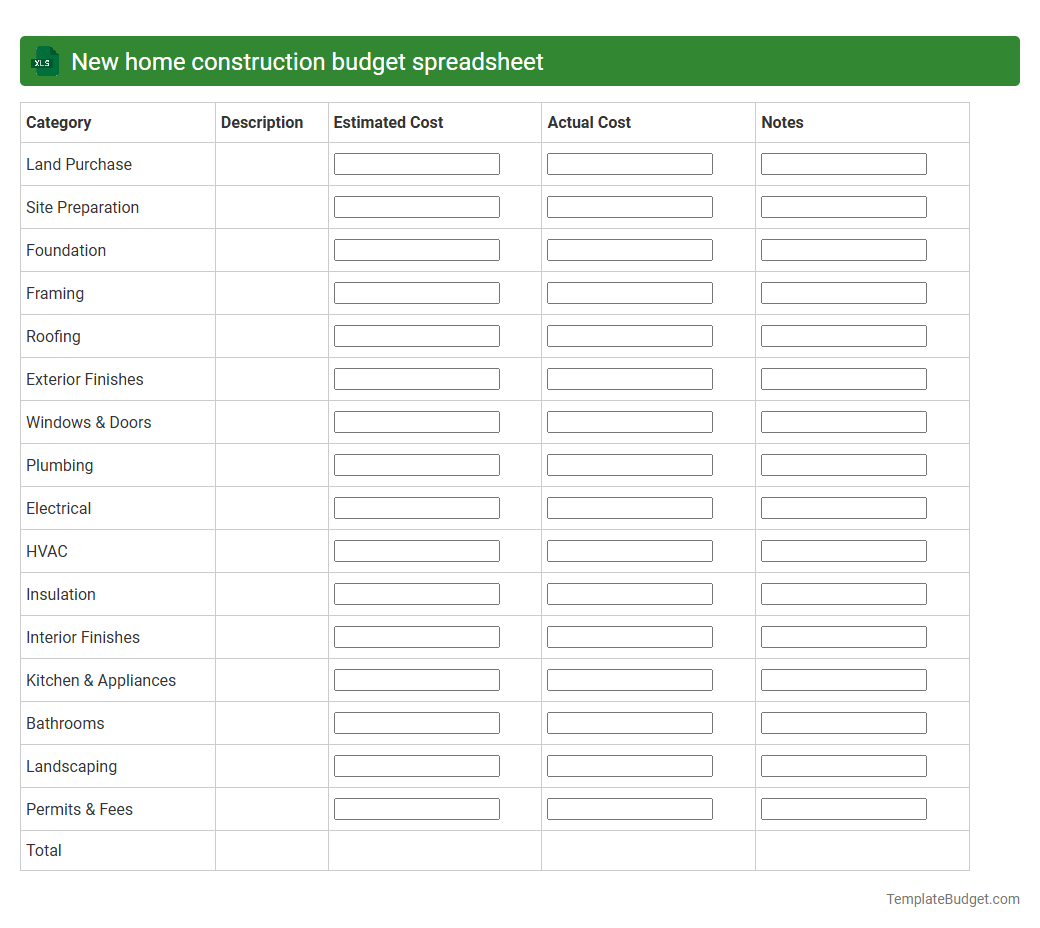
New home construction budget spreadsheet
Source: TemplateBudget.com
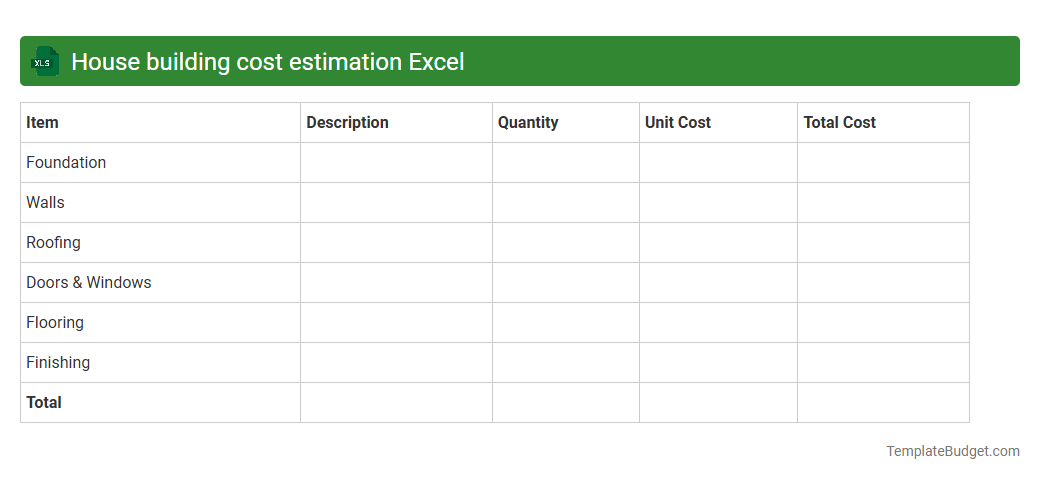
House building cost estimation Excel
Source: TemplateBudget.com
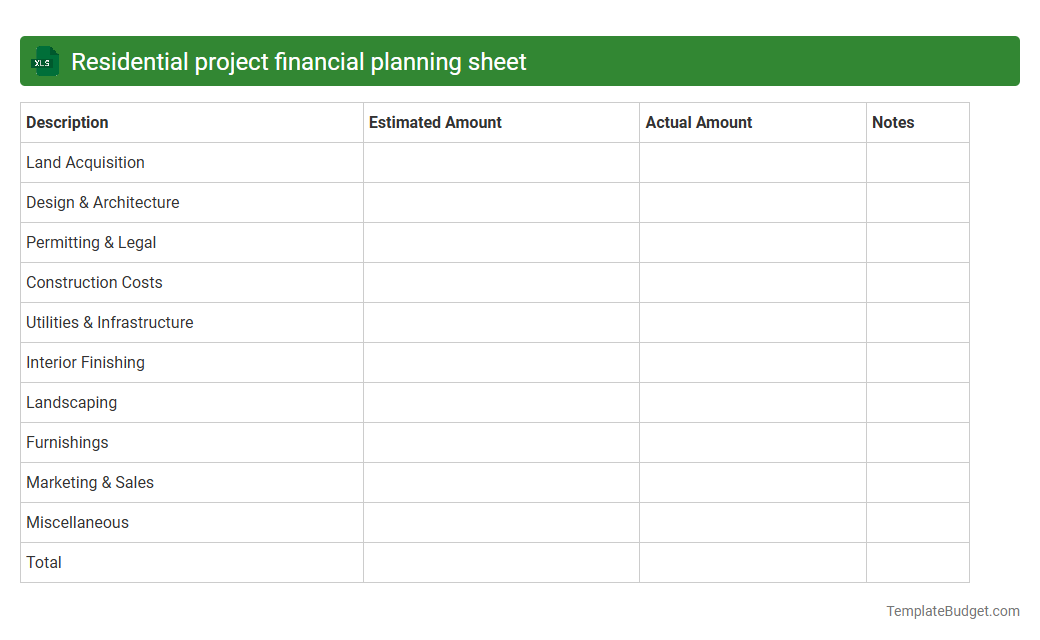
Residential project financial planning sheet
Source: TemplateBudget.com
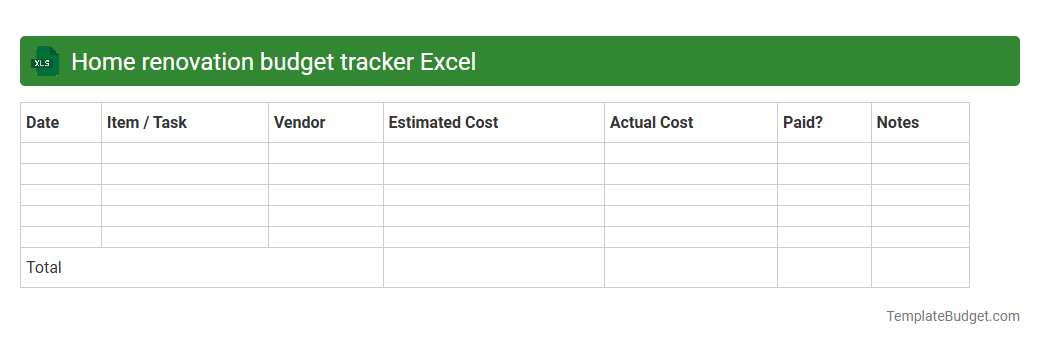
Home renovation budget tracker Excel
Source: TemplateBudget.com
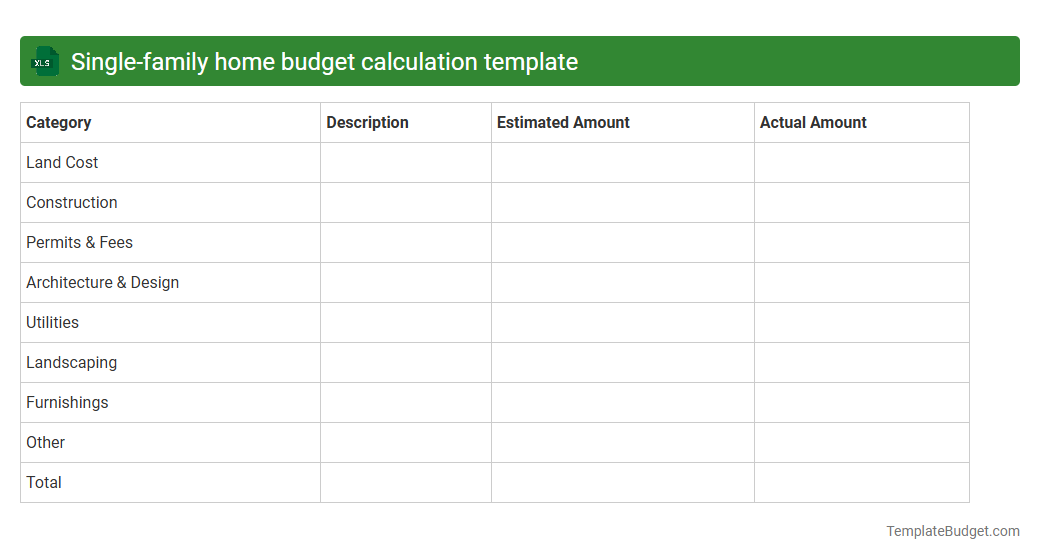
Single-family home budget calculation template
Source: TemplateBudget.com
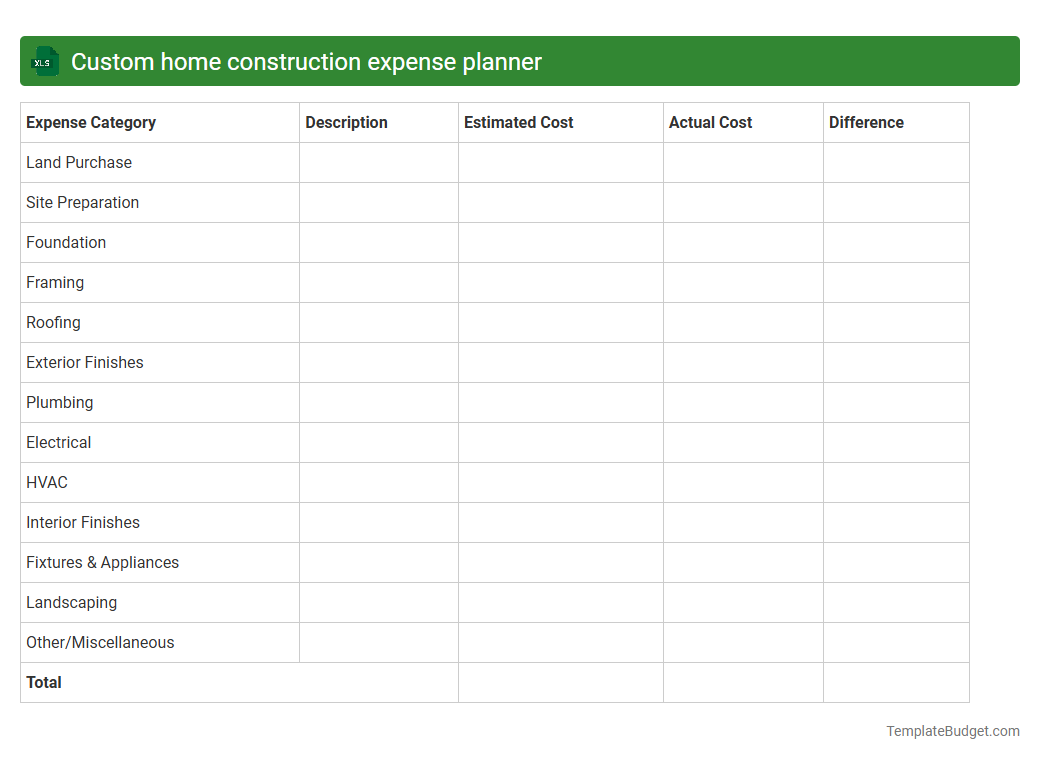
Custom home construction expense planner
Source: TemplateBudget.com
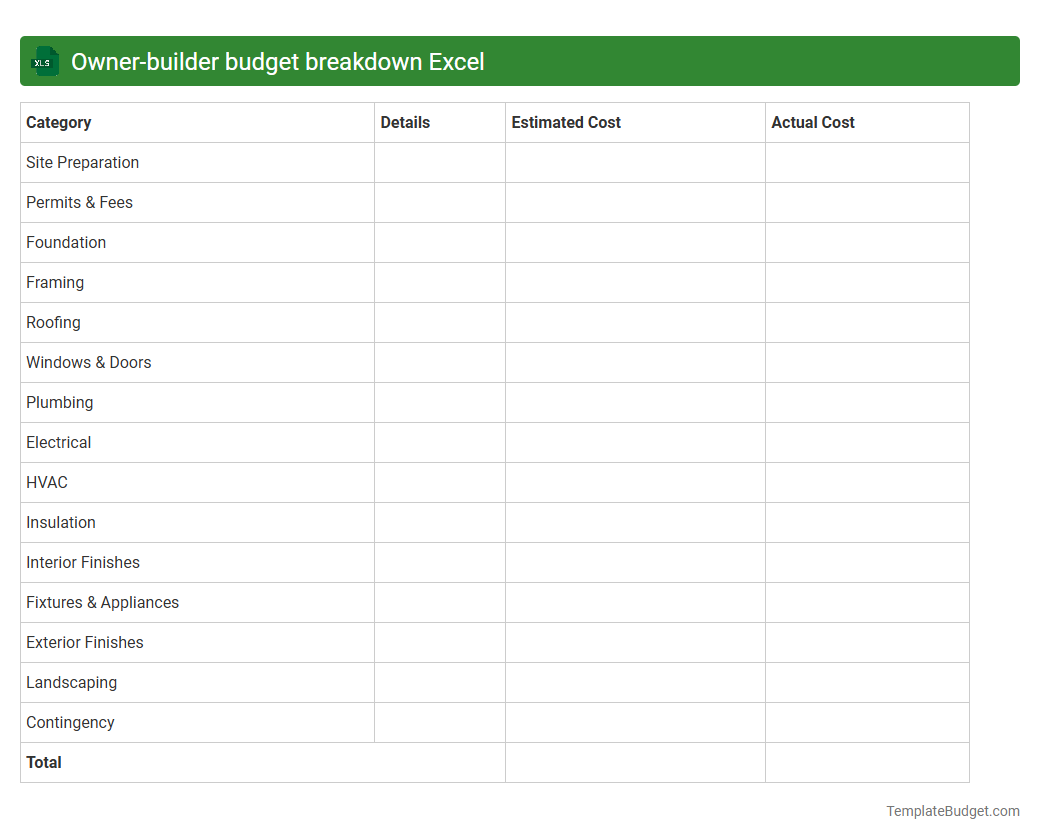
Owner-builder budget breakdown Excel
Source: TemplateBudget.com
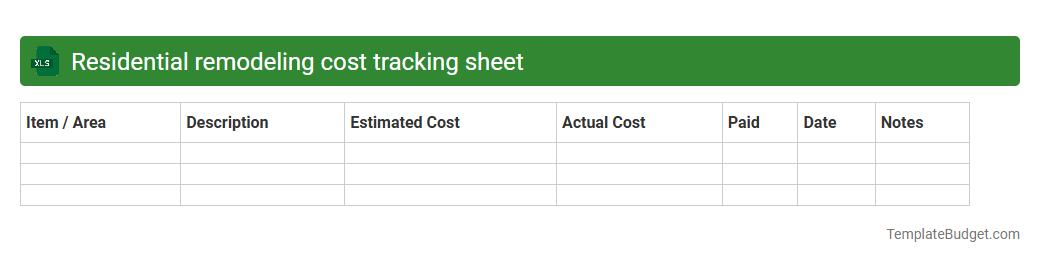
Residential remodeling cost tracking sheet
Source: TemplateBudget.com
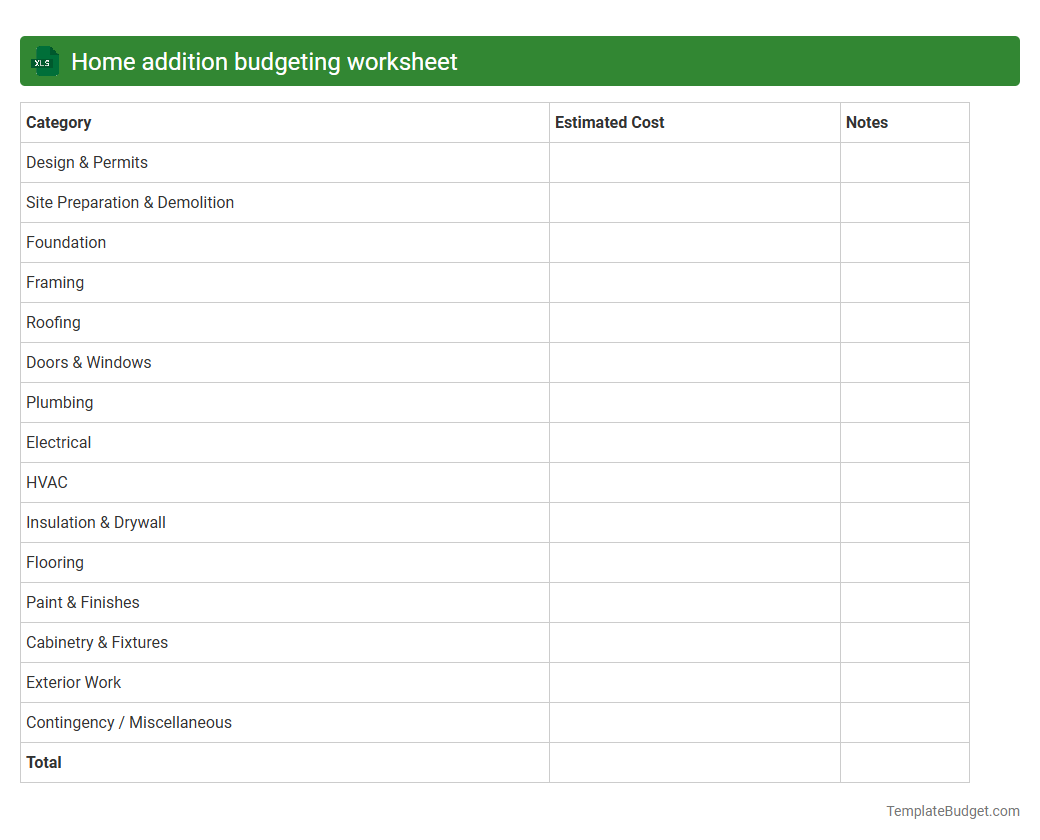
Home addition budgeting worksheet
Source: TemplateBudget.com
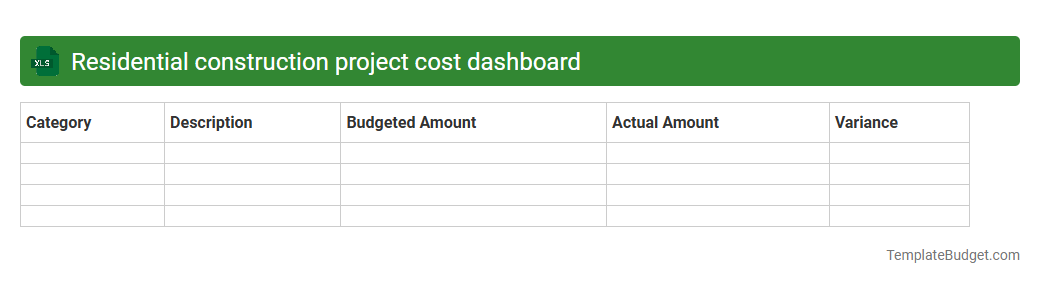
Residential construction project cost dashboard
Source: TemplateBudget.com
