The legal framework depends heavily on location. In the United States, the Americans with Disabilities Act (ADA) requires reasonable accommodation for qualified applicants and employees with disabilities unless providing the accommodation would create an undue hardship. The Equal Employment Opportunity Commission (EEOC) explains that accommodations can include changes to equipment, schedules, job structure, examinations, training, communication support, and workplace accessibility.
In the United Kingdom, the Equality Act 2010 requires employers to make reasonable adjustments where disabled workers would otherwise face substantial disadvantage. Examples include changing working arrangements, modifying equipment, changing premises, and providing information in accessible formats.
Australia uses a different statutory framework, but the underlying documentation challenge is similar. The Australian Human Rights Commission explains that employers must provide equal employment opportunities and make workplace adjustments when a person with disability needs them to perform the inherent requirements of a job.
For that reason, a good form should not pretend that one universal checklist is automatically a complete legal compliance instrument. Instead, it should provide a strong documentation framework that can be adapted to the jurisdiction, organization, workplace, role, and particular accessibility issue being assessed.
What Is a Workplace Accessibility Legal Compliance Form Template?
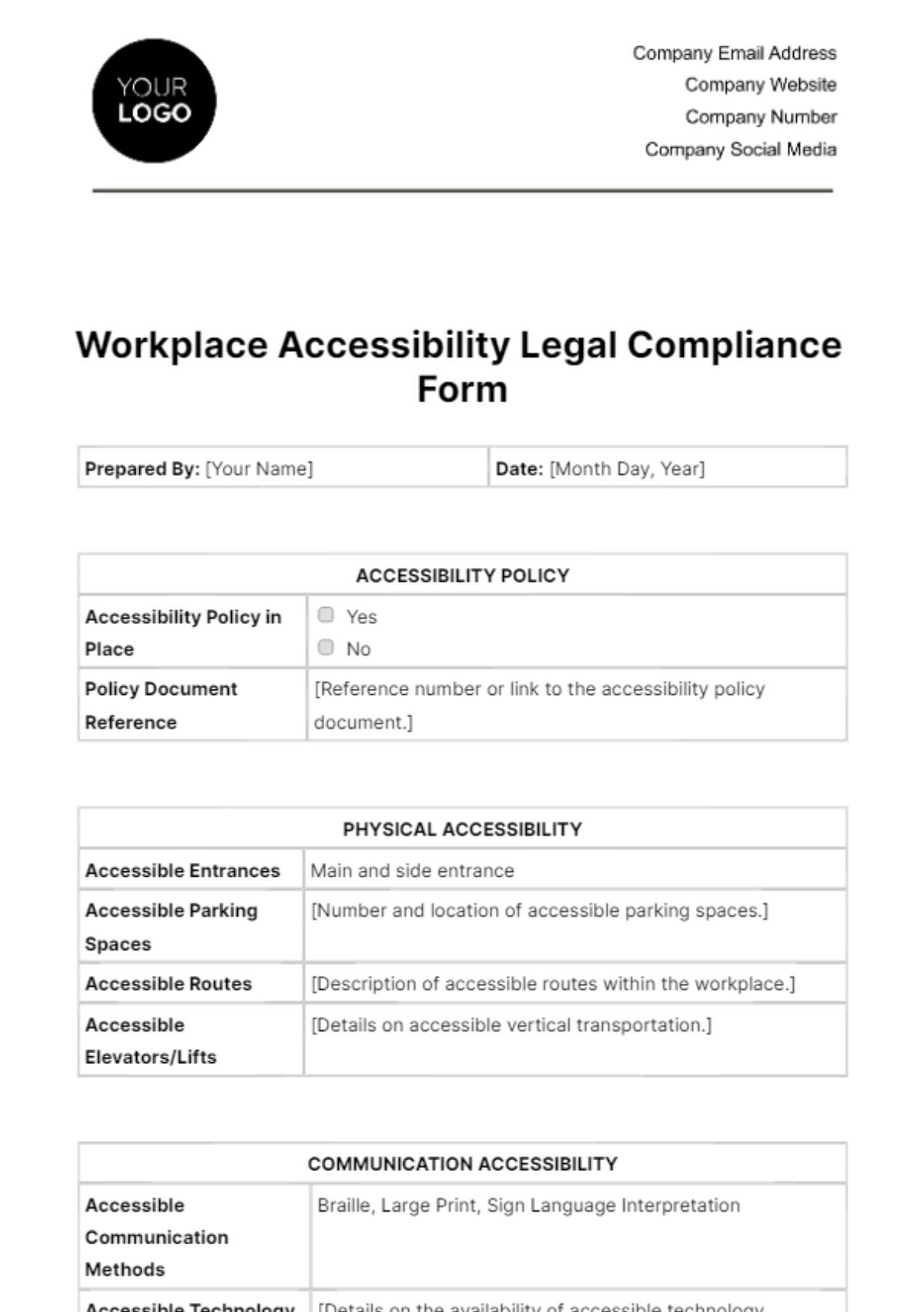
A workplace accessibility legal compliance form template is a structured document used to record whether an organization has identified, evaluated, and addressed accessibility requirements affecting its workplace, employees, applicants, facilities, communication systems, technology, procedures, and accommodation practices.
The phrase “legal compliance” should be interpreted carefully. A template does not itself make an employer compliant. Compliance depends on the applicable law, the facts of each situation, the employer’s policies and practices, and whether identified barriers are actually addressed. The form is evidence of a process, not a substitute for the process.
A practical template normally combines several functions. It may operate as a workplace accessibility inspection checklist, an accommodation documentation form, a corrective-action tracker, a policy review record, and an internal audit worksheet. Smaller employers may use one integrated form, while larger organizations may separate these functions into several controlled documents.
The strongest design starts with a clear distinction between physical accessibility, digital accessibility, communication accessibility, employment practices, reasonable accommodation, emergency preparedness, and documentation controls. Keeping these categories separate makes it easier to assign responsibility and determine what kind of corrective action is required.
A form can also create organizational continuity. If an accessibility coordinator leaves, a facility changes, or an accommodation is reviewed months later, a well-maintained record allows the next responsible person to understand what was assessed, what was found, what was changed, and what still requires attention.
Why Employers Use Accessibility Compliance Forms
Accessibility documentation is valuable because accessibility is rarely a one-time project. Buildings change, software changes, employees change roles, equipment is replaced, work becomes hybrid, and individual accommodation needs can evolve. A static policy cannot capture all of those changes.
In the United States, the EEOC emphasizes that reasonable accommodation decisions are generally case-specific and should focus on effectiveness. Employers may need to consult with applicants or employees to identify an appropriate accommodation when the correct solution is not obvious.
California provides a particularly useful example of why documentation needs to capture process as well as outcome. The California Civil Rights Department states that employers covered by the Fair Employment and Housing Act must provide reasonable accommodation unless doing so would cause undue hardship, and that employers must initiate an interactive process when an accommodation is requested or when they become aware of a possible need.
Documentation also helps organizations identify recurring problems. If several accommodation records reveal that employees repeatedly struggle with the same entrance, software platform, meeting room, scheduling practice, or emergency procedure, the issue may be systemic rather than individual.
That distinction matters. An individual request may lead to an individual adjustment, but a recurring pattern can justify a broader accessibility improvement. A good form therefore gives decision-makers enough structured information to recognize trends without collecting unnecessary medical or personal information.
For HR teams, facilities managers, compliance officers, and workplace leaders, the form can become part of a larger governance cycle: identify, assess, assign, implement, verify, review, and improve.
Core Components of an Effective Template
1. Organization and Assessment Details
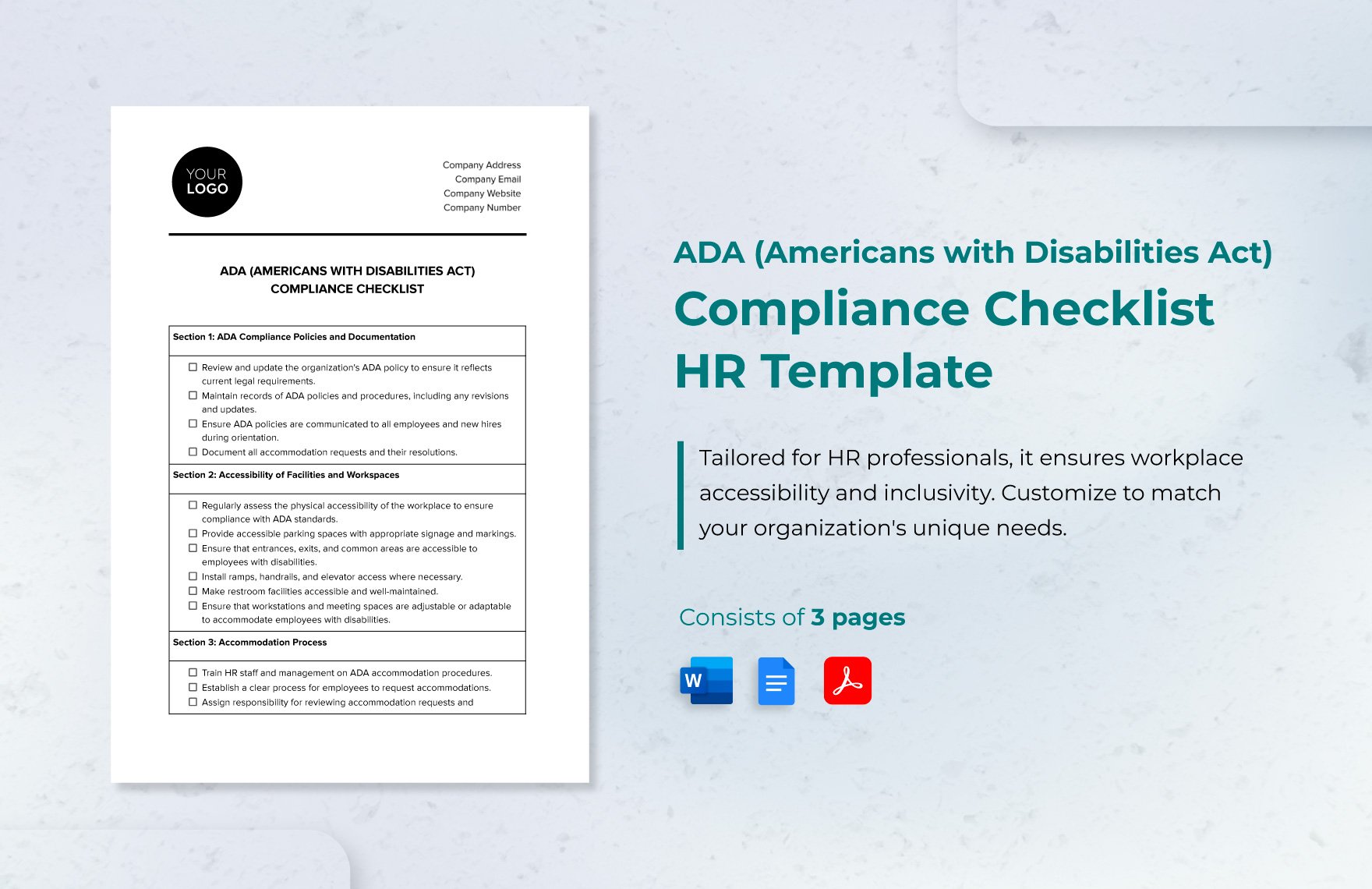
The opening section should establish what is being assessed and who is responsible for the assessment. Useful fields include organization name, business unit, site or location, department, assessment date, reviewer, responsible manager, and document version.
Where an organization operates in multiple jurisdictions, include a field identifying the applicable jurisdiction. This is important because a California workplace, a Texas workplace, a UK workplace, and an Australian workplace may operate under materially different legal frameworks.
The assessment scope should also be explicit. A form may cover a physical site, a recruitment process, a digital service, an accommodation request, a department, or an enterprise-wide program. Without a defined scope, a completed checklist can create a misleading impression that everything has been reviewed.
Version control is especially useful for forms that will be reused. A simple document number, version date, and review date can help distinguish an obsolete form from the current organizational version.
If the form is used as part of an internal audit, consider adding an assessment status such as “not started,” “in progress,” “compliant,” “partially compliant,” “action required,” and “not applicable.” These statuses should have clear definitions so different reviewers interpret them consistently.
2. Physical Accessibility
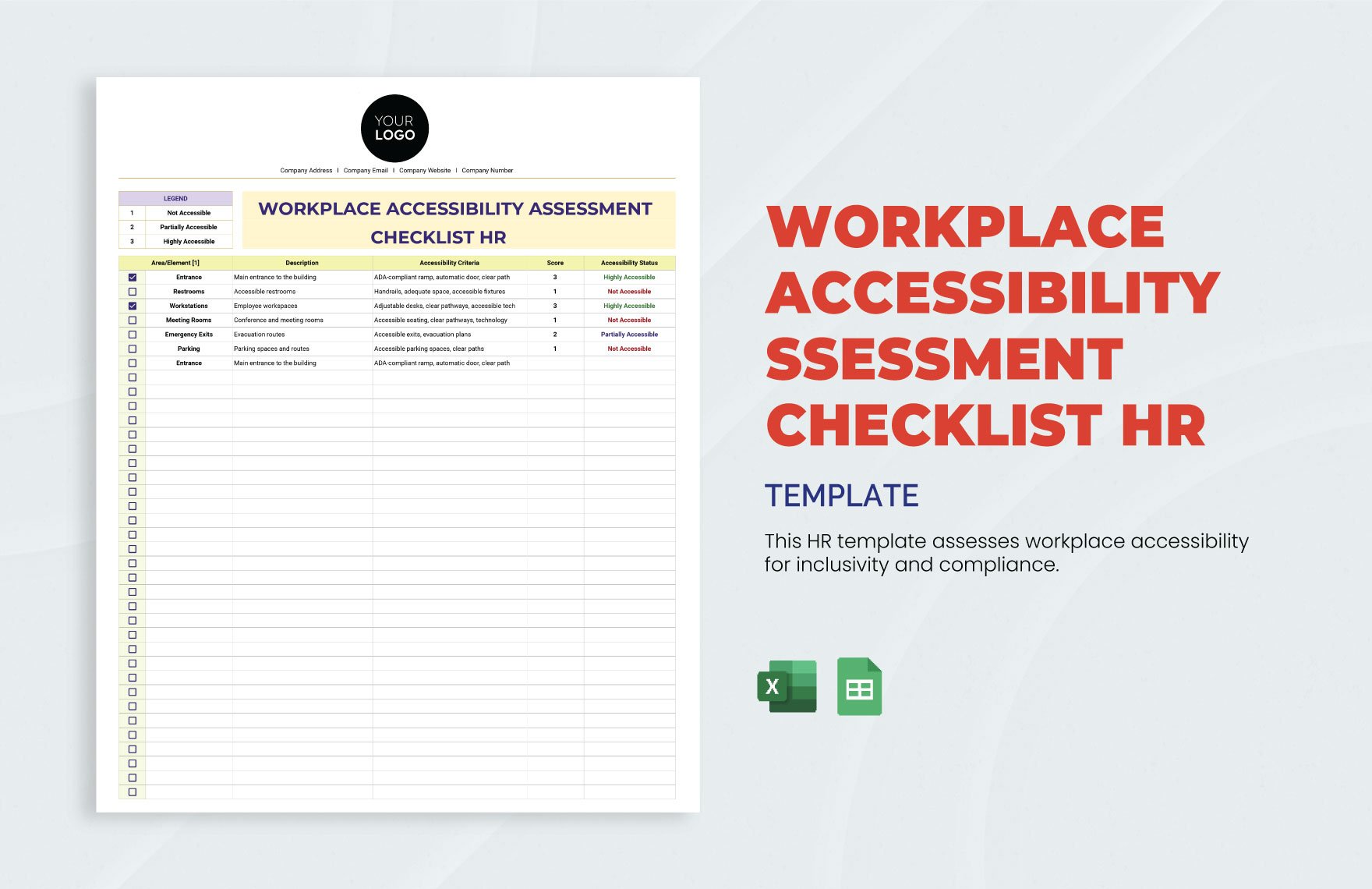
Physical accessibility should cover the employee’s journey through the workplace rather than only the front entrance. An assessment can begin with parking and drop-off arrangements, then continue through paths of travel, entrances, doors, elevators, stairs, corridors, work areas, meeting spaces, restrooms, break areas, and emergency routes.
Look for functional barriers rather than simply checking whether a feature exists. An accessible entrance that is routinely blocked by deliveries is different from an entrance that has no accessible route. A lift that exists but is unavailable during normal working hours can create a different operational barrier from a lift that is fully available.
Workstations should also be assessed according to actual job requirements. A desk, counter, production station, laboratory bench, warehouse control point, or reception area may need different accessibility considerations depending on how the work is performed.
Emergency procedures deserve their own field. Evacuation routes, alarms, communication methods, assembly areas, and emergency assistance procedures should be considered from the perspective of people with different mobility, sensory, communication, and cognitive needs.
The form should provide room for observations. A checkbox alone cannot explain a barrier. A useful observation might state that a route is technically available but temporarily obstructed, that a door requires excessive force, or that emergency instructions are not provided in an accessible format.
3. Digital and Communication Accessibility
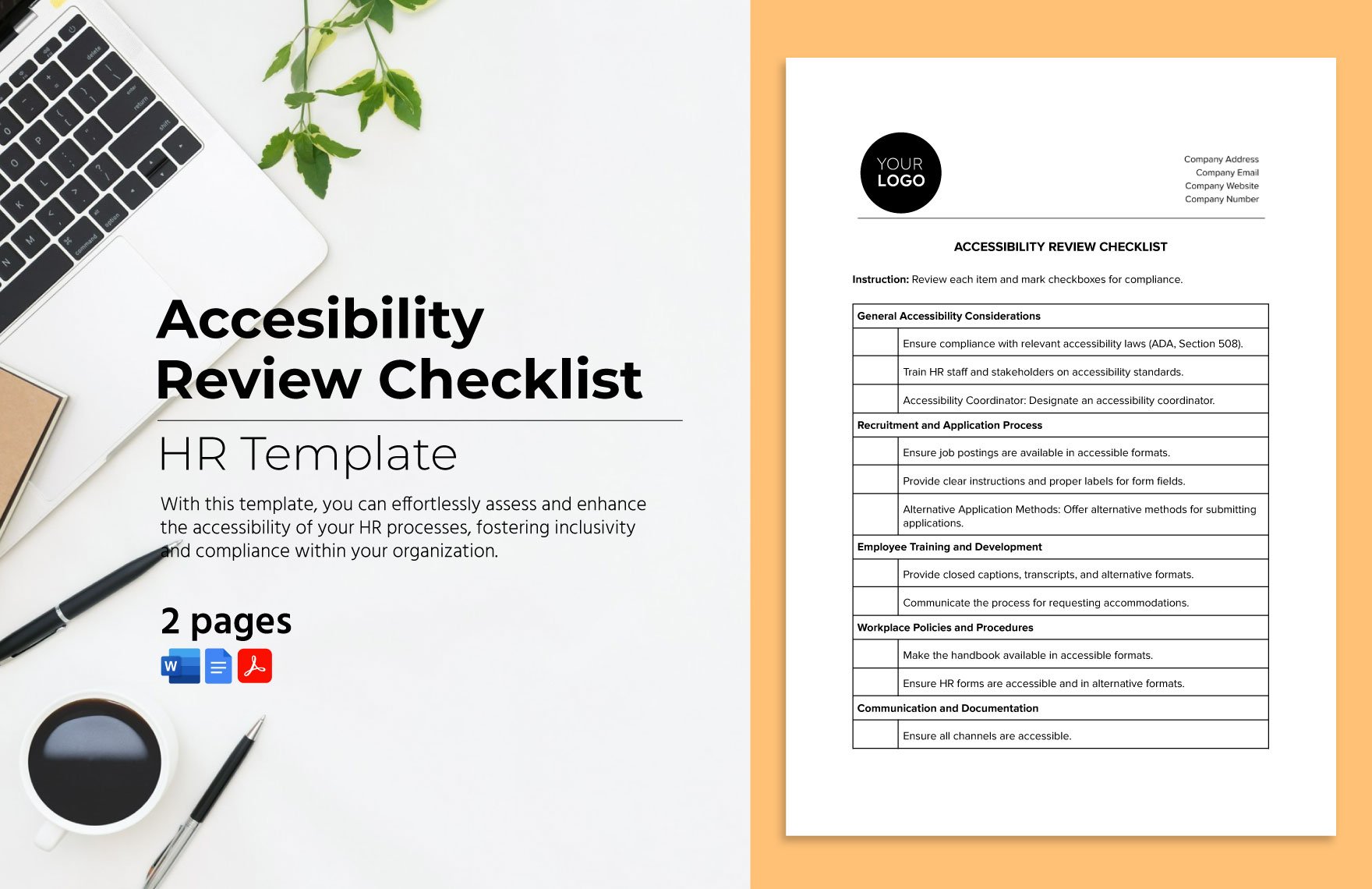
Modern workplace accessibility extends beyond the physical building. Employees may depend on HR portals, payroll systems, collaboration platforms, training systems, internal websites, document repositories, spreadsheets, forms, and other digital tools to perform essential job duties.
A compliance form should therefore ask whether critical systems can be used with appropriate assistive technologies and whether essential information is available in accessible formats. The answer should not simply be “yes” because a vendor says its software is accessible. Testing and user feedback may be necessary.
Documents should also be considered. Microsoft Word, Excel, PDF, PowerPoint, and other files can contain accessibility barriers caused by poor heading structure, missing alternative text, inaccessible tables, inadequate reading order, unclear links, or excessive reliance on color. Public-sector guidance such as the U.S. Social Security Administration’s document checklists addresses accessibility across PDF, Word, PowerPoint, and Excel formats. :contentReference[oaicite:5]{index=5}
Forms themselves must be accessible. If an employee cannot navigate a digital form with a keyboard, understand its labels with assistive technology, or perceive instructions because of poor contrast or structure, the organization has created an accessibility barrier in the compliance process itself.
A useful template should therefore include fields for system or document name, accessibility issue, affected function, testing method, owner, remediation date, verification method, and current status. This converts a vague concern into a manageable work item.
4. Reasonable Accommodation and Adjustment Records
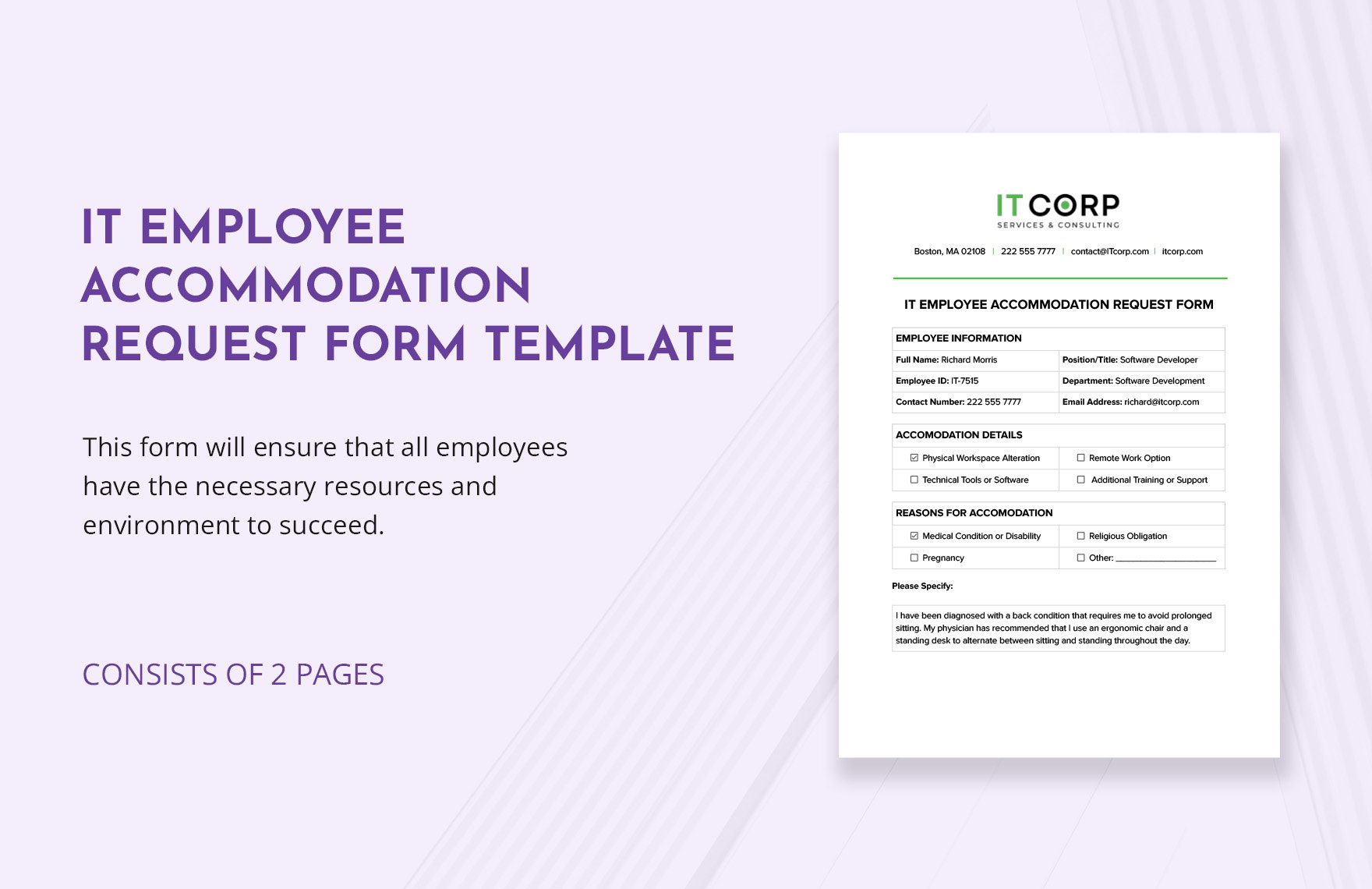
Accommodation documentation should focus on the workplace barrier, the essential job function affected, the adjustment considered, the decision, implementation, and follow-up. It should not become an unnecessarily detailed medical dossier.
In the United States, the EEOC explains that an employee does not necessarily need to use the words “reasonable accommodation” to put an employer on notice. The employee generally needs to communicate that a work adjustment or change is needed for a reason related to a medical condition. :contentReference[oaicite:6]{index=6}
Employers should therefore design their intake process around functional needs. A useful form might ask what workplace task or process is creating difficulty, what change is requested or being considered, how the change would address the barrier, and whether other effective options have been considered.
The decision record should distinguish between “requested,” “approved,” “implemented,” and “effective.” An accommodation may be approved but not yet installed, or installed but later found ineffective. Those stages should not be collapsed into one checkbox.
Follow-up is equally important. The review date can depend on the situation. Some adjustments may need review when job duties, equipment, location, technology, or working arrangements change rather than on a rigid annual schedule.
How to Build the Form Step by Step
Step 1: Define the Compliance Scope
Start by identifying exactly what the form is designed to document. A general workplace assessment form might cover physical facilities, technology, communication, recruitment, emergency procedures, and accommodation processes. A specific accommodation form should be narrower.
Do not combine unrelated legal obligations merely because they involve accessibility. Building accessibility, employment discrimination, digital accessibility, health and safety, privacy, and data retention may be governed by different requirements.
Write a short scope statement at the beginning. For example, an internal form might state that it is used to assess accessibility barriers at a specified workplace location and to document corrective actions. Another form might state that it records an individual workplace adjustment request and the employer’s response.
The scope statement should also identify whether the form is an internal management tool, a formal employee request, an audit record, or a supporting document. This prevents users from treating an informal checklist as though it were an official government filing.
Finally, identify who owns the process. Depending on the organization, that could be HR, legal, facilities, IT accessibility, occupational health, a disability inclusion team, or a designated accessibility coordinator.
Step 2: Translate Requirements Into Questions
Once the scope is clear, convert requirements into questions that a reviewer can answer consistently. Questions should be specific enough to produce evidence rather than broad enough to invite subjective interpretations.
For physical access, instead of asking “Is the workplace accessible?”, break the question into route, entrance, door, elevator, restroom, workspace, meeting room, emergency route, and signage categories.
For digital access, ask whether essential documents have appropriate structure, whether critical systems have been tested, whether keyboard access works where relevant, whether information is available in accessible formats, and whether accessibility defects have assigned owners.
For accommodation processes, ask whether requests have a documented intake route, whether the responsible person has been identified, whether the employee’s functional barrier has been understood, whether effective options were considered, and whether implementation was verified.
Every question should have an appropriate response type. “Yes/No” is useful for simple controls, while “Compliant/Partially compliant/Not compliant/Not applicable” may be better for nuanced assessments. Open text fields should be reserved for observations, explanations, and corrective actions.
Step 3: Add Evidence and Corrective Action Fields
A strong compliance form should capture evidence without demanding unnecessary information. Evidence might include an inspection observation, policy reference, test result, system name, equipment record, corrective-action number, or confirmation from a responsible department.
Each deficiency should have an owner. Without an owner, the form records a problem but does not establish accountability. The owner could be a facilities manager, IT administrator, HR manager, procurement lead, or another appropriate role.
Include a target date and status. A simple workflow might use “Open,” “Assigned,” “In progress,” “Pending verification,” and “Closed.” If the organization uses a separate action-management system, the form can record the corresponding reference number instead of duplicating the entire workflow.
Verification should be independent of the original observation where practical. For example, if an accessibility barrier was identified during an inspection and a ramp modification was later completed, the record should include confirmation that the modified route can actually be used as intended.
This structure creates a defensible audit trail without turning every form into a lengthy report. The objective is traceability: what was identified, what was decided, who acted, when it happened, and how effectiveness was checked.

Choosing Between Word, PDF, Excel, and Printable Formats
When Word Works Best
Word is useful when the form needs narrative explanations, signatures, policy references, and flexible document structure. It is particularly practical for accommodation discussions, assessment reports, decision records, and forms that may need to be printed and signed.
An accessible Word template should use built-in heading styles, meaningful document structure, properly defined tables, descriptive links, appropriate alternative text, and accessible formatting. The University of Leeds notes that using an accessible template and applying heading styles correctly can improve how documents work with screen readers and other assistive technologies. :contentReference[oaicite:7]{index=7}
Word also makes it relatively easy to create a controlled document with a title, version number, instructions, sections, signature areas, and an approval history.
Its weakness is structured data analysis. If hundreds of assessments must be compared, Word documents can become difficult to consolidate.
For that reason, Word is usually best for detailed individual records and narrative assessments rather than large-scale compliance dashboards.

When Excel Works Best
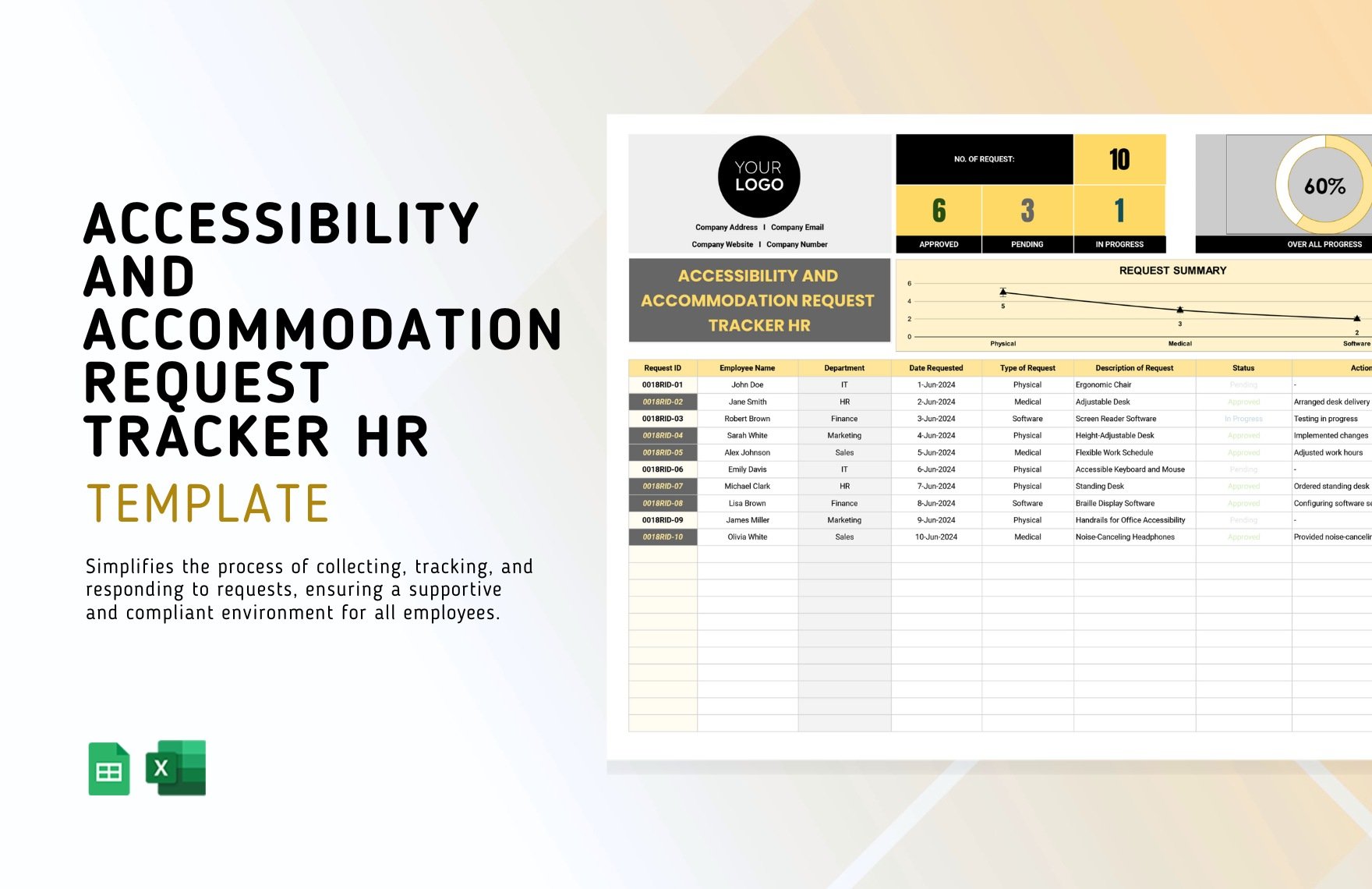
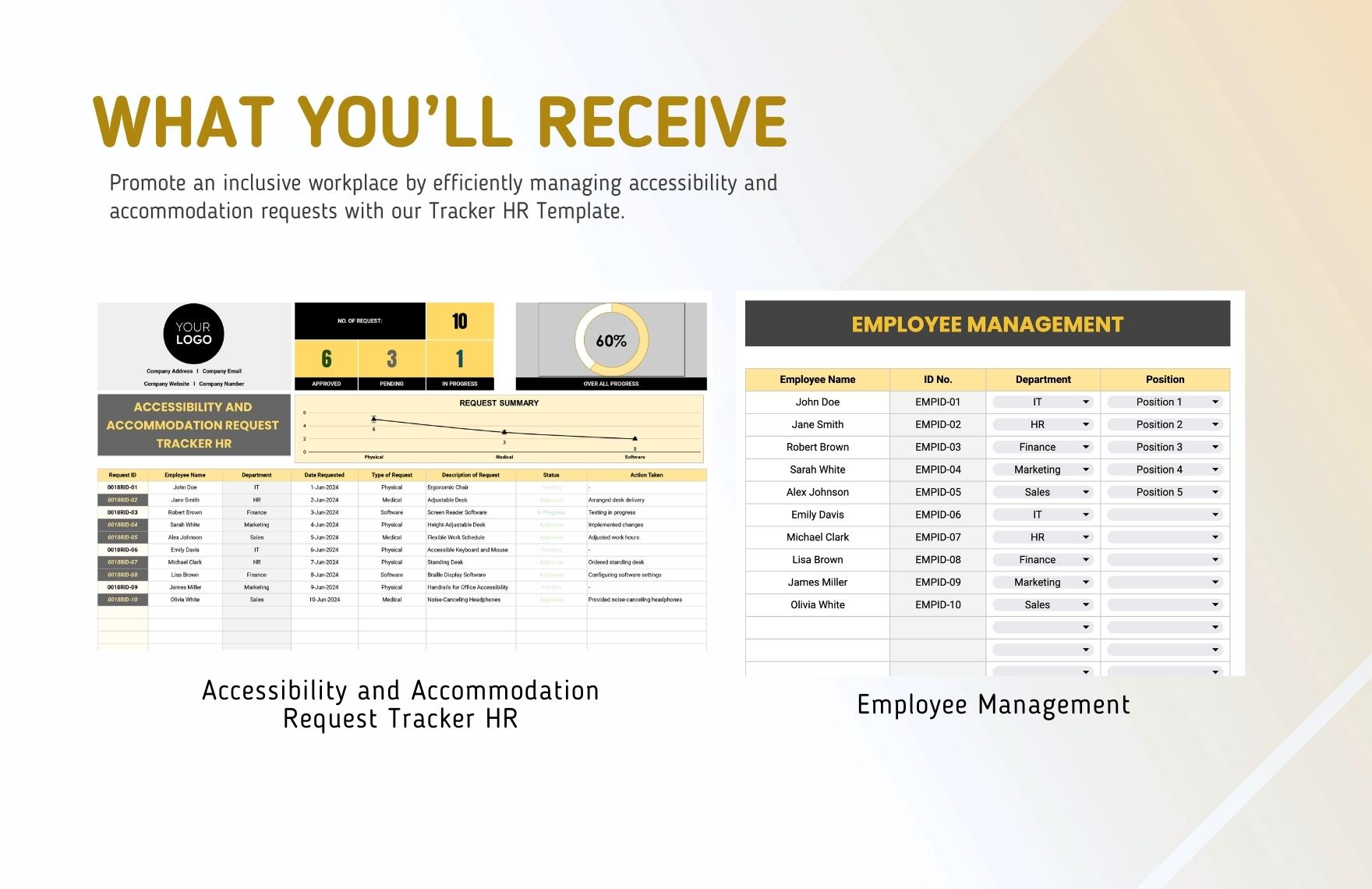
Excel is particularly useful when the organization needs to track many locations, issues, actions, review dates, or accommodation requests. Rows can represent records, while columns can represent status, owner, date, category, jurisdiction, risk, and verification information.
However, an Excel tracker must itself be accessible. Massachusetts guidance recommends structured accessibility checks for Excel documents, including meaningful sheet structure, clear fonts, descriptive links, appropriate color use, meaningful alternative text for images, and properly structured tables. :contentReference[oaicite:8]{index=8}
Use a consistent data dictionary. For example, define “Open,” “In progress,” “Closed,” and “Not applicable” before the tracker is deployed. Otherwise, users may enter inconsistent values that make analysis unreliable.
Do not use color as the only indicator of status. A red cell should also contain meaningful text such as “Action required.” This is useful for everyone and reduces dependence on visual perception.
Excel is best treated as a controlled register or analytical layer, not as a replacement for every underlying assessment document.
When PDF Works Best
PDF is useful when a completed record must preserve a fixed layout for distribution, approval, printing, archiving, or controlled review. It can be especially convenient when a form needs to look the same across devices.
But “PDF” does not automatically mean “accessible PDF.” A scanned image of a form may be difficult or impossible for a screen reader to interpret. Proper tags, reading order, form labels, document language, alternative text, and other accessibility features may be necessary depending on the document.
The same principle applies to a workplace compliance form. If the organization provides a PDF version, it should test the final PDF rather than assuming that an accessible Word source automatically guarantees an accessible PDF.
PDF should also not be the only available format when users may need to complete or adapt the document. Depending on the purpose, an accessible HTML, Word, or other editable version may be more useful.
The best format is the one that supports the actual workflow while remaining usable by the people expected to complete, review, or rely on the document.
Jurisdiction-Specific Considerations
United States
U.S. employers should avoid treating the ADA as a generic checklist of building features. Title I employment obligations concern equal employment opportunity and reasonable accommodation, while other accessibility requirements can apply to different contexts.
The EEOC explains that reasonable accommodation may include making facilities accessible, restructuring jobs, changing schedules, modifying equipment, providing readers or interpreters, modifying training or examinations, and reassignment to a vacant position in appropriate circumstances. :contentReference[oaicite:9]{index=9}
The form should therefore capture the employment function affected by a barrier, not simply record a physical feature. A workplace can be physically accessible yet still create an employment barrier through scheduling rules, inaccessible software, communication practices, or inaccessible training materials.
Organizations should also document decisions consistently. If a requested accommodation is not provided, the record should explain the decision-making process and any alternative effective accommodation considered where appropriate.
Legal review is appropriate when the circumstances are complex, disputed, or likely to create significant employment-law exposure.
California
California deserves a separate section because the California Civil Rights Department expressly describes an interactive process as part of reasonable accommodation obligations under the Fair Employment and Housing Act for covered employers.
The California Civil Rights Department states that covered employers must provide reasonable accommodation for individuals with physical or mental disabilities to apply for jobs and perform essential functions unless doing so would cause undue hardship. It also explains that employers must initiate an interactive process when an accommodation is requested or when they become aware of a possible need. :contentReference[oaicite:10]{index=10}
A California-oriented form should therefore include fields for the employee’s functional limitation, requested or considered adjustment, interactive-process discussion, options evaluated, decision, implementation, and follow-up.
It should not require an employee to disclose more medical information than is legitimately necessary for the accommodation process. The form should be designed around functional limitations and workplace needs.
Organizations operating across several states should maintain jurisdiction-specific instructions rather than assuming a California form is suitable everywhere.
Florida
For Florida operations, employers should distinguish between federal requirements and any applicable state or local rules. A Florida-specific template can be useful as an organizational version, but it should not claim to be an official state-mandated form unless a particular government authority actually requires that format.
The most practical design is to preserve the organization’s common accessibility fields while adding a jurisdiction field and a legal-reference field. The latter can identify the laws, regulations, policies, or legal guidance that the organization’s counsel has determined apply to the particular process.
For accommodation requests, the form should still emphasize the functional workplace barrier, requested adjustment, decision process, implementation, and review.
For facility assessments, the organization should separately consider applicable building, fire, safety, transportation, and accessibility requirements rather than relying on an employment accommodation checklist alone.
This distinction prevents a common compliance mistake: using one document to imply that every type of accessibility obligation has been evaluated.
Texas
Texas employers should similarly identify the federal, state, and local requirements applicable to their particular workplace and workforce. A Texas version of a template can retain the same operational structure while providing jurisdiction-specific instructions.
For example, an employer might use common fields for employee information, job function, barrier, requested adjustment, alternatives considered, implementation date, and review status, while maintaining separate legal guidance for Texas-specific requirements.
Organizations should also be careful when adapting forms originally designed for housing or public accommodations. A form can use the phrase “reasonable accommodation” while being intended for an entirely different legal context.
The safest approach is to verify the original purpose of any borrowed form before using it for employment documentation.
Where an issue involves a contested accommodation, potential discrimination, or a significant legal decision, the form should support—not replace—appropriate professional legal review.
United Kingdom
UK employers should design their forms around reasonable adjustments under the Equality Act 2010. GOV.UK explains that reasonable adjustments can involve changes to recruitment processes, work methods, physical premises, equipment, work location, working hours, and other aspects of employment. :contentReference[oaicite:11]{index=11}
The form should capture the disadvantage that the worker experiences, the adjustment considered, the agreed action, the person responsible, and any follow-up required. A useful UK form can also provide space for the worker and manager to record an ongoing adjustment passport or workplace adjustment arrangement.
GOV.UK also provides a Health Adjustment Passport designed to help people identify support and changes they may need at work and discuss those needs with employers. :contentReference[oaicite:12]{index=12}
Employers should make sure the form itself is available in accessible formats where needed. GOV.UK guidance specifically recognizes accessible formats as an example of a reasonable adjustment. :contentReference[oaicite:13]{index=13}
A UK template should therefore be treated as a working document that supports an adjustment conversation rather than merely as a one-time application form.
Australia
Australian organizations can draw on JobAccess and Australian Human Rights Commission resources when designing workplace accessibility processes. JobAccess provides an employer accessibility checklist and downloadable employer resources, while the Australian Human Rights Commission provides a Disability Access and Inclusion Health Check covering areas such as policies, workplace culture, recruitment, built environment, ICT, retention, promotion, and workforce data. :contentReference[oaicite:14]{index=14}
JobAccess also recommends regularly checking workplace accessibility and considering areas such as building design, workspace setup, technology, equipment, reasonable adjustments, flexible working, disability information, and return-to-work processes. :contentReference[oaicite:15]{index=15}
An Australian template can therefore combine physical, digital, employment-process, and policy questions rather than treating accessibility as a facilities-only issue.
The Australian Human Rights Commission’s health-check model is particularly useful for organizations that want to assess organizational maturity rather than simply record individual barriers. :contentReference[oaicite:16]{index=16}
For organizations with Australian operations, a strong form should also identify the responsible business owner for each action and establish a recurring review cycle.
How to Make a Form Legally Useful Without Overclaiming
The first principle is to separate evidence from conclusions. A reviewer can record that an accessible route was blocked, that a digital document lacked usable structure, or that an employee requested a schedule modification. Those are observations or documented events.
The next step is to identify the applicable requirement. The form should provide a field for a policy, standard, regulation, law, or internal requirement where appropriate, rather than automatically labeling every issue “illegal.”
This distinction matters because not every accessibility improvement is legally mandated in the same way. Some improvements may be required, some may be reasonable risk controls, and some may be best-practice enhancements.
Use evidence-based language such as “requirement identified,” “barrier observed,” “action required,” “review pending,” and “verified.” Avoid conclusory statements such as “fully legally compliant” unless the organization has a defensible basis for making that determination.
A well-designed template creates a transparent trail from requirement to evidence to action. That is far more useful than a document containing dozens of unexplained compliance checkboxes.
Data Collection and Analysis
Once an organization has multiple completed forms, the information can reveal patterns. Useful fields for analysis include workplace location, barrier category, accommodation type, status, responsible department, date identified, target completion date, implementation date, and review outcome.
For example, an organization might discover that most open actions concern meeting rooms, while another organization might find that digital training materials create the largest recurring barrier. These observations are not universal statistics; they are examples of the types of patterns that an internal dataset can reveal.
Trend analysis should distinguish between the number of requests and the number of barriers. One employee may submit several requests, while one systemic barrier may affect many people.
Organizations should also avoid using raw request counts as a measure of accessibility quality. A low number of requests may reflect a lack of awareness, an inaccessible reporting process, fear of disclosure, or an organizational culture in which people do not request adjustments.
Better measures include action closure rates, time to implementation, recurring barrier categories, accessibility test results, user feedback, and whether corrective actions remain effective after implementation.
Reporting and Record Retention
A compliance form is most useful when its records can be converted into management information. A monthly or quarterly report might summarize open actions, overdue actions, recurring categories, high-priority barriers, completed improvements, and upcoming reviews.
Reports should be aggregated wherever possible. Individual accommodation records can contain sensitive information, so broad management reporting should not unnecessarily expose personal details.
Access controls should reflect the sensitivity of the information. HR accommodation records should not automatically be accessible to every facilities or compliance employee simply because those employees participate in workplace accessibility activities.
Retention periods should be based on applicable legal, regulatory, contractual, organizational, and records-management requirements. Do not invent a universal retention period for every jurisdiction.
The form should also identify where the authoritative record is stored. A controlled document-management system is preferable to scattered email attachments because it provides better version control, access management, and retrieval.
Common Mistakes to Avoid
One common mistake is making the form too generic. A question such as “Is the workplace accessible?” produces little useful evidence. Break broad concepts into specific, observable requirements.
Another mistake is treating accessibility as a one-time inspection. A building may pass an inspection while a new software system, workplace relocation, construction project, or changed work arrangement introduces new barriers later.
A third mistake is collecting excessive medical information. Accommodation documentation should be designed around legitimate workplace needs and functional limitations rather than gathering more health information than necessary.
Another problem is failing to record implementation. Approval is not the same as delivery. A requested adjustment that was approved but never installed has not solved the workplace barrier.
Finally, organizations sometimes copy an official-looking form from another jurisdiction and assume that it is legally sufficient locally. That can create significant confusion because a government form, a private template, and an internal checklist have different purposes.
Best Practices for a Professional Template
Keep the first page simple. Users should immediately understand the purpose, scope, responsible owner, date, and status. Detailed instructions can follow in a separate section.
Use plain language wherever possible. A compliance document can be legally precise without becoming unnecessarily difficult to understand.
Make every field meaningful. If nobody knows what a field is intended to capture or how the answer will be used, remove it or clarify its purpose.
Provide accessible completion methods. A printable form should remain usable on paper, while a digital form should support keyboard navigation, readable structure, accessible labels, and appropriate assistive technology.
Test the final document, not only the source template. A Word document converted to PDF, an Excel workbook exported to PDF, or a web form embedded into another system can develop accessibility problems during conversion or implementation.
Practical Examples
Example: Office Entrance Barrier
A hypothetical assessment identifies an entrance door that is technically accessible but difficult to operate independently because the door requires substantial force. The form records the location, barrier, affected task, observation, responsible facilities manager, proposed corrective action, target date, and verification method.
The corrective action might involve adjusting the door closer, modifying hardware, or implementing another effective solution. The form should not assume which solution is legally required before the facts are evaluated.
Example: Accessible Training Materials
A hypothetical HR review finds that mandatory training is distributed as a PDF containing scanned text without an accessible text layer. The issue is recorded as a digital accessibility barrier rather than merely a “document formatting problem.”
The corrective action could involve producing an accessible version, testing it with appropriate tools or assistive technology, and establishing an accessible document standard for future training materials.
Example: Schedule Adjustment
A hypothetical employee reports that a fixed schedule creates a disability-related workplace barrier and requests a modified start time. The accommodation record can document the essential job functions, the barrier described, the requested change, alternatives considered, the decision, implementation date, and review process.
The record should focus on whether the adjustment enables the employee to perform the essential functions and whether there are legitimate operational constraints. The template should not predetermine the outcome.
Practical Solution: Build a Reusable Accessibility Compliance Workflow
The most practical approach is to create a small family of coordinated documents rather than trying to make one form perform every function. Start with a workplace accessibility assessment, an individual accommodation or adjustment request record, and a corrective-action tracker.
First, establish the legal and operational scope for each document. Identify the jurisdictions in which the organization operates and have appropriate internal legal or compliance specialists verify the requirements that apply.
Second, create a common data structure. Use consistent fields for location, category, responsible owner, priority, status, action date, review date, and verification result. Consistency makes later reporting much easier.
Third, build accessibility into the forms themselves. Use meaningful headings, logical reading order, descriptive labels, accessible tables, sufficient contrast, alternative text where required, and formats appropriate to the intended users. Government and university accessibility guidance consistently emphasizes structured authoring and testing rather than assuming that a document is accessible simply because it looks clean. :contentReference[oaicite:17]{index=17}
Fourth, create a simple workflow: intake or inspection, assessment, action assignment, implementation, verification, closure, and review. Every open issue should have an owner and a next step.
Fifth, review recurring barriers at management level. If the same issue appears repeatedly, investigate the underlying system rather than treating every occurrence as an isolated event.
Finally, review the template itself periodically. Laws, technologies, workplace arrangements, organizational structures, and accessibility standards change. A form that was useful two years ago may need new fields, clearer instructions, or a different workflow today.
Reference Examples
The following examples illustrate different document structures, formats, and jurisdictional approaches. They are reference visuals, not universal legal forms, and should be evaluated against the requirements applicable to the organization using them.
workplace accessibility legal compliance form template free
Source: Template.net
workplace accessibility legal compliance form template pdf
Source: Template.net
workplace accessibility legal compliance form template free download
Source: Template.net
workplace accessibility legal compliance form template california
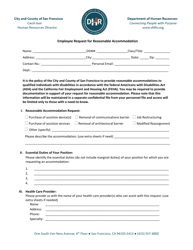
Source: Templateroller — City and County of San Francisco, California form preview
workplace accessibility legal compliance form template word
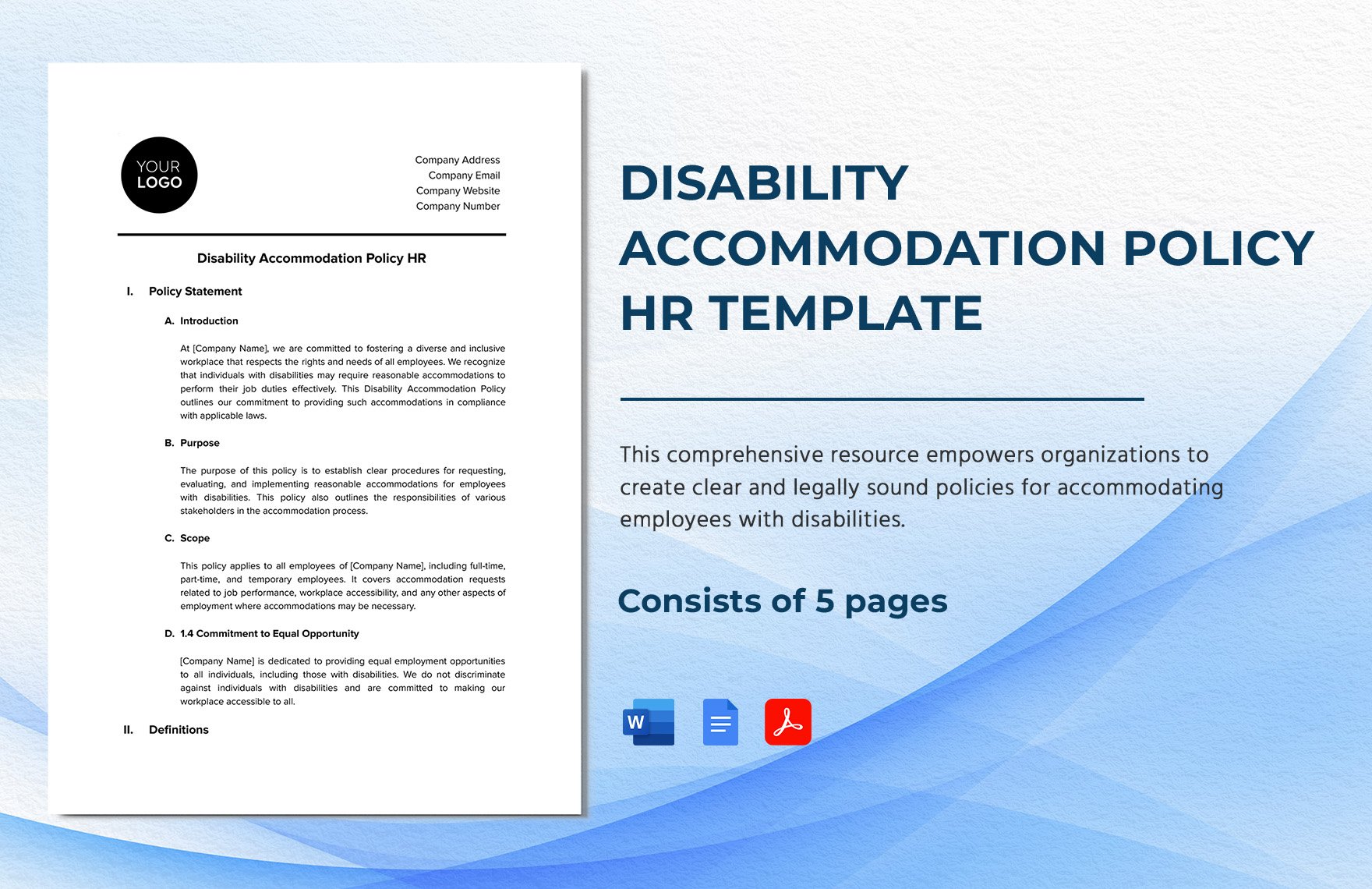
Source: Template.net
workplace accessibility legal compliance form template florida
Source: Template.net
workplace accessibility legal compliance form template texas
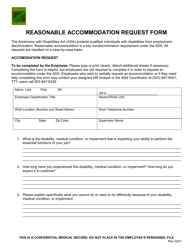
Source: Templateroller — reasonable accommodation form example
workplace accessibility legal compliance form template uk
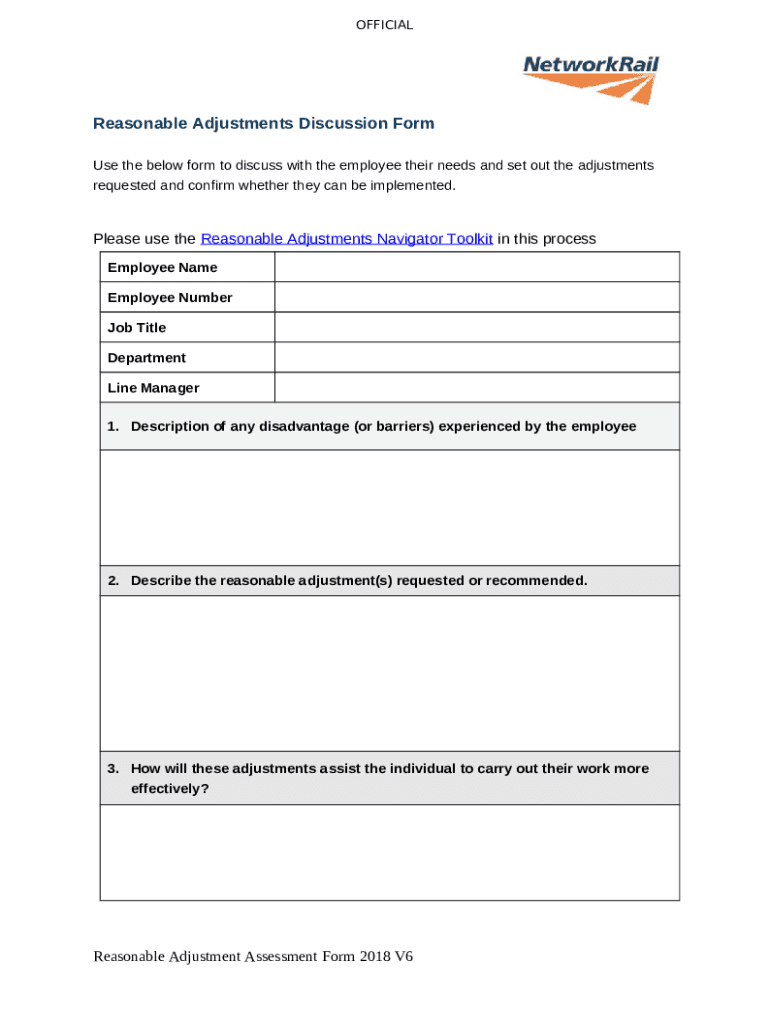
Source: pdfFiller — Network Rail reasonable adjustments discussion form preview
workplace accessibility legal compliance form template excel
Source: Template.net
workplace accessibility legal compliance form template australia
Source: Template.net
workplace accessibility legal compliance form template printable
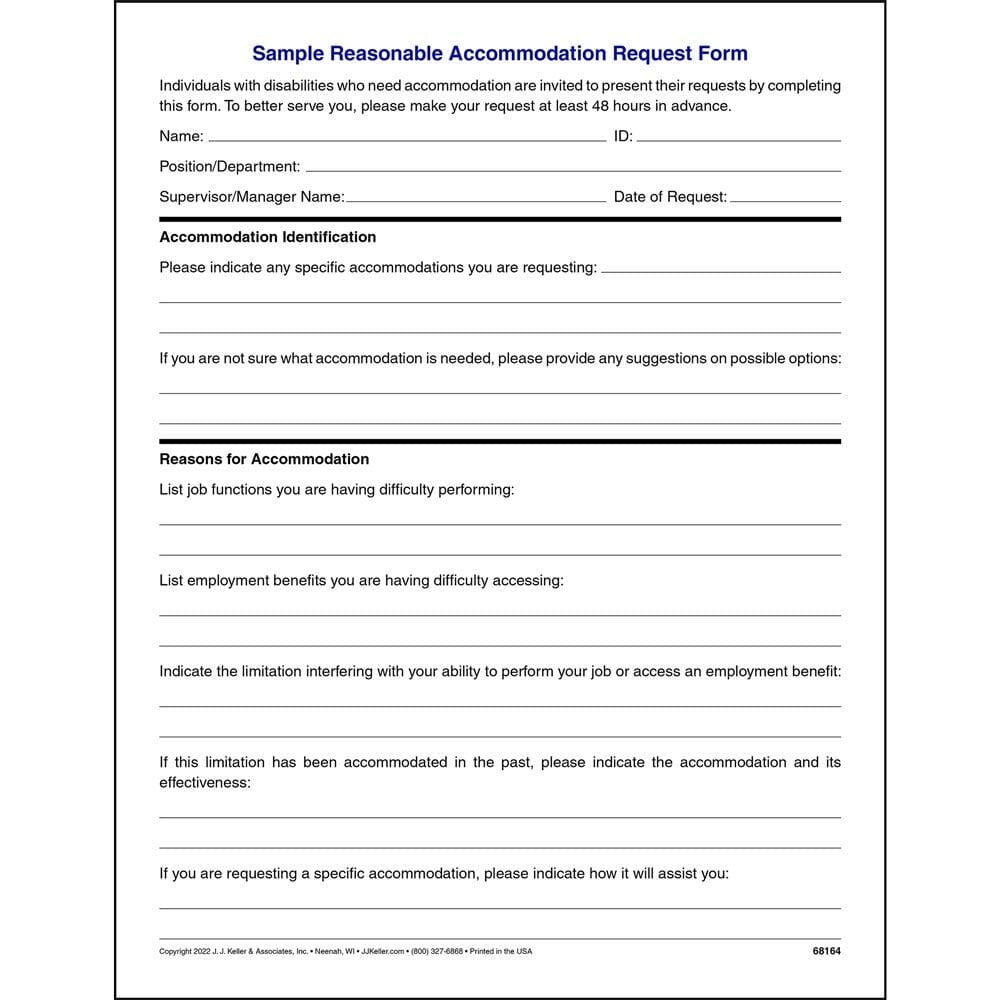
Source: Walmart product image for an employee disability accommodation request form
workplace accessibility legal compliance form template download

Source: The bLog Book of the Caledonia Girl Guides, Pathfinders & Rangers
Frequently Asked Questions
What should a workplace accessibility legal compliance form template contain?
At minimum, it should identify the assessment scope, jurisdiction, date, responsible reviewer, accessibility categories, observations, applicable requirements or policies, corrective actions, owners, deadlines, status, verification, and review date. An accommodation-specific form should additionally document the workplace barrier, requested or considered adjustment, decision, implementation, and follow-up.
Is a workplace accessibility legal compliance form template legally required?
Not necessarily. Accessibility and reasonable-accommodation laws may impose substantive obligations without prescribing one universal employer form. A form is usually a documentation and workflow tool unless a particular authority or applicable rule specifies a required form.
Can the same template be used in every country?
No. A common internal structure can be reused, but the legal references, terminology, scope, privacy controls, and procedural requirements should be adapted to each jurisdiction. U.S., UK, and Australian frameworks, for example, use different statutory concepts and terminology. :contentReference[oaicite:18]{index=18}
Should an accommodation form ask for a diagnosis?
The form should be designed around the legitimate information needed to evaluate and implement the workplace adjustment. Avoid collecting unnecessary medical information. Where documentation is legitimately required, organizations should use appropriate privacy and access controls.
Is Word or Excel better for accessibility compliance documentation?
It depends on the workflow. Word is generally better for narrative assessments and individual records, while Excel is useful for tracking many actions, locations, dates, and statuses. Either format must itself be made accessible and tested.
Can a PDF form be accessible?
Yes, but simply saving a document as PDF does not guarantee accessibility. The final PDF should be tested for structure, reading order, form fields, labels, alternative text where applicable, document language, and other relevant accessibility characteristics.
How often should workplace accessibility forms be reviewed?
There is no universal interval suitable for every organization. Review should occur when relevant laws or policies change, workplace conditions change, technology changes, an accommodation becomes ineffective, or a scheduled governance review is due. Some organizations may also use an annual assessment cycle.
Can a free template be used as an official compliance document?
A free template can provide a useful starting structure, but it should be reviewed and customized before being adopted as an organizational control. Confirm the applicable legal requirements, remove irrelevant questions, add necessary jurisdiction-specific fields, and verify that the final document is accessible.
What is the biggest mistake when using a compliance form?
The biggest mistake is treating completion of the form as the end of the compliance process. A completed checklist does not remove a barrier. The organization must evaluate the issue, assign responsibility, implement appropriate action, verify effectiveness, and maintain suitable records.
Conclusion
A workplace accessibility legal compliance form template is most effective when it is treated as part of an accessibility management system rather than as a standalone piece of paperwork. The strongest templates define scope, document real barriers, distinguish legal requirements from best practices, protect sensitive information, assign corrective actions, and verify that changes actually work.
Organizations should also resist the temptation to use one generic form for every jurisdiction and every accessibility issue. A common structure can create consistency, but California, Florida, Texas, the UK, Australia, and other jurisdictions may require different legal analysis and terminology. Official guidance should always take priority over generic template language.
For practical implementation, choose the format according to the job: Word for detailed records, Excel for structured tracking, PDF for controlled distribution when appropriately accessible, and printable forms when physical workflows require them. Whatever format is selected, the document itself should be accessible to the people expected to use it.
Most importantly, connect documentation to action. A useful workplace accessibility legal compliance form template should make it easy to identify the barrier, understand its impact, determine an effective response, assign an owner, record implementation, and schedule appropriate review. That workflow turns a form from a passive checklist into a practical tool for maintaining an accessible and inclusive workplace.
A well-designed workplace accessibility legal compliance form template therefore serves its real purpose when it supports consistent assessment, responsible decision-making, accessible documentation, and continuous improvement. Used alongside current legal guidance and appropriate professional review, it can help organizations build a clearer, more accountable process for identifying and addressing workplace accessibility barriers.
