The best inventory forms are simple enough to complete quickly but detailed enough to support counting, replenishment, reconciliation, valuation, and follow-up. Common fields include item number, item name, description, location, quantity, unit cost, total value, reorder level, supplier, and notes. Microsoft and Smartsheet both publish inventory templates built around these kinds of fields and workflows. :contentReference[oaicite:0]{index=0}
For many organizations, printing a sheet is still useful during physical counts because the person doing the count can work directly beside the stock. The completed paper record can then be transferred into a spreadsheet or retained as an audit trail, depending on the process.
A good template also reduces ambiguity. Instead of writing information in different formats every time, the user knows which column contains the SKU, which field contains the counted quantity, and where discrepancies should be explained. That consistency makes later checking considerably easier.
This guide explains what an inventory brief should contain, how to create one, when to choose PDF, Word, or Excel, how to conduct a reliable count, and how to turn a basic printable sheet into a useful inventory-control workflow.
What is a printable inventory brief template?
A printable inventory brief template is a structured document used to summarize and record inventory information in a format that can be printed and completed by hand or prepared digitally before printing. It is essentially a reusable framework rather than a report about one specific inventory.
The word “brief” is useful because not every inventory exercise requires a sophisticated inventory-management system. A small shop may need only item names, quantities, prices, and reorder information. A warehouse may require SKU numbers, bin locations, supplier details, stock status, and count variances.
The template therefore acts as a controlled starting point. Users can adapt its fields to the purpose of the count without redesigning the document from scratch each time. Free inventory resources commonly provide versions for business, office, home, equipment, restaurant, retail, and other specialized uses. :contentReference[oaicite:1]{index=1}
A printable format is particularly valuable when inventory must be checked in a physical environment where carrying a laptop is inconvenient. A clipboard and printed sheet can be easier to use in a storeroom, warehouse aisle, office cabinet, stockroom, or facility inspection.
The important distinction is that the template should support a defined inventory process. A sheet that merely lists products may be enough for a simple count, while a sheet intended for inventory control should connect quantity, value, location, replenishment, and verification information.
Why use a printable inventory template?
The first benefit is consistency. Every count uses the same headings and the same sequence of information. This makes it easier for different people to complete the same form and for managers to compare one inventory period with another.
The second benefit is speed. A prepared table eliminates repetitive formatting work. Instead of deciding where to write each piece of information, the person counting can move directly from one field to the next.
The third benefit is visibility. A printed sheet makes missing entries, blank quantities, unusual values, and unexplained differences easy to see. In a physical stockroom, this can be more convenient than navigating between multiple spreadsheet tabs.
The fourth benefit is flexibility. A printable inventory form can be used as a temporary counting document even when the final inventory record is maintained electronically. Microsoft describes inventory templates as customizable tools that can be edited, saved, printed, or shared as PDF documents. :contentReference[oaicite:2]{index=2}
Finally, a standardized sheet can strengthen accountability. Fields such as prepared by, date, location, count status, and notes create context around the numbers. This is especially helpful when a discrepancy needs to be investigated later.
Key components of a useful inventory brief
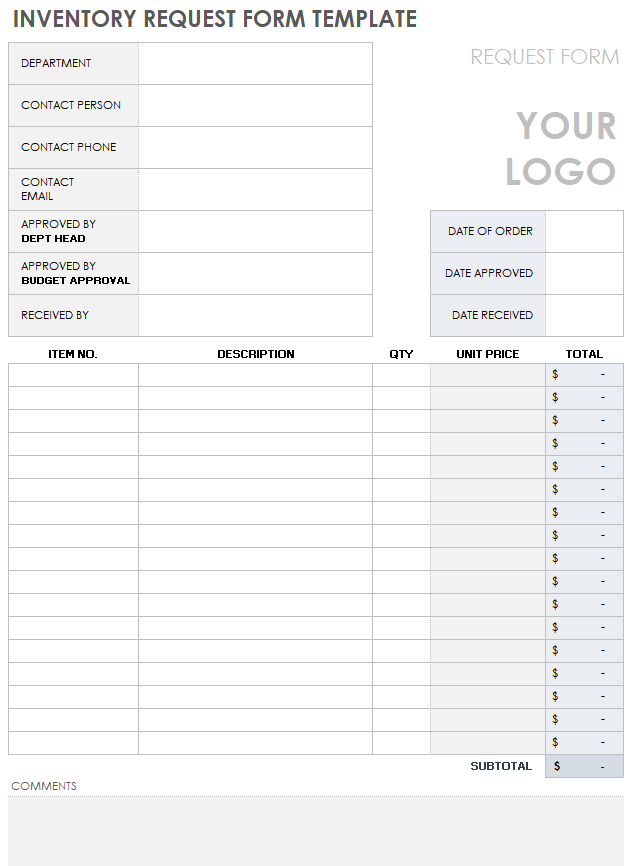
A strong inventory brief begins with identification fields. These normally include the inventory date, location, department or business unit, preparer, and sometimes the person responsible for checking the count.
Next comes the item-identification section. An item number or SKU provides a stable reference, while the item name and description make the record understandable to someone who did not perform the original count.
Location fields are particularly important for organizations with multiple shelves, rooms, bins, departments, or facilities. A precise location can prevent duplicate counts and can help another employee find the physical item without repeating the entire search.
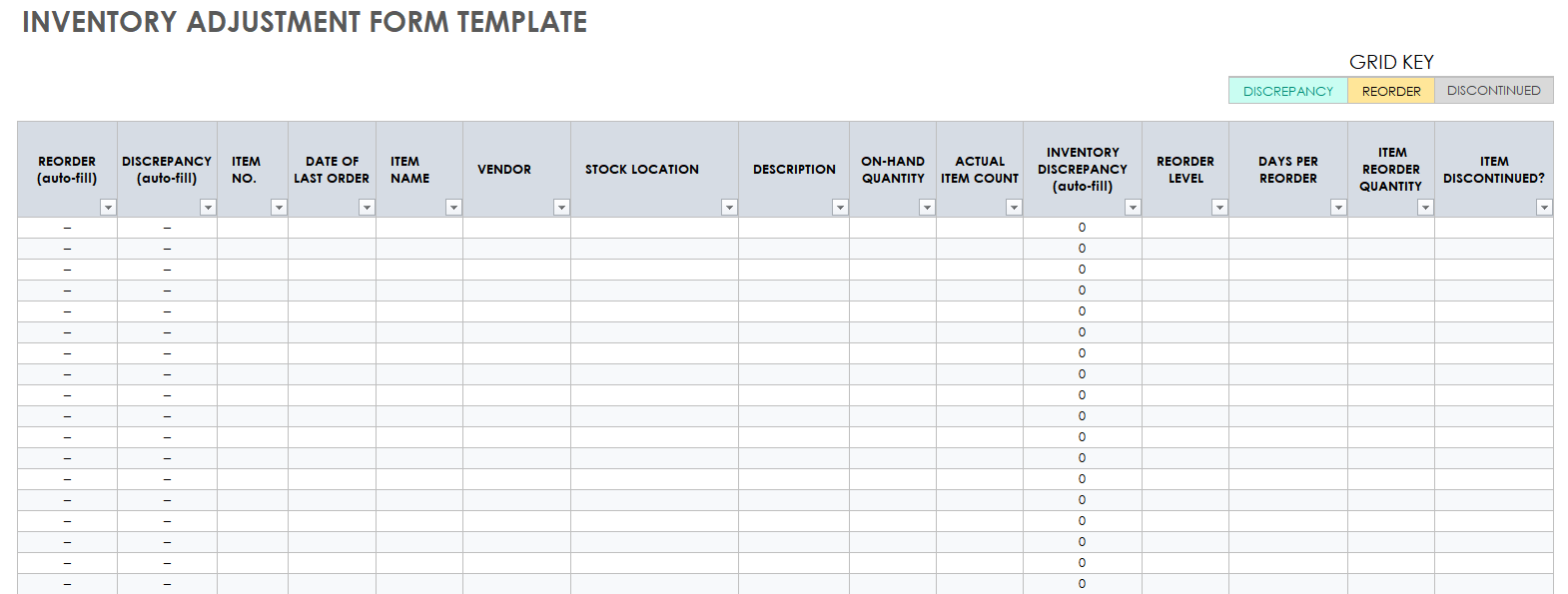
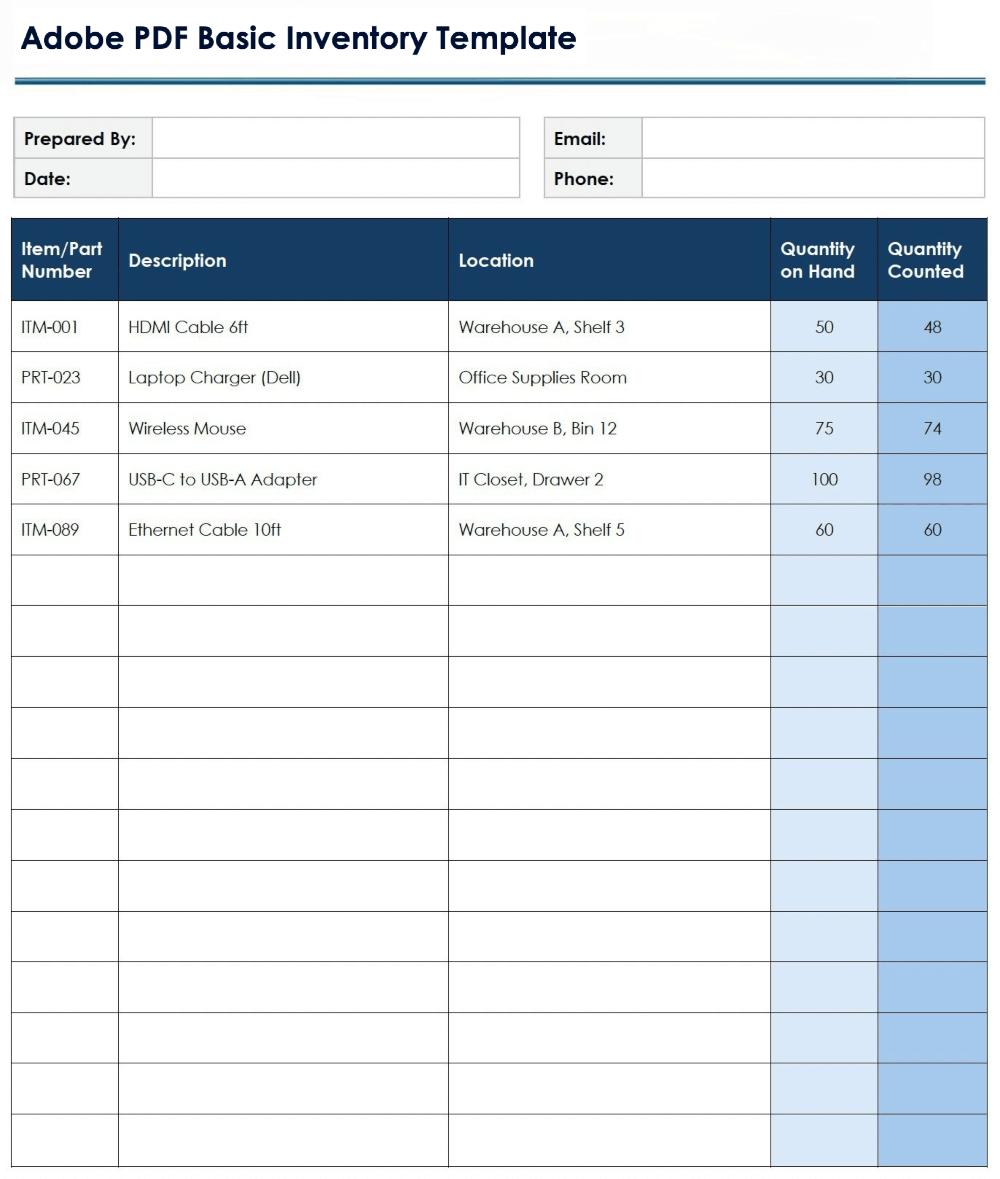
Quantity fields should distinguish between what the records say should be present and what was actually counted whenever reconciliation is important. A basic sheet may need only “quantity on hand,” while a count sheet can use both “recorded quantity” and “counted quantity.”
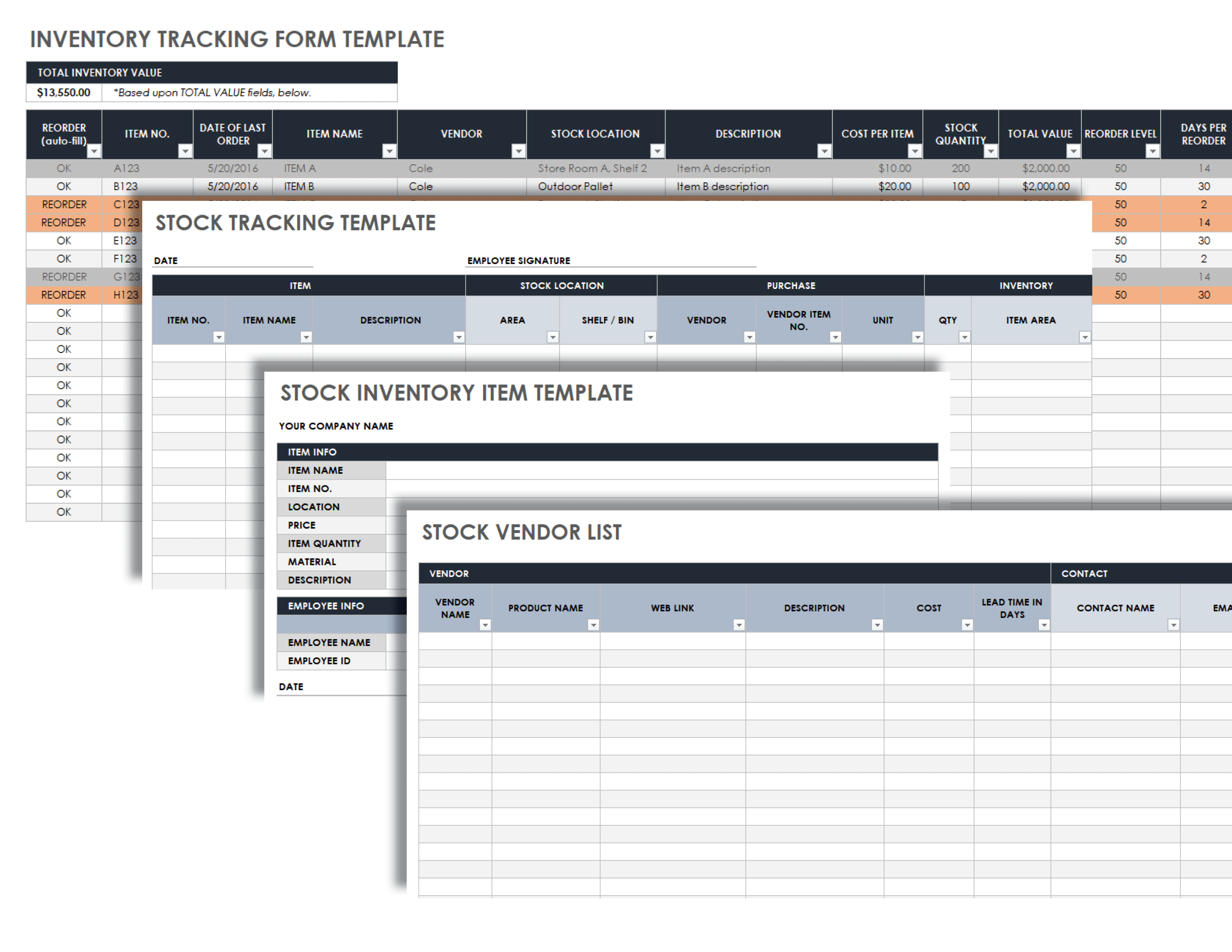
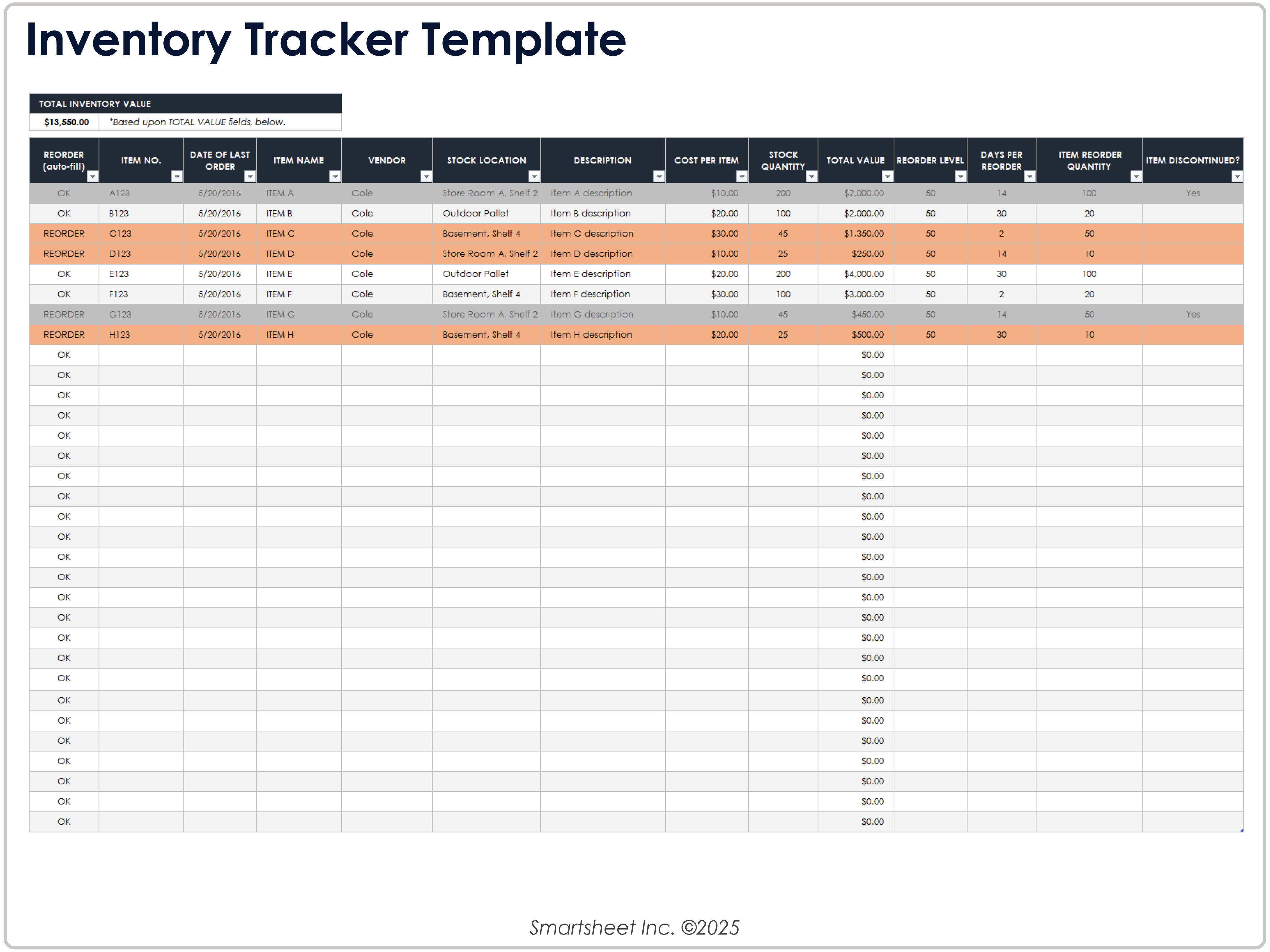
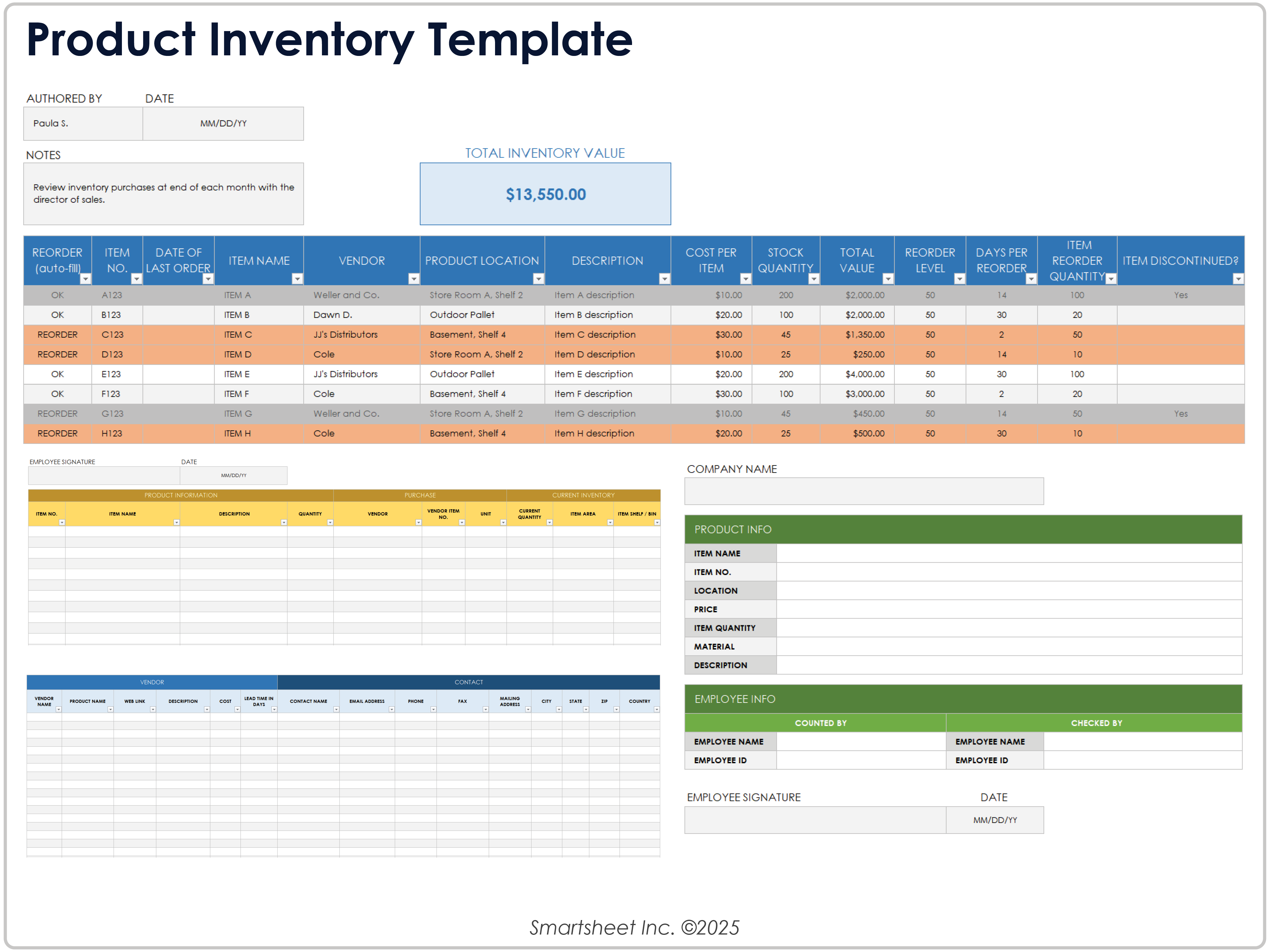
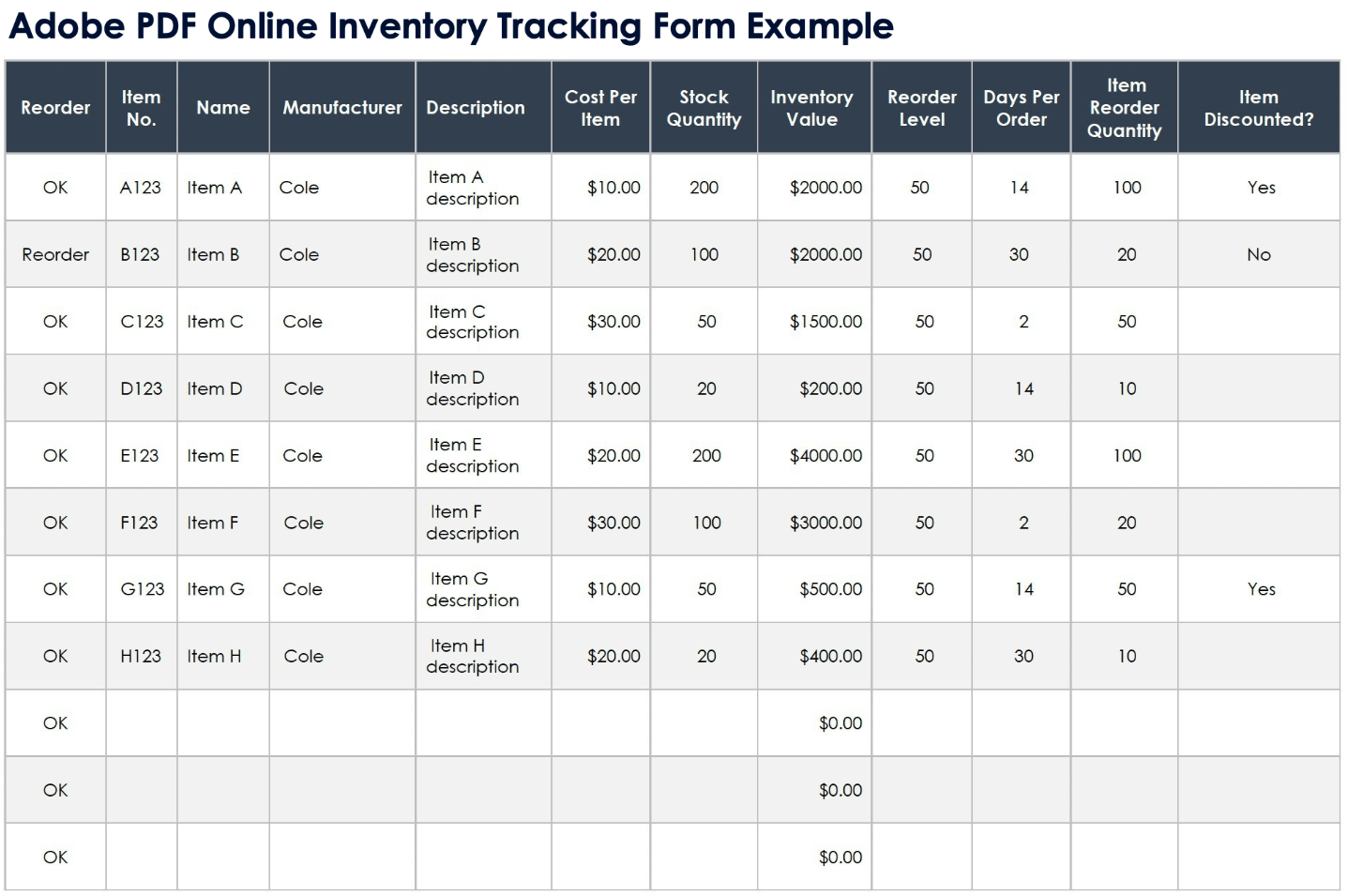
Financial and replenishment fields are optional for very simple inventories but valuable for business use. Unit cost, total value, reorder level, reorder quantity, supplier, and last-order information can transform a simple list into a practical control document. Smartsheet’s printable inventory examples use many of these fields. :contentReference[oaicite:3]{index=3}
Designing the table for real-world counting
The table should be wide enough for the information people actually need to write. If a description column is too narrow, users may abbreviate important information. If the quantity field is too small, handwritten numbers can become difficult to distinguish.
For a basic count, a practical column sequence is item number, item name, description, location, quantity on hand, quantity counted, difference, and notes. This gives the counter a natural path from identification to verification.
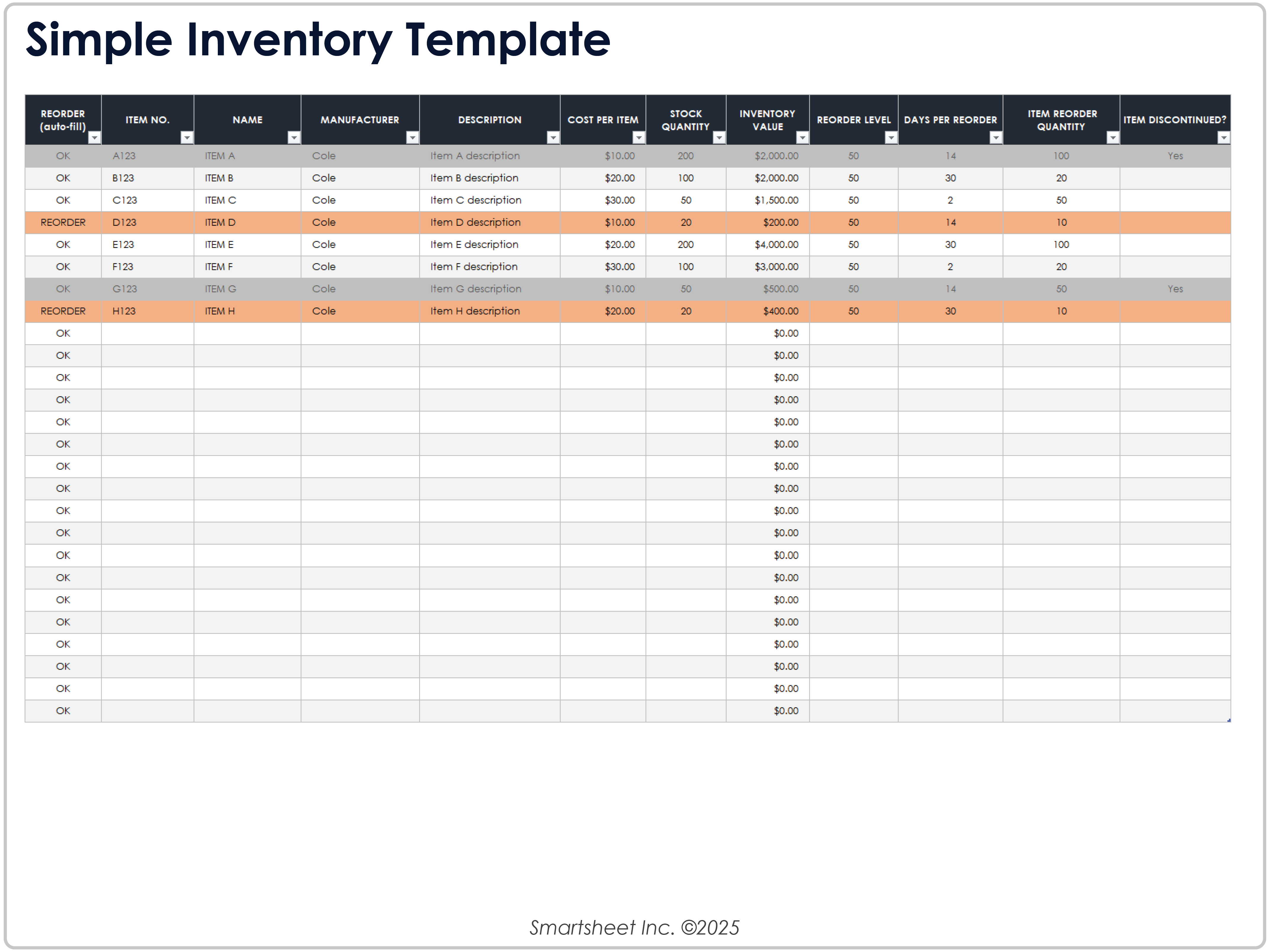
For a business inventory, the sequence can be expanded to include supplier, unit cost, inventory value, reorder level, and reorder quantity. The additional fields are useful when the completed form will also support purchasing or stock-control decisions.
Printed forms should avoid unnecessary decoration. Strong headings, readable spacing, clear borders, and enough blank rows are generally more useful than elaborate visual elements. A document that looks attractive but leaves little room for handwriting is not a practical inventory tool.
When designing for repeated use, consider whether the form will be printed in portrait or landscape orientation. Wide inventory tables often work better in landscape because several operational columns can remain readable without shrinking the text.
Choosing between PDF, Word, and Excel formats
PDF is usually best when the main objective is consistent printing. A PDF preserves the page layout and is convenient when the same blank form needs to be distributed to several people or locations.
Word is useful when the document requires substantial narrative text, custom headings, signatures, instructions, or flexible page formatting. A Word-based form can be convenient for organizations that want a printable document without relying heavily on formulas.
Excel is generally stronger when inventory information will eventually be analyzed. Formulas can calculate totals, values, differences, and reorder indicators, while sorting and filtering make larger inventories easier to review.
There is no universal “best” format. A small physical count might start with a PDF, while the verified results are entered into Excel afterward. Microsoft specifically notes that inventory templates can be customized and then printed or saved as PDF. :contentReference[oaicite:4]{index=4}
A useful workflow is therefore to separate the counting format from the master record. The printed sheet is optimized for accurate physical observation; the spreadsheet is optimized for calculations, searching, reporting, and ongoing updates.
How to create a printable inventory brief template
Step 1: Define what is being counted
Start by deciding the scope. An inventory brief might cover finished products, raw materials, office supplies, fixed equipment, consumables, household belongings, or a specific storage area.
Write the scope into the header. For example, “Warehouse A — Finished Goods” is more useful than simply “Inventory” because it tells the reader which physical population the sheet represents.
Also establish the counting date or period. Inventory information becomes much less useful when the reader cannot determine when the quantities were observed.
If several locations are involved, decide whether each location receives its own sheet or whether one master form will contain multiple sections. Separate sheets can reduce accidental duplicate counting.
The scope should be narrow enough that someone can understand exactly what the sheet represents without asking for additional explanation. This is one of the simplest ways to improve inventory documentation.
Step 2: Establish item identifiers
Each inventory line should identify a distinct item or stock unit. Use an existing SKU, asset number, part number, serial number, or another stable identifier where one already exists.
If no identifier exists, create a simple numbering convention rather than relying solely on descriptions. “Item 001,” “Item 002,” and similar references can make reconciliation easier, provided the numbering remains consistent.
Avoid creating multiple rows for the same item simply because it appears in different locations unless location-level tracking is part of the intended process. Otherwise, the final total may be misleading.
Descriptions should distinguish similar items. “Printer paper” may be insufficient if several paper sizes or grades are stocked. A description such as “A4, 80 gsm, white” is more specific.
The goal is not to create the longest possible description. The goal is to make the inventory line unambiguous enough that another person can identify the item without guessing.
Step 3: Add quantity and verification fields
Quantity is the central measurement in most inventory records, but it should not be treated as a single number without context. Decide whether the sheet records expected stock, counted stock, or both.
For a simple inventory, “Quantity” may be sufficient. For reconciliation, use separate fields such as “Book Quantity,” “Counted Quantity,” and “Difference.” This makes the source of the final number transparent.
Units must also be consistent. One row might represent pieces, another boxes, and another kilograms. The unit field prevents the same number from being interpreted incorrectly.
For example, if a warehouse has 12 cartons containing 24 units each, recording “12” without specifying cartons could create confusion. The inventory record should make the unit of measure explicit.
Where quantities are difficult to count, note the counting method in the instructions or notes field. This is particularly useful for bulk materials, partial packages, or items measured by weight or volume.
Step 4: Add value and reorder information when needed
Not every inventory needs financial fields. A classroom supply list may only need item names and quantities, while a business inventory often benefits from cost and value information.
Unit cost can be multiplied by quantity to estimate inventory value. If prices change frequently, the template should make clear whether the value represents purchase cost, standard cost, replacement cost, or another internal measure.
Reorder level is another useful field. It indicates the point at which the organization should consider replenishment. The exact threshold depends on demand, supplier lead time, storage capacity, and operational requirements.
A reorder quantity can be included when the purchasing process uses a standard amount. If no established purchasing rule exists, leaving the field blank is better than inventing a number.
Templates from Smartsheet demonstrate how inventory forms can combine stock quantity, cost, total value, reorder level, days per reorder, and reorder quantity in one structured record. :contentReference[oaicite:5]{index=5}
How to conduct a physical inventory count
A printable inventory brief is only useful if the counting process is disciplined. Before counting begins, define the location, date, responsible people, and items included in the exercise.
If possible, organize the physical area before counting. Separate unrelated materials, identify damaged goods, and make sure labels are visible. A clean counting environment reduces the chance of skipping or double-counting items.
Count systematically rather than jumping between shelves. For example, move from left to right across each shelf, then move to the next shelf. Record each completed section before proceeding.
When two people work together, one person can count while the other records. For higher-risk inventories, independent recounts can provide an additional check against transcription or counting errors.
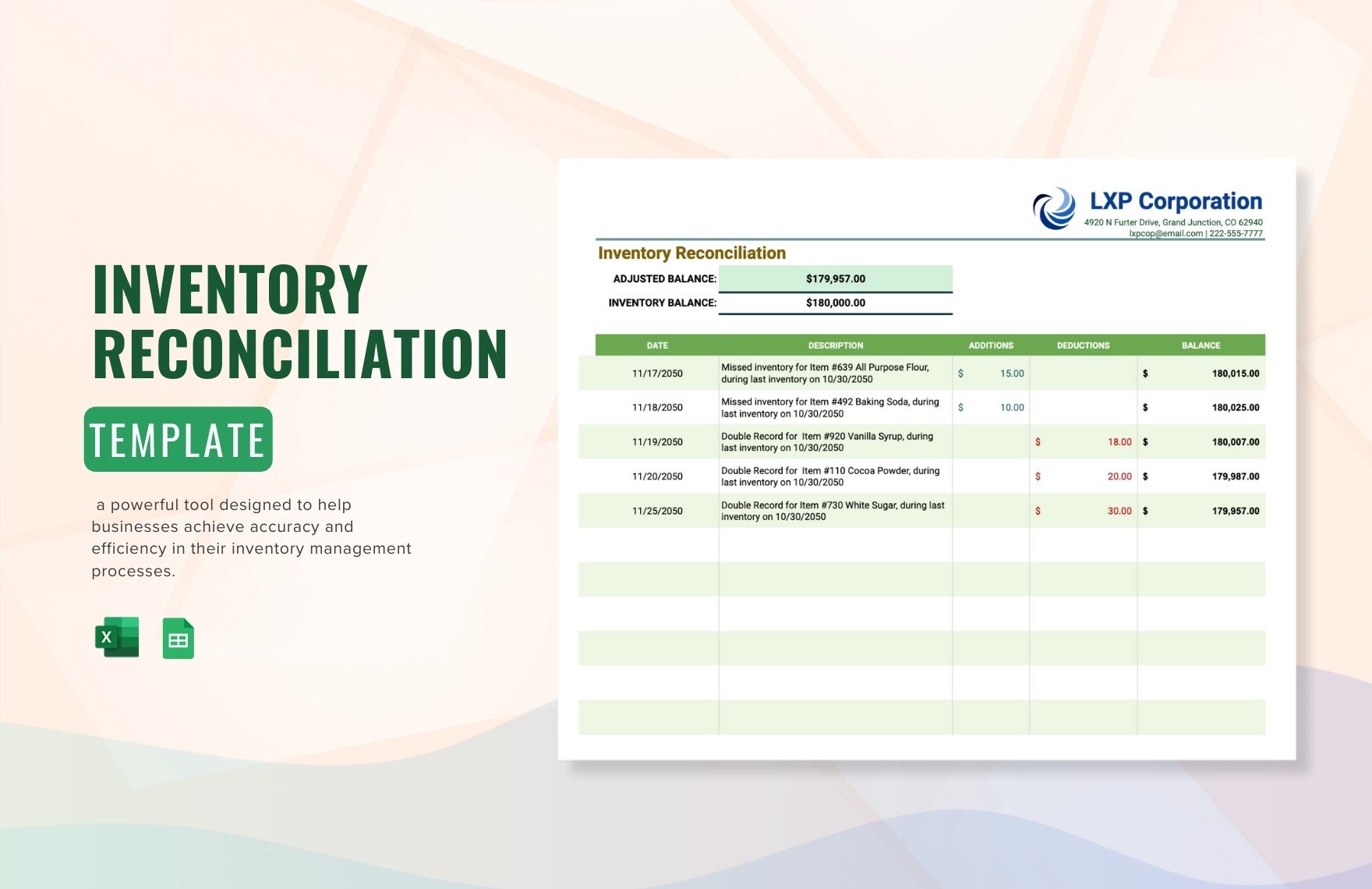
After the physical count, compare the results with the existing record. Do not silently change the original number when a discrepancy occurs; record the difference and investigate its cause.
How to handle inventory discrepancies
A discrepancy occurs when the physical count does not agree with the quantity in the existing record. The difference may result from a counting error, data-entry mistake, unrecorded receipt, unrecorded issue, damaged goods, transfer, theft, or another operational event.
The first response should be verification rather than adjustment. Recount the item and confirm that the identifier and location are correct. A surprisingly large number of apparent discrepancies disappear when the correct item or storage location is checked.
If the difference remains, examine recent inventory movements. Review receiving documents, issue records, transfers, returns, and other relevant transactions that could explain why the physical quantity changed.
Document the explanation rather than merely overwriting the old quantity. A brief note such as “two units transferred to Room B” provides much more audit value than simply replacing 20 with 18.
An inventory reconciliation form can make this process systematic by documenting additions, deductions, balances, and the reasons for differences. :contentReference[oaicite:6]{index=6}
Printable inventory templates for different use cases
Retail inventory
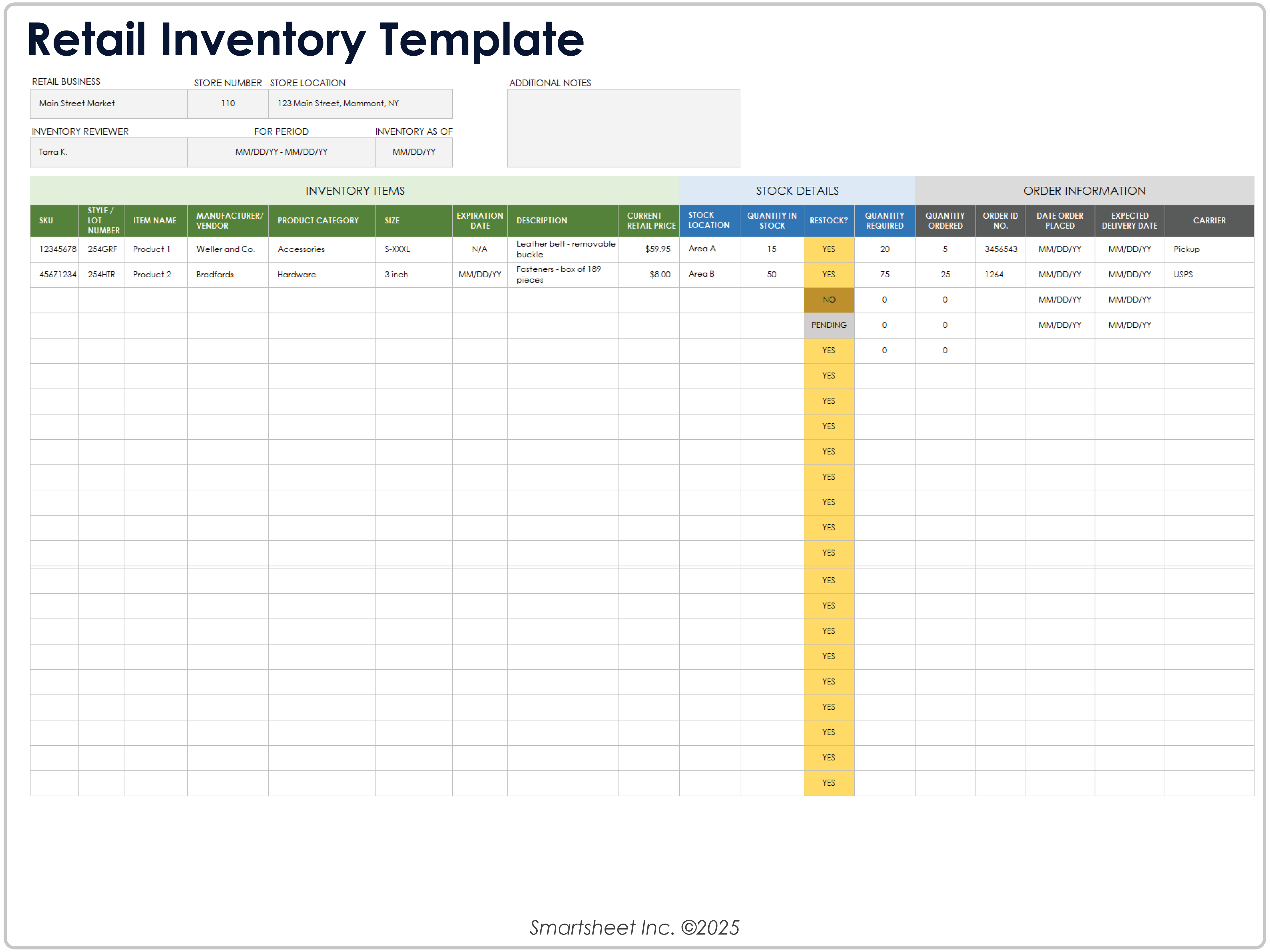
Retail inventory normally needs product identification, current quantity, stock location, price, reorder information, and order details. A retail template can also benefit from fields for quantity ordered and expected delivery.
The most important design consideration is the relationship between current stock and incoming stock. A store may appear adequately stocked if ordered units are ignored, while it may appear understocked if incoming deliveries are not recorded separately.
SKU or product codes should be consistent with the retailer’s existing records. The template should not introduce a second identification system unless there is a clear operational reason.
For products with variants, include enough information to distinguish size, color, model, or other attributes. Combining multiple variants into one line can hide shortages in individual products.
A retail inventory sheet should ultimately make three questions easy to answer: what is available, where is it, and what needs attention?
Warehouse inventory
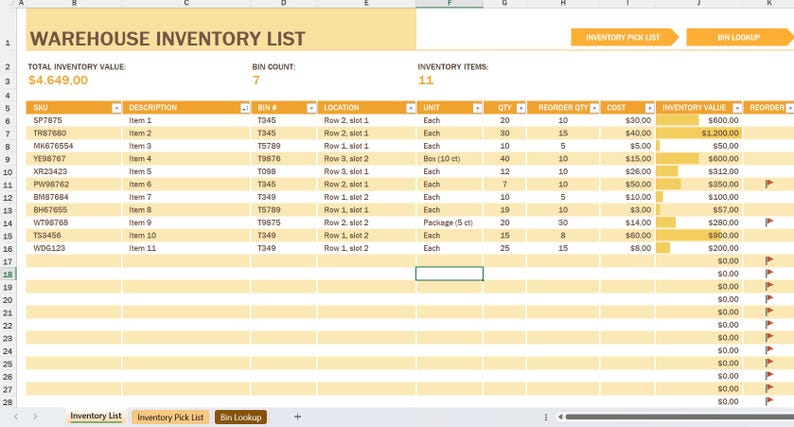
Warehouse forms typically require more precise location information than small office inventories. A location might include warehouse, aisle, rack, shelf, bin, or zone.
When inventory is stored across several areas, location accuracy becomes part of inventory accuracy. A correct quantity associated with the wrong location can still cause fulfillment delays.
Warehouse sheets can also benefit from fields for unit of measure, reorder quantity, lot number, batch information, and status where those details are operationally relevant.
Printed warehouse sheets should prioritize writing space and readability. Excessive columns can make a form difficult to use on a clipboard, especially when the counter is standing or moving between storage areas.
For larger operations, the paper count should normally feed into a digital master record. The printed sheet is the observation layer, not necessarily the long-term system of record.
Office supply inventory
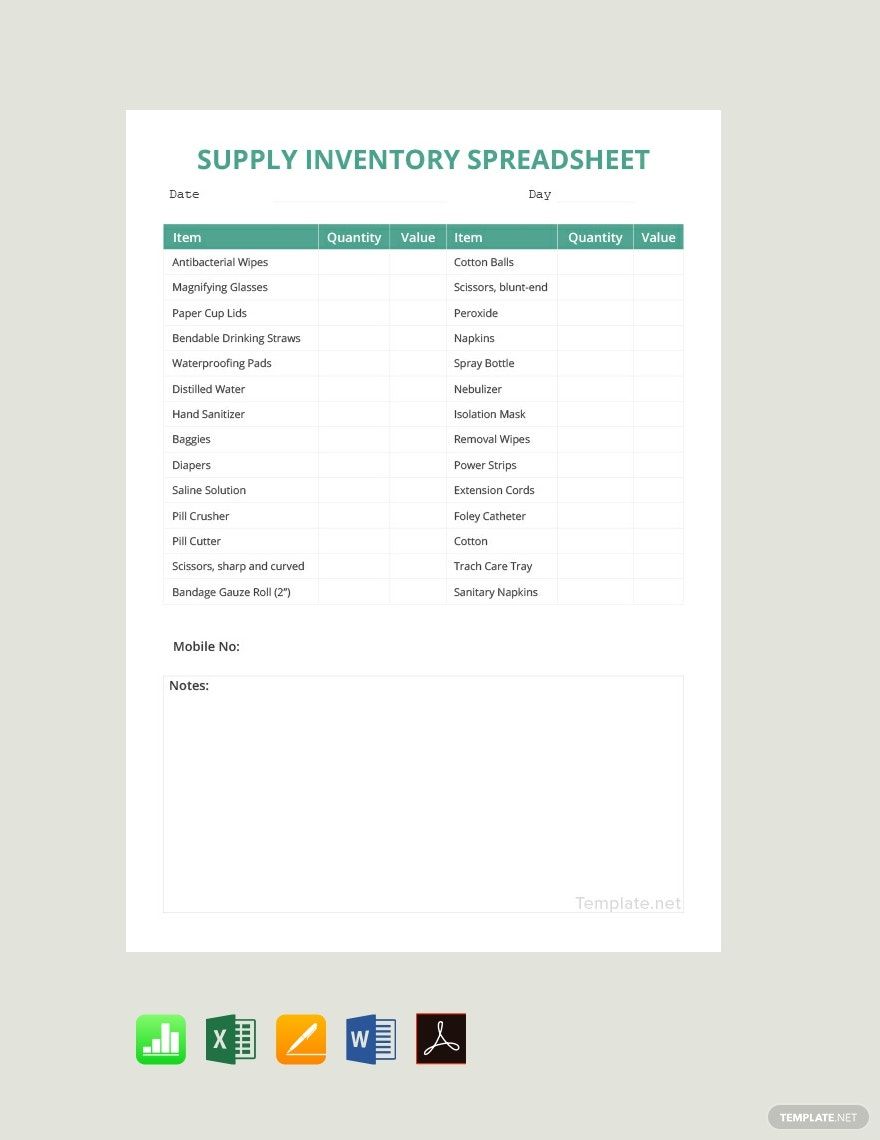
An office inventory is usually simpler than a warehouse inventory. Common items include paper, pens, folders, toner, stationery, cables, cleaning supplies, and small equipment.
The most useful fields are often item name, quantity, storage location, reorder level, supplier, and notes. Unit cost can be included if spending control is important.
For frequently consumed supplies, a reorder threshold can prevent the common problem of discovering that an item is nearly depleted only when someone needs it.
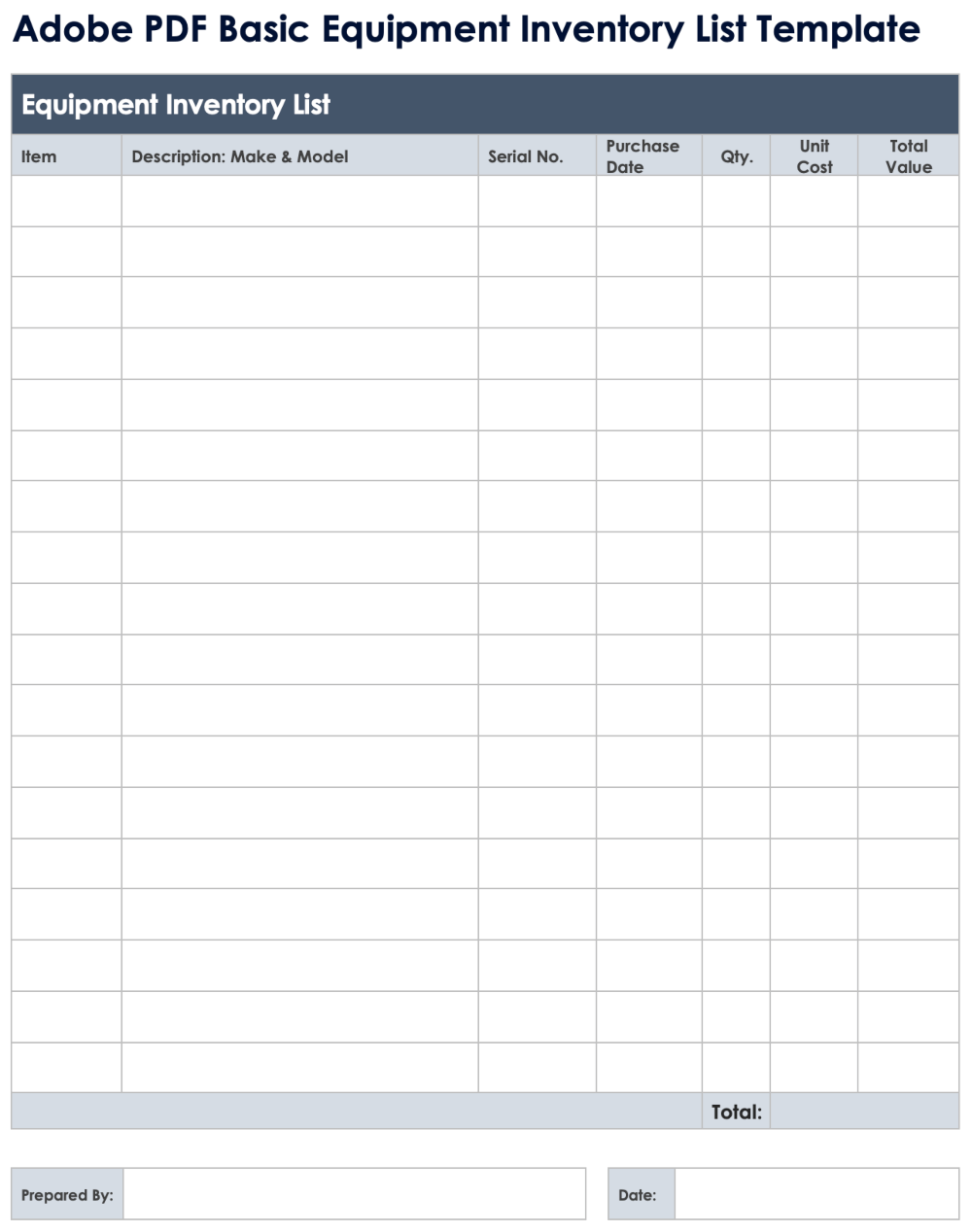
Office inventory should distinguish consumables from durable assets. Printer paper and toner are consumed, while a printer or monitor may need an asset record with serial number and purchase information.
Separating these categories keeps the inventory brief simple while still providing the information required for asset tracking.
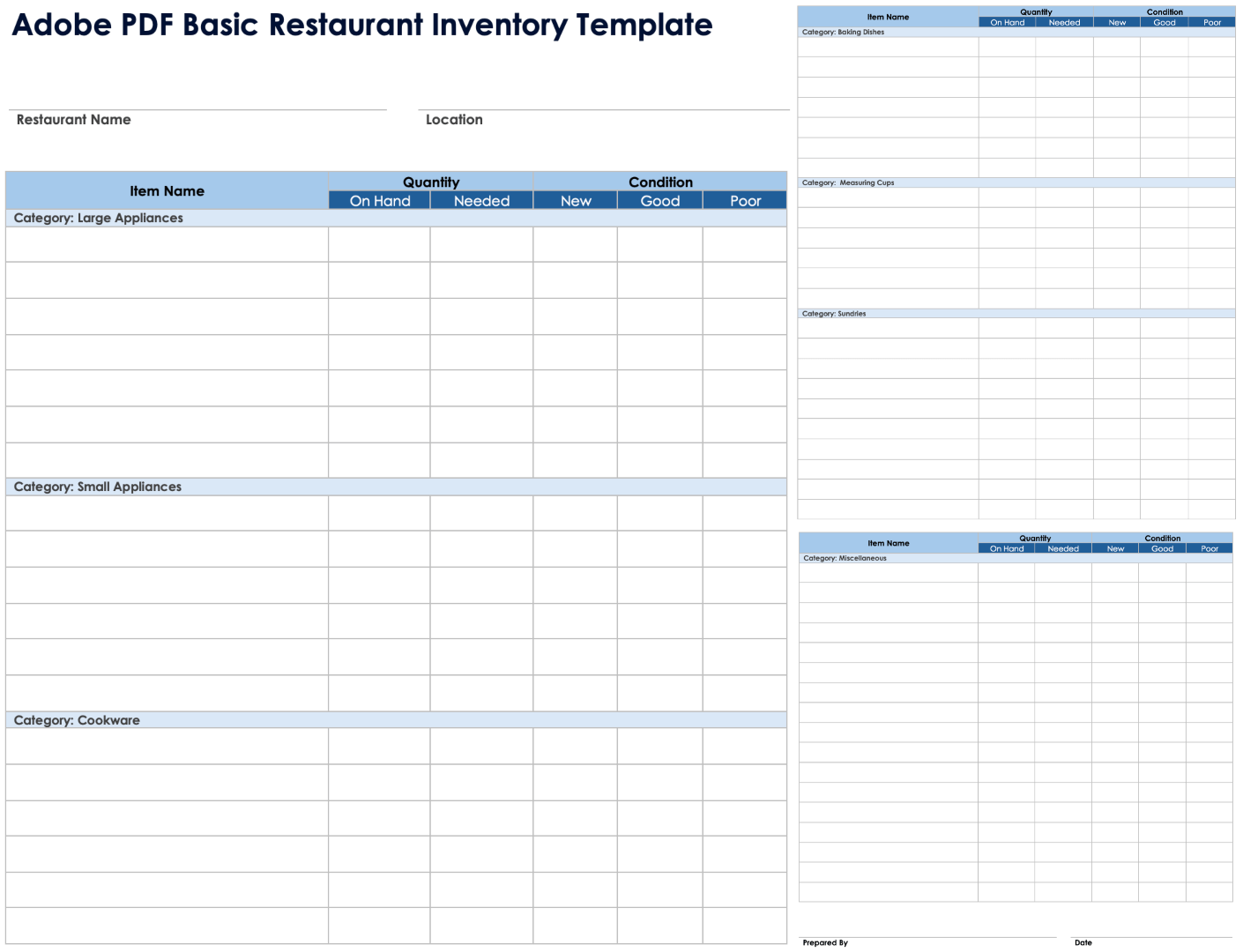
Food and restaurant inventory
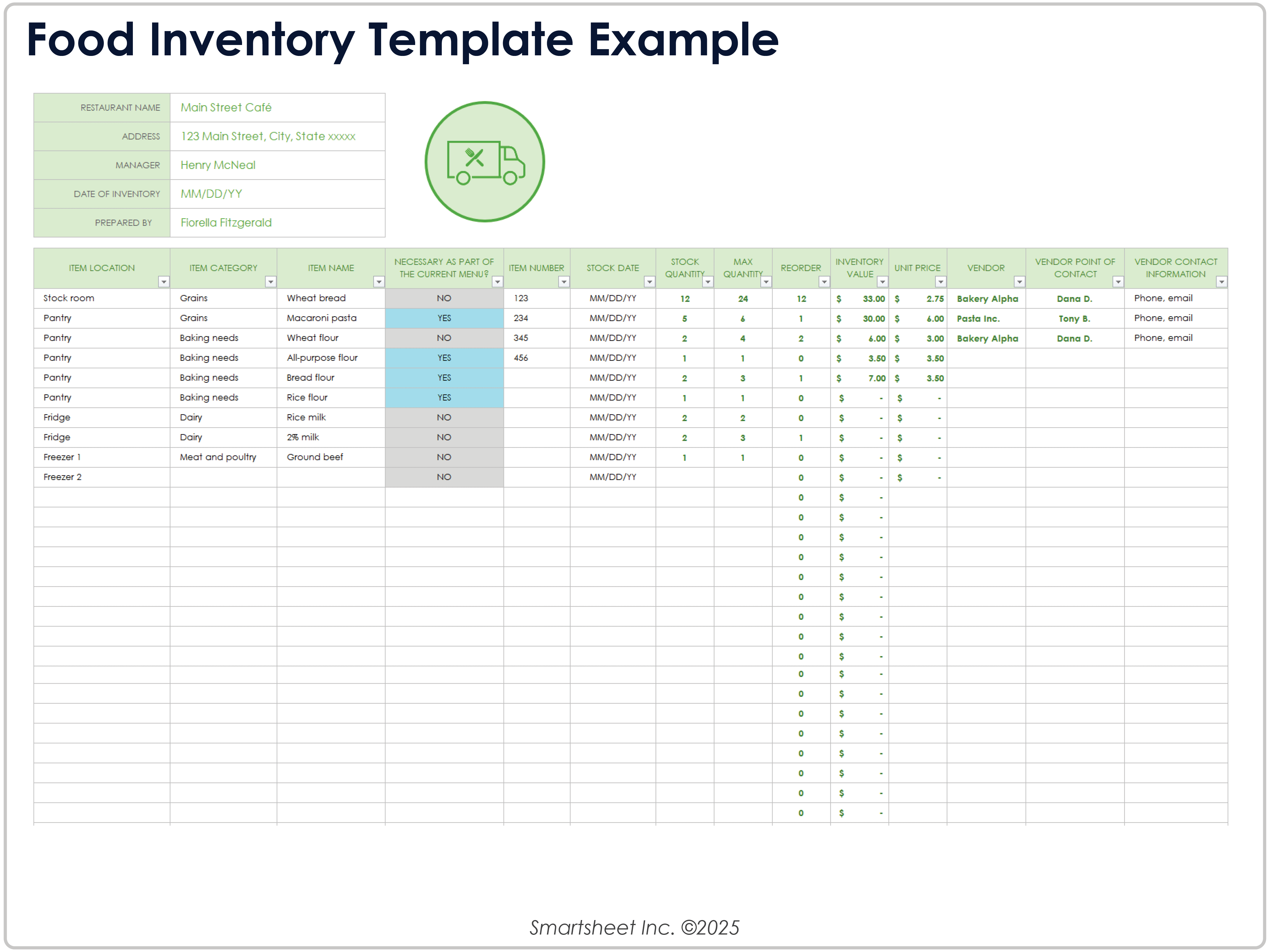
Food inventories require additional attention to dates, storage areas, quantities, and replenishment. A useful form may distinguish pantry, refrigerator, freezer, beverage, disposable, and cleaning categories.
Perishable items can require purchase dates and use-by dates because quantity alone does not describe the condition or urgency of the stock.
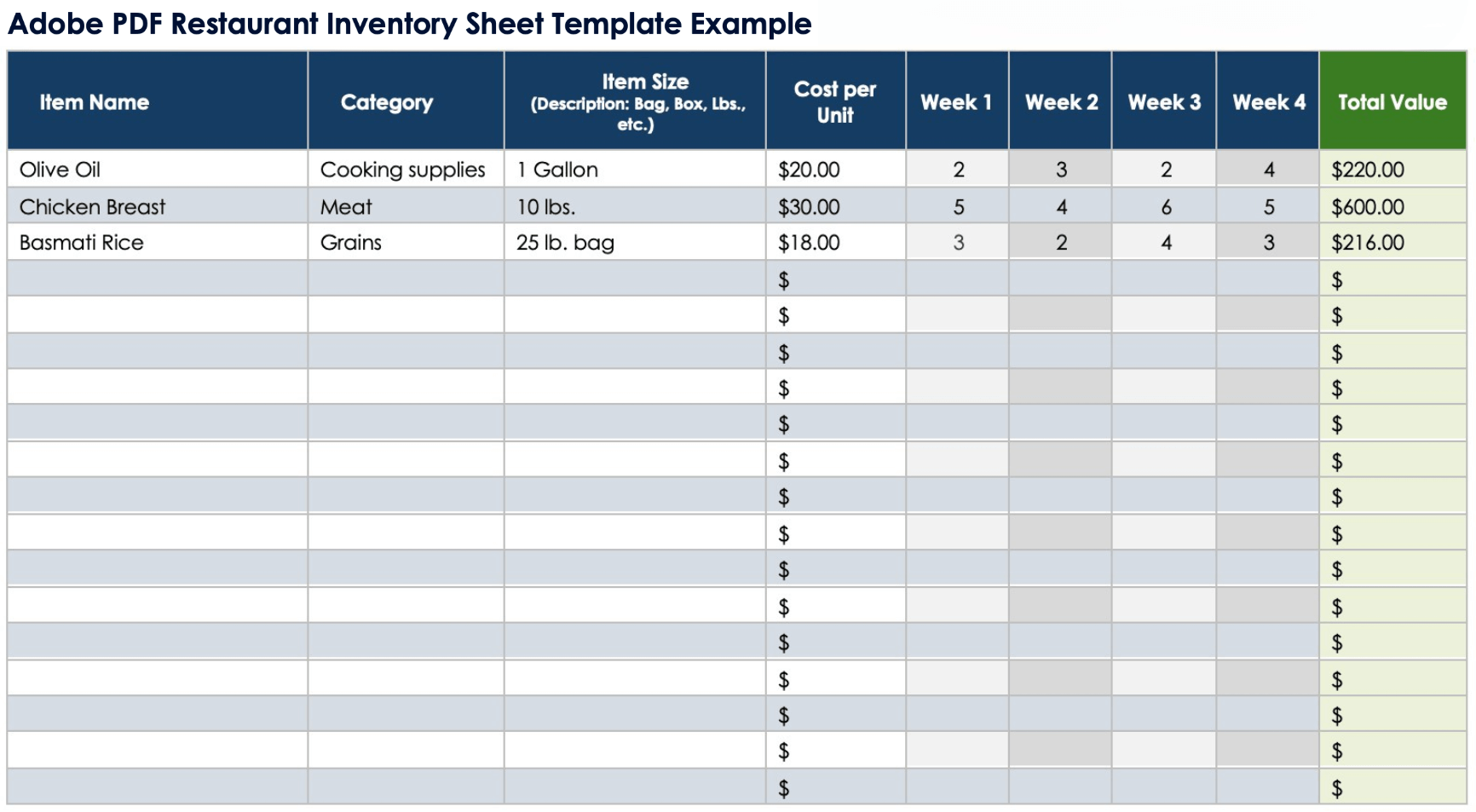
Restaurants may also track unit size and cost per unit so that changes in stock can be connected to purchasing and cost analysis. Smartsheet’s food and restaurant examples demonstrate fields for location, item category, purchase information, quantities, and purchasing needs. :contentReference[oaicite:7]{index=7}
The physical count should follow the same route each time. For example, staff can count the pantry, then refrigeration, then freezer areas, followed by beverages and disposables.
A consistent route reduces omissions and makes recurring counts easier to compare. It also helps managers identify which areas generate the most frequent discrepancies or replenishment needs.
Home and personal property inventory
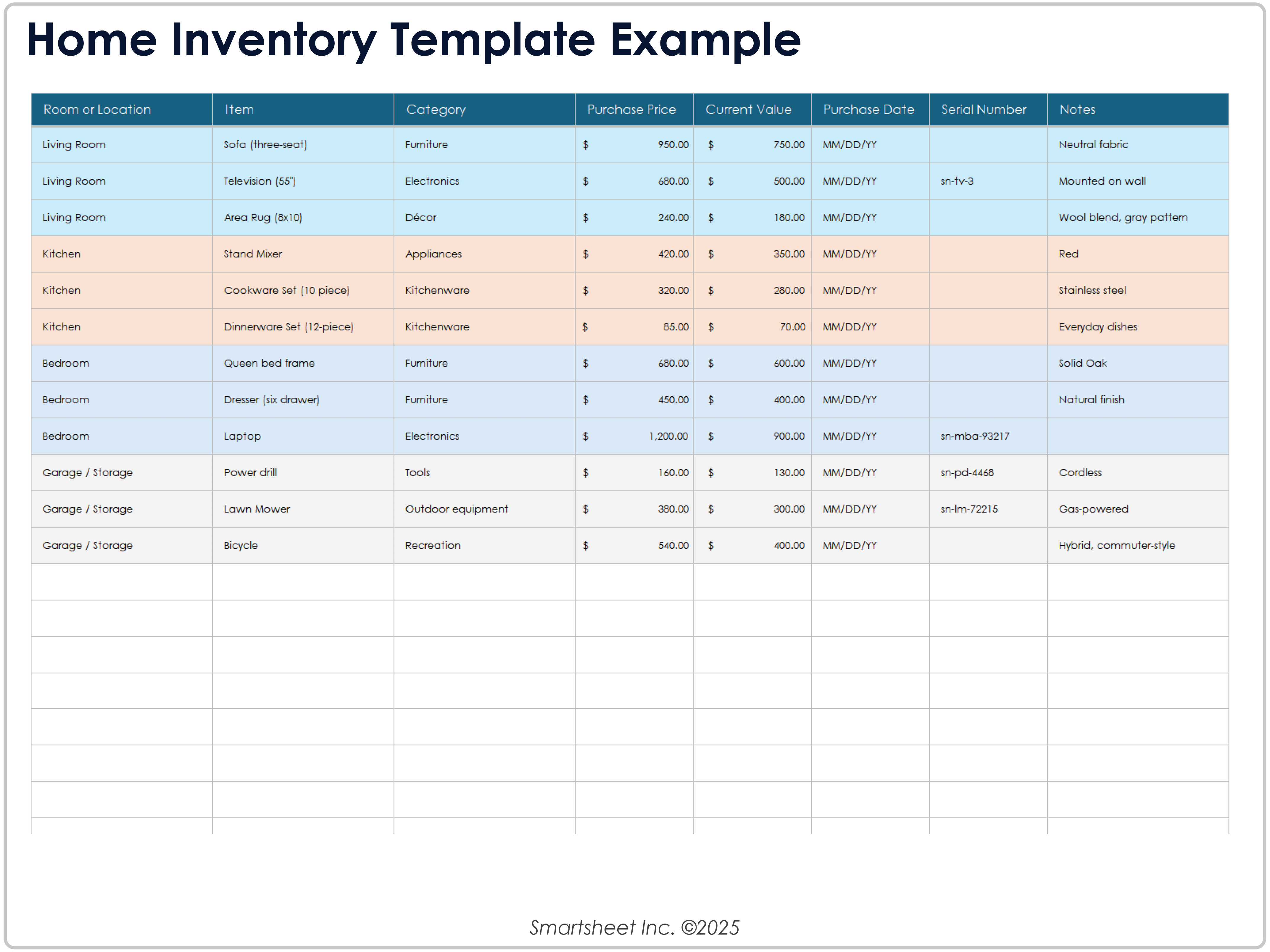
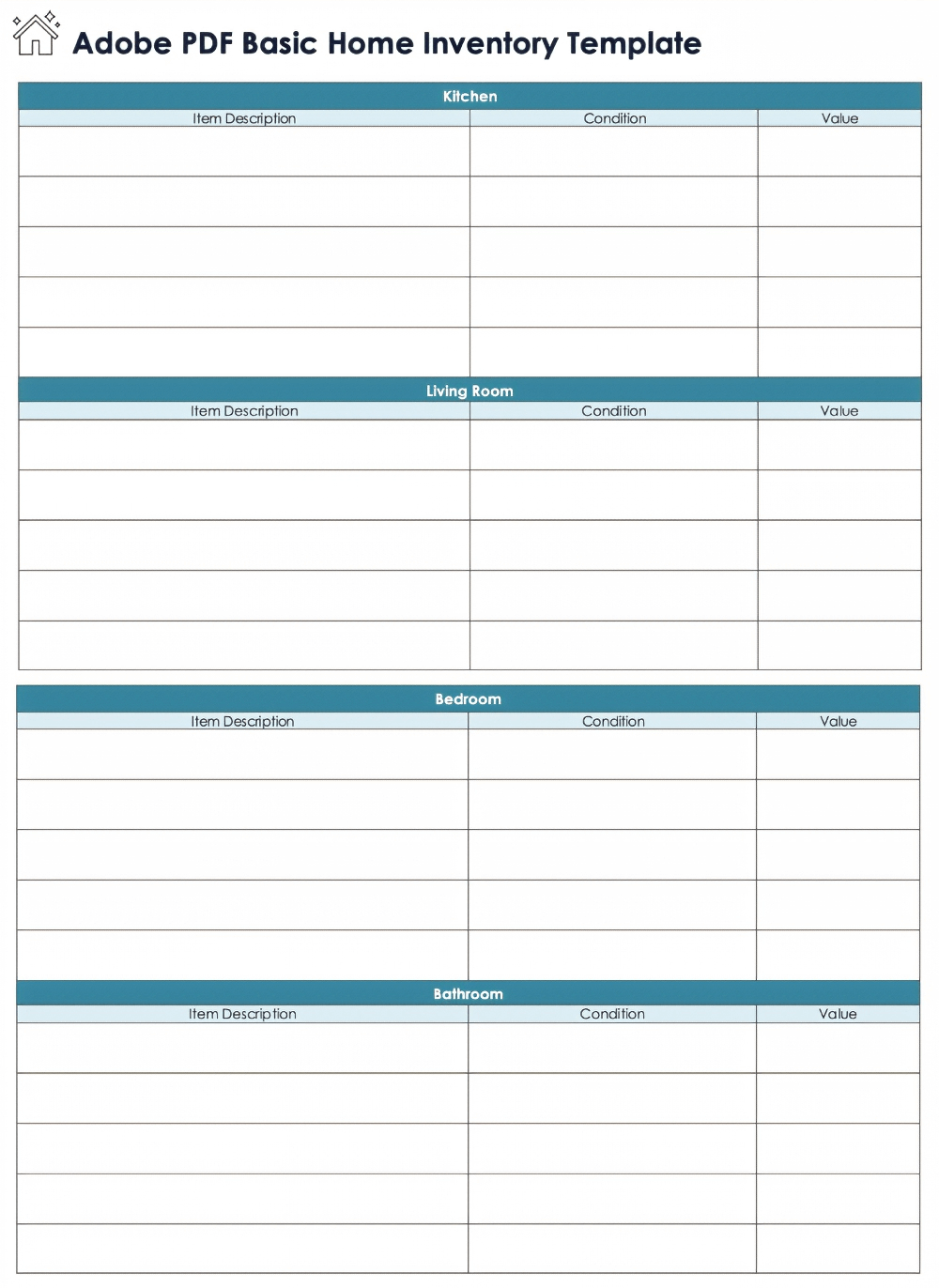
A home inventory has a different objective from business stock control. The emphasis is usually on documenting possessions, purchase information, condition, value, warranty details, and identifying information.
For valuable items, a serial number or model number can make the record more useful than a general description. Photographs may also be stored separately or referenced from the inventory record.
Room or location fields are useful because they organize the inventory physically. A home inventory can be grouped by living room, kitchen, bedroom, garage, office, or another location.
Purchase date and estimated value can support personal records, while warranty and serial-number information can make future replacement or service work easier.
The same principle applies as with business inventory: record only information that serves a purpose. A short, accurate home inventory is better than a complicated form that is never maintained.
Printable inventory brief template free options: what to look for
When evaluating a free template, start by checking whether the structure matches the intended task. A basic stock list should not require twenty fields when five will do, while a warehouse count may be underpowered if it contains only item name and quantity.
Check whether the template is actually printable. Look for readable fonts, sensible margins, enough rows, and a page orientation that accommodates the table without excessive scaling.
Also check whether the file format matches your workflow. A free PDF may be excellent for handwriting but inconvenient for analysis. A free Excel workbook may be better for calculations but require print-area adjustments.
Another consideration is whether the template contains formulas. Formula-driven workbooks can save time, but users should understand what the formulas calculate before relying on them for operational decisions.
Finally, verify the source before describing any resource as free, downloadable, editable, or available in a particular format. Current template collections can change, so a search result should not be treated as a permanent promise of availability.
How to make an inventory template easier to print
Start with the paper size used by your organization. A form designed for US Letter may require different spacing from one designed for A4, particularly when the table has many columns.
Use landscape orientation for wide operational tables. If the table remains too wide, remove low-value fields rather than shrinking the text until it becomes difficult to read.
Repeat column headers on every printed page when the inventory spans several pages. This allows the reader to understand each page without returning to the first page.
Leave sufficient writing space. A blank row is only useful if a person can comfortably write the item information, quantity, and notes into it.
Before producing a batch of forms, print one test page. Check alignment, borders, page breaks, handwriting space, and whether any important columns are being cut off by the printer.
How to use an inventory list as a reporting tool
An inventory list becomes more valuable when it supports decisions rather than simply storing numbers. After counting, review which items are below their reorder levels, which items have unusual variances, and which locations repeatedly create discrepancies.
Inventory value can also be summarized when reliable unit costs are available. This helps management understand where significant amounts of stock are concentrated.
However, a total value should never be interpreted without knowing how it was calculated. Purchase cost, standard cost, replacement cost, and estimated value are different concepts and should not be mixed casually.
Trend analysis is another useful application. Comparing successive inventory periods can reveal whether stock levels are increasing, decreasing, or becoming more volatile.
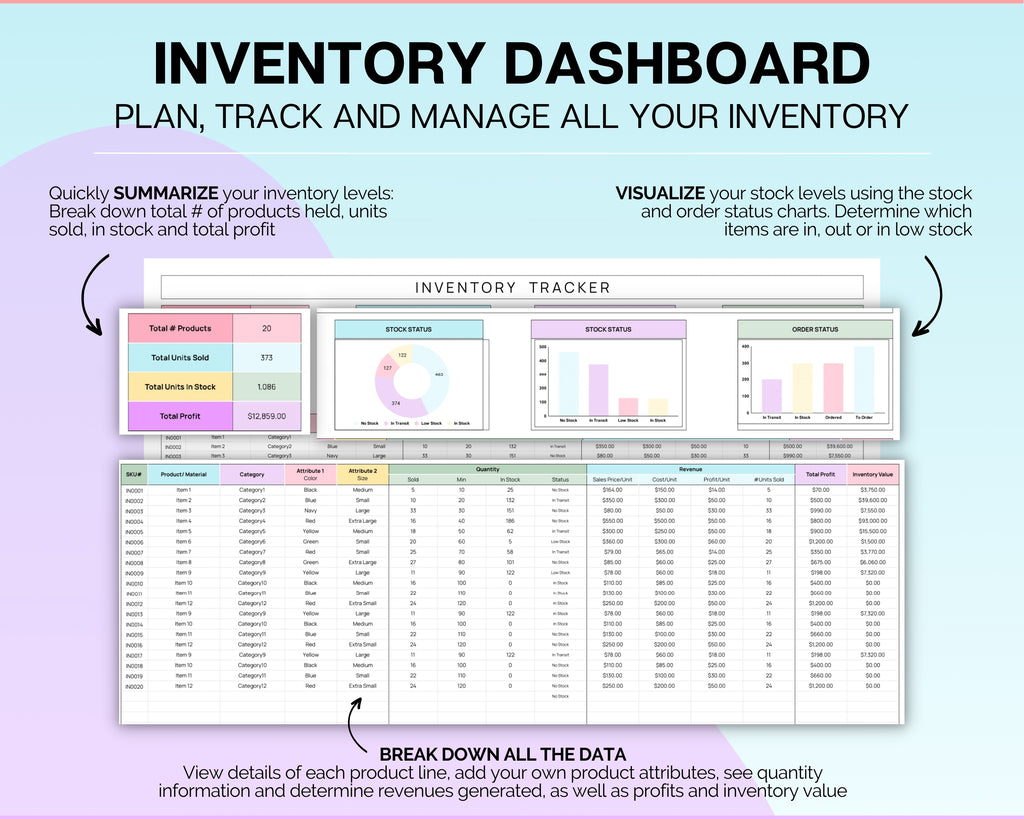
For larger datasets, Excel or another spreadsheet system can transform the printed count into sortable records, calculations, summaries, and charts. A printable form can therefore be the first stage of a larger inventory-reporting process.
Inventory data collection and quality control
Good inventory data starts with controlled definitions. Decide what constitutes an item, what unit is used, how quantities are rounded, and how damaged or obsolete stock is classified.
Use the same naming convention throughout the record. If one sheet calls an item “USB cable” and another calls it “USB lead,” later consolidation may treat the same item as two separate products.
Use a controlled method for corrections. On paper, an error should be crossed out clearly and corrected rather than erased in a way that obscures the original entry. In digital systems, changes should follow the organization’s normal record-keeping procedure.
When several people count inventory, provide the same instructions to everyone. Differences in interpretation can otherwise become data-quality problems that look like stock discrepancies.
Finally, review unusual values before closing the inventory period. A zero quantity, extremely large quantity, negative balance, or unexplained variance deserves attention before the record is treated as final.

Common inventory template mistakes
One common mistake is making the template too complicated. A form that tries to capture every possible detail can slow down the count and increase the number of fields that remain blank.
Another mistake is failing to define units. “25” could mean pieces, boxes, kilograms, liters, or another measurement. Without the unit, the number is incomplete.
Another problem is mixing physical counts with administrative adjustments. If the quantity is changed because of a transaction that has not yet been physically observed, the record should make that distinction clear.
Templates can also become unreliable when users overwrite formulas or headings. Protect important calculation cells in digital versions when appropriate, and keep a clean master copy of the template.
Finally, do not assume that a template itself creates inventory accuracy. Accuracy comes from clear scope, disciplined counting, consistent identification, careful reconciliation, and timely updates.
Best practices for maintaining the template
Keep one approved master version. If employees create local copies and modify the headings independently, the organization can quickly end up with several incompatible versions.
Use a clear file-naming convention for digital records. Include the location, inventory date, or other useful identifier rather than relying on vague names such as “inventory final” or “inventory new.”
Archive completed counts according to the organization’s normal document-retention process. Historical records can be useful when investigating recurring discrepancies or comparing inventory periods.
Review the template periodically. If a field is consistently unused, remove it. If staff repeatedly add the same handwritten note, consider whether a dedicated field would make the process clearer.
Keep the printable version aligned with the digital master. If the Excel record has a field that is absent from the paper count sheet, the person performing the physical count may not collect information that will later be required.
Practical examples
Example: small retail shop
Imagine a small shop with 80 product lines. A practical printable form could use columns for SKU, item name, category, shelf location, quantity counted, unit cost, reorder level, and notes.
The counter moves aisle by aisle and records the physical quantity. Items below their reorder threshold are marked for review rather than automatically ordered.
After the count, the completed sheet is entered into a spreadsheet. The spreadsheet calculates inventory value and highlights products that need attention.
Discrepancies are checked against recent sales, receipts, returns, and transfers before the master quantity is adjusted.
This workflow keeps the physical counting process simple while allowing the digital record to perform more advanced calculations.
Example: office supply cabinet
An office may need only item name, quantity, location, minimum level, and supplier. This is enough for common consumables such as paper, pens, folders, toner, and labels.
The person conducting the weekly or monthly check can scan the cabinet and record quantities without completing a complicated asset form.
When an item falls below the minimum level, the notes or reorder field can flag it for purchasing.
Durable equipment should be kept in a separate asset record when serial numbers, purchase dates, or warranty information are important.
This separation prevents a simple supply count from becoming overloaded with information that belongs in another record.
Example: warehouse cycle count
A warehouse cycle-count sheet can include SKU, description, bin, expected quantity, counted quantity, difference, counter initials, and notes.
The counter works through predetermined bins and records each result. Items with differences are recounted before being escalated.
When the second count confirms a discrepancy, the reason is investigated using receiving, transfer, and issue records.
The adjustment is then documented according to the organization’s inventory-control process rather than being silently changed.
This approach creates a clear relationship between the physical observation, the discrepancy, and the eventual inventory adjustment.
Practical Solution
The most practical solution is to build a two-stage inventory workflow: a print-friendly counting sheet for physical collection and a digital master record for analysis and ongoing control.
First, define the inventory scope, location, date, and responsible person. Next, create the item table with only the fields required to identify, count, and evaluate each item.
For a simple inventory, begin with item number, item name, description, location, unit, quantity, and notes. Add cost, value, reorder level, and supplier information only when those fields support an actual business decision.
Before printing, test the form on the intended paper size. Make sure every column is readable and every row has enough space for handwriting. For a wide table, use landscape orientation.
During counting, use a consistent route and mark completed areas. Recount questionable entries immediately rather than relying on memory after leaving the location.
After the physical count, compare the results with the existing record. Investigate differences before making adjustments, and document the reason for confirmed discrepancies.
Finally, transfer the verified information into the master spreadsheet or inventory system. Save the completed count as a historical record if your organization’s process requires it.
This approach works because the paper form is optimized for observation while the digital record is optimized for calculation and reporting. It also allows a small operation to start with a basic inventory template and add sophistication only when its needs grow.
Reference Examples
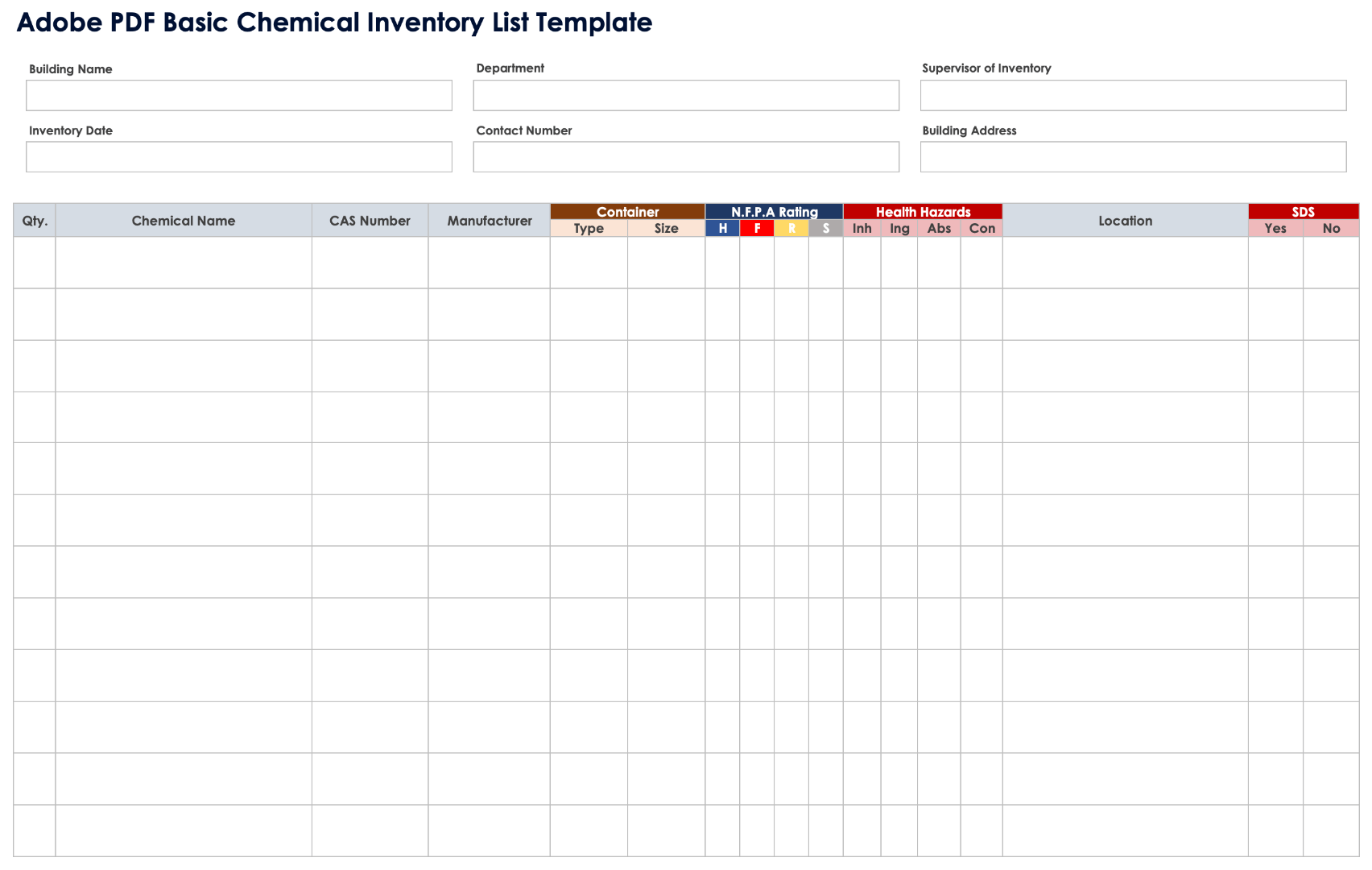
The following examples show different inventory layouts and formats. They are reference visuals rather than claims that a particular file is required for every inventory situation.
printable inventory brief template free
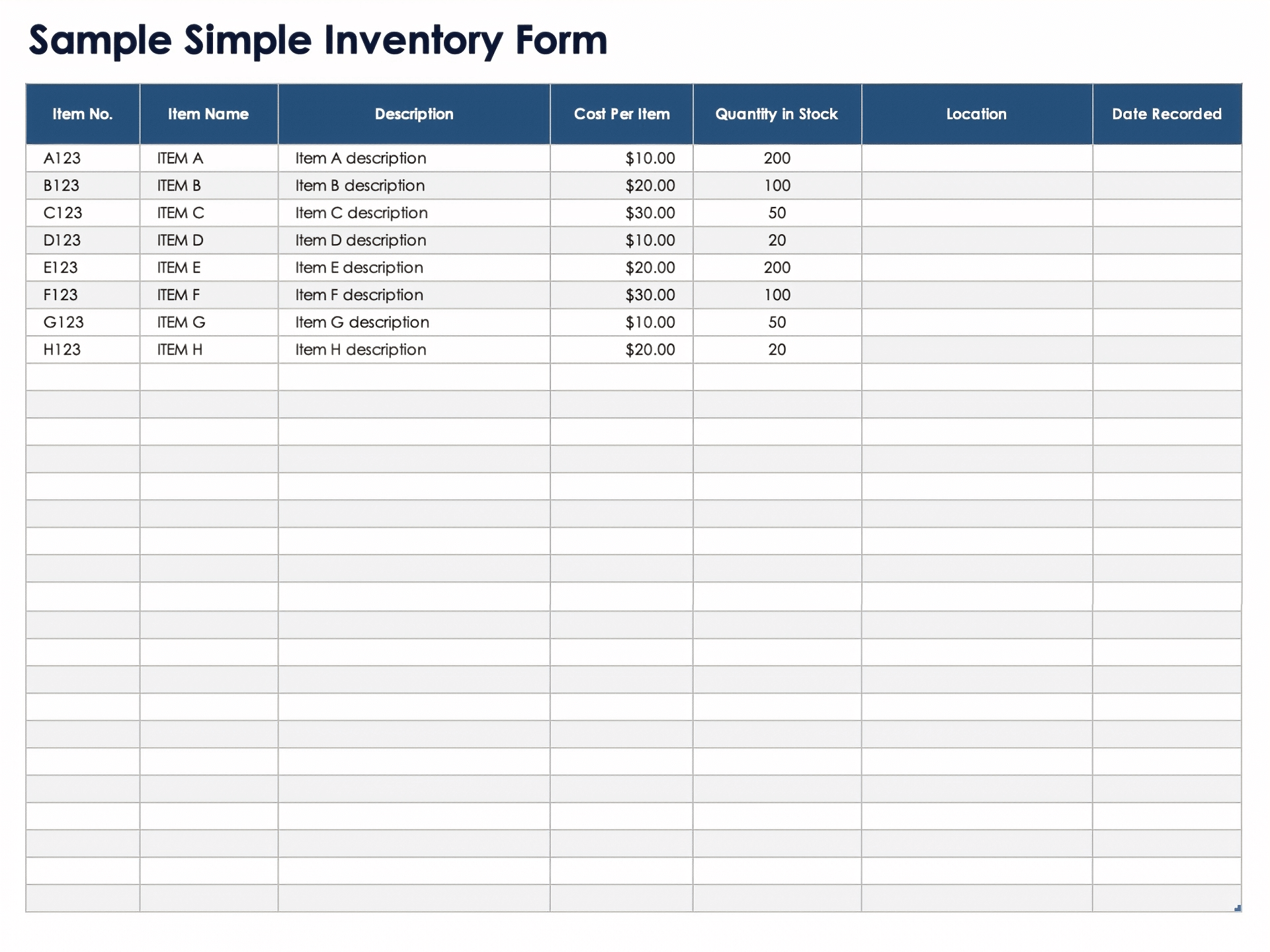
Source: Smartsheet
printable inventory brief template pdf
Source: Smartsheet
printable inventory brief template word
Source: Template.net
printable inventory brief template excel
Source: Smartsheet
printable inventory brief template free download
Source: Smartsheet
free printable inventory template
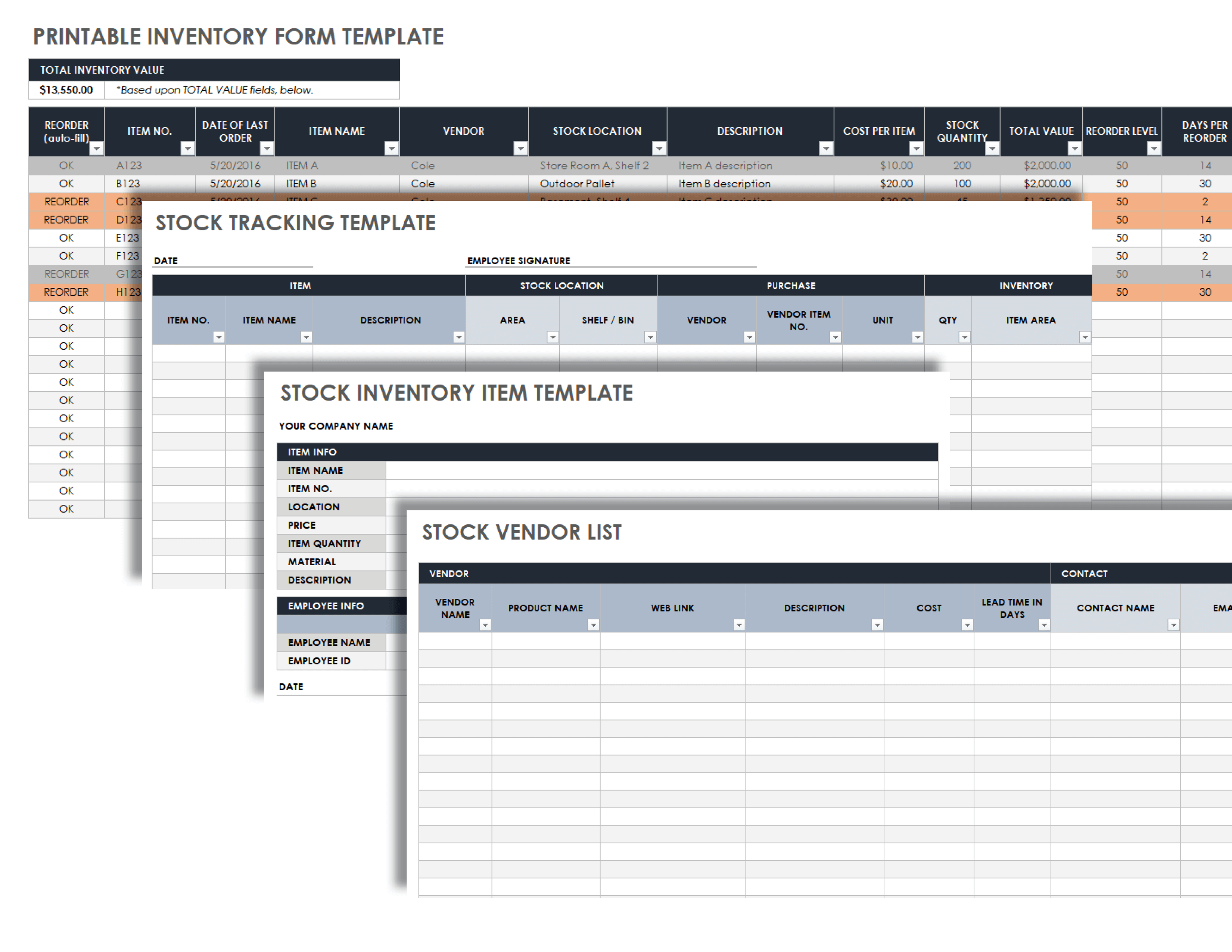
Source: Smartsheet
printable inventory template pdf
Source: Smartsheet
printable inventory list template
Source: Smartsheet
basic inventory template free
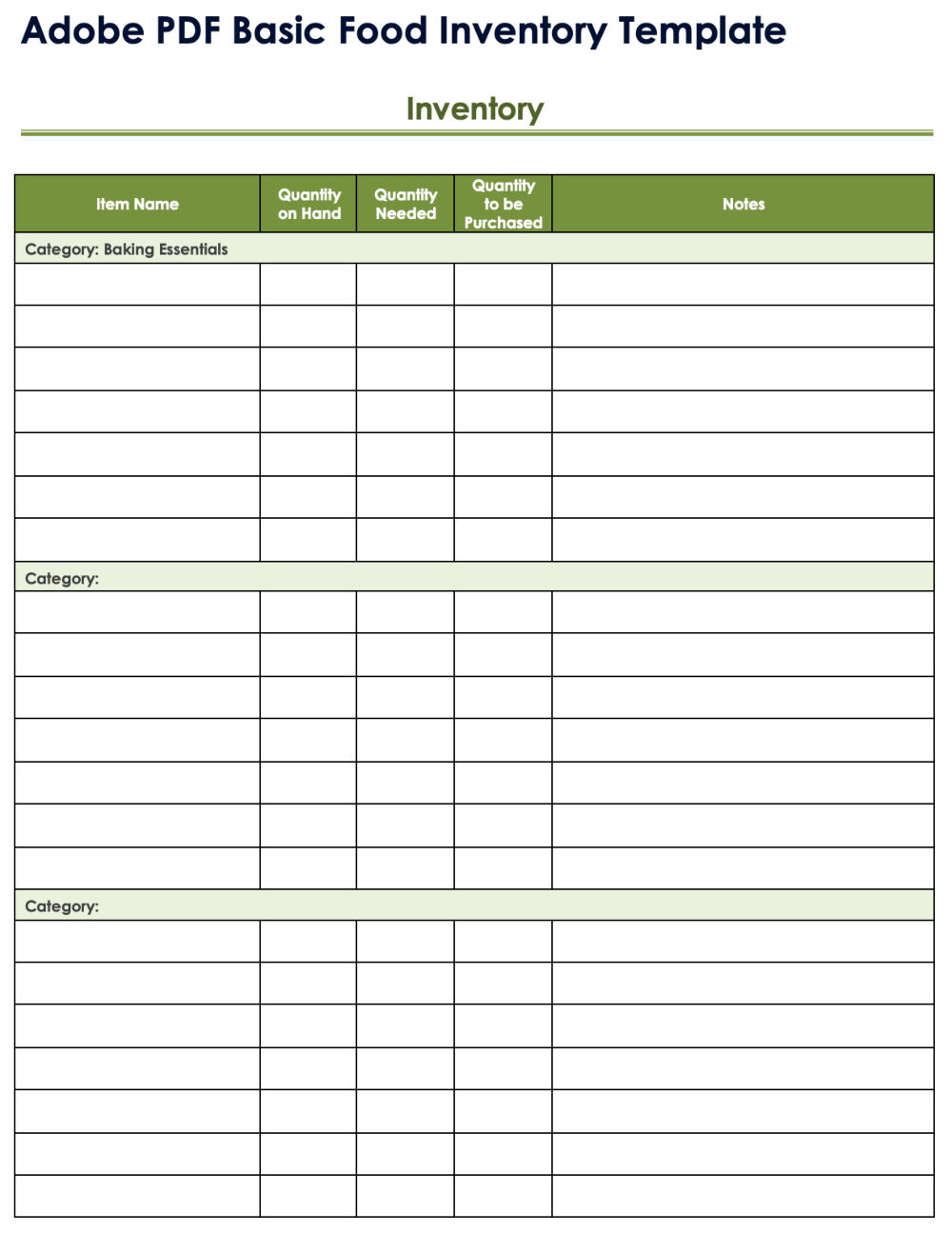
Source: Smartsheet
inventory list template free printable
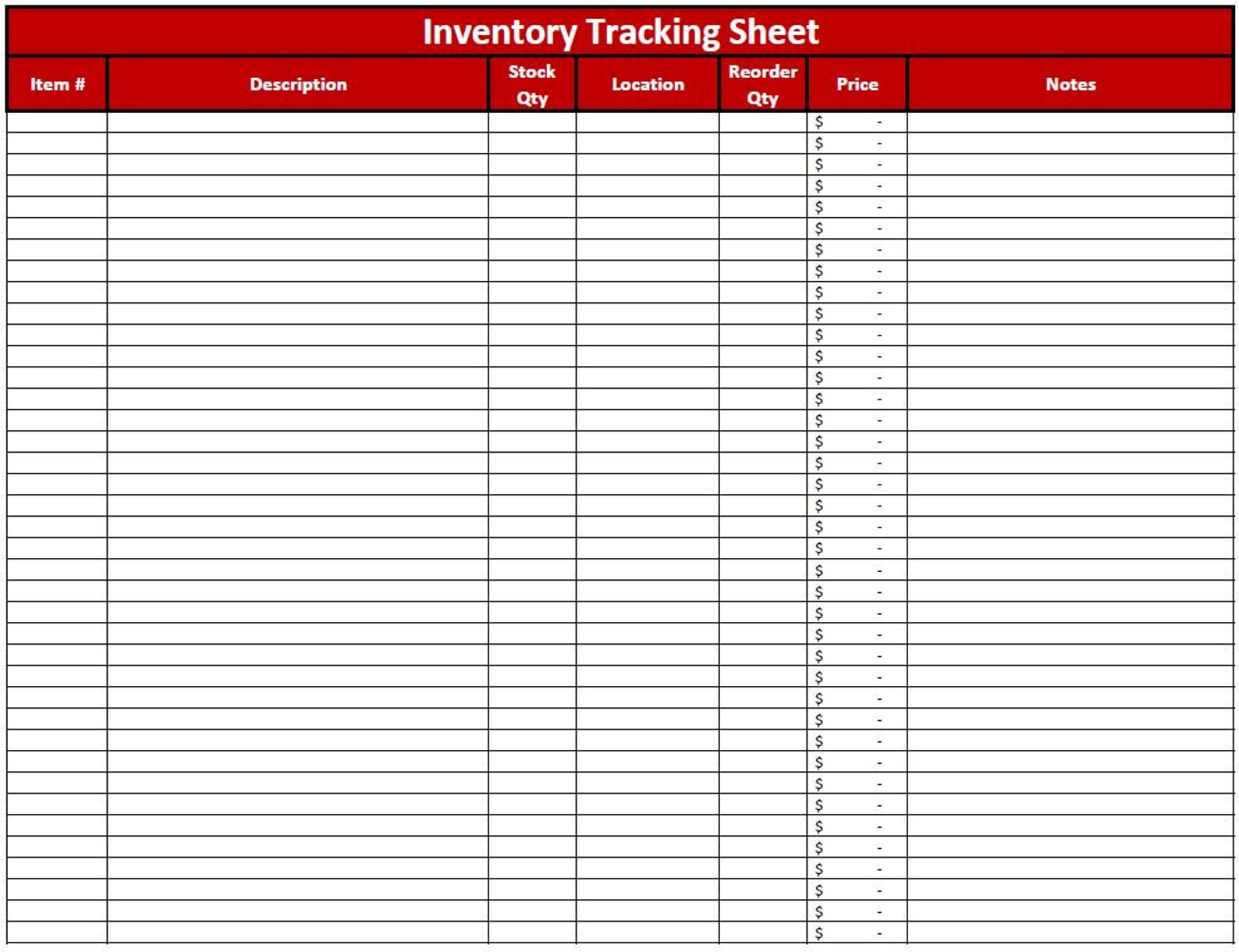
Source: Etsy
free template for inventory
Source: Template.net
free printable blank inventory list template
Source: Smartsheet
Frequently Asked Questions
What should a printable inventory brief template include?
At minimum, include an inventory date, location or scope, item identifier, item description, unit, quantity, and notes. Add cost, value, supplier, reorder level, or discrepancy fields when they support the purpose of the inventory.
Is a printable inventory template better than a spreadsheet?
Neither is universally better. A printable form is often convenient for physical counting, while a spreadsheet is better for calculations, filtering, sorting, historical analysis, and recurring inventory management. Using both can provide the advantages of each.
When should I use PDF?
Use PDF when preserving the page layout and producing consistent printed copies is important. PDF works particularly well for blank count sheets that will be completed by hand.
When should I use Excel?
Excel is useful when you need formulas, inventory valuation, reorder calculations, filtering, sorting, or a digital master record. It is also practical when printed inventory results will later be entered into a structured dataset.
Can a basic inventory template work for a small business?
Yes. A small business can often begin with a simple list containing item number, description, quantity, location, unit cost, and reorder level. Additional fields can be added as operational needs become more complex.
How often should inventory be counted?
There is no single schedule that suits every operation. High-turnover or high-value items may justify more frequent counts, while stable low-risk supplies may be reviewed less often. The important point is to use a consistent schedule appropriate to the inventory’s risk and activity.
How do I reduce inventory counting errors?
Use clear item identifiers, consistent units, a defined counting route, adequate writing space, and independent recounts for significant discrepancies. Keep physical counts separate from later administrative adjustments so the original observation remains clear.
Should damaged items be included?
Damaged items should normally be recorded when they fall within the inventory scope, but their condition should be clearly identified. Do not assume that damaged stock has the same usable value as saleable or serviceable stock.
What is the difference between inventory and fixed assets?
Inventory generally refers to goods or materials held for sale, use, or production, while fixed assets are longer-term resources such as equipment or machinery. The exact accounting treatment depends on the organization and applicable accounting policies, so the template should reflect the intended record type.
Can I print an inventory sheet and enter the information later?
Yes. This is a common practical workflow. The paper form can capture physical observations, after which verified information can be entered into a spreadsheet or inventory system for ongoing management.
Conclusion
A printable inventory brief template is most useful when it is designed around the real counting process rather than around an arbitrary collection of fields. Start with a clear scope, identify every item consistently, record quantities with explicit units, and include location and verification information where needed.
For simple physical counts, a clean printable sheet may be all that is required. For ongoing business management, combine the printed count with a digital master record that can calculate values, identify reorder needs, analyze discrepancies, and preserve historical information.
When choosing between PDF, Word, and Excel, focus on the job each format must perform. PDF is strong for stable printing, Word is flexible for document-style forms, and Excel is particularly useful for calculations and structured inventory analysis.
The strongest inventory process is not necessarily the most complicated one. A clear, repeatable workflow supported by a well-designed printable inventory brief template can make counting faster, discrepancies easier to investigate, and inventory information more dependable.
