The most useful templates do more than add numbers. They make categories consistent, separate income from expenses, calculate balances automatically, expose unusual spending, and provide a practical basis for budgeting. Microsoft Excel and Google Sheets are especially useful because formulas, filters, tables, charts, and validation rules can be combined in one workbook.
For a small business, the calculator can remain simple: date, description, category, income, expense, payment method, and running balance may be enough. A growing company may need additional fields for tax treatment, department, project, customer, vendor, invoice number, budget, actual amount, and variance.
The important principle is to design the workbook around decisions rather than decoration. If the owner needs to know whether operating expenses are rising, the tracker should make that comparison easy. If the goal is pricing, it should calculate unit cost and margin. If the goal is cash control, it should emphasize receipts, payments, and available cash.
This guide explains how to create a useful tracking business calculator template, how to choose between Excel and Google Sheets, how to structure calculations, how to validate information, and how to turn a basic transaction log into a dependable business-finance workflow.
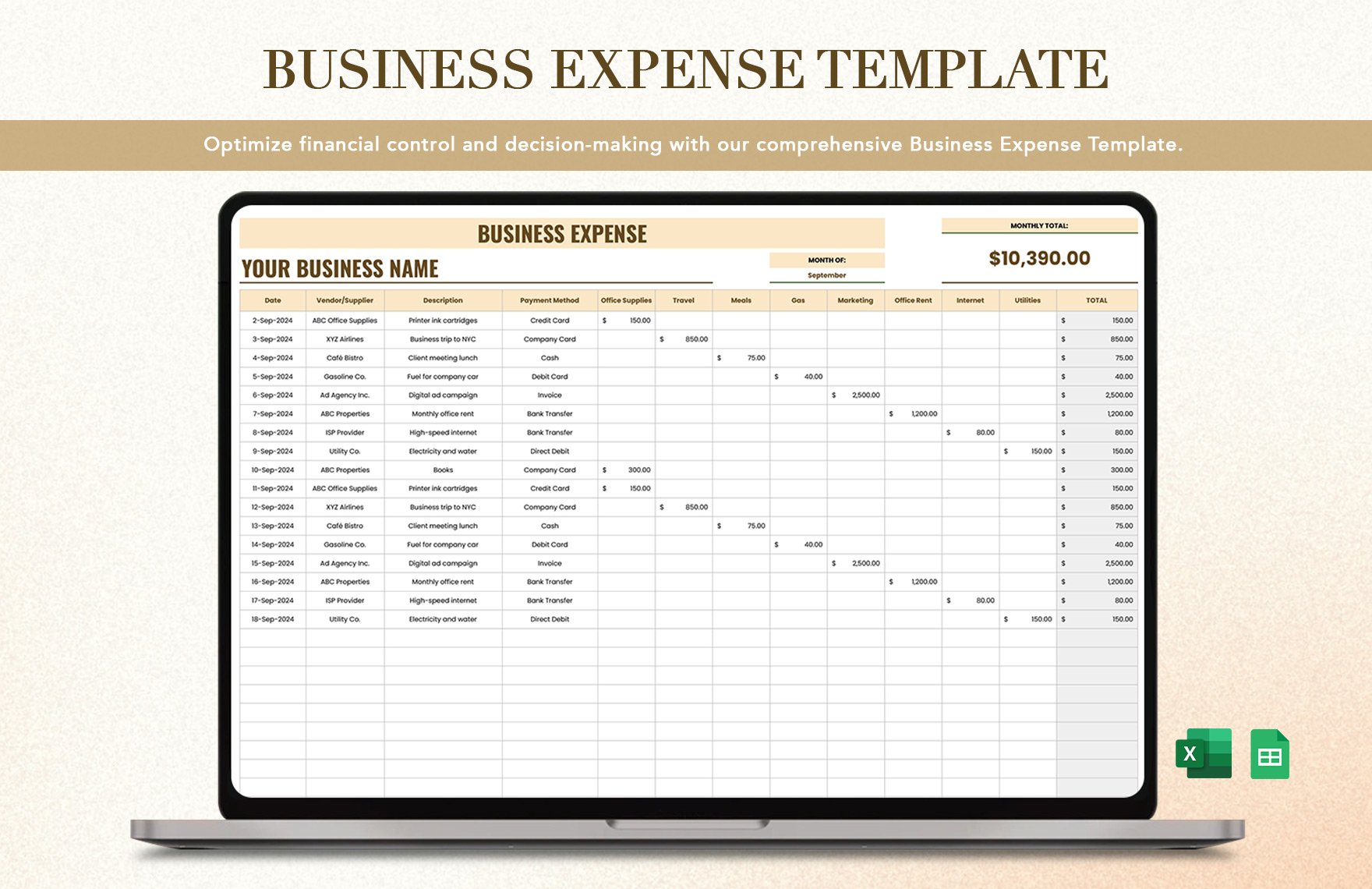
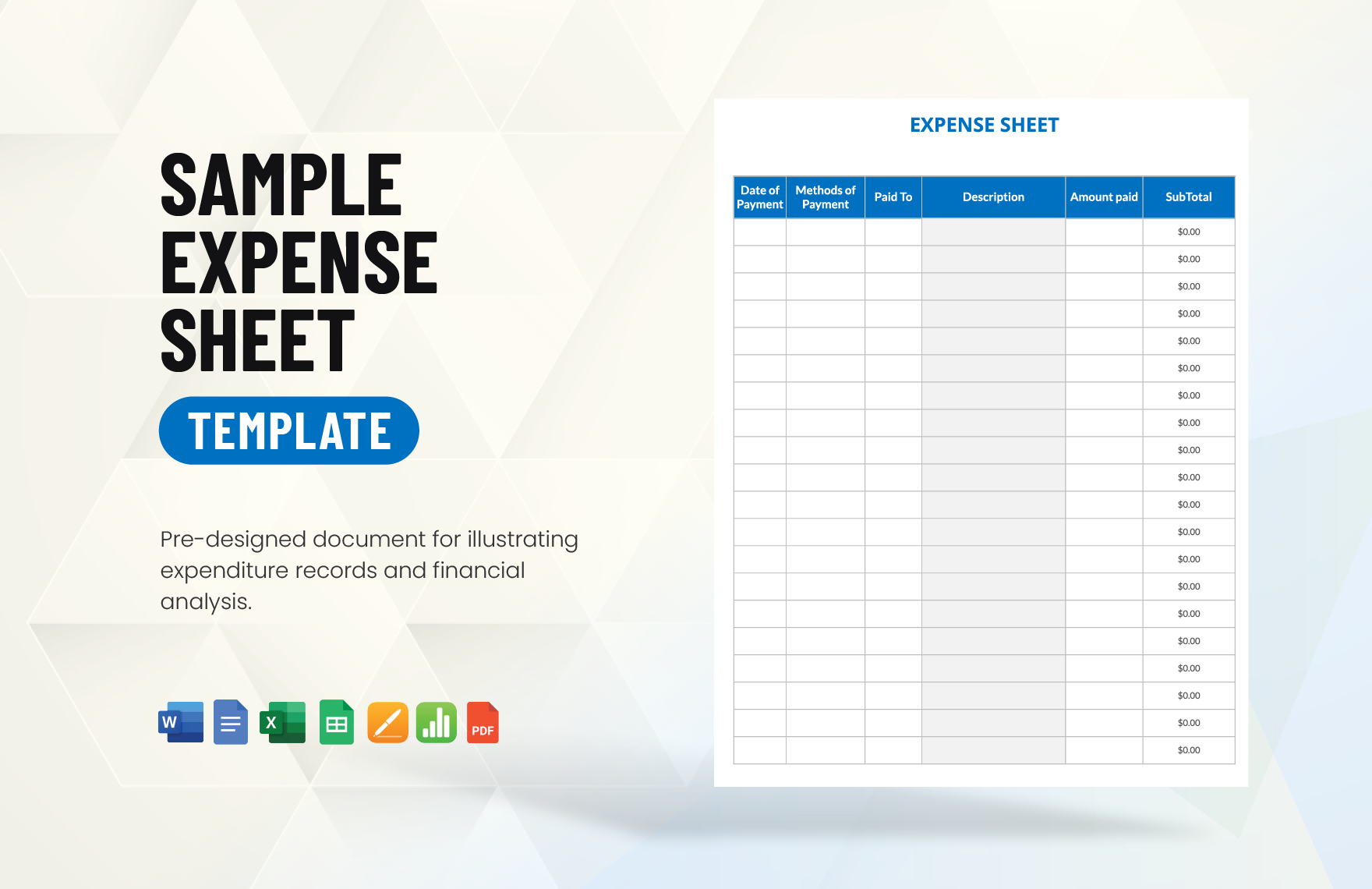
One useful starting point is a conventional expense table with clearly separated transaction fields. The example below illustrates the basic idea: each transaction occupies one row, while categories and payment methods remain consistent across the workbook.
A row-based transaction log is usually easier to filter and analyze than a document containing separate blocks for every day. Once each transaction has a date, category, amount, and description, the same data can support monthly summaries, category reports, cash-flow calculations, and charts.
Automation should be introduced only where it reduces repetitive work. A total column can use a straightforward SUM formula, while a balance column can reference the previous balance and the current transaction. Simple formulas are easier to audit when the workbook becomes important to the business.
The calculator should also make incorrect entries visible. Drop-down categories, date validation, required fields, and clear input areas reduce inconsistent data. A tracker becomes much more valuable when another person can understand how to enter a transaction without asking the creator how the spreadsheet works.
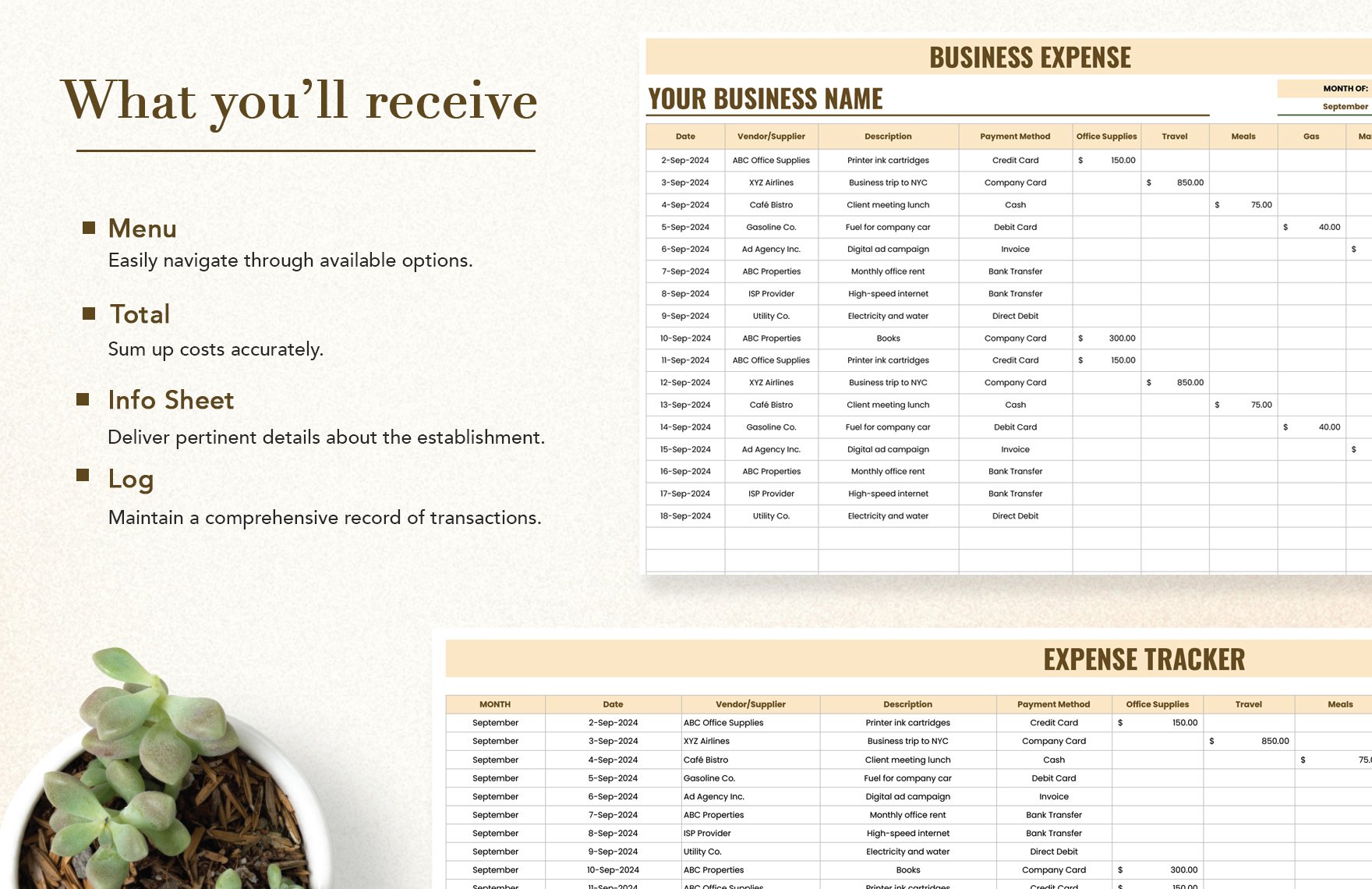
The visual example of a business expense worksheet demonstrates why a clean transaction table is useful: the structure can accommodate dates, suppliers, descriptions, payment methods, categories, and totals without requiring a complicated accounting application.
What Is a Tracking Business Calculator Template?
A tracking business calculator template is a reusable spreadsheet framework that combines data recording with calculations. The word “calculator” matters because the template should produce useful outputs rather than simply store transactions. Totals, balances, variances, margins, and ratios can all be calculated from the underlying entries.
For example, an owner might enter $1,250 of sales and $400 of operating expenses during a period. The spreadsheet can calculate the remaining operating amount automatically. With additional cost information, it can also estimate gross margin, operating margin, or cash movement.
The template is therefore best understood as a lightweight financial-control system. It is not necessarily a replacement for accounting software, tax preparation, or professional bookkeeping. Instead, it provides an organized working layer that helps users understand what is happening between formal accounting processes.
A good tracker separates raw inputs from calculated outputs. Users should normally type information into designated input columns, while formula columns calculate totals and ratios. This separation protects formulas and makes troubleshooting much easier.
The most effective designs also preserve the original transaction detail. A dashboard is useful, but it should always be possible to trace a summary number back to the rows that produced it. This principle makes the workbook more trustworthy and easier to review.
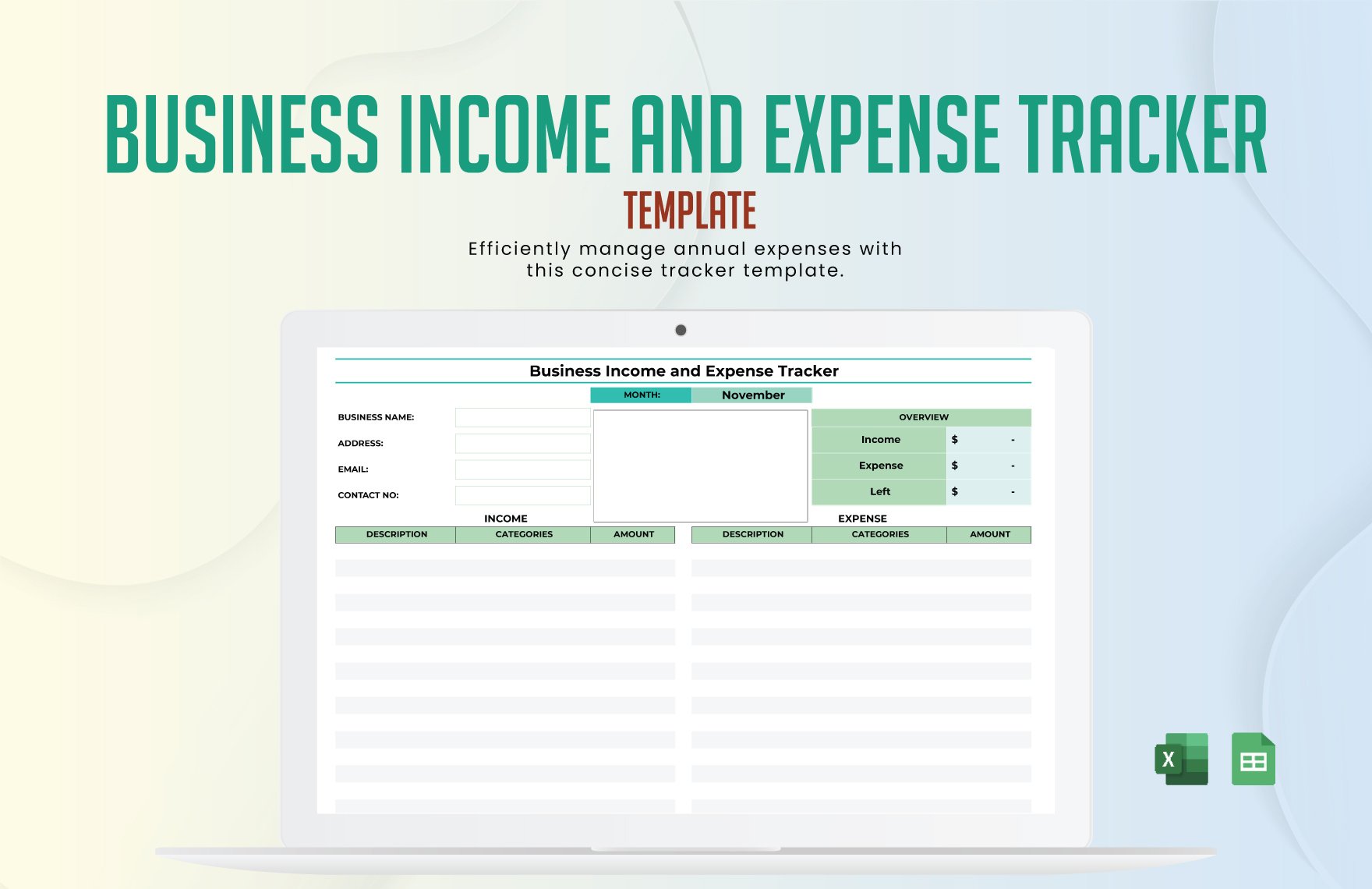
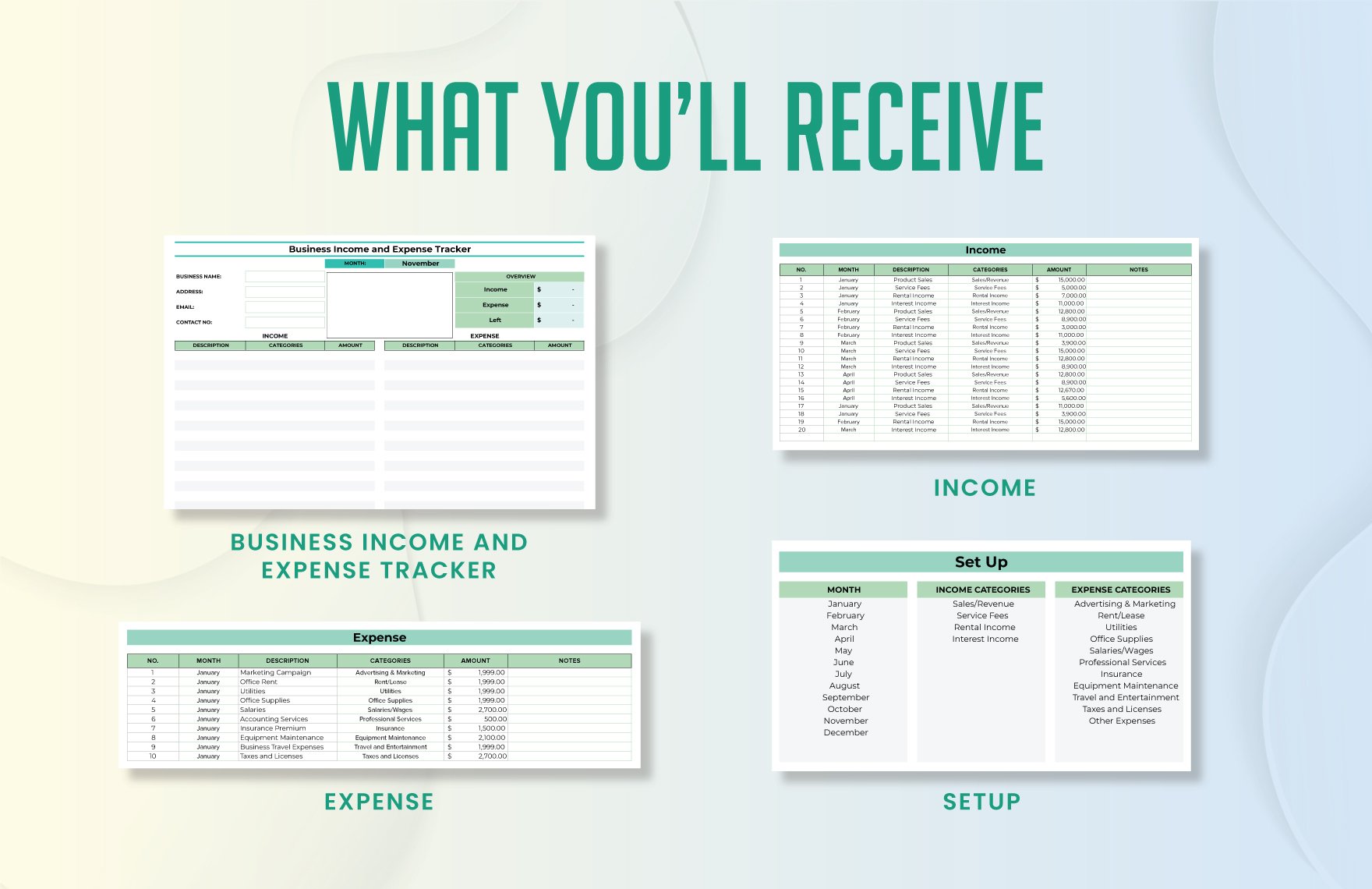
An income-and-expense tracker provides a useful visual model for this approach. It separates income and expense records while providing an overview area that can later feed additional calculations such as net operating result and category summaries.
Why Businesses Use Financial Tracking Templates
Financial tracking becomes difficult when information is captured inconsistently. One purchase might be recorded as “software,” another as “SaaS,” and another as “subscriptions.” A calculator cannot reliably group these entries unless the underlying categories are standardized.
A template solves part of this problem by defining the structure before data is entered. Categories can be established in advance, and a drop-down list can restrict entries to approved labels. This improves the quality of later summaries because similar transactions are grouped consistently.
Another advantage is speed. A reusable workbook eliminates the need to redesign columns, formulas, and reports each month. Once the system is configured, the main task becomes entering transactions accurately and reviewing the results.
Templates are also useful for communication. A manager, bookkeeper, accountant, or business partner can understand a familiar table more quickly than a collection of informal notes. Clear headings and consistent calculations reduce ambiguity when financial information is shared.
Finally, tracking encourages timely review. A monthly summary can reveal that advertising, subscriptions, travel, inventory, or contractor costs are increasing before the annual results make the pattern obvious. The value comes from turning transactions into recurring management information.
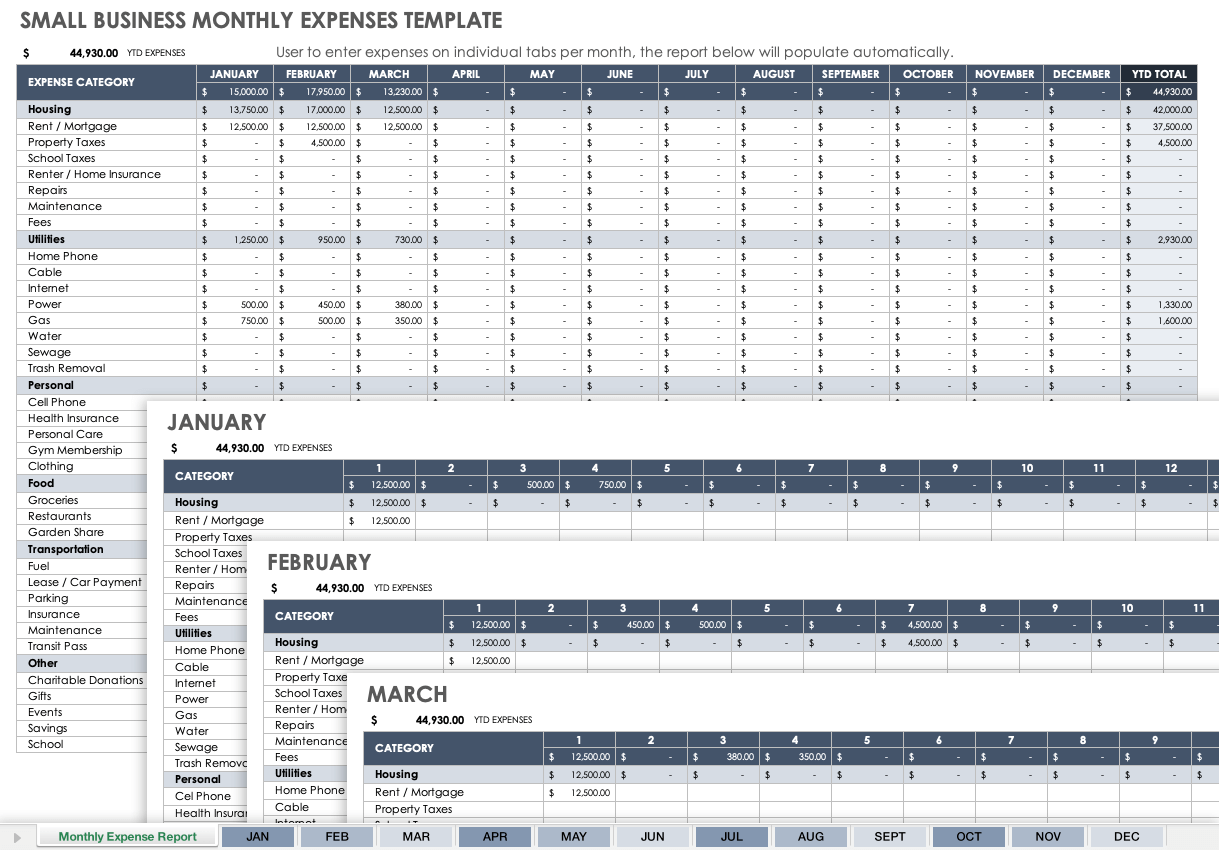
A monthly expense layout shows how the same basic information can be expanded into a year-to-date view. Monthly tabs or columns make it easier to compare periods while retaining a consistent category structure.
Core Components of a Business Calculator Template
The transaction date is one of the most important fields because it determines when an amount belongs in a reporting period. Use one consistent date convention, such as the transaction date or payment date, and document that choice in the instructions.
The description should be specific enough to identify the business purpose later. “Office purchase” is less useful than “printer toner for customer invoices.” Good descriptions reduce the amount of time required to investigate old entries.
The category field provides the foundation for analysis. Typical categories may include advertising, software, rent, utilities, supplies, travel, professional services, payroll-related costs, insurance, inventory, and miscellaneous expenses.
Payment method is useful for reconciliation. Cash, bank transfer, debit card, credit card, and other methods can be separated so that transactions can later be compared with bank or card statements.
Amount fields should remain numeric. Avoid typing currency symbols or descriptive text into the same cells as numbers when formulas depend on them. Currency formatting can display the symbol without changing the underlying numeric value.
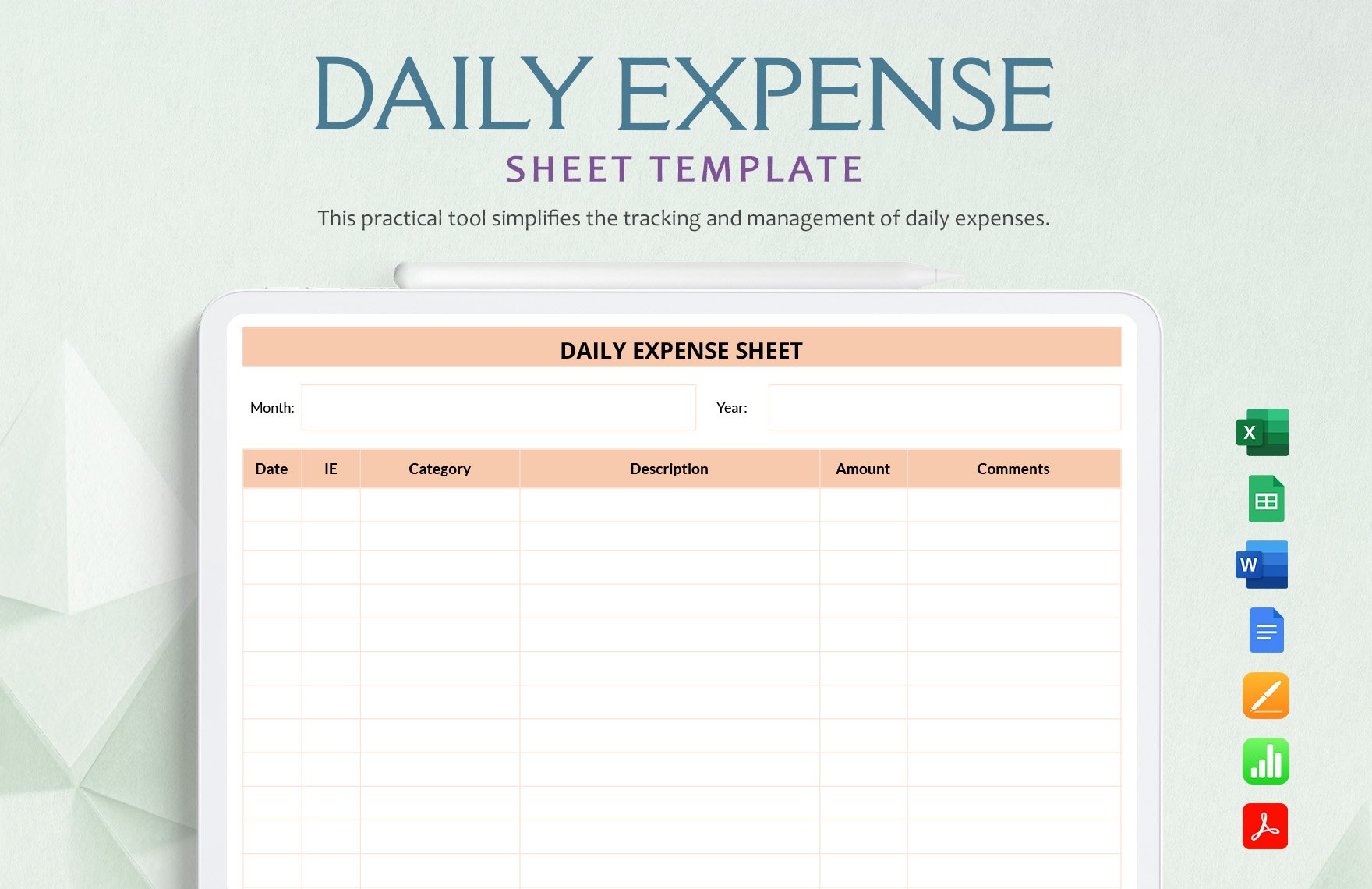
A daily expense sheet demonstrates the advantage of a compact row-based structure. It provides fields for date, category, description, amount, and comments, allowing users to capture information close to the time the expense occurs.
Adding Calculator Logic to the Tracker
The simplest useful formula is a total. If expense amounts occupy a consistent range, a SUM formula can calculate the total without requiring manual addition. This reduces arithmetic errors and lets the result update whenever another transaction is entered.
A running balance can be calculated by taking the previous balance, adding income, and subtracting expenses. For example, if the opening balance is $5,000, income is $1,500, and expenses are $750, the resulting balance is $5,750 in this hypothetical example.
Budget variance is another useful calculation. A basic variance can be defined as actual spending minus planned spending. For expense control, a positive value may indicate an overage, while a negative value may indicate spending below the plan. The workbook should explain the chosen sign convention.
Percentage calculations require special care when the denominator can be zero. A margin formula, for example, should not produce a confusing error when there is no revenue. Error-handling logic or a conditional formula can return a blank or explanatory result instead.
Complex formulas should be introduced only after the underlying data structure is stable. A complicated dashboard cannot compensate for inconsistent transaction records. Start with reliable inputs, then build summaries, and only afterward add more advanced calculations.
A reimbursement worksheet illustrates another calculator pattern. It combines transaction details with an automatically calculated reimbursement total, showing how formulas can transform individual entries into a practical decision-ready amount.

Tracking Business Expenses by Period
Time-based analysis is one of the strongest reasons to maintain structured records. A monthly tracker lets you compare current spending with previous periods without rebuilding the entire workbook.
For a seasonal business, monthly comparisons should be interpreted carefully. A higher expense in one month may be normal if that period includes annual insurance, inventory purchases, holiday advertising, or another predictable event.
Quarterly summaries can reduce noise from individual transactions. They can show whether a category is consistently increasing or whether one unusual purchase caused a temporary spike.
Annual tracking provides a longer view. It is useful for identifying recurring expenses, reviewing budget assumptions, and planning the next operating cycle. Year-to-date totals should be calculated from transaction-level data rather than manually typed.
Period controls should be simple enough that a user can tell which dates are included. A hidden date filter may produce misleading results if someone does not realize that certain transactions are excluded from the displayed total.
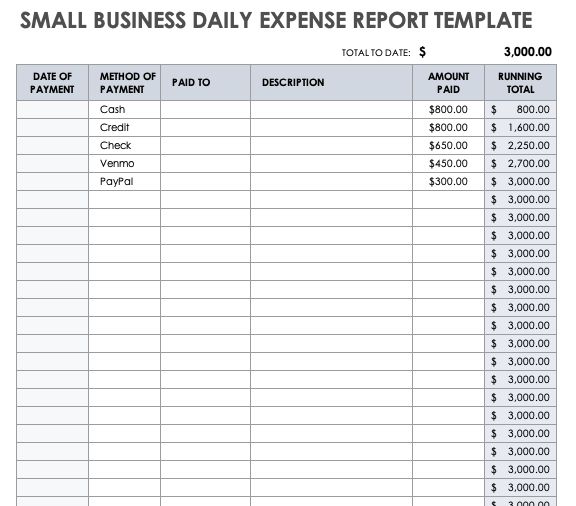
A detailed daily expense report demonstrates how payment method, payee, description, amount, and running total can work together. The structure is especially useful when a business needs transaction-level visibility before moving to monthly summaries.
Budget Versus Actual Tracking
A tracker becomes more useful when it compares what the business expected to spend with what it actually spent. This transforms the workbook from a historical log into a basic management-control tool.
Budget columns should be established before actual spending is reviewed. For example, a company might set hypothetical monthly budgets for advertising, software, rent, travel, and office supplies. Actual transactions can then be grouped against those categories.
The difference should be easy to interpret. If advertising was budgeted at $2,000 and actual spending reached $2,400, the $400 difference should be visible without requiring the owner to calculate it manually.
Variance percentages can add context, but they should not replace absolute amounts. A $100 overage on a $200 budget is significant in percentage terms, while a $1,000 overage on a $100,000 budget may require a different response even though its percentage is smaller.
Charts can make budget gaps easier to see, but the underlying table remains essential. Managers should be able to inspect the category, period, and transactions behind an unexpected variance before deciding what action to take.
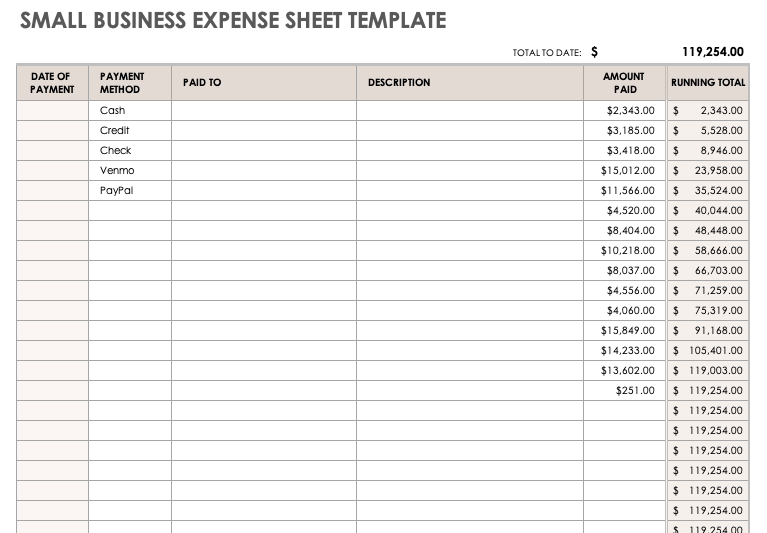
A small business expense-sheet example shows the value of running totals. The structure lets a user see both individual payments and the cumulative amount, making it easier to identify when spending is approaching a threshold.
Startup Costs and One-Time Expenses
Startup tracking deserves its own section because early-stage spending behaves differently from ordinary operating costs. A new business may incur formation, equipment, setup, professional, marketing, inventory, and initial technology expenses before regular revenue begins.
A startup worksheet should distinguish one-time costs from recurring expenses. This prevents an owner from assuming that a large initial equipment purchase will repeat every month.
Funding sources can also be tracked separately. Hypothetical examples might include owner contributions, loans, grants, or other capital. The template should distinguish money received for funding from revenue generated by customers.
Budget-versus-actual columns are particularly helpful during launch. If equipment was expected to cost $8,000 but the actual purchase is $9,500, the difference should be visible so the owner can decide whether another category must be reduced.
Startup calculations should be treated as planning tools rather than guarantees. Actual costs can change because suppliers, timing, financing, taxes, exchange rates, or business requirements differ from initial assumptions.
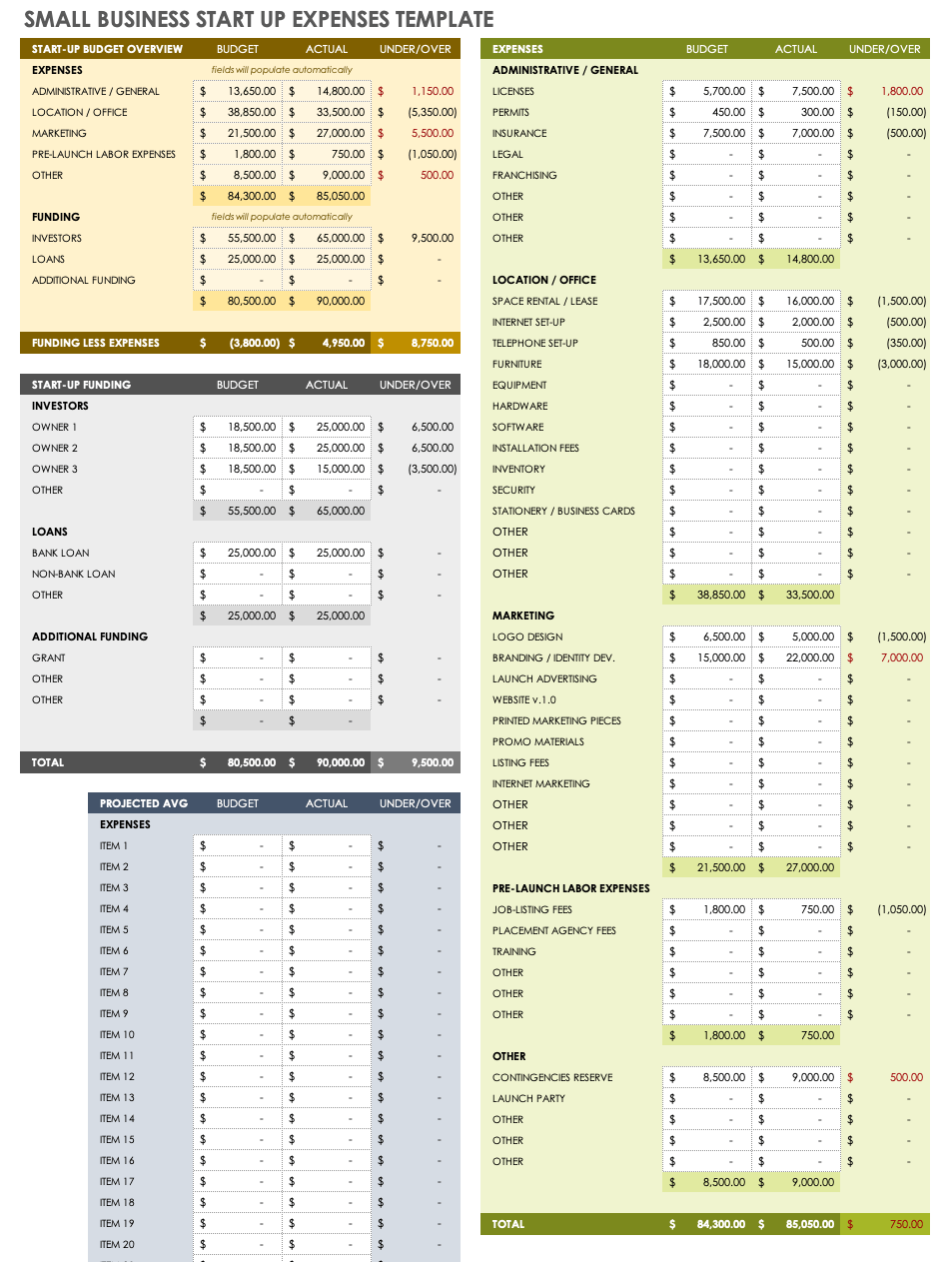
A startup-expense worksheet demonstrates how funding, operating categories, and budget-versus-actual figures can coexist in one structured financial document. It is a useful model for businesses that need to monitor launch spending closely.
Using a Business Tracker for Income and Expenses
A business tracker should not focus exclusively on costs. Revenue matters because expense decisions are meaningful only when viewed alongside the income that supports them.
Income categories should reflect the way the business actually earns money. A service company may track consulting, retainers, project fees, and maintenance. A retailer may track product categories or sales channels.
Separating income streams makes it easier to calculate concentration. If almost all revenue comes from one service or customer group, the business may want to monitor that dependency even if total revenue appears healthy.
Expense categories should be equally specific without becoming unnecessarily granular. Ten useful categories are usually better than fifty inconsistent labels that nobody remembers how to use.
A monthly or annual tracker can then calculate total income, total expenses, and the difference between them. These figures can support planning, although formal profit calculations may require accounting adjustments that a simple spreadsheet does not capture.
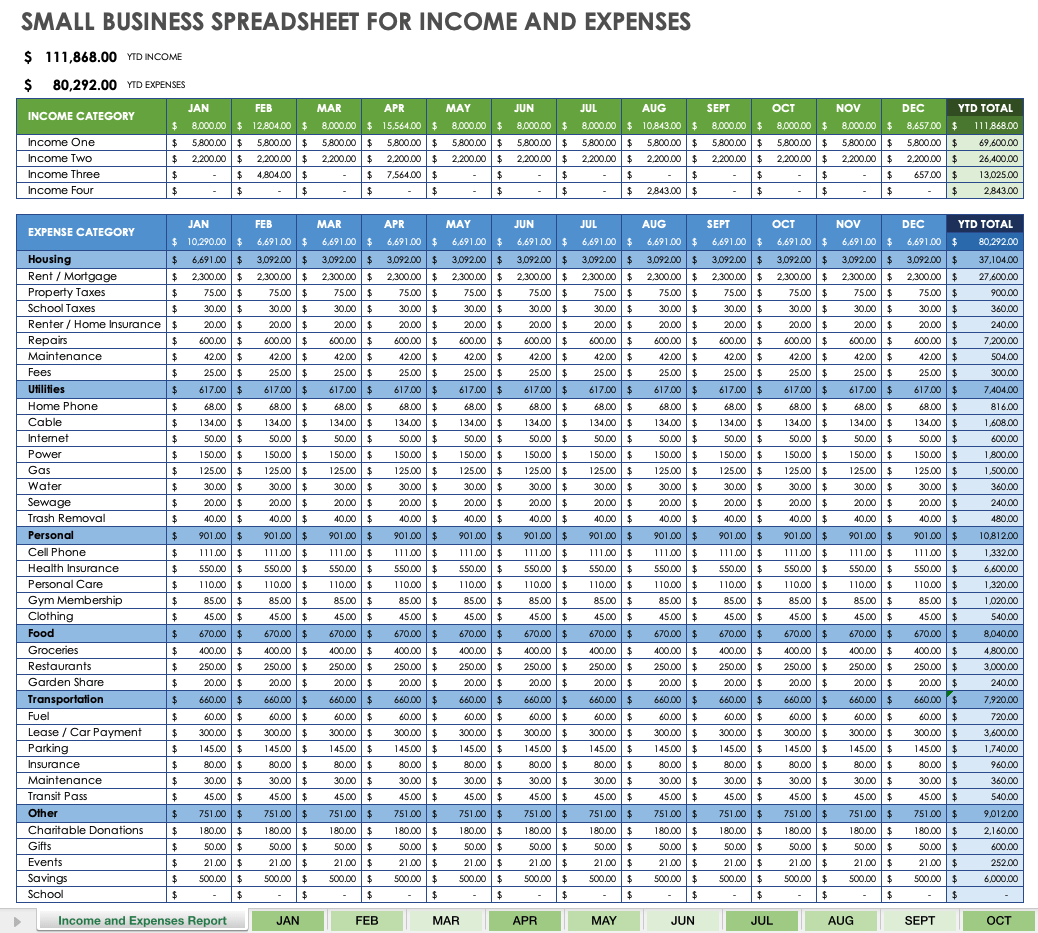
A small-business income-and-expense worksheet provides a useful example of the monthly structure. It separates income categories from expense categories and provides year-to-date totals that can be used for higher-level review.
Cash Flow Tracking
Profit and cash are related but not identical concepts. A business can show a positive accounting result while experiencing a temporary cash shortage because customers have not paid yet or because large purchases have occurred.
A cash-flow section should therefore focus on money entering and leaving the business. Opening cash, customer receipts, operating payments, financing activity, and closing cash are common building blocks.
Cash-flow projections should be clearly labeled as forecasts when they contain assumptions. Expected sales, payment timing, recurring expenses, and one-time purchases can all affect projected balances.
Actual cash movements should be reconciled against bank records where appropriate. A spreadsheet should not be treated as automatically correct simply because formulas work; the underlying transactions still need to be accurate.
Rolling forecasts can be useful for small businesses. Instead of creating one annual forecast and never updating it, the owner can compare expected and actual cash movement and extend the forecast as new information becomes available.
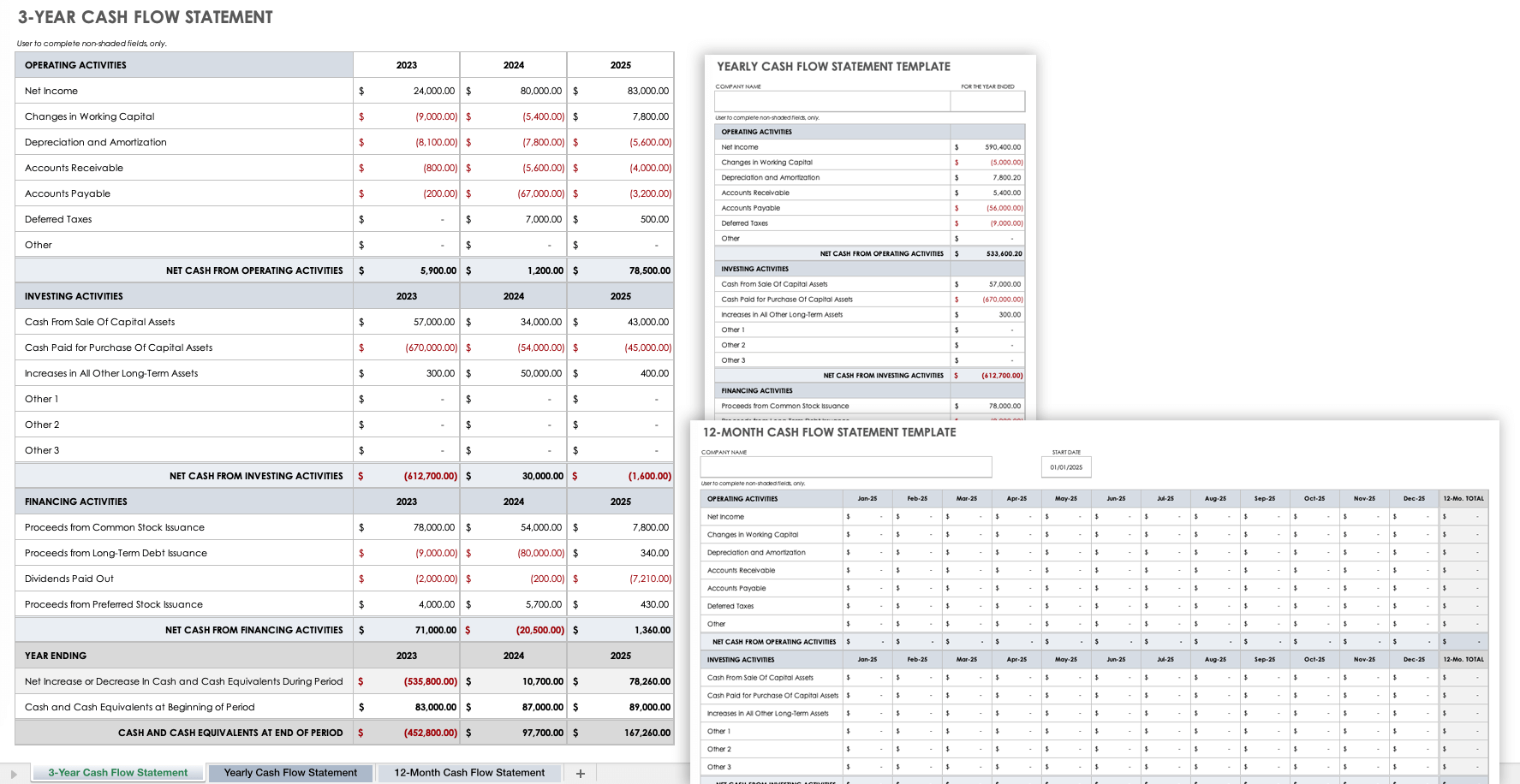
A multi-year cash-flow worksheet demonstrates how operating, investing, and financing activities can be separated. Even when a small business uses a simpler tracker, this conceptual separation helps prevent different kinds of cash movement from being mixed together.
Dashboard Design for a Tracking Business Calculator Template
A dashboard should answer questions quickly rather than reproduce every transaction. Useful headline figures may include total income, total expenses, net operating result, budget variance, cash balance, and the largest expense categories.
Charts should support those questions. A category bar chart can show where spending is concentrated, while a monthly line chart can reveal whether costs are increasing. A budget-versus-actual chart can show whether the business is consistently exceeding its plan.
Too many charts can make a dashboard harder to use. The best dashboards usually emphasize a small set of metrics that directly relate to management decisions.
Filters can allow the user to view a specific month, category, project, or department. However, filters should not obscure the underlying data. A clearly labeled filter state helps prevent someone from interpreting a partial view as a complete report.
Dashboards should also be tested with unusual values. Zero revenue, a negative adjustment, a very large purchase, or a blank category can expose formula weaknesses that ordinary sample data may not reveal.
A cash-flow dashboard illustrates how a structured table can feed visual summaries. The purpose is not visual decoration; it is to provide a quicker route from transaction data to a business decision.

Choosing Between Excel and Google Sheets
Excel is often a strong choice when the workbook needs advanced formulas, desktop functionality, extensive formatting, or offline work. Microsoft also provides business spreadsheet templates for budgeting, expenses, invoices, and financial planning.
Google Sheets is attractive when collaboration is important. Multiple authorized users can work on the same file, and Google provides a Template Gallery through Docs, Sheets, Slides, and Forms. A template can be opened as a copy and customized for the user’s needs.
For many small businesses, the underlying design matters more than the platform. A well-structured workbook can work in either environment if formulas, categories, and assumptions are clearly documented.
File conversion should be tested before a business relies on it. Some advanced Excel features may behave differently after import into another spreadsheet application, particularly when the workbook uses specialized features, external links, macros, or complex automation.
Collaboration also introduces governance questions. Decide who can edit formulas, who enters transactions, who reviews monthly results, and who owns the master version. A shared spreadsheet is useful only when users understand which cells they are expected to change.
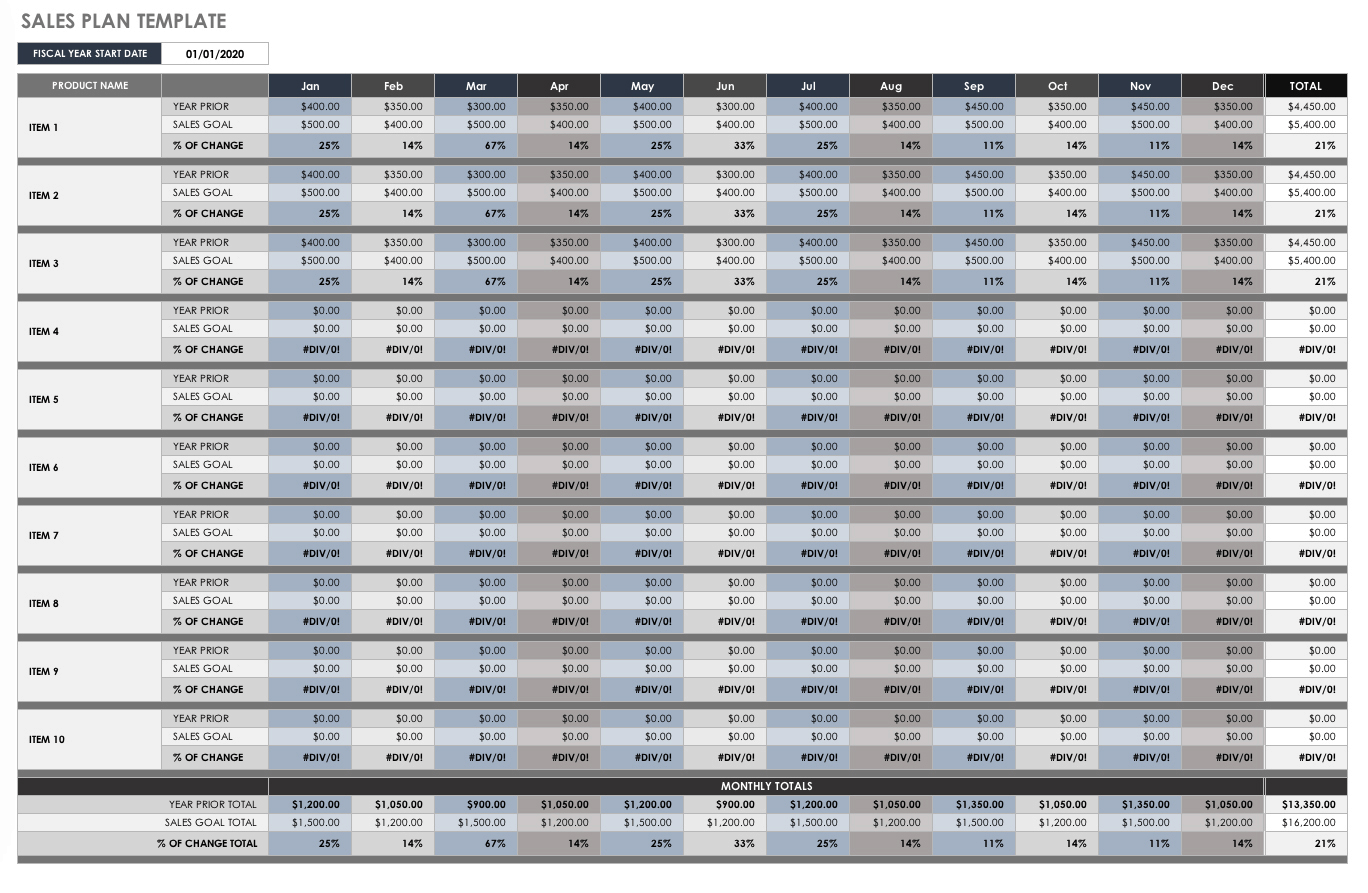
A sales planning worksheet shows the broader spreadsheet principle: a table can combine historical figures, targets, percentages, monthly periods, and totals in a structure that supports both data entry and analysis.
How to Build a Tracking Business Calculator Template in Excel
Start with a transaction sheet rather than a dashboard. Create columns for date, transaction type, category, description, vendor or customer, payment method, amount, and notes. Add project or department fields only when the business actually needs them.
Convert the transaction range into a structured table if your spreadsheet application supports it. Structured tables make formulas easier to maintain as new rows are added and can simplify filtering and reporting.
Create a separate setup area for category lists, payment methods, tax assumptions, and other controlled values. Keeping these lists in one place makes future changes easier and reduces the chance of slightly different labels appearing in the transaction log.
Add calculated columns only after the input fields work correctly. Possible calculations include signed amount, running balance, month, quarter, budget, variance, and variance percentage. Keep formulas consistent from row to row.
Finally, build summary cells from the transaction table. Use category totals, monthly totals, and budget comparisons to create a concise review page. Test the workbook by adding, editing, and deleting sample transactions before replacing them with real data.
A project expense tracker illustrates the same construction principle. Planned and actual figures are kept side by side, while labor, materials, and fixed costs can be separated so the resulting variance has a clear business meaning.
How to Adapt the Template for Google Sheets
When using Google Sheets, begin with a clean workbook and create separate tabs for Transactions, Categories, Budget, Summary, and Instructions. This is generally easier to maintain than placing everything on one crowded sheet.
Google Sheets supports template-based workflows through its Template Gallery. Google’s documentation explains that users can open Sheets, choose the Template Gallery, select a template, and work from a copy.
Data validation is especially valuable in shared spreadsheets. Category and payment-method columns can use controlled choices so that contributors do not create variations such as “Credit Card,” “creditcard,” and “Card” for the same concept.
Protected ranges can help prevent accidental changes to formulas. Input cells should be obvious, while calculation cells can be protected when multiple people use the workbook.
Shared spreadsheets also benefit from clear instructions. A short instruction tab should explain what each column means, what date convention is used, how refunds are entered, how transfers are handled, and which fields should never be overwritten.
A detailed expense worksheet demonstrates the kind of row-level structure that transfers well to Google Sheets. It combines categories, descriptions, amounts, payment methods, and supporting notes without requiring a complex interface.
Business Financial Tracking and Bookkeeping Discipline
A spreadsheet becomes more dependable when transaction entry follows a routine. For example, an owner might record transactions daily, reconcile the bank account weekly, and review category totals monthly. The exact schedule can vary with transaction volume.
Receipts and supporting documents should be retained according to the business’s applicable recordkeeping requirements. The spreadsheet should contain enough information to identify the transaction, while supporting documents provide evidence for the amount and business purpose.
Do not use the spreadsheet as a substitute for professional accounting judgment when the business has complex tax, payroll, inventory, accrual, depreciation, or regulatory requirements. A tracker is most useful when its limitations are understood.
Corrections should be traceable. Instead of silently replacing historical numbers, consider recording an adjustment or keeping a change history where the situation requires stronger auditability.
Backups are also important. Keep controlled copies of completed periods and avoid allowing many people to create competing “final” versions. A simple naming convention can help distinguish working files from reviewed records.
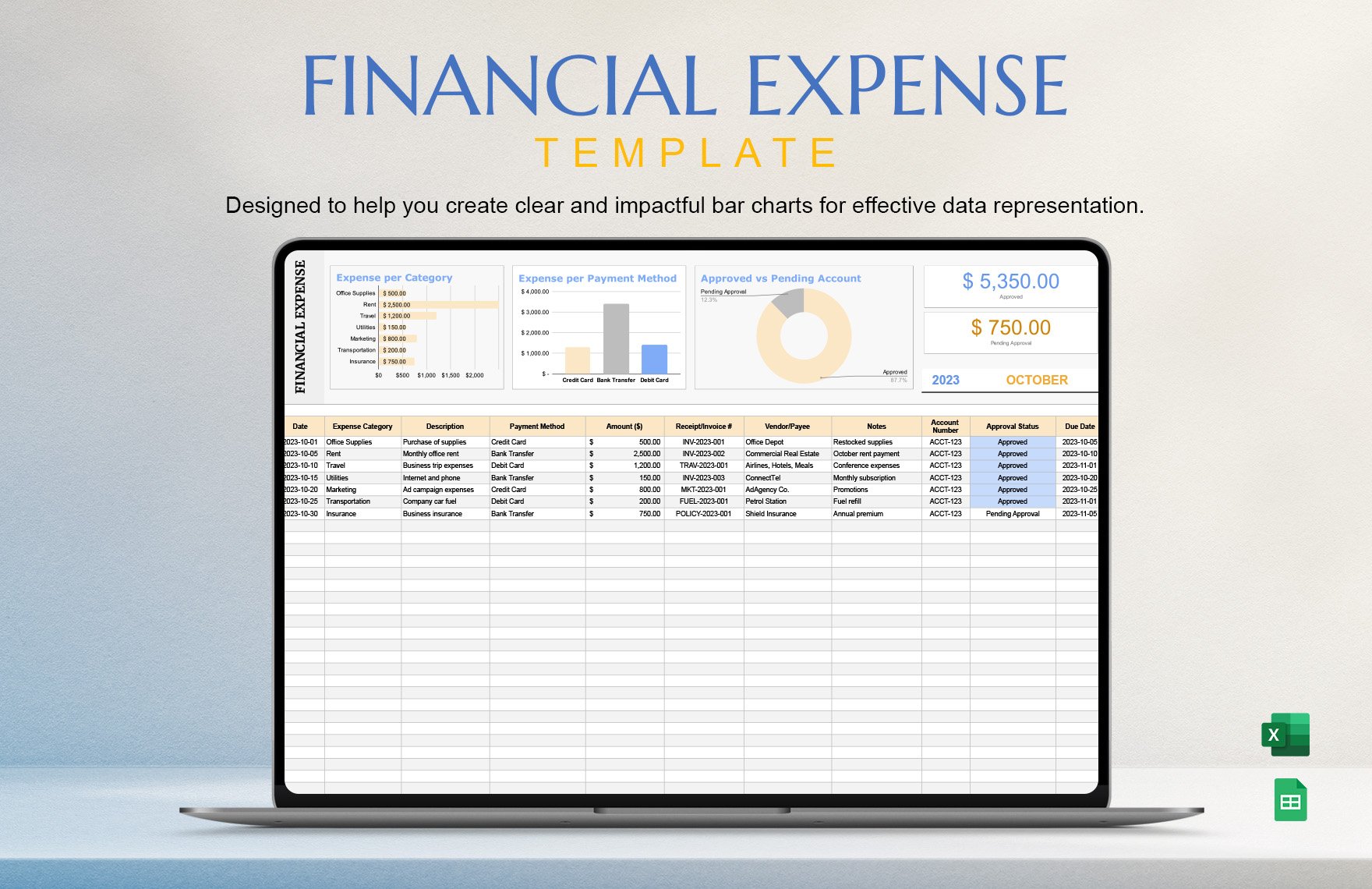
A financial expense template demonstrates how transaction details can be expanded to include payment method, vendor, receipt reference, approval status, and due date. Those fields can make a tracker more useful for operational follow-up as well as financial reporting.
Templates for Tracking Business Expenses
A template for tracking business expenses should make each purchase identifiable. At minimum, record the date, supplier, description, category, amount, and payment method. Add tax, receipt status, project, or department fields when they have a clear purpose.
One advantage of a dedicated expense log is that it reduces the temptation to mix personal and business purchases. If mixed transactions do occur, mark them clearly rather than assuming the spreadsheet can infer the business portion later.
Recurring expenses should be easy to recognize. Software subscriptions, rent, insurance, utilities, and professional services may occur regularly, so category and vendor consistency can make recurring spending easier to review.
Expense reimbursement requires additional information. Employee or claimant details, purpose, receipt status, approval, and reimbursement amount may be necessary depending on the business’s internal process.
The workbook should also distinguish a transaction log from an expense report. A log records activity over time, while a report may summarize selected transactions for a manager, accountant, reimbursement process, or other specific purpose.
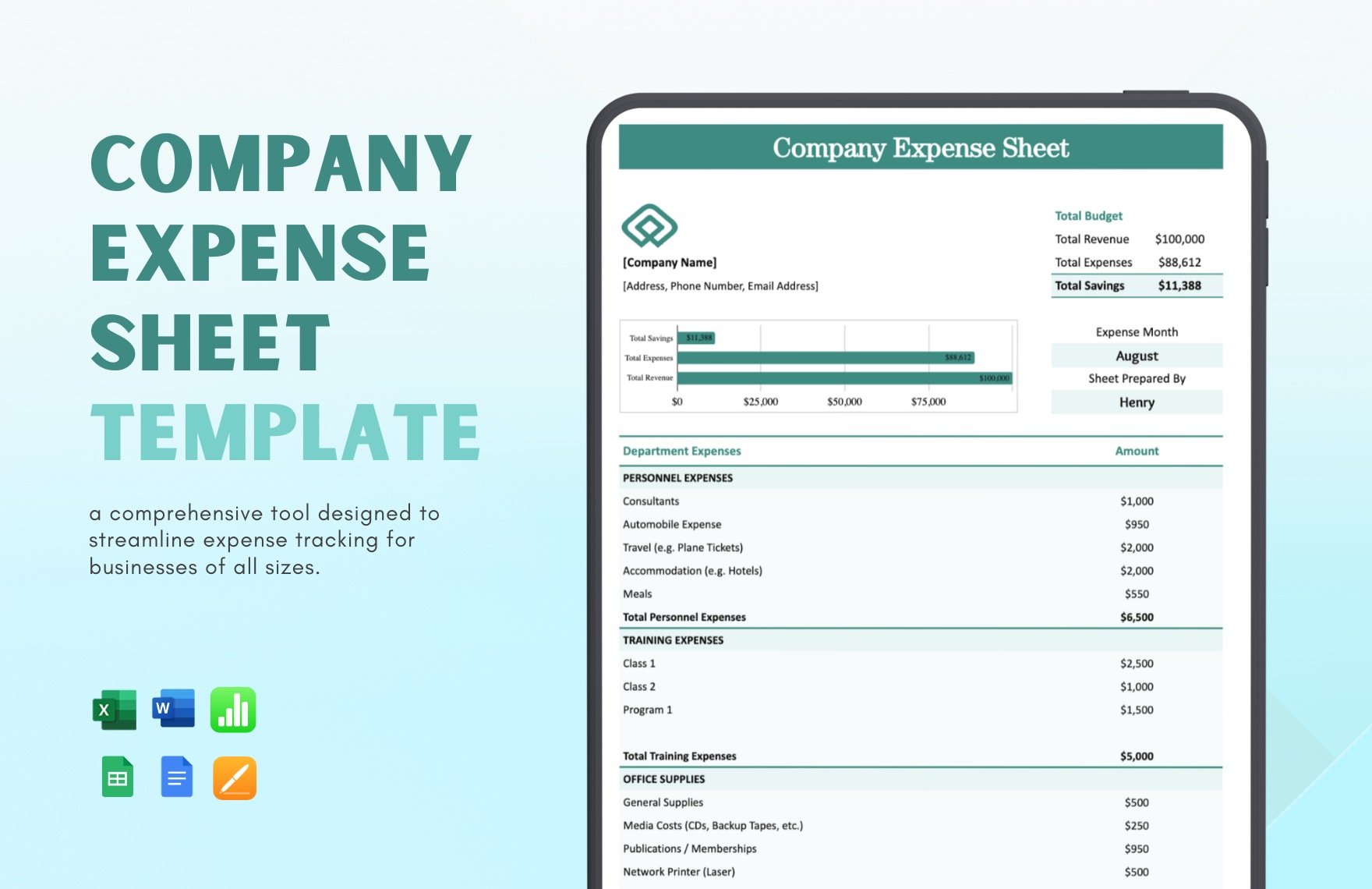
A company expense sheet illustrates how a higher-level report can summarize total revenue, total expenses, savings, and departmental spending. This type of summary is useful after the underlying transaction records have been kept consistently.
Creating an Excel Template for Tracking Business Expenses
An excel template for tracking business expenses should start with an input table and a controlled category list. The main table can include date, vendor, description, category, amount, payment method, receipt status, and notes.
Next, add a summary area that calculates total expenses by category and period. SUMIFS or similar conditional aggregation formulas can be useful when the workbook needs to summarize transactions according to multiple criteria.
Budget columns can then be added to the category summary rather than repeated unnecessarily in every transaction row. This keeps planned values centralized while actual transactions remain detailed.
Formatting should distinguish editable cells from calculated cells. For example, input areas can have a consistent visual treatment, while formula cells remain visually separate. The goal is to reduce accidental overwriting rather than make the workbook decorative.
Before distributing the workbook, test several scenarios: an ordinary purchase, a refund, a zero amount, a missing receipt, a new category, and a transaction in a different reporting period. These tests reveal whether formulas and validations behave as intended.
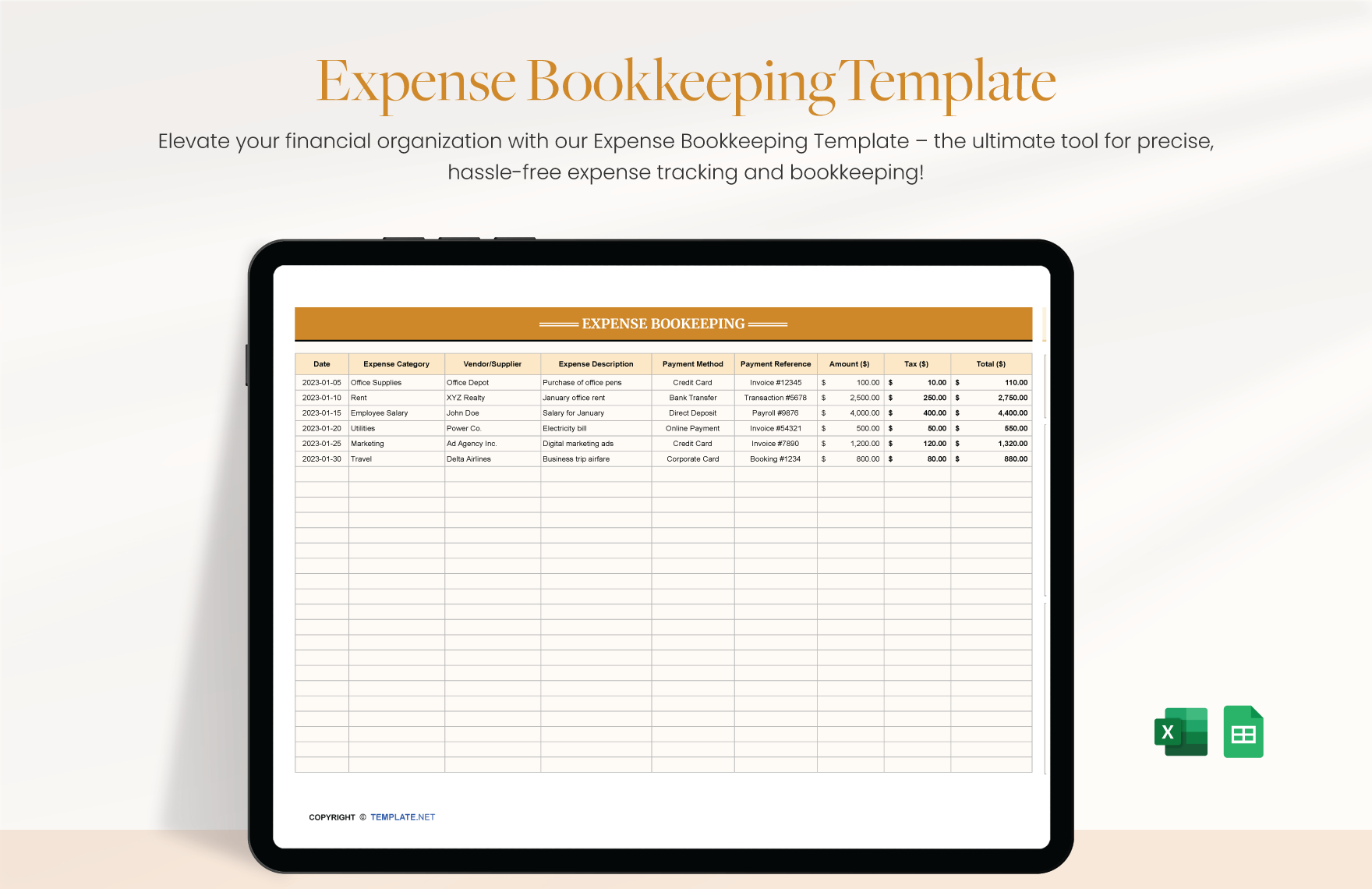
A bookkeeping-oriented expense sheet shows how transaction rows can include invoice or receipt references, tax values, payment methods, and total amounts. Such fields can be added selectively when the business needs stronger bookkeeping support.
Using an Income and Expense Sheet for Management Reviews
An income and expense sheet is useful for a recurring management review because it puts the two sides of the operating picture together. Revenue alone can look encouraging while expenses quietly increase, and low expenses can be misleading if sales are also falling.
The review should focus on changes rather than isolated numbers. Ask which categories increased, which revenue streams changed, whether the change was expected, and whether the budget still reflects current business conditions.
Category-level comparisons are particularly valuable. A total expense number may remain stable while one category rises sharply and another falls. That movement can matter even when the overall total looks normal.
Monthly summaries can also help identify timing problems. A supplier invoice recorded in one month and paid in another may affect different reports depending on whether the workbook is designed around purchase date or cash payment date.
Every management report should state its basis. If the spreadsheet is cash-based, say so. If it uses invoices or other accounting concepts, document those rules. Clear definitions prevent users from interpreting a simple tracker as a complete set of financial statements.
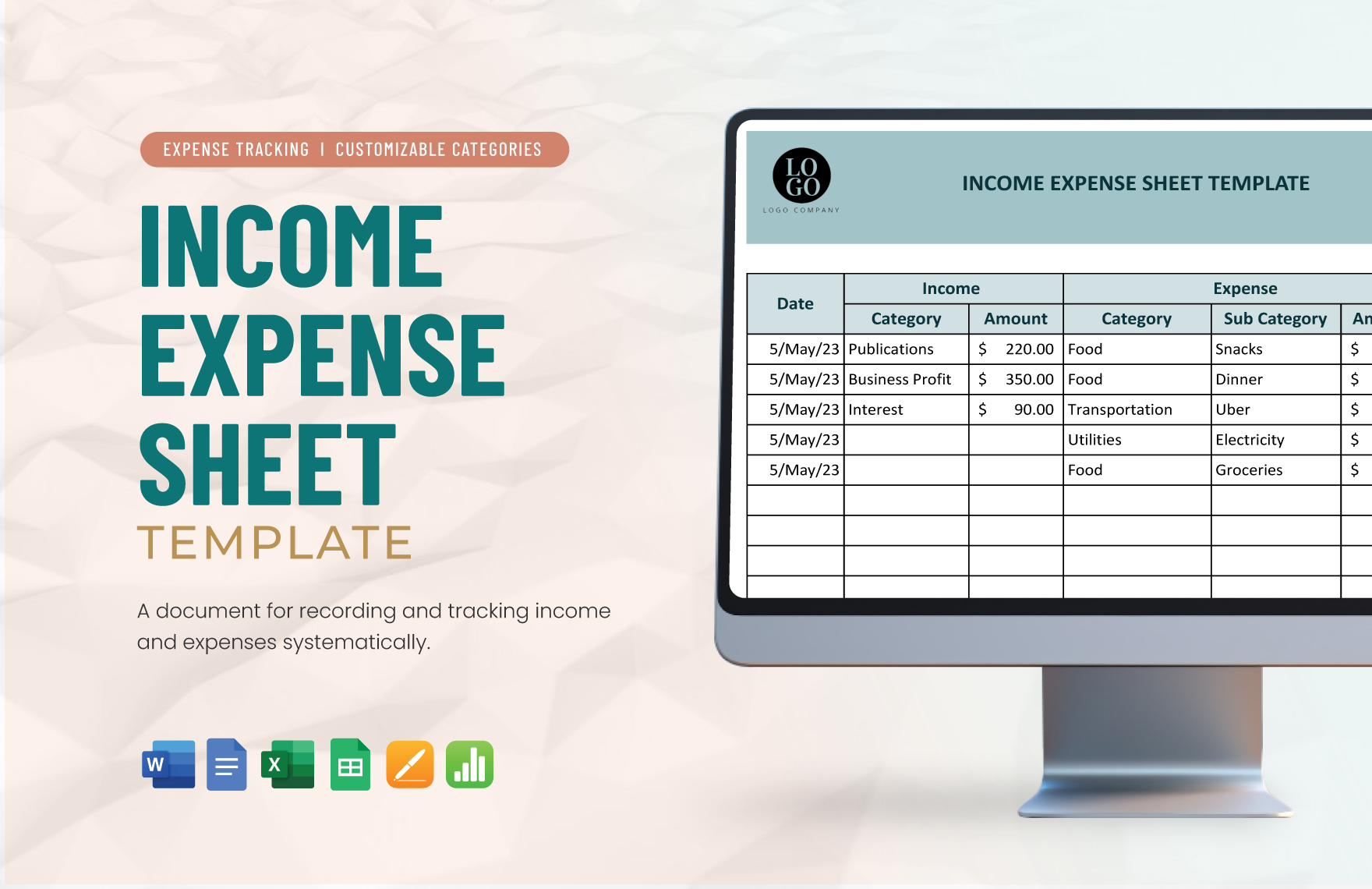
An income-expense sheet example demonstrates how a simple table can capture both sides of the business equation while remaining readable enough for routine review and discussion.
Printable and PDF-Friendly Formats
Some businesses need a printable record for internal review, reimbursement, filing, or meetings. A spreadsheet can be formatted for printing by defining page orientation, print areas, repeating headers, and appropriate scaling.
A PDF should generally be treated as a reporting format rather than the primary calculation format. Spreadsheet files preserve formulas and editable data, while PDFs are better suited to fixed layouts that should not change after distribution.
If a workbook is converted to PDF, review the exported file before sharing it. Check that columns are not cut off, totals remain visible, headings repeat appropriately, and confidential information has not been included unintentionally.
Printable versions are especially useful when a manager wants a concise monthly report. The detailed transaction table can remain in the workbook while the PDF contains only the selected summary information needed for the review.
A template can also be designed for both digital and printed use. Keep the main table readable at normal page sizes, avoid excessive columns, and move secondary information to supporting tabs when necessary.
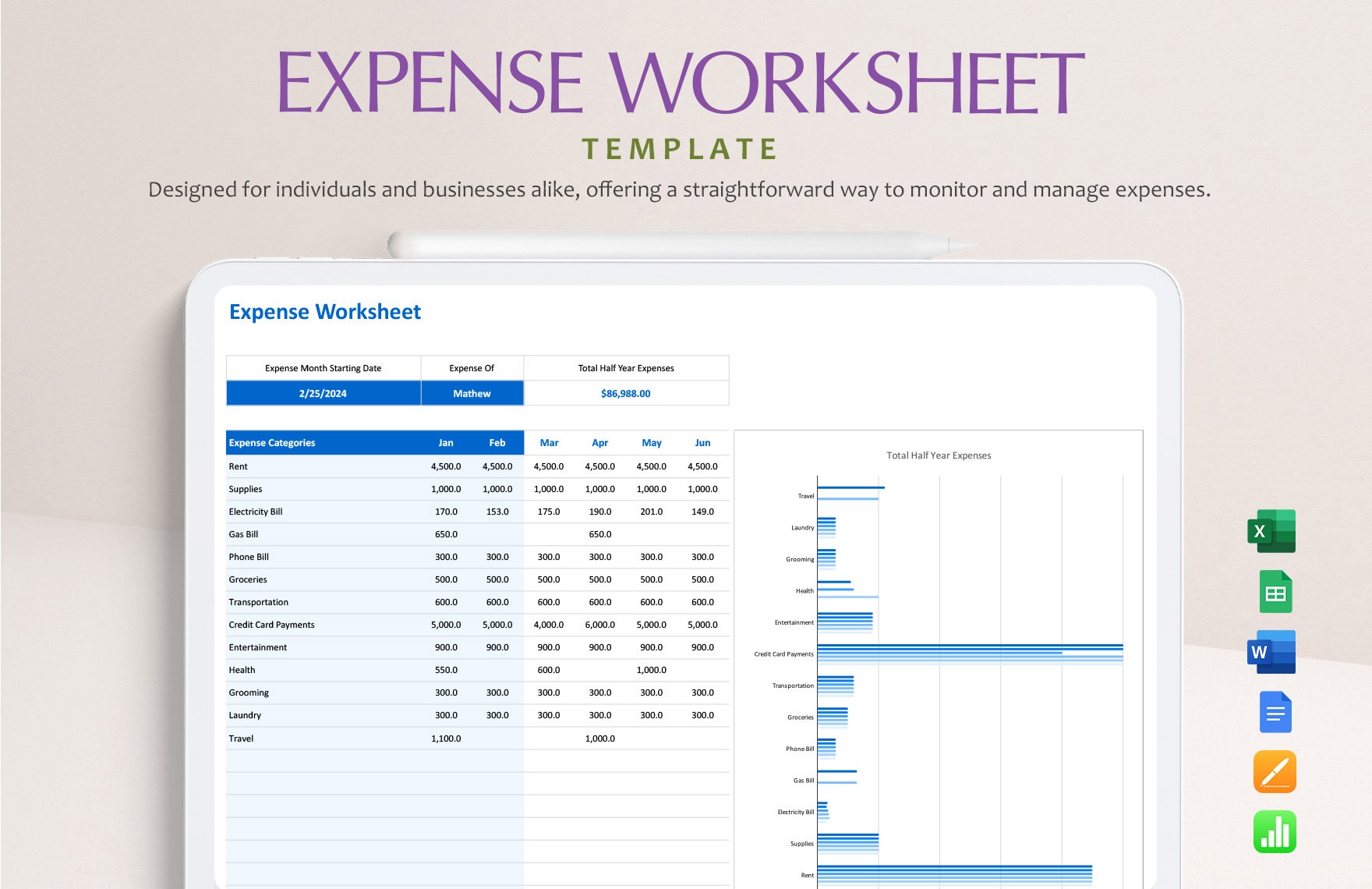
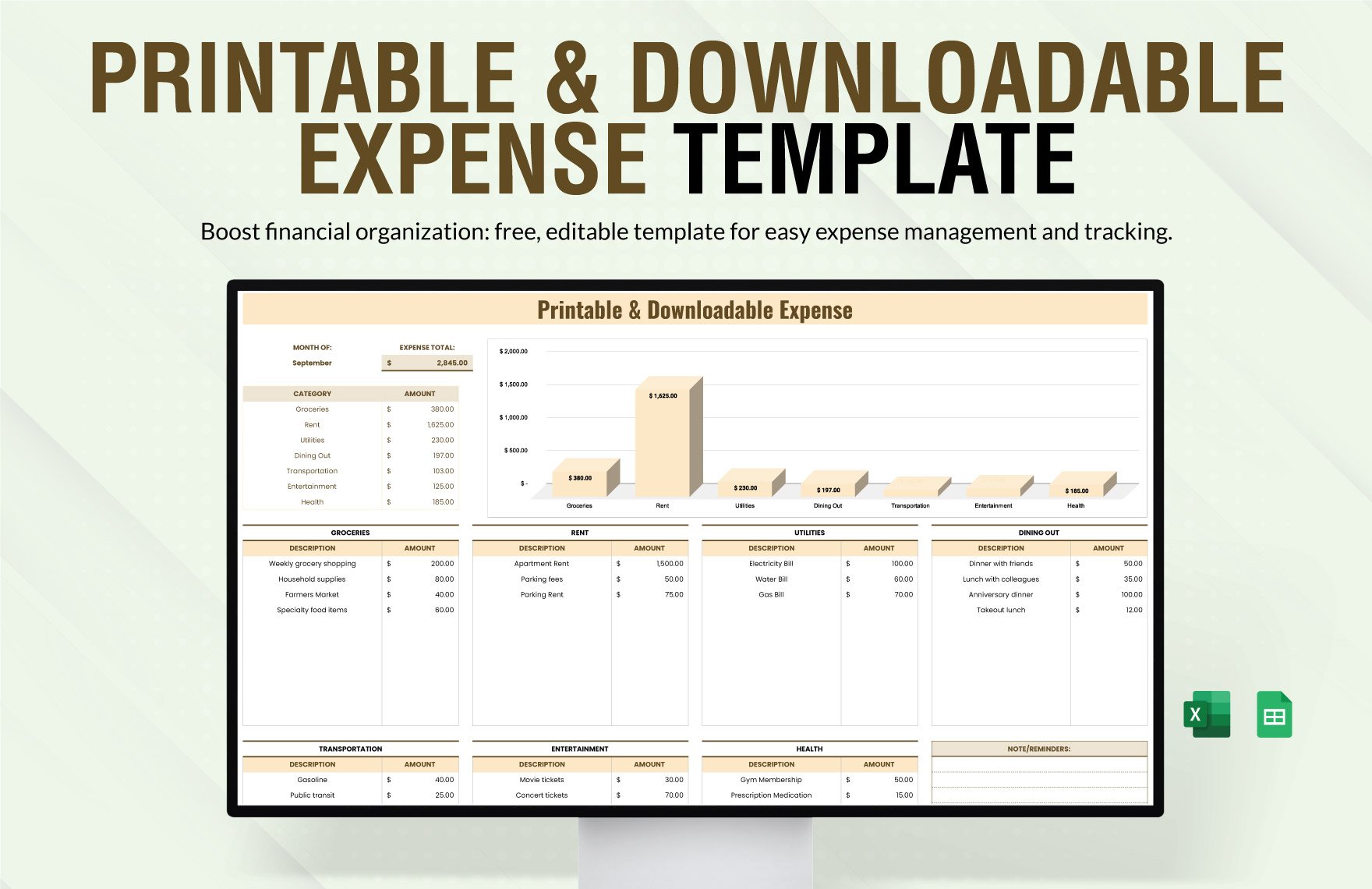
A printable expense template illustrates this dual-purpose approach by combining category totals, charts, and detailed expense sections in a layout designed to be read as a document as well as a spreadsheet.
Annual Reporting and Trend Analysis
Annual analysis should aggregate monthly information without losing the ability to investigate individual transactions. A yearly summary can show category totals, quarterly movement, and year-to-date performance.
Quarterly totals are particularly useful for identifying changes in operating patterns. A category that appears stable over the entire year may actually have increased sharply during one quarter and declined later.
Annual reports should also separate recurring and unusual costs where possible. A large equipment purchase may distort a simple year-over-year comparison if it is treated as though it were a normal recurring expense.
Trend charts should use consistent definitions across periods. If categories are renamed halfway through the year, historical comparisons may become unreliable unless the old and new labels are mapped together.
For businesses with multiple locations or departments, annual reporting can include a dimension for organizational unit. However, adding dimensions increases complexity, so each additional field should have a clear analytical purpose.
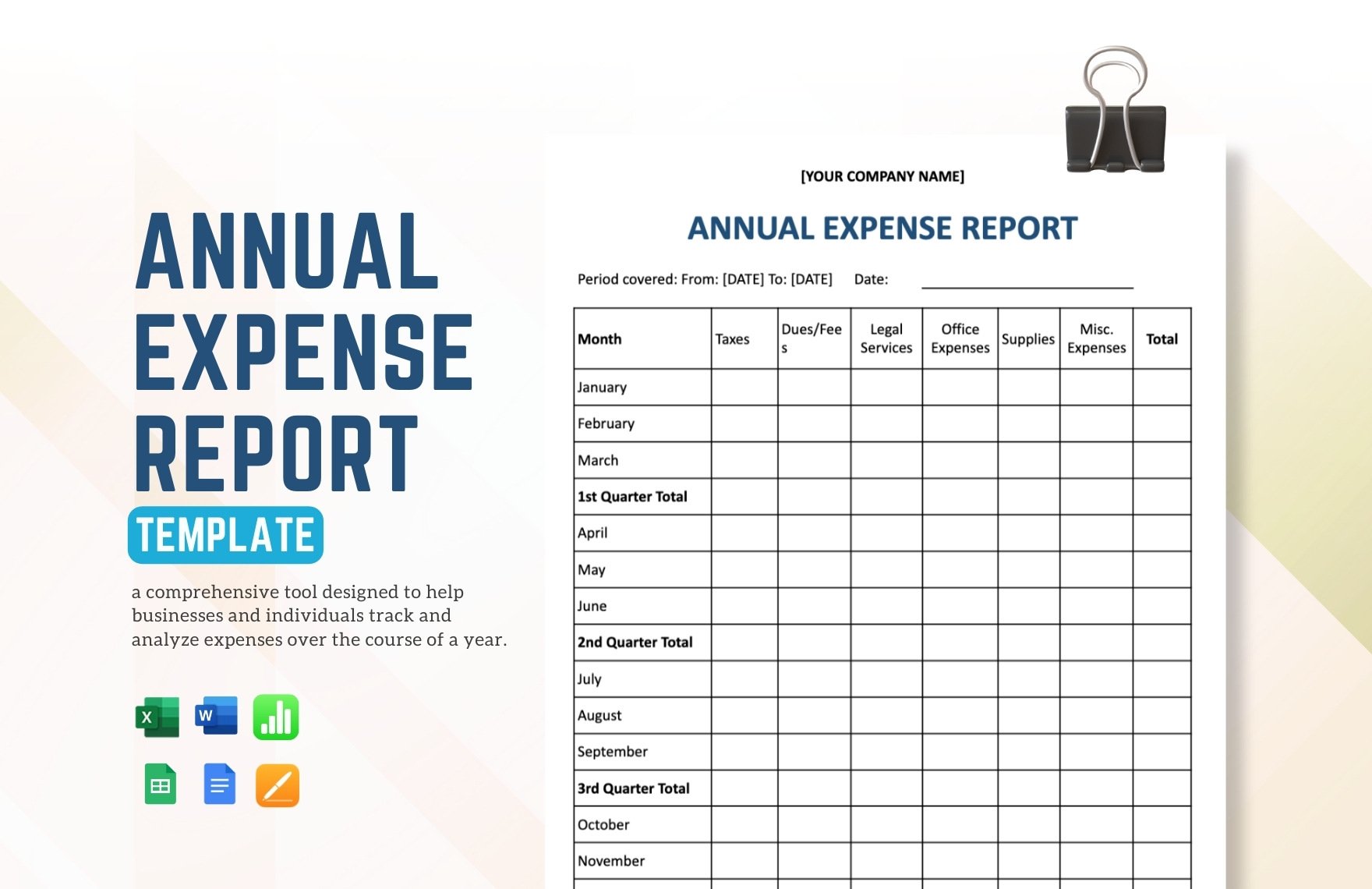
An annual expense report provides a visual example of a period-based structure. Monthly rows, category columns, and quarterly totals create a compact format for reviewing expense activity across a full year.
Practical Business Scenarios
Consider a hypothetical freelance design business that receives project deposits and pays for software, advertising, travel, subcontractors, and office supplies. Its tracker could record each transaction while assigning a project and category.
The owner could then calculate project revenue, project-specific expenses, and remaining project contribution. This is more useful than looking only at the bank balance because it connects financial activity with the work that generated it.
A retail business might instead track product sales, inventory purchases, shipping, payment processing fees, advertising, and refunds. A category structure designed for a service business would not necessarily be appropriate.
A consulting company might emphasize billable projects, contractor costs, travel, software, and professional services. It may also need to connect expenses to clients or projects so managers can evaluate engagement-level profitability.
A small restaurant could focus on food, labor, rent, utilities, delivery fees, supplies, repairs, and marketing. The same spreadsheet principles apply, but the categories and decision metrics should reflect the operating model.
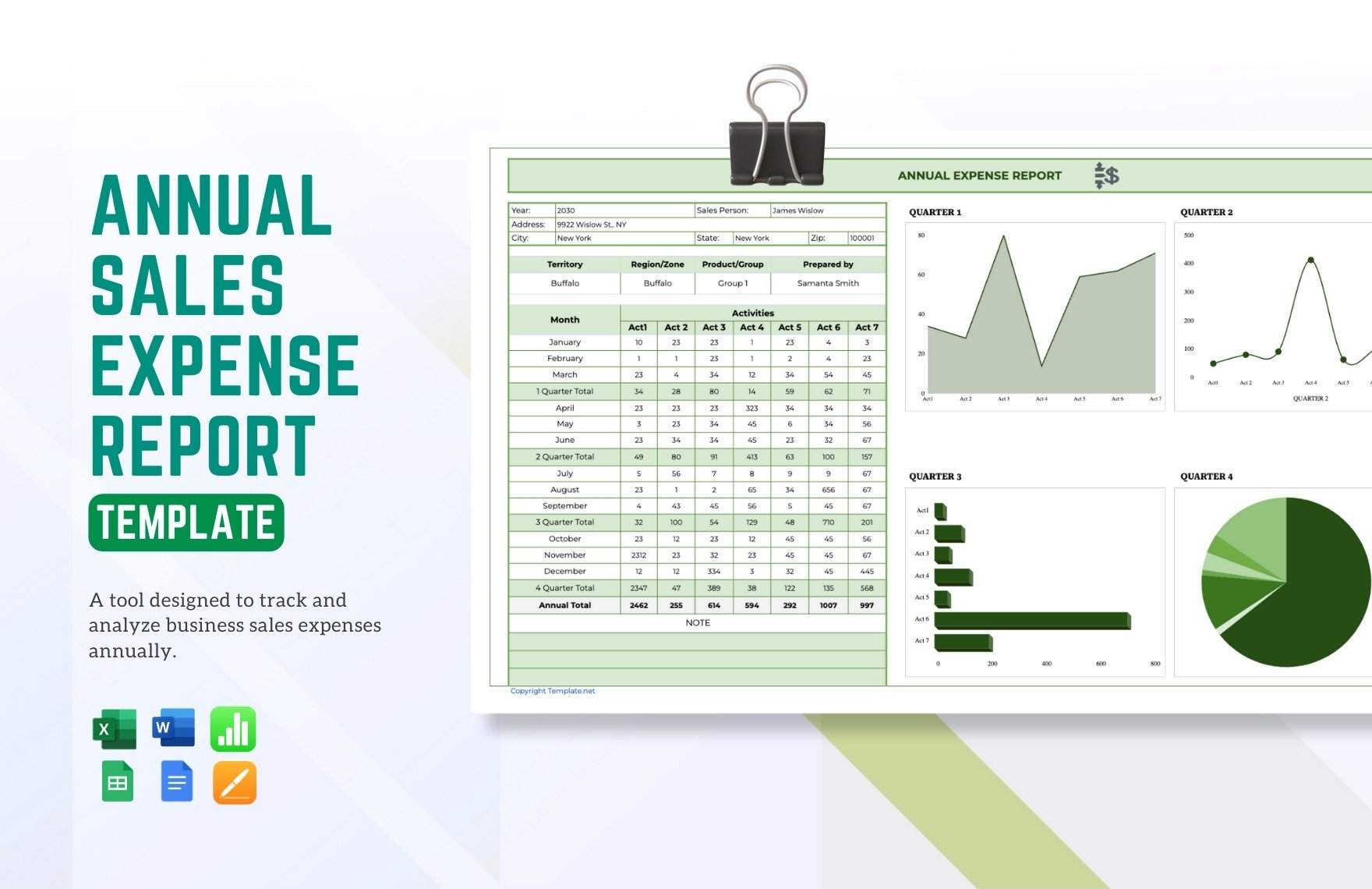
A specialized annual sales-expense report illustrates how a business can combine transaction information with charts. The visual format can help management compare activity across periods while the detailed table preserves the underlying record.
Common Mistakes to Avoid
The first common mistake is creating too many categories. Users often believe more categories mean more precision, but excessive detail can make data entry inconsistent. Categories should be detailed enough to support decisions and simple enough to use correctly.
The second mistake is mixing formulas and manual values in the same calculated column. If some rows contain formulas and others contain typed totals, future edits can produce inconsistent results without an obvious warning.
The third mistake is ignoring refunds and corrections. A returned purchase should not simply disappear from the records. It should be represented in a way that preserves the transaction history and produces the intended net result.
The fourth mistake is failing to reconcile. A tracker can contain perfectly functioning formulas and still contain inaccurate data. Periodic comparison with bank, card, invoice, or receipt records is therefore essential when the workbook is used for financial control.
The fifth mistake is building the dashboard before testing the transaction table. The dashboard may look polished while relying on incomplete ranges, inconsistent categories, or formulas that fail when new rows are added.
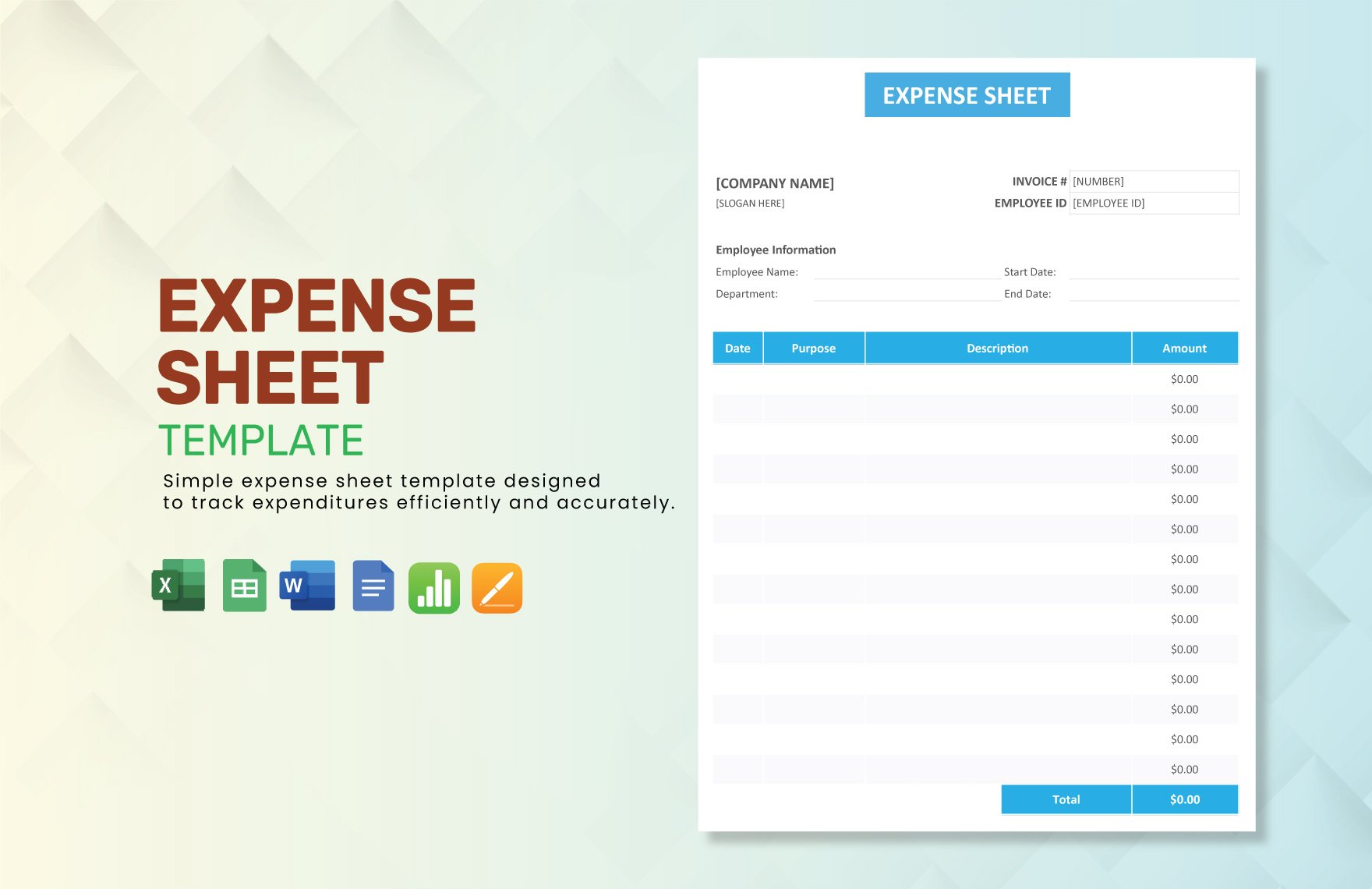
A simple expense-sheet design is often a useful reminder that clarity can be more valuable than complexity. A clean table with obvious fields can outperform a sophisticated-looking workbook that users find difficult to maintain.
Best Practices for Reliable Business Tracking
Keep one source of truth for transactions. If expenses are entered into multiple spreadsheets, reconcile them before using the information for management decisions. Duplicate records can make totals appear higher than they really are.
Use consistent date and currency formats. If a business operates across currencies, add a currency field and document whether amounts are recorded in transaction currency or converted into a reporting currency.
Protect formulas. A user who accidentally deletes a SUMIFS formula can change a report without realizing it. Protected cells, clear formatting, and an instructions tab can reduce this risk.
Review the category list periodically. Categories that are rarely used or repeatedly confused should be consolidated or renamed. A tracker should evolve with the business instead of preserving an outdated structure forever.
Archive completed periods. Keeping reviewed monthly or quarterly copies makes it easier to investigate historical numbers and prevents an active workbook from becoming unnecessarily large.
Use charts selectively. A well-chosen expense trend, category comparison, or budget variance chart can reveal a pattern quickly. The chart should always be traceable to the underlying table and should not replace detailed records.
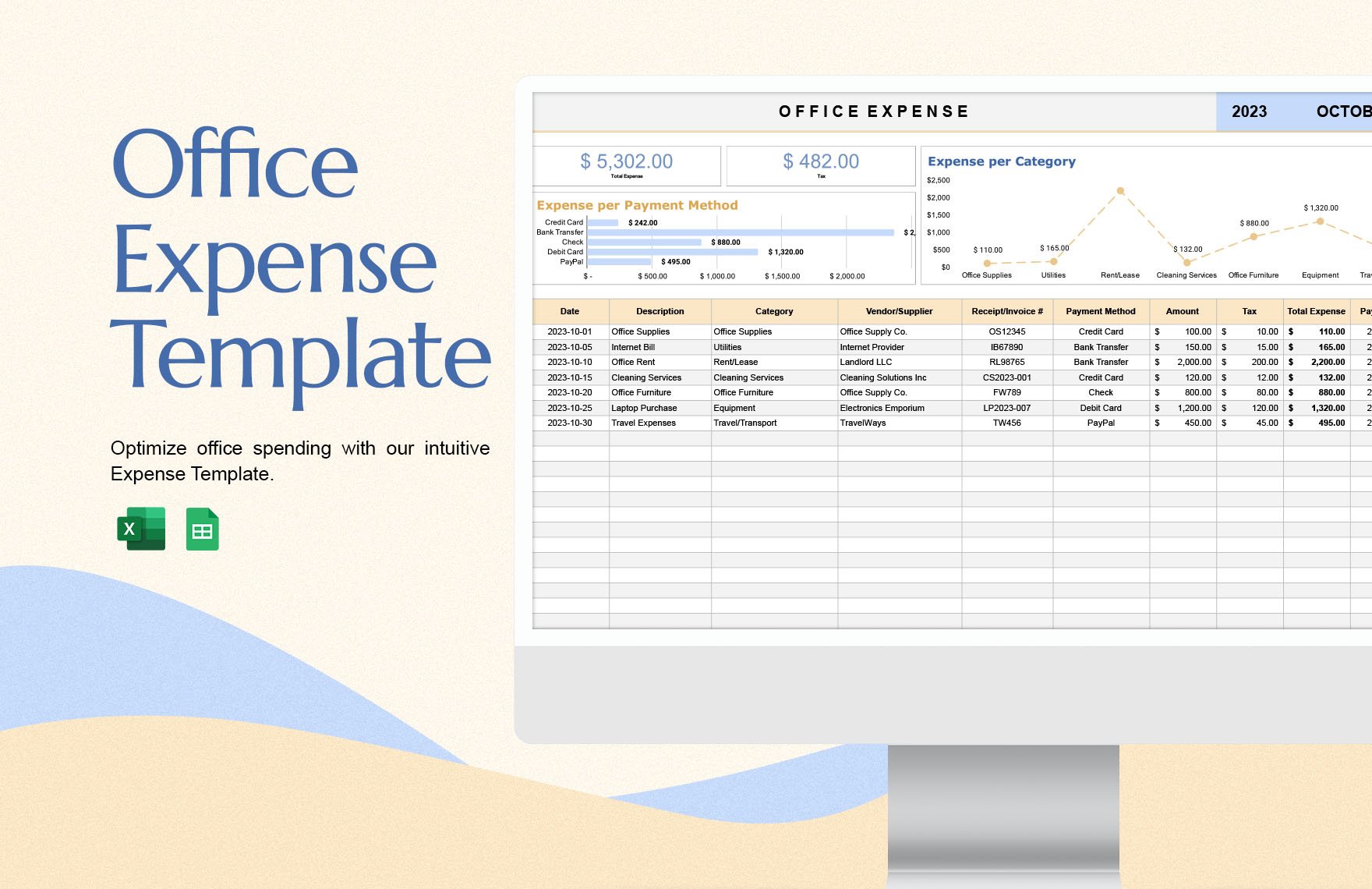
An office expense dashboard demonstrates how category totals, payment methods, transaction details, and visual charts can be combined without requiring people-focused imagery. The emphasis remains on the data and the layout.
How to Improve a Basic Tracker Over Time
A basic tracker does not need to become complicated immediately. Start with the minimum fields needed for accurate recording, then add features only when a recurring business question cannot be answered with the existing structure.
The first upgrade might be a category summary. The next could be budget-versus-actual reporting. After that, the business may need project tracking, department reporting, or a dashboard.
Automation can be introduced gradually. Conditional formatting can highlight missing categories, unusually large transactions, or budget overruns. Data validation can prevent invalid entries. Lookup formulas can populate related information from a controlled table.
For larger workbooks, separate raw transaction data from presentation sheets. This makes it easier to change the dashboard design without disturbing the underlying records.
Documentation should evolve alongside the workbook. Whenever a new calculation is added, explain what it means, what assumptions it uses, and which inputs control it. This prevents the template from becoming dependent on the person who originally built it.
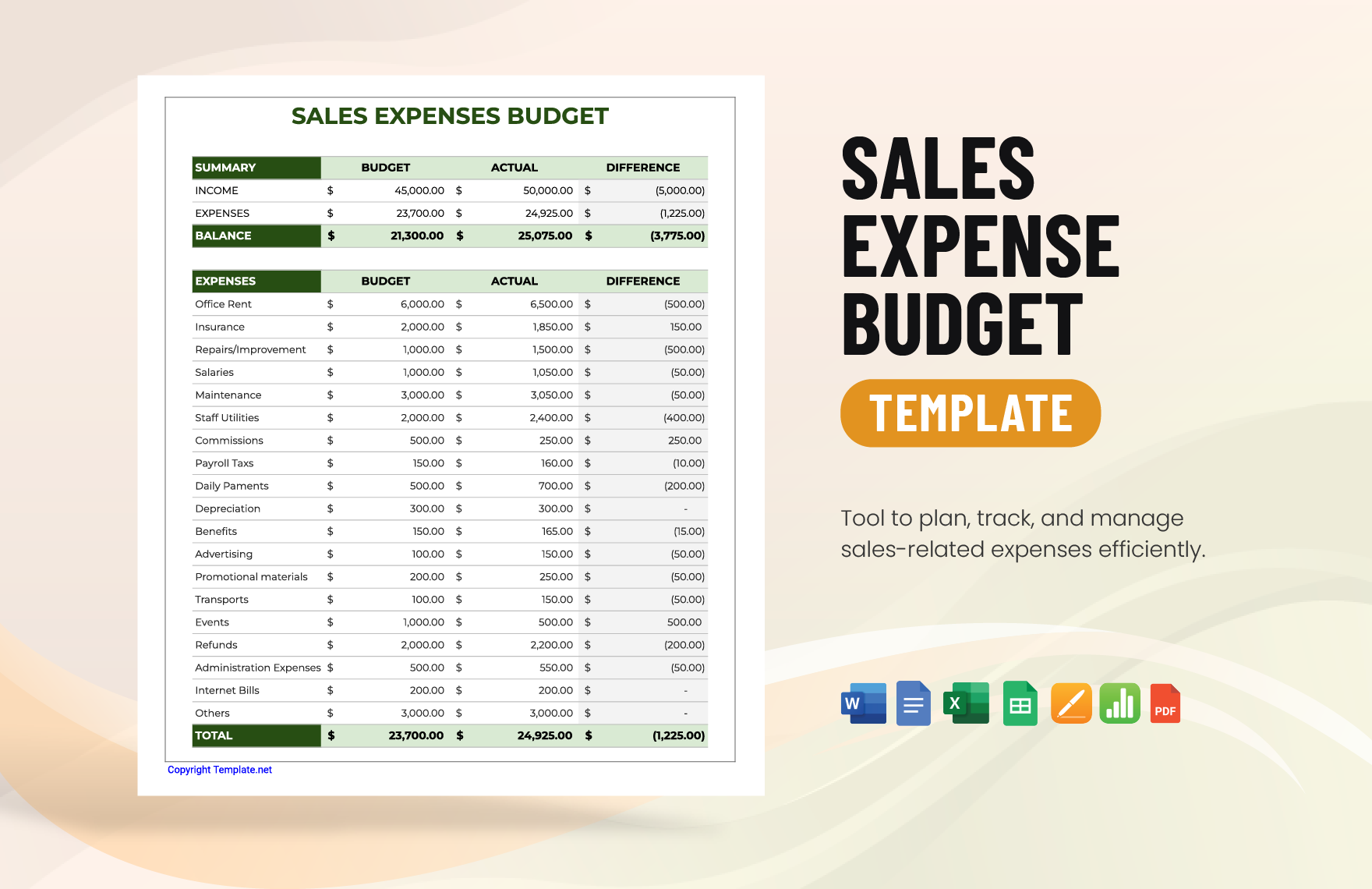
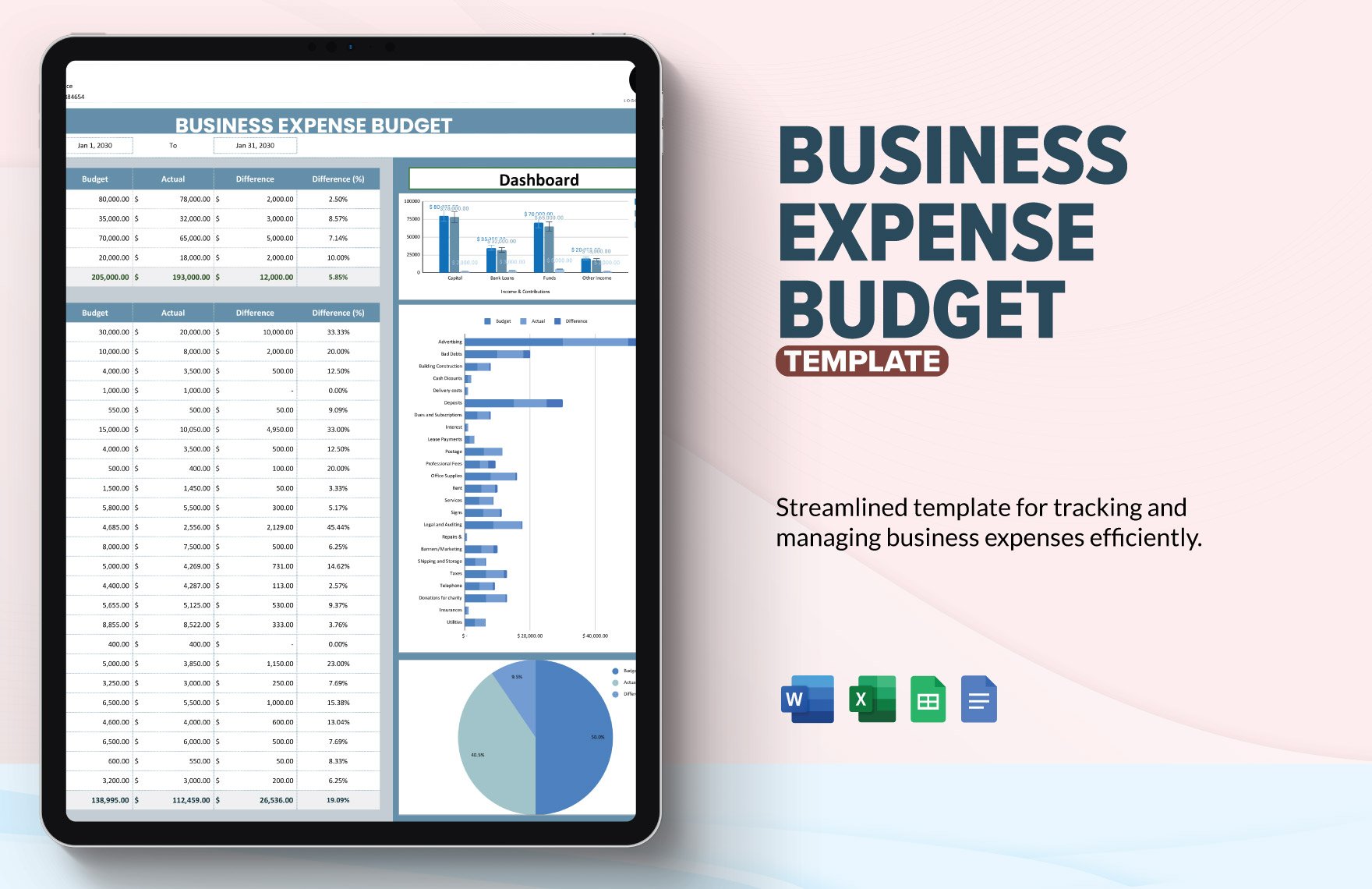
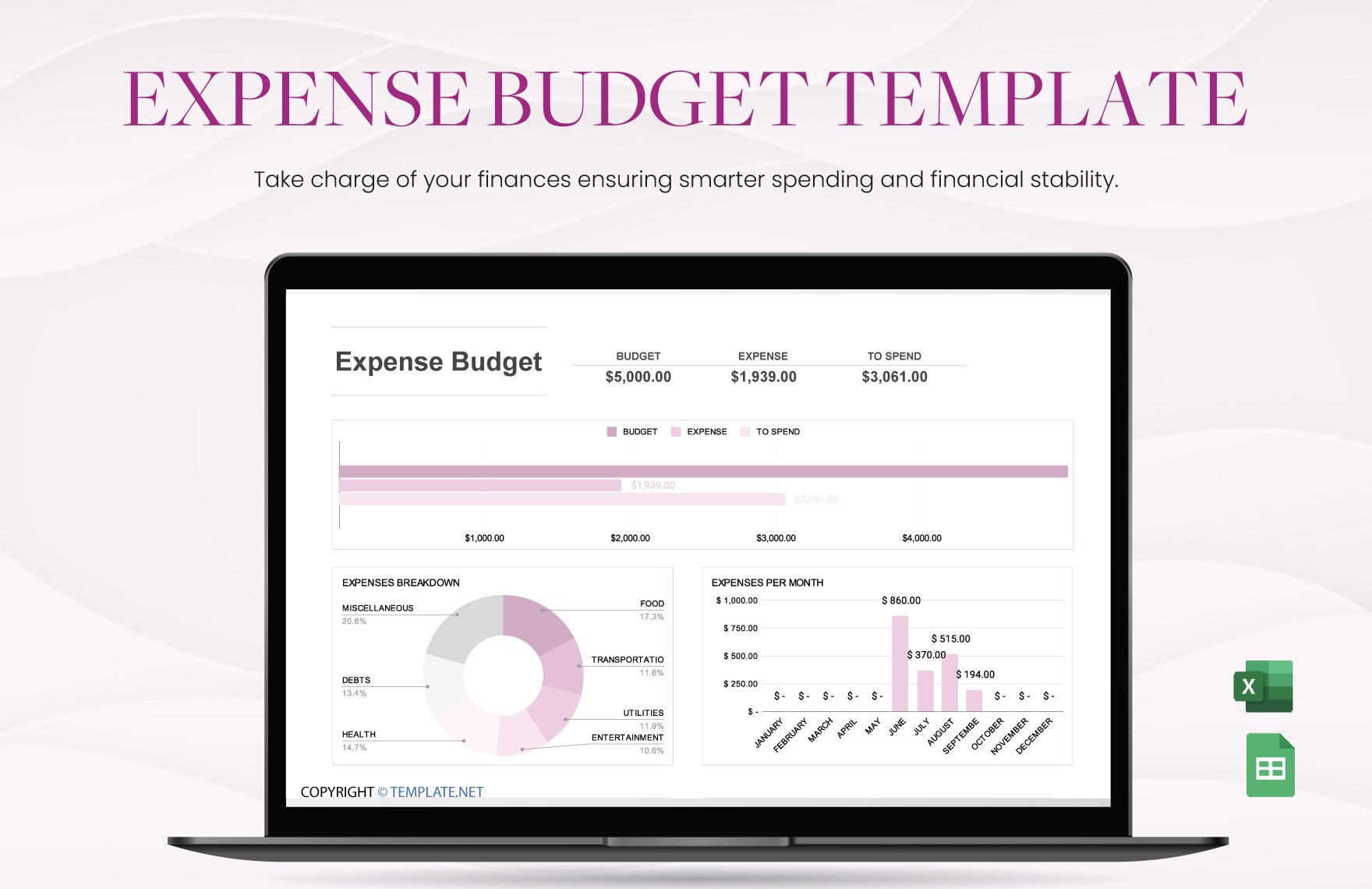
A business expense budget dashboard shows how the tracker can eventually become a management tool. Budget, actual, difference, and graphical summaries can sit together while detailed transaction information remains available elsewhere.
Practical Solution: Build a Tracking Business Calculator Template That People Will Actually Use
The most practical solution is to build the workbook in layers. Start with a transaction ledger, establish controlled categories, add reliable calculations, and only then create summaries and charts. This order keeps the system understandable and reduces the risk of building reports on poor data.
Begin by defining the business questions. Decide whether the tracker is primarily for expense control, cash management, budgeting, project profitability, sales tracking, reimbursement, or a combination. The answer determines which fields deserve space in the transaction table.
Next, create the transaction structure. A strong general-purpose layout can include Date, Type, Category, Description, Vendor/Customer, Project, Payment Method, Amount, Receipt Status, Notes, and Reporting Period. Remove columns that do not have a genuine use.
Then create the calculator layer. Add total income, total expenses, net movement, budget variance, category totals, monthly totals, and other metrics that directly answer the business questions identified earlier.
After testing the calculations, create a compact summary. Use a few key metrics and one or two useful charts rather than filling the first screen with visual elements. A summary is successful when a user can understand the current situation quickly.
For a small business, a practical review rhythm is often more valuable than a sophisticated spreadsheet. Enter transactions consistently, reconcile records, review the summary at a regular interval, investigate unusual changes, and update the budget when assumptions change.
If the workbook is shared, create an instructions tab. Explain where to enter data, which cells contain formulas, how categories should be selected, how refunds are recorded, and who is responsible for reviewing the numbers.
If the workbook will be printed or exported to PDF, create a separate report view rather than forcing the transaction sheet to fit every reporting purpose. The transaction sheet should optimize data entry; the report sheet should optimize communication.
If the business grows beyond the spreadsheet’s practical limits, preserve the template as a reference for the structure and definitions used. Moving to accounting software or a database should not mean abandoning clear categories and documented financial logic.
A useful tracking business calculator template is therefore not the one with the most formulas. It is the one that produces accurate, understandable information from consistent inputs and helps the owner make better operational decisions with less manual work.
Reference Examples
The following reference examples illustrate different spreadsheet layouts and formats relevant to business expense tracking, budgeting, calculations, reporting, and financial organization.
tracking business calculator template excel
Source: Template.net
tracking business calculator template google sheets
Source: Template.net
tracking business calculator template free download
Source: Template.net
tracking business calculator template free
Source: Template.net
tracking business calculator template excel free
Source: Template.net
tracking business calculator template pdf
Source: Template.net
tracking business calculator template google docs
Source: Template.net
tracking business calculator template reddit

Source: Worksheets Library
Frequently Asked Questions
What should a tracking business calculator template include?
A useful template normally includes transaction date, description, category, amount, transaction type, payment method, and notes. Depending on the business, it may also include project, department, budget, actual amount, tax treatment, receipt status, or customer and vendor information.
Is Excel better than Google Sheets for business tracking?
Neither is universally better. Excel can be preferable for advanced desktop workbooks and complex calculations, while Google Sheets can be especially convenient for shared, browser-based collaboration. The quality of the underlying structure matters more than the platform.
Can a tracking business calculator template replace accounting software?
For a very small operation, a spreadsheet may be sufficient for basic internal tracking. However, businesses with payroll, inventory, complex tax requirements, multiple entities, accrual accounting, or significant transaction volume may need dedicated accounting software and professional support.
How often should business expenses be entered?
Enter them often enough that transactions are not forgotten or reconstructed from memory. Daily entry may suit a high-volume business, while weekly entry may work for a low-volume operation. The important factor is consistency.
What is the difference between a business tracker and a business calculator?
A tracker primarily records information over time. A calculator performs formulas on that information. A strong spreadsheet combines both functions: it captures transactions and automatically calculates totals, balances, variances, ratios, or other decision-support measures.
Can a business expense tracker calculate profit?
It can calculate a simple difference between recorded income and recorded expenses, but that should not automatically be treated as formal accounting profit. Accounting treatment may require adjustments that a basic tracker does not capture.
Should personal expenses be included?
Personal expenses should generally be separated from business transactions. If a transaction contains both personal and business components, use a clearly documented method to identify the business portion rather than mixing the amounts without explanation.
How can I make a tracker easier for another person to use?
Keep input fields obvious, use consistent categories, protect formulas, provide drop-down choices where useful, and add a short instructions sheet. A new user should be able to enter a normal transaction without needing a private explanation from the spreadsheet creator.
What should I look for in a free template?
Look for a template with a clear transaction structure, understandable formulas, editable categories, sensible calculations, and a format that works with the software you use. Do not choose a template solely because it has attractive colors or a large dashboard.
Conclusion
A well-designed tracking business calculator template can turn scattered financial transactions into a consistent management system. The strongest approach is to start with accurate transaction records, standardize categories, automate only dependable calculations, compare actual activity with meaningful plans, and build summaries that answer real business questions. Whether the workbook is maintained in Excel or Google Sheets, simplicity, consistency, traceability, and regular review are what make the template useful over time.
