Monthly planning is especially useful when employees handle recurring operational work alongside projects, customer commitments, training, meetings, leave, and other time-sensitive responsibilities. A well-designed plan turns those moving parts into a visible monthly framework that employees and supervisors can review before work begins.
The most useful template is not necessarily the most complicated one. A small team may need only employee names, responsibilities, dates, priorities, expected results, and status. A larger operation may need shift codes, availability, leave, department coverage, hours, milestones, and management review fields.
Spreadsheet-based planning is particularly flexible because rows can represent employees or activities while columns represent dates, weeks, targets, or status. Document-based versions can be better when the plan is intended to be printed, signed, presented, or stored as a formal monthly record.
This guide explains how to design, customize, and use a monthly employees plan template, including spreadsheet, document, printable, and collaborative formats. It also explains how monthly work plans differ from employee schedules and business plans so that the right format is used for the right purpose.
Source: Template.net
What Is a Monthly Employees Plan Template?
A monthly employees plan template is a structured planning document used to organize what employees are expected to accomplish during a particular month. It can combine assignments, deadlines, work priorities, schedules, measurable objectives, planned activities, and progress tracking in a single recurring format.
The word “plan” is important because the document does more than display working hours. A schedule answers questions such as who works and when, while a plan can also explain what each employee or team is expected to accomplish and how progress will be evaluated.
For example, a customer service department might use the template to identify monthly service priorities, assign quality-improvement activities, schedule training, record individual responsibilities, and monitor completion. A warehouse could use the same basic structure for inventory tasks, safety checks, staffing coverage, and equipment maintenance.
A strong template separates planning information from information that changes frequently. Employee names, roles, and standard responsibilities can remain relatively stable, while dates, tasks, targets, leave, project assignments, and status fields can be updated each month.
Template libraries commonly distinguish monthly work plans from employee shift schedules. Work-plan templates focus on objectives, tasks, responsibilities, deadlines, milestones, and progress, while employee scheduling templates focus more heavily on daily coverage, shifts, absences, holidays, and working patterns. Source: Smartsheet
Source: Template.net
Why Use a Monthly Employees Plan Template?
The primary advantage is consistency. When every month follows the same basic structure, managers can compare plans without learning a new format each time. Employees also know where to look for objectives, deadlines, assigned work, and notes.
A template also reduces the cognitive effort required to begin planning. Instead of deciding whether to include priorities, responsible employees, deadlines, status, and review notes every month, the structure is already available and only the current information needs to be entered.
Another advantage is visibility. Monthly planning makes workload patterns easier to recognize than isolated daily notes. A manager may discover that several important deadlines fall during the same week or that one employee has significantly more project responsibility than another.
Templates can also improve handovers. If a manager is unavailable, another supervisor can understand the month’s priorities without reconstructing the plan from emails, calendars, spreadsheets, and individual messages.
Finally, a monthly plan creates a natural review cycle. At the end of the month, completed work can be compared with planned work, missed deadlines can be explained, priorities can be carried forward, and the next month can be prepared using evidence rather than memory.
Source: 10XSheets
Monthly Plan vs. Monthly Employee Schedule
A common source of confusion is treating a monthly plan and a monthly schedule as the same document. They can be combined, but their purposes are different. A schedule primarily communicates when employees are expected to work, while a plan communicates what work needs to be accomplished.
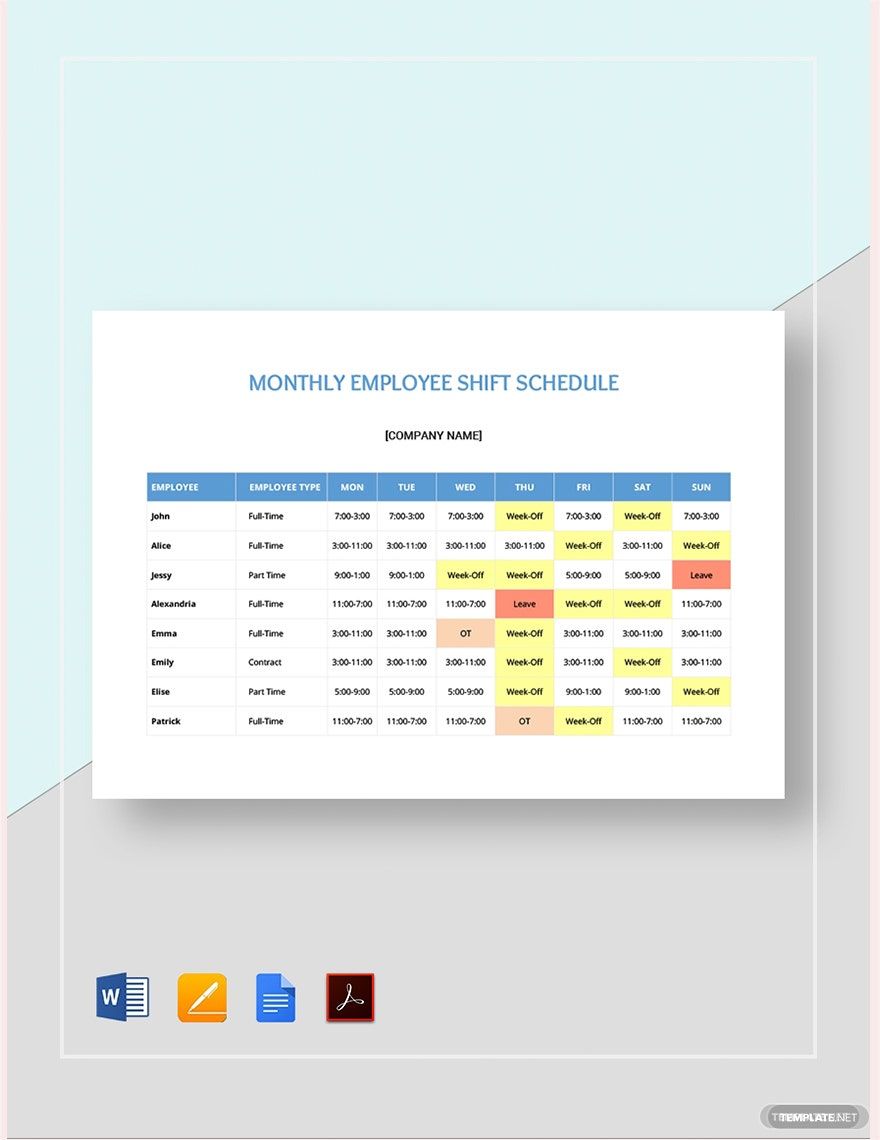
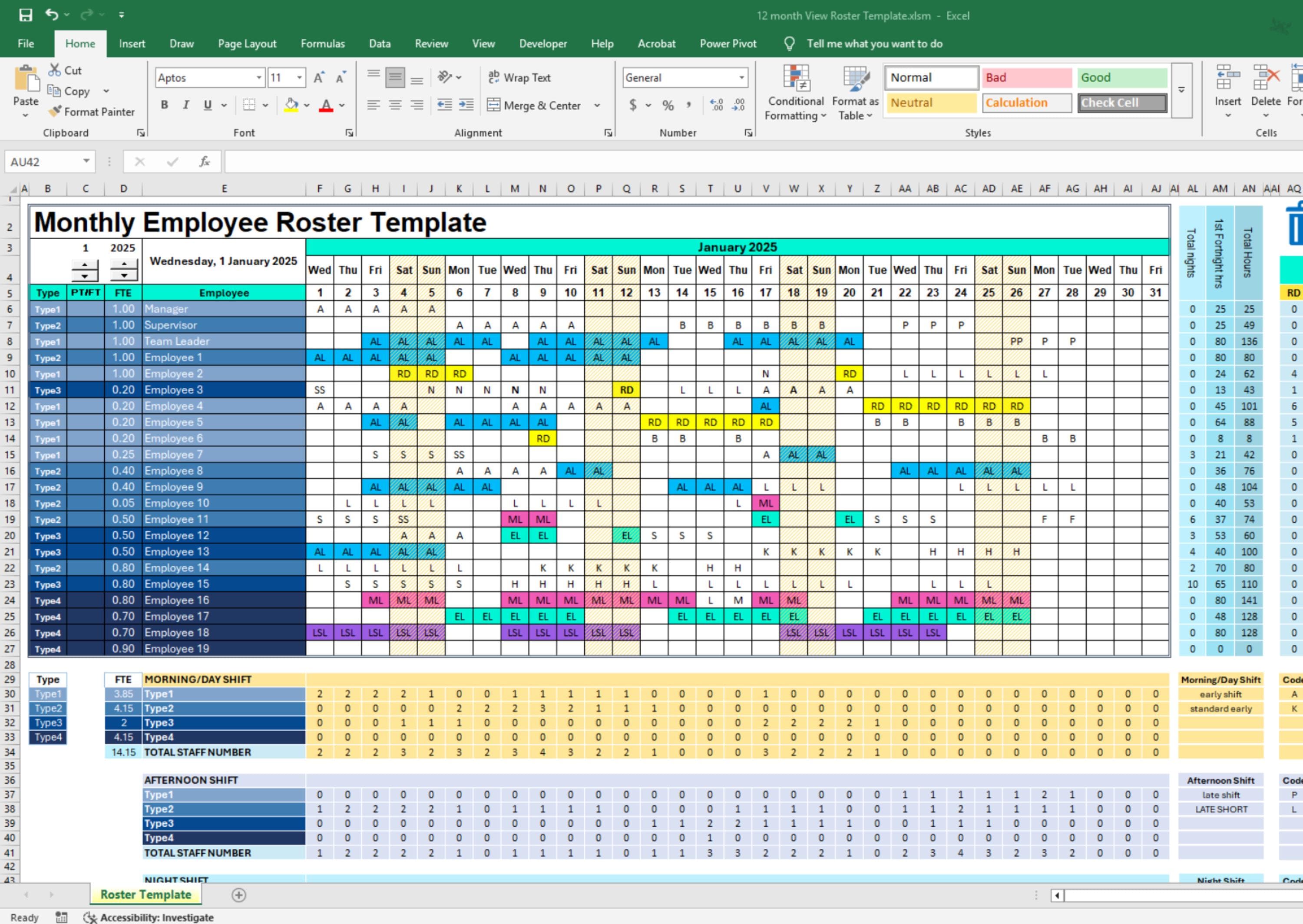
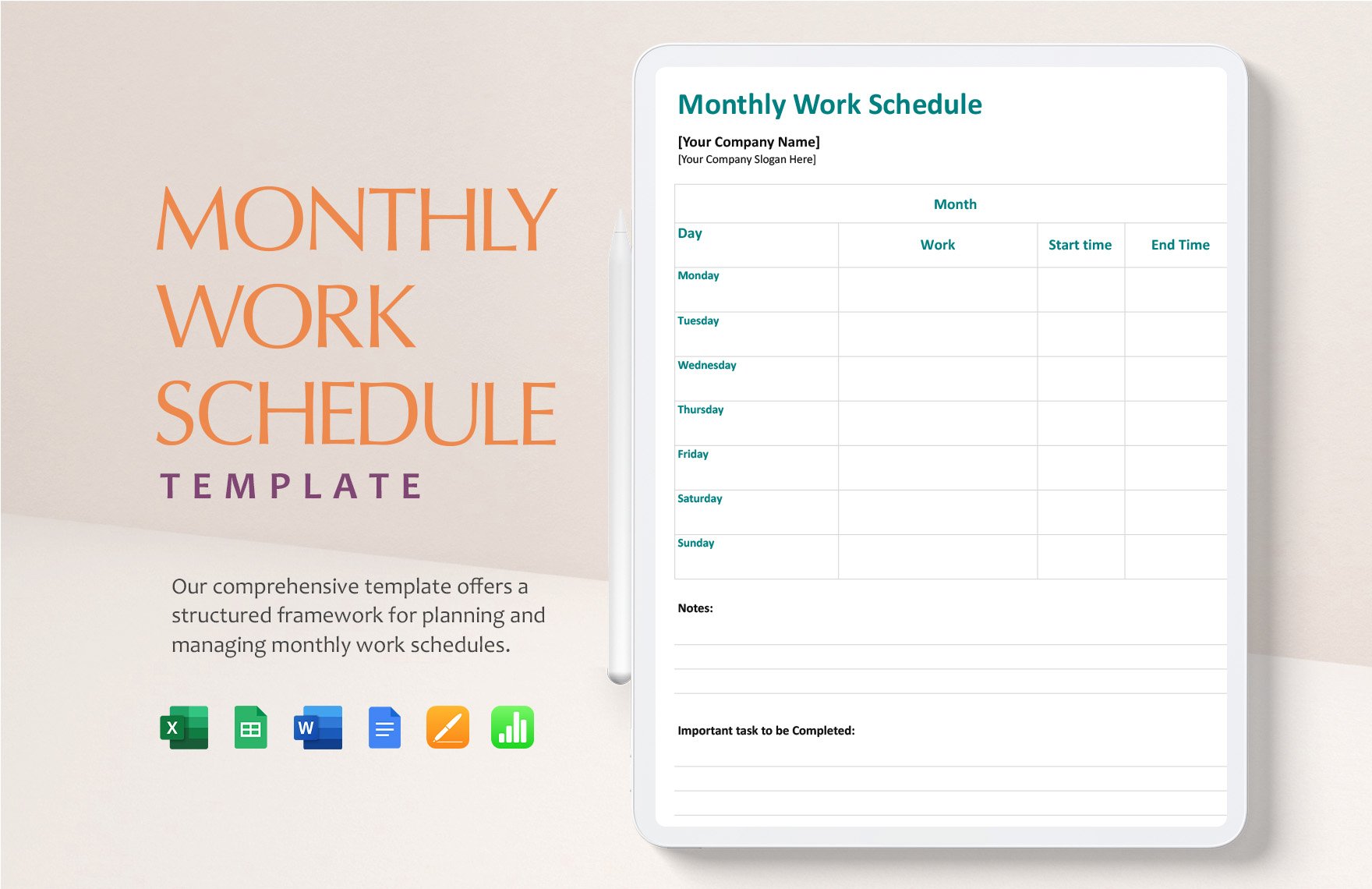
A monthly schedule might show employee names down the left side and dates across the top. Cells can contain shift codes such as morning, afternoon, night, off, training, leave, or another local designation.
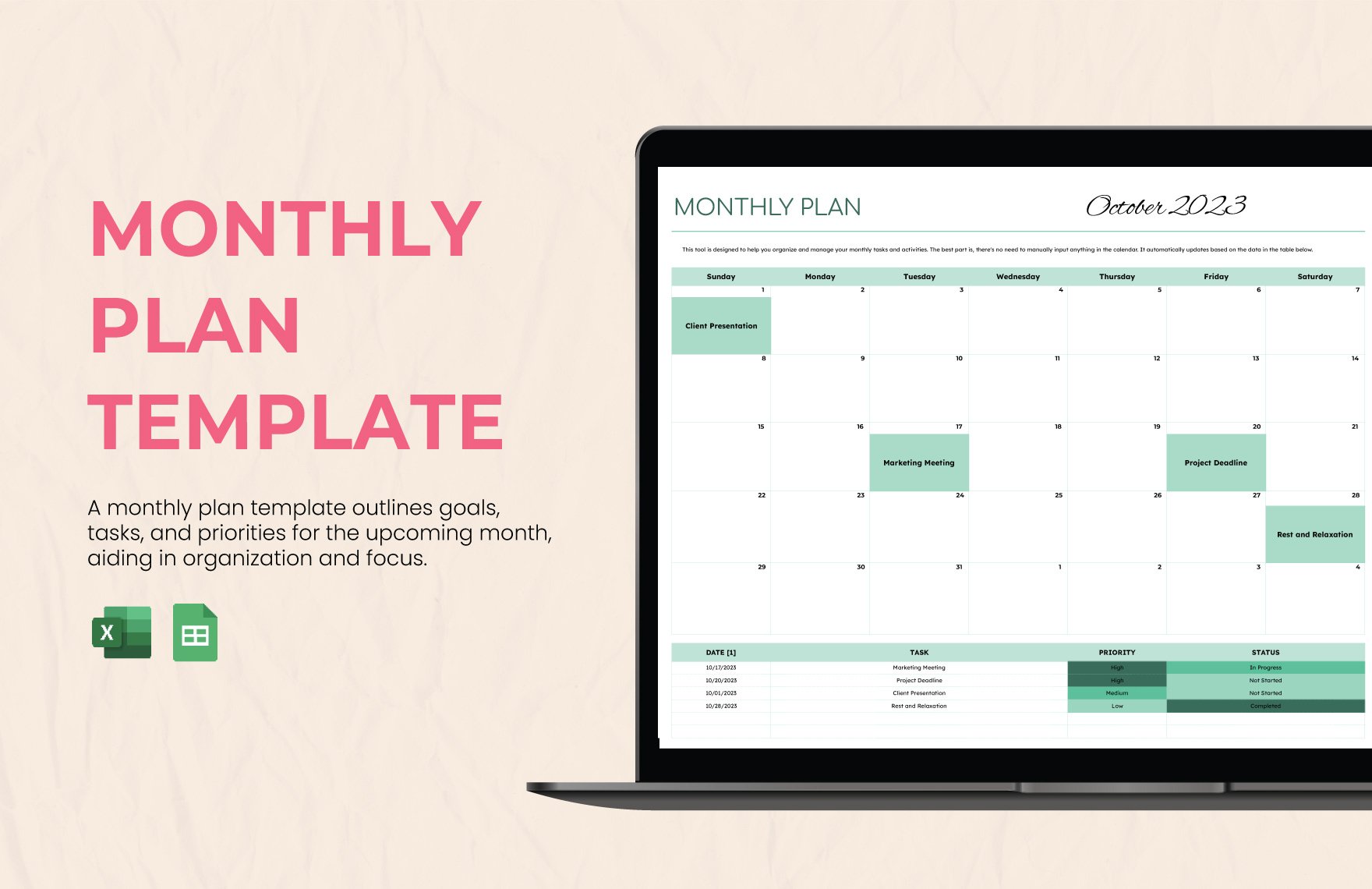
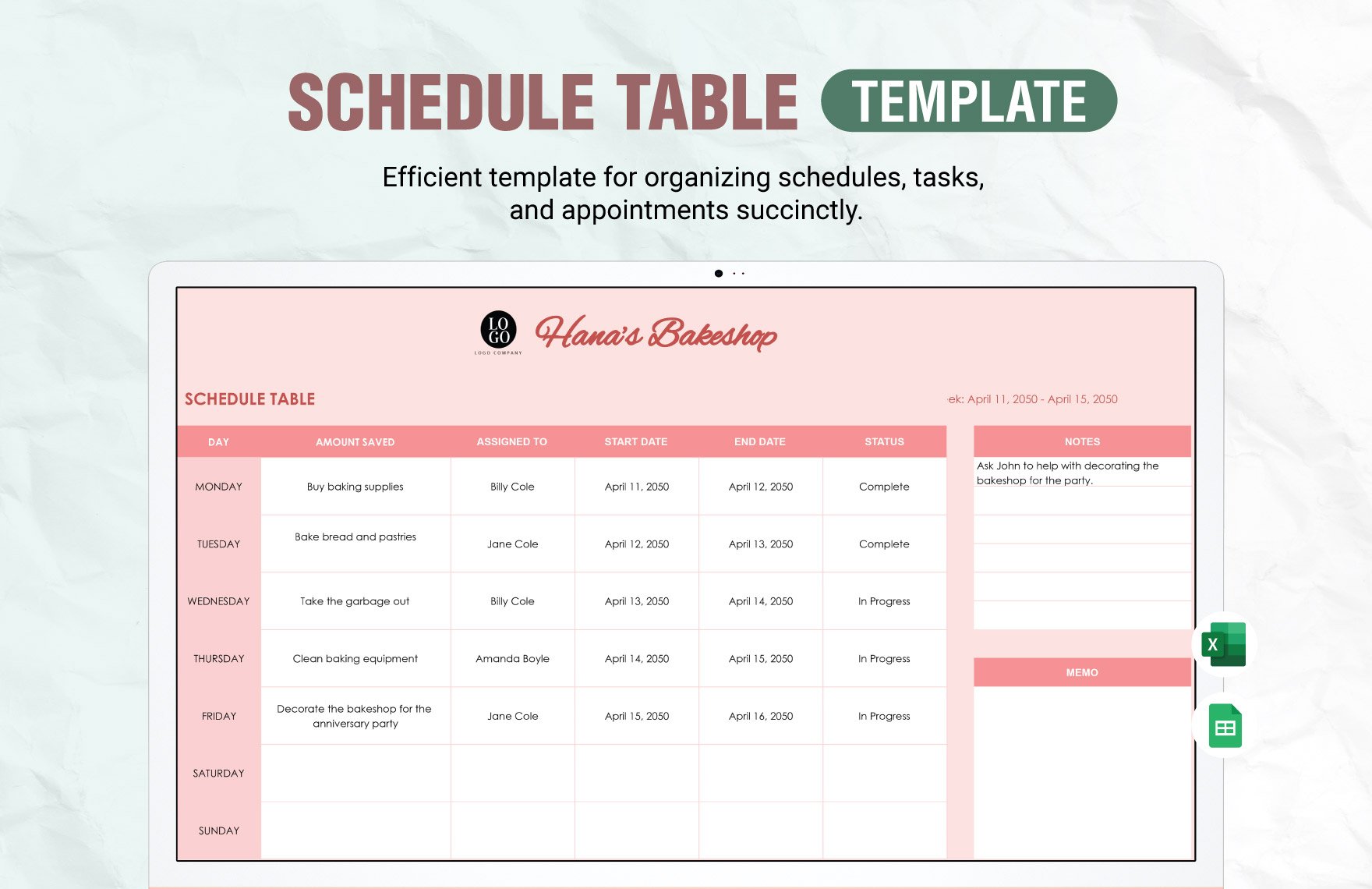
A monthly plan can use a different layout. It may have columns for objective, task, responsible employee, start date, deadline, priority, expected result, status, resources, and comments. Dates can still be included, but the emphasis is on execution rather than coverage.
Some workplaces need both. A restaurant, clinic, retail store, or service operation may maintain a monthly employee schedule for coverage while using a separate monthly work plan for projects, training, maintenance, process improvements, and departmental objectives.
Keeping the distinction clear prevents the template from becoming overloaded. If employees mainly need to know their working hours, use a schedule. If managers need to coordinate deliverables and priorities, use a work plan. If both needs are significant, link the two rather than forcing every detail into one grid.
Source: Template.net
Core Components of a Monthly Employees Plan Template
A practical template begins with basic identification information. Include the organization or department, planning month, supervisor or plan owner, and optionally the team name. These fields make printed and archived versions easier to identify later.
The next component is the employee or responsible-party field. Depending on the purpose, each row can represent an individual employee, a role, a team, a project, or a recurring activity. The structure should match the way work is actually assigned.
Objectives should describe the intended result rather than simply naming an activity. “Complete onboarding documentation” is more useful than “onboarding” because the former defines what completion means.
Tasks then break each objective into manageable actions. A monthly plan can include recurring duties, one-time assignments, project milestones, meetings, audits, training, customer commitments, or administrative work.
Finally, the template should include a way to track progress. Status values such as Not Started, In Progress, Complete, Delayed, and Carried Forward are usually sufficient. A short notes field can capture reasons for changes without turning the template into a long report.
Source: Template.net
Recommended Columns
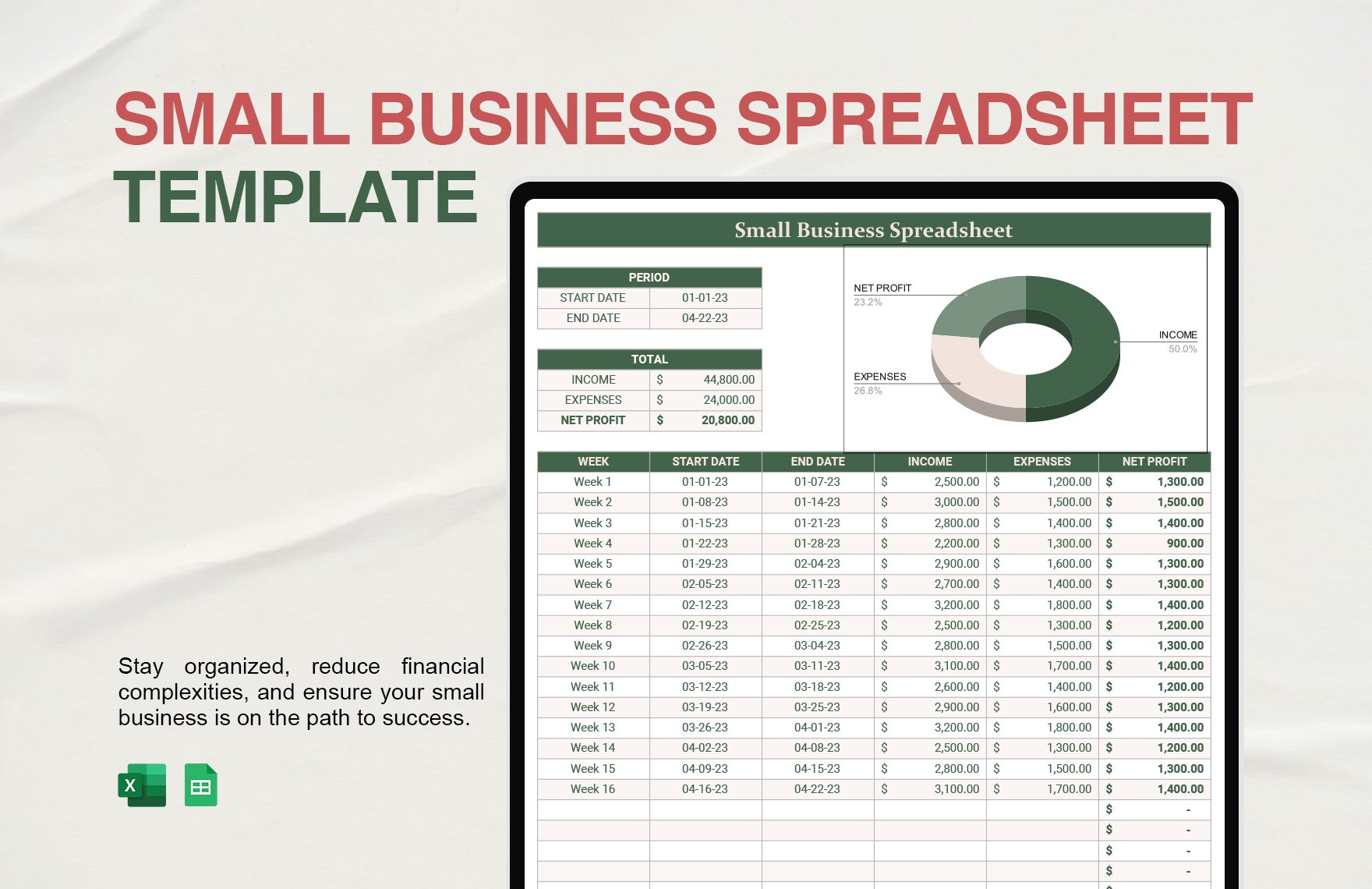
A straightforward monthly employees plan can use columns such as Employee, Role, Objective, Task, Priority, Start Date, Due Date, Expected Result, Status, and Notes. These fields are broad enough for many industries while remaining easy to understand.
For operations teams, add Department, Location, Shift, Coverage Requirement, and Hours where relevant. For project-based teams, add Milestone, Dependency, Deliverable, and Review Date.
For employee development, add Skill or Competency, Development Activity, Training Date, Evidence of Completion, and Follow-Up. These fields turn the monthly plan into a lightweight development tracker without requiring a separate document for every activity.
Do not automatically add every possible column. Excessive fields make the template harder to maintain and can encourage employees to enter information that no one actually reviews.
The best design is the smallest structure that captures the information managers genuinely use to make decisions, coordinate work, and review progress.
Source: Template.net
Choosing the Right Format
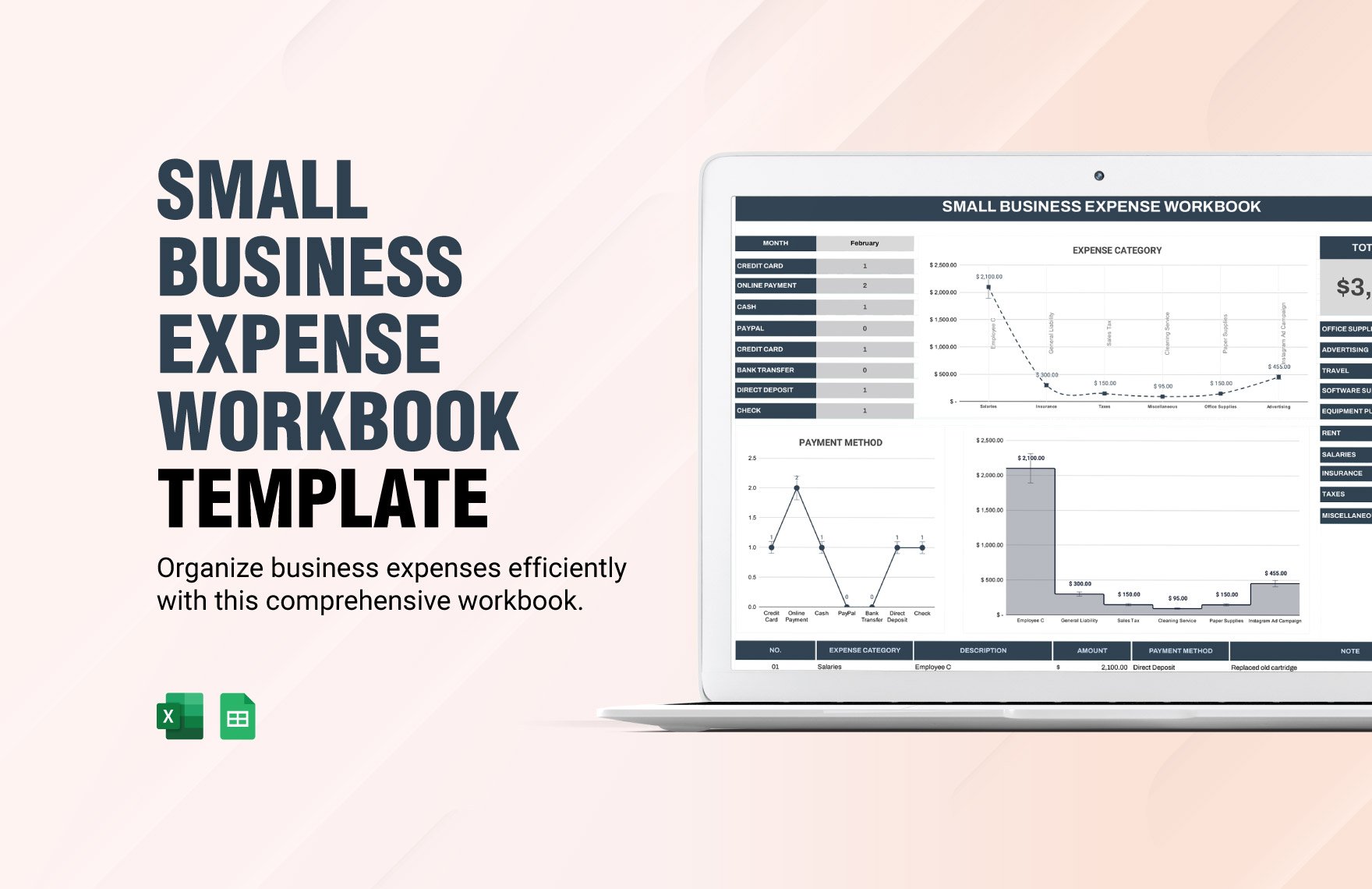
The format should match the way the team collaborates. Excel is useful when calculations, sorting, filtering, conditional formatting, formulas, and structured tables are important. It is particularly effective when the monthly plan also needs hours, totals, staffing counts, or workload calculations.
Google Sheets is useful when several people need to update the same plan. A shared spreadsheet can reduce the problem of circulating multiple versions of the same document and allows managers to review changes from a common working file.
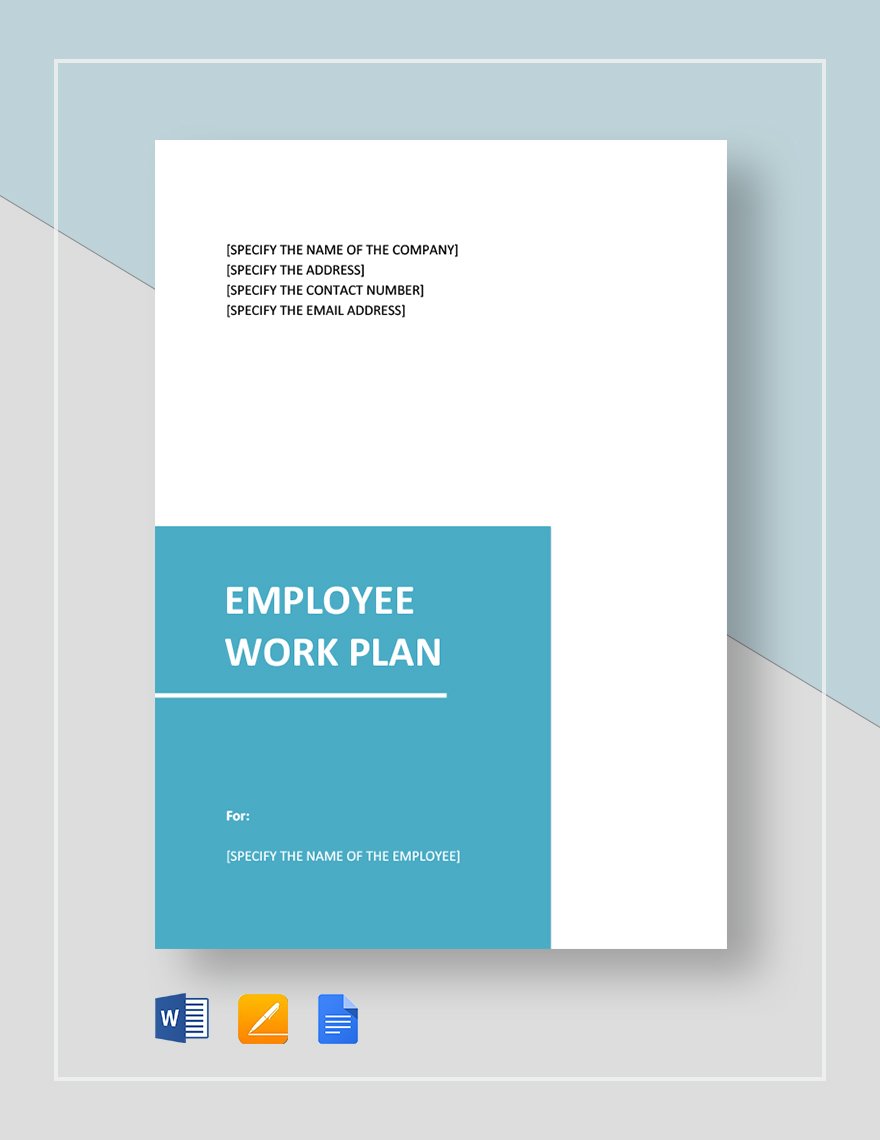
Word is often more suitable for narrative monthly plans, formal departmental reports, employee action plans, or documents that combine tables with explanatory text. It can also be useful when a supervisor wants to print or sign a completed plan.
Google Docs provides similar document-oriented flexibility for teams that prefer browser-based collaboration. It works well for plans that include goals, explanatory notes, responsibilities, and review sections rather than a large date-by-date scheduling grid.
PDF is best treated as a distribution or archival format rather than the primary editing format. A PDF can preserve the appearance of an approved plan, making it useful for printing, sharing, or storing a final monthly version after editing has been completed elsewhere.
Source: Template.net
Using a monthly employees plan template excel File
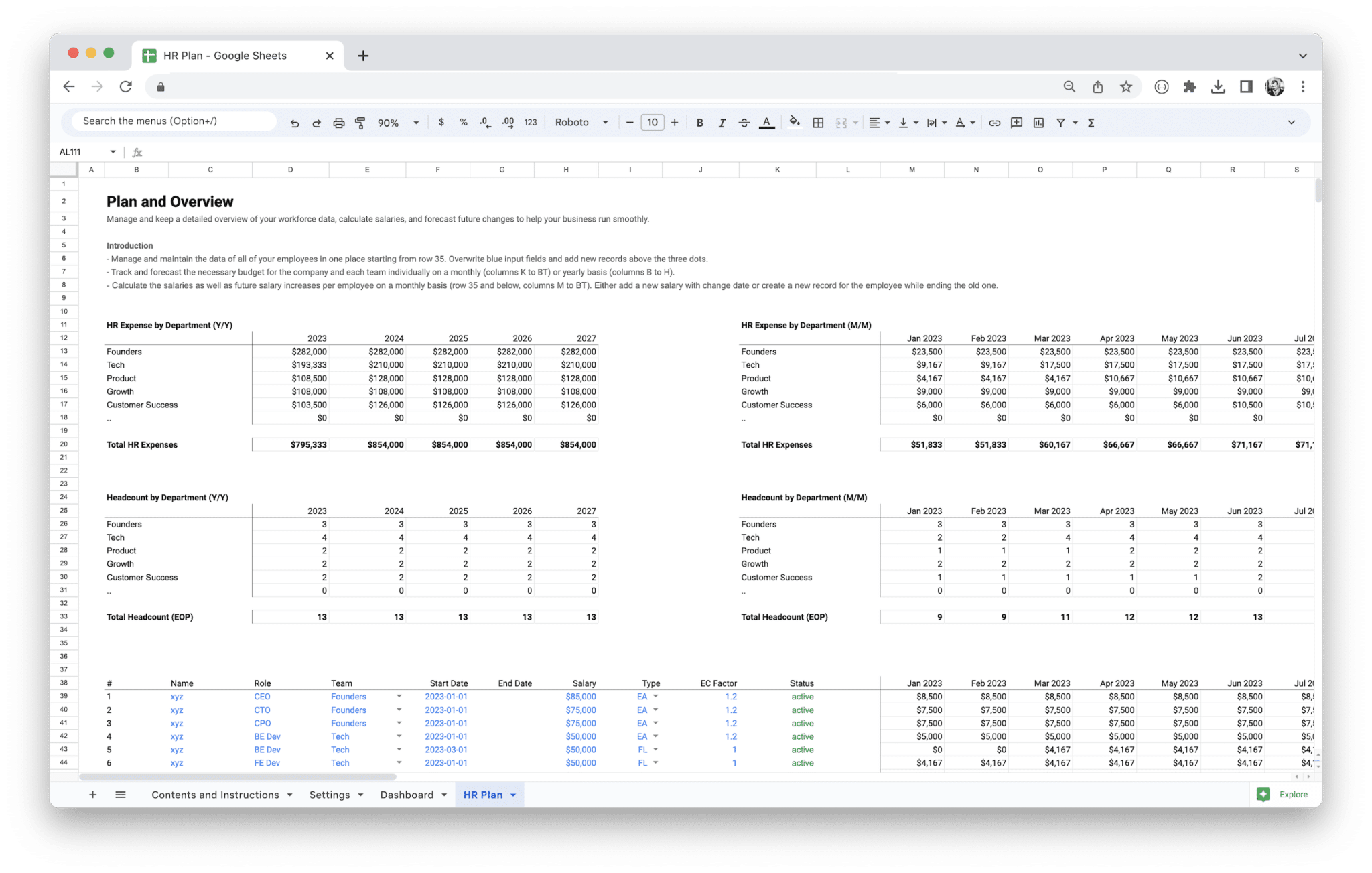
A spreadsheet version is especially useful when the monthly plan contains many employees and recurring assignments. Employees can be listed vertically while tasks, dates, deadlines, or status values occupy additional columns.
Excel also allows managers to create drop-down lists for status, priority, department, shift, or task category. Standardized values reduce inconsistent entries such as “Done,” “Complete,” “Completed,” and “Finished” being used for the same condition.
Conditional formatting can make overdue or incomplete work easier to spot. For example, a due-date cell can be highlighted when the date has passed and the status is not Complete.
Filters can be used to view one employee, department, priority level, or status without changing the underlying plan. This is particularly valuable when a monthly plan contains dozens or hundreds of rows.
A spreadsheet should still remain readable when printed. Freeze the header row, keep column names short, use consistent date formats, and avoid excessive merged cells. A plan that works on screen but becomes unreadable on paper is incomplete if the team relies on printed copies.
Source: Etsy
Using a monthly employees plan template google sheets
A collaborative spreadsheet is most useful when the monthly plan changes frequently. Managers can establish the structure, department leads can update assignments, and employees can add progress notes without maintaining separate copies.
Access permissions should be planned before sharing the document widely. Not everyone needs permission to modify formulas, headers, or the structure of the workbook. A practical arrangement may give managers editing rights while providing broader teams with appropriate viewing or commenting access.
Use a separate sheet for reference information when the main monthly grid becomes crowded. A “Lists” sheet can hold status values, shift codes, department names, task categories, or other controlled choices.
Version discipline is also important. Even in a collaborative spreadsheet, the team should know which tab or file represents the active month. Archived months should generally be preserved separately so that historical plans are not accidentally overwritten.
Google Sheets is especially effective when the monthly plan needs to remain a living operational document. If the final requirement is a fixed record, export or print the approved version after the monthly review.

Source: Webflow-hosted template asset
How to Build a Monthly Employees Plan From Scratch
Start by defining the planning purpose. Decide whether the document is intended for workload planning, project execution, employee development, staffing, operational tasks, or a combination of these. A clear purpose determines which fields belong in the template.
Next, identify the planning horizon. Most monthly plans cover a named calendar month, but a business may choose a four-week operational cycle or another internal period. The important point is that the beginning and ending dates are unambiguous.
Then collect the inputs needed to create the plan. These may include employee availability, current projects, recurring duties, business priorities, deadlines, planned leave, training requirements, customer commitments, and departmental targets.
After collecting the inputs, prioritize them. Not every task deserves equal visibility. Use a simple priority system such as High, Medium, and Low, or use categories such as Critical, Required, and Optional if that terminology better matches the organization.
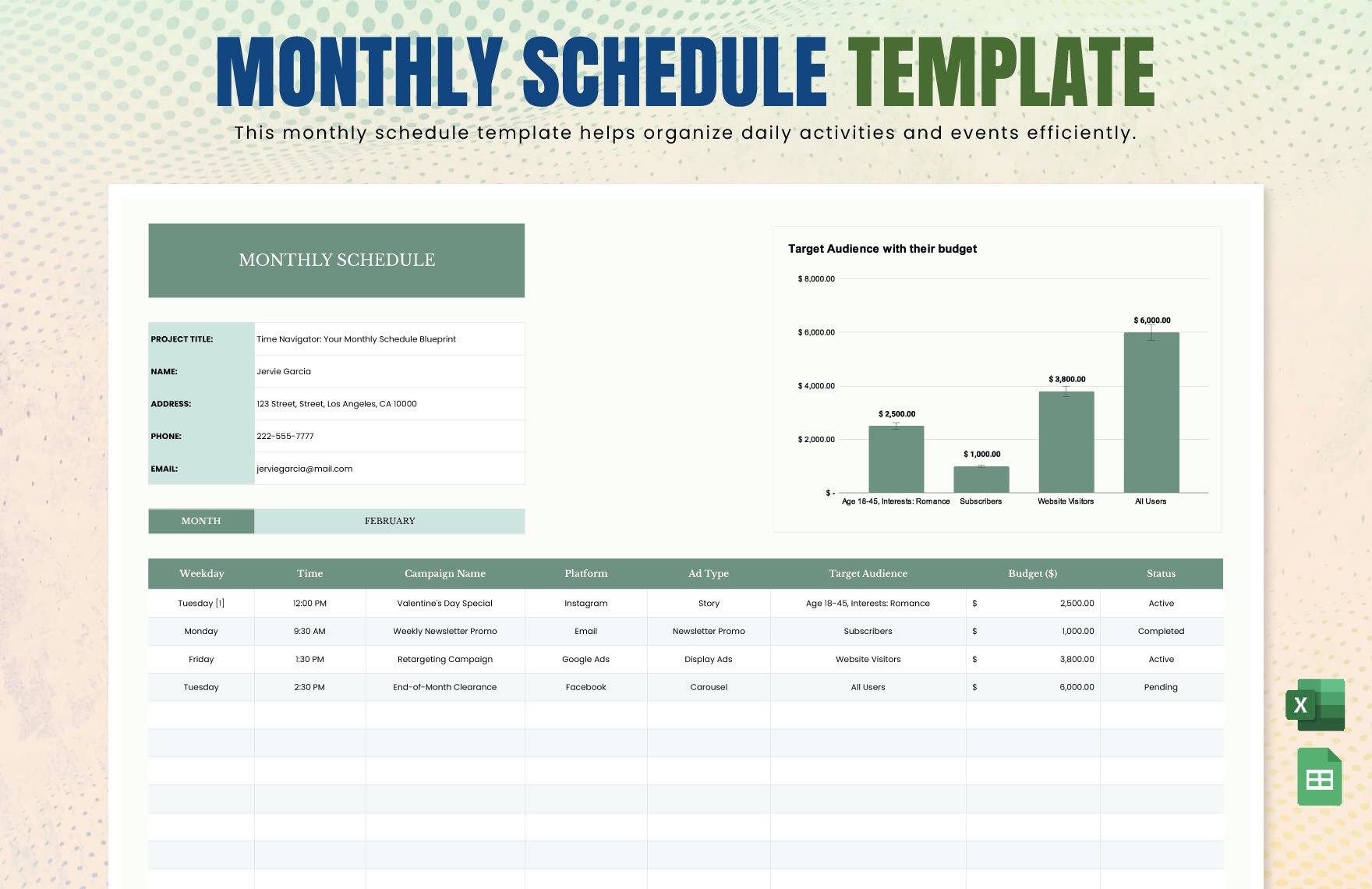
Finally, assign responsibility and define completion. Every important task should have an owner, a timeframe, and a clear description of the expected result. Without those elements, the plan can become a list of intentions rather than an actionable management tool.
Source: Template.net
Step-by-Step Monthly Planning Workflow
During the final week of the previous month, review unfinished work and identify commitments that will continue into the new month. Do not automatically copy every unfinished task forward; determine whether it is still necessary, needs a revised deadline, or should be cancelled.
Next, review organizational priorities. Department plans should support larger business objectives rather than operating as disconnected lists. If a company is focusing on customer retention, for example, the relevant monthly employee plan may include service follow-ups, quality reviews, process improvements, and training.
Build the first draft with realistic capacity. Consider normal working hours, planned leave, recurring meetings, operational interruptions, and other responsibilities before assigning additional projects.
Review the draft with the people responsible for execution. Employees often know about dependencies, workload conflicts, or practical constraints that are invisible from a management dashboard.
Publish the approved plan in the format the team actually uses. A digital copy can remain editable for status updates, while a PDF or printed version can serve as the approved monthly snapshot when a fixed record is useful.

Source: Template.net
Setting Useful Monthly Employee Objectives
Good objectives explain what success should look like. They should be specific enough to guide action but not so narrow that employees cannot adapt when ordinary business conditions change.
For example, “improve customer service” is too broad for a monthly plan. A more actionable example would be “complete the revised customer response checklist and use it during the month-end quality review.” This describes an observable deliverable without inventing an arbitrary performance statistic.
Objectives should also match the employee’s actual authority. An individual contributor may be responsible for preparing a report, while a manager may be responsible for reviewing the report and deciding what action follows.
Where performance measures are appropriate, define how the measure will be observed. This could be completion status, number of approved deliverables, review completion, training attendance, documented process improvements, or another legitimate business measure.
A monthly plan should avoid turning every activity into a performance score. Some responsibilities exist because they are necessary, not because they should become competitive metrics. The template should support good management rather than encourage unnecessary measurement.
Source: Template.net
Building a Monthly Employee Schedule Into the Plan
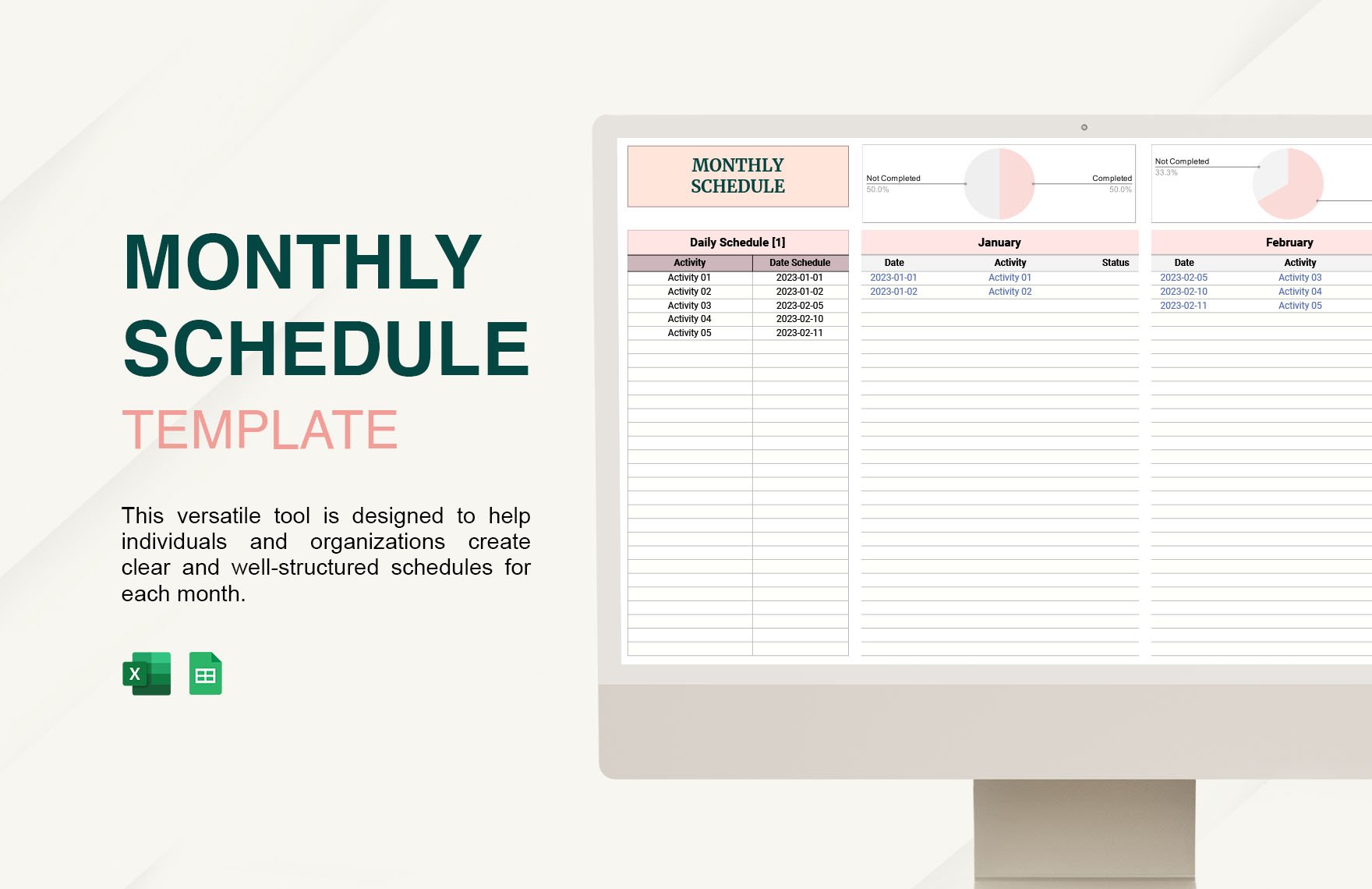
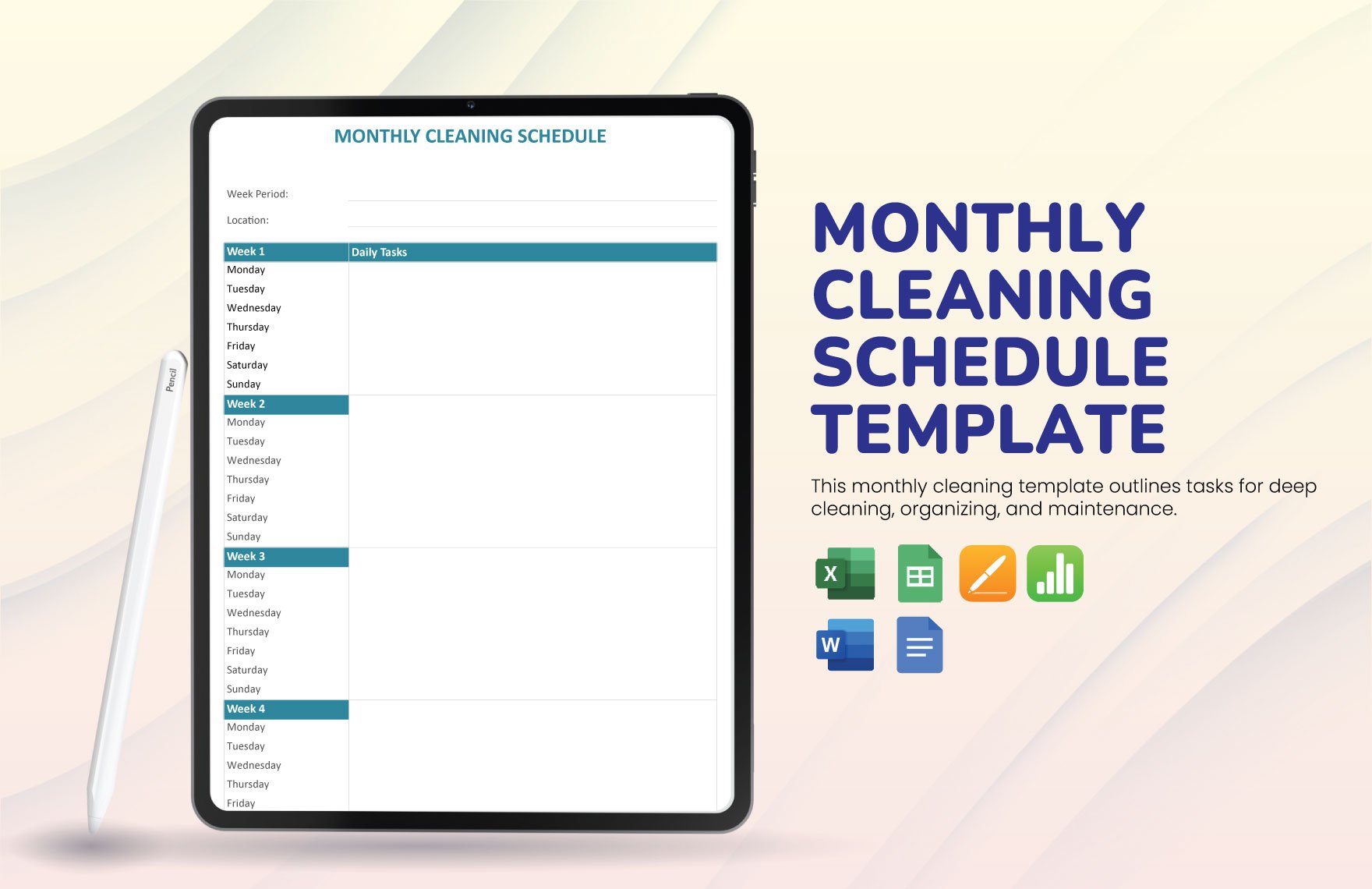
If staffing coverage is part of the planning need, add a schedule section or connect the plan to a separate roster. A monthly schedule can display employees by row and days of the month by column, with short codes representing work assignments.
Shift codes make large monthly grids easier to read. Instead of entering complete start and end times into every cell, a code can represent a predefined shift while a legend explains the meaning.
Absence and leave codes can be handled in the same way. The important requirement is that the legend is visible and unambiguous so that employees do not have to guess what a symbol means.
Monthly schedule templates are commonly designed to show working days, absences, holidays, PTO, or other availability information in an at-a-glance grid. Source: Smartsheet
Keep schedule information synchronized with the broader monthly plan. If an employee is scheduled for training or leave, project deadlines should reflect that availability rather than treating every employee as continuously available.
Source: Template.net
Creating a monthly work plan template
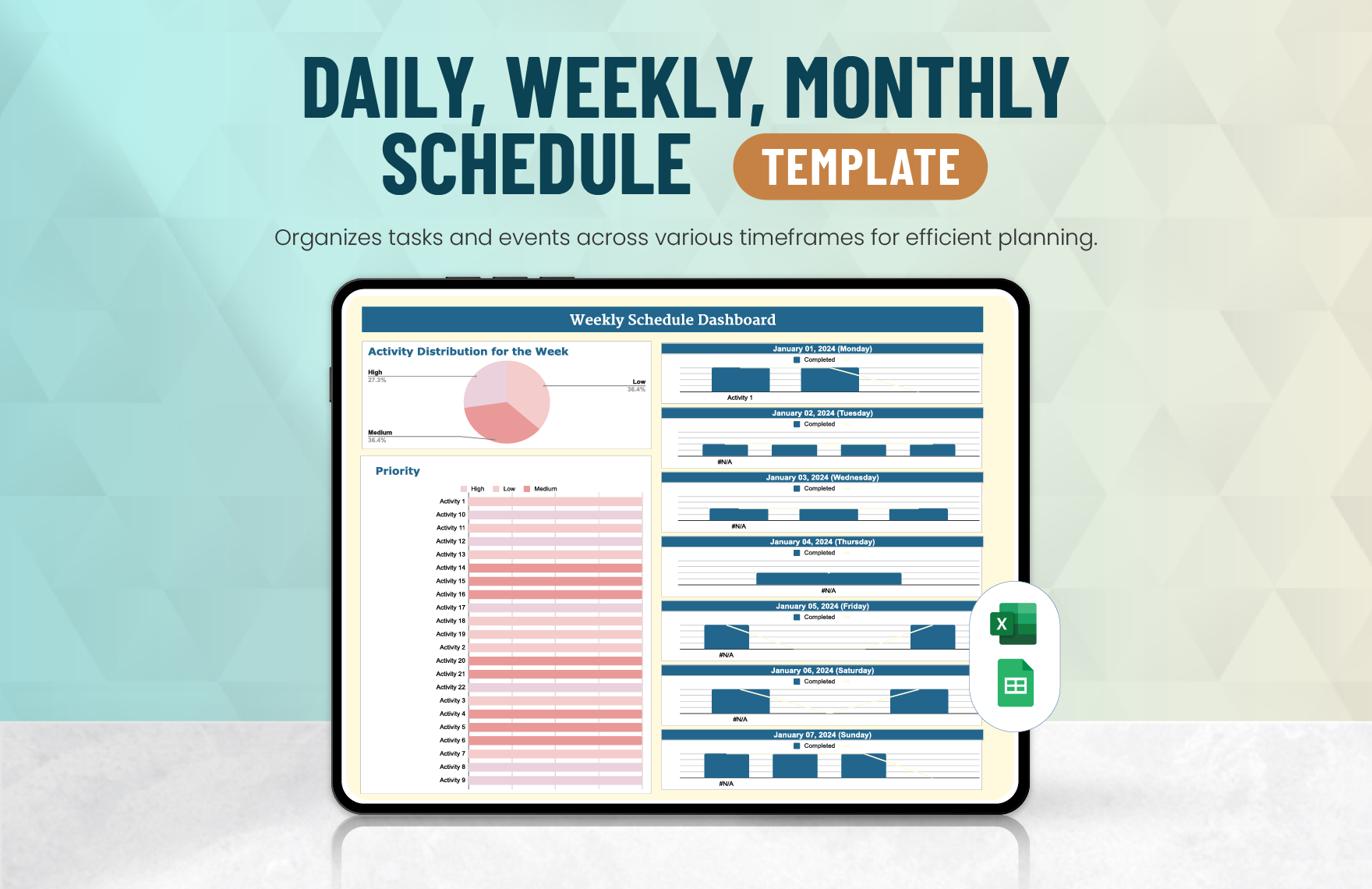
A monthly work plan template is usually organized around objectives, activities, deadlines, responsibilities, milestones, and progress. It can be used at the individual, team, department, or project level.
For an employee, the plan might contain five to ten major responsibilities for the month, each broken into smaller tasks. For a department, the same structure could group work by operational area and assign responsibility to specific roles.
The plan should make dependencies visible. If Employee A must prepare information before Employee B can complete a report, the schedule should show that relationship rather than assigning both tasks as if they were independent.
Milestones are useful when a task is too large to represent as a single completion event. A project can be divided into planning, preparation, execution, review, and closeout stages, each with its own target date.
At month-end, the work plan becomes a review tool. Managers can examine what was completed, what changed, what was delayed, and what should carry into the next month.
Source: Template.net
Using Business Planning Information
Employee plans work best when they are connected to business priorities. A company may have monthly goals for sales, customer service, production, operations, finance, compliance, or product development, and employees need clear responsibilities that support those goals.
A sample of business monthly plan template can therefore be useful as a reference structure, especially when managers need to translate broad business priorities into department-level actions.
A business plan should not be copied directly into an employee plan. Instead, identify which business objectives require employee action and translate those objectives into concrete responsibilities.
For example, a business may want to improve order processing. The employee-level plan could then include process documentation, staff training, quality checks, exception handling, and a monthly review of recurring problems.
This connection makes the monthly plan more meaningful because employees can see how their assigned work contributes to a larger outcome rather than treating the document as another administrative checklist.

Source: Template.net
What a monthly business plan template Should Contain
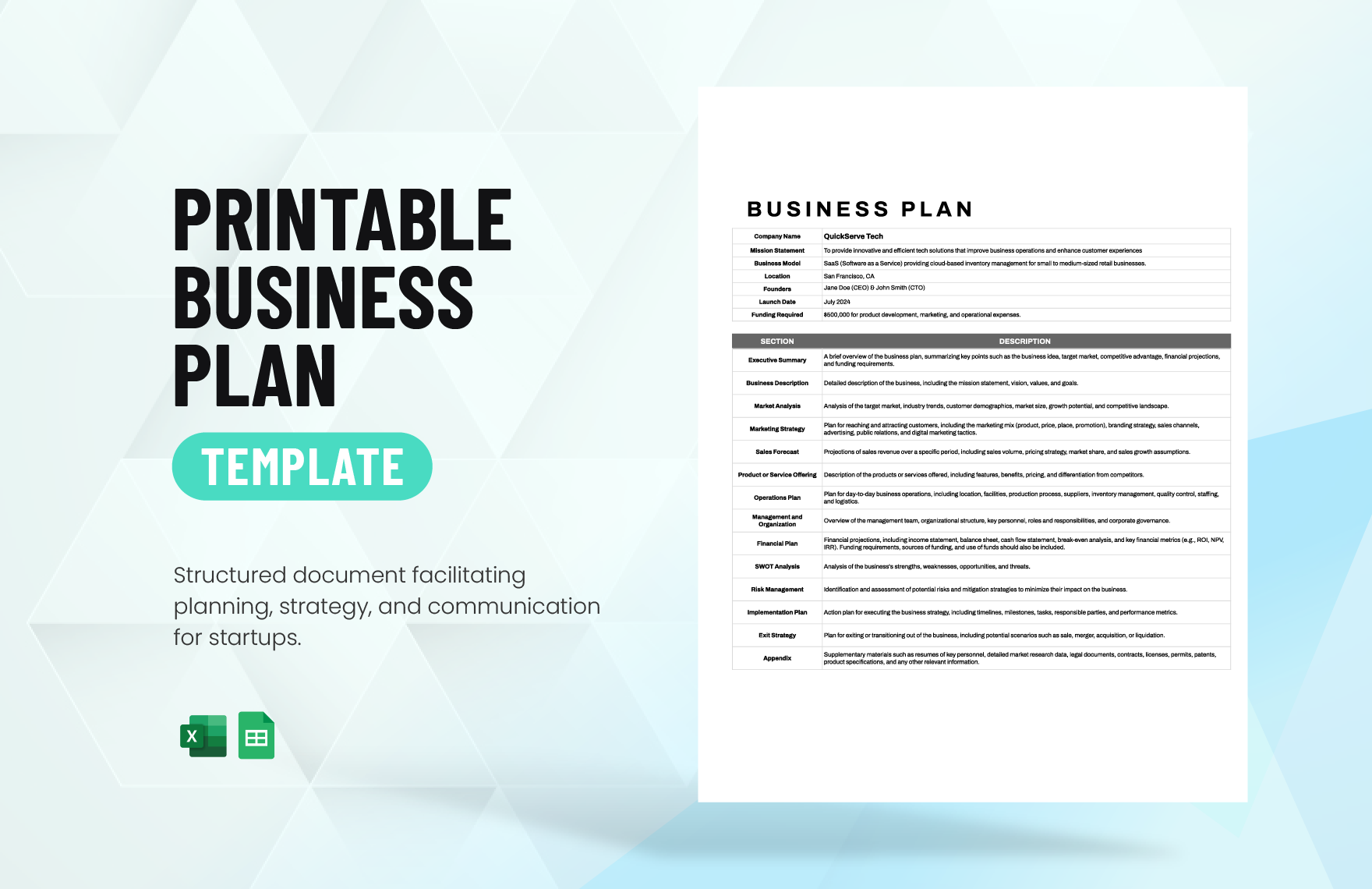
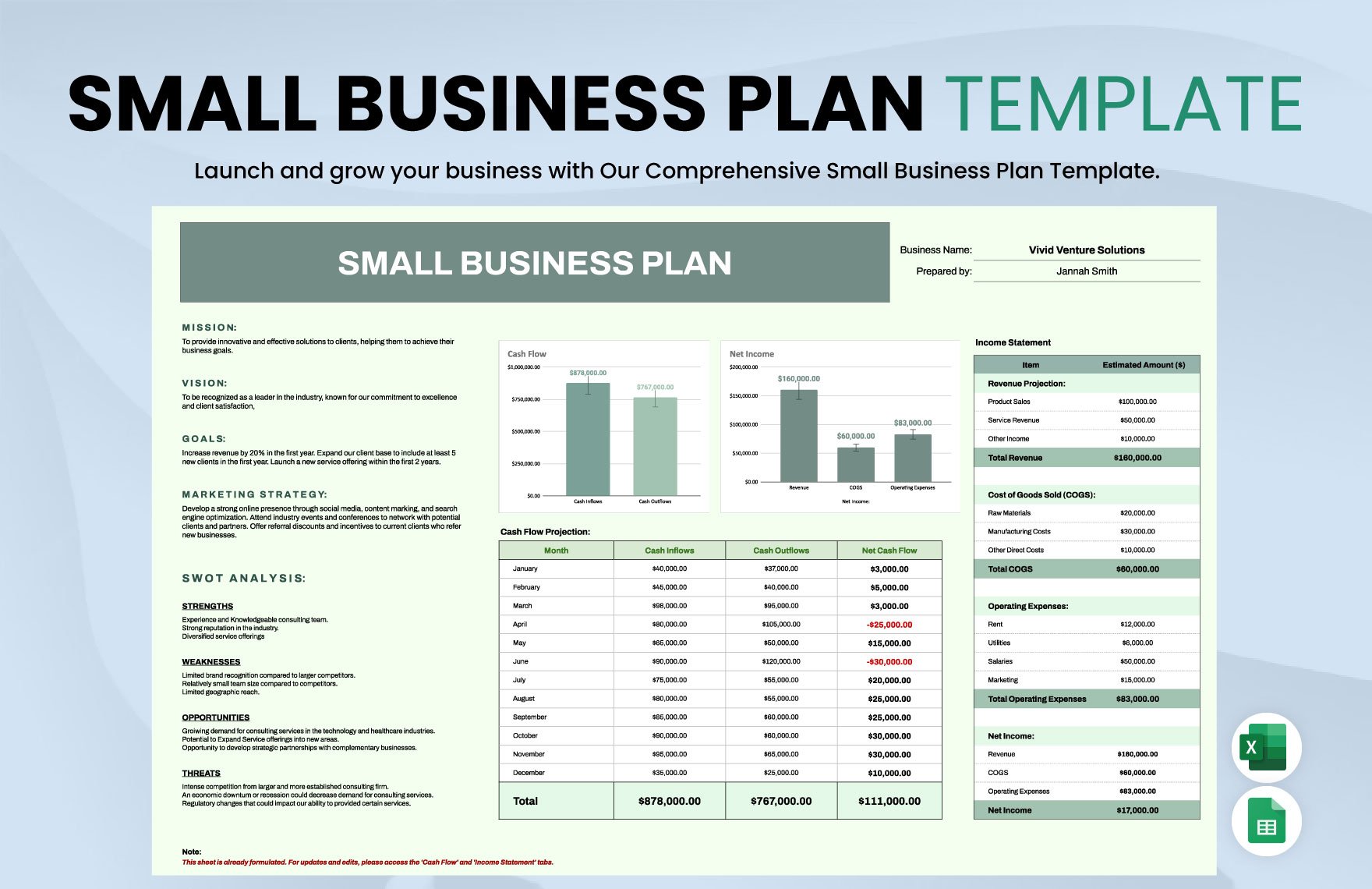
A monthly business plan template may include goals, key activities, priorities, financial considerations, marketing actions, operational objectives, customer initiatives, and a month-end review. Its purpose is broader than an employee work plan.
When employee planning is linked to a business plan, use the business document as the source of direction rather than duplicating it. The employee plan should answer the operational question: who needs to do what, by when, and what result is expected?
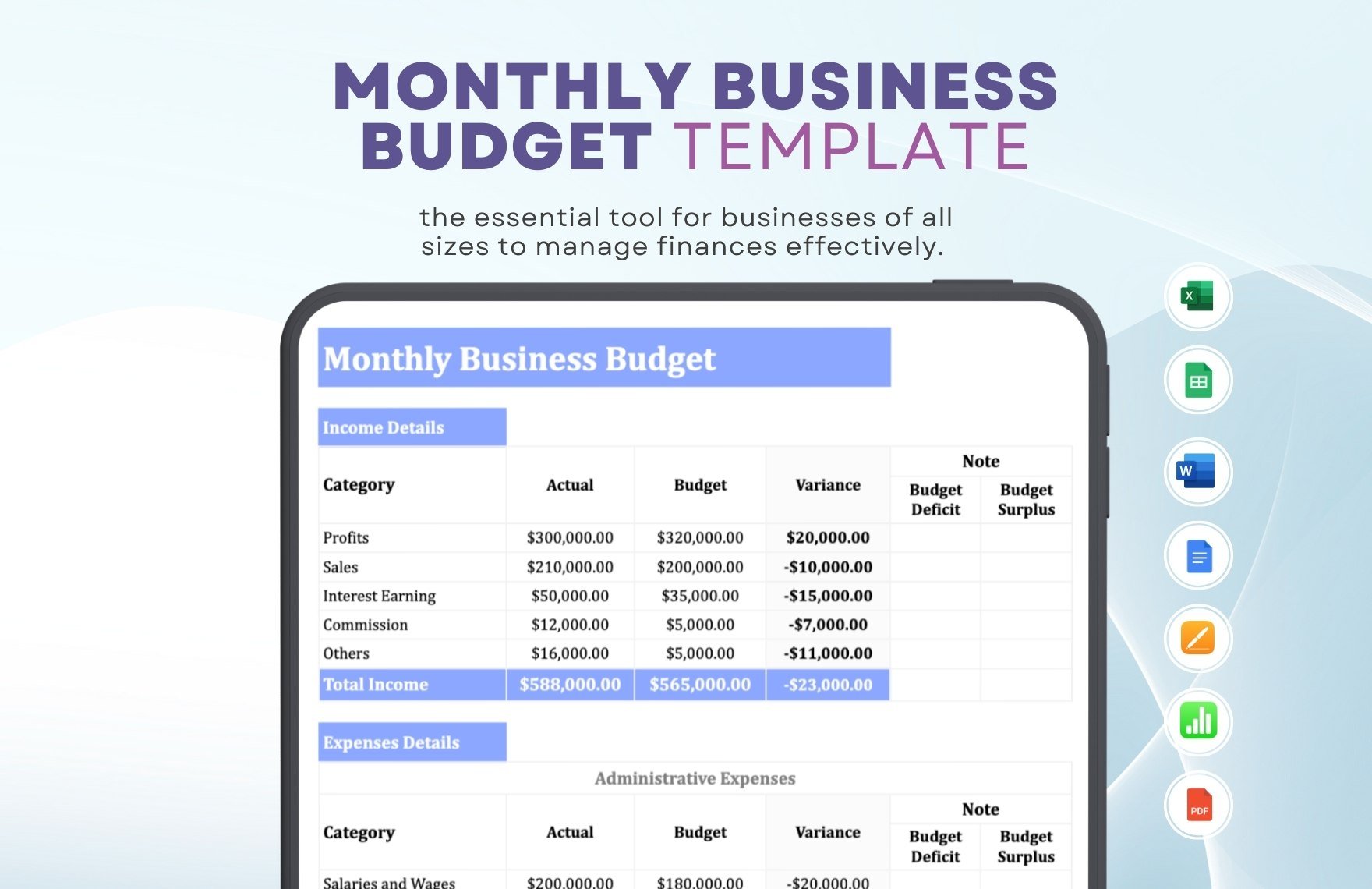
Financial information may also influence staffing decisions. A business could review expected workload, planned projects, overtime needs, training requirements, or resource constraints before finalizing employee assignments.
However, employee plans should not contain sensitive financial or personal information unless there is a legitimate operational reason to include it. Limit access according to the information contained in the document.
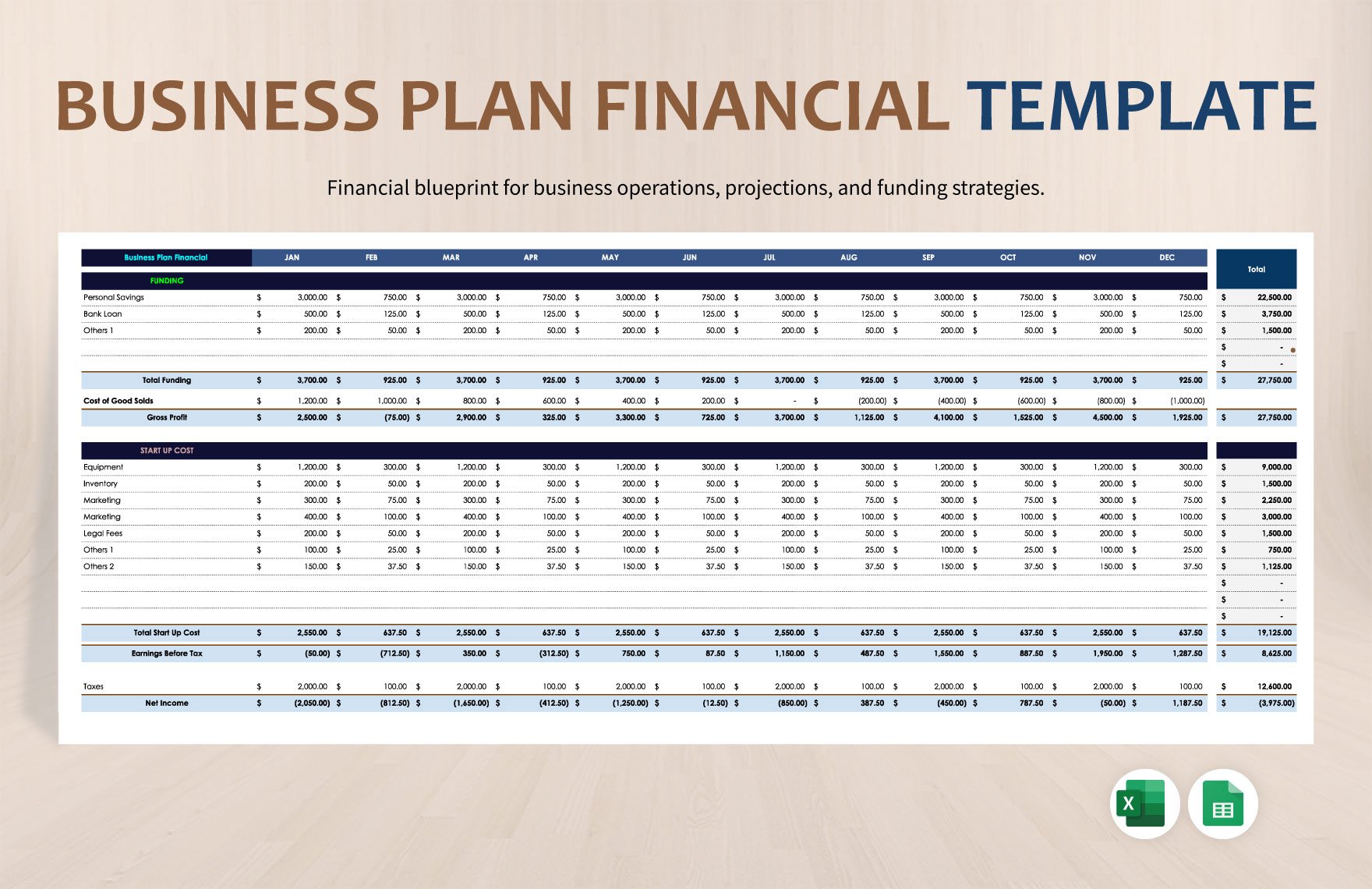
Template examples for business planning commonly use sections for goals, strategies, financial information, schedules, and action items. These concepts can inform employee planning while still keeping the employee-facing document focused and practical.
Source: Template.net
Using a monthly business plan template for Small Teams
Small businesses often benefit from keeping planning simple. A team of five employees may not need separate dashboards, project management systems, and scheduling workbooks when one well-designed monthly planning sheet can provide enough visibility.
A small-team version can contain a monthly objective section, employee assignment table, schedule overview, important dates, and month-end review. This provides structure without creating a heavy administrative burden.
Managers should review the plan at a predictable time each month. A short planning meeting can confirm priorities, identify conflicts, and assign ownership before the month starts.
Employees can then update progress during the month rather than waiting until the final day. This makes the document useful as an operational tool instead of merely a retrospective report.
At the end of the month, retain the completed plan if historical comparison is useful. Comparing several completed months can reveal recurring workload problems, repeated delays, or seasonal staffing needs.
Source: Template.net
How to Keep a Monthly Plan Easy to Maintain
Use consistent terminology. If one month calls a task “Training” and another calls the same activity “Staff Development,” comparisons become harder. A short list of standardized categories improves reporting.
Keep dates in one format throughout the workbook. Mixing formats such as 03/04/2026 and 4 March 2026 can create ambiguity, particularly in teams working across countries.
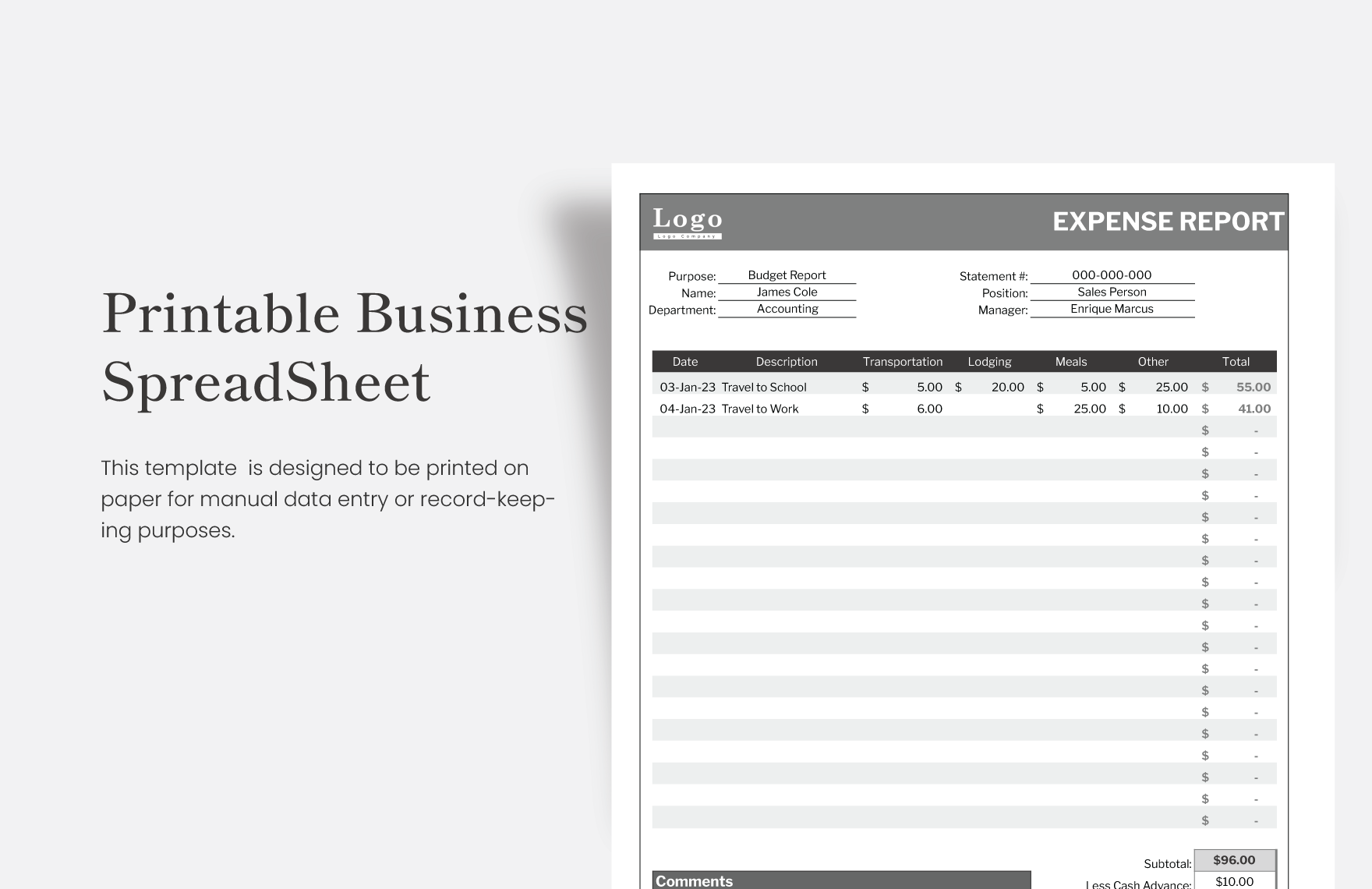
Use short notes rather than paragraphs inside spreadsheet cells. Detailed explanations can be placed in a separate document or linked reference if they are necessary.
Archive completed months before resetting the template for a new period. This prevents accidental loss of historical information and creates a clean starting point for the next month.
Review the template itself periodically. If employees consistently leave a field blank because nobody uses it, remove it. If managers repeatedly need information that is absent, add it. A template should evolve with the workflow.
Source: Template.net
Common Mistakes to Avoid
The first common mistake is creating an excessively detailed template. More fields do not automatically produce better planning. Every field should have a clear purpose and an identified user.
The second mistake is assigning too much work. A plan filled with ambitious objectives can look impressive while being impossible to execute alongside normal responsibilities. Capacity should be considered before additional work is assigned.
The third mistake is failing to define ownership. A task assigned to “the team” can easily become a task that nobody personally owns. Group responsibility can be appropriate, but one person should generally coordinate completion.
The fourth mistake is using the plan only once. A monthly plan becomes valuable through repeated review. Managers should update status, discuss changes, and use the information to make decisions.
The fifth mistake is confusing activity with achievement. Listing meetings, calls, reports, and tasks shows what happened, but the plan should also capture meaningful outcomes where appropriate.
Source: Template.net
Best Practices for Managers
Build the monthly plan around the most important work first. Start with business-critical deadlines, customer commitments, compliance activities, scheduled leave, and fixed operational requirements before filling in optional projects.
Balance workloads visibly. If one employee has many high-priority assignments while another has substantial unused capacity, the monthly plan can make the imbalance easier to identify before it becomes a problem.
Separate committed work from flexible work. Fixed deadlines should not be treated the same way as activities that can move to the following week or month if capacity changes.
Use a short review cycle during the month. A mid-month check can identify tasks that are delayed, dependencies that have changed, or new priorities that require the plan to be adjusted.
At month-end, focus on learning rather than blame. A delayed task may indicate poor estimation, an external dependency, insufficient resources, or a legitimate change in priority. The purpose of the review is to improve the next plan.
Source: Template.net
Practical Solution: A Simple Monthly Planning System
The simplest practical solution is to maintain one master monthly planning workbook with separate areas for the employee roster, monthly objectives, work assignments, schedule information, and review notes. This keeps the planning process organized without requiring an overly complicated system.
First, create a master template containing the month, department, manager, employee list, objectives, tasks, deadlines, priority, status, and notes. Lock or protect the structural areas if the spreadsheet will be edited by several people.
Second, establish standard values for status and priority. For example, use Not Started, In Progress, Blocked, Complete, and Carried Forward. Keep the list short enough that employees can choose the correct value quickly.
Third, add a separate schedule area if employees need to see workdays, shifts, leave, or training. Do not overload the task table with daily shift details when a dedicated schedule grid would be clearer.
Fourth, conduct a monthly planning review before the new period begins. Confirm priorities, capacity, absences, deadlines, dependencies, and ownership. Then publish the approved plan in the team’s preferred format.
Source: Template.net
During the month, update status at an agreed frequency. Some teams may update daily, while others only need weekly status changes. The correct frequency depends on how quickly priorities change.
At the midpoint, review exceptions rather than reading every row. Focus on overdue tasks, blocked assignments, staffing gaps, major changes, and work that is consuming more capacity than expected.
At month-end, compare planned work with completed work. Mark unfinished items clearly and decide whether they should be carried forward, reassigned, rescheduled, or removed.
Use the completed plan to prepare the next month. Recurring work can be copied into the new template, while obsolete assignments should be removed so that the new plan remains relevant.
This workflow makes the monthly employees plan template part of a management cycle rather than a document that is created once and forgotten.
Source: Template.net
Reference Examples
The following reference examples illustrate different document and spreadsheet styles relevant to monthly employee planning, work planning, scheduling, and business planning.
monthly employees plan template excel
Source: Template.net
monthly employees plan template free
Source: Template.net
monthly employees plan template google sheets
Source: Template.net
monthly employees plan template free download
Source: Template.net
monthly employees plan template pdf
Source: Template.net
monthly employees plan template word
Source: Template.net
monthly employees plan template google docs
Source: Template.net
monthly work plan template
Source: Template.net
sample of business monthly plan template
Source: Template.net
monthly business plan template
Source: Template.net
monthly schedule template for employees
Source: Template.net
employees of the month template

Source: Template.net
Frequently Asked Questions
What should a monthly employees plan template include?
At minimum, include the planning month, employee or responsible party, objectives, tasks, deadlines, priorities, expected results, status, and notes. Add schedule, leave, hours, training, or department fields only when they serve a genuine operational purpose.
Is Excel a good format for monthly employee planning?
Yes. Excel works particularly well when the plan requires filtering, sorting, formulas, conditional formatting, workload calculations, employee lists, or monthly schedule grids. It is also useful when the same structure will be reused every month.
Can a monthly employees plan template be used for shifts?
Yes, but a shift schedule and work plan serve different purposes. A combined workbook can contain a schedule grid for coverage and a separate task table for objectives and assignments.
When should the monthly plan be prepared?
A practical approach is to draft it during the final week of the previous month, review it before the new month begins, and make a short adjustment review during the month.
Should every employee have the same monthly objectives?
No. Team-wide priorities can be shared, but individual assignments should reflect each employee’s role, responsibilities, authority, workload, and development needs.
Should completed monthly plans be saved?
When historical planning information is useful, retain completed plans in an organized archive. This can help managers understand recurring workload patterns and compare planned work with completed work.
What is the difference between a monthly work plan and a business plan?
A monthly work plan translates priorities into specific work, owners, deadlines, and expected results for a defined period. A business plan is broader and can address strategy, markets, operations, finances, and long-term direction.
Can a monthly employees plan template work for remote teams?
Yes. A shared spreadsheet or document can provide a common planning view for remote employees. Clear ownership, deadlines, status definitions, and communication expectations become especially important when employees are not working in the same physical location.
How often should the template itself be changed?
Change it when the workflow changes or when recurring problems show that the current structure is insufficient. Avoid redesigning it every month because unnecessary changes make historical comparisons harder.
Conclusion
A well-designed monthly employees plan template provides a practical bridge between business priorities and day-to-day employee execution. It gives managers a consistent way to organize responsibilities, deadlines, staffing considerations, priorities, and progress without rebuilding the planning process from scratch each month.
The strongest templates remain simple enough to use regularly while containing enough structure to support meaningful decisions. Excel and Google Sheets are useful for structured tables, schedules, calculations, and collaborative updates, while Word, Google Docs, and PDF are useful when the plan needs a more formal document-oriented presentation.
When building your own template, start with purpose, capacity, responsibility, deadlines, and expected results. Add scheduling, leave, training, financial, or reporting fields only when they genuinely improve coordination.
A monthly plan becomes most valuable when it is reviewed before the month begins, updated during execution, and evaluated at the end. Used consistently, the template becomes more than a planning form: it becomes a repeatable management system for turning monthly priorities into organized employee action.
For teams that want a practical starting point, begin with a simple monthly employees plan template containing employee names, responsibilities, priorities, deadlines, status, and notes, then expand the structure only when real planning needs justify it.
