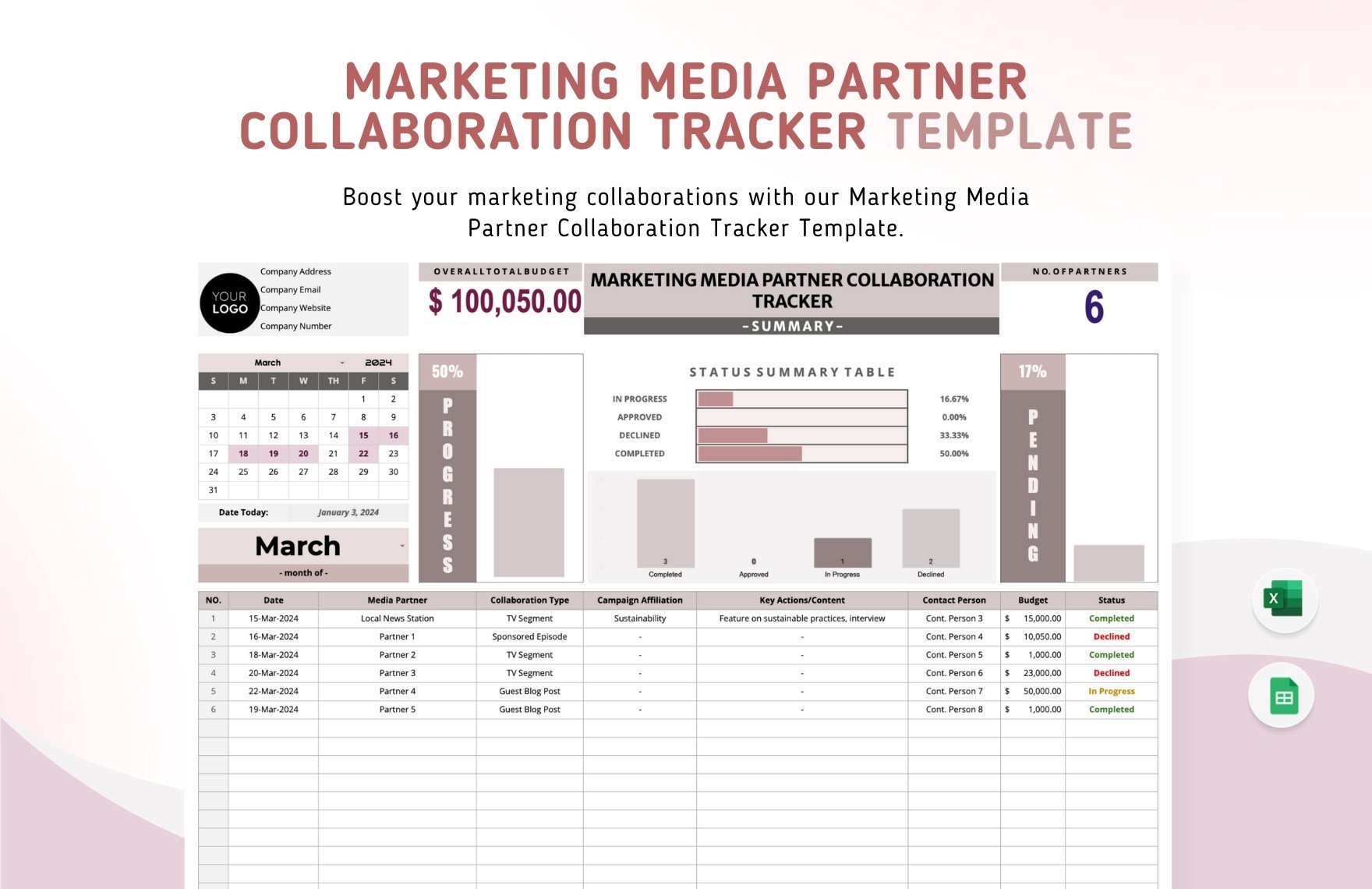
A marketing media partner collaboration tracker Template is most useful when it does more than store names and dates. A well-designed tracker gives a marketing team one structured place to manage prospective media partners, active collaborations, campaign commitments, communication history, budgets, deliverables, deadlines, and post-campaign results. The goal is not simply to record what happened. The goal is to make the next decision easier, reduce missed follow-ups, and create a dependable operating record for every partnership.
Current template examples commonly combine a partner database, collaboration pipeline, campaign alignment fields, communication records, status indicators, budget information, and summary dashboards. The visual examples used in this article reflect that structure, while the recommended workflow below adapts those ideas into a practical system that can be tailored to a brand, agency, publisher, event team, or communications department.
The strongest tracker is also intentionally simple. A sheet that requires excessive manual entry quickly becomes outdated, while a sheet with too few fields cannot explain why a partnership succeeded or stalled. The right balance is a small number of dependable fields supported by clear status definitions, consistent dates, ownership rules, and a reporting layer. That makes the tracker useful for both daily coordination and longer-term partnership planning.
What a media partner collaboration tracker should accomplish
At its core, a collaboration tracker answers five questions: who is involved, what is being proposed, where the collaboration stands, what must happen next, and what the partnership produced. Those questions sound straightforward, but they become difficult when information is distributed across email threads, chat messages, campaign documents, calendars, and individual notes. A centralized tracker turns scattered updates into a common operational record.
The tracker should distinguish between a prospective relationship and an active campaign. A publisher may be researched for months before receiving a pitch, while another partner may already have an agreed campaign with several deliverables. Treating both records identically creates confusion. A useful structure therefore separates partner information from collaboration information, allowing one partner to have several campaigns or opportunities over time.
Another important purpose is continuity. Partnership work frequently changes hands when responsibilities move between marketers, agencies, account managers, or campaign leads. A good record allows the next owner to understand the relationship without reconstructing months of history. Notes should therefore capture decisions and commitments rather than merely recording that a conversation occurred.
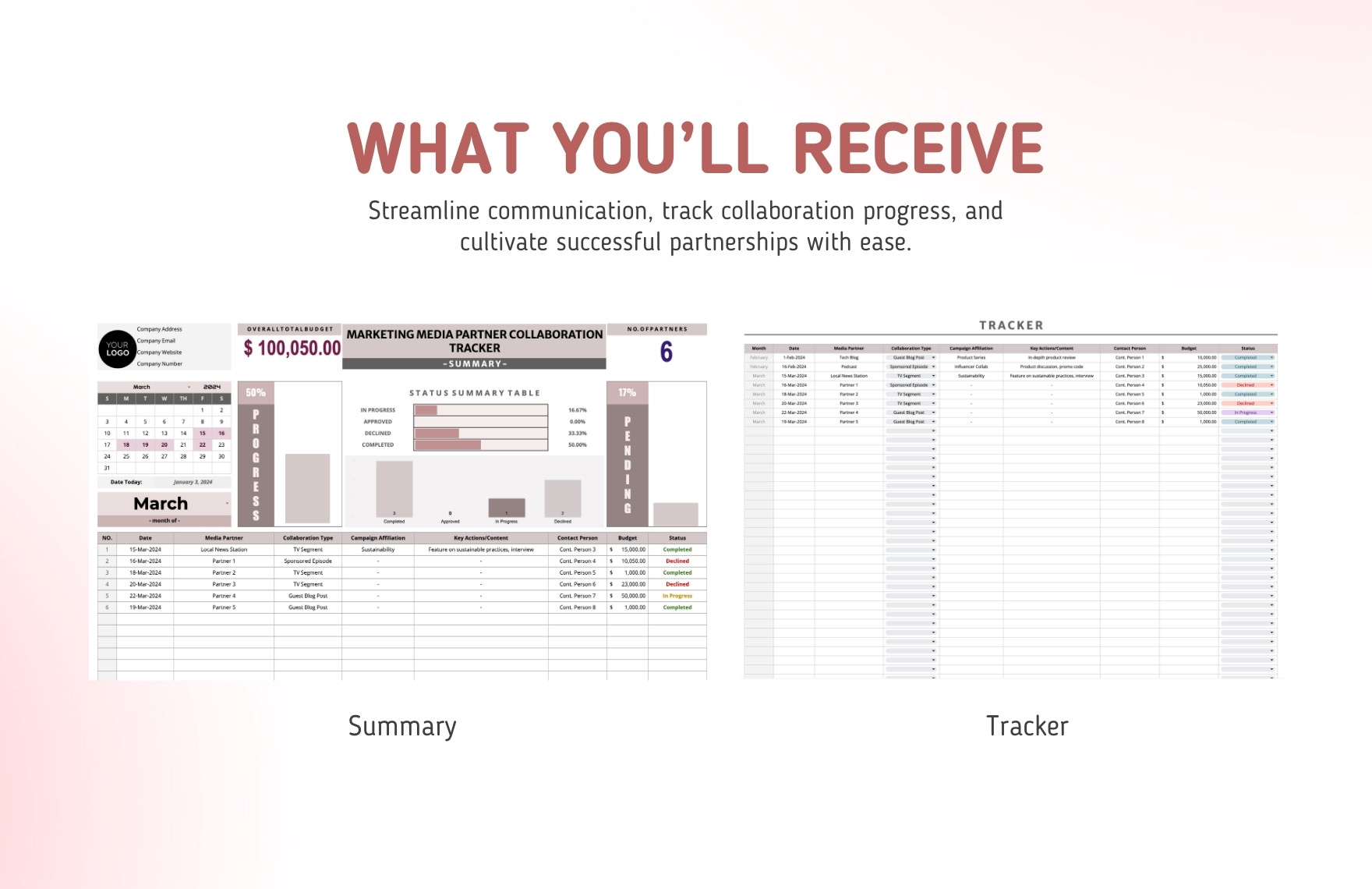
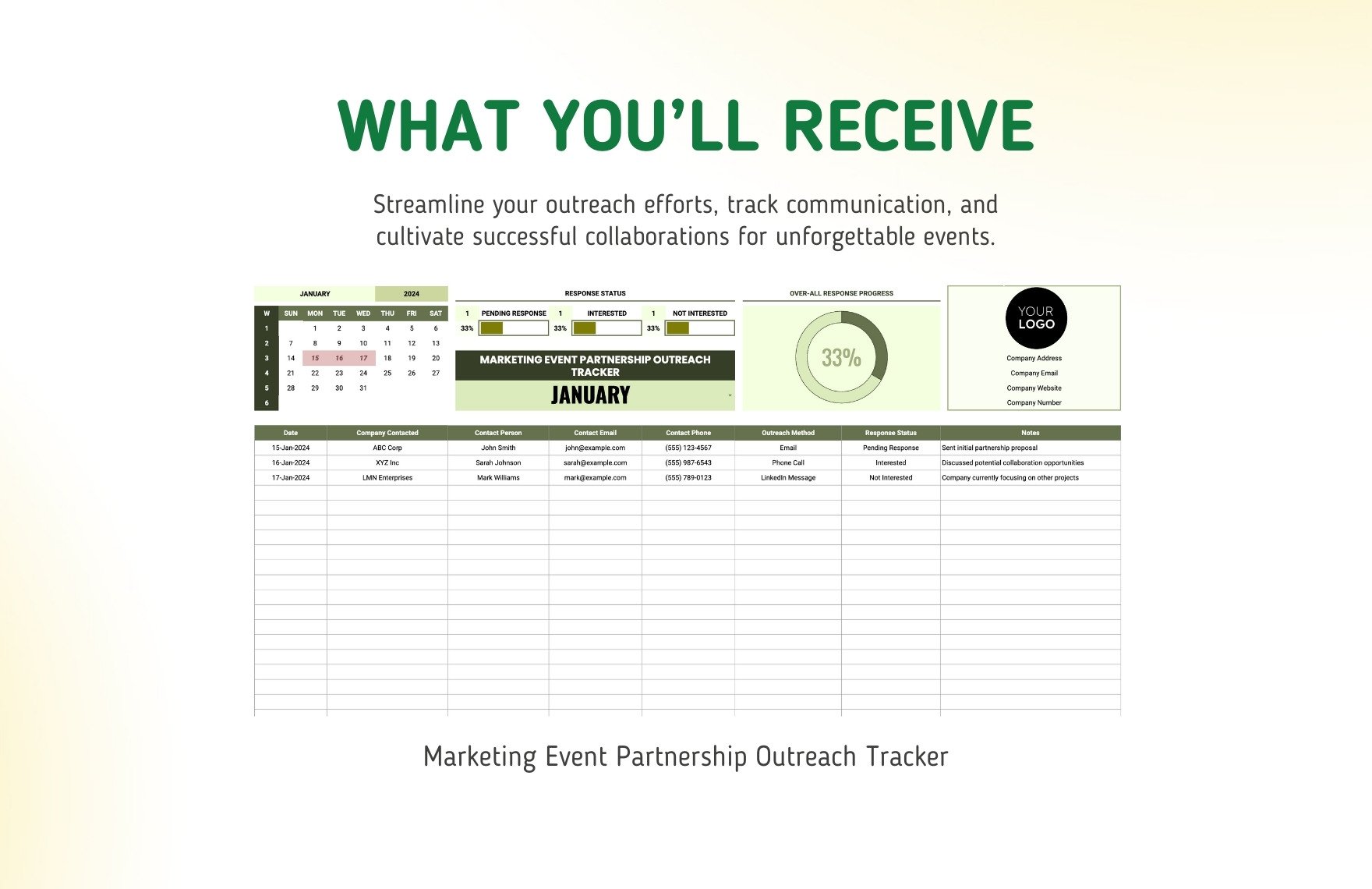
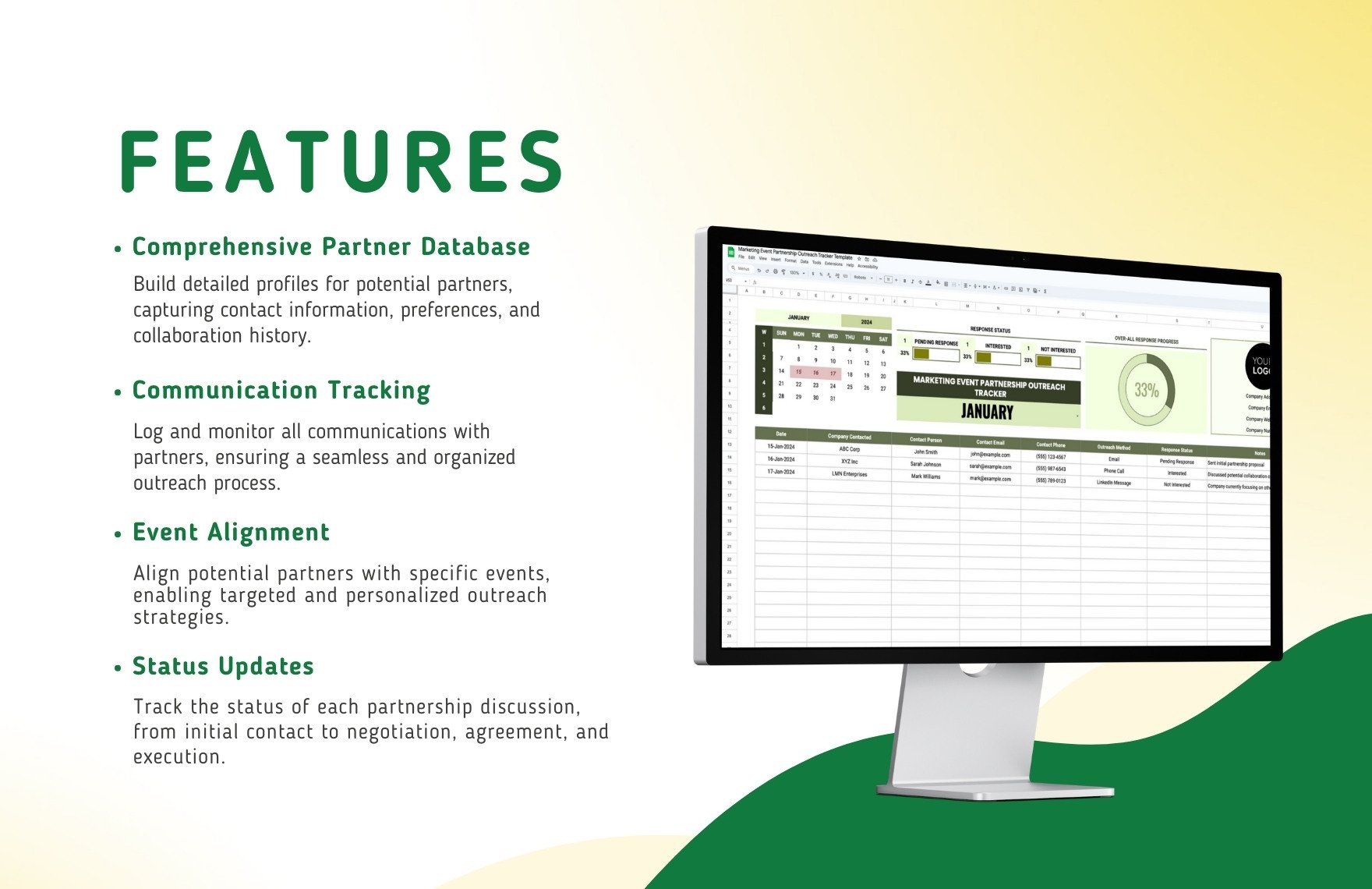
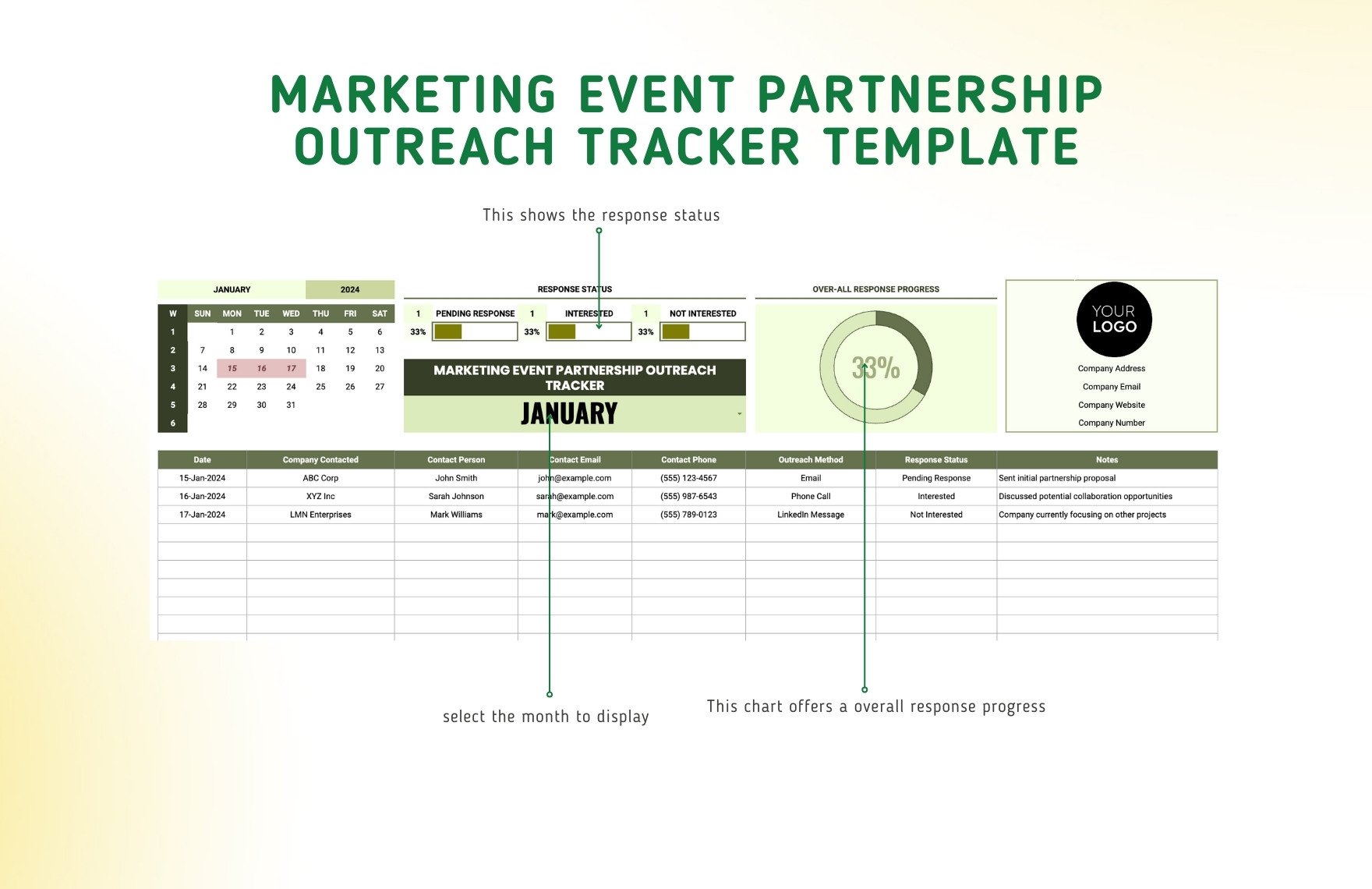
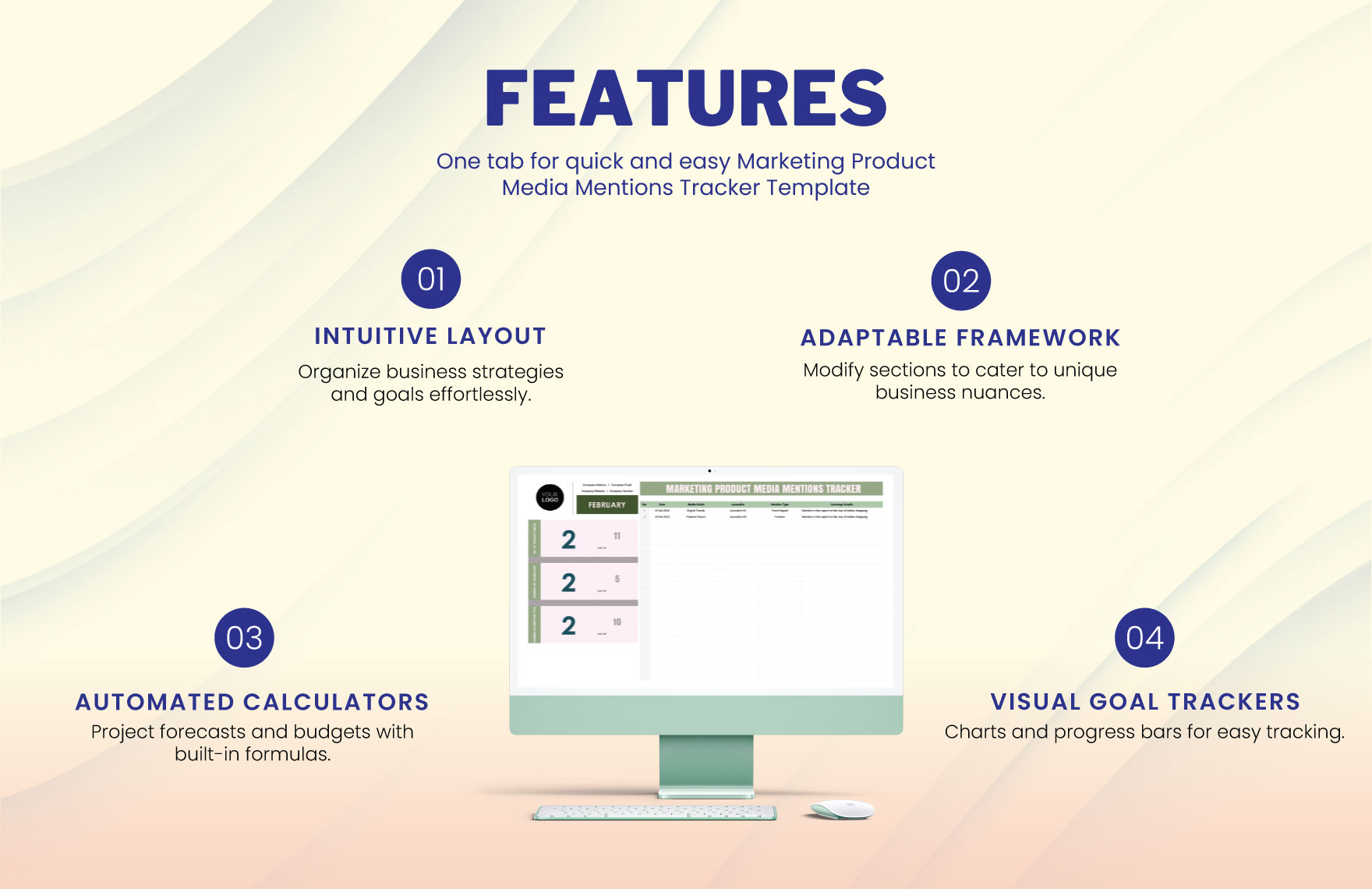
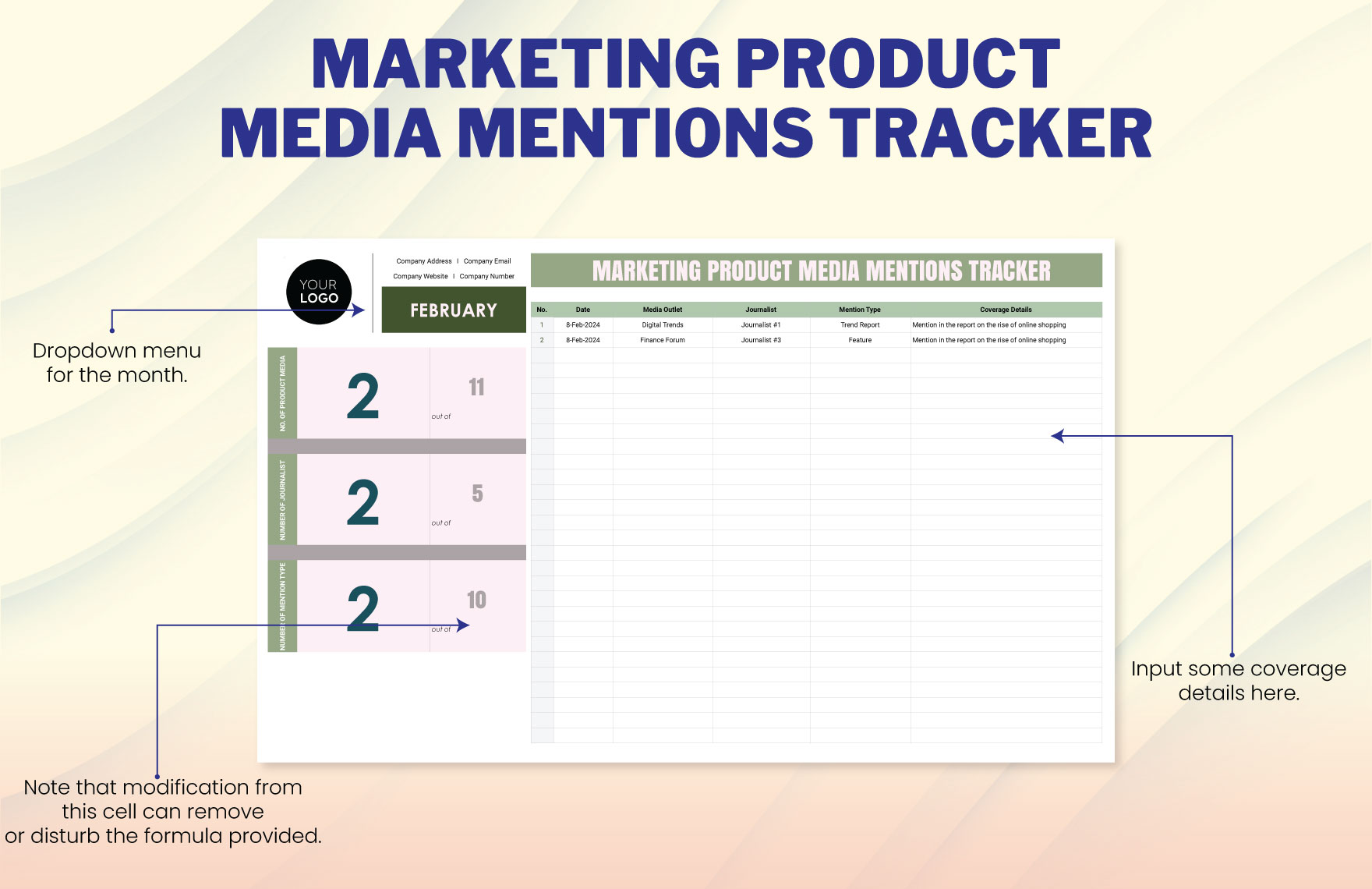
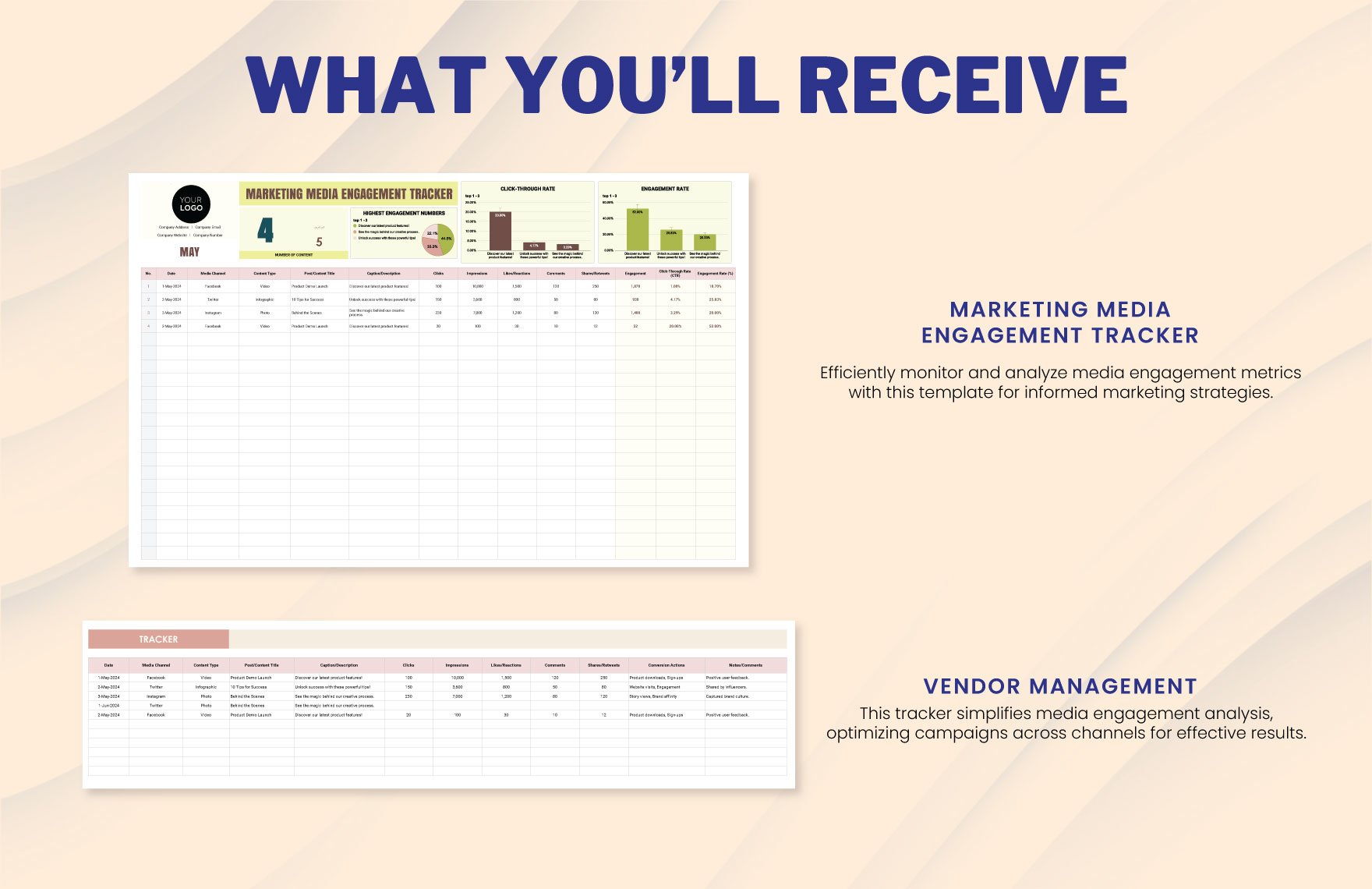
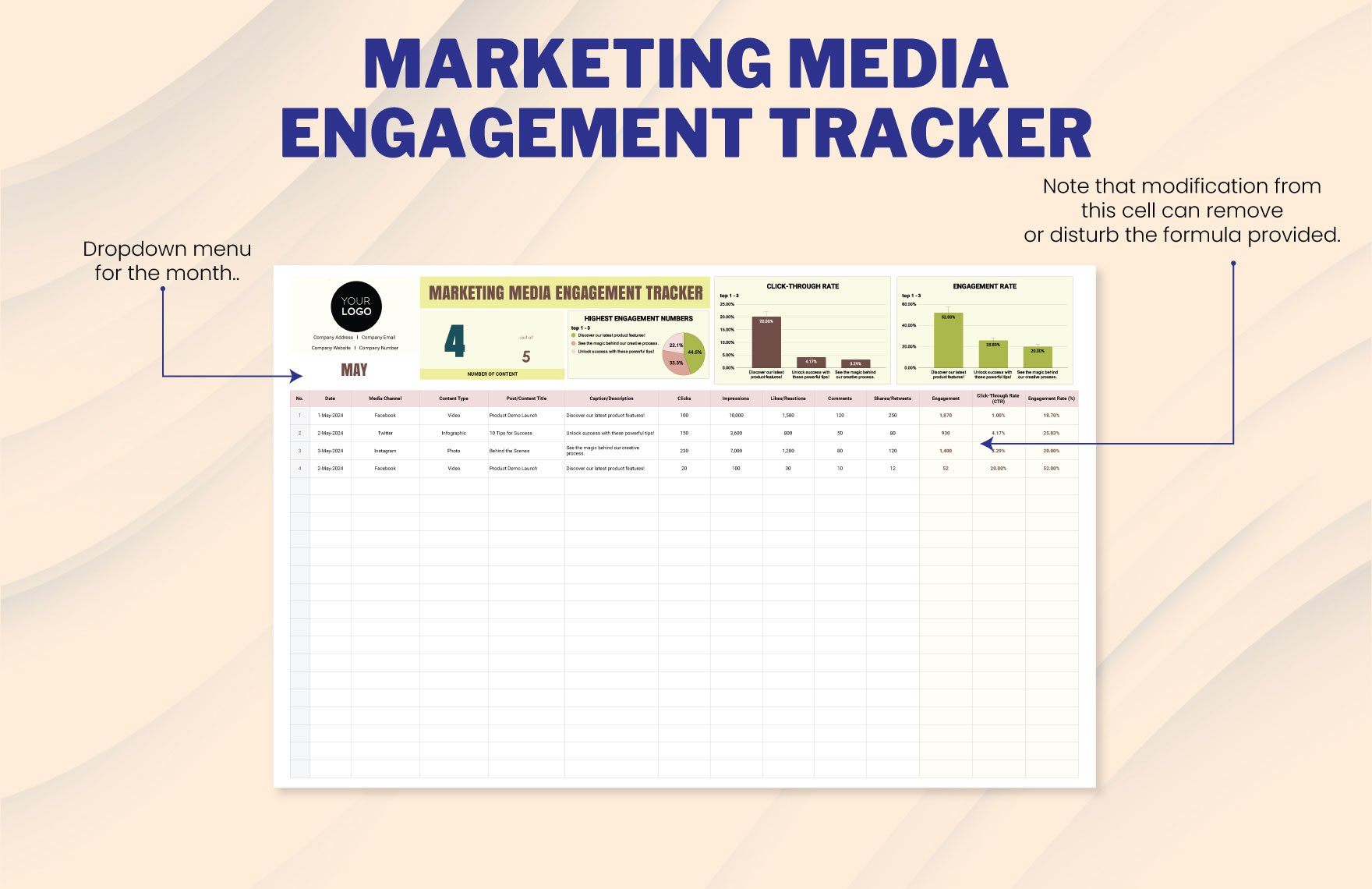
The visual structure of the source template demonstrates an especially useful principle: a summary view can sit above a detailed tracker. The summary provides immediate visibility into progress, while the underlying rows preserve the operational detail. This two-level approach is more practical than trying to make one giant worksheet serve every purpose.
Why the tracker matters for marketing partnerships
Partnerships have more dependencies than ordinary contact management. A campaign can depend on a proposal being accepted, creative assets being supplied, copy being approved, tracking links being confirmed, publication dates being scheduled, invoices being processed, and performance data being collected. A tracker makes those dependencies visible instead of allowing them to remain hidden in separate conversations.
It also improves follow-up discipline. Without a defined next-action field, teams often remember a relationship only when a deadline approaches or a partner sends another message. A next-action date creates a deliberate rhythm: contact, follow up, negotiate, confirm, execute, review, and maintain. The system becomes particularly valuable when several campaigns run simultaneously.
There is also a strategic benefit. After enough collaborations have been recorded, the tracker becomes a historical dataset. Teams can compare partner categories, campaign types, budget ranges, deliverable patterns, response behavior, and performance outcomes. The purpose is not to reduce every relationship to a score, but to make recurring patterns visible enough to inform future partner selection.
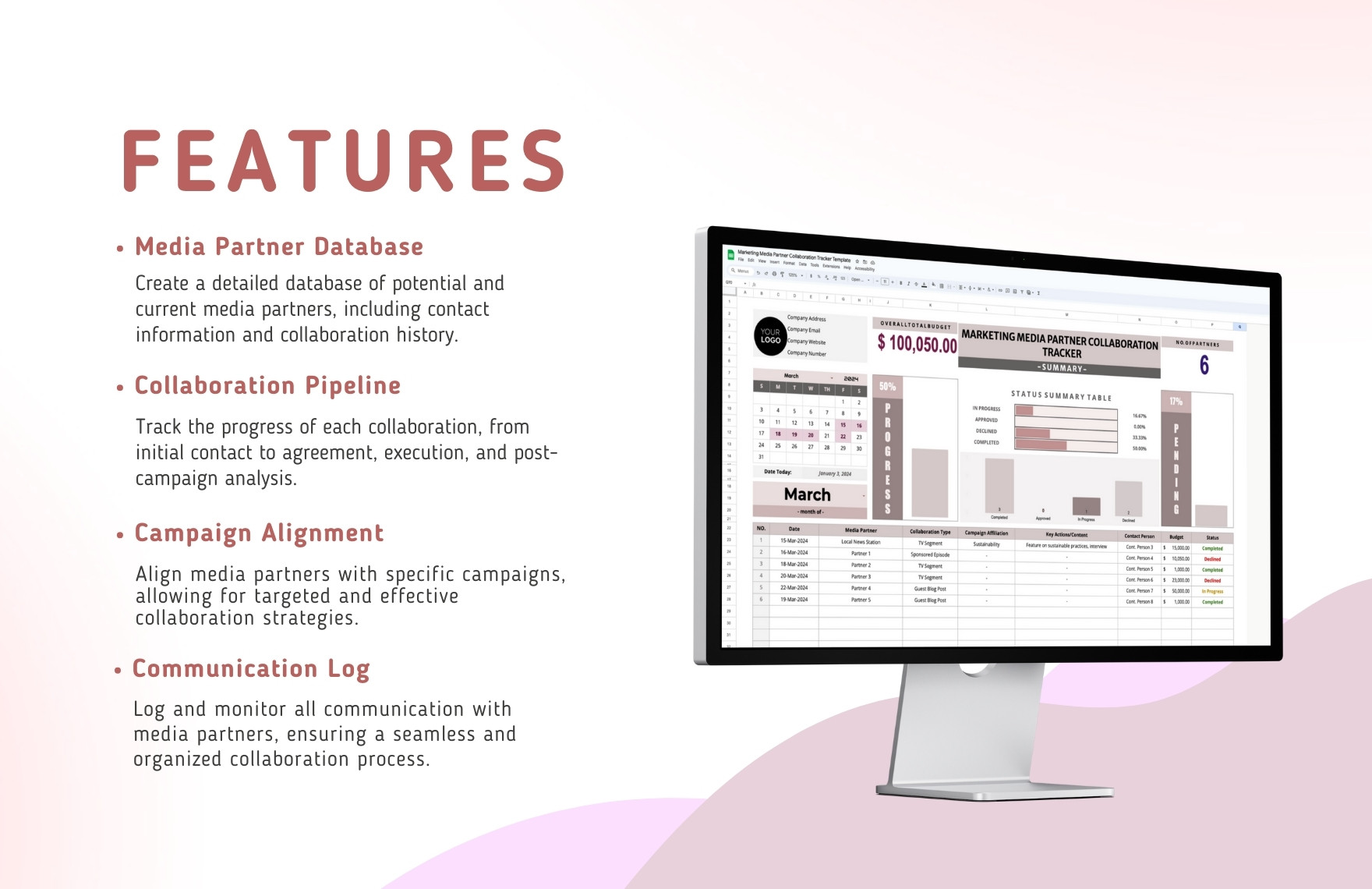
A useful tracker therefore connects relationship management with campaign management. Partner information explains who the organization is, campaign information explains what the collaboration involves, and performance information explains what happened. Keeping those three layers connected produces a much more useful system than a basic contact list.
Essential fields to include
The first layer should be the media partner database. Useful fields can include partner name, organization type, website, primary contact, role, email, preferred communication channel, geographic market, audience or editorial focus, previous relationship status, and relationship owner. The purpose is to provide enough context for a marketer to understand the partner without opening several other records.
The second layer should describe the collaboration itself. Recommended fields include collaboration ID, campaign name, collaboration type, proposal date, expected start date, planned publication or activation date, campaign objective, responsible owner, current stage, partner commitment, internal commitment, budget, and next action. These fields make the partnership measurable as a project rather than merely as a conversation.
The third layer should capture execution and results. Deliverables, approval dates, links to published assets, tracking parameters, agreed placements, actual publication dates, spend, reach, engagement, leads, conversions, revenue where appropriate, and qualitative observations can all be useful. Not every campaign needs every metric, so the tracker should be designed around the outcomes that matter to the specific partnership.
Separate required fields from useful fields
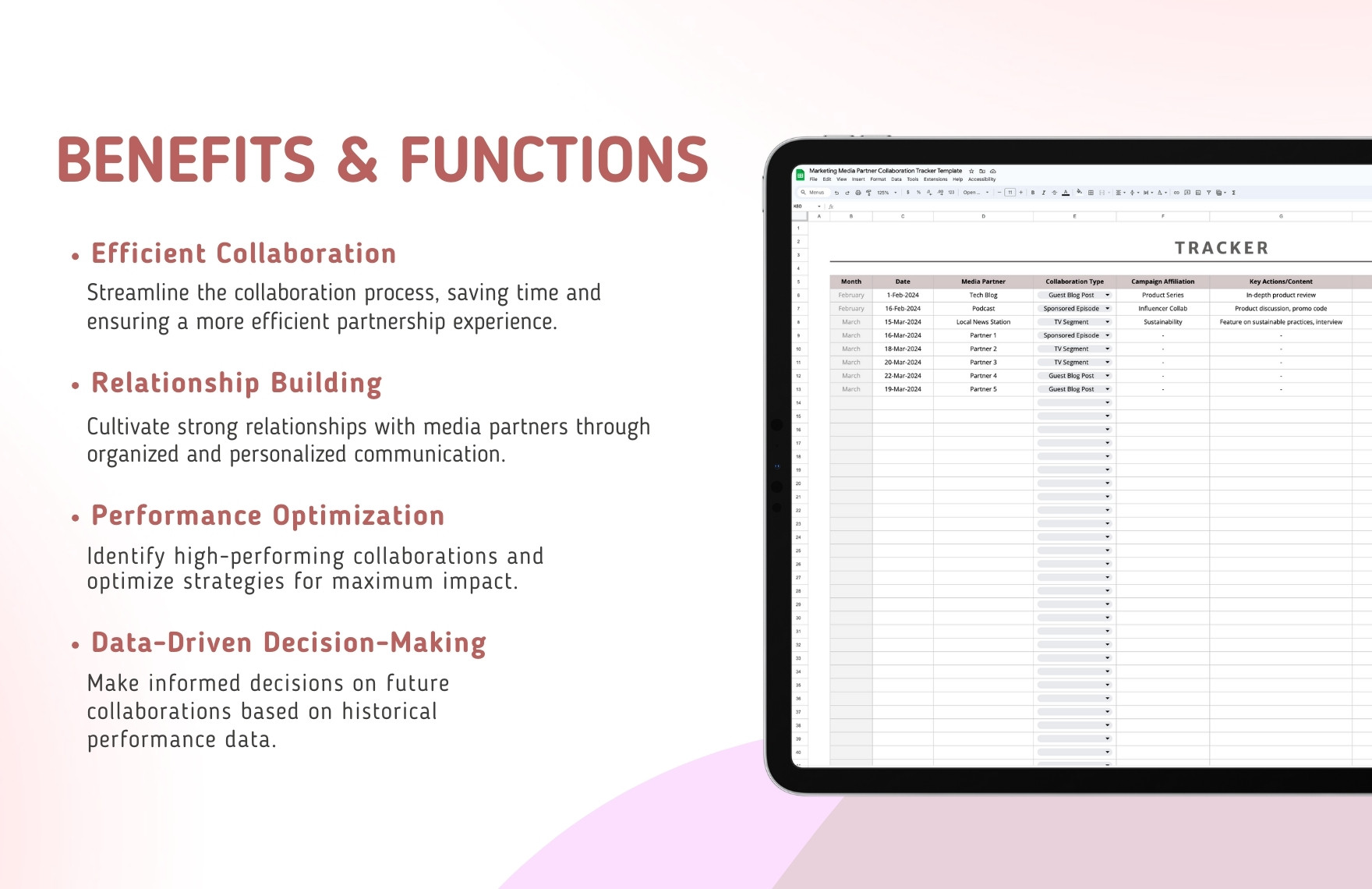
A common mistake is to make every column mandatory. Required fields should be limited to information that is necessary for workflow control, such as partner, campaign, owner, stage, next action, and next-action date. Additional fields can remain optional until the collaboration reaches a stage where they become relevant.
For example, a prospect may not yet have a final budget, publication date, or confirmed deliverable. Requiring those fields during initial research encourages placeholder information that later looks like real data. Instead, use stage-specific expectations. Early records can focus on qualification and outreach, while confirmed partnerships can require dates, deliverables, financial terms, and measurement fields.
This approach also makes maintenance easier. A smaller operational core means fewer incomplete rows and less resistance from team members who are expected to keep the system current. The tracker should make good behavior easy rather than creating administrative work that competes with partnership work.
Build the collaboration pipeline
A pipeline gives each partnership a recognizable position in the relationship lifecycle. A practical sequence might begin with Research, move to Qualified, then Contacted, In Discussion, Proposal Sent, Negotiation, Confirmed, In Execution, Completed, and finally Reviewed. A declined or inactive state can be included when an opportunity ends without activation.
The exact labels should match the team’s process. What matters is that every stage has a clear meaning. If “In Discussion” means different things to different team members, the pipeline becomes unreliable. A short definition for each status can prevent ambiguity, particularly when multiple people update the same tracker.
Stages should also represent meaningful changes in commitment. A record should not move to “Confirmed” simply because a partner replied positively. Confirmation should normally indicate that the material commercial, editorial, scheduling, and deliverable terms have been sufficiently agreed for execution to begin.
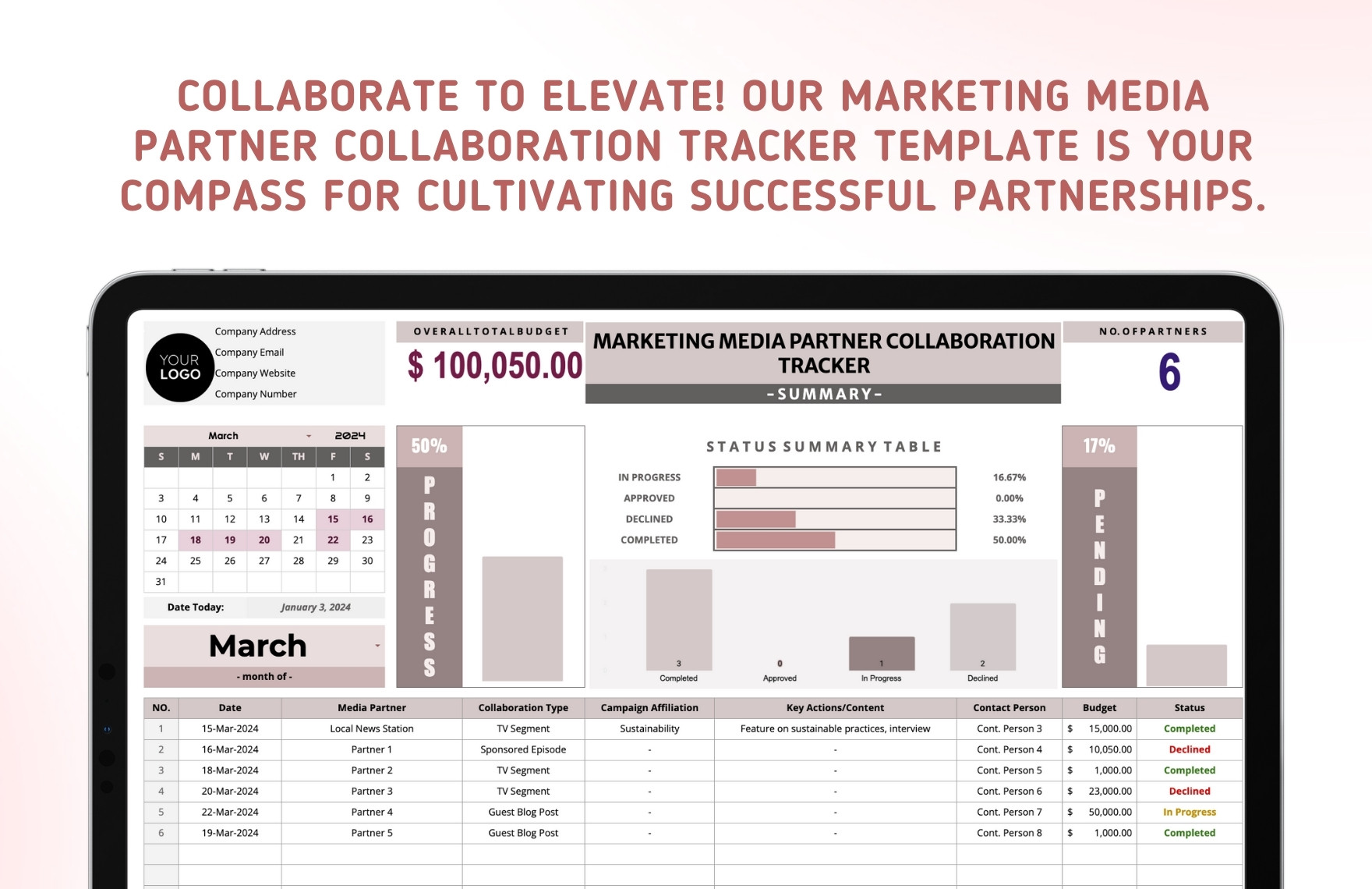
For management reporting, the pipeline can be summarized into counts by stage. This makes bottlenecks easier to identify. If many opportunities remain in discussion but very few progress to proposal or confirmation, the issue may involve qualification, offer design, timing, or partner fit. The tracker cannot diagnose the cause automatically, but it can make the pattern visible.
Use a communication log without turning it into a diary
Communication history is valuable when it records decisions, commitments, questions, and next actions. A concise log can include date, communication method, contact, subject, key outcome, promised action, owner, and next follow-up date. This is enough to reconstruct the relationship without copying entire email conversations into the tracker.
Notes should be written for future readers. “Spoke with partner” is rarely useful six weeks later. A stronger note might explain that the partner requested revised creative specifications, confirmed a target publication week, and is waiting for a final asset. The second version gives another team member something actionable.
It is also useful to distinguish communication activity from collaboration status. A partnership can have many messages without progressing, while another may move quickly after only a few exchanges. Activity volume alone is therefore a poor measure of relationship health. The tracker should emphasize outcomes and next steps rather than counting messages for their own sake.
Track campaign alignment and deliverables
A media partnership becomes much easier to manage when the tracker connects it to a specific campaign objective. Useful alignment fields can include campaign name, audience, strategic objective, channel, content format, partner role, required asset, call to action, landing destination, and measurement method. This prevents a partnership from being treated as an isolated activity disconnected from marketing priorities.
Deliverables should be specific enough to verify completion. “Promotion” is vague; “one editorial article, one newsletter placement, and two social mentions” is measurable. Similarly, “creative supplied” is less useful than recording the asset name, version, approval date, and publication destination.
Where multiple deliverables exist, consider using a separate deliverables worksheet linked to the collaboration record. That keeps the main tracker readable while allowing each campaign to have several tasks. The same principle applies to approvals, especially when legal, brand, editorial, or compliance review is required.
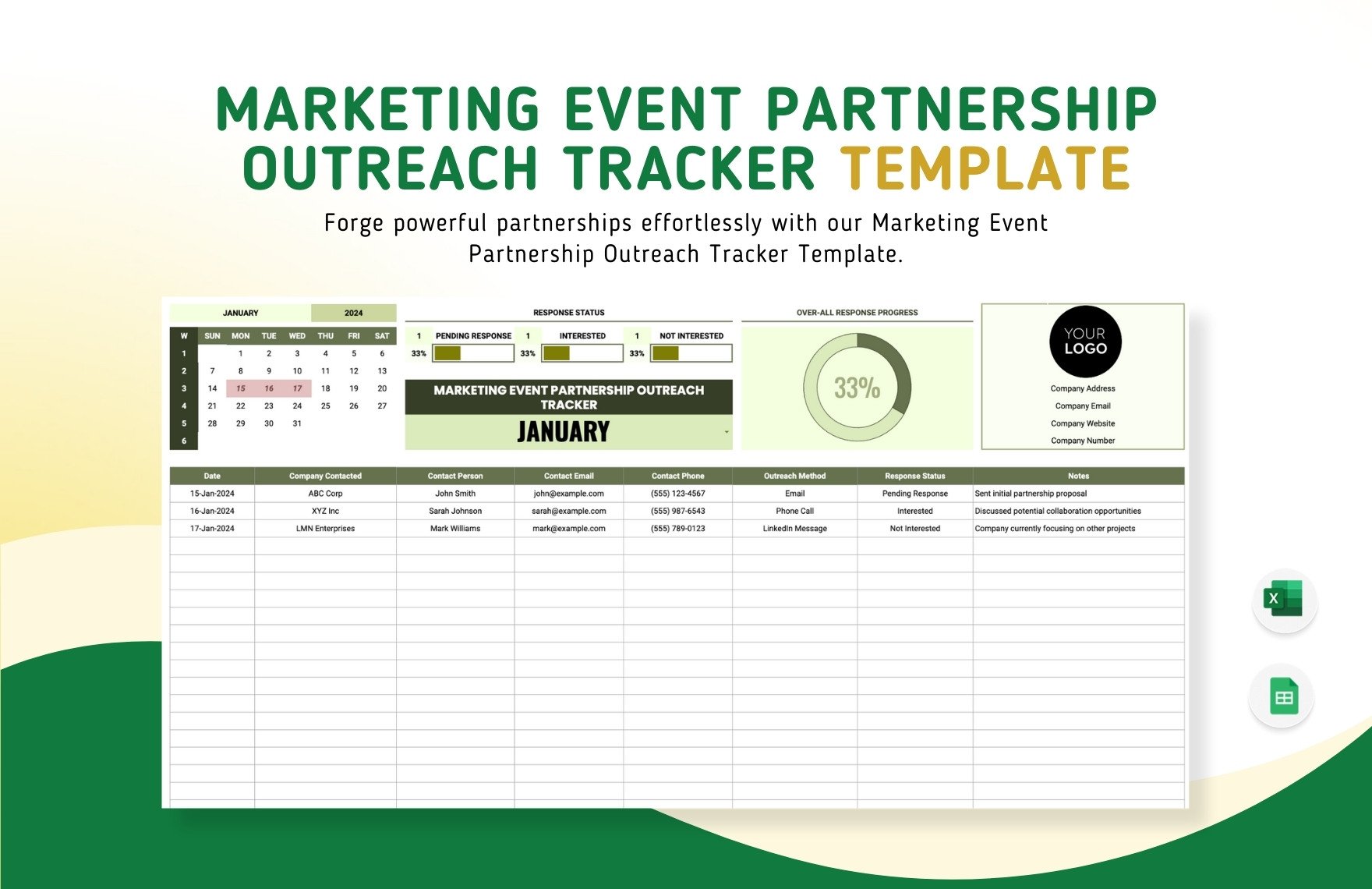
The event partnership example demonstrates how a calendar, response indicators, and contact records can coexist in one operational view. For media collaborations, the same concept can be adapted to publication dates, content deadlines, review windows, and partner follow-ups.
Manage budgets and commercial terms
Budget tracking should distinguish between planned, committed, and actual amounts. A proposed partnership may have an estimated cost that changes during negotiation, while a confirmed campaign has a committed amount and a final invoice may differ because of approved additions or reductions. Keeping these values separate prevents financial reporting from becoming misleading.
Useful commercial fields include proposed value, agreed value, currency, payment schedule, invoice status, actual spend, partner contribution, internal cost, and notes about additional obligations. When a collaboration involves non-cash exchanges, record the agreed exchange clearly rather than forcing everything into a monetary value.
Financial information should be handled with appropriate access controls when the tracker contains sensitive commercial details. If a broader team needs campaign status but not contract values, consider separating confidential financial information from the operational tracker and linking records through a stable collaboration identifier.
Budget visibility is most useful when it supports decisions. A dashboard might compare committed spend by campaign, partner category, or month, while the detailed sheet retains the transaction-level information needed to explain each total.
Measure performance without creating misleading comparisons
Performance measurement should start with the objective established at the beginning of the collaboration. Awareness-oriented partnerships may emphasize reach, impressions, qualified audience exposure, or media mentions. Traffic-oriented campaigns may focus on sessions and engaged visits. Lead-generation partnerships may use qualified leads or conversion events. Revenue-focused partnerships can include attributable sales or other agreed commercial outcomes.
Metrics should be recorded consistently. If one partner reports total impressions while another reports unique reach, the figures should not be presented as though they measure exactly the same thing. The tracker can include a metric-definition field or a short methodology note when reporting practices vary between partners.
Qualitative evidence also matters. A partner may produce strong editorial credibility, valuable introductions, useful content, or a relationship that supports future campaigns even when immediate conversion numbers are modest. Recording these observations prevents the tracker from reducing partnership value to one numerical outcome.
Use campaign calendars and deadline controls
Dates are one of the most important dimensions of partnership management. A tracker should distinguish between dates that represent external commitments and dates that represent internal preparation. Publication date, asset deadline, approval deadline, briefing date, invoice date, and review date can all be useful depending on the campaign.
A simple calendar view can reveal collisions that are difficult to see in a row-based worksheet. Several partners may require the same creative team during one week, or multiple campaigns may depend on the same landing page. Calendar visibility turns those conflicts into planning issues before they become delivery problems.
Deadline fields should also have owners. A date without an accountable person is only information. Assigning an owner makes the tracker operational because someone is responsible for moving the item from planned to completed and for updating the record when circumstances change.
Connect the tracker with content distribution
Media partnerships often involve content that appears across several channels. A partner may publish an article, include a newsletter placement, share a social post, or distribute a video. Recording each channel separately makes it easier to understand where the collaboration actually occurred and which deliverables were completed.
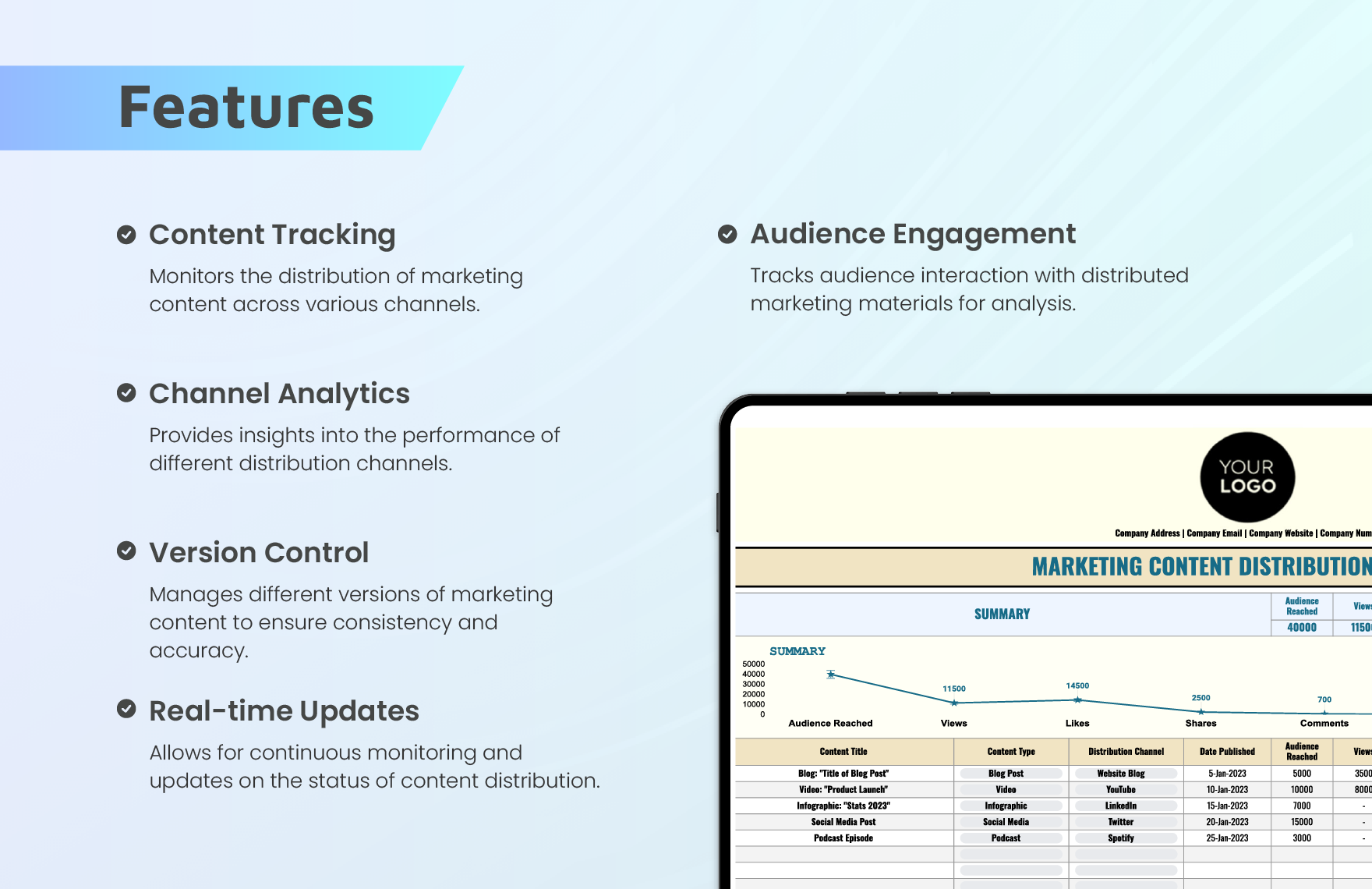
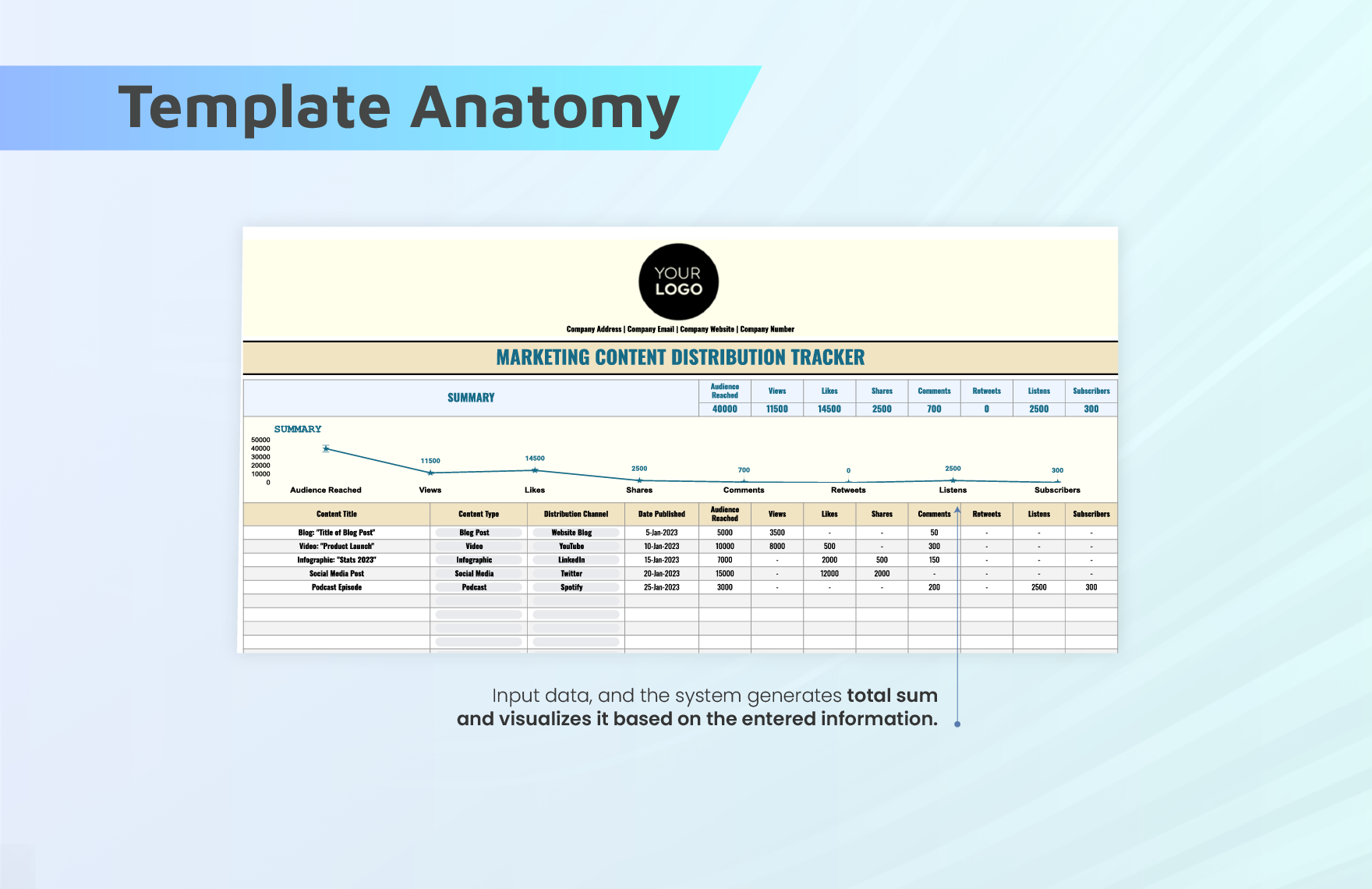
A distribution-oriented worksheet can include content title, content type, distribution channel, publication date, audience reached, views, interactions, shares, comments, and other agreed metrics. This structure is particularly useful when one collaboration generates several assets and each asset has a different performance profile.
The tracker should not replace the source analytics systems. Instead, it should store the agreed reporting fields and the information necessary to connect campaign results back to the partner and collaboration record. This keeps the tracker concise while preserving the context required for later analysis.
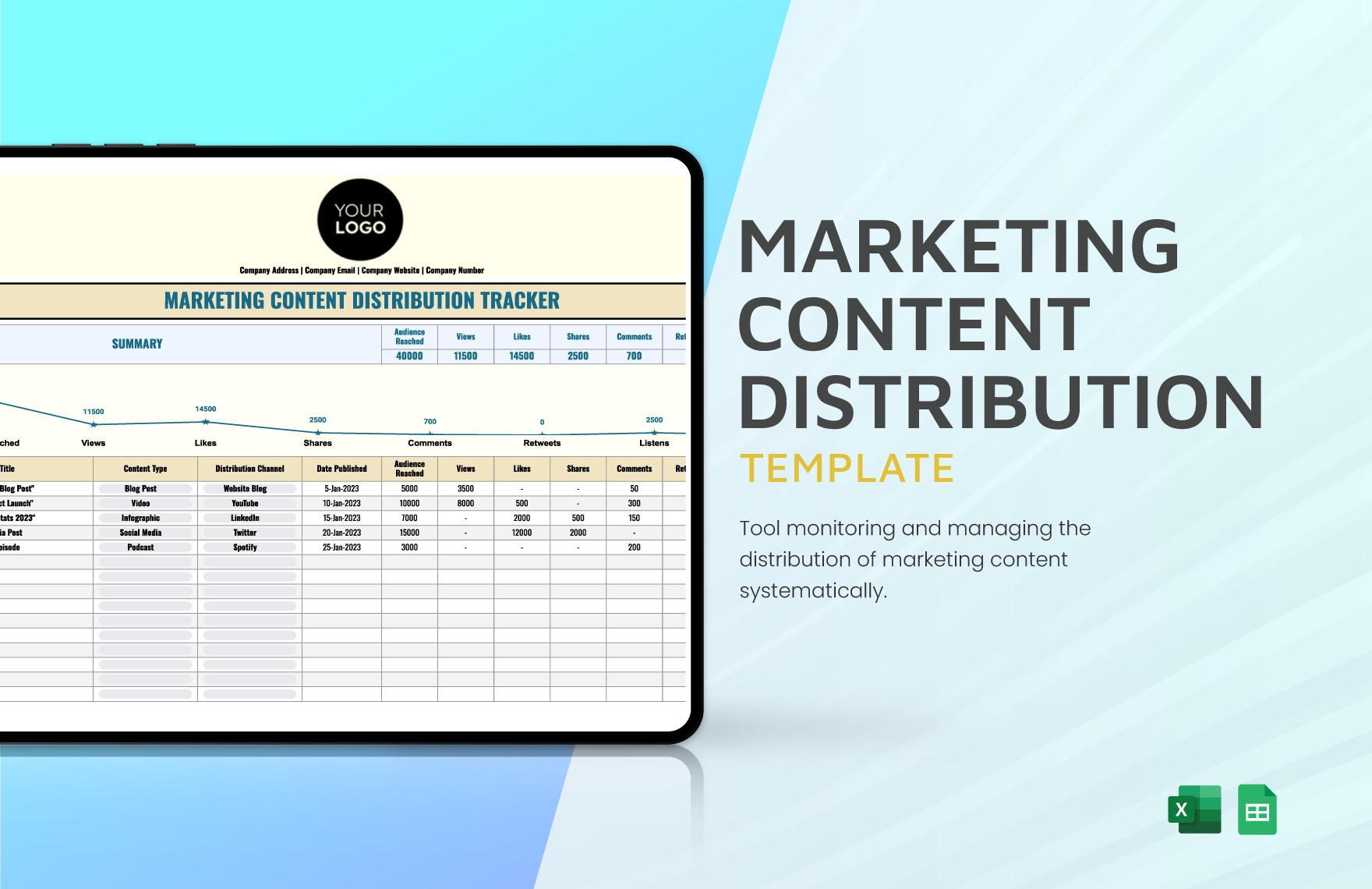
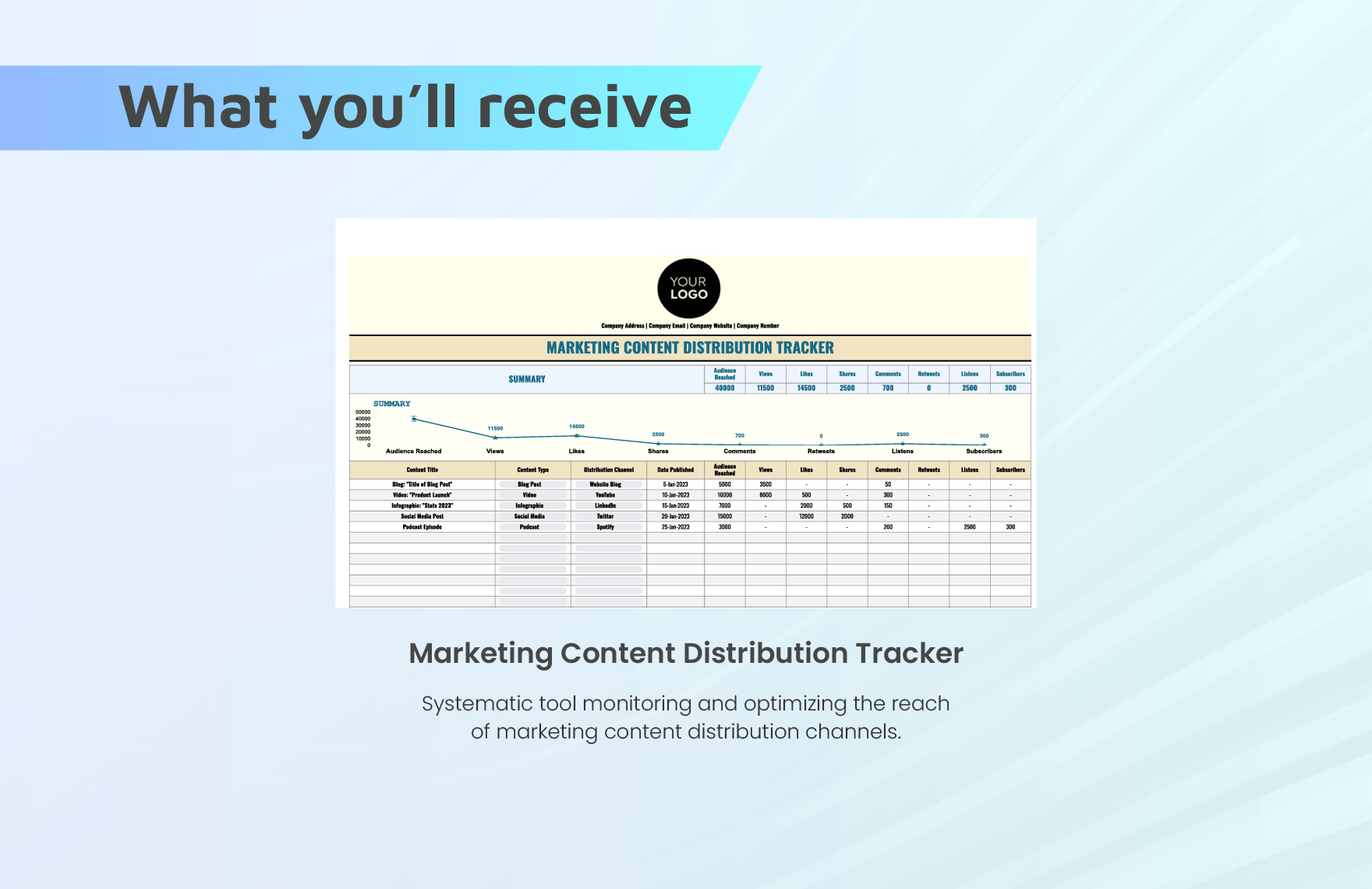
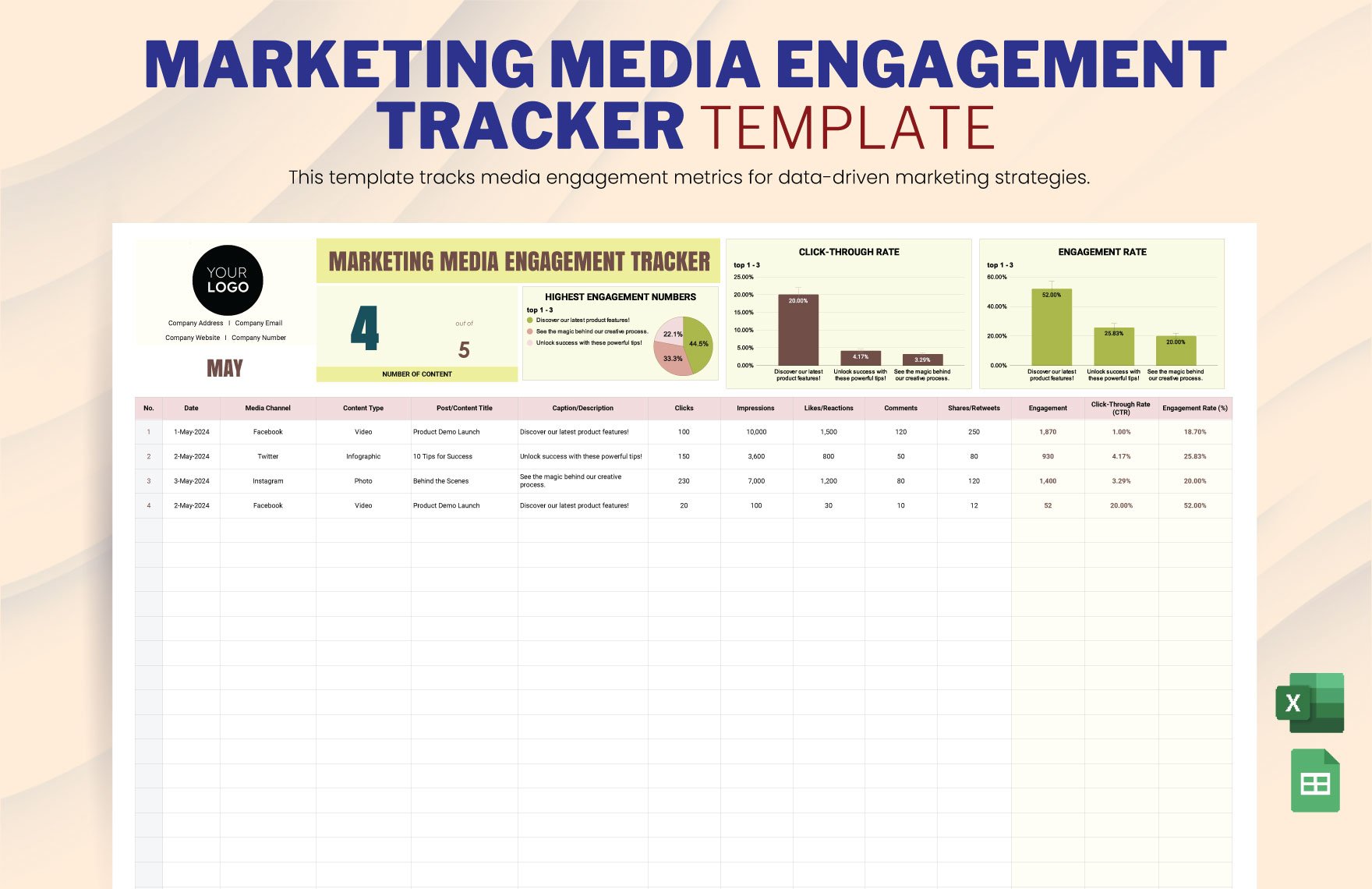
The content distribution examples illustrate how a structured worksheet can combine campaign records with channel-level performance. For media partnerships, this can be adapted to show which partner delivered which placement and how each placement contributed to the campaign objective.
Build a useful dashboard
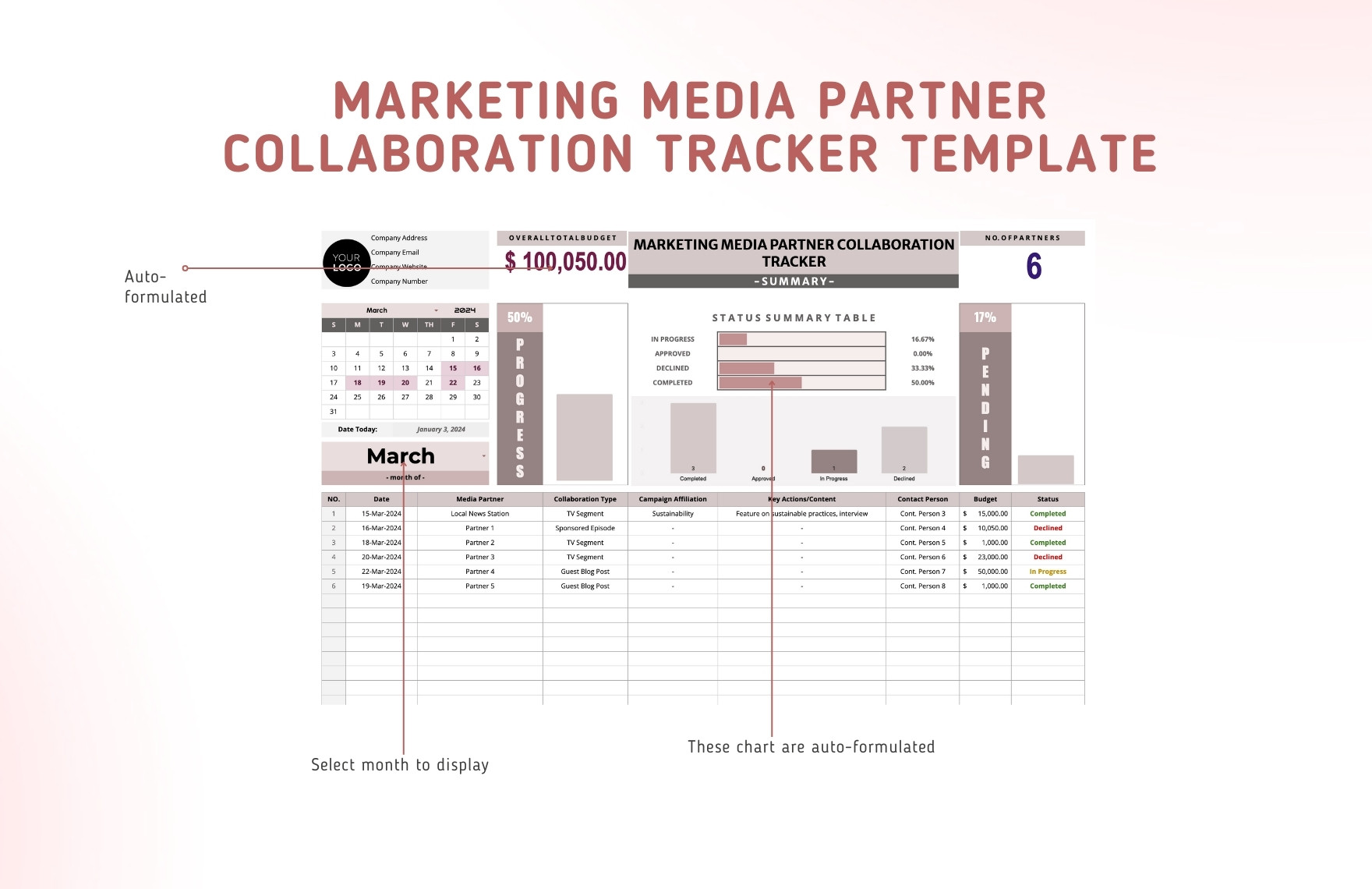
A dashboard should answer management questions quickly rather than reproduce every row in the underlying tracker. Useful indicators include total active collaborations, opportunities by stage, upcoming deadlines, committed budget, completed deliverables, overdue actions, and selected performance metrics. The exact dashboard should reflect the team’s decision-making needs.
Status charts are useful when their categories are stable. If the stage definitions change every month, historical comparisons become difficult. Establish the pipeline before building the dashboard and keep the meaning of each status consistent unless the workflow itself changes.
Trend views can also help identify seasonality or operational pressure. A monthly view of new opportunities, confirmed partnerships, completed campaigns, or spend can reveal periods where the team needs additional planning capacity. Such observations should be treated as internal patterns rather than universal marketing benchmarks.
Design the tracker for Excel and cloud spreadsheets
A spreadsheet-based tracker works well when the process is moderately complex and the team needs flexibility. Excel can be effective for structured formulas, data validation, filters, conditional formatting, and management summaries. Cloud spreadsheet environments are particularly useful when several contributors need to maintain the same operational record.
A customer service training template is designed for a different workflow, but the underlying spreadsheet principle is similar: define fields consistently, separate reference information from activity records, and make ownership explicit. The same design discipline applies to a media partnership tracker even though the business process is different.
For teams that maintain documents in several formats, the tracker can also coexist with a rental customer service training template pdf, a rental customer service training template word document, or a rental customer service training template excel workbook when those materials belong to another operational process. Those resources should not be mixed into the partnership dataset unless they genuinely support the same workflow.
Keep partner research and outreach organized
Research should happen before outreach. A prospect record can include the partner’s editorial or audience focus, geographic relevance, previous collaborations, campaign fit, contact source, potential value, and reason for prioritization. This creates a transparent basis for deciding which relationships deserve attention first.
Outreach records should then capture the date of contact, channel used, proposition, response, objections, follow-up date, and current stage. The important distinction is between research data and relationship activity. Research explains why the partner might fit; activity explains what has happened since contact began.
A strong workflow also prevents duplicate outreach. Before contacting a partner, check the existing database for previous conversations, related campaigns, and other team owners. This is especially important for larger organizations where different departments may approach the same media company independently.
Track media coverage and relationship value
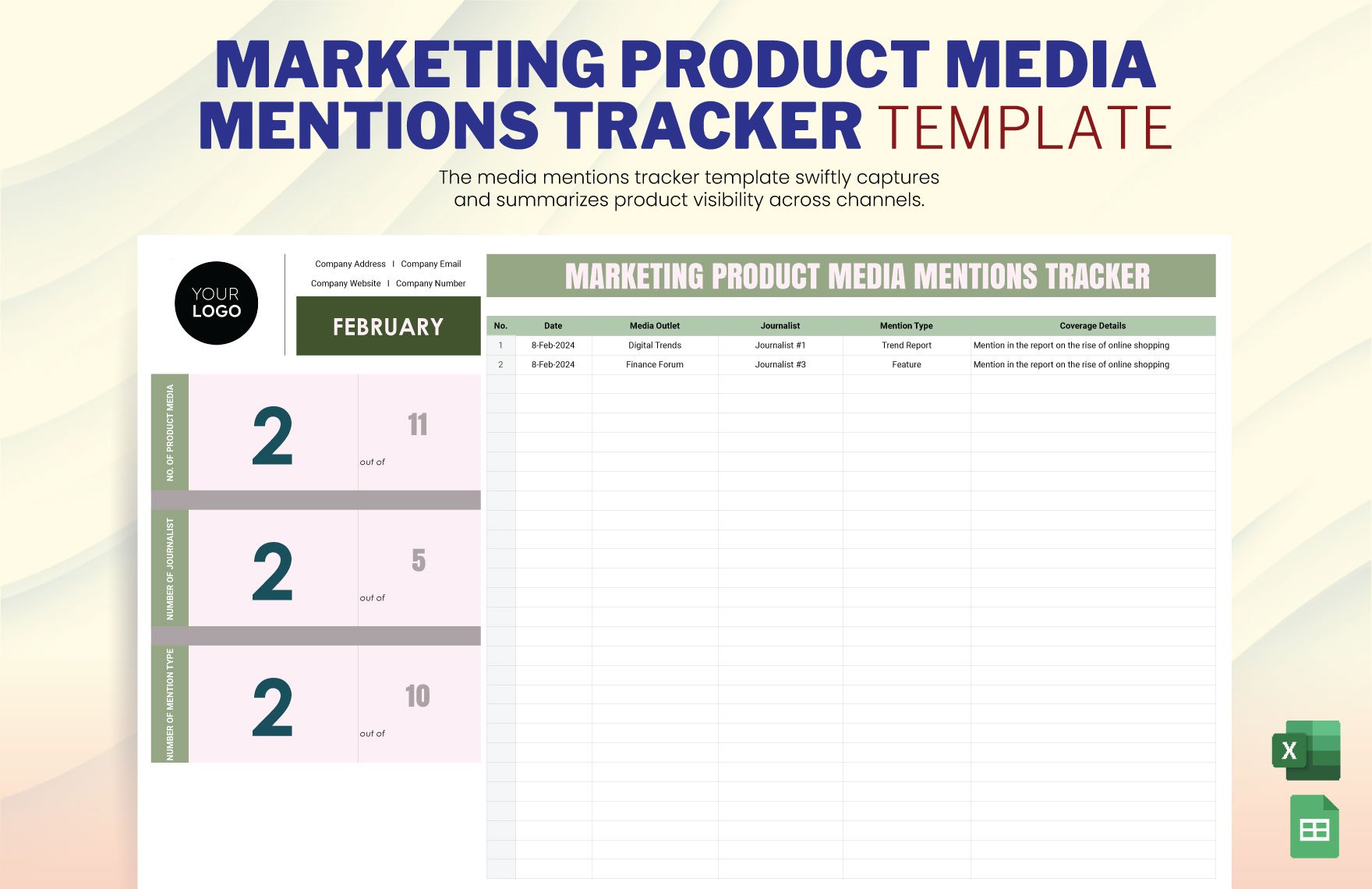
Media coverage can be an important part of a partnership record because the final outcome may extend beyond the original campaign placement. A coverage record can identify the outlet, date, content type, subject, link, campaign association, audience relevance, and notes about the coverage.
When journalist or editorial contacts are involved, maintain relationship information carefully and use it only for legitimate business communication. The purpose of the tracker is to improve coordination and continuity, not to accumulate unnecessary personal information.
Coverage records can also help distinguish between paid, earned, owned, and partner-supported exposure where those categories matter to the reporting model. Keeping the classification consistent makes later analysis more meaningful and reduces confusion when different teams report the same campaign.
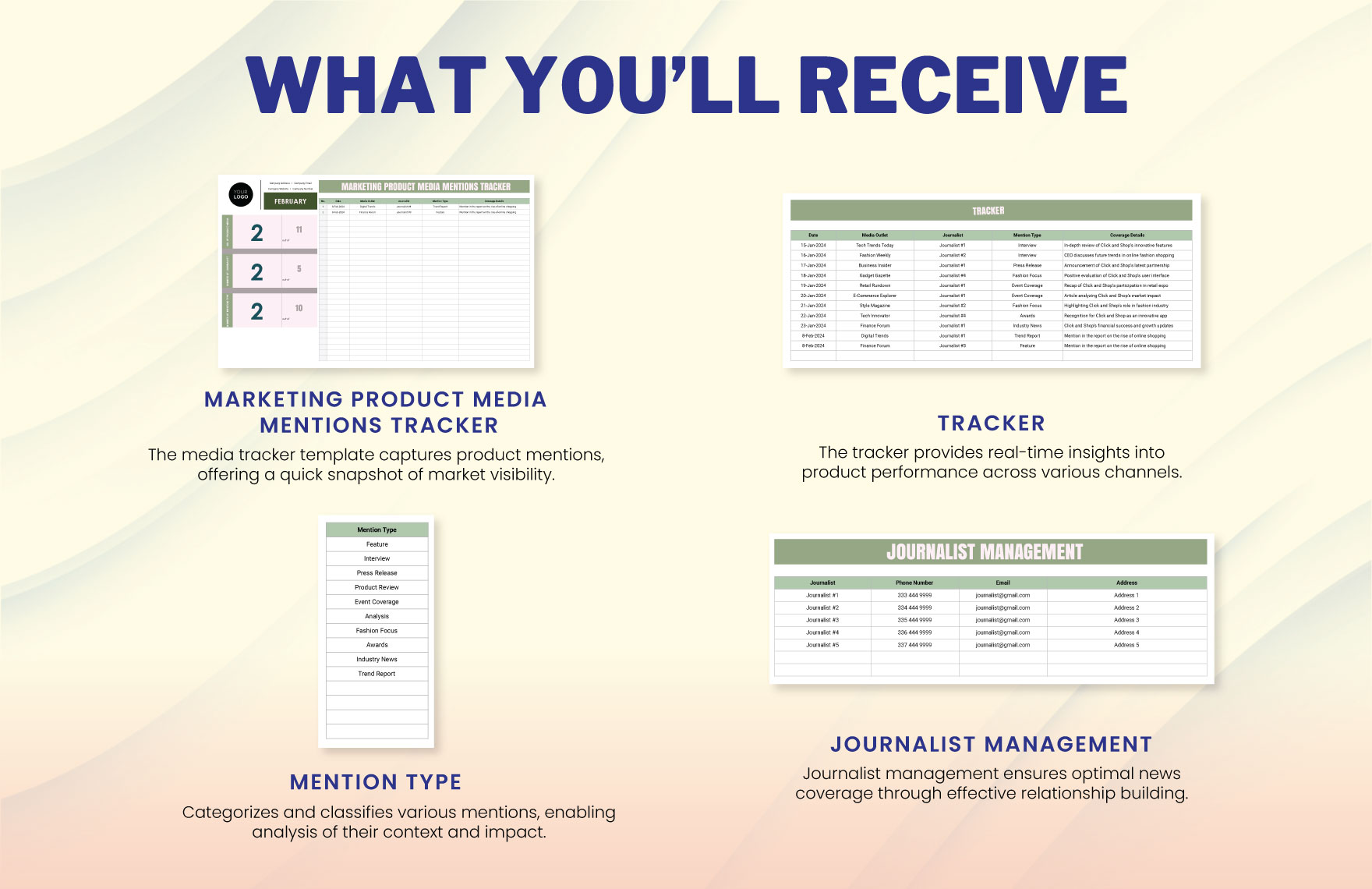
The media mentions example shows why a partner tracker can benefit from a dedicated coverage layer. The partnership record explains the agreement, while the coverage record explains what appeared publicly and where it appeared.
Prevent common tracker mistakes
The first common mistake is creating a tracker that tries to become a complete CRM, project manager, financial system, analytics platform, and document repository at the same time. Complexity can make the record harder to maintain than the original scattered workflow. A focused tracker should contain the information needed to coordinate and evaluate partnerships, while specialized systems remain the source of truth for areas they already manage well.
The second mistake is inconsistent terminology. If one person writes “confirmed,” another writes “approved,” and another writes “signed,” the dashboard cannot reliably group records. Use controlled status values wherever possible. The same principle applies to collaboration types, partner categories, campaign names, and owner fields.
The third mistake is failing to update completed work. A campaign that ended last month should not remain “in progress” simply because nobody changed the status. Schedule a review step after campaign completion so the team can confirm deliverables, capture results, record lessons, and close outstanding actions.
How to choose the right level of complexity
A small marketing team may need only one main worksheet with a partner database, pipeline, next action, budget, and outcome fields. Adding several specialized tabs too early can create maintenance overhead. Start with the minimum viable structure and add components when recurring work demonstrates a genuine need.
An agency or larger organization may benefit from linked worksheets. One tab can contain partner records, another active collaborations, another deliverables, another communication history, and another reporting metrics. A unique collaboration ID can connect those records while keeping each sheet focused.
Teams with frequent campaigns can go further by using validation lists, automated date calculations, conditional formatting, dashboard summaries, and standardized naming conventions. Automation should reduce repetitive work rather than hide important logic. Anyone responsible for maintaining the tracker should understand how the calculations and status rules work.
Practical Solution
Start by defining the partnership lifecycle in plain language. Write down the stages from research through review, then define what evidence is required to move from one stage to the next. Create the core columns around partner, campaign, owner, stage, next action, next-action date, planned value, key deliverables, and outcome. Avoid adding fields simply because another tracker contains them.
Next, create a small controlled vocabulary. Decide how the team will name partner types, collaboration types, campaign stages, owners, and completion states. Add data validation where the spreadsheet supports it. Then create a dashboard that shows only the indicators needed for weekly decisions: active opportunities, confirmed collaborations, overdue actions, upcoming deadlines, committed budget, and selected campaign outcomes.
Finally, establish an operating rhythm. Review open opportunities regularly, update next actions after meaningful communication, confirm deliverables before publication, close campaigns after reporting, and record one or two useful lessons from each completed collaboration. This turns the tracker from a passive spreadsheet into an operating system for partnership work.
For teams that also manage employee training resources, a rental customer service training template for employees, rental customer service training template google docs, or customer service training schedule template should remain separate from the media partnership tracker unless the same business process genuinely connects them. Likewise, customer service training samples and free printable customer service training materials serve training purposes rather than partnership reporting. Separating unrelated workflows keeps the marketing tracker easier to interpret.
A practical implementation can begin with one month of active partnerships rather than importing years of historical information. Once the fields have been tested, refine the status definitions, remove unused columns, and establish the reporting cadence. After the workflow is stable, historical records can be added selectively, prioritizing partnerships that are still strategically relevant.
Use the tracker as a decision system
The most valuable transformation occurs when the tracker changes how the team makes decisions. Instead of asking which partners are currently active, the team can ask which opportunities are stalled, which commitments are approaching, which relationships need attention, and which collaboration types are producing useful outcomes.
The record can also support partner prioritization. A simple internal score might consider strategic fit, audience relevance, expected effort, relationship strength, campaign timing, and previous outcomes. The score should support judgment rather than replace it, because partnership quality often depends on factors that are difficult to quantify.
Historical records become increasingly useful when the team reviews them consistently. A completed campaign should not disappear from the operating process once the final deliverable is published. Its results, observations, and relationship notes should inform future outreach, negotiations, campaign design, and partner selection.
Reporting and review practices
A weekly review should focus on movement: new opportunities, changed statuses, upcoming deadlines, overdue actions, and decisions required from management. A monthly review can focus more heavily on completed collaborations, spend, performance, partner quality, and recurring issues.
For quarterly planning, the tracker can support a broader assessment of the partner portfolio. Review which relationships remain strategically relevant, which partners consistently meet commitments, where operational friction occurs, and which collaboration models deserve further testing. The objective is to learn from the portfolio rather than merely report activity.
Reporting should preserve context. If a campaign underperformed because a publication date changed, creative was delayed, tracking was incomplete, or the agreed audience differed from expectations, that explanation belongs in the review notes. Numbers without context can lead to the wrong conclusion about a partner.
Examples of useful workflow rules
- Every open collaboration has one owner. Shared responsibility without a named owner often results in missed actions.
- Every active opportunity has a next action. If nothing is planned, the record should explain why.
- Every confirmed collaboration has defined deliverables. Agreement should translate into measurable commitments.
- Every completed campaign has a review status. Completion is not the same as learning.
- Every performance metric has a definition. Consistent measurement improves comparison.
- Every financial figure has a status. Proposed, committed, and actual values should not be confused.
- Every inactive opportunity has a reason. Reasons help improve future qualification and outreach.
These rules are intentionally simple. Their value comes from consistency rather than sophistication. A basic tracker that is updated reliably will usually provide more operational value than a technically elaborate system that nobody trusts.
Protect data quality and ownership
Data quality should be treated as part of the workflow rather than a separate cleanup project. Establish naming conventions for partners and campaigns, avoid duplicate records, use consistent date formats, and keep archived collaborations distinguishable from active ones. A short maintenance routine can prevent the tracker from becoming cluttered.
Ownership should also be visible. If a team member changes roles, the tracker should make it straightforward to reassign active partnerships. Avoid relying on personal memory or private notes. Important business context should live in the shared record where authorized team members can access it.
For confidential commercial information, use appropriate permissions and separate sensitive details when necessary. The operational tracker can reference a contract or commercial record without reproducing every confidential term. A rental service contract template, for example, belongs to a rental-service documentation workflow and should not be treated as a substitute for the commercial documentation governing a media partnership.
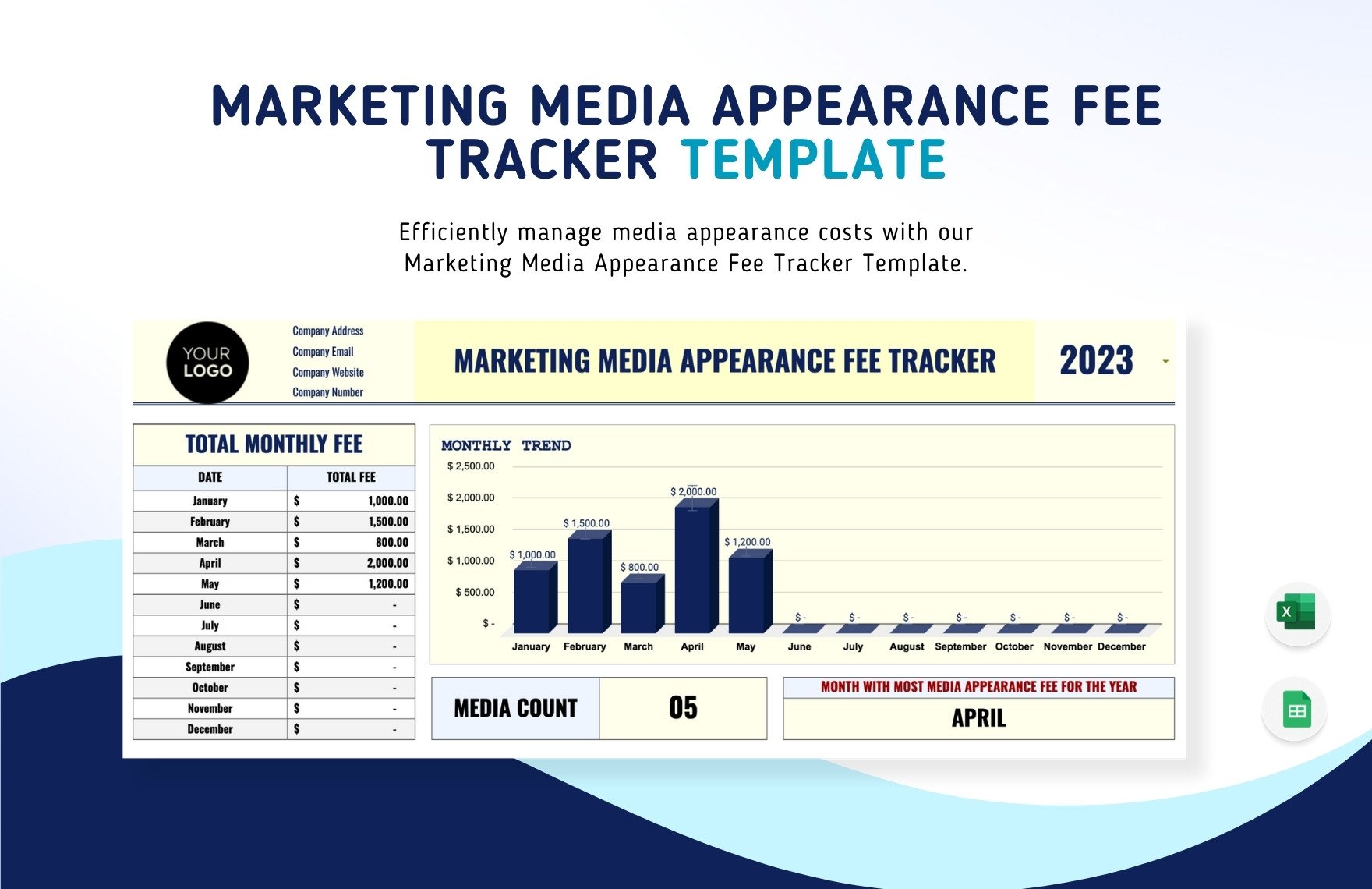
Financial visuals such as the example above can be useful as a secondary reporting layer. For a media partnership system, the equivalent view could show committed partnership value, campaign spend, or monthly collaboration costs while leaving detailed transaction records in the underlying worksheet.
Reference Examples
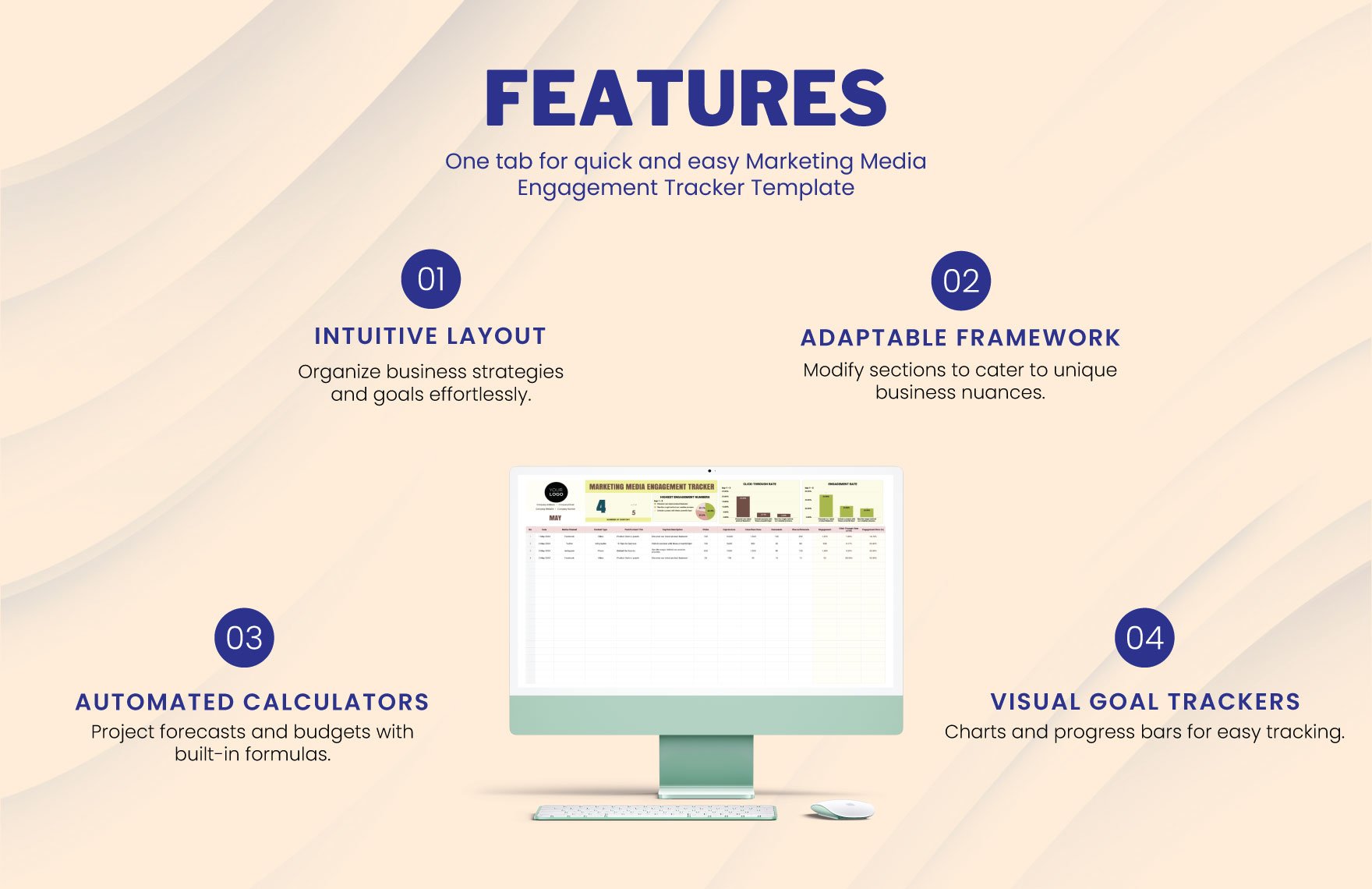
The visual references below show several ways a marketing media partner collaboration tracker Template can be structured around dashboards, partner records, communication history, campaign status, content distribution, media coverage, and performance reporting. Some examples focus narrowly on one function, such as media mentions or engagement, while others demonstrate a broader tracker architecture. The most useful design is not necessarily the most elaborate one. Instead, readers should look for layouts that make ownership, timing, status, deliverables, and results easy to understand at a glance.
These examples can help readers compare different visual approaches before designing their own marketing media partner collaboration tracker Template. A dashboard-oriented layout may be useful for management reviews, while a row-based tracker may be better for daily coordination. A media coverage sheet can complement the core partnership record, and a performance worksheet can provide the evidence needed for campaign evaluation. Together, the references illustrate how related tracking layers can support a single partnership workflow without forcing every piece of information into one crowded sheet.
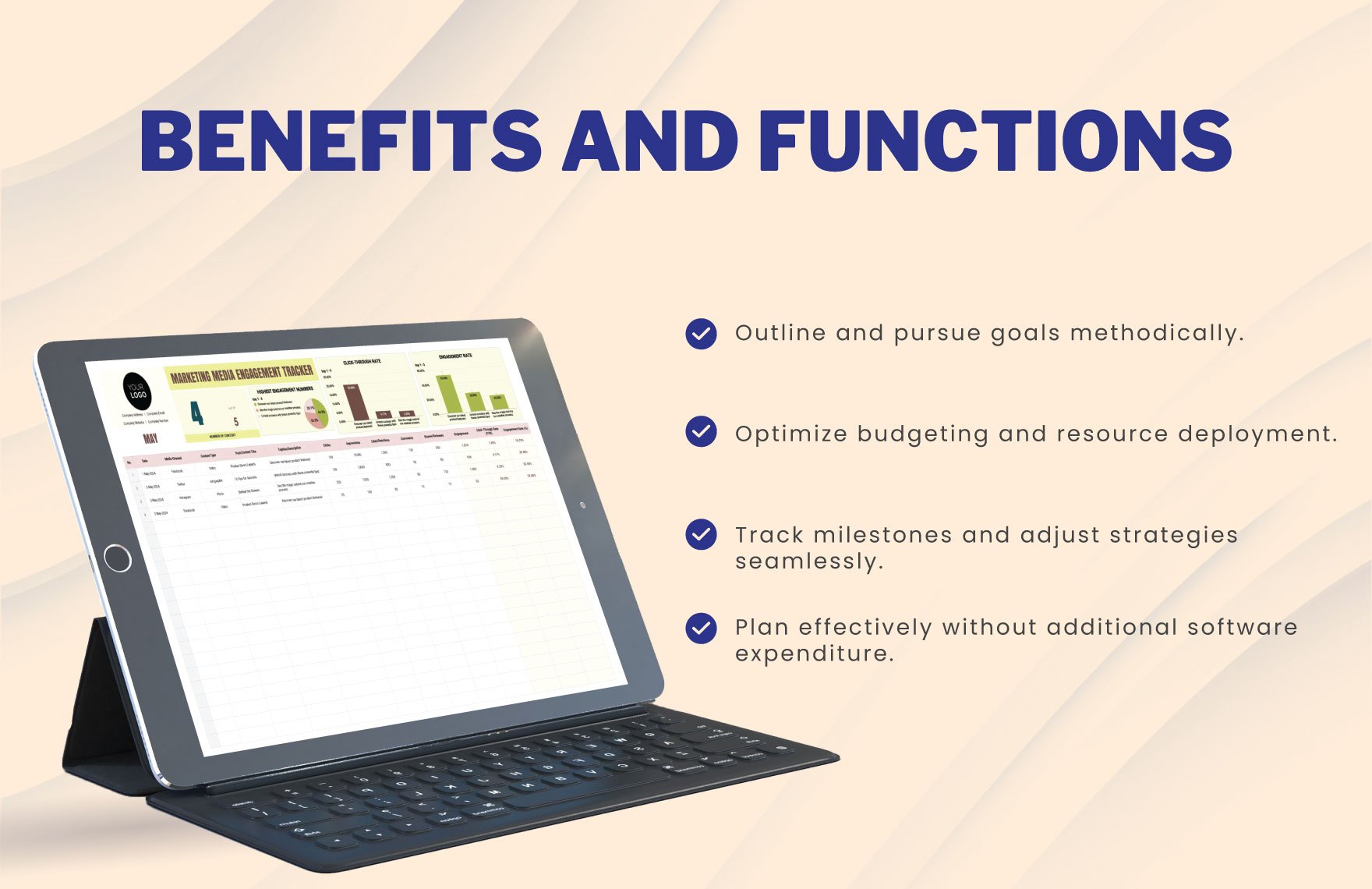
Marketing Media Engagement Tracker Template
Source: Template.net

Marketing Media Engagement Tracker Template
Source: Template.net
Marketing Media Engagement Tracker Template
Source: Template.net
Marketing Media Engagement Tracker Template
Source: Template.net
Marketing Media Engagement Tracker Template
Source: Template.net
Marketing Media Engagement Tracker Template
Source: Template.net
Marketing Media Engagement Tracker Template
Source: Template.net
Marketing Media Engagement Tracker Template
Source: Template.net
Marketing Media Appearance Fee Tracker Template
Source: Template.net
