Payroll calculations involve more than multiplying an hourly rate by hours worked. Depending on the jurisdiction and employment arrangement, a payroll run can involve regular wages, overtime, bonuses, commissions, paid leave, employee deductions, employer contributions, tax withholding, benefits, and year-to-date totals. A spreadsheet should therefore separate inputs from formulas and make assumptions visible.
This guide explains how to design, evaluate, and use a payroll template with calculations. It covers Excel, Google Sheets, printable formats, employee records, payroll registers, tax-related fields, reconciliation, reporting, and practical controls. It also explains when a spreadsheet is appropriate and when payroll software or professional assistance is the safer choice.
The examples in this article are illustrative rather than legal or tax instructions. Payroll rules differ by country, state, province, employment classification, pay frequency, and other factors. For example, U.S. employers have federal employment-tax withholding and reporting responsibilities, while other countries use entirely different systems. Always configure a template using current rules that actually apply to your organization.
What Is a With Calculations Payroll Template?
A with calculations payroll template is a structured spreadsheet or document designed to record payroll inputs and automatically derive selected payroll results. Instead of entering gross pay and net pay manually, the user enters source information such as employee name, pay period, hours, hourly rate, salary, overtime, and applicable deductions. Formulas then calculate intermediate and final values.
The phrase “with calculations” is important because a blank payroll register and a calculation-enabled payroll workbook are not the same thing. A register may simply record completed payroll amounts, whereas a calculation template can contain formulas for regular earnings, overtime, gross wages, deductions, taxable wages, and net pay.
A good template also makes its calculation logic understandable. Users should be able to distinguish cells intended for data entry from cells containing formulas. Protected formula cells, consistent formatting, validation rules, and a separate assumptions area can make the workbook easier to operate and audit.
Microsoft explains that pre-built Excel templates can be opened and customized rather than recreated from scratch, while Google Sheets supports formulas and functions for automating spreadsheet calculations. These capabilities make both platforms suitable for building structured payroll workbooks, provided the underlying payroll rules are correct.
The most important limitation is that a spreadsheet is only as reliable as its inputs, formulas, assumptions, and maintenance process. A beautifully formatted workbook can still produce incorrect payroll if a tax rate is outdated, an overtime rule is wrong, a deduction is classified incorrectly, or a formula has been overwritten.
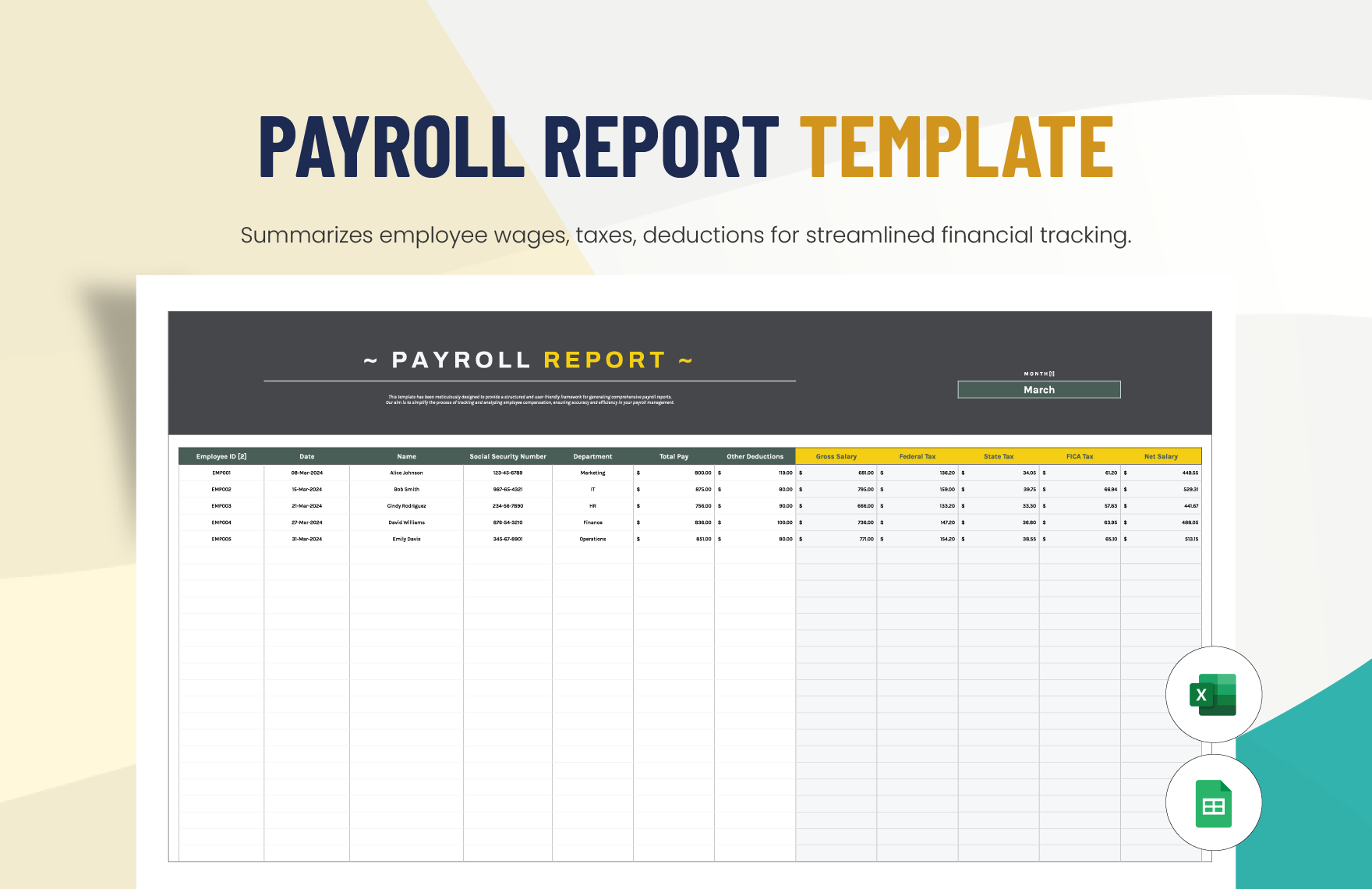
Why Use a Payroll Template With Built-In Calculations?
The main benefit is consistency. When the same calculation is performed for every employee using the same documented formulas, there is less opportunity for accidental variation between rows. A standardized workbook also makes it easier for another person to review the process if the payroll preparer is unavailable.
A calculation-enabled template can reduce repetitive arithmetic. For example, an hourly employee’s regular earnings can be calculated from regular hours multiplied by the applicable rate, while overtime earnings can be calculated separately according to the rule configured for the business.
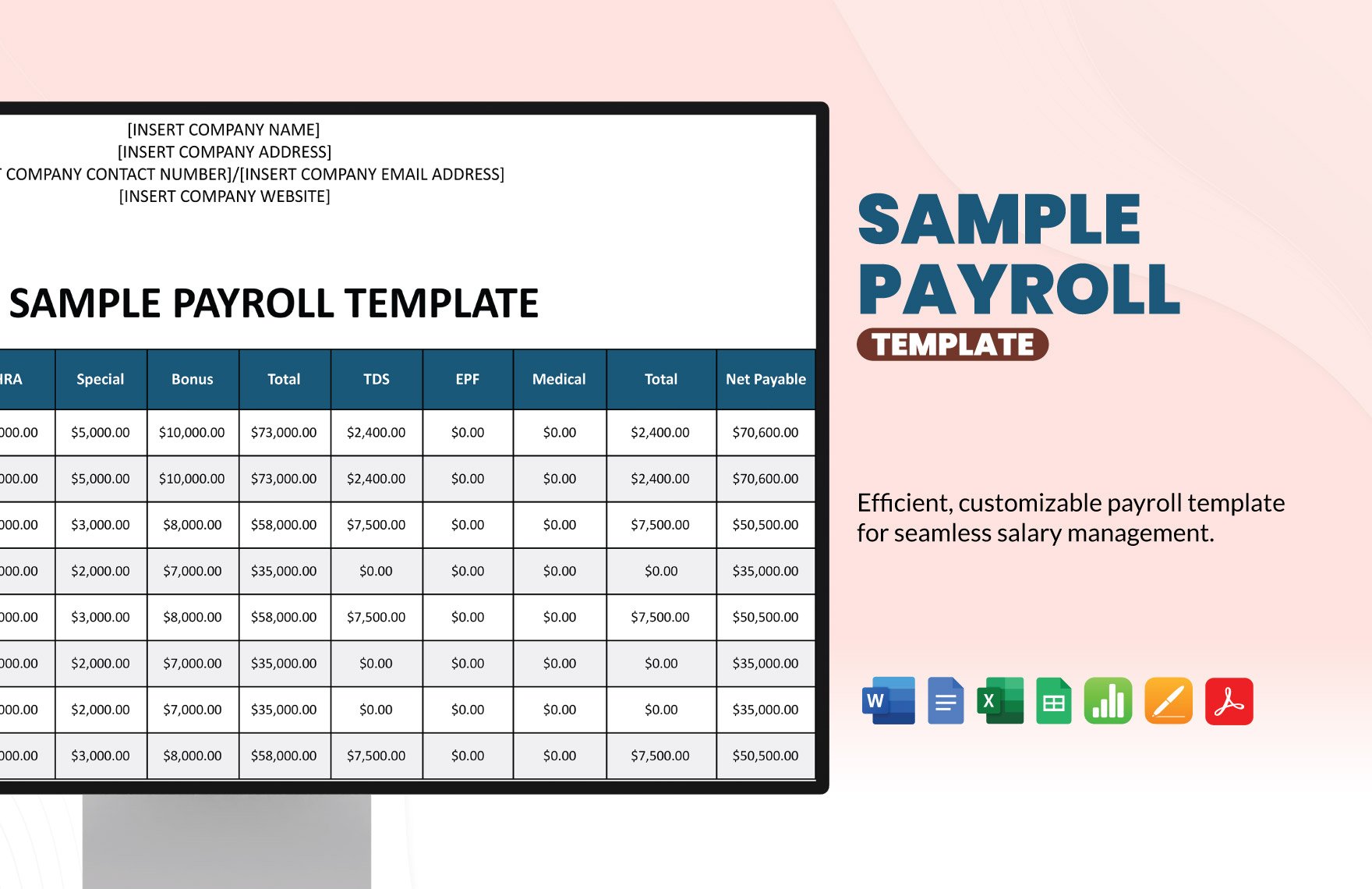
Another advantage is transparency. A payroll register that contains separate columns for regular earnings, overtime, bonuses, deductions, taxes, and net pay allows a reviewer to trace the final amount instead of seeing only one unexplained number.
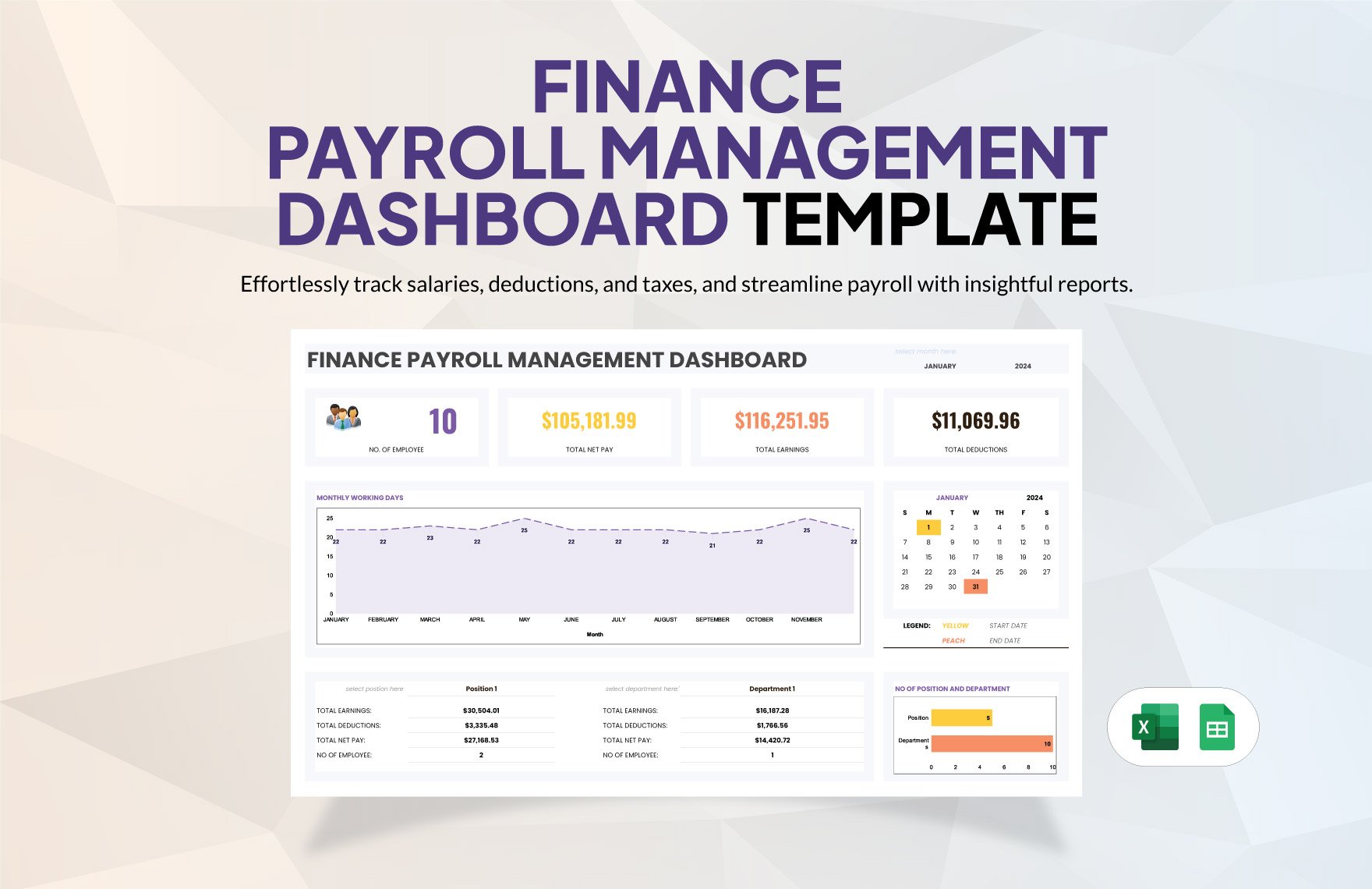
Templates can also support management reporting. Once payroll data is structured consistently, totals can be summarized by pay period, department, employee type, or other legitimate business categories. A dashboard can then show payroll expense, deductions, overtime, and other measures without requiring the entire register to be rebuilt.
Finally, a reusable workbook provides a repeatable workflow. Instead of starting with a new blank spreadsheet each pay period, the organization can copy a controlled template, update the relevant inputs, review the calculation results, reconcile the totals, and archive the completed payroll run.
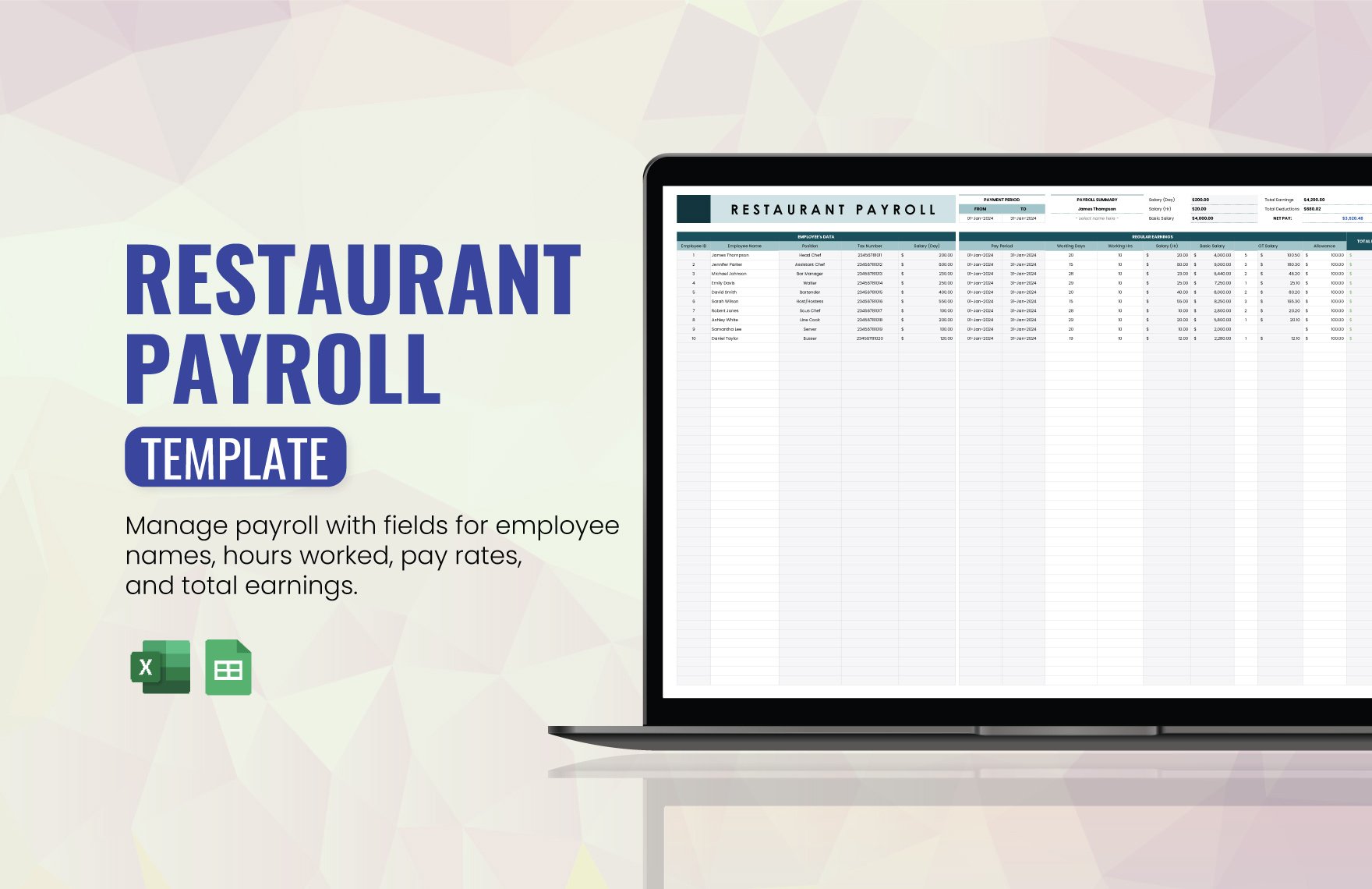
Key Components of a Payroll Calculation Template
Employee identification
Every payroll row should identify the employee using an internal identifier or another appropriate reference. A name alone may be insufficient when two employees have similar names or when records must be reconciled with another system.
Useful fields may include employee ID, employee name, department, position, employment type, pay frequency, and payroll period. Sensitive identifiers should not be placed into a workbook unless they are genuinely necessary and the file can be protected appropriately.
Keeping identification fields separate from financial fields also improves sorting and filtering. For example, an administrator can filter the register by department without changing any calculation logic.
Where a payroll workbook is shared, access controls become important. Payroll files can contain highly sensitive compensation information, so sharing should be limited to authorized users and the file should be stored in an appropriate location.
A well-designed employee section should also make it easy to detect missing information. Data validation can help prevent inconsistent entries such as several different spellings of the same department or employee type.
Pay-period information
The pay period should be explicit. A payroll calculation without a defined period can create confusion when employees are paid weekly, biweekly, semimonthly, monthly, or on another schedule.
At minimum, a template can include a period start date, period end date, and payment date. A separate payroll-run identifier can also be useful when several corrections are processed for the same period.
Dates should be stored as real spreadsheet dates rather than text whenever possible. This allows formulas, sorting, filtering, and reporting tools to work correctly.
It is also useful to keep the payroll period visible on summary sheets and printed reports. This reduces the chance of distributing a report without knowing which payroll run it represents.
When a workbook is reused, the previous period’s dates should be cleared or replaced through a controlled process. Carrying an old date into a new payroll run is a simple error that can make otherwise correct calculations difficult to audit.
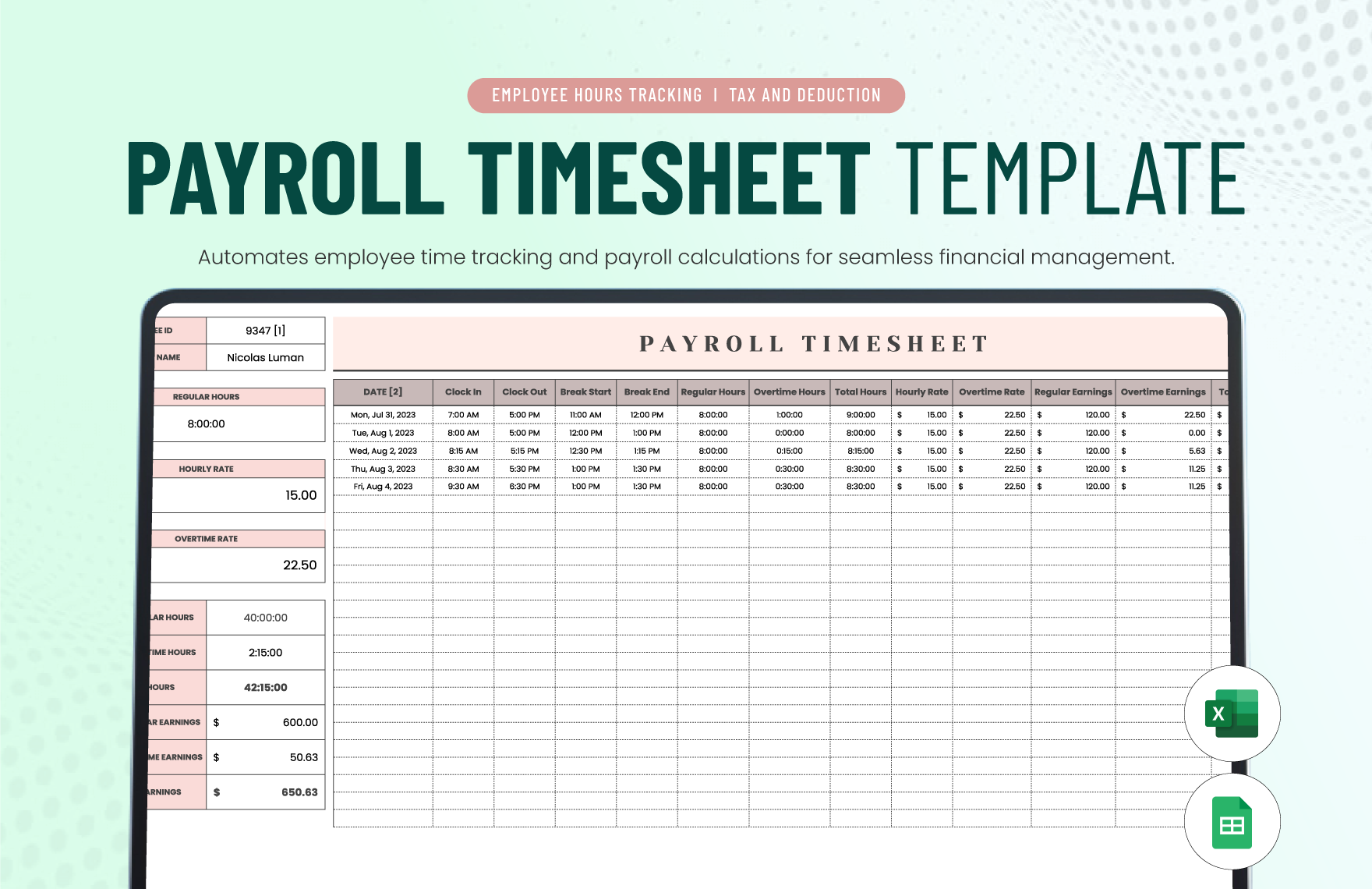
How Payroll Calculations Usually Flow
A useful payroll workbook follows a logical calculation chain. The process normally begins with source data, moves through earnings calculations, applies appropriate deductions or withholding logic, and ends with net pay and summary totals.
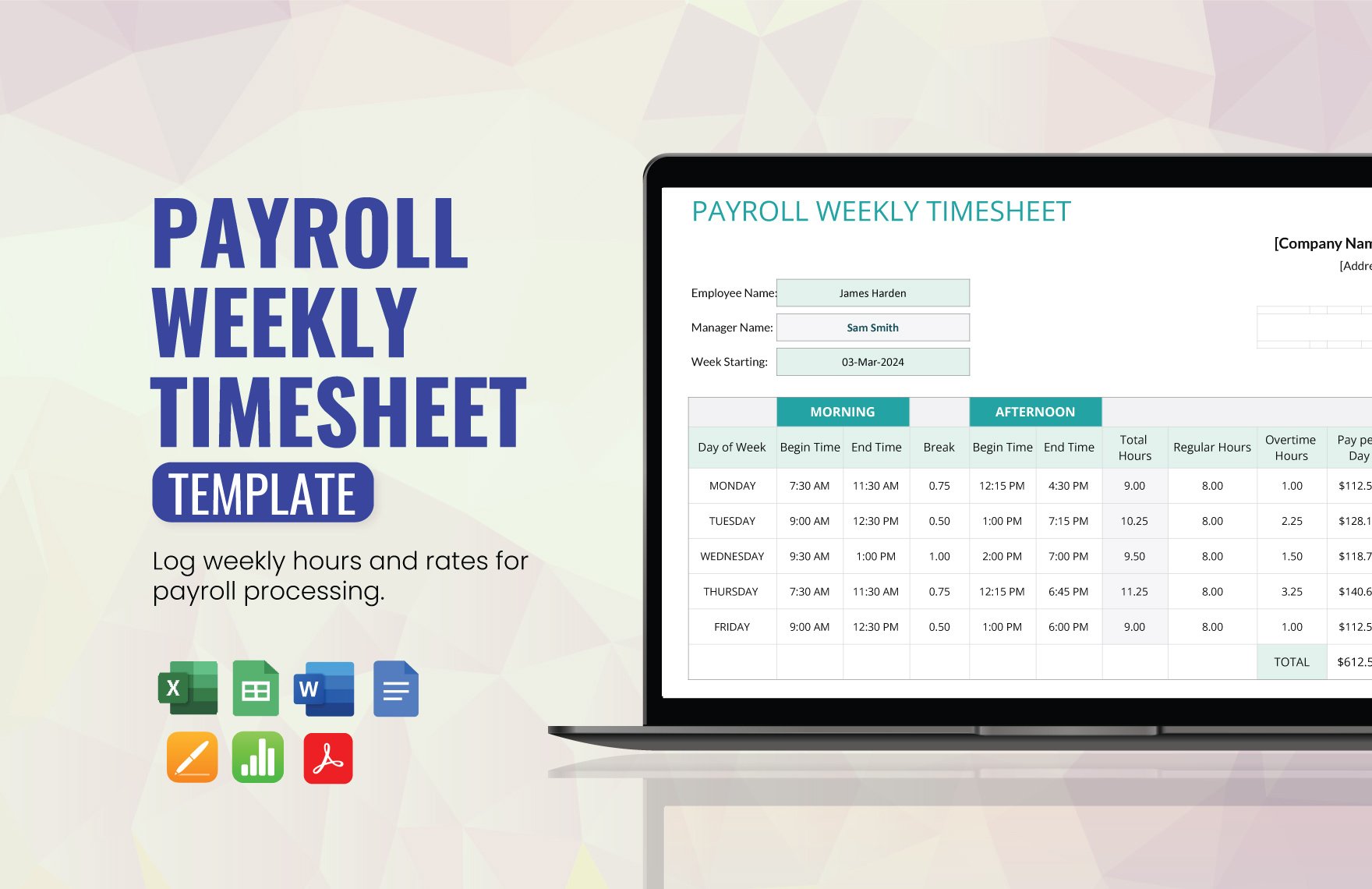
For an hourly employee, a simplified example might begin with regular hours of 38 and an hourly rate of $20. The regular earnings would be 38 multiplied by $20, producing $760 before any applicable deductions. If the employee also worked overtime, the overtime portion should be calculated separately according to the relevant rule rather than being mixed into ordinary hours.
For a salaried employee, the calculation may begin with an established salary and a pay-frequency conversion. The conversion must reflect the organization’s actual payroll schedule rather than an arbitrary divisor.
Gross pay may include more than base wages. Depending on the situation, bonuses, commissions, taxable benefits, paid leave, or other earnings may need to be included. The workbook should therefore provide clearly labeled columns instead of hiding several concepts inside one formula.
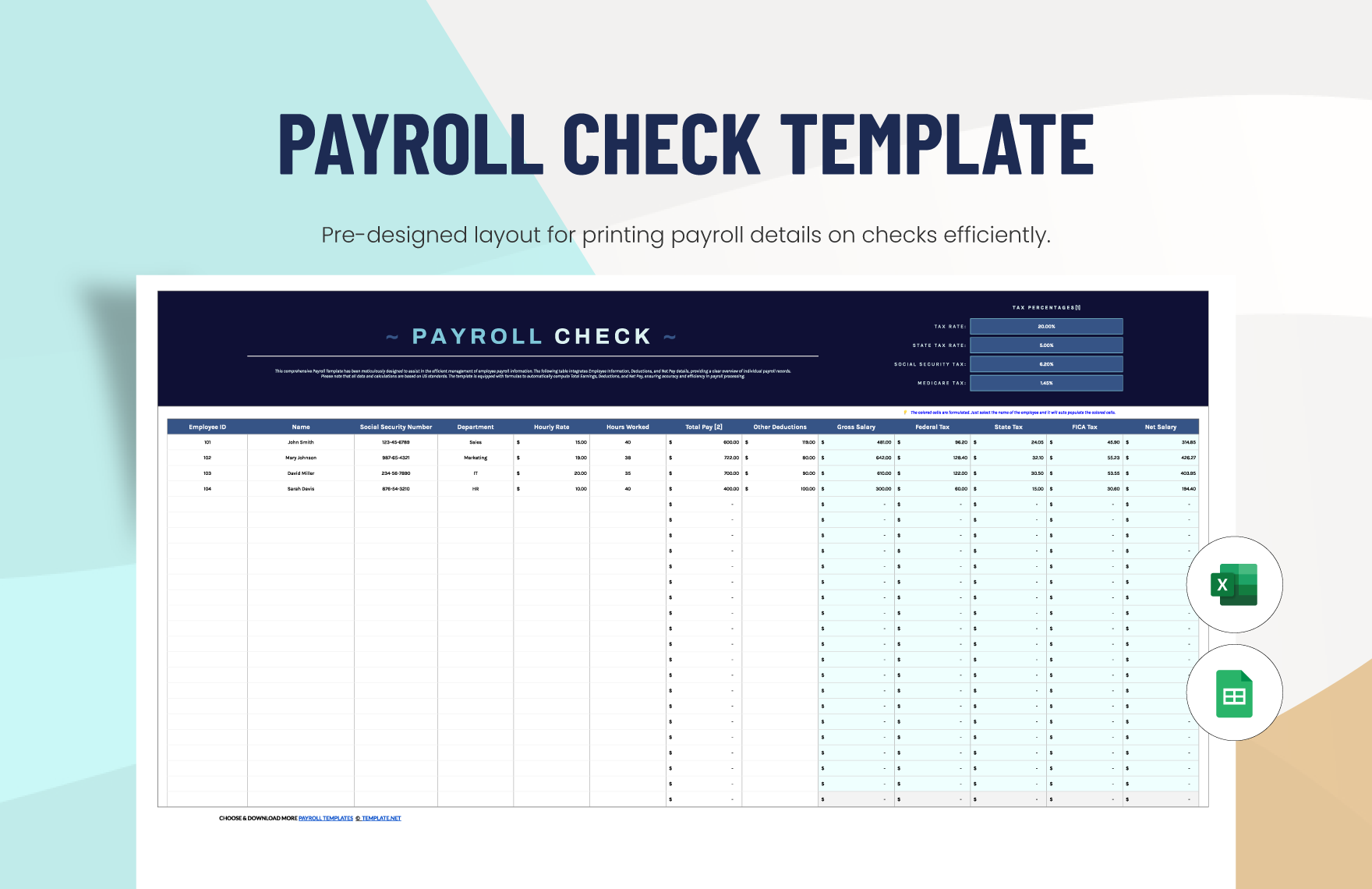
After gross earnings are determined, the workbook can calculate applicable deductions and withholding. The final net amount is generally derived from gross earnings minus the employee amounts that should be withheld or deducted under the applicable rules and benefit arrangements.
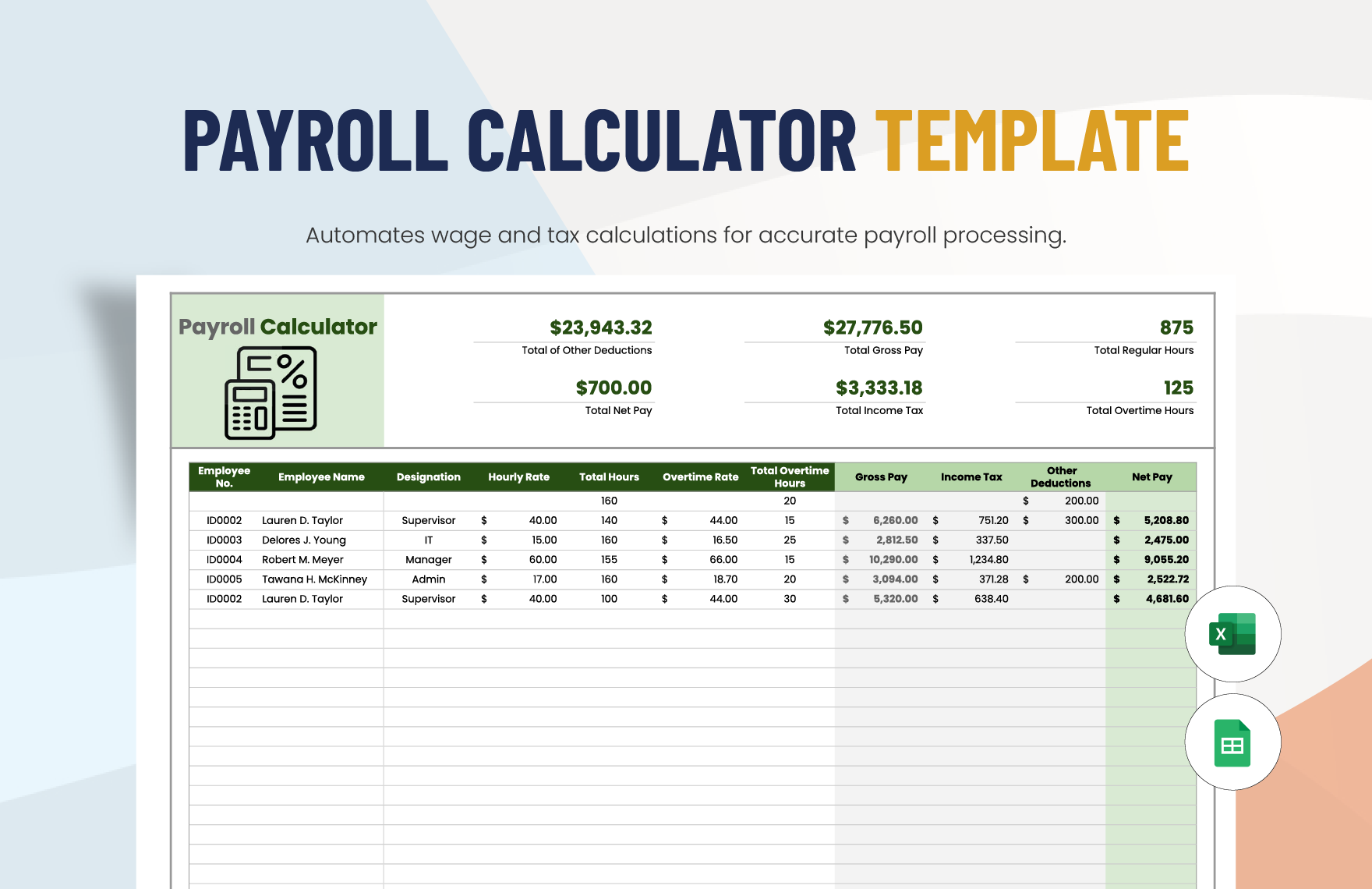
How to Do Payroll Calculations in a Spreadsheet
When people ask how to do payroll calculations, the safest starting point is not a complicated formula. It is a clear calculation map. Before entering formulas, identify which values are inputs, which are calculated, which are assumptions, and which are final outputs.
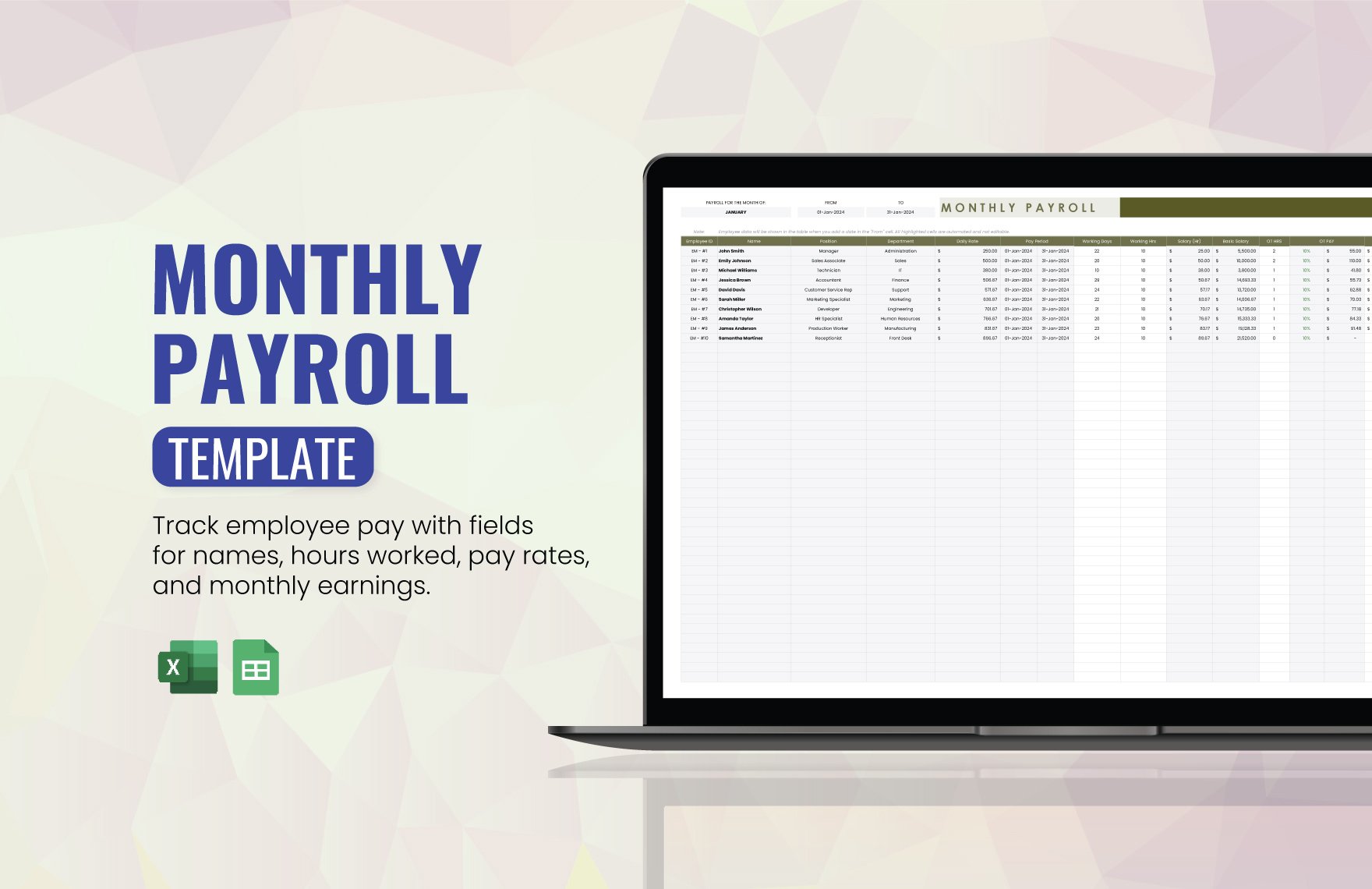
Start by creating columns for employee ID, employee name, pay type, regular hours, overtime hours, hourly rate or salary basis, regular earnings, overtime earnings, other earnings, gross pay, deductions, withholding, and net pay. Not every organization needs every column, but the structure should reflect its actual payroll process.
Next, define the formulas. A simple regular-pay formula for an hourly employee can be expressed as regular hours multiplied by the regular hourly rate. A simplified overtime calculation can be expressed as overtime hours multiplied by the applicable overtime rate. These examples demonstrate spreadsheet mechanics; they do not establish a legal overtime rule.
Then create a controlled assumptions area. If the workbook uses an overtime multiplier, deduction limit, benefit amount, or other variable, store that value in a clearly labeled cell rather than typing it repeatedly into formulas. This makes updates easier and reduces the risk of inconsistent assumptions.
Finally, test the workbook with known scenarios. Test zero overtime, overtime, no deductions, multiple deductions, missing hours, and a salaried employee. A calculation that works for one ordinary row may fail when an edge case is introduced.
Example Payroll Calculation Workflow
Consider a hypothetical employee who works 40 regular hours at $22 per hour during one pay period. The starting regular earnings would be $880. This is only an illustrative calculation and does not account for taxes, benefits, overtime, or other adjustments.
Suppose the same employee has five hours that qualify for an overtime rate of 1.5 times the regular rate under the organization’s applicable rule. The overtime rate would be $33 per hour, so the hypothetical overtime earnings would be $165.
The resulting hypothetical gross earnings would therefore be $1,045 before other earnings or deductions. If a $50 employee deduction applied, the workbook could show gross earnings of $1,045, employee deduction of $50, and a provisional amount of $995 before any other applicable withholding.
The example demonstrates why separate columns are preferable to a single “net pay” formula. A reviewer can see how the amount was built, identify which input caused a change, and compare the result against supporting payroll records.
In a real payroll environment, the actual withholding process may involve statutory tables, employee elections, taxable and nontaxable benefits, jurisdictional requirements, wage bases, and other rules. Those rules should be validated before being encoded into formulas.
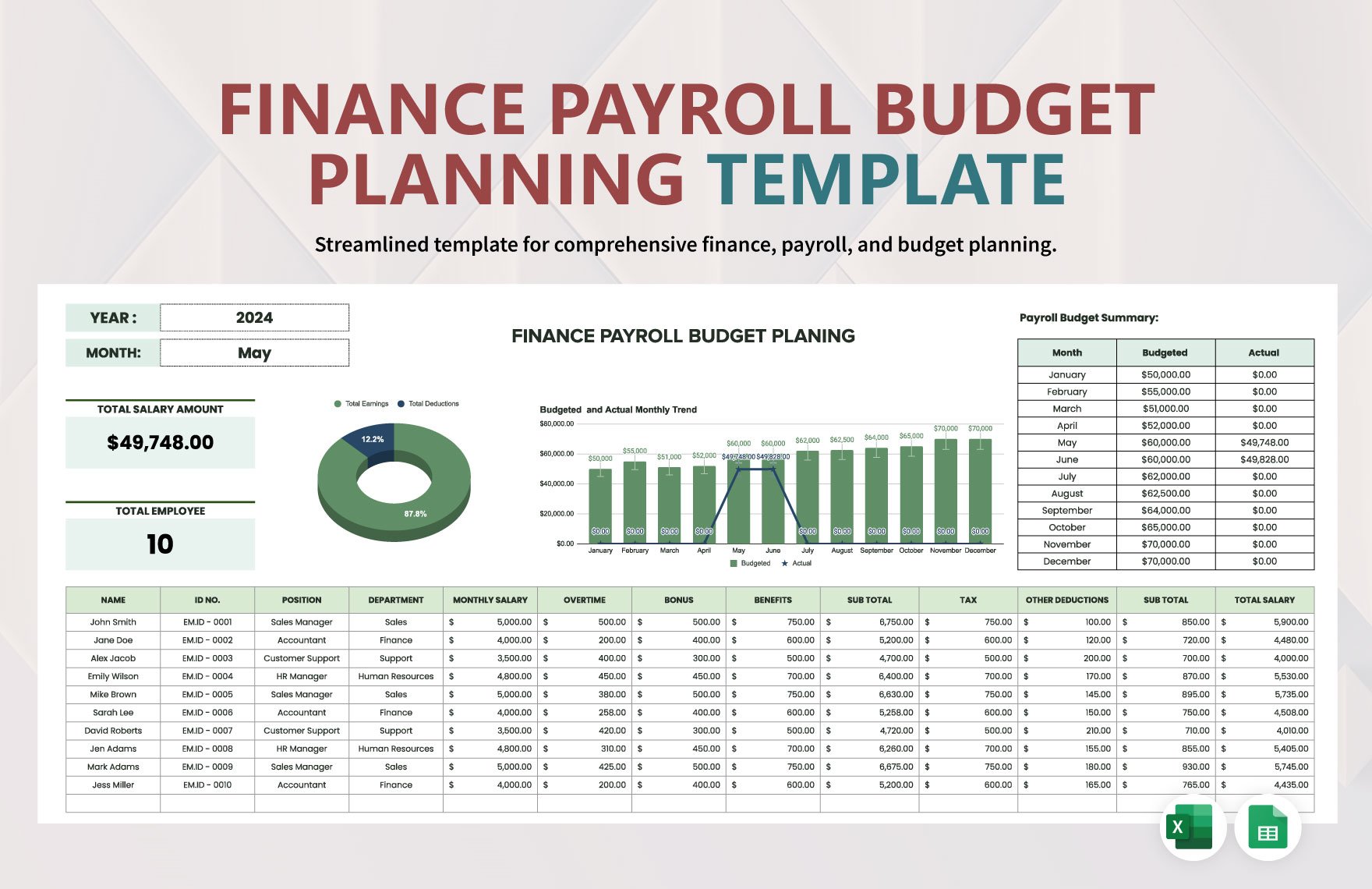
Designing the Calculation Columns
A practical spreadsheet should separate input columns from calculation columns. One approach is to use a consistent visual distinction for cells that users may edit and cells that contain formulas.
For example, editable fields might include hours worked, hourly rate, salary, bonus, and manually entered deductions. Calculated fields might include regular earnings, overtime earnings, gross pay, taxable wages, total deductions, and net pay.
Formula columns should generally be copied consistently down the table. If a formula is different in one employee row without a documented reason, that row deserves review. In Excel and Google Sheets, relative and absolute references should be used deliberately so that formulas behave correctly when copied.
Totals should be calculated separately from employee rows. A summary area can show total gross pay, total employee deductions, total withholding, and total net pay. The totals should reconcile to the individual rows rather than being manually typed.
It is also helpful to include a check column. A simple check can compare calculated net pay with the sum of gross pay minus the configured deductions and flag unexpected differences. This does not replace professional payroll review, but it can catch ordinary spreadsheet errors.
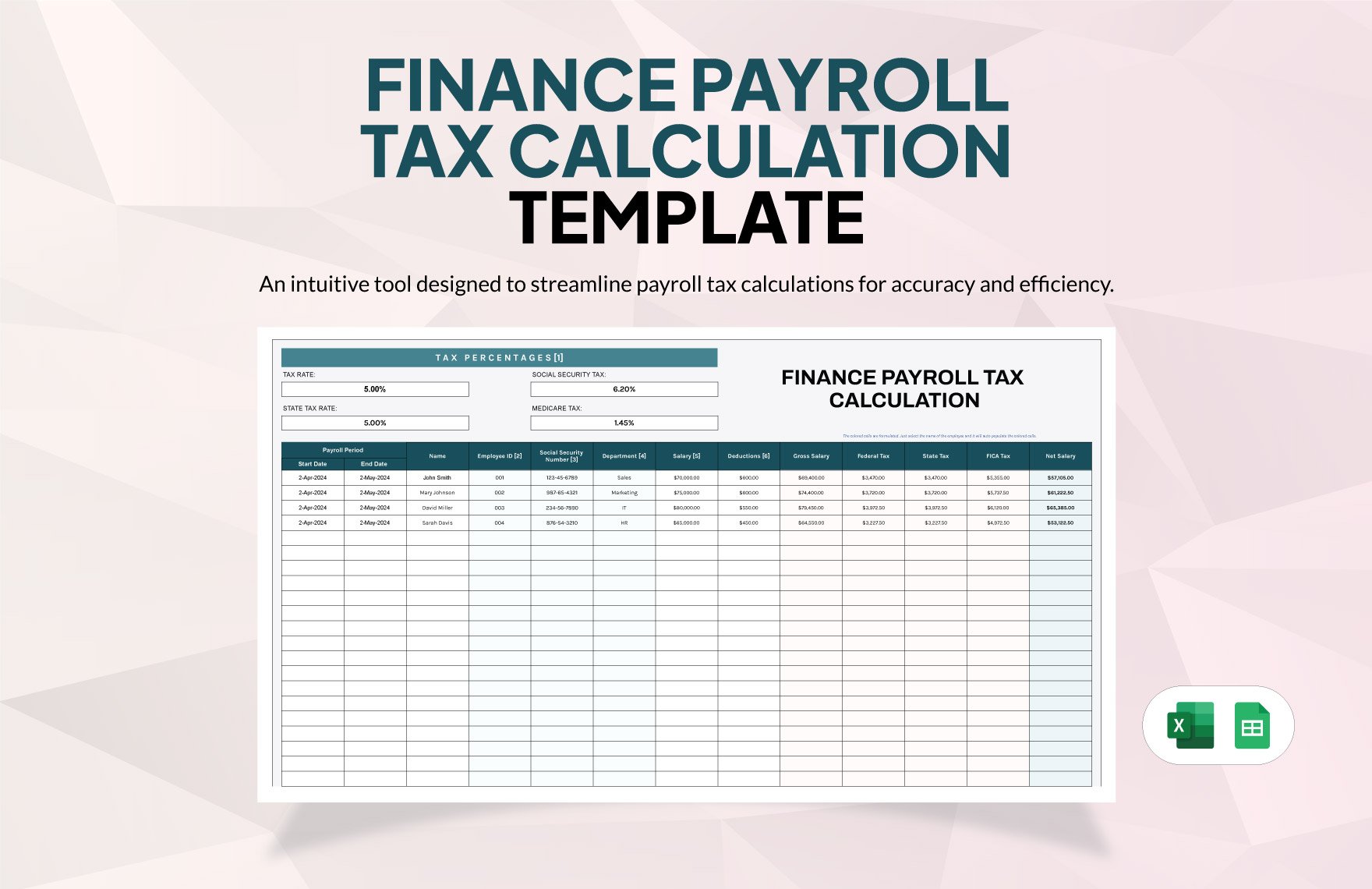
Using Excel for Payroll Calculations
Excel is often selected for payroll workbooks because it supports formulas, tables, filtering, data validation, conditional formatting, charts, and reusable templates. Microsoft also provides pre-built templates that can be customized, which can shorten the time needed to create a professional workbook structure.
A strong excel template for payroll calculation should not rely on formatting alone. Its value comes from a clear relationship between source inputs and calculated outputs. A table containing employee data can feed a summary sheet, while assumptions can be maintained in a separate controlled section.
When building payroll calculator template excel workbooks, avoid embedding changing rules inside dozens of individual formulas. Instead, place variable assumptions in designated cells or lookup tables where practical. This can make future updates easier and allows a reviewer to see which assumptions are being used.
Excel tables can also improve consistency. When a table is extended with new rows, formulas and formatting can be easier to maintain than with a collection of unrelated ranges. Structured references can make complex workbooks more readable when used carefully.
Before relying on an Excel workbook for an actual payroll run, test formulas and protect critical calculation cells. Keep an untouched master version separate from working payroll files so that accidental changes can be traced and reversed.
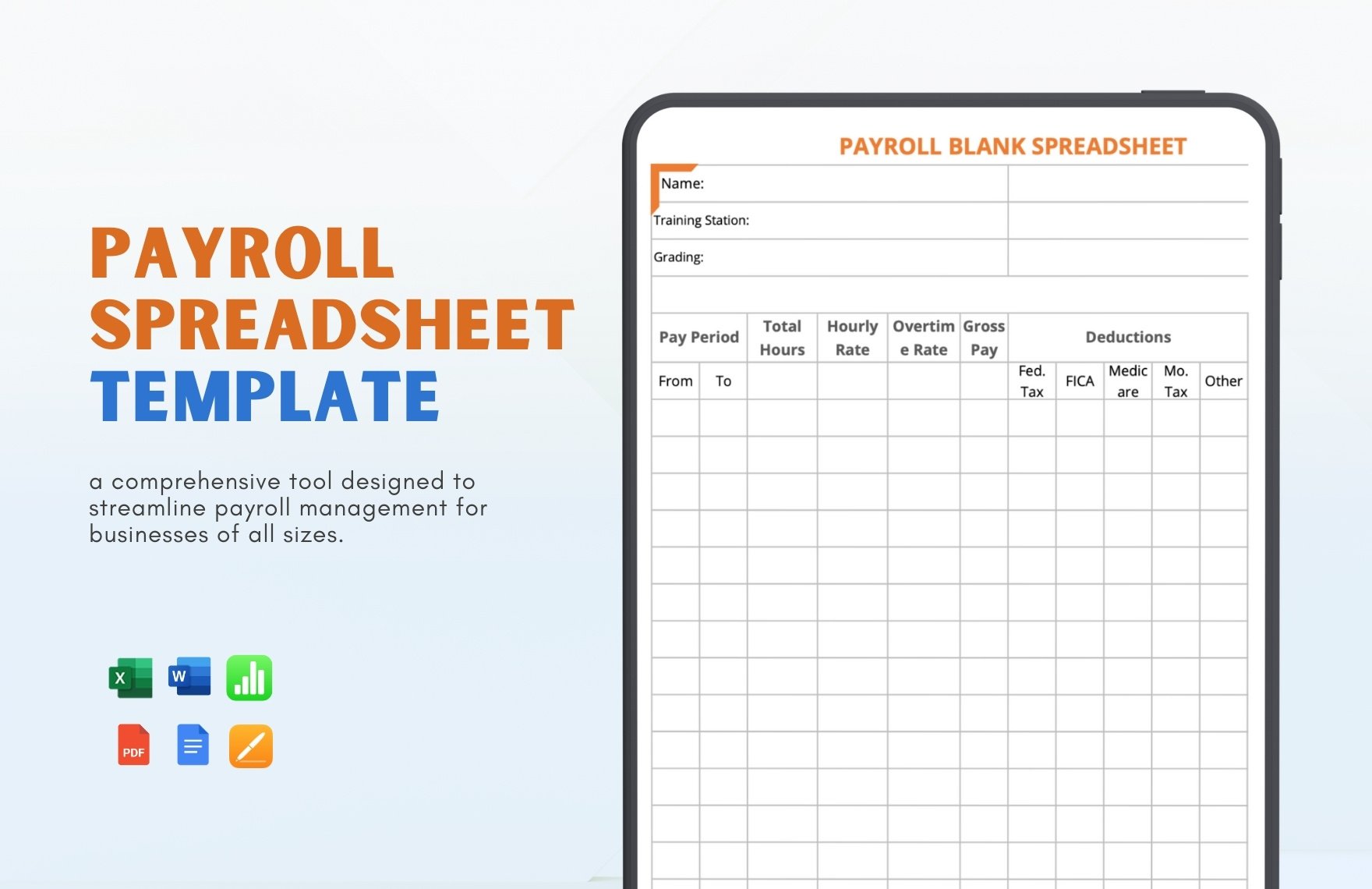
Using Google Sheets for Payroll
Google Sheets is useful when a payroll team needs browser-based access and controlled collaboration. It supports spreadsheet formulas and functions, and files can be shared with people who need to view or edit them.
A with calculations payroll template google sheets workbook can follow the same basic structure as an Excel payroll workbook. The important consideration is formula compatibility, permissions, version control, and whether the workbook relies on features that behave differently between spreadsheet applications.
Shared access should be configured carefully. Payroll data is sensitive, so only authorized users should receive edit access. A view-only permission may be appropriate for some reviewers, while payroll preparers may require edit access.
Google Sheets can also be useful for collaboration between payroll, finance, and management. However, collaboration should not mean unrestricted editing. A controlled workflow should identify who enters payroll inputs, who reviews calculations, and who approves the final payroll run.
For recurring payroll, consider keeping a master template separate from period-specific files. The master should contain formulas and documented assumptions, while each completed payroll run can be archived as a separate record.
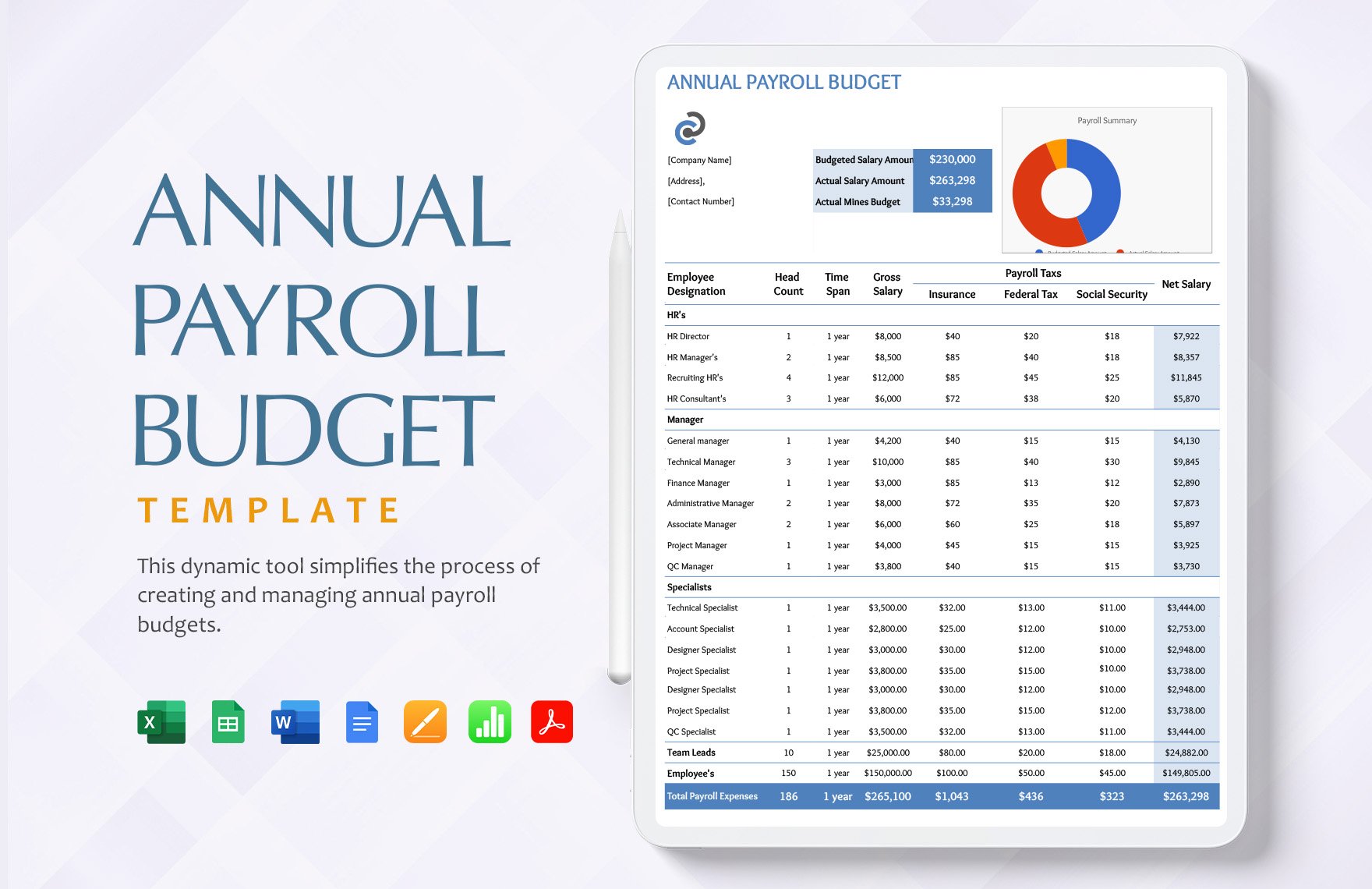
Payroll Templates for Different Employee Types
A single template may work for a small organization, but employee pay structures can differ substantially. Hourly employees often need regular hours and overtime fields, while salaried employees may require salary allocation by pay period.
A contractor or freelancer may be handled differently from an employee, depending on the applicable legal classification. The payroll workbook should not assume that every person paid by the organization belongs in the same calculation category.
Employees with commissions, bonuses, shift premiums, allowances, reimbursements, or benefits may need additional earnings fields. The goal is not to create as many columns as possible but to create a structure that clearly represents legitimate payroll components.
For teams using different pay schedules, a pay-frequency field can help prevent errors. Weekly, biweekly, semimonthly, and monthly calculations should not be mixed casually in one formula set without a clear design.
A template should also allow exceptions to be documented. If an employee’s calculation differs because of a contractual arrangement or a jurisdiction-specific rule, that difference should be traceable rather than hidden inside an unexplained formula.
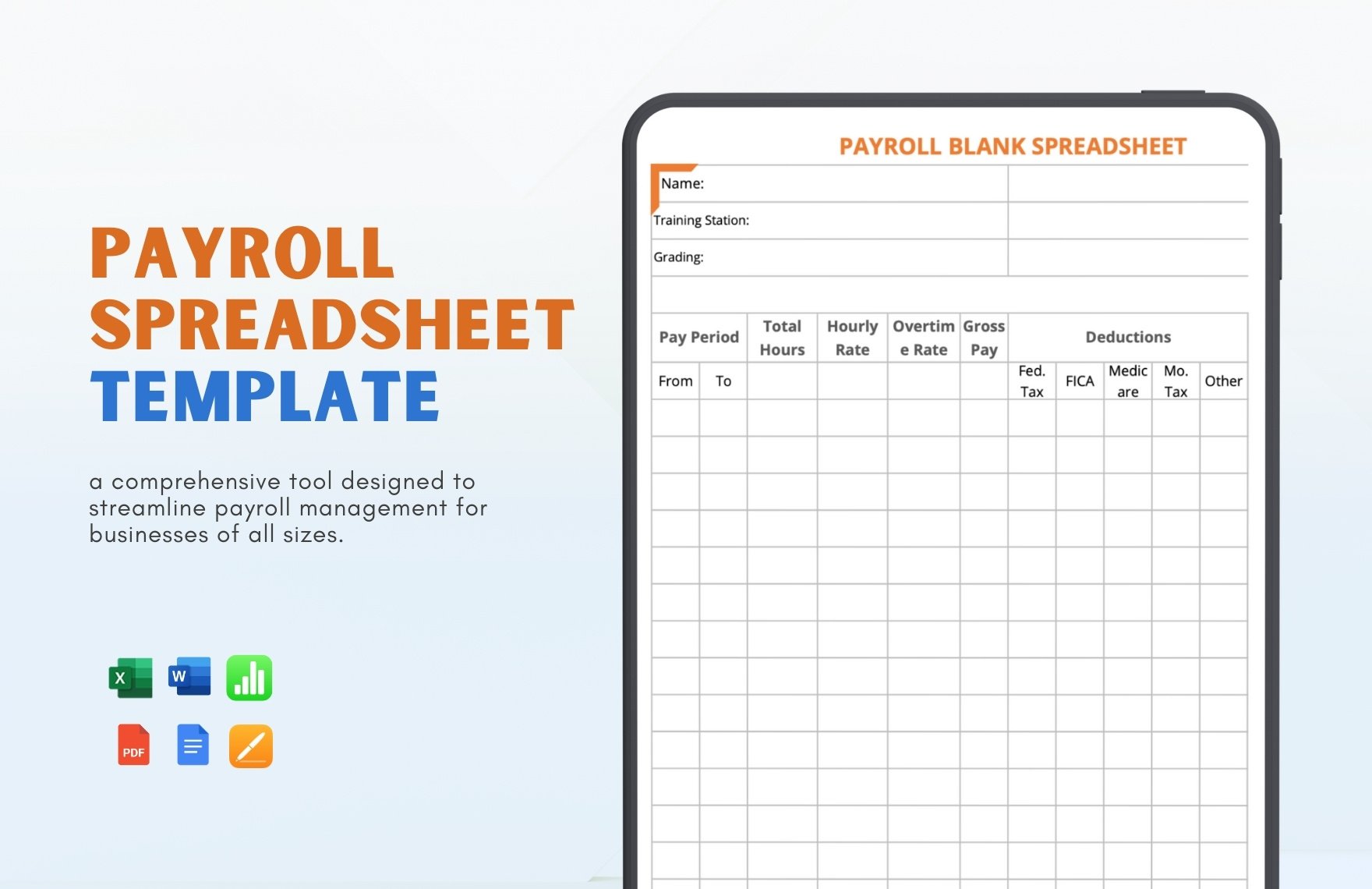
Building a Payroll Register
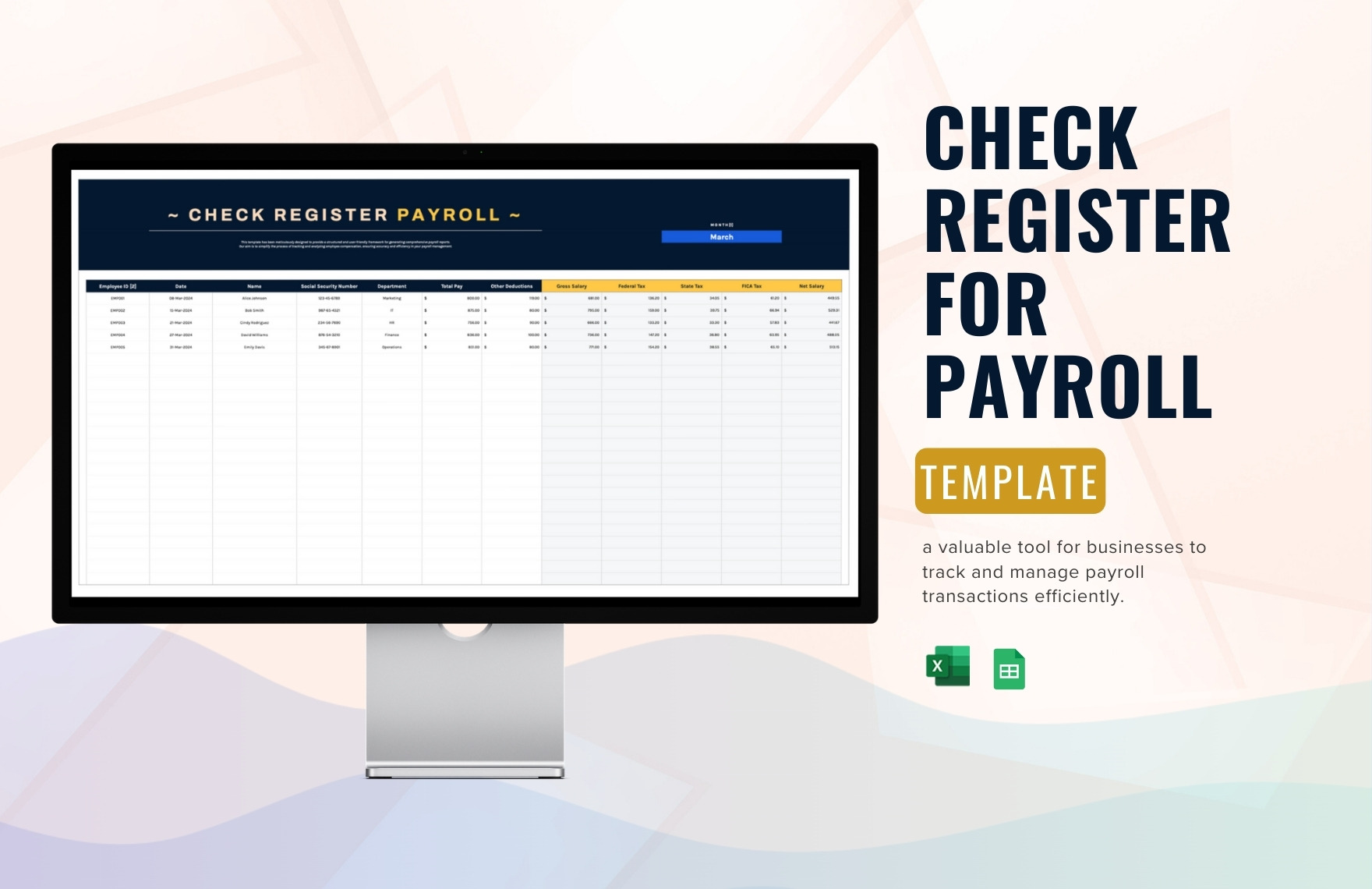
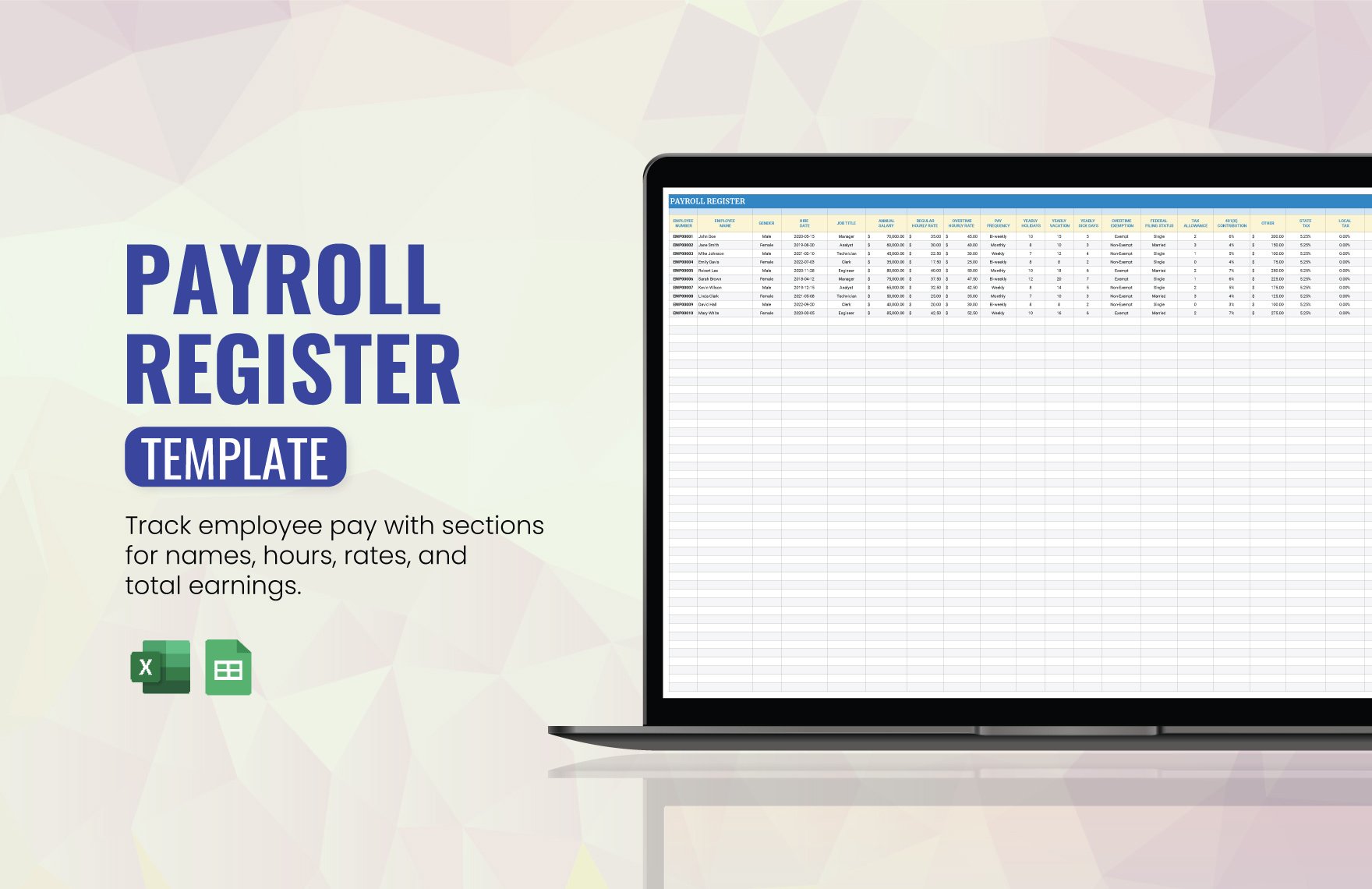
A payroll register is the historical record of payroll calculations and results. It can contain employee information, earnings, deductions, taxes, and net pay for each payroll run.
A well-designed register should make it possible to answer basic questions such as who was paid, for which period, how much gross pay was calculated, what was deducted, and what net amount resulted.
For organizations that process payroll repeatedly, the register can become the central audit trail. It can also feed management reports and help reconcile payroll expense to accounting records.
However, a register should not become an uncontrolled dumping ground for every payroll-related field. Keep the structure consistent and document what each column means. If a field is no longer used, remove it from the master design rather than leaving ambiguous blank columns.
Year-to-date information should be handled deliberately. If the workbook tracks year-to-date values, define exactly which periods contribute to those totals and how corrections are handled. A corrected payroll should not accidentally be counted twice.
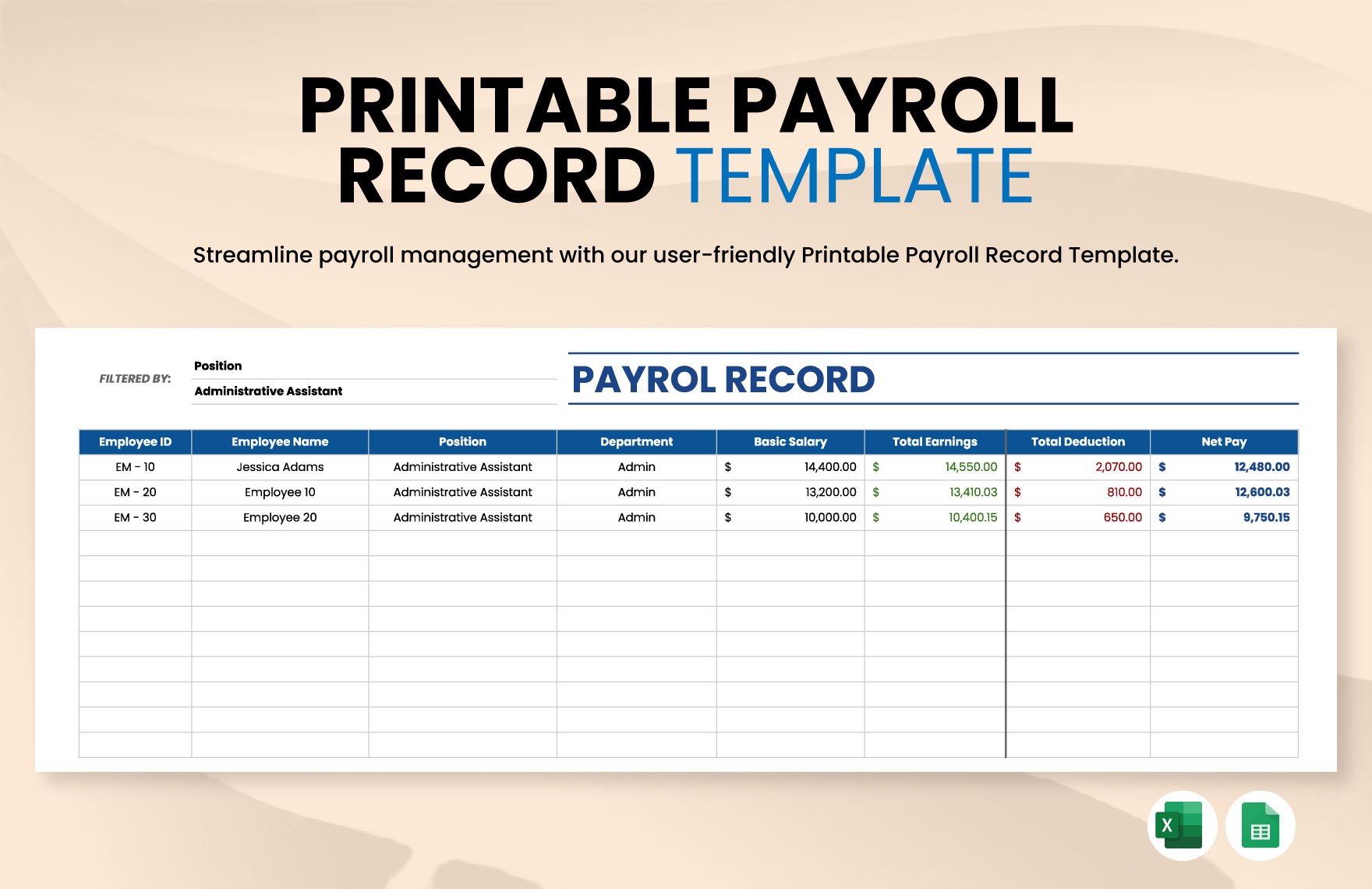
Payroll Reconciliation and Error Checking
Reconciliation is one of the most important steps in a spreadsheet-based payroll process. The objective is to compare the payroll calculation against source information and related accounting or payment records.
Start by checking employee counts. The number of employees in the payroll calculation should agree with the approved payroll list for the period, allowing for documented additions, departures, or other changes.
Next, compare total hours or salary amounts with the approved time records and compensation records. Unexpected changes should be investigated before the payroll is finalized.
Then reconcile gross pay, deductions, and net pay. If a total differs from the corresponding accounting or payment record, determine whether the difference comes from timing, an adjustment, an employee change, or a spreadsheet error.
Finally, review unusual results. Very high overtime, negative deductions, missing rates, zero net pay, unexpected bonuses, or large period-over-period changes should trigger a review rather than being accepted automatically.
Payroll Reporting and Management Analysis
A payroll spreadsheet can provide more than individual employee calculations. Once the underlying data is structured, the same workbook can produce summaries for management and finance.
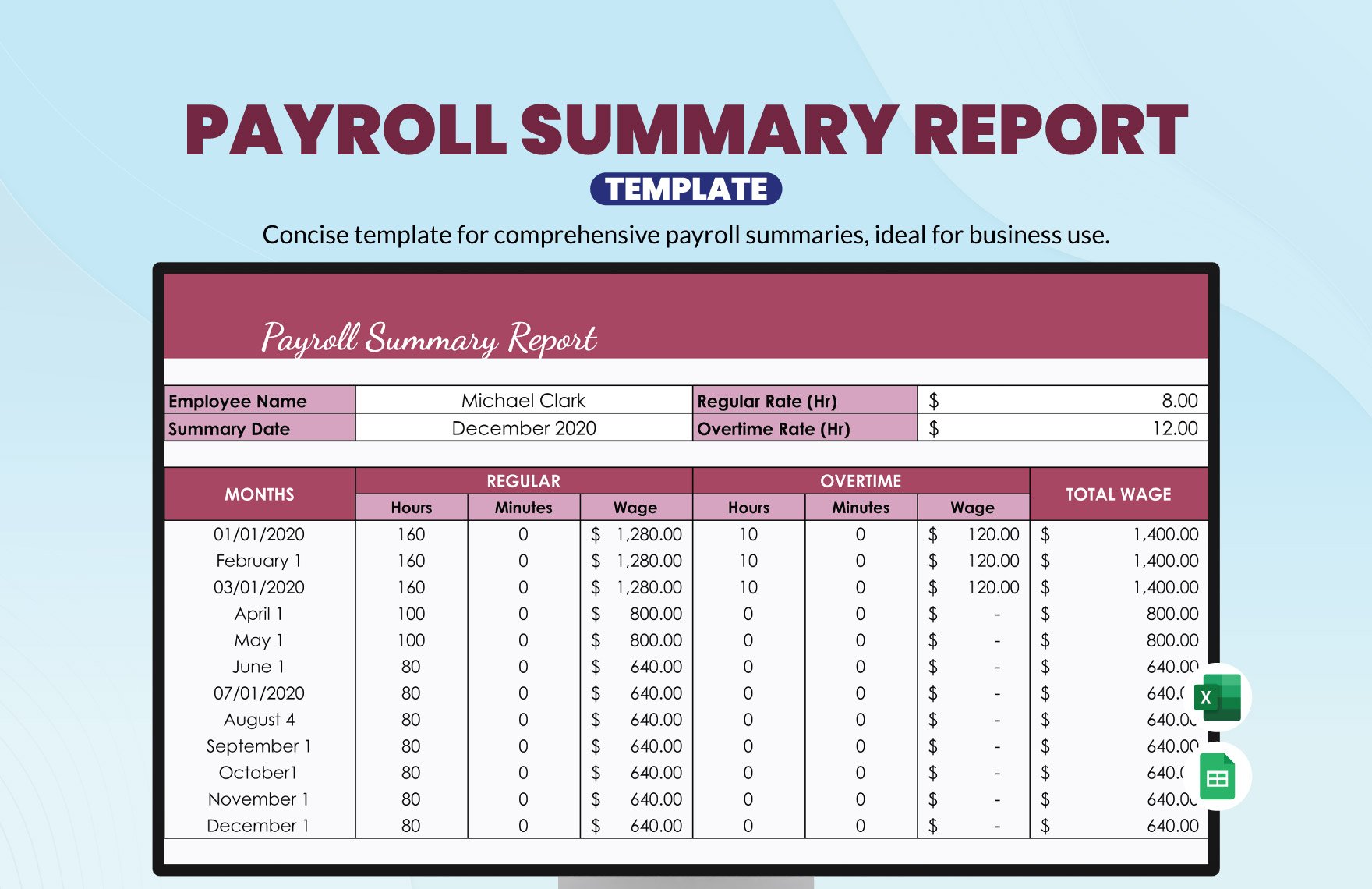
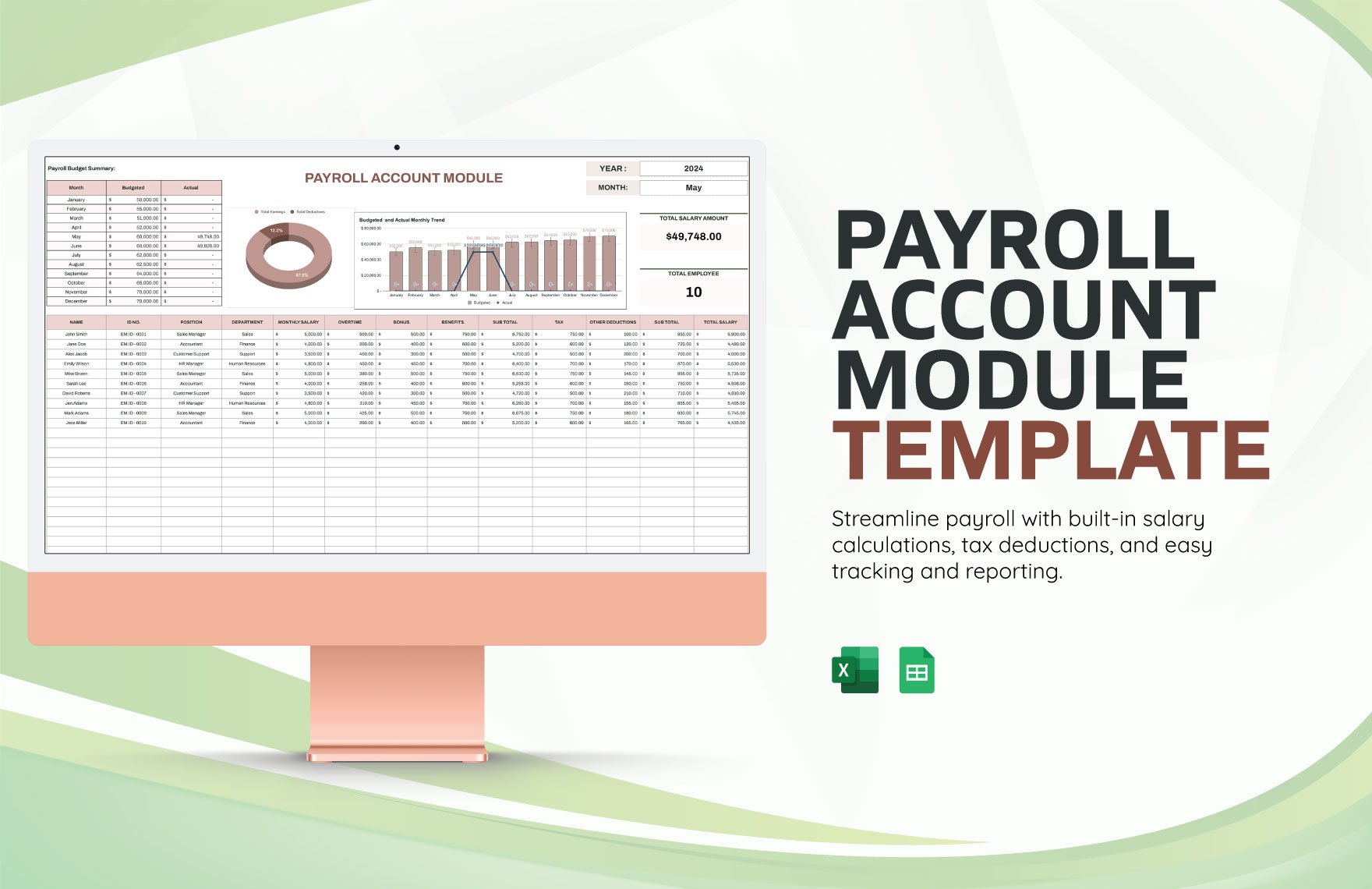
A payroll summary might show total gross wages, total overtime, total deductions, total net pay, and payroll cost by department. The exact metrics should reflect the organization’s reporting needs rather than being added simply because a dashboard looks attractive.
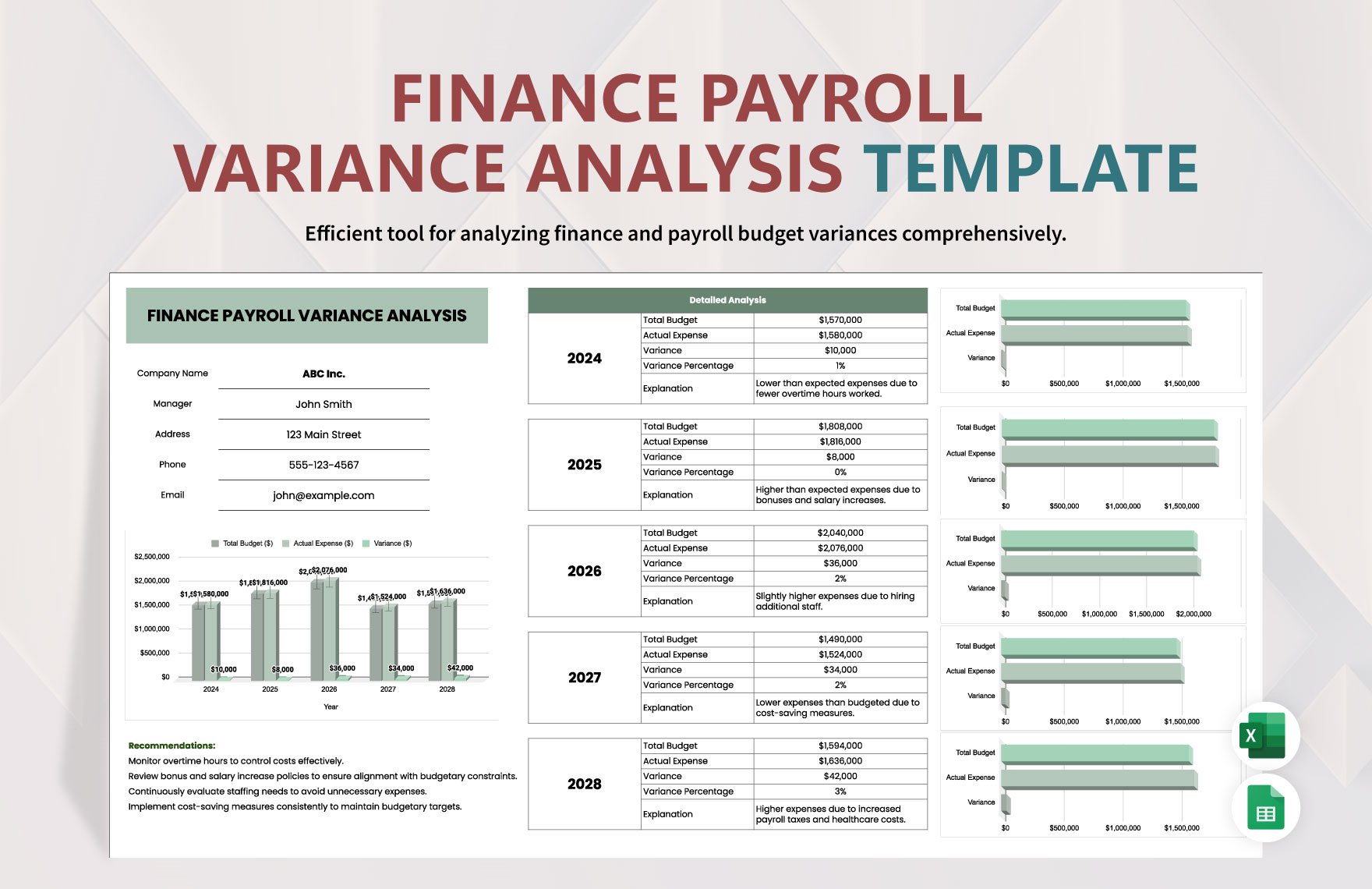
Variance analysis can compare the current payroll with a budget or previous period. For example, a significant increase in overtime may prompt management to investigate staffing, scheduling, seasonal demand, or other operational factors.
Charts can make trends easier to understand, but they should be generated from verified totals. A visually polished chart based on an incorrect source range is worse than no chart because it can create false confidence.
For recurring reporting, consider separating operational payroll data from management dashboards. This allows the payroll register to remain detailed while the dashboard presents only the information required by its audience.
Printable, PDF, and Paper-Based Payroll Formats
Some organizations need a printable record even when calculations are performed electronically. A PDF can preserve the appearance of a completed report and can be useful for review or controlled distribution.
A with calculations payroll template pdf may be useful as an output format, but a static PDF is generally less suitable for performing calculations than a spreadsheet. A sensible workflow is to calculate in a controlled spreadsheet and generate a PDF copy after review when a fixed-format record is needed.
Printable payroll records should clearly show the payroll period, employee or report identifier, relevant earnings, deductions, and final totals. Avoid printing unnecessary sensitive information when it is not needed for the recipient.
Before exporting to PDF, check page breaks, column widths, headers, footers, number formatting, and whether all required rows are visible. A spreadsheet that looks correct on screen may produce a poor printed report if its print area is not configured.
PDF files should also be stored according to the organization’s document-retention and access-control policies. Payroll documents often contain sensitive compensation information, so distribution should be limited to authorized recipients.
Free Payroll Templates: What to Check Before Using One
Searching for a with calculations payroll template free download can produce many results, but “free” does not automatically mean appropriate for your payroll process. A free workbook may be a useful starting point, but it still needs to be inspected before actual payroll data is entered.
First, identify whether formulas are genuinely included. Some templates are simply formatted forms with no calculations. If automatic calculations are important, inspect the formula cells and test them with controlled sample data.
Second, review the assumptions. A template designed for another country, tax system, pay frequency, or employment structure may not be suitable even if the spreadsheet looks professional.
Third, check whether formulas are protected and whether input cells are clearly identified. An accidental overwrite can turn a reliable-looking workbook into a flawed calculation engine.
Finally, test the workbook independently before production use. A small test payroll with fictional data can reveal incorrect formulas, broken references, missing totals, and assumptions that do not match the organization’s requirements.
Free Versus Paid Payroll Templates
A with calculations payroll template free option can be perfectly adequate for learning, prototyping, or a simple internal workflow. The important question is whether the workbook provides the functionality and controls required for the intended use.
Free templates often provide basic registers, timesheets, calculation columns, and summary areas. These can be valuable for small teams that have straightforward payroll requirements and appropriate expertise to validate the calculations.
Paid templates may offer more advanced dashboards, automated reporting, additional worksheets, support, or more extensive configuration. Those features can save time, but they do not automatically make a template legally compliant or correct for every jurisdiction.
The decision should therefore be based on complexity rather than price alone. A basic organization may need only a well-tested register, while a larger payroll operation may need integrated payroll software, accounting integration, approval workflows, audit logs, and automated compliance updates.
Regardless of cost, the template should have a clear owner. Someone should be responsible for maintaining formulas, reviewing assumptions, updating the workbook when payroll rules change, and controlling who can modify the master file.
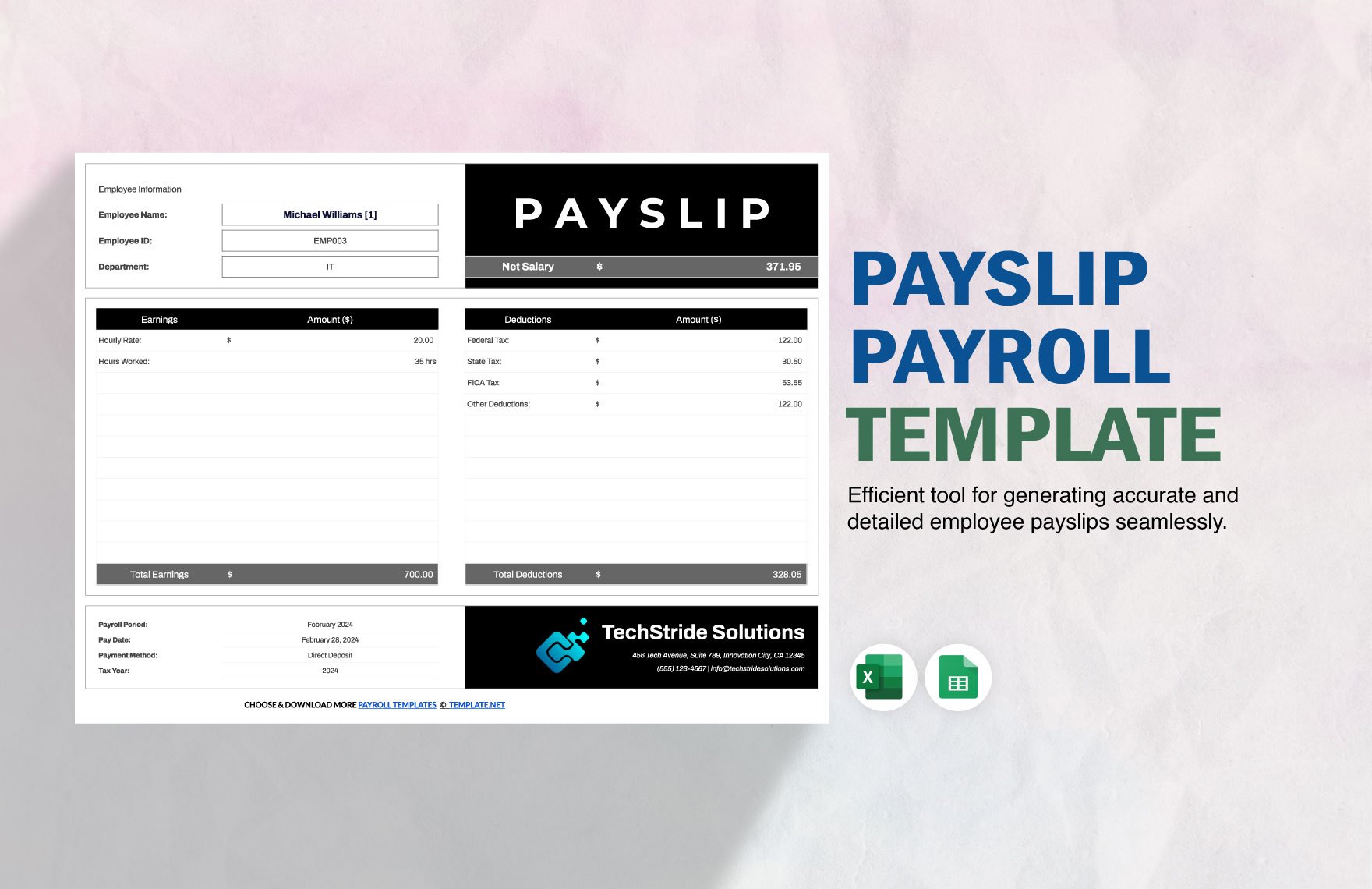
Using QuickBooks With a Payroll Spreadsheet
People searching for a with calculations payroll template quickbooks solution are often trying to connect spreadsheet calculations with accounting records. The best approach depends on whether QuickBooks is being used as the primary payroll system, an accounting ledger, or a reporting destination.
A spreadsheet can be useful for preparing or reviewing information before it reaches accounting software, but duplicated data entry creates risk. If the same employee, wage, deduction, or payment information is entered into two systems, differences can arise between the spreadsheet and the accounting record.
When integrating a workbook with accounting software, define which system is authoritative for each field. For example, employee master information may be maintained in one system while the spreadsheet is used for a temporary calculation or analysis.
Reconciliation should compare the final payroll totals with the amounts recorded in the accounting system. The comparison should be based on the same payroll period and should account for legitimate timing differences.
QuickBooks-specific procedures and payroll features can change by product version, country, subscription, and configuration. Do not assume that a generic spreadsheet-to-QuickBooks workflow is officially supported simply because both systems can handle payroll-related data.
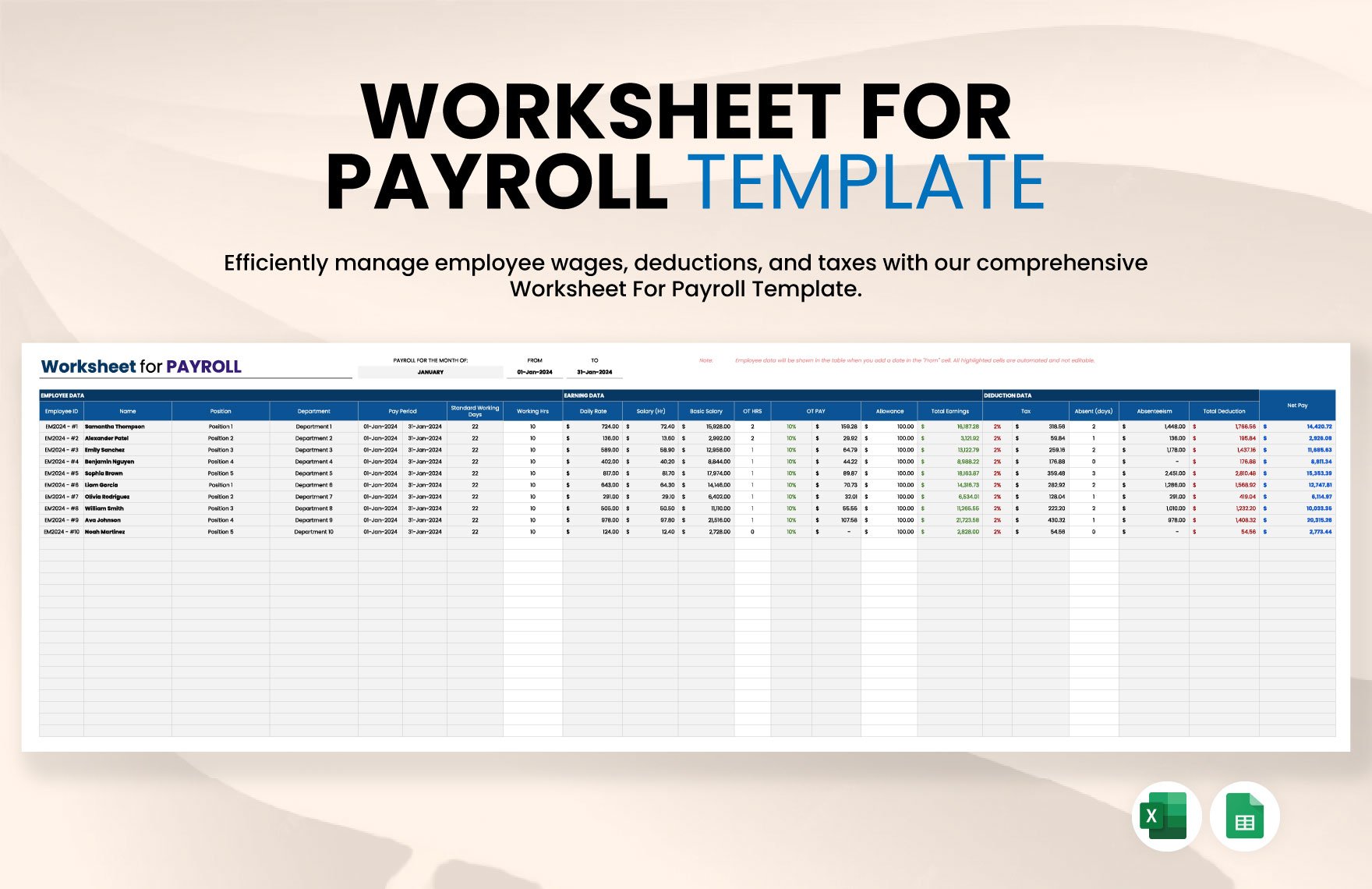
Security and Privacy for Payroll Spreadsheets
Payroll data is sensitive business information. A spreadsheet can contain compensation, deductions, employee identifiers, bank information, or other confidential records, so security should be treated as part of template design rather than as an afterthought.
Use the minimum necessary information. If a calculation only needs an internal employee ID, there may be no reason to include additional personal identifiers. Reducing unnecessary data also reduces the consequences of accidental disclosure.
Limit editing rights to authorized users. A payroll preparer may need access to input fields, while a manager may only need a summary report. Separating these roles can reduce accidental changes to formulas and confidential data.
Keep a clean master template separate from completed payroll files. The master should not contain real employee payroll history unless there is a specific reason to keep it there.
Finally, create a backup and retention process that matches the organization’s policies and applicable requirements. Do not rely on a single spreadsheet stored on one computer as the only copy of payroll records.
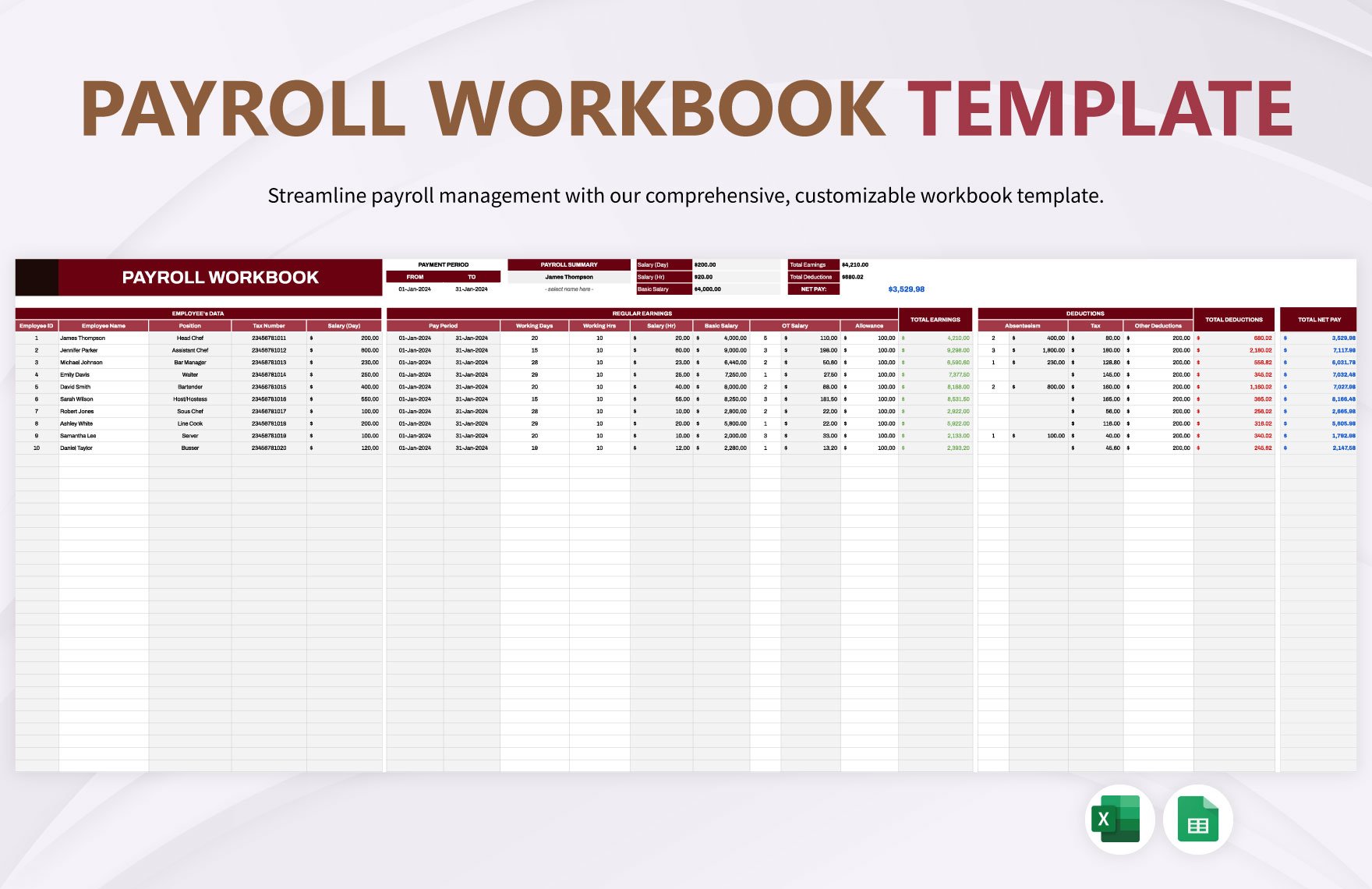
Common Payroll Spreadsheet Mistakes
One of the most common mistakes is typing over formulas. A user may paste a value into a calculated column because the result looks wrong, masking the underlying problem instead of fixing it.
Another common mistake is mixing input data with assumptions. If the overtime multiplier or deduction rate is embedded directly into multiple formulas, changing the rule becomes difficult and inconsistent.
Rounding can also create differences. Payroll systems may apply rounding at specific stages, while a spreadsheet may round only at the final result. The calculation method should therefore be defined rather than assumed.
Date errors are another risk. A payroll period can be accidentally shifted by one day, especially when formulas are copied or when dates are entered as text. Period dates should be validated before payroll is finalized.
Finally, users sometimes assume that a template’s formulas are automatically compliant because the workbook was downloaded from a reputable website. A template can be professionally designed while still being intended for illustration, customization, or a different jurisdiction.
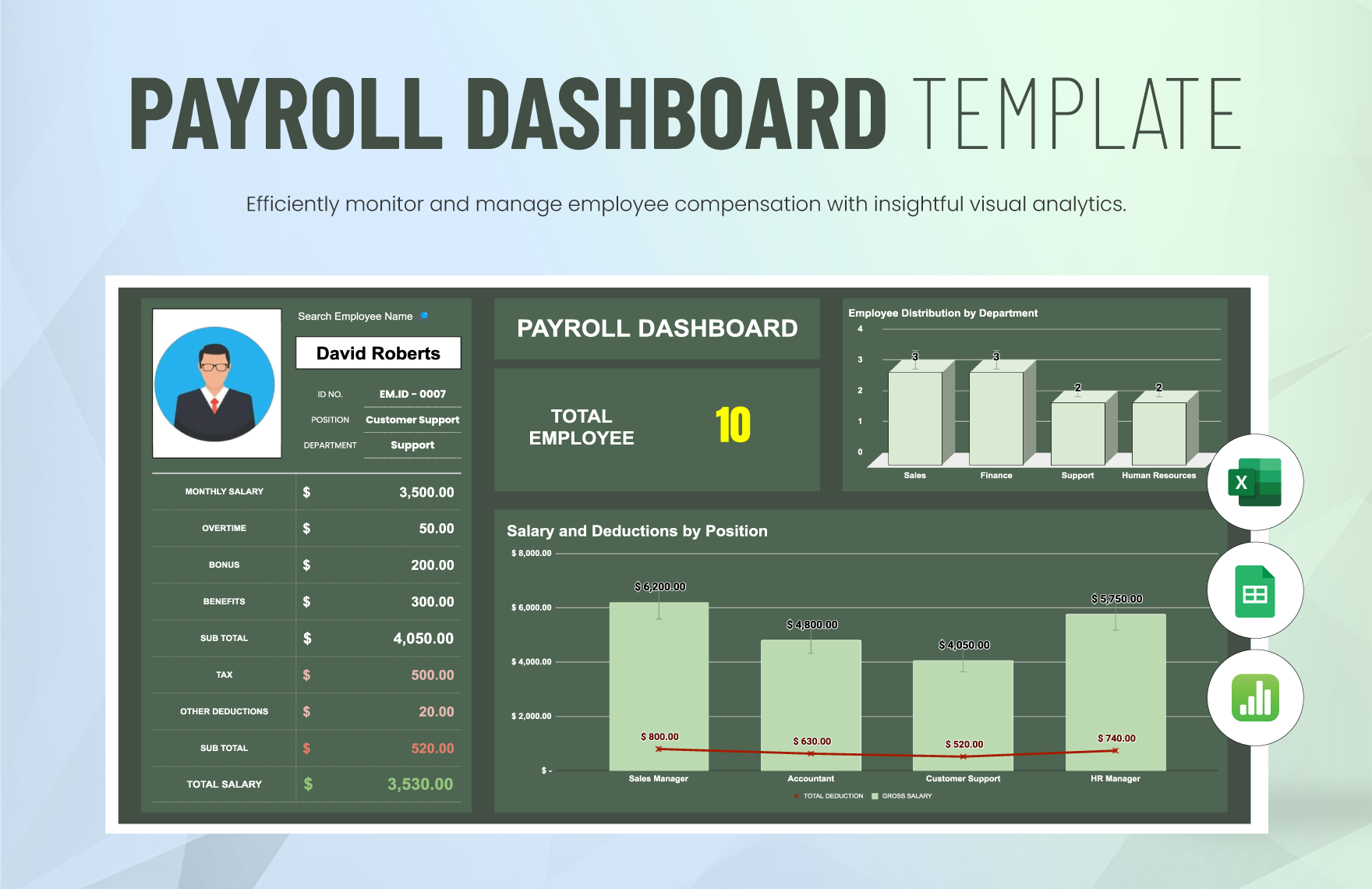
Best Practices for Maintaining a Payroll Template
Start with a documented master version. Record what each worksheet does, which cells are inputs, which cells are formulas, and where assumptions are maintained.
Use consistent number formats. Currency fields should look like currency, percentages should look like percentages, dates should use a consistent date format, and hours should not be confused with decimal currency amounts.
Use validation where practical. A dropdown for pay frequency or employment type can reduce inconsistent spelling and make reporting more reliable.
Test every major change before production use. If a formula is changed, run several fictional payroll scenarios and compare the results with independently calculated expectations.
Keep an audit trail of material changes. A simple change log can record the date, change made, reason, and person responsible. This is particularly useful when a workbook is maintained over several years.
When a Spreadsheet Is Not the Right Payroll Solution
A spreadsheet can be practical for simple payroll workflows, but it becomes less attractive as the number of employees, jurisdictions, pay rules, and integrations increases.
If payroll requires frequent tax-rule updates, complex employee benefits, automated filings, multiple locations, extensive approval workflows, or detailed audit trails, specialized payroll software may reduce operational risk.
A spreadsheet also requires human maintenance. Someone must check formulas, update assumptions, secure files, perform backups, reconcile totals, and monitor relevant payroll changes.
Professional payroll services can provide another option when an organization does not have the expertise or capacity to maintain payroll calculations internally. The right choice depends on the organization’s size, complexity, budget, risk tolerance, and local requirements.
The purpose of a template should therefore be clear. It can be a calculation aid, a payroll register, a planning tool, a reconciliation worksheet, or a reporting layer. It should not automatically be treated as a replacement for a complete payroll compliance system.
Practical Solution: Build a Reliable Payroll Calculation Workflow
The most practical approach is to build a controlled payroll workflow around the template rather than relying on the template alone. Begin with a clean master workbook containing separate areas for employee information, payroll inputs, assumptions, calculations, checks, and reporting.
Before every payroll run, collect approved source information. This can include time records, salary changes, approved bonuses, leave information, new-hire details, termination information, and authorized deductions. Do not start the calculation until the source records are complete enough to support the run.
Enter or import the source information into the designated input fields. Avoid editing formula columns manually. If an employee’s result looks unusual, investigate the source data and formula logic rather than simply changing the result.
Run the calculations and review the individual rows. Pay particular attention to new employees, employees with overtime, employees with unusual deductions, and anyone whose current pay differs significantly from the previous period.
Review the summary totals and reconcile them to the expected payroll funding, accounting records, or other authorized control totals. Resolve discrepancies before approval.
After approval, preserve a period-specific copy of the completed payroll record. If a PDF or printed report is required, generate it after the calculation and review process rather than using a static document as the primary calculation source.
Finally, maintain the master workbook separately. Changes to formulas, assumptions, or layout should be tested and documented before the updated master is used for the next payroll cycle.
Reference Examples
The following reference examples correspond directly to the required payroll-template formats and concepts. They are visual examples of spreadsheet and payroll-document layouts rather than endorsements that a particular template is legally suitable for every organization.
with calculations payroll template free download
Source: Template.net
with calculations payroll template excel
Source: Template.net
with calculations payroll template free
Source: Template.net
with calculations payroll template google sheets
Source: Template.net
with calculations payroll template quickbooks
Source: Template.net
with calculations payroll template for employees
Source: Template.net
with calculations payroll template pdf
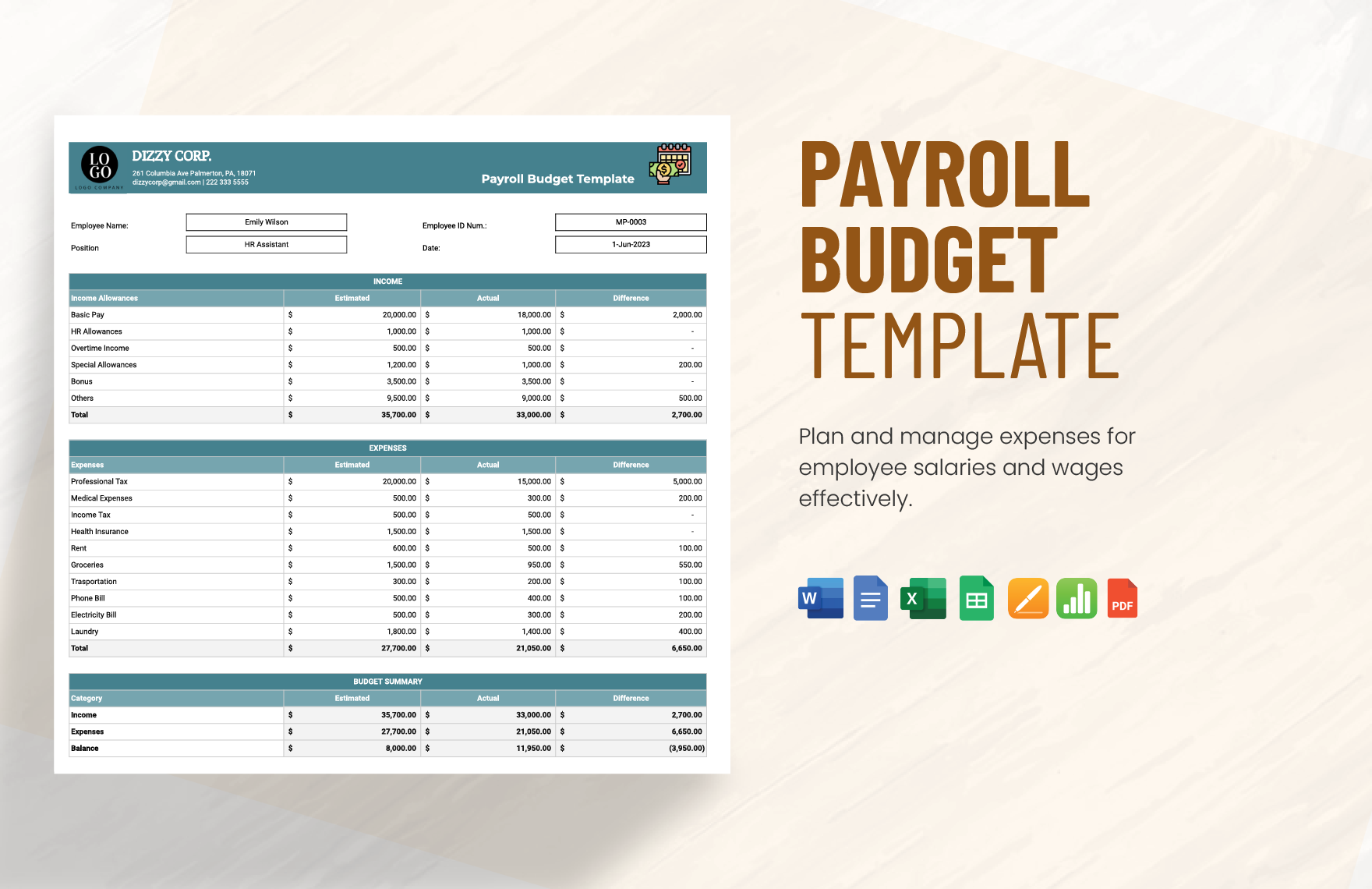
Source: Template.net
excel template for payroll calculation
Source: Template.net
payroll calculator template excel
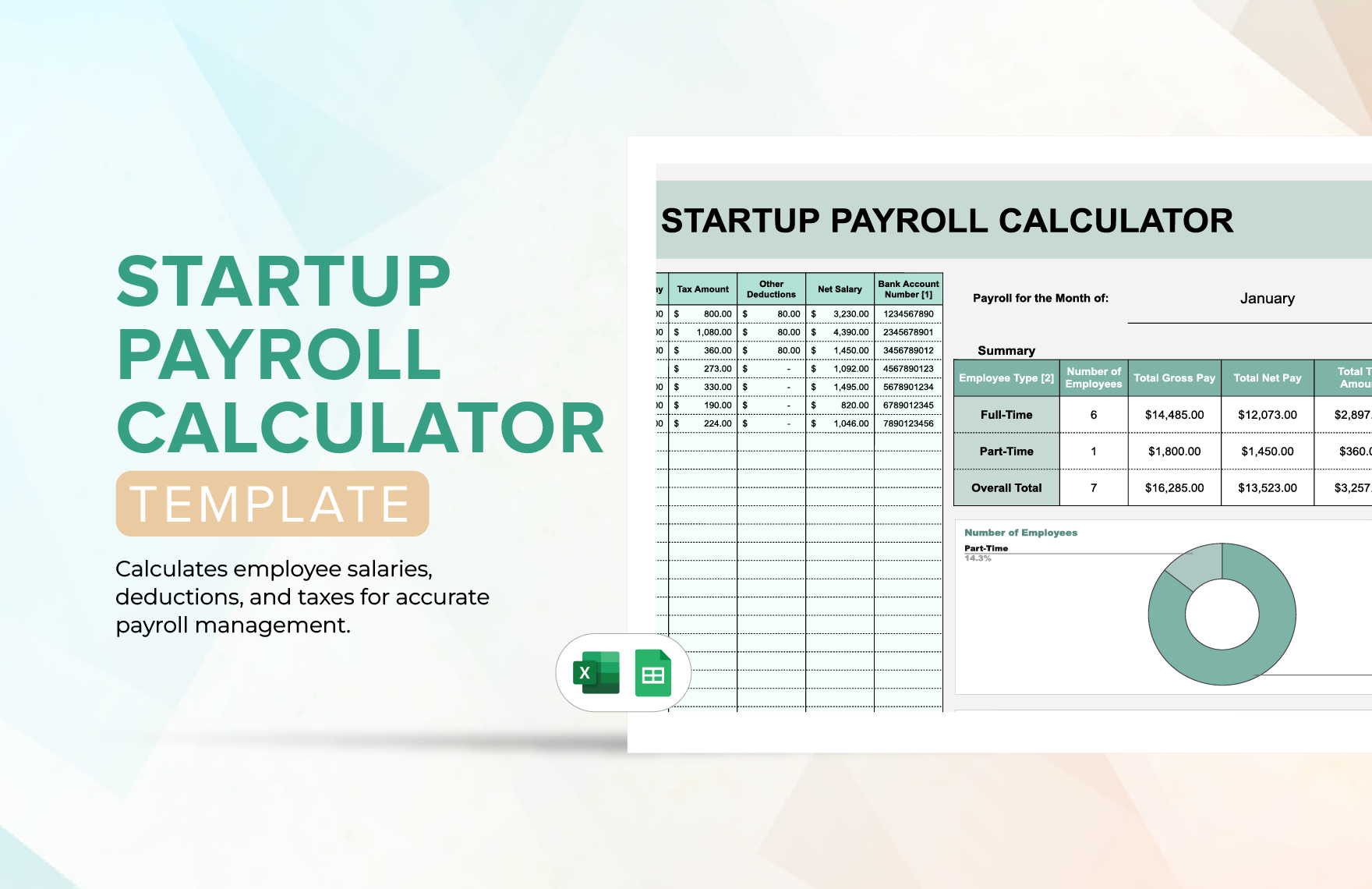
Source: Template.net
how to do payroll calculations
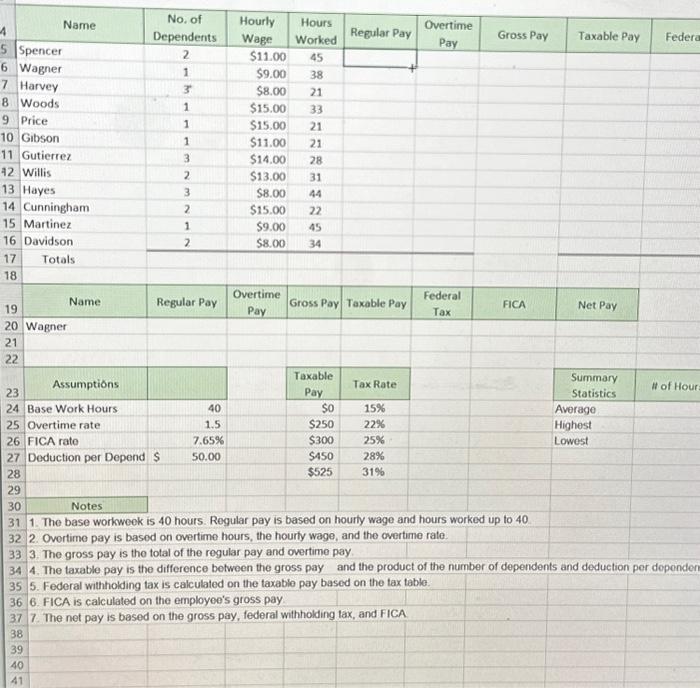
Source: Chegg
spreadsheet for payroll calculations
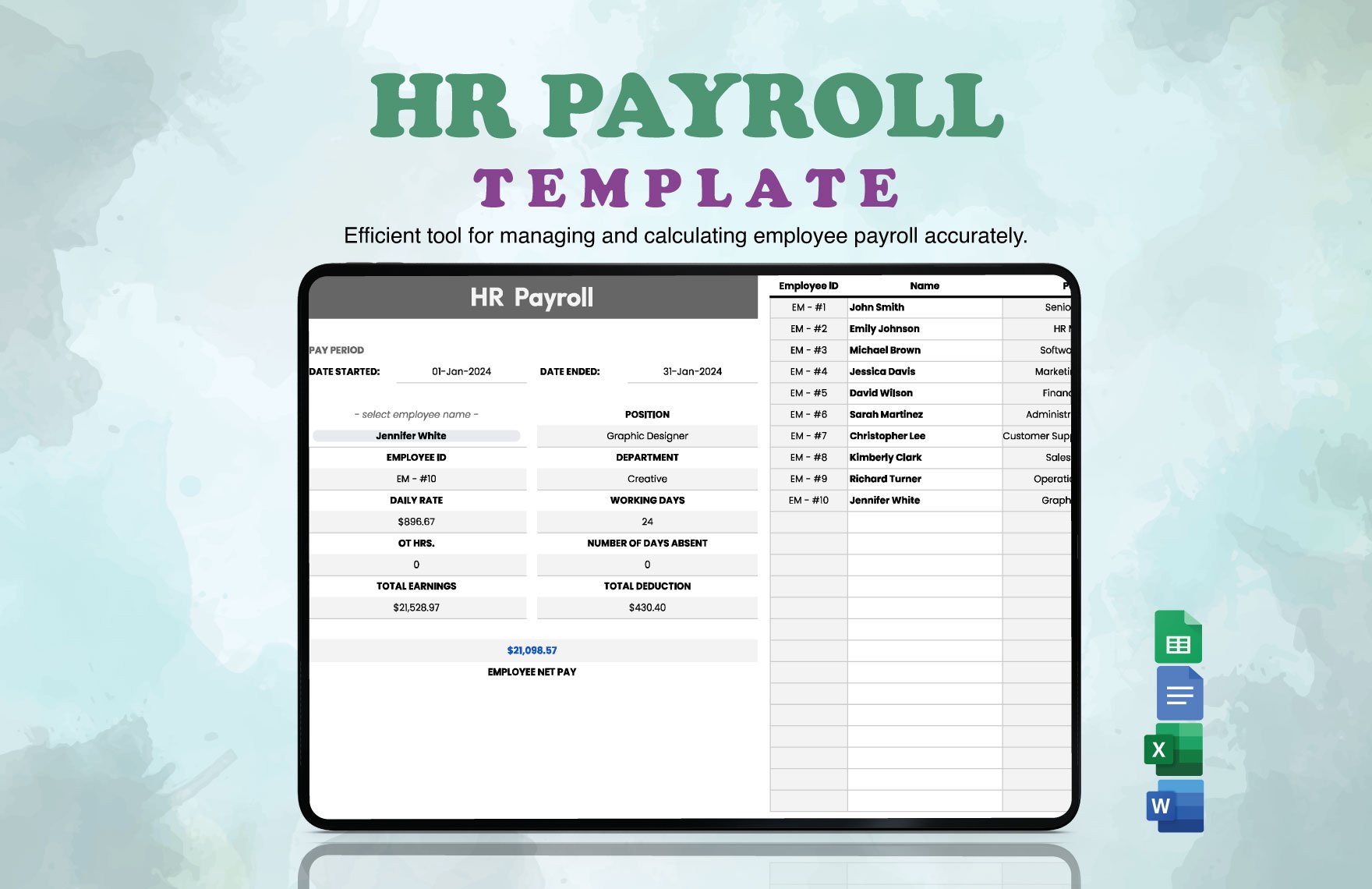
Source: Template.net
excel for payroll calculations
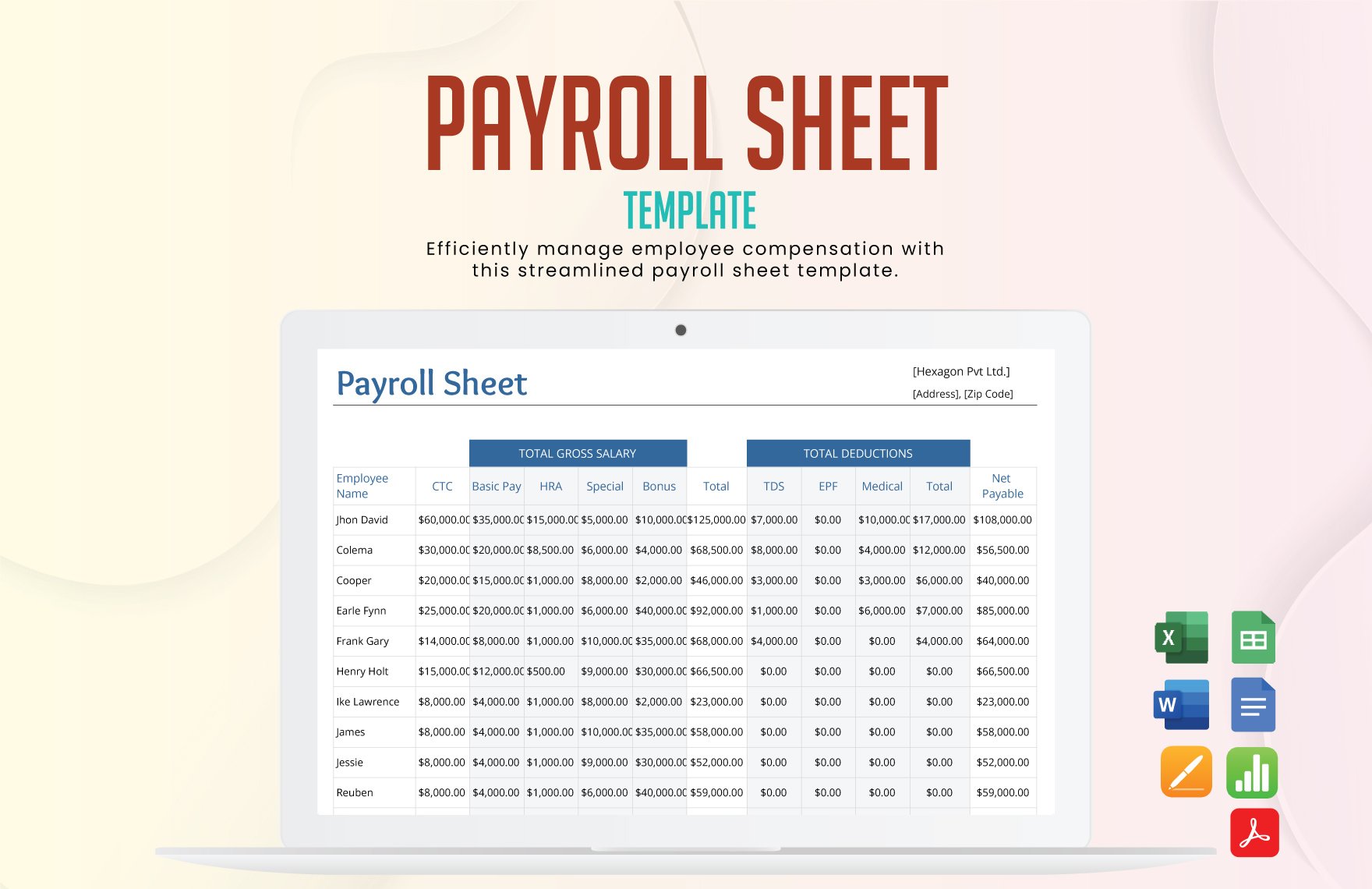
Source: Template.net
Frequently Asked Questions
What is the best structure for a with calculations payroll template?
A practical structure separates employee information, pay-period inputs, earnings calculations, deductions, net pay, assumptions, checks, and summary reporting. Keeping these areas distinct makes the workbook easier to review and maintain.
Can I use Excel for payroll calculations?
Yes. Excel supports formulas, tables, validation, reporting, and reusable templates. However, the workbook must use correct payroll rules and should be tested before it is used for actual payroll.
Can Google Sheets calculate payroll?
Yes. Google Sheets supports formulas and functions that can automate spreadsheet calculations. It can be useful for collaborative payroll workflows, but access permissions and formula compatibility should be reviewed carefully.
Are free payroll templates safe to use?
A free template can be a useful starting point, but “free” does not guarantee accuracy, compliance, security, or suitability. Review formulas, assumptions, source, intended jurisdiction, and update history before using one for real payroll.
Should a payroll template calculate taxes automatically?
Automatic tax calculations can be useful when the rules and data are maintained correctly. They also create maintenance responsibilities because tax thresholds, rates, forms, and requirements can change. For complex payroll, specialized software or professional review may be safer.
Can a payroll spreadsheet replace payroll software?
Sometimes a simple spreadsheet is sufficient for a small, straightforward workflow, particularly when calculations are reviewed carefully. As payroll complexity increases, dedicated software may provide stronger automation, security, auditability, integrations, and compliance support.
How can I prevent someone from changing payroll formulas?
Use worksheet protection where appropriate, distinguish input cells from formula cells, restrict editing permissions, keep a clean master copy, and maintain a change log. Protection should support the workflow rather than prevent authorized maintenance.
What should I check before approving a payroll run?
Check employee counts, pay-period dates, hours or salary inputs, unusual changes, overtime, bonuses, deductions, gross pay, withholding, net pay, and summary totals. Reconcile the results against approved source records and other authorized control totals.
Conclusion
A well-designed with calculations payroll template can provide a practical foundation for organizing payroll inputs, calculating earnings, reviewing deductions, producing summaries, and maintaining repeatable records. Its greatest value comes from structure and transparency rather than appearance.
Whether the workbook is built in Excel, Google Sheets, or another spreadsheet application, keep inputs separate from formulas, document assumptions, validate unusual results, protect sensitive information, and maintain a controlled master version.
Use free templates as starting points rather than unquestioned authorities. Confirm that the formulas, payroll rules, pay frequencies, deductions, and reporting requirements actually match the organization and jurisdiction in which the template will be used.
The safest payroll process combines a carefully designed spreadsheet with reliable source records, independent review, reconciliation, secure storage, and appropriate professional guidance when the calculations become complex. Used that way, a payroll template can reduce repetitive work while making each payroll calculation easier to understand and verify.
A payroll spreadsheet is most effective when it is treated as part of a disciplined process: collect accurate inputs, calculate consistently, review exceptions, reconcile totals, preserve the completed record, and update the underlying template whenever legitimate payroll requirements change.
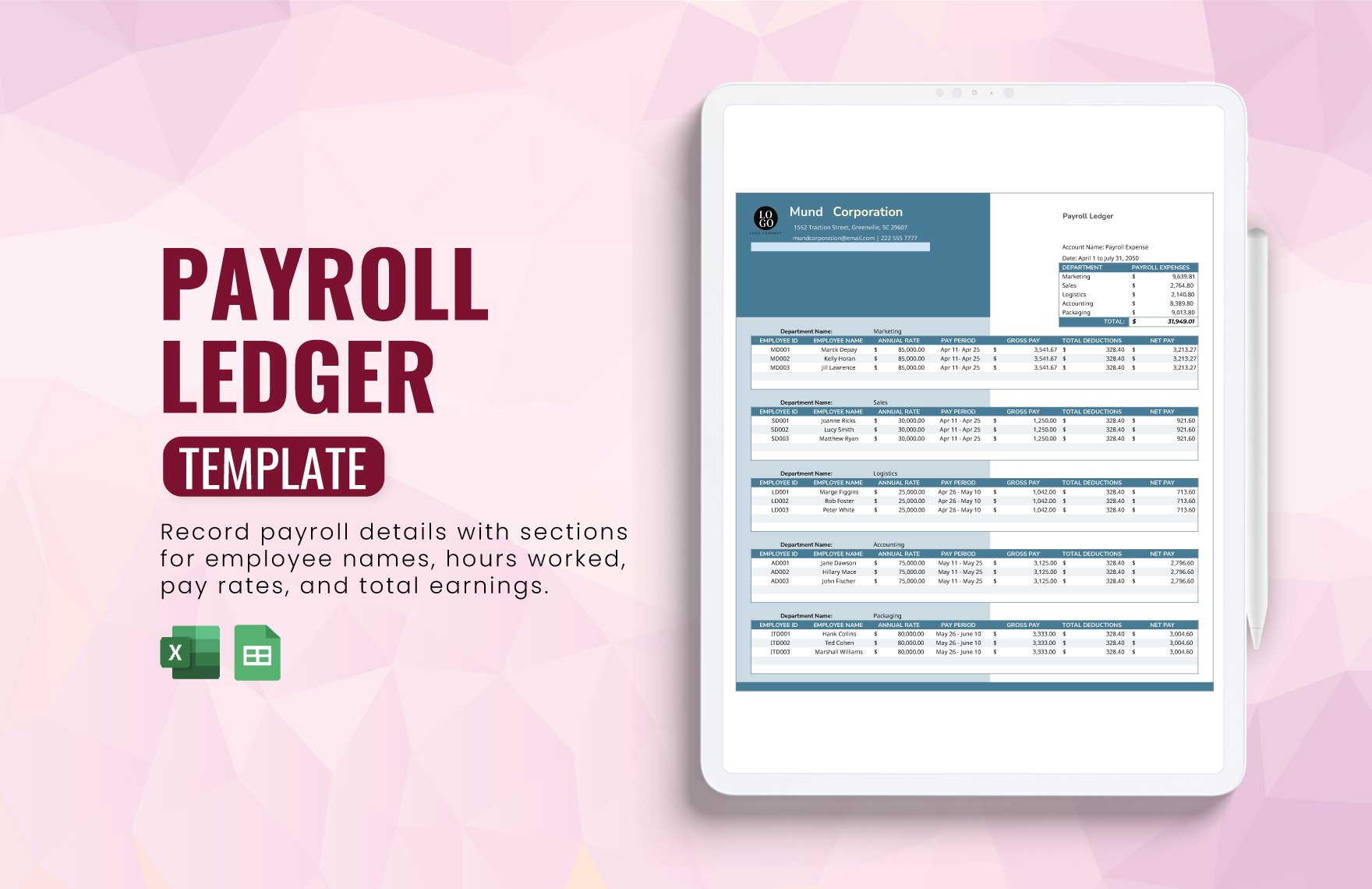
Choosing the right with calculations payroll template is therefore less about finding the most elaborate spreadsheet and more about creating a dependable workflow that produces understandable, reviewable, and properly controlled payroll records.
